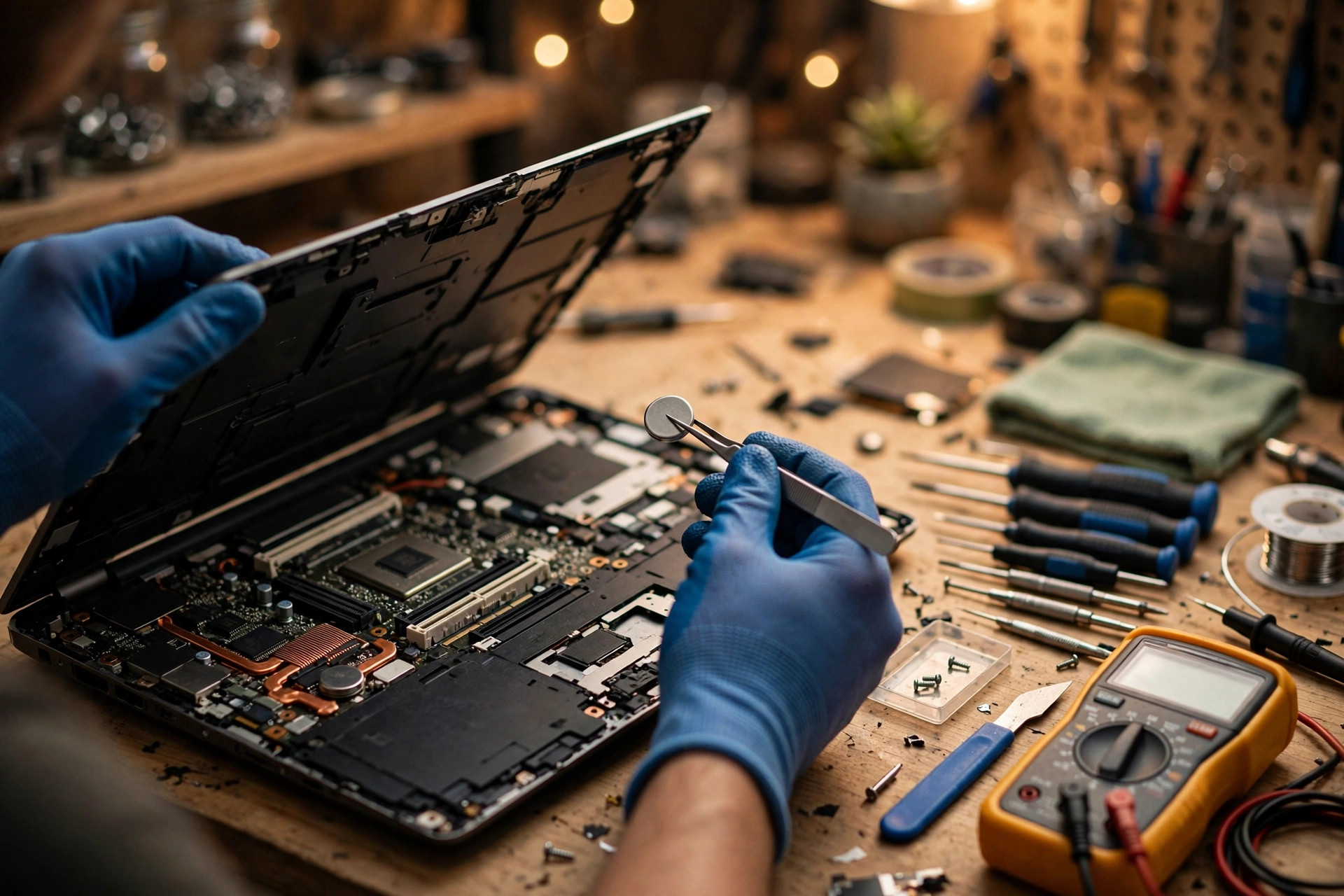
📌 Key Takeaways
- •Dell support document: replacing a CMOS battery on a Dell desktop, symptoms, same-type replacement, plastic tool, brand-new cell. https://www.dell.com/support/kbdoc/en-us/000135183/how-to-replace-a-cmos-coin-cell-battery-on-your-dell-desktop-computer
- •Dell support document: resetting the real-time clock on a Dell laptop, specified-model procedure, date and custom options to be set again afterwards, items the reset does not affect, possible BitLocker recovery key prompt. https://www.dell.com/support/kbdoc/fr-ga/000125880/how-to-reset-real-time-clock-rtc-to-recover-your-dell-portable-system?lang=en
- •Dell support document: resetting the real-time clock on a Dell desktop, for contrast, time-of-day not set message handling, BitLocker recovery key locations. https://www.dell.com/support/kbdoc/en-lv/000126023/how-to-reset-real-time-clock-rtc-to-recover-your-dell-desktop-system
- •Lenovo documentation, server document, principle only: installing a CMOS battery, specified part number or manufacturer-recommended equivalent type, date and time to be reset afterwards, disposal under local rules. https://pubs.lenovo.com/sr655/remove_the_CMOS_battery
- •HP Support Community: CMOS battery issue, symptom list, CMOS Checksum Error, RTC Battery is Low, varies by model, refer to the Maintenance and Service Guide. https://h30434.www3.hp.com/t5/Notebook-Hardware-and-Upgrade-Questions/Cmos-battery-issue/td-p/9503527
Every cold boot, the clock returns to the same factory date. Boot order, virtualisation settings, and Secure Boot state that you set in BIOS are gone after a full power loss. Boot stops and asks you to press a key past a CMOS checksum error or an RTC battery low message. These symptoms share one pattern: they do not appear while the machine is running. They appear on a cold boot, after the machine has been fully without power. This guide is the advanced diagnosis for that situation, after the basic checks are already done.
Start with the premise. The steps below assume you have already done the basics: corrected the time in BIOS and in Windows, checked the time zone, and confirmed automatic synchronisation is on. If those steps have not been done, do them first, or the advanced procedure will be contaminated by the simplest cause. From here on, each step answers one question only. Change one thing, record the result, and only then change the next thing. Changing the time setting, swapping a cell, and running a reset all at once destroys the evidence.
Next, the scope, because RTC failure is most often confused with three neighbouring topics. This guide covers the RTC layer only: the real-time clock and the CMOS and NVRAM settings-retention layer. Three things are not the subject of this guide:
- BIOS password problems are not the subject. A forgotten BIOS password, and clearing a BIOS password, belong to the neighbouring article laptop-bios-password-forgot. This guide gives that confusion one short box in the traps section, stating that an RTC reset must not be confused with password clearing, and it gives no password-clearing method.
- Main-battery problems are not the subject. A main battery that is not detected, that drains fast, or that shuts the machine down the moment the adapter is unplugged belongs to the main-battery articles. This guide uses the main battery only as a differential, to separate its faults from RTC faults. It does not expand into main-battery repair.
- Power-button problems are not the subject. A machine that gives no response to the power button at all belongs to the power-button and power-delivery topic. This guide mentions that layer only in the symptom map, to say that a machine with no power and no POST must not be treated as an RTC cell fault.
One more opening warning: this guide describes diagnosis and observation, not a disassembly repair tutorial. Any work that opens the machine, inspects an internal cell holder, cable, or board must be done by a qualified technician with power disconnected and the main battery isolated. Soldered cells in particular are described here only as far as "board-level work, send it for inspection". Inspection details are at the end, prices are on the pricing page, and inspection arrangements are on the diagnostic page.
1. Why the RTC needs its own power: the clock and settings storage are two things
The RTC, the real-time clock, is an extremely low-power timing circuit. Its job is single: to keep time running after the whole machine is off, even after every power source is removed. CMOS RAM was traditionally a volatile, low-power memory powered by the same small cell, used to hold BIOS settings. Modern boards have integrated the RTC and CMOS RAM into the southbridge or platform controller, and UEFI settings are often stored instead in a part of flash memory called NVRAM.
That evolution creates the most common misunderstanding in this topic. Do not write "modern machines never need a battery to keep settings", and do not write "modern machines always lose settings when the battery dies". Both are too absolute. Reference material states both halves at once: today's UEFI boards store settings in flash NVRAM, yet by some manufacturers' designs UEFI settings can still be lost when the CMOS cell fails. Other platform data, such as the board serial number and network address, is generally not cleared by an ordinary clear of CMOS. Actual behaviour varies by model and firmware design, and this guide keeps the qualifier "varies by model" throughout.
What does a dead cell look like? Manufacturer documents and official forums agree on the direction, but they carry different weight, and this guide labels them separately. A Dell desktop support document states that the CMOS cell helps BIOS and UEFI keep hardware configuration settings and keeps the date and time while the machine is off; when the cell dies, BIOS settings are lost after power-off, boot asks for the date and time to be reset, and settings loss can in some cases prevent the operating system from loading. The same document lists the most common failure symptoms as an incorrect or slow system date and time in BIOS, loss of BIOS settings after power-off, and "time-of-day clock stopped" messages. That wording must be labelled: it is a Dell desktop document. Its mechanism description helps understanding, but it cannot be transferred directly as "every Dell laptop behaves the same way".
HP official forum replies list the common symptoms as a wrong date and time after restart, BIOS reset to defaults, boot errors such as "CMOS Checksum Error" or "RTC Battery is Low", and slow boot or boot failure. Another HP forum thread states that a "Real-Time Clock Power Loss" message usually appears when the CMOS cell has lost power or failed. An older Dell error table lists code 0271, "Check date and time settings", caused by the real-time clock reverting to a default date and time, handled by correcting the date and time in system setup and seeking support if the problem persists. These messages are clues, not a diagnosis, and a later section explains why.
A usable symptom list, with the explicit warning that these symptoms point to the RTC layer as a possibility and do not confirm it: the same factory or default date returns on every cold boot; BIOS settings such as boot order, virtualisation, and Secure Boot customisations disappear after a full power loss; boot stops and asks for a key press or for BIOS time correction; and the fault is intermittent, becoming more obvious the longer the machine stays unplugged. Intermittency is itself a signal: a cell that is nearly exhausted, a holder contact that works sometimes, and a charging circuit that fails intermittently can all present as intermittent.
2. Why only a cold boot exposes it: sleep and restart may not
This is the most valuable positioning concept in the guide. As long as any power source keeps the RTC alive, the clock does not stop. Sleep and restart usually do not cut every power source, so the fault may not appear. Only a proper shutdown plus adapter removal plus a main battery that is empty or removed leaves the RTC cell supporting the clock alone. That explains why two users can see the fault at very different times: a user who runs the machine daily and keeps it plugged in may never force the cell to work alone, while a user who leaves the machine untouched for weeks sees the factory date on the first boot back.
A desktop analogy helps understanding but must not be copied onto laptops. Third-party material notes that an ATX board's power supply, while plugged in and switched on, keeps CMOS alive from standby power, and the cell only truly takes over when standby power is also gone. Laptops do not have ATX standby power in that design, so that sentence must not be repeated as a laptop conclusion. The direction is the same, though: while another power source covers the RTC, a cell fault stays masked; once the other sources are withdrawn, the fault appears.
A Dell laptop RTC reset document also shows, from the side, that the RTC layer can be reset independently of an ordinary power cycle. On specified Dell laptop models, an RTC reset is done by holding the power button for a period, after which the date, time, and custom options must be set again in BIOS. That procedure is not a cell replacement, and the traps section separates RTC reset, CMOS clear, and password clearing.
So the first diagnostic question should not be "is the clock right?" but "does the fault appear only after a cold, fully unplugged period, or does it also appear on a warm restart?" The answer already excludes most possibilities. A fault on warm restart points to a different layer from a cold-boot-only fault, and a fault that vanishes on AC power but appears off AC points somewhere else again. Record that pattern. Stating it at inspection saves a great deal of time.
3. Why RTC cells fail: age, self-discharge, and the charging circuit are three different paths
The two chemistries must be kept apart. Mixing them in one explanation is the root of later mistakes in identifying and buying the wrong cell.
The first family is the non-rechargeable lithium cell, the CR family, for example CR2032. Such a cell leaves the factory with a fixed charge and no charging circuit tops it up. The RTC circuit draws an extremely small current continuously, and the cell also self-discharges slowly, so its charge falls over the years. The longer the machine is used, and the longer it spends without power, the sooner it falls below the voltage at which the RTC works normally. On lifespan, the source limit must be kept: a Dell desktop support document states that CMOS cell life depends on use and environment and is usually around two to three years. That figure is Dell desktop wording. It must never be rewritten as "laptop RTC cells always die in two to three years" or "all machines behave this way". Third-party battery material states that the self-discharge rate of a non-rechargeable CR2032 lithium cell is generally low. That figure is third-party material, and if cited it must be labelled as such, not presented as manufacturer data. Third-party material also states that heat accelerates ageing, larger load current drains faster, and the environment, including temperature, humidity, and dust, affects life. These are general battery ageing principles, not measurements from a specific model, so this guide states only the direction, that heat and long periods without power are less favourable, and gives no acceleration multiple.
The second family is the rechargeable lithium cell, the ML family, for example ML1220. ML1220 is a rechargeable lithium-manganese cell, designed to be topped up by the board's charging circuit with a small current while main power is present. Its capacity is very small, so the backup time collapses sharply if any of these happen: the cell itself ages until it can no longer hold charge; it goes for a long period with no charging at all, for example a machine left unused and unplugged, or a main battery left empty for a long time; or the charging circuit, current-limiting resistor, or diode fails, so the cell never receives charge. On capacity, the version difference must be stated: different datasheet versions give slightly different capacity figures for ML1220, so this guide does not pick one figure and present it as definitive. The actual figure must be taken from the model manual and the physical marking, and the directional conclusion is only that the cell is far smaller in size and storage than CR2032. Circuit-design guidance, for example that charging voltage must not be set above a stated ceiling and that charging needs a protective resistor to limit current, belongs to the circuit-design layer. It must never be written as "the user can adjust the charging voltage".
The most dangerous confusion sits here: ML1220, a three-volt rechargeable cell, is not CR1220, a three-volt non-rechargeable cell of similar size but different chemistry, and it is not LIR1220, a three-point-six-volt rechargeable lithium-ion cell with a different voltage. Third-party material states explicitly that CR1220 is a non-rechargeable lithium-manganese cell, while ML1220 and LIR1220 are the rechargeable versions. Fitting a non-rechargeable cell into a machine with a charging circuit, or fitting a three-point-six-volt cell into a three-volt circuit, carries a risk of damage. The hard rule of this guide is: use only the same model, the same chemistry family, and the same voltage as a replacement. "The size fits" is never enough.
4. Symptom-to-cause map: find your row before touching anything
The most useful diagnostic question is not "is the clock wrong?" but "does the fault appear only after a cold, fully unplugged period, or does it also appear on a warm restart or on AC power?" The map below ties each symptom to its more likely layer and to the logic that excludes other layers. Every row is "more likely", never a confirmation.
| Observed symptom | More likely layer | Why, and what it rules out |
|---|---|---|
| Clock returns to a factory date only after the machine has been off and unplugged for hours or days; clock is fine after a warm restart or on AC power | RTC cell itself exhausted | Warm restart and AC standby power never draw on the cell, so they never expose it. Cold plus unplugged is the exposing condition. Dell's own support wording describes exactly this pattern: incorrect or slow BIOS date and time, loss of settings when powered off, "time-of-day clock stopped" messages |
| Clock returns to default after a very short off period, or within minutes of unplugging, even after a new cell | Holder, contact, or cable, not the cell | A new cell cannot repair a broken path. Suspects: a loose wired-pack connector, corroded or sprung holder contacts, a cracked solder joint on a holder or cradle, a pinched or unrouted RTC cable. A community support discussion for one brand is the textbook case: the cradle solder connection, not the cell itself, was reported as the more common cause of RTC charging failure. This guide uses it only as a teaching example, not as a rule for all machines |
| Clock returns to default, and a new correct cell does not hold, and the cell measures low again soon after fitting | Charging circuit failure, on rechargeable-cell models only, or wrong cell chemistry fitted | A rechargeable ML-type cell that never gets topped up will drain again. Conversely, fitting a non-rechargeable CR cell where a rechargeable ML cell belongs is dangerous, because the board will try to charge a cell that must not be charged |
| BIOS or UEFI settings lost, for example boot order, Secure Boot state, or virtualisation settings revert, but the clock itself keeps time | Settings-storage layer, not necessarily the cell | Modern UEFI settings may live in flash NVRAM, not in battery-backed memory. On some designs a dead cell resets only the clock; on others, by manufacturer design, settings are also lost when the cell fails. So "settings lost" alone does not prove "cell dead", and "clock correct" does not prove "settings storage healthy". Check both independently |
| Boot shows "CMOS checksum error", "CMOS checksum is invalid", "RTC battery is low", "RTC power failure", or an HP 502-related message | Stored settings data failed its check at POST: an RTC-layer fault to investigate, not a confirmation | The message itself only says the stored data does not match its check value, or that RTC power failed. HP community discussion repeatedly ties the 502 and checksum-invalid messages to a drained RTC cell, but the message does not identify which layer failed. The correct attitude is "RTC-layer fault, investigate", never "this message means the cell is dead" |
| Clock drifts gradually, minutes per week or month, while the machine is in use, and network sync keeps correcting it | RTC oscillator or crystal drift, or an operating-system time-sync configuration problem, not necessarily a dead cell | A dying cell typically causes a hard reset to a factory date after power loss, not smooth drift during use. Smooth drift must first be checked against the sync source, as in the proof steps below |
| Machine will not power on at all, no POST, no display, erratic charging LED, no response to the power button | Embedded controller, power sequencing, or main power rail, not a CMOS-cell diagnosis | A dead RTC cell by itself does not normally cause a total no-power machine. It causes clock and settings loss on a machine that does boot. No power plus flickering LED plus no POST points to the controller, charger integrated circuit or power rail, or main-battery path. Do not sell an RTC-cell swap as the fix for a no-power machine |
| Machine boots, but only after pressing a key past a checksum prompt, or only after AC power is connected | An RTC-layer fault exposing a boot-policy consequence | The firmware stops because stored settings cannot be trusted. Record the exact message verbatim, because different messages point the technician to different manual sections |
| Settings and clock are fine when the machine is used daily, fault appears only after weeks unused in a drawer | Rechargeable RTC cell deep-discharged by long storage | Rechargeable manganese-lithium coin cells degrade badly after repeated full discharges. A community support discussion for one brand's eleventh-generation machine states explicitly that more than roughly ten to twelve full discharges cause serious capacity degradation. That figure belongs to that brand and generation only. This guide uses it only to explain the "unused for a long time, then fails" pattern, not as a number for all machines |
| Fault appears immediately after a BIOS or firmware update, a main-battery swap, or a CMOS clear | Settings-storage or update interaction, not automatically a dead cell | Updates can change firmware signatures and measured-boot values, and a CMOS clear deliberately wipes settings. If the onset coincides exactly with one of these events, the first hypothesis is "settings were reset or changed by that event", and the test is "set the correct date, time, and settings, then cold-boot unplugged and see if they hold" |
The four differentials that must be kept apart
First, RTC cell dead: cold-boot-only clock and settings reset, and a new correct cell plus a cold-boot test passes. Second, main-battery failure: the machine also shows short runtime, sudden shutdowns, "not detected", or will not run unplugged at all; and on no-separate-cell models, clock and settings loss is itself a main-battery symptom. Swapping the main battery when the RTC cell is the fault, or the other way round, is the most expensive waste, and it appears as Trap 1 in the traps section. Third, embedded controller or power-sequencing failure: no power, no POST, erratic LEDs, keyboard, touchpad, or power-button behaviour that a cell swap cannot explain. The existence of a manufacturer's own EC and RTC reset procedure is itself proof that controller state and RTC state are two different things that users conflate, with different procedures and different purposes. Fourth, dead BIOS settings storage, flash NVRAM or a board fault: settings will not hold even with a proven-good cell, proven holder continuity, and, for rechargeable types, a proven charging circuit. That is a board-level fault, not a cell fault, and no cell swap should be promised to fix it.
Why operating-system time sync hides the fault
Windows Time resynchronises from the network after boot. That means a user who boots, connects to the internet, and watches the clock "fix itself" does not have a healthy RTC. They have a healthy network sync hiding a dead cell. The fault reappears on the next cold, offline boot. Conversely, a user with no internet at boot sees the raw RTC value, the factory date, and panics that "the laptop is broken", when the only broken part may be the small cell.
The diagnostic rule of this guide is therefore: test the RTC with the network off and the machine cold and unplugged. If the date survives that test, the RTC layer held. If it resets, the RTC layer failed, regardless of what Windows shows after it syncs.
5. Cell-type taxonomy: how to identify which type, and what misidentification costs
The table below is a framework for identification. It does not say every machine has all four types. Which type a given model uses must be taken from that model's official service manual or from the physical marking. This research did not verify models one by one, and this guide never states "a given brand or series always uses one type".
| Type | Appearance and identifying features | How to identify it, before and after opening | Difficulty and risk direction |
|---|---|---|---|
| A. Socketed CR2032 loose coin cell, holder type | Silver disc, about twenty millimetres in diameter and about three point two millimetres thick, marked CR2032 on the surface, positive side usually up, clipped into a metal holder, can be levered out | After removing the base cover, a round metal holder plus a loose round cell is visible on the board. A Dell desktop support document states that the replacement must be exactly the same type, judged by the marking on the cell | Relatively the simplest, but still requires power disconnection, static discharge, and a plastic tool, never a metal lever. Dell's document warns that removing the cell clears BIOS settings, that a brand-new cell must be used, and that an old cell must not be reused |
| B. Wired two-pin battery pack | A small cell wrapped in insulation, with two wires and a small plug into the board. It does not look like a loose cell and cannot simply be levered out | After removing the base cover, an insulated small pack with wires is visible, plugged into a board socket. Third-party repair guides state that this type is called a CMOS or RTC battery and that its job is to keep the date, time, and BIOS settings while the machine is off | A loose CR2032 cannot be substituted: wire length, plug shape, polarity, and cell model must all match. Third-party repair guides warn that plugs that look alike can still have different wire order or polarity, and a wrong connection can damage the RTC circuit. The part must be matched by that model's part number |
| C. Soldered rechargeable cell, ML1220 type as the representative | Much smaller, about twelve point five millimetres in diameter by two millimetres thick, soldered directly to the board or fixed with solder tabs, with no holder and no plug, marked ML1220 or similar on the surface; some designs are wrapped in insulation | After removing the base cover, a small cell soldered to the board is visible, usually near a charging circuit. Do not guess CR1220 versus ML1220 from size. Read the physical marking | Highest-risk type: desoldering and resoldering, where heat and technique can damage board traces. Wrong chemistry carries safety and circuit risk. If the charging circuit itself is faulty, a new cell will not fix it, as in the board step below |
| D. No separate cell, RTC powered by the main battery | No separate RTC cell or pack is found after opening. The board manual or an official forum reply states that the main battery is the CMOS or RTC power source | HP official forum replies state that particular HP models have no CMOS or RTC cell, that the main battery is the CMOS or RTC cell, and that removing the main battery for storage resets BIOS settings to defaults, requires the date and time to be set again at boot, and first produces a CMOS checksum error | Replacing the main battery, removing the main battery for a long period, or a main battery that is fully empty can all cause RTC failure. On such machines the phrase "replace the RTC cell" does not even apply, and this guide never writes it as if every machine had one |
Brand-family examples: examples only, never a lookup table
Every example below carries its source level, and every example is followed by the same advice: check the service manual for your exact model before concluding anything.
Dell Latitude modern models, as shown in manufacturer service manuals, commonly use a wired cell pack design: cell plus cable plus a board connector, labelled JRTC1 on some models, sometimes held by adhesive or a shielding cover, with the cable routed through guides. Dell manuals warn explicitly that removing the cell resets BIOS setup to defaults, so settings must be noted first. Dell desktops, by contrast, use a socketed CR2032, a three-volt lithium cell, replaceable in a holder. The contrast is itself the lesson: within one brand, desktop and laptop designs already differ, so the desktop socket picture must not be transferred to laptops.
Lenovo ThinkPad older business models, as shown in third-party repair guides, use a wired CR2032 pack: a CR2032 cell in a wrap with wires and a board connector, often under or near the main battery. That evidence level is third-party repair guides plus community documentation, not Lenovo's own laptop manual text, and the limitation must be kept when citing it. Lenovo server documents prove only the principle, same type and reset the date and time after replacement, not the laptop part.
HP older business models, as discussed in community threads citing service-manual procedures, use a wired RTC pack, and the threads tie "CMOS checksum is invalid" or 502 messages to RTC replacement plus resetting the date and time in BIOS. Part numbers appearing in community threads are deliberately not copied here, because they were not verified in the parts list of the exact model's official service manual, and copying a part number is the easiest way to make a reader buy the wrong part. HP newer consumer models, as answered in community replies, have in some cases no separate cell at all in the parts list or removal chapter, with the internal main battery keeping CMOS settings. That claim's evidence level is community answers, not HP manual text itself, and the writer must verify it in the exact model's manual: does the parts chapter list an RTC part, and does the removal chapter have an RTC removal procedure? If neither exists, there is no separate cell.
For ASUS laptops, the manufacturer's own support page found in this research gives no universal cell type. It gives only the EC and RTC reset procedure, described later. ASUS cell designs are mixed, some using a wired or removable pack, some using a soldered cell, and this guide does not derive an ASUS universal type from marketplace listings. The Framework Laptop 13 eleventh-generation machine is the best-documented rechargeable case and the best teaching example, but it is not a mainstream Hong Kong brand, and this guide uses it only to teach "rechargeable versus non-rechargeable" and "cradle solder versus cell". It does not imply Framework is a common Hong Kong repair volume. That machine's community support discussion states that after a cell replacement or mainboard reset, the machine should be left plugged in for an extended trickle-charge period before the cell is judged, and that a non-rechargeable cell must never be fitted where a rechargeable cell belongs. Those time figures belong to that brand and generation only and must not be transferred to Dell, Lenovo, HP, or ASUS as if they were their specifications.
The three costs of misidentification
First, do not guess the model from diameter. CR2032, CR2016, CR1220, and ML1220 differ in diameter and thickness, and a fitting size does not mean matching chemistry, voltage, or charging behaviour. Second, do not guess wire order from plug appearance. Wired-pack plugs that look alike do not guarantee the same polarity, and the consequence of a wrong connection can only be stated as "may damage the RTC circuit", which is the warning direction in third-party repair guides, not a claim about which component burns. Third, do not assume "no cell found means no fault". Type D machines have no separate cell at all, and the fault may sit in the main battery, the main-battery connection, or the board power layer, not in a missing cell. The thin-and-light trend must also be stated carefully: increasingly, thin machines have no separate cell at all, or a tiny wired pack buried under other components, or a soldered rechargeable cell. That is a trend to check, not a fact about any current model. Thin does not mean no cell, and thick does not mean socketed. Checking the manual is the only reliable method.
6. Time-drift downstream damage: second-order consequences, never overstated as certainties
The mechanism is direct: browsers and Windows activation and update all use TLS certificate checks, and certificate validity is judged against the system clock. If the system clock is far wrong, a certificate is treated as not yet valid or already expired, producing certificate errors, activation security errors, and update connection failures. That mechanism is supported by third-party material, but this research found no Microsoft support document stating directly that "an RTC battery failure causes a particular activation error code". This guide therefore states "a wrong clock can cause this class of problem", never "seeing a particular error code means the RTC is dead".
Each mechanism is taken in turn, and each is followed by a proof step. The proof step comes before touching hardware.
First, HTTPS and certificate errors. Certificates are valid only between a start date and an end date. If the machine clock falls outside that window, the browser treats a valid certificate as not yet valid or expired, so secure sites refuse to load, often with certificate-date wording. This is the most common and most provable link. One necessary limit: a TLS protocol or handshake error without a certificate-date complaint points elsewhere, for example a proxy, an inspecting firewall, or a site or server fault. A browser error alone does not prove the clock is to blame.
Second, Windows activation failure. Activation runs over an encrypted connection whose certificate check depends on the machine clock. A badly wrong clock makes the activation server's certificate look invalid, so activation fails before the key is even checked. This account comes from third-party troubleshooting write-ups, not from a Microsoft support page found in this research, so this guide keeps the confidence level explicit: the mechanism is plausible and reported, but it is not a Microsoft-confirmed RTC symptom. The activation error code itself must not be treated as an RTC diagnosis.
Third, Windows Update failures. Update also runs over signed, time-checked connections and package validity windows. A clock years out of date can make update metadata and signatures look invalid. This guide claims no single update error code as "the RTC code", because no such single code was verified. The honest claim is that time error is one candidate cause among network, servicing-stack, and disk-space causes, and the proof steps below separate them.
Fourth, BitLocker recovery prompts, which must be handled with care. Microsoft's own BitLocker documentation ties recovery prompts to firmware, TPM, and measured-boot changes, for example a firmware update, a Secure Boot state change, or a TPM validation-profile change, not to the wall-clock time itself. The legitimate RTC link is indirect only: when RTC or settings storage is lost, firmware settings can revert, for example Secure Boot off, boot mode changed, or boot order changed, and that change can alter the measured-boot values BitLocker is bound to, triggering a recovery prompt on the next boot. This guide therefore states: "losing BIOS settings can trigger a BitLocker recovery prompt; a wrong clock alone is not established as the trigger". It never presents the relationship as a direct, unqualified causal claim. Still less may it advise a user to bypass BitLocker without a recovery key: without the correct recovery key, the data is not recoverable by a repair shop.
Fifth, two-factor or TOTP failures. TOTP derives its code from Unix time in thirty-second steps, and servers typically accept only the current step plus or minus one step, roughly a ninety-second window. A laptop clock that is minutes, hours, or years out will generate codes the server rejects. But there is a subtlety: most users run the authenticator app on a phone, not on the laptop. The laptop-clock link matters only in narrow cases: the authenticator runs on the laptop itself; a browser or app session or single-sign-on token is time-checked against the laptop clock; or the user copies a code and the laptop's own login or session validation fails for time reasons. Never write "your phone's two-factor authentication fails because your laptop clock is wrong", because the phone has its own clock.
Need a laptop repair expert?
Free diagnosis · Transparent pricing · No fix, no fee · 180-day warranty
Sixth, everything else that quietly breaks: Kerberos or domain login with strict clock-skew tolerance, VPN authentication, Microsoft 365 or cloud sign-in, file-sync conflict timestamps, scheduled tasks and backup timestamps, email timestamps, and software licensing checks. All of these are time-dependent, but each has non-time causes too, which is why the proof steps exist.
Proof steps: prove time is the root cause before touching hardware
Order matters. Work through these in order, and stop as soon as one step disproves the time hypothesis.
Step one, record the raw fault. Note the BIOS date and time shown at POST or in BIOS setup before Windows syncs, and the exact POST message verbatim. Note whether the fault appears only after a cold, unplugged period.
Step two, compare against a trusted clock. Check the displayed date, time, and time zone against a phone or another device. A factory date after a cold boot, for example a manufacture-year date, or an early-era date on older machines, is RTC-layer evidence. A drift of a few minutes is not.
Step three, check what Windows is actually syncing from. In an administrator terminal, query the time service source and status. If the source is "Local CMOS Clock" or "Free-running System Clock", Windows is not syncing externally. That explains drift, and it is a configuration finding, not a hardware finding.
Step four, force one clean sync, then immediately re-test the failing thing. Use the Settings sync control, or the time resynchronisation command, starting the time service first if it reports stopped. Then immediately retry the failing site, activation, update, or login without changing anything else. If it now works, time was at least part of the cause. If it still fails with a correct clock, time was not the cause. Stop chasing the RTC and investigate the network, account, or servicing path.
Step five, test more than one site or service. A certificate-date complaint on every HTTPS site points to the local clock. A complaint on one site only points to that site.
Step six, cold-boot, offline, unplugged re-test. Set the correct date and time in BIOS, shut down, unplug AC power, and if the manual allows, isolate the main-battery path. Wait, then cold-boot with no network. If the date resets again, the RTC layer has failed its hold test, and that is the evidence that justifies opening the machine. If it holds, the RTC layer held, and the earlier downstream failures were a sync or configuration problem, not a hardware problem.
Step seven, only then hardware measurements. Do not open the machine, order a cell, or quote a board repair before steps one to six. That order is itself the money-saving step.
7. Layered exclusion procedure: in this order, and what each result excludes
The principle is simple: work from no disassembly to disassembly, and from the software layer to the hardware layer. Record the result of every step. Do not skip steps. Any step involving disassembly, power disconnection, or reset must start with step zero.
| Step | What to do | How to read the result |
|---|---|---|
| Step 0: before touching anything | In BIOS, photograph or note the existing custom settings, including boot order, virtualisation, Secure Boot, and any other custom items. If the machine uses BitLocker, first confirm the user can obtain the recovery key | Removing RTC power, or running an RTC reset or CMOS clear, can return settings to defaults. Without the key, do not run any operation that changes BIOS defaults or Secure Boot state. A Dell support document states that an RTC reset can be followed by a BitLocker recovery key prompt, and that the key can be found on the Microsoft account devices page, on a USB backup, or on a printed copy. Never write any method for bypassing BitLocker or a BIOS password |
| Step 1: BIOS time wrong, or Windows time wrong | Boot into BIOS and note the date and time there, then enter Windows and compare. The BIOS entry key varies by brand and model, and this guide does not fix one key for all machines | BIOS time wrong, Windows time correct after boot and sync: points more towards the RTC layer, because the BIOS clock itself stopped or ran wrong, and Windows sync only corrected it afterwards. BIOS time correct, Windows time wrong: points more towards a Windows time-zone or sync setting problem, not an RTC cell problem. Check the time zone and automatic sync first, and do not jump to replacing a cell. Both times wrong, and wrong back to the same default date on every cold boot: the RTC layer is the strongest suspect, so go to step two. This separation logic is supported by third-party repair material, and this guide labels it as a separation method, not an official diagnostic standard |
| Step 2: fully unplugged cold-boot test | Shut down properly, not sleep and not hibernate. Remove the AC adapter. If the main battery is removable, remove it following the manual. Wait for a period, then reconnect power, boot, and compare the BIOS time. The waiting time used for the test is not an official standard, and this guide does not fix a number of minutes as a confirmation threshold. It states only "after waiting, boot into BIOS and see whether the time changed" | BIOS time back to default after waiting: the RTC backup power layer has failed, in one of the cell, cable, holder, charging circuit, or main-battery-powered design. Go to the disassembly direction in step six. BIOS time still correct after waiting: the RTC backup power held in this test. The fault may be intermittent, for example a cell that is nearly exhausted, or a Windows-layer problem, or a one-off settings loss from an earlier reset. Observe further, and do not condemn the cell immediately. Note the type D exception: a type D machine will always lose its time in this test, because removing the main battery removes RTC power. That result does not mean "the cell is dead". It means "this machine is designed this way". Never mislead a type D owner into hunting for a cell that does not exist |
| Step 3: read the boot message verbatim, never from memory | Record the boot message exactly, for example "CMOS Checksum Error", "RTC Battery is Low", "Time-of-day not set", "Real-Time Clock Power Loss", or "0271 Check date and time settings" | Each message belongs to a different model and means something different, so never treat all messages as one meaning. The direction of "CMOS checksum error" is that POST found stored CMOS settings data inconsistent with its check value, usually because settings were lost or reset. By itself it is not a diagnosis of which part failed, so never write "checksum error means the cell is dead". If the message appears once and never returns after the time is corrected, observe. If it appears on every cold boot, proceed |
| Step 4: exclude main-battery and power-layer confusion | Ask three questions: how healthy is the main battery now; is the main battery chronically empty, swollen, or already removed; and does the machine run on AC only, with the main battery chronically at very low charge | Main battery itself cannot power the machine, cannot charge, or the machine dies the moment AC power is removed: the power layer itself has a problem, and the RTC problem may be only one symptom of it. Do not treat an RTC cell swap as the solution. Main-battery, charging, and controller power layers must be inspected together, although main-battery repair itself is not the subject of this guide, so this guide states only "inspect together". Main battery normal, AC power normal, but cold boot still loses time: main-battery failure becomes less likely, and the RTC layer becomes more suspect. Type D machines: the main battery is the RTC power source, so a main battery that is chronically empty or removed can itself explain time loss, with no separate cell to hunt for. On the controller and power-sequencing layer, keep the uncertainty: the embedded controller manages boot power sequencing, and a sequencing fault can present as boot abnormality, intermittent failure to boot, or settings abnormality. But this research found no public manufacturer document itemising which controller fault affects the RTC in which way, so this guide states only "if a correct cell has been fitted and holder and cable problems are excluded, and the fault remains, the next layer is board power, controller, and RTC circuit inspection, which is board-level diagnosis", and it gives no specific controller fault mode or measurement value |
| Step 5: exclude BIOS firmware and settings layer | Check whether BIOS or UEFI ever failed an update, ever had a reset, or ever had settings changed by third-party software, and whether a model-specific RTC reset was run without the time being set again afterwards | The nature of a Dell RTC reset must be stated clearly, and never confused with a cell replacement: an RTC reset is a firmware or power-layer reset procedure, after which the date, time, and custom options must be set again in BIOS. Dell's document also lists items the reset does not affect, including TPM on or off state, service tag, asset tag, administrator, system, and hard-drive passwords, key databases, and system logs. In other words, an RTC reset is not password clearing, and it must never be written as a password-clearing method. If correcting the time, loading defaults, and saving still leaves the fault on the next warm restart, the firmware or settings layer becomes more suspect. If only a cold boot fails, the RTC power layer is more suspect |
| Step 6: before opening, confirm which cell type this model uses, never from experience | Check the model's official service manual or parts list and confirm: whether there is a separate RTC cell; which of the four types it is; the part number; the cell model, voltage, and chemistry; and the wired-pack plug and polarity | This research did not verify models one by one, so this guide gives no "this model always uses this type" lookup table. If examples are given, only verified-source examples may be used, labelled as examples that do not prove your machine is the same. Safety notes: before opening, shut down fully, remove AC power, and disconnect the main battery following the manual. Dell's document advises a plastic tool, never a metal lever, a brand-new cell of the same type, and disposal of the old cell under local rules |
| Step 7: verification after fitting a correct cell, fitting is not the end of diagnosis | After fitting, enter BIOS, set the correct date and time, restore the custom settings noted earlier, and save. Then run the fully unplugged test from step two again, and see whether the time still holds | Fitting plus a passing unplugged test: the cell itself is the most likely main cause, and the case can be closed to observation. Correct immediately after fitting, but lost again after power loss: do not fit another cell immediately. Possible causes are poor holder contact, a loose or oxidised plug, a broken wired-pack wire, wrong polarity or model, or, on rechargeable types, a charging circuit that never tops the cell up. Stop and inspect the holder, cable, plug, and charging layer, and do not test by fitting cell after cell. Still lost immediately after fitting, or the boot message unchanged: holder, cable, charging circuit, board RTC, platform controller, or controller layer, or BIOS firmware or NVRAM layer become more suspect. That is board-level diagnosis, not another cell swap |
| Step 8: board-layer inspection direction, direction only, no specific measurement values | Inspection directions: holder clips loose, oxidised, or deformed; wired-pack plug not fully seated, wire broken or crushed; on rechargeable types, whether the charging circuit tops the cell up, which needs a long plugged-in observation, not a brief plug-in judgement; board RTC circuit, platform controller, and controller power layer for other abnormalities, for example other boot abnormalities or intermittent failure to boot | This research found no public per-model charging circuit diagram or RTC voltage measurement standard, so this guide never invents a "this many volts means faulty" standard. The conclusion at this step can only be "board-level diagnosis is needed", with the charge subject to a written quote after inspection. See the diagnostic page for inspection, and the pricing page for other confirmed starting prices |
8. Technician measurements: open-circuit voltage and under-load voltage are two different things
These are bench steps for a technician with the machine open, power disconnected, and the model manual in hand. They are not user do-it-yourself steps for soldered cells. Record every reading. Do not diagnose from memory.
Open-circuit versus under-load: the key distinction
A multimeter draws almost no current, so an open-circuit reading only states the cell voltage under almost no load. A cell whose internal resistance has already risen can show a healthy open-circuit voltage and then collapse when it actually has to power the RTC. A good-looking open-circuit number therefore does not mean the cell is good.
Test guides disagree on the voltage band, so this guide gives a band, not a single cut-off line. The direction is roughly this: a fresh CR2032 typically reads around three volts or above open-circuit. An open-circuit reading in the two point seven to two point nine volt range is low, replace-soon territory. An open-circuit reading below roughly two point five volts, or a collapse under load, is end-of-life territory. Different guides give different exact cut-offs, two point five volts, two point six volts, or two point eight volts, and this guide does not present any one decimal as a law of physics. It gives the band, and the under-load result decides borderline cases.
The under-load test is the honest test: on a removed non-rechargeable cell, place a resistor load briefly, guides cite roughly one hundred to two hundred and twenty ohms, and read the voltage after a few seconds. If it holds above roughly two point eight volts under that load, the cell can still deliver. If it collapses well below its open-circuit reading, the cell is bad even if the open-circuit number looked fine. Safety limits: do this only on a removed non-rechargeable cell, briefly, with correct polarity, and never short the cell. For rechargeable ML cells, interpret against that cell's datasheet, not against CR2032 bands.
| Reading | Interpretation | Next step |
|---|---|---|
| Open-circuit around three volts or above, holds under load | Cell is delivering. Fault is elsewhere: holder, cable, charging circuit, storage, or controller. Do not replace the cell and call it fixed | Go to holder, cable, and charging-circuit checks |
| Open-circuit in the two point seven to two point nine volt range, sags under load | Cell is marginal or failing. Replace with the exact same type, then run the cold-boot hold test | Replace, re-test cold and unplugged |
| Open-circuit below roughly two point five volts, or collapses under load | Cell exhausted. Replace with the exact same type | Replace, re-test cold and unplugged |
| New correct cell measures good, but fault returns quickly | Cell was not the fault, or the charging circuit on rechargeable types is not topping it up, or the holder or cable path is broken | Go to holder, cable, and charging checks. Do not fit a second cell blindly |
Holder, cable, and connector checks
With power disconnected and the cell removed, visual checks cover green or white corrosion, leaked residue, bent or sprung holder clips, cracked solder joints at the holder or cradle, a pinched RTC cable, and adhesive that has let go and left the pack floating. Continuity checks cover the holder contacts to the board connector, or, for a wired pack, across the pack's connector pins to the cell terminals through the wires. An open circuit means a broken wire, a broken solder joint, or a corroded contact, and the cell cannot power the RTC no matter how new it is. Intermittent continuity when the cable is wiggled is the classic "sometimes holds, sometimes resets" fault.
Contact tension is itself a fault: a holder clip that no longer grips, or a wired-pack connector that backs out of its socket, is a fault even if the meter reads continuity on the bench. Reseat, check retention, and re-test cold. Do not just push it back and hope. On the Hong Kong note, only the mechanism may be stated, never statistics: humidity and condensation from air-conditioned rooms to humid outdoor air, plus liquid exposure in a bag, are plausible accelerants for holder and contact corrosion. This guide may say "humidity makes contact corrosion more likely and worth inspecting". It may not say that Hong Kong laptops fail at a particular rate, or that humidity is the main cause.
Charging-circuit behaviour, rechargeable ML types only
What to observe: fit or retain the correct rechargeable cell, connect AC power, and leave the machine plugged in for an extended period, then compare the cell voltage before and after the charge period. A working charging circuit shows a rising or sustained voltage. A circuit that does not work shows a cell that stays low or drains again despite days on AC power. A teaching example from one brand states that after a replacement or mainboard reset, an extended plugged-in trickle-charge period is needed before judging the cell. That time guidance belongs to that brand and generation only and must not be treated as a specification for all machines.
What not to do: never fit a non-rechargeable CR cell into a rechargeable circuit to "test" it, because the board will attempt to charge it. Never assume "the cell is new, so the circuit is fine". A new rechargeable cell in a dead charging circuit will simply drain again. What the reading cannot tell you alone: a voltage that does not rise could be the charging circuit, the cradle solder joint, or a cell already degraded beyond recovery by deep discharge. Those three need holder inspection plus a known-good cell substitution, in that order, before a board-level conclusion.
Board and storage checks, when cell, holder, and charging all pass
Settings still will not hold with a proven-good cell and a proven path? Then the fault is in settings storage, flash NVRAM, or the RTC and power-management integrated-circuit area: board-level diagnosis, for example visual inspection for corrosion or damage around the RTC area, and power-rail checks by a technician with schematics or boardview for that exact model. This is the point where this guide must stop promising a cell swap and move to the decision framework and a written quote after inspection.
Settings-snapshot discipline deserves one more statement: before removing any RTC cell, note the BIOS settings, including boot order, Secure Boot state, virtualisation, fan or thermal settings, and date and time. Manufacturer manuals state this explicitly. Removing the cell resets settings to defaults by design. Losing the user's settings because nobody wrote them down is a service failure, not a repair.
9. Common misdiagnosis traps
| Trap | Why it happens | How to avoid it |
|---|---|---|
| Replacing the main battery to fix an RTC fault | The symptom looks like a battery problem, so the big battery gets replaced, but the RTC cell was the fault. On no-separate-cell models the error runs the other way: the idea of replacing an RTC cell is itself wrong | Use the differential layers in section four plus the cold-boot hold test in the proof steps, before ordering either battery. Decide which layer first, then which battery |
| A CMOS clear that wipes settings without fixing the cell | A CMOS clear, whether by jumper, button, key combination, or removing the cell, wipes settings to defaults. It does not recharge or repair a dead cell | After a clear the machine looks fixed until the next cold, unplugged boot. Then the fault returns, and the user has also lost settings. A clear is a diagnostic step and a settings-reset step, not a cell repair |
| New cell, still resets | Five causes, in check order: wrong cell type or chemistry; holder, contact, or cable fault; charging-circuit fault on rechargeable types; the machine has no separate cell, so the whole new-cell theory was wrong; settings-storage or board fault | Work them in that order. Do not jump to a board conclusion, and do not fit a second cell blindly |
| Soldered-cell do-it-yourself board damage | Solder-tab cells and soldered holders sit on multilayer boards. Prying a welded tab, overheating a pad, or bridging nearby components can lift pads or traces and turn a small-cell job into a board repair | Soldered cells are board-level work. Send them for inspection. This guide gives no desoldering steps. Even for holder or wired-pack types, manufacturer documents advise a plastic tool, never a metal lever, and a brand-new cell of the same type. Never write it as simple work anyone can do |
| Cheap or counterfeit cells | Counterfeit coin-cell packaging is a documented problem, and one manufacturer's own counterfeit guide names CR2032 among the most commonly counterfeited packages. A fake or old-stock cell may show a plausible open-circuit voltage, then die prematurely, leak, or have high internal resistance that fails under load | Suspect packaging, missing or blurred markings, a cell that measures well open-circuit but collapses under load, and a cell that "fixes" the fault for days then fails again are all warning signs. The remedy is the same-type cell from a reputable source, verified by the under-load test plus the cold-boot test, not by the packaging alone |
| Confusing an RTC reset with password clearing | Removing the RTC cell is sometimes described online as a way to clear a BIOS password. On many modern laptops the password is not stored in battery-backed CMOS at all. It may be in flash, tied to the board, or managed by the vendor, and soldered RTC designs exist partly to make casual clearing harder | See the short box below. This guide stops there |
| "The clock fixed itself on Wi-Fi, so the laptop is fine" | Operating-system time-sync masking, as in section four | Re-test cold, offline, and unplugged before declaring the fault gone |
| Replacing the cell with the machine live or on standby power | On some designs standby power keeps settings alive during a swap. On others, interrupting power mid-swap or shorting the holder with a metal tool can corrupt settings or damage the board | Follow the model manual's power-disconnection sequence. Note settings first regardless |
| Forgetting Secure Boot and BitLocker before a settings reset | Resetting BIOS settings can change Secure Boot state and boot mode. On a BitLocker-encrypted drive, that can trigger a recovery prompt | Before any CMOS clear or cell replacement on an encrypted machine, the user must know where the BitLocker recovery key is. Do not clear settings first and ask about the key afterwards |
| "The machine is old, so it must be the cell" | Old machines are indeed more likely to have aged cells, but old machines are also more likely to have oxidised holders, aged cables, and other board ageing problems | Never write "an old machine with a wrong time must be the cell, just swap it". Keep the layered inspection. Conversely, new machines are not immune: a no-separate-cell machine with a chronically empty main battery, a rechargeable machine left uncharged for a long time, or a holder or cable fault on a particular model can all appear on relatively new machines. This guide gives no age threshold, because this research has no per-model measurement data supporting any age threshold |
10. Repair, replace, or upgrade decision framework
The framework below is a way of thinking, not a quotation. All CMOS and RTC work is subject to a written quote after inspection.
Step zero, is it even the RTC layer? Run proof steps one to six: record the POST message, compare against a trusted clock, check the sync source, one clean sync plus re-test, multi-site test, and cold, offline, unplugged re-test. If the cold hold test passes, stop. It is a sync or configuration problem, not hardware. If it fails, proceed.
Step one, does this exact model have a separate RTC cell? Check the model-specific maintenance and service guide parts list and removal chapter. If there is no RTC part or procedure, the RTC backup is the main-battery or board path. The decision branches to main-battery diagnosis or board diagnosis, not to a coin-cell swap. On the main battery, this guide cites only one confirmed starting price, and only with "from": battery from HK$580. Other confirmed starting prices, screen from HK$1,280, motherboard chip-level from HK$880, and keyboard from HK$480, are cited only on their own branches, never as an RTC job price.
Step two, what exact cell or pack does this model take? Match the full part: chemistry, size, wired pack versus bare coin versus solder tab, and connector type. "Same diameter" is not "same part". If the part cannot be identified from the manual or from the removed pack's markings, the honest outcome is "identify first, then quote", not "fit the common one and see".
Step three, bench test before fitting. Measure the removed cell open-circuit and under load, inspect the holder and cable, and for rechargeable types assess the charging circuit. Record the readings. A cell that tests good sends the diagnosis to the holder, circuit, or storage layer, not to a replacement.
Step four, fit, set, and cold-test. Fit the exact part, note and restore BIOS settings, set the date and time, then run the cold, unplugged, offline hold test. A pass means the RTC layer is repaired, subject to normal post-repair checks. A fail means returning to the trap list in order. Do not fit a second cell blindly.
Step five, board-level branch. Cell, holder, and charging circuit all proven, settings still will not hold, or the machine is no-power or no-POST: board-level diagnosis. For motherboard chip-level work, this guide cites only one confirmed starting price, and only with "from": motherboard chip-level from HK$880. The actual RTC job remains subject to a written quote after inspection. This guide never quotes a single fixed figure for an RTC job, because the branch, cell versus holder versus charging circuit versus board, is only known after inspection.
Step six, replace-machine consideration, stated plainly and without a formula. If the machine is old, the board branch is reached, and other major faults coexist, for example main battery, screen, or keyboard faults, the rational question is whether board-level repair still makes sense versus replacement. This guide invents no cost threshold, no percentage rule, and no "repair if under a figure" formula, because none was sourced. It states the factors, age, other faults, data value, and availability of the exact RTC part, and directs the reader to a written quote after inspection, then to decide with the numbers in front of them.
What to bring and tell the shop
Exact model number, the exact POST message verbatim, whether the fault needs cold plus unplugged to appear, whether BitLocker is on and where the recovery key is kept, and whether the machine has been left unused for a long period. Also bring what has already been done: time corrections, resets run, which cell type was fitted, and the result after fitting. Main-battery condition matters too, including runtime, swelling, and whether it has been removed, because the no-separate-cell and power-layer distinctions depend on it. The shop is at 沙田石門達利廣場 1209 室, phone +852 2186 8010, WhatsApp +852 6558 6806, hours 12:00–19:00. All CMOS and RTC work is subject to a written quote after inspection. See the diagnostic page for inspection details, and the pricing page for other confirmed starting prices.
11. Hong Kong context: what can be said, and what must not be claimed
Humidity and contact problems may be discussed only as a mechanism: Hong Kong's environment is generally humid, and this guide may say that a humid environment is generally less favourable for metal contacts and holder clips, and that on a machine left unused or stored in a humid place, holder contact inspection deserves priority. It must never state any Hong Kong humidity figure, failure rate, proportion, or "Hong Kong machines fail more easily" statistical claim. This research found no Hong Kong local RTC failure statistics, and that item remains unverified.
Commuting use patterns may also be discussed only as a direction: users who carry the machine out daily, plug and unplug the adapter often, and shut the machine down fully and put it away give the RTC cell longer periods of working alone, while users who keep the machine plugged in and running may see the problem later. That is use-pattern reasoning, not measured data, and this guide keeps it as "generally", never as "always".
Local parts reality: wired packs and soldered cells cannot be replaced by an ordinary loose cell from a stationery shop. The part must be matched by part number, and for some uncommon models a wired pack may need to be ordered and waited for. This guide gives no same-day availability promise and no supply-time promise. Actual supply and charges are subject to a written quote after inspection. On disposal, old lithium cells must be disposed of under local rules. This guide cites the manufacturer-document principle, but it gives no specific Hong Kong disposal point list, because this research did not verify a current list.
12. Stop list: stop immediately on any of these
First, if the BitLocker recovery key is not confirmed, do not run any reset, clear, or cell replacement. Second, if the model manual contains no RTC part or procedure, do not fit a cell from experience. Third, on a soldered cell, do not attempt do-it-yourself desoldering. Fourth, in a rechargeable circuit, never fit a non-rechargeable cell. Fifth, on a failed firmware update or a controller in safe mode, a parallel principle applies even though this guide is not a firmware guide: do not stack another operation on a failed one, record the versions and error message, keep power connected, and send the machine for inspection. Sixth, if a correct cell has been fitted and the time is still lost, do not fit another cell. Move to holder, cable, charging, and board-layer inspection. Seventh, if the machine has no power and no POST at all, do not treat it as an RTC cell problem. Move to power-layer diagnosis.
13. How to record a useful fault: three test record formats
Many inspections go back and forth several times, not because the fault is difficult, but because the record is not specific enough. Each of the three tests below is worth recording in a fixed format. Hand that record over at inspection, and the technician does not have to guess from the start.
The first test is the BIOS time comparison. Its record has four fields: the date and time on entering BIOS, the date and time after entering Windows, the Windows sync source, and the time-zone setting. Those four fields alone can separate a BIOS time error from a Windows time error. If the BIOS time is wrong and Windows time becomes correct after sync, suspicion rises on the RTC layer; if the BIOS time is correct and Windows time is wrong, suspicion rises on the sync or time-zone layer. Recording these four fields saves the first round of back-and-forth.
The second test is the cold-boot hold test. Its record has seven fields: the date and time as set, the shutdown method, whether AC power was unplugged, whether the main battery was removed, the approximate resting time, the date and time on re-entering BIOS at the next cold boot, and the boot message verbatim. Those seven fields state the exposure conditions and the result. If the date returns to its default after resting, the RTC backup-power layer has not passed the hold test; if the date holds after resting, the RTC layer held in this test. The boot message verbatim matters most of all, because different messages point to different chapters of the manual, and describing it from memory as some error does not help inspection.
The third test is the downstream-proof test. Its record has four fields: what failed, such as which website, which activation, or which update; the error wording before correcting the time; the result of retrying after one clean sync; and the result of trying more than one website or service. Those four fields can show whether time is the root cause. If the failure remains after the clock is fully correct, time is not the cause, so stop chasing the RTC and move to the network, account, or service layer. If the retry succeeds immediately after sync, time is at least part of the cause, and the cold-boot hold test is still needed afterwards to check whether the RTC layer itself holds.
Those three records together, plus the full model name, the steps already taken, the BitLocker state, and the main-battery condition, form the complete version of the inspection checklist in section 10. The more specific the record, the faster the inspection, and the lower the chance of ordering the wrong part.
14. A complete diagnostic sequence: from symptom to conclusion
Putting the earlier sections together, one complete diagnostic sequence runs as follows. This is an illustrative diagnostic sequence, not a record of any real machine or customer: it shows the order in which the steps belong, so that each result decides the next step.
First, on noticing that every cold boot returns the clock to a factory date and that a prompt must be dismissed at boot, do not buy a cell first. Record five items: the BIOS time, the Windows time, the sync source, the time zone, and the boot message verbatim. Those five items already separate a BIOS time error from a Windows time error. Second, run one clean sync and retry the item that failed, such as a secure website that would not load, and check whether it works once the clock is correct. If it works, time is at least part of the cause; if it still fails, time is not the cause, and there is no reason to keep chasing the RTC.
Third, only then run the cold-boot hold test: set the date and time, shut down properly, unplug AC power, isolate the main-battery path as the manual directs, rest the machine, then cold-boot into BIOS and compare the time. If the date holds, the RTC layer held, and the earlier problem sits in sync or settings; if the date returns to its default, the RTC backup-power layer has not passed the hold test, and that is the evidence that justifies opening the machine. Fourth, check the model manual to confirm whether there is an independent cell, which type it is, and what its part number is, rather than guessing from experience. Fifth, have a technician measure the removed cell at open-circuit and under load, check the holder and cable, and, for rechargeable types, assess the charging circuit, recording the readings before reaching a conclusion. Sixth, fit the correct part, restore the settings, and repeat the cold-boot hold test: a pass closes the sequence to observation, while a failure means working through the trap list in order, never blindly fitting a second cell. Throughout the sequence, before any step that involves a reset, first confirm that the BitLocker recovery key can be retrieved; that order always comes first.
One reminder to close: the most expensive error in RTC diagnosis is never a single wrong cell. It is replacing everything at once before the layers have been separated. Replacing the main battery, replacing the small cell, clearing settings, and resetting firmware each rewrite the evidence and make the next diagnosis harder. Slow down by one step, record the result, and only then move to the next item. That is the most economical repair attitude. The cold-boot test, the boot message verbatim, the sync source, the holder and cable check, and the charging-circuit observation, completed together, give the next step a recorded basis, and only what remains after them needs board-layer inspection. All CMOS and RTC work remains subject to a written quote after inspection.
Frequently Asked Questions
Q1: The clock returns to a factory date only on a cold boot, while a warm restart is fine. Why?
Because on a warm restart and on AC power, the RTC does not have to work alone on the small cell. Other power sources cover it, so the fault stays masked. Only a proper shutdown plus adapter removal plus a main battery that is empty or removed leaves the RTC cell supporting the clock alone, and that is when a cell fault appears. The first diagnostic question should therefore be whether the fault appears only after a cold, fully unplugged period, not merely whether the clock is right. The confirming method is a fully unplugged cold-boot test, as in section seven, step two. Prices are on the pricing page, inspection is on the diagnostic page, and all RTC work is subject to a written quote after inspection.Q2: BIOS time is wrong but Windows time is correct. Does that mean the RTC is dead?
It points more towards the RTC layer, but it is not a confirmation. The BIOS clock itself stopped or ran wrong, and Windows corrected the time after boot and network sync. That correction happens afterwards and hides the fault. The key evidence is the time in BIOS, not the Windows clock display. Conversely, BIOS time correct and Windows time wrong points more towards a Windows time-zone or sync setting problem, not an RTC cell problem. Check the time zone and automatic sync first, and do not jump to replacing a cell. If both times are wrong, and wrong back to the same default date on every cold boot, the RTC layer is the strongest suspect.Q3: I see a CMOS checksum error. Does that mean the cell is dead?
No. A CMOS checksum error means, in direction, that POST found stored CMOS settings data inconsistent with its check value, usually because settings were lost or reset. By itself it is not a diagnosis of which part failed. The cell, holder, cable, charging circuit, and settings-storage layer can all produce the same message. The correct attitude is to record the message verbatim, treat it as an RTC-layer fault worth investigating, and then work through the layered exclusion procedure in section seven. Do not buy a cell the moment you see the message. If the message appears once and never returns after the time is corrected, observe first. If it appears on every cold boot, proceed to the next step.Q4: I replaced the main battery, but the time problem is still there. Why?
Because the main battery and the RTC cell have different jobs. The main battery powers the machine and provides runtime. The RTC cell keeps time and settings after shutdown. Replacing the main battery and restoring runtime does not fix a cold-boot time problem, and replacing the RTC cell does not improve runtime. The only exception is a no-separate-cell design, where the main battery is itself the RTC power source, and only then are the two directly related. Before ordering either battery, use the symptom map and the cold-boot hold test to separate the layers, or replacing the big battery for a small-cell fault only wastes money. The confirmed starting price for a battery is battery from HK$580, and all RTC work is subject to a written quote after inspection.Q5: How do I separate main-battery failure, RTC failure, and controller or power-sequencing failure?
Use the symptom combination. Main-battery failure usually comes with short runtime, sudden shutdowns, "not detected", or a machine that will not run unplugged at all. RTC failure typically means the machine powers on and reaches the operating system, but every cold boot loses the time and settings. Controller or power-sequencing failure typically means no power, no POST, erratic LEDs, or power-button behaviour that a cell swap cannot explain. If the machine does not power on at all, do not treat it as an RTC cell fault. Move to power-layer diagnosis. If the three patterns mix, work through the layered exclusion procedure from the software layer to the hardware layer, and do not replace every part at once.Q6: I fitted a new cell, but the time is still lost after power loss. What are the causes?
There are five causes, in check order. First, the wrong cell type or chemistry was fitted, for example a non-rechargeable cell where a rechargeable cell belongs, or the wrong size. Second, a holder, contact, or cable fault, for example a loose holder clip, an oxidised plug, or a broken wired-pack wire. Third, a charging-circuit fault on rechargeable types, where the cell never receives charge, so however many cells are fitted, they drain again. Fourth, the machine has no separate cell at all, so the whole new-cell theory was wrong, and the real fault is in the main battery or board path. Fifth, a settings-storage or board fault. Work them in that order. Do not jump to a board conclusion, and do not fit a second cell blindly. Inspection is on the diagnostic page.Q7: Can CR2032, CR1220, and ML1220 be used interchangeably?
No, not by size or appearance. CR2032 and CR1220 are both non-rechargeable lithium cells, but they differ in size and storage. ML1220 is a rechargeable lithium-manganese cell, designed to be topped up by the board charging circuit. Fitting a non-rechargeable cell into a machine with a charging circuit, or fitting a cell of the wrong voltage into a circuit of a different voltage, carries a risk of damage. The hard rule is to use only the same model, the same chemistry family, and the same voltage as a replacement, and for a wired pack to match the whole pack by part number, including wire length, plug shape, and polarity, never just buying a loose cell as a substitute. Which type a given model uses must be taken from that model's official service manual or physical marking.Q8: I opened the machine and cannot find a separate RTC battery. Does that mean there is no fault?
No. One design family has no separate cell at all and powers the RTC and settings from the main battery. Official forum replies state that particular models are designed this way. On such machines, removing the main battery for storage resets BIOS settings to defaults, requires the date and time to be set again at boot, and first produces a CMOS checksum error. Finding no cell does not mean no fault. The fault may be in the main battery, the main-battery connection, or the board power layer. Confirm it in the model service manual parts list and removal chapter: if neither lists an RTC part or procedure, only then can the machine be described as having no separate cell, and the decision branches to main-battery diagnosis or board diagnosis, not to a cell swap.Q9: Why does a wrong clock break websites, activation, and updates? How do I prove time is the cause?
Because certificate validity is judged against the system clock. A clock far out of date makes a certificate look not yet valid or already expired, so secure sites refuse to load, activation fails before the key is even checked, and update metadata and signatures look invalid. But these are mechanism possibilities, not proof that a particular error code means the RTC is dead. Prove it in order: record the BIOS time and boot message verbatim, compare against a trusted clock, check the Windows sync source, force one clean sync and immediately re-test the failing thing, test more than one site or service, and finally run a cold, offline, unplugged re-test. If the failure persists with a correct clock, time was not the cause, and the investigation moves to network, account, or servicing layers.Q10: What is the relationship between BitLocker prompts and the RTC? What must I prepare before a reset?
The relationship is indirect only, not direct. Microsoft's own documentation ties BitLocker recovery prompts to firmware, TPM, and measured-boot changes, not to the wall-clock time itself. The legitimate link is this: when RTC or settings storage is lost, firmware settings can revert, for example Secure Boot off, boot mode changed, or boot order changed, and that change can alter the measured-boot values BitLocker is bound to, triggering a recovery prompt. So this guide states that losing BIOS settings can trigger a BitLocker recovery prompt, and that a wrong clock alone is not established as the trigger. Before any reset, clear, or cell replacement, first confirm that the recovery key can be obtained. Without the key, do not proceed. The key question always comes first.Q11: Can a BIOS password problem be solved by removing the RTC cell?
Do not use that method to try a password problem. On many modern laptops the BIOS password is not stored in battery-backed CMOS at all. It may be in flash, tied to the board, or managed by the vendor. Manufacturer documents also state that a model-specific RTC reset does not affect administrator, system, or hard-drive passwords, among other items. RTC reset, CMOS clear, and password clearing are three different things. This guide stops here, gives no password-clearing steps, and never promises password clearing as part of an RTC job. Password problems belong to the neighbouring article laptop-bios-password-forgot, and should follow that topic's procedure.Q12: What should I prepare before inspection? How are charges worked out?
Bring six items: the full model name, the boot message verbatim, the fault pattern, the steps already taken and their results, the BitLocker state and where the recovery key is kept, and the main-battery condition. Also bring a record of BIOS custom settings, because removing a cell or running a reset can return settings to defaults. On charges, only four starting prices are confirmed: battery from HK$580, screen from HK$1,280, motherboard chip-level from HK$880, and keyboard from HK$480, each only with "from". All CMOS and RTC work, including cell replacement, wired-pack replacement, soldered cells, holder, cable, and charging-circuit inspection, and board-layer inspection, is subject to a written quote after inspection. See the pricing page and the diagnostic page. The shop is at 沙田石門達利廣場 1209 室, phone +852 2186 8010, WhatsApp +852 6558 6806, hours 12:00–19:00.Sources
- Dell support document: replacing a CMOS battery on a Dell desktop, symptoms, same-type replacement, plastic tool, brand-new cell. https://www.dell.com/support/kbdoc/en-us/000135183/how-to-replace-a-cmos-coin-cell-battery-on-your-dell-desktop-computer
- Dell support document: resetting the real-time clock on a Dell laptop, specified-model procedure, date and custom options to be set again afterwards, items the reset does not affect, possible BitLocker recovery key prompt. https://www.dell.com/support/kbdoc/fr-ga/000125880/how-to-reset-real-time-clock-rtc-to-recover-your-dell-portable-system?lang=en
- Dell support document: resetting the real-time clock on a Dell desktop, for contrast, time-of-day not set message handling, BitLocker recovery key locations. https://www.dell.com/support/kbdoc/en-lv/000126023/how-to-reset-real-time-clock-rtc-to-recover-your-dell-desktop-system
- Lenovo documentation, server document, principle only: installing a CMOS battery, specified part number or manufacturer-recommended equivalent type, date and time to be reset afterwards, disposal under local rules. https://pubs.lenovo.com/sr655/remove_the_CMOS_battery
- HP Support Community: CMOS battery issue, symptom list, CMOS Checksum Error, RTC Battery is Low, varies by model, refer to the Maintenance and Service Guide. https://h30434.www3.hp.com/t5/Notebook-Hardware-and-Upgrade-Questions/Cmos-battery-issue/td-p/9503527
- HP Support Community: Real time clock power loss message, usually related to CMOS cell power loss or failure. https://h30434.www3.hp.com/t5/Notebook-Hardware-and-Upgrade-Questions/Real-time-clock-power-loss-005/td-p/9445212
- HP Support Community: particular models with no CMOS or RTC cell, main battery as CMOS or RTC power source. https://h30434.www3.hp.com/t5/Notebook-Operating-System-and-Recovery/Does-removing-the-laptop-battery-over-time-erase-the-BIOS/td-p/8900277
- HP Support Community: EliteBook start-up message, CMOS checksum invalid and 502-related discussion. https://h30434.www3.hp.com/t5/Notebook-Boot-and-Lockup/Message-on-start-up/m-p/9025567
- Third-party repair guide: ThinkPad T16 Gen 3 CMOS battery replacement, CMOS battery also called RTC battery. https://ru.ifixit.com/Guide/Lenovo+ThinkPad+T16+Gen+3+CMOS+Battery+Replacement/174394
- Third-party repair guide: ThinkPad T540p CMOS battery replacement, settings and clock not holding after power disconnection pointing to the CMOS battery. https://www.ifixit.com/Guide/Lenovo+ThinkPad+T540P+CMOS+Battery+Replacement/198201
- Third-party repair guide: ThinkPad X1 Carbon 5th Gen CMOS battery replacement, wired pack, cable removal. https://www.ifixit.com/Guide/Lenovo+ThinkPad+X1+Carbon+5th+Gen+Cmos+Battery+Replacement/146420?revisionid=1939523
- ASUS support document: Embedded Controller reset, real-time clock reset, and hard reset procedures. https://www.asus.com/in/support/faq/1050239
- Microsoft Learn: prompted for a BitLocker recovery key after Surface UEFI or TPM firmware updates, firmware and TPM changes as recovery triggers. https://learn.microsoft.com/en-us/troubleshoot/devices/prompted-bitlocker-recovery-key-installing-updates-surface-uefi-tpm-firmware-surface-device
- Reference: Nonvolatile BIOS memory, CMOS RAM and RTC integration, UEFI settings in flash NVRAM, settings possibly still lost by manufacturer design when the cell fails. https://en.wikipedia.org/wiki/Nonvolatile_BIOS_memory
- Reference: CMOS RAM, CR2032 as a common example, ATX standby-power masking concept. https://en.wikipedia.org/wiki/CMOS_RAM
- Community support discussion: rechargeable RTC battery teaching example, cradle solder versus cell, never fitting a non-rechargeable cell, extended plugged-in charging guidance, belonging to that brand and generation only. https://community.frame.work/t/viability-of-an-ml-1220-rechargable-battery-for-rtc-cmos-11th-gen/17664/437
- Community support discussion: follow-up guidance on the same teaching example, extended charging, deep-discharge degradation, belonging to that brand and generation only. https://community.frame.work/t/viability-of-an-ml-1220-rechargable-battery-for-rtc-cmos-11th-gen/17664/453
- Third-party material: CR1220, ML1220, and LIR1220 distinguished, CR1220 non-rechargeable, ML1220 and LIR1220 rechargeable. https://www.ariat-tech.com/blog/in-depth-analysis-of-cr1220-battery.html
- Third-party material: RTC battery concepts, CR2032, ML and LIR lifespan directions, heat, load, and environment effects. https://www.ufinebattery.com/blog/what-is-an-rtc-battery/
- Third-party material: time error and activation security error relationship, mechanism reference, not a Microsoft-confirmed RTC symptom. https://www.krbkeys.com/windows-activation-error-0x80072f8f/
- Third-party material: date and time error as a common cause of certificate errors. https://tech4gamers.com/windows-security-certificate-error/
- Counterfeit packaging reference: one manufacturer's counterfeit guide, CR2032 among the most commonly counterfeited packages. https://www.microbattery.com/counterfeit-sony-watch-coin-batteries
- Voltage test guide reference: open-circuit and under-load testing, voltage bands disagree across guides, so this guide uses a band, not a single cut-off. https://batteryskills.com/how-to-test-a-cr2032-battery-simple-methods-and-tools/
- Unverified items statement: per-model RTC part numbers, ASUS official laptop CMOS documents, Intel or UEFI official itemised specifications, HP official knowledge-base documents, laptop RTC lifespan figures, per-model charging circuit diagrams and measurement standards, controller fault modes in detail, Hong Kong local statistics, repair success rates and time promises, and specific CMOS or RTC charges were all not verified in a primary source in this research, and this guide does not present them as fact. All RTC work is subject to a written quote after inspection.
Need Professional Laptop Repair?
Laptop King has 15+ years of repair experience in Shek Mun, Sha Tin. Free diagnosis, transparent pricing, no fix no fee. 180-day warranty for your peace of mind.