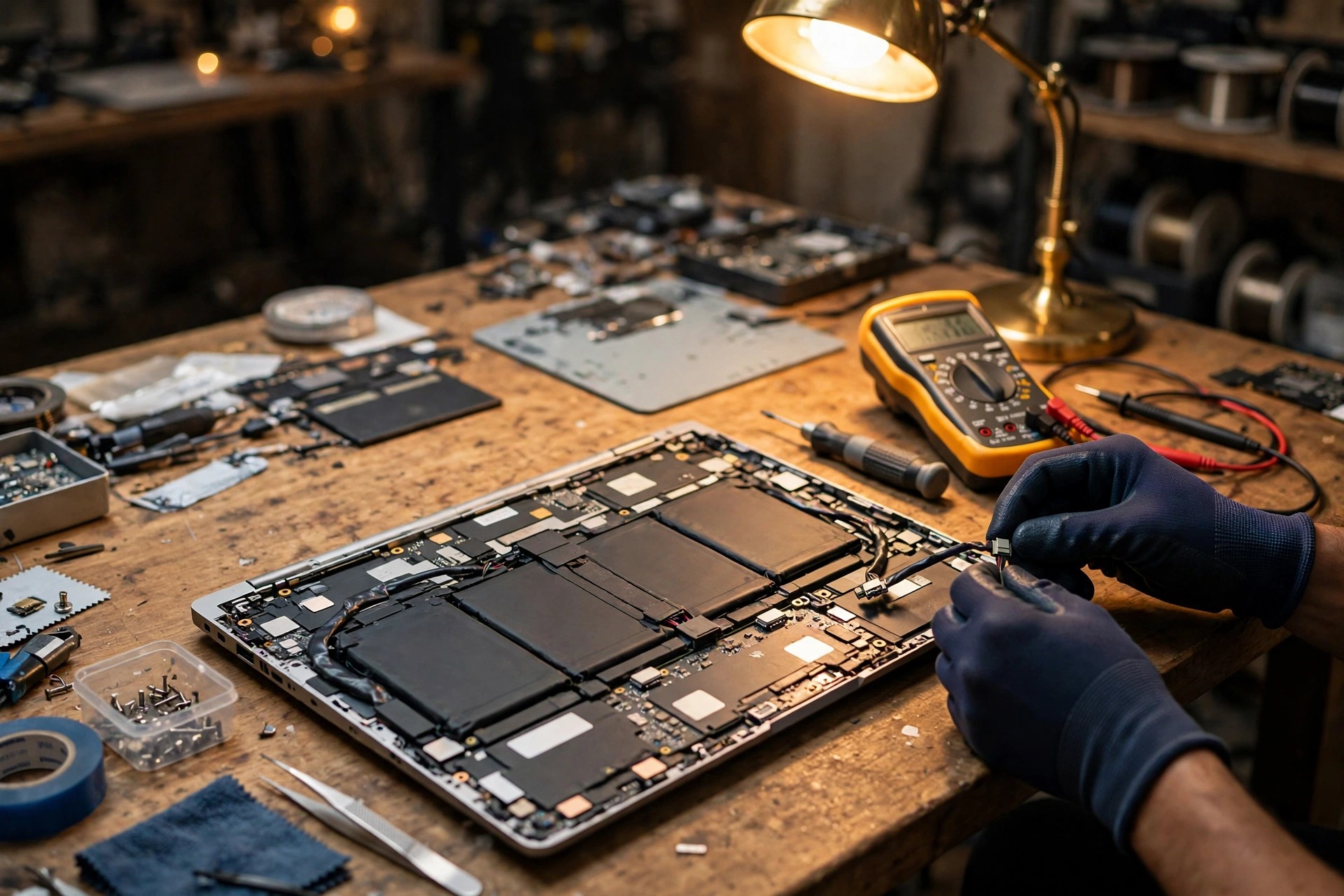
📌 Key Takeaways
- •[S1] Texas Instruments — TI — BQ40Z50 1-Series, 2-Series, 3-Series, and 4-Series Li-Ion Battery Pack Manager datasheet (Rev. B, SLUSBS8B) — https://www.ti.com/lit/ds/symlink/bq40z50.pdf?ts=1601573154770
- •[S2] Texas Instruments — TI — BQ40Z50-R2 data sheet, product information and support — https://www.ti.com/lit/gpn/BQ40Z50-R2
- •[S3] Texas Instruments — TI — BQ30Z554-R1 data sheet, product information and support — https://www.ti.com/product/BQ30Z554-R1
- •[S4] Texas Instruments — TI — bq3055 data sheet (SLUSA91) — https://www.ti.com/document-viewer/bq3055/datasheet
- •[S5] Texas Instruments — TI — BQ4050 data sheet, product information and support — https://www.ti.com/product/BQ4050
# Aftermarket Laptop Batteries: An Advanced Guide to OEM Authentication Locks, Cell and Capacity Mismatch, and Costly Buying Mistakes
A newly bought replacement battery goes into the machine, runs down its remaining charge, and then refuses to charge while plugged in. It refuses to charge while powered off too. A warning appears at startup, saying the system does not support this battery. Another machine behaves completely differently: the replacement battery charges as normal, yet a warning appears at every startup, or fast charging slows down. A third machine reports battery health at only half, while the cycle count stands at only a few cycles. These are not one fault, but three separate lines going wrong at once, authentication, capacity, and cell specification. This guide starts with the three layers of authentication, then takes apart how the fuel gauge chip inside a battery pack proves it is a genuine pack with a challenge and response check, how SBS and SMBus carry identity data, how Lenovo, HP, Dell, Apple, and ASUS each report errors and lock out batteries to different degrees, the size and capacity ceilings of 18650 and 21700 cells, the number games around voltage, series and parallel wiring, milliamp-hours and watt-hours, fake identification, certification marks, swelling, calendar ageing, safety and recycling, layered elimination, common misdiagnosis, repair and replacement decisions, and the real effects of Hong Kong humidity, commuting, and hot car interiors. Every number carries a source tag, so a reader can check each one.
Introduction: A Wrong Battery Means the Machine Refuses It
The most common ending for a wrong battery purchase is not a battery that fails to fit, but a battery that fits, runs, and refuses to charge. A replacement battery can match a genuine battery in shape, voltage, and printed capacity, yet still fail at the authentication step when the fuel gauge chip inside the pack lacks the correct key or runs the wrong challenge and response calculation. Looking the same on the outside and in identity data does not mean passing authentication, and that is the first idea this guide has to separate [S1][S8][S20].
Authentication failure is not one symptom. Lenovo warns at startup and then refuses to charge, even while powered off. HP warns at every startup, yet in most cases charging still works, with only fast charging possibly limited. Dell states plainly that BIOS and ePSA never verify authenticity from a serial number, and identification relies more on signals and capacity. Apple never refuses to charge at startup, yet hides health readings for third-party batteries. The same replacement battery meets a completely different reception on each brand, so diagnosis has to identify the brand first [S25][S31][S33][S67].
Buying the wrong battery is also more than an authentication problem. A wrong series count for voltage, inflated capacity, cells with too little discharge rate, and a part number matched to the wrong model can all make a new battery perform worse than the old one, or fail to work at all. This guide runs in order, first the authentication mechanism, then cell specifications, then buying traps, then faults, safety, and Hong Kong conditions, and finally the decision framework. Until one layer is ruled out, no conclusion should be drawn about the next [S45][S47][S48].
| Reception | Brand example | Meaning |
|---|---|---|
| Warning at startup, then refusal to charge, even powered off | Lenovo | Refusal at the authentication layer, not a Windows problem |
| Warning at every startup, yet charging still works | HP | A warning is not a refusal to charge, fast charging may be limited |
| No verification from a serial number, identification by signals and capacity | Dell | Errors appear only when signals fail or capacity falls short |
| No refusal to charge, yet health readings hidden | Apple | Without calibration data, readings stay hidden |
Three Layers of Authentication: Secrets, Identity Data, and Document Checks
Authentication in this topic works in three different layers, and they have to be kept apart or diagnosis goes wrong. The first layer is cryptographic authentication, where the fuel gauge chip inside the pack proves to the host that it is a genuine pack, using a challenge and response check. The second layer is identity data reported through SBS and SMBus standard commands, including the maker name, device name, serial number, manufacture date, and chemistry, and that data can be copied, so it does not necessarily prove cryptographic authentication. The third layer is authenticity judged from maker documents, diagnostic tools, and labels on the outside, including part numbers, QR codes, hologram stickers, and PartSurfer and Service Tag lookups [S1][S14][S20][S26].
The three layers build on each other without being the same thing. A replacement battery can copy every string in the second layer, so the maker name, device name, and serial number the host reads match the genuine version exactly, yet the key and the calculation in the first layer cannot be copied, so the host still fails at the authentication step. The other way round, a document check in the third layer can expose a label that does not match a part number, yet the document check alone cannot prove whether the key inside the chip is correct. All three layers have to be checked separately, since none can stand in for another [S8][S20][S30].
When a layer fails, the symptoms differ too. A failure in the first layer shows as a startup warning plus a refusal to charge. A failure in the second layer shows as identity data that cannot be read, a blank serial number, or a declared capacity that does not match the label. A failure in the third layer shows as a part number that does not match the model, or a QR code that leads to no record. Checking layer by layer is what decides whether the next step is a different battery, a different supplier, or a check of the mainboard and firmware [S14][S20][S26].
| Layer | What is checked | Can it be copied | Failure symptoms |
|---|---|---|---|
| First layer: cryptographic authentication | Key plus challenge and response calculation | Cannot be copied | Startup warning plus refusal to charge |
| Second layer: identity data | Maker name, device name, serial number, date, chemistry | Can be copied | Data unreadable, declared values mismatch the label |
| Third layer: document checks | Part number, QR code, sticker, official lookup | Labels can be faked | Part number mismatches the model, no record found |
What SBS Is: The Shared Language of Battery and Host
The Smart Battery System specification covers batteries for portable devices such as laptop computers, and it defines the data that flows over SMBus between a Smart Battery, an SMBus Host, and a Smart Battery Charger, rather than the electrical or mechanical specification of a battery. SBS 1.1, published on 11 December 1998, states plainly that the specification stays general across chemistry, pack voltage, capacity, and physical packaging, and that its purpose is to give the host consistent battery information, not to limit innovation by battery makers [S14][S15].
Two definitions matter. A cell is the smallest unit of a battery, and most batteries combine several cells in series, in parallel, or in series and parallel together. A Smart Battery is a battery fitted with dedicated hardware that can give the SMBus Host present, calculated, and predicted information. In the SBS model, electronic circuits inside the pack watch environmental parameters and calculate the data values the specification requires, and those circuits do not have to sit inside the pack, especially for batteries that cannot be removed [S14][S15].
That definition explains why authentication and identity data are two different things. SBS is only a shared language that sets how a battery talks to the host, not whether what the battery says is true. A replacement battery can use the same language to speak copied identity data, and the host understands it, yet that does not mean the host trusts it. Trust has to be decided separately by the cryptographic authentication layer [S14][S20][S82].
| Idea | Definition | What it means for authentication |
|---|---|---|
| SBS specification | Defines data flowing over SMBus, never electrical or mechanical specification | Only a shared language, not proof of authenticity |
| Cell | Smallest unit of a battery, several cells combine in series and parallel | Capacity and voltage follow the series and parallel structure |
| Smart Battery | Fitted with dedicated hardware, gives the host present, calculated, and predicted information | Being able to speak does not mean speaking the truth |
The SBS Command Set: What the Host Reads
The SBS 1.1 command set includes ManufacturerAccess, BatteryMode, Temperature, Voltage, Current, RelativeStateOfCharge, RemainingCapacity, FullChargeCapacity, BatteryStatus, CycleCount, DesignCapacity, DesignVoltage, SpecificationInfo, ManufactureDate, SerialNumber, ManufacturerName, DeviceName, DeviceChemistry, and ManufacturerData, plus ChargingCurrent and ChargingVoltage sent to the charger. Command codes run from 0x00 to 0x23, with Temperature at 0x08, Voltage at 0x09, Current at 0x0a, RemainingCapacity at 0x0f, FullChargeCapacity at 0x10, BatteryStatus at 0x16, CycleCount at 0x17, DesignCapacity at 0x18, DesignVoltage at 0x19, SpecificationInfo at 0x1a, ManufactureDate at 0x1b, SerialNumber at 0x1c, ManufacturerName at 0x20, DeviceName at 0x21, and DeviceChemistry at 0x22 [S14][S15].
The definition of the serial number deserves attention. SerialNumber, together with ManufacturerName, DeviceName, and ManufactureDate, is what uniquely identifies one battery. A serial number on its own cannot prove authenticity, and the four items only carry meaning when checked together. SpecificationInfo reports the SBS version and whether PEC is supported, and measured genuine and replacement batteries both report 0x0031, meaning SBS 1.1 plus PEC support, so the same version does not mean the same authentication [S14][S20].
The purpose of ManufacturerAccess is written plainly as maker specific, with its contents decided by the battery maker. That is exactly the opening where each maker hides its own authentication commands, and the two Lenovo authentication rounds run through this kind of maker specific command. The host judges the battery by whatever it can read, and unreadable data, wrong data, and copied strings are three different cases that diagnosis has to keep apart [S14][S20][S76].
| Command | Code | What the host reads |
|---|---|---|
| Temperature | 0x08 | Battery temperature |
| Voltage | 0x09 | Battery pack voltage |
| Current | 0x0a | Charge or discharge current |
| RemainingCapacity | 0x0f | Remaining capacity |
| FullChargeCapacity | 0x10 | Full charge capacity |
| CycleCount | 0x17 | Cycle count |
| DesignCapacity | 0x18 | Design capacity |
| DesignVoltage | 0x19 | Design voltage |
| SerialNumber | 0x1c | Serial number, unique only with maker name, device name, and date |
| ManufacturerName | 0x20 | Maker name, can be copied |
| DeviceName | 0x21 | Device name, can be copied |
| ManufacturerAccess | 0x00 | Maker specific, the entry point for authentication commands |
SMBus: Two Lines, PEC, and Timeouts
SMBus is a single ended, simple two-wire bus, made of a clock line and a data line, derived from Philips I2C and defined by Intel and Duracell in 1994. SMBus 3.0, published on 20 December 2014, raised speed from 100 kilohertz to 400 kilohertz and 1 megahertz, and lowered the nominal VDD from 3 volts to 1.8 volts, while version 3.3.1, dated 20 October 2024, stands as the current version [S17][S19].
PEC is an optional feature from SMBus 1.1, adding one PEC byte at the end of each transfer, calculated with the CRC-8 polynomial x to the power of 8 plus x squared plus x plus 1 over the whole message including the address and the read or write bit. A measured replacement battery produced a wrong PEC on its first access, and the host succeeded only after retrying. A small error at the communication layer can show only as a first read that fails and a second read that works, which is not the same as an authentication failure. SMBus is stricter than I2C in its 25 to 35 millisecond clock low timeout, its optional CRC-8 PEC, its address resolution, and SMBALERT# [S17][S19][S20].
When the bus is stuck low, meaning the clock or data line stays low for a long time, the whole battery communication stops, and the symptom is a battery that cannot be detected, not an authentication failure. Layered diagnosis has to separate a stalled bus from a failed authentication first. For a physical pin example, the ThinkPad X230T external battery is recorded as VBATT, SCL, SDA, thermistor, and GND, with SMBus as the SCL plus SDA pair, while a built-in battery uses a flex cable or connector form with the same logic, power pins plus SMBus plus a temperature pin [S17][S19][S20].
The SMBus specification version 3.0 text states that the two-wire interface was meant for communication between the battery, the charger, and the host, with speed raised from 100 kilohertz to 400 kilohertz and 1 megahertz. That original purpose explains why battery communication and charge control share one bus, so when one line fails, charging and reporting suffer together [S16][S17][S19].
| Item | Figure | Diagnostic meaning |
|---|---|---|
| Bus | Two lines, clock plus data, derived from I2C | Either line broken stops communication |
| Speed | Version 3.0: 100 kilohertz, 400 kilohertz, 1 megahertz | Speed differs by generation |
| PEC | CRC-8, polynomial x to the power of 8 plus x squared plus x plus 1 | A first error that succeeds on retry is a small communication error, not an authentication failure |
| Clock low timeout | 25 to 35 milliseconds | A timeout resets communication |
| Stuck low | A line held low | The symptom is a battery that cannot be detected |
The TI Fuel Gauge Family Map
TI fuel gauges are not one chip, but a family, and authentication ability and series limits have to be checked in the datasheet for each model, never lumped together. The BQ40Z50 is a 1 to 4 series lithium-ion or lithium-polymer battery pack manager, with an Impedance Track fuel gauge plus protection, SMBus version 1.1, SHA-1 authentication, and a 32-pin QFN package. The BQ40Z50-R2 is an upgraded version in the same family, supporting Turbo Mode 2.0, SHA-1 authentication, a black box recorder, and adaptive charging, with the TI product page parameter table giving a capacity range of 100 to 65,000 milliamp-hours, while the same part datasheet front page gives 100 milliamp-hours to 29 amp-hours, so the two figures come from different sources [S1][S2].
The BQ30Z554-R1 is a 2 to 4 series lithium-ion battery pack manager, with Impedance Track, built-in cell balancing, SBS version 1.1, and SHA-1 authentication, with a capacity of 800 to 32,000 milliamp-hours and a working temperature of minus 40 to 85 degrees Celsius. The BQ3055 is a 2 to 4 series single chip design that likewise states SHA-1 authentication, with its datasheet wording that secure memory for authentication keys enables identification of genuine battery packs beyond any doubt. The BQ4050 is a 1 to 4 series CEDV fuel gauge, over SMBus, with a SHA-1 Authentication Responder, on a cost optimised route that differs from the Impedance Track route [S3][S4][S5].
The BQ40Z80 is a 2 to 6 series part, with Impedance Track, supporting ECC or SHA-1 authentication as a choice of one, plus Turbo Mode 2.0 and Intel DBPTv2. The BQ41Z50 is a 2 to 4 series part, with Dynamic Z-Track, supporting three kinds of authentication, ECC, SHA-2, and SHA-1, over I2C or SMBus. One brand and one laptop generation can still use different TI chips, so talking about the BQ series has to name the exact part, or the authentication ability will be stated wrongly [S6][S7][S78].
The bq3060 is a single chip fuel gauge plus protection design, with SHA-1 authentication helping the maker side make sure the host and the battery match, over SMBus 1.1. For BMS firmware, battery management system firmware sits in four layers, covering cell balancing, the fuel gauge, SMBus, and secure updates, with SBS 1.1 commands as the language firmware uses to talk outward [S77][S18][S14].
| Chip | Series | Fuel gauge route | Authentication |
|---|---|---|---|
| BQ40Z50 | 1 to 4 series | Impedance Track | SHA-1 |
| BQ40Z50-R2 | 1 to 4 series | Impedance Track | SHA-1, plus a black box recorder |
| BQ30Z554-R1 | 2 to 4 series | Impedance Track | SHA-1, capacity 800 to 32,000 milliamp-hours |
| BQ3055 | 2 to 4 series | Single chip design | SHA-1, plus secure memory |
| BQ4050 | 1 to 4 series | CEDV | SHA-1 Authentication Responder |
| BQ40Z80 | 2 to 6 series | Impedance Track | ECC or SHA-1, a choice of one |
| BQ41Z50 | 2 to 4 series | Dynamic Z-Track | ECC, SHA-2, and SHA-1, three kinds |
How SHA-1 and HMAC Authentication Works
SHA-1 authentication is not a name read that passes, but a challenge and response check. The BQ40Z50 datasheet states plainly that SHA-1 authentication, with secure memory for authentication keys, enables identification of genuine battery packs, and the chip also gives software first level and second level safety protection, covering overvoltage, undervoltage, overcurrent, short circuits, overload, overtemperature, and more. In the older bq27541 and bq26100 SHA-1 and HMAC flow, the host creates a 20-byte random value and writes it into the chip, both sides calculate SHA-1 and HMAC with the same key, and authentication succeeds only when the two results match [S1][S11][S76].
TI application report SLUA359 states in full that the bq20zxx family of fuel gauge chips carries a built-in SHA-1 authentication algorithm, with its purpose written plainly as protection against counterfeits: only battery packs built by authorised subcontractors with the same chip plus the same SHA-1 key can be integrated into the maker system design, and the key is controlled and tracked by the maker. The mechanism works by the host sending a 20-byte, or 160-bit, random challenge, written through SMBus command 0x2f, the chip calculating a response, and the same command reading back a 20-byte response, which the host compares with the expected response, authorising the pack only on a match and otherwise able to refuse it. The key sits at SMBus addresses 0x63 to 0x66, and once written and sealed it cannot be read, while a leaked key ends the authentication at once [S76][S11].
TI application note SLUAAQ0, dated March 2025, states that most TI fuel gauges support authentication for protection against counterfeits, with the flow using BQKEYPACKAGER to create SHA or ECC keys and BQKEYPROGRAMMER to program keys into the fuel gauge, while BQKEYPACKAGER is supplied only to the maker side to package keys, producing an encrypted .bqk file plus a password for the battery pack maker. TI fuel gauges carry three authentication methods: SHA1, SHA256, and ECC. Key safety rests with the maker side, and TI takes no responsibility for the safety of keys packaged or programmed with those tools. When a replacement battery only copies SBS strings such as the maker name, device name, and serial number, yet carries no correct key or correct challenge and response calculation, the host fails at the authentication step [S8][S1][S20].
| Item | SHA-1 and HMAC figure | Meaning |
|---|---|---|
| Challenge | 20 bytes, or 160 bits, random value | Different every time, so an answer cannot be copied in advance |
| Write command | SMBus 0x2f | Challenge and response travel through the same command |
| Response | 20 bytes | The host compares it with the expected response, and a mismatch means refusal |
| Key location | SMBus addresses 0x63 to 0x66 | Sealed after writing, cannot be read |
| Key management | Controlled and tracked by the maker side | A leak ends authentication at once |
The ECC Route: Asymmetric Keys
SHA-1 and ECC are not the same generation of technology, and newer chips have already moved toward ECC and SHA-256. The ECC route uses asymmetric keys, meaning a public key plus private key pair, so the host and the fuel gauge never share one secret. The BQ41Zxx family signs with EC-KCDSA, based on the B-233 curve plus SHA-256, where the TI text writes meeting FIPS 183-4, a misprint, since SHA-256 falls under FIPS 180-4 and the signing standard is FIPS 186-5, with authentication reached over SMBus through the ManufacturerAccess command. The point of that change is that even when someone intercepts traffic between the host and the battery, the private key cannot be taken directly [S9][S7][S6].
The comparison table in TI application note SLUAAW0, dated May 2025, states that SHA-1 HMAC uses a symmetric key, meaning a shared secret, a 160-bit hash, and a 128-bit key length, while ECC uses an asymmetric key pair, a 256-bit hash, meaning SHA-2, and a 233-bit key. The difference is not only the size of the numbers, but a completely different trust model. When a symmetric key leaks, authentication across the whole system fails at once, while with an asymmetric key the private key sits on one side only, so a leaked public key does not directly end authentication [S9][S76].
For a buyer, the practical result of the ECC route is that a replacement battery finds it harder still to pass authentication. Older SHA-1 copying ideas fail completely against ECC, because what has to pass is no longer one shared secret, but a mathematically linked public and private key pair. The BQ40Z80 supports ECC or SHA-1 as a choice of one, and the BQ41Z50 supports ECC, SHA-2, and SHA-1 all three, so which one takes effect depends on the battery pack design for that machine, and cannot be guessed from the chip family name [S6][S7][S9].
| Method | Key model | Hash | Key length |
|---|---|---|---|
| SHA-1 HMAC | Symmetric, shared secret | 160-bit | 128-bit |
| ECC | Asymmetric, public plus private key pair | 256-bit, meaning SHA-2 | 233-bit |
| Signing calculation | EC-KCDSA, B-233 curve plus SHA-256 | FIPS 180-4 (SHA-256) / FIPS 186-5, TI text misprints 183-4 | Reached through ManufacturerAccess |
Once a Key Is Programmed It Cannot Be Rewritten
The TI E2E question and answer states that the BQ40Z50-R4, R3, and R2 can select a SHA-1 secure memory location, and once a key is programmed and the chip goes through a power-on reset, known as POR, it can never be erased or programmed again. Programming has to follow a set command sequence, including AuthWriteKeyF, a 20-byte Key F, first, and AuthWriteKeyC, a 20-byte Key C, after it, and once Key C is sent plus POR, that location can never be written again. That unchangeable character is the foundation of the authentication design, and the reason a replacement battery cannot be fixed after the fact [S10][S8][S1].
BQKEYPACKAGER is supplied only to the maker side to package keys, producing an encrypted .bqk file plus a password for the battery pack maker. In other words, key creation, distribution, and programming form a closed chain, and people outside the chain cannot obtain a key, nor can they program their own key into a chip that is already sealed [S8][S10][S76].
That character carries two direct results for repair. First, swapping cells while keeping the old board leaves the authentication key inside the old board, so the authentication layer does not change when cells change, yet the fuel gauge model goes wrong, a point covered in a later section. Second, when a bought replacement battery fails authentication, no legitimate procedure exists to write a key into it afterwards and turn it into a genuine battery, and the only route that meets the specification is a battery that passes authentication, or accepting the warnings and limits of that machine [S10][S20][S8].
| Step | Contents | What happens after |
|---|---|---|
| Key creation | BQKEYPACKAGER creates a SHA or ECC key | An encrypted .bqk file plus a password is produced |
| Program Key F | AuthWriteKeyF, 20 bytes | First, the location can still be written |
| Program Key C | AuthWriteKeyC, 20 bytes | After, once Key C is sent plus POR, the location locks at once |
| Power-on reset | POR | After programming, the key can never be erased or programmed again |
Impedance Track: Why the Percentage Goes Wrong
Impedance Track calculates RemainingCapacity and FullChargeCapacity from three kinds of information: the link between open-circuit voltage and state of charge, coulomb counting integration, and cell impedance measured live, meaning the IR drop. The older method of coulomb counting plus voltage comparison loses accuracy as a battery ages and needs a large amount of data collection, and the selling point of Impedance Track is overcoming that weakness. The TI white paper states that an Impedance Track fuel gauge keeps adjusting remaining capacity and full charge capacity to reflect impedance, rate and temperature efficiency, and ageing, so it can keep high accuracy through the whole life [S13]. After the learning cycle finishes, with Qmax and resistance updated, MaxError falls to 1 percent [S12].
FullChargeCapacity is defined as the charge passed from a fully charged state, discharged at a stated discharge rate down to the Terminate Voltage stored in data flash, minus reserve capacity. That definition matters greatly, because the percentage is not charge measured directly, but an estimate calculated by a model. When the model is right, the percentage is right, and when the model is wrong, the percentage goes wrong, even while the cells still hold charge [S12][S13].
The common scene for a wrong percentage is long term shallow charging and discharging. With no full cycle for a long time, the Qmax update needs enough open-circuit voltage relaxation and charge and discharge data, so long term shallow use can make the percentage lose sync, showing as a jumping percentage or a sudden shutdown at 30 percent. At that point the problem is not dead cells, but a model that has lost sync, and a maker calibration flow can improve gauge accuracy, rather than replacing the battery at once [S12][S57].
| Input | Role | What shows when it goes wrong |
|---|---|---|
| Open-circuit voltage against state of charge | Gives a resting charge reference | Long term shallow use leaves the reference unrefreshed |
| Coulomb counting integration | Adds up charge and discharge totals | Errors build up, drifting further over time |
| Live cell impedance | Reflects ageing and temperature effects | A wrong impedance model makes the percentage wrong at once |
| Prediction error | MaxError falls to 1 percent after learning | Holds only when the model is right |
CEDV Versus Impedance Track
The BQ4050 uses CEDV, meaning Compensated End-of-Discharge Voltage, which estimates remaining charge from a compensated end-of-discharge voltage, on a cost optimised route. Impedance Track instead calculates from three kinds of information, open-circuit voltage, coulomb counting, and live impedance. The two are different algorithms and must never be swapped in understanding. When gauge accuracy is discussed, the first question has to ask which algorithm that machine uses, or comparing numbers carries no meaning [S5][S12][S13].
The trade-off on the cost optimised route is clear. A CEDV chip costs less, yet its estimation method is simpler and adapts less well when cell characteristics change, while Impedance Track keeps adjusting its model, reaching higher accuracy at a higher chip and tuning cost. A buyer cannot see from the outside which chip a replacement battery uses, and the difference shows in whether the percentage stays accurate and whether the machine shuts down suddenly under a heavy load [S5][S12].
Black box recording is another layer shared by both routes. The BQ40Z50 and the BQ30Z554 both carry a Diagnostic Lifetime Data Monitor and a Black Box Recorder, recording key measurements for return analysis. In other words, a battery pack carries a journey recorder inside, and cycles, temperature, and protection trigger counts may be read out afterwards. When a used battery changes hands, those records are one of the directions that can be checked [S1][S3][S12].
| Route | Calculation method | Cost | Accuracy character |
|---|---|---|---|
| CEDV | Compensated end-of-discharge voltage estimation | Lower | Simpler method, adapts less well to change |
| Impedance Track | Open-circuit voltage plus coulomb counting plus live impedance | Higher | Keeps adjusting the model, MaxError falls to 1 percent after learning |
| Black box recording | Lifetime data monitor plus black box recorder | Shared by both routes | Cycles, temperature, and protection triggers can be read out afterwards |
Replacing Cells Is Not the Same as Replacing a Battery
The capacity model in a fuel gauge is tuned to the chemistry of the cells fitted at the factory, including the open-circuit voltage table, the impedance curve, and Qmax. When only the cells are swapped and the old BMS and old fuel gauge are kept, the old model is wrong for the new cells, and the percentage, the remaining time, and FullChargeCapacity all go wrong. That is the most basic risk of swapping cells, not a workmanship problem, but a model that does not match the cells [S12][S20][S76].
Swapping cells carries another variable too. The controller remembers data from the old cells, and some controllers may lock themselves when battery voltage is disconnected, a point that stays unconfirmed for Lenovo and stands as unknown. The SHA-1 key stays sealed on the original board, so swapping cells without swapping the board can keep authentication, yet mismatched cell parameters can make protection thresholds fail. In other words, passing authentication does not mean protection is correct, and the two have to be checked separately [S20][S76][S16].
The conclusion for repair work is clear. Unless the repair side can give a cell specification comparison, protection board parameters, a recalibration flow, and a test report, swapping cells should never be presented as an equal choice to swapping the whole pack. The iFixit guides for every model all replace the whole battery pack as one unit, with steps of powering off, removing the base cover, unplugging the connector, removing screws, taking out the old pack, fitting the new pack, aligning it, and pressing the connector firm. Swapping the whole pack is the mainstream repair approach [S76][S109][S111].
| Approach | Authentication | Fuel gauge model | Protection thresholds |
|---|---|---|---|
| Swap the whole battery pack | New board, new key, authentication follows the new board | New model matches new cells | Set for the new cells |
| Swap cells only, keep the old board | Old key kept, authentication may pass | Old model judges new cells, goes wrong | Mismatched parameters, thresholds may fail |
| Swap cells plus recalibration | Authentication kept | Calibration data has to be rewritten before readings turn accurate | Holds only after a specification comparison |
Lenovo in Practice: Two-Stage Authentication
For the BIOS message wording, the measured record shows three lines in person: the system does not support batteries that are not genuine Lenovo-made or authorised, the system will continue to boot but may not charge unauthorised batteries, Lenovo takes no responsibility for the performance or safety of unauthorised batteries and gives no cover for failures or damage arising from their use, and pressing the ESC key continues. The symptoms with a replacement battery are normal use for several hours after fitting, then no charging when plugged in, no charging while powered off either, and the BIOS message only appears after a restart [S20][S21].
For the SMBus capture comparison, on the same X230T, the genuine and replacement batteries share several items: SpecificationInfo is 0x0031 on both, meaning SBS 1.1 plus PEC, DesignVoltage is 11.1 volts on both, DeviceName is LNV-45N1079 on both, and DeviceChemistry is LION on both. The differences are several: the replacement battery answers the first BatteryMode call with a PEC error and succeeds only after retrying, its BatteryMode value of 0xe005 claims a built-in charge controller while the genuine value of 0xe004 claims none, its ManufacturerName reads SANYO while the genuine reads LGC 11, yet Lenovo batteries were always supplied by both Sanyo and LG Chem, so the replacement may simply have copied the Sanyo version, and the genuine OptionalMfgFunction5 answers with a serial-like value of 1ZL1J38L1W3 while the replacement answers with an empty string [S20][S14].
For capacity, the genuine DesignCapacity is 0x1848, meaning 62.16 watt-hours, while the replacement is 0x1314, meaning 48.84 watt-hours. The replacement is itself a lower capacity model, not the same capacity pretending to be higher. For the authentication rounds, the first round has the host writing a 4-byte challenge through the maker specific command OptionalMfgFunction4, or 0x3c, then reading back 12 plus 4 bytes, with the reply carrying the string Lenovo Japan plus a 4-byte response that changes with the challenge, a typical challenge and response check, while the replacement answers that command with an empty string or NACK. The second round has the host writing 17 bytes to the undefined command 0x27, then reading back 8 plus 17 bytes from 0x28, with neither command inside the SBS specification, and the tester takes this as another challenge and response check, guessing that two rounds exist because the first round was once broken, in a chase between the maker and those breaking it [S20][S14][S76].
| Compared item | Genuine battery | Replacement battery |
|---|---|---|
| SpecificationInfo | 0x0031, SBS 1.1 plus PEC | 0x0031, the same |
| DesignVoltage | 11.1 V | 11.1 V, the same |
| DeviceName | LNV-45N1079 | LNV-45N1079, the same |
| DeviceChemistry | LION | LION, the same |
| ManufacturerName | LGC 11 | SANYO, copied from the other supplier version |
| BatteryMode | 0xe004, no built-in charge controller | 0xe005, claims a built-in charge controller |
| OptionalMfgFunction5 | 1ZL1J38L1W3 | Empty string |
| DesignCapacity | 62.16 Wh | 48.84 Wh, itself a lower capacity model |
Who Runs Authentication: The EC, Not the BIOS
The key inference at the execution layer is that authentication still runs while powered off. A replacement battery refuses to charge while powered off too, yet BIOS only runs while the main processor runs, so authentication has to be run by another part, and the tester points to the Embedded Controller, or EC, turning to EC firmware in the second part. That is the key to layered diagnosis: an authentication failure is not a Windows driver problem, and one test while powered off splits the EC and BIOS layers at once [S20][S21].
Layering means that when charging works while powered off yet fails once the machine boots, the problem more likely sits in the operating system driver or charge limit layer, while when charging fails even while powered off, the problem more likely sits in the EC, BIOS, or battery pack layer. The first question in taking a history should ask whether it charges while plugged in and whether it charges while powered off, rather than whether a warning appears. A warning is not the same as a refusal to charge, and that split shows most clearly on Lenovo and HP machines [S20][S25][S31].
The EC layer also explains why a BIOS update can change authentication behaviour. The Lenovo T450s case shows two machines developing the refusal message at the same time, with the problem clearing after BIOS fell from 1.37 to 1.20, showing that the authentication check can tighten or loosen with the BIOS version. That stands only as a record of what happened, and lowering BIOS is not a suggested action. The correct understanding is that how strict the authentication check runs can change with the firmware version, and is not a fixed hardware character [S61][S20][S21].
| Test | Result | Which layer it points to |
|---|---|---|
| Charging works powered off, fails once booted | Charging fails only after boot | Operating system driver or charge limit layer |
| Charging fails even powered off | Charging fails in every state | EC, BIOS, or battery pack layer |
| Refusal appears only after a BIOS update | Behaviour changes with the firmware version | How strict the authentication check runs can change |
| BIOS message appears only after a restart | The message does not appear at once | Authentication runs inside the boot sequence |
Lenovo Documents and Replacement Rules
The Hardware Maintenance Manual for the ThinkPad T14 Gen 7, T16 Gen 5, and P14s Gen 7 lists two messages in its error message table, matching what the measured record shows: the battery installed is not supported by this system and will not charge, so replace the battery with the correct Lenovo battery for this system, and this system does not support batteries that are not genuine Lenovo-made or authorised, so the system will continue to boot but may not charge unauthorised batteries. The action for both messages is to replace the battery. The ThinkPad E14 manual lists the same messages, and its questions and answers state that the computer only supports batteries specially designed for that system and made by Lenovo or an authorised maker, and when an unauthorised or wrongly designed battery is fitted, the system will not charge [S21][S22].
The Lenovo official replacement guide states that only the Lenovo authorised battery specified for the computer should be used, since any other battery could catch fire or explode, and batteries supplied by Lenovo have been tested for compatibility and should only be replaced with approved parts. The same guide states that the Vantage app gives an automatic battery diagnostic test to judge whether a built-in battery is defective, and unless the diagnostic shows a defect, or the battery carries physical damage or a possible safety problem, a built-in battery should not be replaced [S23][S21].
For CRU grading, some ThinkPad built-in batteries are neither Self-service CRU, meaning a part a customer replaces alone, nor Optional-service CRU, meaning a part generally not expected to be replaced by a customer, and replacing a FRU alone may affect maker cover. On the other side, some large capacity built-in batteries are listed as customer replaceable, with a grey mylar face, needing the built-in battery disabled first, the base cover removed, and the QR code video followed. Before swapping a battery, the CRU grading for that machine has to be checked first, since not every built-in battery can be replaced by its owner [S22][S23][S69].
The Lenovo Important Information about Batteries document states the same wording across several languages, that the system does not support batteries that are not genuine or authorised, and the system can boot yet may not charge. That document matches the HMM error message table, showing that refusal is not a chance behaviour on one model, but a documented design position [S24][S21][S22].
| Document | Wording | Practical meaning |
|---|---|---|
| T14 Gen 7 manual error message table | Two refusal messages, with the action to replace the battery | Refusal is a documented design behaviour, not a fault on one model |
| E14 manual questions and answers | Only batteries specially designed for that system and made by Lenovo or an authorised maker are supported | An unauthorised or wrongly designed battery will not charge |
| Replacement guide | Use only the specified authorised battery, or fire or explosion may follow | Compatibility testing covers approved parts only |
| Vantage diagnostic | Automatic testing judges whether a battery is defective | Unless the diagnostic shows a defect, replacement should not happen |
| CRU grading | Some built-in batteries are not customer replaceable parts | Replacing one alone may affect maker cover |
HP Authentication: A Warning at Every Startup
HP Support Community staff explain the OMEN 15 message Non-HP battery detected by saying that HP laptops carry built-in firmware that checks whether a battery is genuine, to protect safety and performance, and when a non-genuine battery is fitted, the warning appears at every startup. Staff state plainly that no official way exists to switch off that message, because it is a safety feature. The same reply states that a non-HP battery may not support HP fast charging technology, so charging may run slower or less steadily, and an HP battery is suggested [S25][S31].
Another HP official reply states that HP laptops include a battery authentication system that checks whether the installed battery meets HP safety and compatibility standards. When a battery is third-party, modified, or fails to communicate normally with the system, a warning may still appear even when the shape fits and charging works. The warning can be passed with Enter to continue using the machine, yet performance and charging speed may be affected, and HP gives no guarantee for the safety or reliability of a non-HP battery. The Battery Counterfeit Check Error message means the laptop has detected a non-HP or incompatible battery, and it can appear even when the battery looks genuine, which HP treats as a health and safety risk [S31][S27][S72].
For judging authenticity, HP community notes state that a genuine battery usually carries an HP spare part number label and a QR code, and the more reliable checks are whether the battery carries an HP spare part number, whether HP diagnostics recognise it normally, whether BIOS shows a battery warning, and where it was bought. When the AC Adapter Test in HP PC Hardware Diagnostics passes, it shows Genuine HP Battery detected, and the battery and the smart power adapter communicate with the laptop over SMB. For part number comparison, one OMEN model uses M41711-005 for its 6-cell 83 watt-hour battery and M39179-005 for its 4-cell 70 watt-hour battery, and HP PartSurfer can check a battery model from a serial number [S26][S30][S72].
For HP genuine battery identification, community notes state that a genuine battery carries a hologram sticker, a part number, and a serial number, and the buying channel should be an authorised channel. Another guide notes that a genuine HP battery is never marketed as a universal fit for many models, so a listing that claims compatibility with more than ten models should raise caution, and that stands as a secondary guide for cross-checking only [S29][S26][S30].
| HP message | Meaning | What the user can do |
|---|---|---|
| Non-HP battery detected | Firmware has found a non-HP battery, warning at every startup | No official way to switch it off, pass it with Enter to continue |
| Battery Counterfeit Check Error | A non-HP or incompatible battery has been detected | Treated as a health and safety risk, not at once proof of a fake battery |
| Genuine HP Battery detected | Diagnostics passed, a genuine battery recognised | Shown when the adapter test passes |
| Fast charging limited | A non-HP battery may not support HP fast charging technology | Charging may run slower or less steadily |
HP False Alarms: Genuine Batteries Can Trigger Them Too
False alarms are a verified failure mode. One Pavilion user who had never opened the machine, with the genuine battery still inside, suddenly received a counterfeit message. The HP official reply states that the message comes from the BIOS battery authentication check, and that a genuine battery can sometimes produce it after a firmware or communication glitch, suggesting a hard reset, meaning powering off, unplugging, and holding the power button for 15 seconds, updating BIOS, and entering F2 for HP PC Hardware Diagnostics UEFI, then Component Tests and the Battery test. That user saw the message vanish after resetting BIOS [S28][S72].
HP staff list three possible causes: a firmware error after a BIOS or Windows update, poor communication from the chip inside the battery, including a loose connector or a firmware fault, and a fault in the genuine battery itself that makes identity reading fail. The same message also appears across several HP models, including the Pavilion 14-dv2000 and Pavilion 15-eg3xxx, so it belongs to no single model. Some models carry a Battery Counterfeit Check switch inside BIOS that can be turned off, yet not every model has one [S72][S73][S74].
The conclusion is that an authentication error does not prove a battery is fake. HP officials confirm that a genuine battery can also be misreported after a firmware or communication glitch, and Dell officials likewise state that BIOS and ePSA never verify authenticity from a serial number. One warning alone cannot settle authenticity, and diagnosis, buying channel, and part number have to be checked together. The HP suggested order is updating BIOS plus HP Support Assistant, running the battery test from F2, resetting the EC, and confirming genuineness through Battery Check in Support Assistant [S28][S33][S72].
| Possible cause | How to tell it apart | Next step |
|---|---|---|
| Firmware error | Appears only after a BIOS or Windows update | Update BIOS, then run diagnostics |
| Poor chip communication | Loose connector or firmware fault | Reset the EC, check the connector |
| Fault in the genuine battery itself | Identity reading fails | Run HP diagnostics, check Battery Check |
| Third-party battery | Shape fits yet authentication fails | Compare the part number and the buying channel |
Dell Authentication: BIOS Identification and ePSA
Dell official knowledge base KB 000123069, published on 2 July 2026, states that BIOS controls battery charging management. When BIOS shows the AC Adapter as Unknown or with the wrong wattage, the laptop may refuse to charge or charge slowly, and a Dell approved charger with matching wattage should be used. Reasons to consider replacing a battery include health showing Fair or Poor, run time falling sharply to less than 50 percent of original capacity, diagnostic error codes appearing often, unexpected shutdowns while the battery still shows charge, physical swelling or damage, and battery age past 2 to 3 years under heavy use [S32][S71].
Dell community staff state plainly that BIOS and ePSA never read serial numbers or verify whether a battery is genuine, and Dell allows users to install third-party parts. ePSA first tests whether signals pass between the battery connector and the mainboard, reporting 2000-0131 on failure, then tests the whole remaining capacity of the battery in milliamp-hours, judging Excellent, Good, Fair, or Poor by capacity, and reporting 2000-0133 when capacity falls short. In other words, the Dell official position is that BIOS and ePSA never verify authenticity from a serial number, unlike the plain authentication checks on Lenovo and HP machines, and Dell identification sits more at the capacity and communication level [S33][S71].
User experience shows another side. In an iFixit discussion, a Dell E7440 user saw Not a Dell battery in BIOS A25, with the replacement battery usable in ePSA and normal booting, yet complained about as soon as BIOS opened. The discussion notes that Dell has been highly sensitive to third-party batteries since the Sony recall event in 2006, and suggests genuine parts for built-in batteries. Another Dell community post about a battery that is not identifiable drew an official reply suggesting a Dell genuine battery. In the XPS 13 9380 case where a battery failed to charge after replacement, recognition only returned after a BIOS update, SupportAssist, and reinstallation [S36][S34][S63].
| Dell check | How it is tested | What happens on failure |
|---|---|---|
| Serial number verification | BIOS and ePSA never read serial numbers to verify authenticity | No error is raised for a serial number |
| Connector signals | ePSA first tests signals between the mainboard and the battery connector | A break reports 2000-0131 |
| Remaining capacity | Judged Excellent, Good, Fair, or Poor by milliamp-hours | A shortfall may report 2000-0133 |
| Charger wattage | BIOS shows the AC Adapter wattage | Unknown or wrong wattage means slow charging or no charging |
The Dell ePSA Error Code Chart
The Dell official ePSA reference table, verified in full, lists five battery related error codes. 2000-0131 means the battery is not installed, possibly involving the mainboard or the battery, with steps to update BIOS, reinstall the battery, and run diagnostics again. 2000-0132 means the battery is near the end of its usable life. 2000-0133 means the battery cannot supply enough power. 2000-0134 means charge cycles have passed the limit. 2000-0135 means Not a Dell battery, the computer cannot charge this battery, and Dell instructs that a non-Dell brand should be replaced with a Dell brand battery [S71][S33].
The key split is that 2000-0135 is an identity and charging refusal, 2000-0133 is insufficient power delivery, and 2000-0131 is a battery that cannot be detected or is not installed, and the three differ completely in cause, in steps to rule them out, and in whether they mean a fake battery, so they must never be mixed together. 2000-0131 can come from a mainboard connector signal that fails to pass, a battery that is not installed, or BIOS that is too old, so BIOS is updated and the battery reinstalled first. 2000-0135 is a refusal to charge at the identity layer, needing checks of whether the battery is a Dell brand, the connector, and the charger identification chip [S71][S124].
The Dell Inspiron 14 5420 example shows that status can drift. After a third-party battery was fitted, booting ran extremely slowly and showed that the battery was not a genuine Dell part and the system would not charge, while BIOS sometimes showed charging with health Excellent and sometimes showed Not A Dell Battery. One battery and one machine, with status drifting between readings, points to an unstable authentication handshake, not to cells dying at once. That example reminds readers that one diagnostic result cannot settle a case, and repeated testing has to be checked for consistency [S75][S71].
| Error code | Meaning | Steps to rule out |
|---|---|---|
| 2000-0131 | Battery not installed | Update BIOS, reinstall the battery, run diagnostics again |
| 2000-0132 | Battery near the end of its usable life | Consider replacement, check health and run time |
| 2000-0133 | Battery cannot supply enough power | A capacity layer problem, not an identity problem |
| 2000-0134 | Charge cycles have passed the limit | A cycle layer problem, compare the cycle count |
| 2000-0135 | Not a Dell battery, the computer cannot charge it | An identity layer refusal, check the brand, connector, and charger identification |
Apple Authentication: Health Readings and Labels
Apple support pages state that most MacBook, MacBook Air, and MacBook Pro models from 2010 onwards carry a maximum cycle count of 1,000. A normal battery is designed to retain up to 80 percent of its original capacity at its maximum cycle count, and a battery is a consumable whose life depends on chemical age, meaning temperature history plus charging pattern. Maximum Capacity measures capacity against a brand new battery, and that 80 percent and 1,000 cycles figure is an Apple design target, not a universal standard across all brands, so Apple numbers must never be applied to every Windows laptop [S37][S38].
Service Recommended means the battery holds less charge than when new, or the battery is not operating normally, and it can still be used safely, yet repair can be arranged when run time suffers. A built-in battery should only be replaced by an Apple Store, an Apple authorised service provider, or an independent repair provider using genuine parts, since repair with non-genuine parts or by an untrained person can damage the device, and that kind of damage sits outside maker cover. Battery health reported by third-party apps may be inaccurate, and macOS reporting should be used instead [S39][S38].
Need a laptop repair expert?
Free diagnosis · Transparent pricing · No fix, no fee · 180-day warranty
Apple states in Longevity, by Design that, since Apple holds no calibration data for third-party parts, a device fitted with a third-party battery will not show the user battery health readings such as maximum capacity and cycle count, because accuracy cannot be verified. In other words, missing authentication or calibration hides the readings, rather than proving the cells are broken, and that is a lock at the information layer, not at the power layer. From macOS Tahoe 26, the Parts and Service entry under General and About in System Settings appears only when the Mac detects a repair, with labels able to include Genuine, Unknown, Unverified, Used, and Finish Repair, and when one part is repaired more than once, only the most recent repair shows, while an absent Parts and Service entry does not prove no repair ever happened [S67][S41][S39]. In addition, a battery replacement never appears in Parts and Service, even when Apple itself replaces it, so an absent entry must never be read as proof that no battery was ever replaced [S41].
| Apple item | Figure or label | Meaning |
|---|---|---|
| Maximum cycle count | Most models from 2010 onwards carry 1,000 cycles | A design target, not a universal standard |
| 80 percent capacity reference | Up to 80 percent of original capacity retained at the maximum cycle count | A design reference for a normal battery |
| Service Recommended | Holds less charge than new, or not operating normally | Can still be used safely, arrange repair when run time suffers |
| Third-party battery readings | Maximum capacity and cycle count stay hidden | Without calibration data, accuracy cannot be verified |
| Parts and Service | Genuine, Unknown, Unverified, Used, Finish Repair | Only the most recent repair shows, and absence proves no repair never happened |
ASUS: A Weaker Lock and a Stronger Charge Limit Trap
The ASUS official support page states that Battery Care Mode can charge a battery to 80 percent to lengthen its life, that 2026 models add adaptive learning, and that older platforms, meaning before Intel Alder Lake or AMD Rembrandt, can choose three levels of 60 percent, 80 percent, and 100 percent. Full Capacity Mode charges to 100 percent, Balanced Mode charges to 80 percent and resumes charging only below 78 percent, and Maximum Lifespan Mode charges only to 60 percent and resumes only below 58 percent. The ASUS Battery Health Charging introduction page states that the feature exists to protect the battery, that it can set an RSOC, or Relative State Of Charge, limit to lengthen life, and that most models already carry it inside MyASUS [S42][S43].
The questions and answers on the same page state that at every startup, including the BIOS screen or during a Windows Update, the system temporarily resets the charge limit to 100 percent, and a user limit such as 80 percent only applies again after Windows has fully loaded and reached the desktop. When the machine is powered off from the BIOS screen and then charged, the battery charges to 100 percent, and that is design behaviour, not a fault. That detail is easily misread: a user who sees the battery reach 100 percent may think the charge limit is broken, when it is only the temporary reset during startup [S42][S43].
For authentication, ASUS carries no documented startup refusal message like Lenovo or HP. User cases mostly show a replacement battery making Windows display no battery detected, the battery light flashing without stopping, or the percentage failing to update, and ASUS official support discussion replies also ask whether the battery is a genuine ASUS battery, saying the laptop may have detected a third-party battery and disabled it. In other words, when an ASUS lock exists, it runs more quietly, so diagnosis has to rule out charge limits and driver problems first. The ASUS battery life figure, passed on through a dealer repair centre, puts lithium-ion batteries at about 300 to 500 charge cycles, with capacity falling to 80 percent after about 300 cycles at 25 degrees Celsius, or about one year of normal use, and MyASUS System Diagnosis plus Battery problems plus Checkup can test a battery, with Poor meaning an error state, and that stands as a second-hand account for comparison only [S62][S44][S42].
| ASUS mode | Limit | Charging resumes at |
|---|---|---|
| Full Capacity Mode | 100 percent | Charges to 100 percent |
| Balanced Mode | 80 percent | Resumes only below 78 percent |
| Maximum Lifespan Mode | 60 percent | Resumes only below 58 percent |
| During startup | Temporarily reset to 100 percent | A user limit applies again only after Windows loads to the desktop |
The Spectrum of Authentication Lockout
The spectrum runs from light to severe in five levels. The first level is a warning at every startup, passable with a key press, with charging still allowed yet fast charging limited, and the HP Non-HP battery detected case sits here. The second level is a warning at every startup, passable with Esc, yet with no charging, even while powered off, and Lenovo sits here. The third level is BIOS showing Not a Dell battery or battery is not identifiable, with the ePSA capacity test failing, while the system may still boot yet refuse to charge or show health as Unknown. The fourth level is macOS showing Service Recommended or a Parts and Service label of Unknown, with battery health readings going wrong, yet charging not necessarily refused. The fifth level is a battery that cannot be detected at all, including no battery detected or no battery installed, which can come from any one cause, an authentication failure, an SMBus communication failure, a battery pack voltage so low that the BMS has already cut output, or a connector or flex cable problem, so no message alone can settle it [S25][S20][S33][S39][S31].
Speed limits and throttling form another line. Dell and HP documents note that a failed authentication or adapter identification can lead to slow charging, and Lenovo and Dell charger identification, meaning Smart Pin and Dell adapter wattage, also affects charging speed and performance mode. Battery authentication and charger authentication are two separate checks and must never be mixed together. Slow charging can be a battery authentication problem, or it can be a charger identification problem, and only separate checks can tell them apart [S25][S32][S124].
The key split is that a warning is not a refusal to charge. HP states plainly that Enter passes the warning to continue using the machine, and Lenovo states plainly that the system will continue to boot yet may not charge. Whether it charges, whether it charges while powered off, and whether the warning can be passed, those three answers together place the fault at the right point on the spectrum [S31][S20][S25].
| Level | Symptoms | Brand example |
|---|---|---|
| First level | Warning at every startup, passable with a key press, charging still allowed, fast charging limited | HP |
| Second level | Warning at every startup, passable with Esc, yet no charging, even powered off | Lenovo |
| Third level | BIOS shows a non-genuine battery, ePSA capacity test fails | Dell |
| Fourth level | macOS shows Service Recommended, health readings go wrong | Apple |
| Fifth level | Battery cannot be detected at all | Authentication, communication, low voltage, or connector layers can all cause it |
18650 and 21700: Size and Capacity Ceilings
The numbers are the size. 18650 means a diameter of 18 millimetres and a length of 65 millimetres, while 21700 means a diameter of 21 millimetres and a length of 70 millimetres. For typical capacity, 18650 runs about 2,500 to 3,500 milliamp-hours, with some guides writing 2,000 to 3,600 milliamp-hours, while 21700 runs about 4,000 to 5,000 milliamp-hours. The 21700 volume runs about 47 percent larger than 18650, so the same energy needs fewer cells. Both carry the same nominal voltage of 3.6 to 3.7 volts, so the difference sits in size and energy capacity, not in voltage. A battery pack bought in the wrong size physically fails to fit, while a wrong capacity is a run time problem, not a voltage problem [S47][S48][S115].
The capacity ceiling warning matters greatly. A quality 18650 reaches at most about 3,600 milliamp-hours, and a market claim of 9,900 milliamp-hours or other extremely high figures for an 18650 counts as inflated labelling and should be treated as a fake product signal. For arithmetic verification, verified in full by Cell Saviors, a battery claiming 100,000 milliamp-hours in a 10S3P pack of 18650 cells works out to claiming 33 amp-hours per cell, or 33,000 milliamp-hours, a physically impossible lie ten times over. By the same logic, a 4P pack of 18650 cells reaches at most about 14.4 amp-hours, so a label of 20,000 milliamp-hours counts as inflated [S48][S115].
For a worked example, the Panasonic NCR18650B carries a nominal voltage of 3.6 volts, with some channels writing 3.6 to 3.7 volts, a nominal capacity of 3,250 milliamp-hours, a typical 3,350 milliamp-hours, and a market label often of 3,400 milliamp-hours, a charge voltage of 4.2 volts, energy of about 12.06 to 12.2 watt-hours, a standard charge current of 1,625 milliamps, and a maximum continuous discharge of about 4.87 amps, with different channels writing the discharge current differently, so the maker datasheet governs. For laptop use, older removable batteries mostly use 18650 cylindrical cells, while newer slim built-in batteries mostly use lithium-polymer pouch cells, no longer 18650 or 21700 [S49][S50][S46].
| Cell | Size | Typical capacity | Nominal voltage |
|---|---|---|---|
| 18650 | Diameter 18 mm, length 65 mm | 2,500 to 3,500 milliamp-hours | 3.6 to 3.7 volts |
| 21700 | Diameter 21 mm, length 70 mm | 4,000 to 5,000 milliamp-hours | 3.6 to 3.7 volts |
| Quality 18650 ceiling | Volume difference | At most about 3,600 milliamp-hours | A 9,900 milliamp-hour claim counts as inflated |
| NCR18650B | 18650 | Nominal 3,250 milliamp-hours, typical 3,350 milliamp-hours | 3.6 volts, charge at 4.2 volts |
Li-ion Versus Li-polymer: Same Chemistry, Different Packaging
The chemistry of a lithium-polymer battery is the same as a lithium-ion battery, and the difference sits in the electrolyte and the packaging. Lithium-polymer uses a soft pouch, meaning a flexible laminated aluminium bag, with freer shape and thickness and a lighter, thinner build. A standard 3.7 volt lithium-polymer cell carries a nominal 3.7 volts, a maximum charge of 4.20 volts, and a discharge floor of about 3.00 volts, while a high voltage LiHV version can charge to 4.35 volts or 4.40 volts, with a nominal 3.8 or 3.85 volts [S46][S45].
For the charging curve, CC plus CV means constant current plus constant voltage, with a typical standard charge rate of about 0.5C to 1C, depending on the cell specification. After reaching 4.20 volts plus or minus 50 millivolts, charging turns to CV, current falls gradually, and the cutoff current runs about 0.02C to 0.05C. For storage, a LiPo storage voltage of about 3.80 to 3.85 volts per cell, or about 40 to 50 percent state of charge, stays most stable, and long term storage at full charge or empty both speed ageing [S46].
For clearing up a misunderstanding, the claim that lithium-polymer is safer than lithium-ion or uses different chemistry is wrong. Both belong to the same lithium-ion chemistry, and the risk of a pouch sits in mechanical damage, meaning piercing and bending, and in swelling with no hard shell to restrain it, so swelling pushes straight up against the trackpad or the base cover. For laptop buying, a pouch battery thickness, shape, cable position, and fixing holes are all specific to the model, so matching watt-hours, volts, and milliamp-hours while the shape differs still means it fails to fit, and mechanical compatibility and electrical compatibility both have to hold at once [S46][S58][S96].
| Item | Li-ion cylindrical cell | Li-polymer pouch cell |
|---|---|---|
| Chemistry | Lithium-ion chemistry | The same lithium-ion chemistry, not different chemistry |
| Packaging | Hard shell cylinder | Flexible laminated aluminium pouch |
| Nominal voltage | 3.6 to 3.7 volts | 3.7 volts, high voltage version 3.8 or 3.85 volts |
| Maximum charge | 4.20 volts | 4.20 volts, high voltage version 4.35 or 4.40 volts |
| Main risk | Wrong size and capacity | Mechanical damage, swelling with no hard shell to restrain it |
Voltage and Series Parallel: How 7.4, 11.1, 14.8 and 15.2 Are Counted
Battery University BU-303 states that the lithium-ion nominal voltage is 3.60 volts per cell, while some makers mark 3.70 volts per cell or higher as a marketing advantage, because voltage times current equals watts, so a higher marked voltage makes the watt-hour figure look larger on paper. A 3.70 volt marking produces unfamiliar numbers such as 11.1 volts for three series and 14.8 volts for four series, while a 3.60 volt marking gives 10.80 volts and 14.40 volts, and most equipment makers use 3.60 volts as the nominal voltage for a lithium-ion system [S45][S47].
The BU-303 voltage table states that cobalt-based lithium-ion at 3.6 volts nominal ends discharge at 2.8 to 3.0 volts and charges to a maximum of 4.2 volts, that 3.7 volts nominal carries the same end and charge voltages, that 3.8 volts nominal charges to a maximum of 4.35 volts, that 3.85 volts nominal charges to a maximum of 4.4 volts, and that lithium iron phosphate runs at 3.20 or 3.30 volts nominal and lithium titanate at 2.40 volts, so different chemistry means series counts and charging algorithms that never match. Series wiring adds voltage while capacity stays the same, and parallel wiring adds capacity while voltage stays the same. For examples, 3S1P, meaning 3 series and 1 parallel, counts as 10.8 volts at 3.6 volts, or 11.1 volts when marked 3.7 volts, 3S2P carries the same voltage with double capacity, and 4S counts as 14.4 volts, or 14.8 volts when marked 3.7 volts [S45][S47].
The 15.2 volt figure comes from 4 series times 3.8 volt high voltage cells, meaning the LiHV route. When an ordinary 4.2 volt charger is wrongly used on LiHV cells, the result is only an incomplete charge, while the other way round, using a 4.35 or 4.4 volt charger on ordinary 4.2 volt cells causes overcharging. The end-of-charge voltage has to match the cell chemistry, and BU-303 states plainly that the end-of-charge voltage has to be set correctly to achieve the capacity gain. For common laptop battery markings, 7.4 volts means 2S, 11.1 or 10.8 volts means 3S, 14.8 or 14.4 volts means 4S, 15.2 volts means 4S LiHV, and 7.7 volts means 2S LiHV, or 3.85 volts times 2. Looking only at the volt number without the series count and the chemistry leads to a wrong judgement [S45][S46].
| Marked voltage | Series | Chemistry | Maximum charge |
|---|---|---|---|
| 7.4 volts | 2S | Ordinary lithium-ion | 4.2 volts per cell |
| 11.1 or 10.8 volts | 3S | Ordinary lithium-ion | 4.2 volts per cell |
| 14.8 or 14.4 volts | 4S | Ordinary lithium-ion | 4.2 volts per cell |
| 15.2 volts | 4S | LiHV | 4.35 volts per cell |
| 7.7 volts | 2S | LiHV | 4.4 volts per cell, nominal 3.85 volts |
Milliamp-hours Versus Watt-hours: Why a Bigger mAh Number Does Not Mean Longer Use
Milliamp-hours measure charge, while watt-hours measure energy, and batteries at different voltages can never be compared by milliamp-hours directly. The conversion formula is watt-hours equal to nominal volts times amp-hours. For examples, 3.6 volts times 3,000 milliamp-hours equals 10.8 watt-hours, and 3.6 volts times 5,000 milliamp-hours equals 18 watt-hours. The same battery counted at 3.6 volts and at 3.7 volts gives watt-hour figures differing by about 2.8 percent, so run time has to be compared in watt-hours, never by milliamp-hours alone [S48][S45].
A measured example shows the difference. An 11.1 volt, 4,400 milliamp-hour battery equals 48.84 watt-hours, and an 11.1 volt, 5,600 milliamp-hour battery equals 62.16 watt-hours, with the measured genuine battery at 62.16 watt-hours against the replacement at 48.84 watt-hours, so the milliamp-hour gap sits behind a watt-hour gap. For replacement traps, a printed milliamp-hour figure can run high while the watt-hours fail to match, or watt-hours can be counted at 3.7 volts while the maker counts at 3.6 volts, inflating the paper watt-hours. The check is to multiply the volts and amp-hours on the battery label to calculate watt-hours, then compare with the label watt-hours, and when the label watt-hours disagree with the calculated result, an explanation should be requested from the supplier [S20][S48][S45].
The Design Capacity and Full Charge Capacity in a Windows battery report use milliwatt-hours as the unit, which is a comparison at the watt-hour level directly, untouched by milliamp-hour labelling games. Health equals Full divided by Design times 100 percent, and a newly bought battery whose Full sits far below Design counts as a capacity mismatch or refurbished old cells. When buying a battery, watt-hours are the main unit and milliamp-hours only support them, and that order must never be reversed [S55][S121][S116].
| Battery | Milliamp-hours | Watt-hours | How to compare |
|---|---|---|---|
| 11.1 volt replacement, measured | 4,400 milliamp-hours | 48.84 watt-hours | Calculate volts times amp-hours directly |
| 11.1 volt genuine, measured | 5,600 milliamp-hours | 62.16 watt-hours | Same formula, the watt-hour gap is the run time gap |
| 3.6 volt cell | 3,000 milliamp-hours | 10.8 watt-hours | Counted at 3.6 volts |
| 3.6 volt cell | 5,000 milliamp-hours | 18 watt-hours | Counted at 3.6 volts |
| Label check | Volts times amp-hours against the label watt-hours | A label that disagrees with the calculation needs an explanation from the supplier | Use watt-hours as the main unit |
Discharge Rate and Peak Power Delivery
For discharge rate, C equals current divided by capacity. For examples, a 3,400 milliamp-hour cell discharging at 1C gives 3.4 amps, and the NCR18650B maximum continuous discharge of about 4.87 amps works out to about 1.4C. High capacity cells are usually low rate cells, and high rate cells are usually low capacity cells, so the two cannot be had together. Peak laptop power draw, such as Turbo Boost, needs a battery pack that can supply heavy current for a short time, and a replacement battery built with low rate cells shows normal behaviour at idle, then drops power or shuts down as soon as a heavy load runs, which differs from an authentication failure [S49][S47][S20].
The symptoms of a rate mismatch carry a clear character. Everything looks normal under a light load, with documents, browsing, and video all fine, yet as soon as a heavy load runs, such as compiling, video conversion, or gaming, voltage falls sharply and the system misjudges the charge or shuts down suddenly. The difference from authentication failure is that authentication failure means no charging even while plugged in, while a rate mismatch only appears under a heavy load. The two need completely different checks, and a rate mismatch needs a discharge curve and a load test, not only a percentage reading [S49][S57][S116].
Internal resistance is the truth about performance. A fake battery carries far higher internal resistance than a genuine one, showing as voltage falling sharply under heavy current, heating, and run time far below the printed figure, and performance analysis is the most direct way to tell them apart, yet it can only be measured after purchase, so it counts as checks done afterwards. The figures that can be checked before buying are the cell model and the discharge current specification, and when a supplier cannot state the cell model or the discharge rate, caution should rise [S115][S116][S49].
| Cell | Capacity | Current at 1C | Maximum continuous discharge |
|---|---|---|---|
| 3,400 milliamp-hour cell | 3,400 milliamp-hours | 3.4 amps | Depends on the model |
| NCR18650B | 3,400 milliamp-hours as sold | 3.4 amps | About 4.87 amps, or about 1.4C |
| High capacity cell | Higher capacity | Usually a lower rate | Voltage falls sharply under a heavy load |
| High rate cell | Usually lower capacity | Higher rate | More stable peak power delivery |
The BMS Protection Layer: Overvoltage, Undervoltage, Overcurrent, Overtemperature
The BQ40Z50 and the BQ30Z554 both give software first level and second level protection, covering overvoltage, undervoltage, overcurrent, short circuits, overload, overtemperature, and other pack or cell related faults, plus hardware overcurrent and short circuit protection. The BQ30Z554 protection list further names internal cell short circuits, cell imbalance, cell voltage, overcurrent, temperature, and FET protection. For protection FETs, high-side N-CH protection FET drivers, meaning CHG and DSG FETs, cut the charge or discharge path when protection triggers, so a battery can show voltage yet give no output, or give no response when plugged in [S1][S3].
When Permanent Failure, or PF, triggers, some fuel gauges lock the battery pack, needing a dedicated tool to unlock or the pack written off directly, rather than recovering by replugging. The difference from authentication failure is that PF is the protection layer locking down after detecting a serious fault, while authentication failure is the host refusing to trust the pack. Both can show the same symptom of refusing to charge, yet their causes and handling differ completely [S1][S3][S20].
For temperature sensing, the BQ40Z50 carries four thermistor inputs, TS1 to TS4, and the BQ30Z554 also carries several temperature monitoring channels. A broken temperature line or a thermistor that has drifted in value can make the BMS misjudge overtemperature and refuse charging, and contact oxidation in the humid Hong Kong environment is one possible cause. For JEITA, the BQ40Z50 and the BQ30Z554 both support the JEITA charging algorithm, meaning charge voltage and current adjust with temperature, so charging behaviour changes with temperature and charging speed differs between winter and summer, which is not necessarily a fault [S1][S3][S53].
| Protection item | Level | What shows after it triggers |
|---|---|---|
| Overvoltage, undervoltage | First and second level | FET cuts the charge or discharge path |
| Overcurrent, short circuit | Software plus hardware | Voltage present yet no output, or no response when plugged in |
| Overtemperature, undertemperature | First level, JEITA adjustment | Charging blocked or running at a conservative current |
| Cell imbalance | BQ30Z554 protection list | Whole pack capacity follows the weakest series string |
| Permanent Failure | Second level lock | Needs a dedicated tool to unlock or the pack written off |
Cell Balancing and JEITA
For cell balancing, the BQ40Z50 and the BQ30Z554 both support cell balancing while charging or while resting, with the BQ30Z554 using built-in balancing and the BQ40Z50 using built-in plus external balancing. When series cells stay unbalanced for a long time, the whole pack capacity follows the weakest series string, showing as charging full very fast and running empty very fast. That symptom is easily misread as cell ageing, when it is really a balancing problem, and swapping cells will not fix it, since the balancing circuit and each series voltage have to be checked [S1][S3][S12].
The JEITA charging algorithm adjusts charge voltage and current with temperature, so charging behaviour changes at low and high temperatures. That is design behaviour, not a fault. Slow charging in winter and slow charging in summer can both be JEITA at work. Diagnosis has to ask about temperature and surroundings first, and charging speed alone cannot judge a battery as broken [S1][S3][S53].
Balancing and temperature together explain why one battery behaves differently across seasons. In summer heat, JEITA limits charge current and charging slows, and in winter cold, JEITA limits it the same way and charging slows too. Long term imbalance plus temperature limits make run time fall steadily, yet that is a gradual process, not a sudden death. A sudden death more likely means protection triggering, authentication failure, or one series string falling behind [S1][S3][S12].
| Mechanism | Role | Symptoms |
|---|---|---|
| Cell balancing | Balances each series voltage while charging or resting | Long term imbalance means charging full fast and running empty fast |
| JEITA | Adjusts charge voltage and current with temperature | Charging may slow in both winter and summer |
| Built-in balancing | BQ30Z554 built-in | Balancing ability follows the chip design |
| Built-in plus external balancing | BQ40Z50 built-in plus external | A wider balancing range |
The Full Layer Map: From Cells to the Application Layer
The layers run from bottom to top in seven levels. The first level is the cell layer, covering capacity fade, rising internal resistance, one series string falling behind, swelling, leakage, and over-discharge to 0 volts. The second level is the BMS or fuel gauge layer inside the pack, covering the TI BQ chip, protection FETs, cell balancing, the Impedance Track or CEDV model, the SHA-1 or ECC authentication key, and black box recording. The third level is the communication layer, covering SMBus SCL and SDA, PEC, the connector or flex cable, and the thermistor line. The fourth level is the EC layer, the Embedded Controller on the mainboard, which runs even while powered off, carrying out battery authentication, charge control, and temperature monitoring, and Lenovo authentication runs on the EC [S20][S1][S14].
The fifth level is the BIOS or UEFI layer, covering startup messages, meaning the Lenovo, HP, and Dell messages, battery health readings, charge limits, meaning the Dell Primary Battery Charge Configuration and HP and ASUS BIOS settings, and ePSA or UEFI diagnostics. The sixth level is the operating system driver layer, covering the Windows ACPI Control Method Battery driver, macOS AppleSmartBattery, and maker tools, meaning Vantage, MyASUS, Dell Power Manager, and HP Support Assistant. The seventh level is the application or settings layer, covering charge limits, meaning Lenovo Conservation Mode, ASUS Battery Care Mode, Dell Primarily AC Use, and Apple Optimized Charging, plus power plans [S21][S32][S42][S40].
A fault at any layer can show the identical symptom of refusing to charge, yet the way to rule each one out differs completely. The key evidence is that authentication still runs while powered off, proving authentication sits outside the BIOS and operating system layers, while the other way round, when charging works powered off yet fails once booted, the problem more likely sits in the operating system driver or charge limit layer. The purpose of the layer map is to split the symptom of refusing to charge into seven questions that can be ruled out one layer at a time [S20][S32][S42].
| Layer | Contents | Does it run while powered off |
|---|---|---|
| First layer: cell layer | Capacity fade, rising internal resistance, one series string behind, swelling, leakage | Cells carry no running idea |
| Second layer: BMS and fuel gauge layer | TI BQ chip, protection FETs, balancing, model, key, black box | The chip inside the pack keeps watching |
| Third layer: communication layer | SMBus, PEC, connector, flex cable, temperature line | A stalled bus means no battery detected |
| Fourth layer: EC layer | Authentication, charge control, temperature monitoring | Runs even powered off, authentication sits here |
| Fifth layer: BIOS and UEFI layer | Startup messages, health readings, charge limits, diagnostics | Runs only at startup |
| Sixth layer: operating system driver layer | ACPI driver, maker tools | Runs only after the system loads |
| Seventh layer: application and settings layer | Charge limits, power plans | Takes effect only after the system loads |
The Layered Elimination Flow
The first step is taking a history. Genuine or replacement, when it was swapped, whether problems existed before the swap, whether it charges while powered off, whether a startup warning appears, and the exact wording copied down, since Lenovo, HP, and Dell messages each differ. The second step is the settings layer, checking Lenovo Conservation Mode or Custom Threshold, ASUS Battery Care Mode at 60, 80, or 100 percent, Dell Primarily AC Use or Custom Threshold, Apple Charge Limit or Optimized Charging, and HP Battery Manager. Stopping at 55 to 60 percent or 75 to 80 percent is usually a limit, not a fault [S32][S42][S56].
The third step is the operating system report layer, with Windows running powercfg /batteryreport and macOS opening Power in System Information to read Cycle Count, Condition, and Maximum Capacity. The fourth step is the maker diagnostic layer, with HP entering UEFI through F2 for Component Tests, then Power, then Battery, Dell entering ePSA through F12, Lenovo using the Vantage battery diagnostic, and ASUS using Battery Checkup in MyASUS System Diagnosis. The fifth step is a powered-off charging test, powering off and plugging in, watching the charging light and the percentage change, where charging while powered off yet failing once booted points to the operating system, driver, or limit layer, and failing even while powered off points to the EC, BIOS, or battery pack layer [S37][S55][S28][S32][S20].
The sixth step is cross testing, where the old battery is fitted again when still available, to see whether BIOS recognises it, with an old battery recognised and a new battery unrecognised pointing to the new pack or authentication layer, and an old battery also unrecognised pointing to the mainboard charging circuit, the connector, or the EC. The seventh step is physical inspection, for swelling, a base cover or trackpad pushed up, the battery label part number, a flex cable or connector showing oxidation or looseness, and a charging port showing looseness, with swelling meaning stop using it at once. The eighth step is SMBus layer professional testing, reading SBS commands including ManufacturerName, DeviceName, SerialNumber, DesignCapacity, DesignVoltage, CycleCount, and FullChargeCapacity, comparing them with maker specifications, where frequent PEC errors, commands with no reply, or an authentication command returning NACK point to the communication or authentication layer. The eighth step and any disassembly step belong to professional testing, and models whose built-in battery is not a CRU part should never be opened by the user alone [S35][S14][S20][S22].
| Step | What is done | Which layer it splits |
|---|---|---|
| First step: taking a history | Genuine or replacement, when swapped, charging while powered off, exact warning wording | Brand and authentication layer |
| Second step: settings layer | Check each maker charge limit | Stopping at 60 or 80 percent is usually a setting |
| Third step: operating system report layer | powercfg report, macOS battery health | Capacity and cycle layer |
| Fourth step: maker diagnostic layer | HP F2, Dell ePSA, Vantage, MyASUS | Maker diagnostic error codes |
| Fifth step: powered-off charging test | Power off and plug in to watch | Splits EC and BIOS layers from operating system and driver layers |
| Sixth step: cross testing | Fit the old battery again to see whether BIOS recognises it | New pack layer or mainboard layer |
| Seventh step: physical inspection | Swelling, part number, connector, charging port | Physical layer |
| Eighth step: SMBus professional testing | Read SBS commands, compare with maker specifications | Communication or authentication layer |
Common Misdiagnosis, Part One: Not a Battery Fault
Mistaking a charge limit for a fault is the most common class. Stopping at 60 percent, such as ASUS Maximum Lifespan or Lenovo Conservation at 55 to 60 percent, stopping at 80 percent, such as ASUS Balanced, Lenovo at 80 percent, or Dell Primarily AC Use at 50 to 80 percent, or stopping at a user-set limit, such as Lenovo ThinkPad models where Vantage lets the user set start and stop charge levels, so the battery only starts charging again once it falls to the start level, to avoid frequent short charges, are all design behaviour. For the ASUS reset during BIOS, the limit temporarily resets to 100 percent during startup, the BIOS screen, or a Windows Update, and a user limit only applies again after Windows loads, while powering off from the BIOS screen and then charging takes the battery to 100 percent [S32][S42][S56].
Driver or ACPI misdiagnosis is the second class. A damaged Windows Microsoft ACPI-Compliant Control Method Battery driver can produce Plugged in, not charging or a battery that cannot be detected, and HP and Dell official troubleshooting both include reinstalling that driver, yet a driver problem never affects charging while powered off or a BIOS message, so a powered-off test can tell them apart. Insufficient charger wattage is the third class, since Dell BIOS showing the AC Adapter as Unknown or with the wrong wattage can make a laptop charge slowly or refuse to charge, and the same holds for a failed HP Smart Pin adapter identification, so charger wattage has to be checked against the BIOS display first [S31][S32][S124].
A frozen percentage meaning a gauge that has lost sync, rather than dead cells, is the fourth class. An Impedance Track model that has lost sync, such as after swapping cells without relearning, or after long term shallow charging and discharging with no full cycle, can make the percentage jump or shut down suddenly at 30 percent, and HP officials also give a battery calibration flow, meaning charging full, draining empty, charging full again, and running a Battery Test, to improve gauge accuracy. An authentication warning that appears only after a BIOS update is the fifth class, with the Lenovo T450s case showing the check tightening only at BIOS 1.37, and HP also carrying cases of a genuine battery misreported as counterfeit after a firmware or communication glitch, so a hard reset plus a BIOS update plus diagnostics come first, and a battery must never be judged fake at once [S57][S12][S28][S61].
| Misdiagnosis | Truth | How to tell it apart |
|---|---|---|
| Stopping at 60 or 80 percent | A charge limit setting, which is design behaviour | Check each maker charge limit setting |
| Reaching 100 percent and thinking the limit is broken | ASUS temporarily resets to 100 percent during startup | Wait until Windows loads, then look again |
| Plugged in, not charging | A damaged ACPI driver | Powered-off test: a driver problem never affects powered-off charging |
| Slow charging or no charging | Insufficient charger wattage or failed identification | Check charger wattage against the BIOS display |
| Frozen or jumping percentage | A fuel gauge model that has lost sync | Calibration flow, not a battery swap at once |
Common Misdiagnosis, Part Two: Looks Like Software, Actually Hardware
A replacement battery that runs yet refuses to charge is the first class. The typical Lenovo case runs on remaining charge once booted, yet refuses to charge when plugged in, and refuses to charge while powered off too, and that is a refusal at the authentication layer, not a Windows problem. A new battery that still fails is the second class, since when the new battery comes from the same replacement source with the same authentication defect, a second one behaves the same, so part numbers and SBS identity data have to be checked first, rather than swapping in another unit from the same supplier [S20][S21][S26].
FullChargeCapacity far below DesignCapacity with a very low CycleCount is the third class. A new replacement battery at 1 cycle with FullChargeCapacity at only half the printed figure may carry inflated cell capacity, a gauge model that does not match the cells, or one series string falling behind inside the pack. Battery health at 100 percent yet shutting down after 10 minutes is the fourth class, since the percentage comes from the gauge model, and when the model is wrong, such as after swapping cells without relearning, or when one series string carries high internal resistance, voltage collapses as soon as a load applies, so a discharge curve and a load test are needed, not only a percentage reading [S20][S12][S55].
Swelling that pushes up a trackpad and gets misread as a broken trackpad is the fifth class. A pouch battery that swells pushes the trackpad or the base cover up first, and at that point the battery should stop being used, rather than the trackpad being repaired as a fault. A genuine battery reported as fake is the sixth class, since HP officials confirm that a genuine battery can also be misreported after a firmware or communication glitch, and Dell officials likewise state that BIOS and ePSA never verify authenticity from a serial number, so one warning alone cannot settle authenticity, and diagnosis plus buying channel plus part number have to be checked together [S58][S28][S33].
The Dell Alienware 13 R2 case states that after a third-party battery was fitted, the battery could not be identified and refused to charge, needing checks of BIOS, the charger, and whether the battery itself was faulty. For GregglesTV, Microsoft documents state that powercfg plus batteryreport produces a report on battery usage characteristics during system use, with the Design against Full Charge Capacity comparison using 80 percent as an example, and that 80 percent is only an example, not a health standard [S125][S123][S55].
| Symptom | Common misdiagnosis | Correct layered elimination |
|---|---|---|
| Startup reports a fake battery | Judging the purchase fake at once | Check BIOS updates, EC reset, connector, and maker diagnostics first |
| Dell reports 2000-0131 | Judging the battery broken at once | May be a mainboard connector signal failing, a battery not installed, or old BIOS |
| Dell reports 2000-0135 | Judging the battery fake at once | An identity layer refusal to charge, check brand, connector, and charger identification |
| Sudden shutdown at 20 to 40 percent charge | Judging cell life finished at once | May be high internal resistance dropping voltage, or a mainboard supply problem |
| Trackpad pushed up | Replacing the trackpad at once | Check whether the battery has swollen and pushed it up first |
| Errors remain after a battery swap | Judging the new battery fake too at once | May be BIOS or EC never updated, a connector never pressed firm, or a mainboard fault |
Test Tools: powercfg, macOS, and Maker Diagnostics
For Windows, open Command Prompt as an administrator, run powercfg /batteryreport, open the generated battery-report.html, and compare Design Capacity with Full Charge Capacity in the Installed batteries table, with the unit in milliwatt-hours, where health equals Full divided by Design times 100 percent, and the report also lists the battery name, maker, chemistry, mostly LION, and Cycle Count. For macOS, hold Option and open the Apple menu to System Information and Power, reading Cycle Count and Condition, and open Battery Health under Battery in System Settings to read Maximum Capacity, while Apple states that third-party app reports may be inaccurate and macOS should be used instead [S55][S37][S39].
For HP, press Esc at startup to enter the Startup Menu, then press F2 to enter HP PC Hardware Diagnostics UEFI, run Component Tests, then Power, then Battery, taking a few minutes, and a failure produces a 24-character Failure ID, which HP support intake asks for together with the product number. For Dell, press F12 at startup for Diagnostics, meaning ePSA, or enter BIOS with F2 to read Battery Information for health and cycle count, while SupportAssist can also show Battery Health as Normal, Fair, Poor, or Replace [S57][S32][S60].
For Lenovo, the Vantage app gives an automatic battery diagnostic test to judge whether a built-in battery is defective, and unless the diagnostic shows a defect or physical damage, replacement should not happen. For ASUS, MyASUS System Diagnosis plus Battery problems plus Checkup needs the charger connected, and Poor means an error state. For reading traps, Design Capacity is the design value the battery pack declares to the host, so when a replacement battery declares an inflated Design Capacity, the health percentage is dragged down, and the other way round, a low declaration inflates the percentage, so the percentage has to be read together with the watt-hour absolute value and real run time. Some batteries never report a cycle count to Windows, and a blank entry does not mean zero cycles [S23][S44][S55][S122].
| Tool | How it runs | What is read |
|---|---|---|
| Windows powercfg | Run powercfg /batteryreport as an administrator | Design against Full Charge Capacity, in milliwatt-hours |
| macOS | Hold Option, open the Apple menu to System Information and Power | Cycle Count, Condition, Maximum Capacity |
| HP UEFI diagnostics | Press Esc, then F2, Component Tests, then Power, then Battery | Takes a few minutes, a failure gives a 24-character Failure ID |
| Dell ePSA | Press F12 at startup | Error codes 2000-0131 to 2000-0135 |
| Lenovo Vantage | Automatic battery diagnostic test | Judges whether a battery is defective |
| ASUS MyASUS | System Diagnosis plus Battery problems plus Checkup | Poor means an error state |
Buying Traps: Matching the Series Name Instead of the Part Number
Matching only the series name and never the part number is the first trap. One series, such as ThinkPad T14, HP Pavilion, or Dell Latitude, can use different batteries across generations, and the correct approach is to match the part number on the battery label, including the Lenovo FRU, the HP spare part number, the Dell DP/N or TYPE, and the ASUS model, plus the Service Tag or serial number checked through PartSurfer or Dell Support. The Lenovo official position is that a genuine battery has to be matched by battery part number and laptop model for compatibility, and Parts Lookup can find parts by serial number or machine type [S30][S32][S68][S69].
For examples, the ThinkPad T14, T14s, and T490 may look close in name, yet they use different batteries, so the part number on the old battery has to be checked through Lenovo Parts Lookup or the HMM before ordering. The lesson is that the three characters T14 alone cannot buy a battery, and T14, T14s, T490, and T490s have to be told apart. For the Acer example, the Aspire 5 A515-57G mostly takes AP18C8K, yet some variants take AP18E7M, and 11.25 volt and 15.2 or 15.4 volt batteries never match each other, so the part number on the original battery has to be read before ordering [S68][S118].
For the ASUS example, the battery model is printed on the old battery, such as C31N2201 or C31N2204, with a separate ASUS part number of 0B200-xxxxx, and different sub-models in one VivoBook series use different batteries, so ASUS Battery Finder has to confirm it. For the HP example, the HP Pavilion x360 14-dw uses PP03XL, the HP ProBook 640 G4 uses CD03XL, and iFixit guides confirm by both model and battery model, with the Pavilion g7-1330ca needing the left label confirmed as MU06, while MU09 also matches, yet that follows the guide wording only and must never be extended to other g7 sub-models [S119][S109][S110][S112].
The Lenovo ThinkPad P72 and P73 removal and replacement videos cover built-in battery removal and installation, plus steps to disable the built-in battery. Those videos belong to maker disassembly guidance, not an invitation to open a machine at will, and models whose built-in battery is not a CRU part should still be handled by authorised technicians [S70][S22][S23].
| Brand | How to compare | Example |
|---|---|---|
| Lenovo | FRU plus Parts Lookup or HMM | T14, T14s, and T490 use different batteries, and the part number has to be checked |
| HP | Spare part number plus PartSurfer | Pavilion x360 14-dw uses PP03XL, ProBook 640 G4 uses CD03XL |
| Dell | Service Tag plus DP/N or TYPE | Latitude models across generations use different batteries, and the DP/N has to be checked by Service Tag |
| Acer | Part number on the original battery | A515-57G mostly uses AP18C8K, some variants use AP18E7M |
| ASUS | Battery model plus Battery Finder | C31N2201, plus a separate 0B200-xxxxx |
Buying Traps: Size, Connector, and Pin Mismatch
One battery model can exist in two versions. The ThinkPad T460s battery runs in two versions side by side, and sellers plainly warn buyers to check the battery shape before ordering. A shape that differs only slightly fails to fit, screw holes fail to line up, and the connector carries strain. iFixit guides show again and again that the connector is the identity, with the HP Pavilion x360 14-dw battery connector designed so it can only be disconnected once the battery is removed, and disassembly must never bend, fold, deform, or pierce the battery, while refitting has to slide the battery bottom tabs into the frame slots, locate it with alignment posts, and press the socket firm [S68][S109].
For the Lenovo ThinkPad E15 Gen 3, removing the base cover takes 8 PH1 captive screws, then the fabric tab is pulled to unplug the battery connector, and the battery top is lifted gently and pulled toward the mainboard, so the connector separates in its designed direction rather than by pulling wires hard. For the HP ProBook 640 G4, 6 captive screws of 2.5 millimetres hold the battery, the screws never come fully out, and the battery slides and lifts out. For the Surface, the battery sits under a glued screen, needing a dedicated screen removal tool, which belongs to bench work and is not suited to opening alone [S111][S110][S120].
For common outward signals of a fake or wrong version, a slight misalignment in connector pins or screw seats counts as a mismatch or a fake, while a genuine part shows tight seams, no visible glue, and no rattle when shaken gently, and a chemical smell, looseness, or gaps all count as warnings. Yet plain packaging alone is not proof, since some legitimate repair parts also skip fancy packaging. No single outward signal can convict a battery, and part number, weight, battery report, and authentication handshake results have to be checked together [S116][S115][S109].
| Model | Disassembly points | Mismatch signals |
|---|---|---|
| ThinkPad T460s | Two versions run side by side, check the shape before ordering | A shape differing only slightly fails to fit |
| Pavilion x360 14-dw | The connector only disconnects once the battery is removed, tabs slide into slots plus alignment posts | Bending, folding, deforming, or piercing are all forbidden |
| ThinkPad E15 Gen 3 | 8 PH1 screws, pull the fabric tab to unplug the connector | Pulling wires hard damages the connector |
| ProBook 640 G4 | 6 captive screws of 2.5 millimetres, slide and lift out | Screws never come fully out |
| Surface | Battery sits under a glued screen, needs a dedicated screen removal tool | Prying the screen open alone cracks the glass first |
Verifying Inflated Capacity Claims with Arithmetic
The arithmetic check for inflated capacity claims is direct. An 18650 cell at the time of verification reaches at most about 3,600 milliamp-hours, while a 4,000 milliamp-hour cell is extremely expensive and rare. A battery claiming 100,000 milliamp-hours in a 10S3P pack of 18650 cells works out to claiming 33 amp-hours per cell, or 33,000 milliamp-hours, a physically impossible lie ten times over. The check divides the claimed total capacity by the series and parallel structure to find the claimed capacity per cell, then compares it with the single cell ceiling of 3,600 milliamp-hours [S115][S48][S47].
For inflated label features, the signs are an absurdly exaggerated capacity figure, fancy fonts, confused units, meaning a large battery advertised in milliamp-hours rather than amp-hours, spelling errors, blurry printing, and inconsistent fonts. An inflated capacity mark is defined as a false label showing more than the real figure, and it can be checked with a capacity tester or a multimeter. Weight is a hard indicator, since fake cells carry less chemical material and weigh less, with a genuine 18650 at about 45–46 grams, so a much lighter cell counts as suspicious, yet cases exist of sand packed inside to add weight, so weight serves only as a first screen and can never convict a battery alone [S115][S117][S116].
The check after purchase is the battery report. A Windows powercfg report lists Design Capacity, Full Charge Capacity, and Cycle Count, with health equal to Full divided by Design, and a newly bought battery whose Full sits far below Design counts as a capacity mismatch or refurbished old cells. Another check compares real run time with printed watt-hours, and when run time falls below half the printed figure while the cycle count stays very low, inflated capacity is highly likely [S121][S122][S116].
| Check method | How it is counted | Judgement line |
|---|---|---|
| Capacity per cell | Claimed total capacity divided by the series and parallel structure | Past 3,600 milliamp-hours counts as suspicious |
| 10S3P example | 100,000 milliamp-hours divided by 30 cells | 33,000 milliamp-hours per cell, a lie ten times over |
| 4P example | Labelled 20,000 milliamp-hours | Ceiling about 14.4 amp-hours, or 14,400 milliamp-hours, counts as inflated |
| Weight | A genuine 18650 weighs about 45–46 grams | Much lighter counts as suspicious, yet sand-filled cases exist |
| Battery report | Full divided by Design | A new battery with Full far below Design means a capacity mismatch |
Counterfeit, Refurbished, and Recycled Cells
Three different ideas have to be kept apart. OEM means made by the original maker, a genuine upgrade battery means high quality parts with honest printed figures, a counterfeit battery means a copy of OEM appearance, and a fake battery means low quality parts pretending to be high quality, and counterfeit and fake batteries are both dangerous, yet their causes differ. For refurbished cells, fake batteries often use cells that are already used or recycled, with performance already faded, high internal resistance, and low capacity, while the outside can look brand new and performance exposes it at once when tested. For missing protection circuits, counterfeit batteries often leave out or simplify safety circuits that prevent overcharging and overheating, with fake batteries packing recycled or low-grade lithium cells into a generic shell, skipping circuits that prevent overcharging and overheating, then sticking on a fake OEM label and selling slightly below market price [S115][S116].
For the identification list, several items have to cross-check, since one item alone cannot convict a battery. The signs are blurry label printing, wrong characters, inconsistent fonts, logo or trademark colour differences, plain or overly fancy packaging, a serial number or QR code that reaches no official record or leads to an unclear page, weight clearly lighter than the original, connector or screw seat misalignment, a chemical smell, and a price so low it makes no sense. Rightcliq notes that 40 to 70 percent below the expected price counts as a warning, needing other evidence alongside it. For the limits of serial number checks, Dell community staff state plainly that BIOS and ePSA never read serial numbers to verify authenticity, a serial number can be checked with Dell, yet a serial number existing does not mean the battery is genuine, since a fake serial number can copy a real one [S115][S116][S33].
A refurbished old cell sold as new carries a real example. The Tom’s Hardware case states that an eBay battery, once its black label was peeled off, turned out to be a refurbished old Dell battery, with connector voltage measured near zero and BIOS showing no battery installed, while the seller had wrapped an old battery in a new label. For removed old batteries or genuine removed parts, cycle counts already run high and FullChargeCapacity already falls, and SBS readings expose that, with a high CycleCount and an old ManufactureDate, so a battery report screenshot should be requested before buying. For mark identification in practice, a label should carry clear UL, CE, and RoHS marks, and a QR code or serial number should lead to a real product page or maker record, while no certification marks, or a QR code leading to an unclear page, means it should never be installed, yet marks themselves can be faked, so a mark is only the first gate, and part number, weight, battery report, and authentication handshake results have to be checked together [S36][S14][S116].
For the Dell fake battery identification guide, the guide lists the BIOS message The battery is not recognized. This system will be unable to charge the battery. as one signal of a fake battery, plus serial number or QR code checks and Dell Power Manager uses. That stands as a secondary compilation for comparison only, and one message alone cannot settle authenticity [S64][S33][S26].
| Idea | Definition | How to identify it |
|---|---|---|
| OEM | Made by the original maker | Part number, official channel, diagnostic recognition |
| Genuine upgrade battery | High quality parts, honest printed figures | Printed figures match measured figures |
| Counterfeit battery | A copy of OEM appearance | Label, QR code, weight, connector alignment |
| Fake battery | Low quality parts pretending to be high quality | High internal resistance, low capacity, missing protection circuits |
| Refurbished cell | A cell already used or recycled | High CycleCount, old ManufactureDate |
Certification Marks: UL, IEC 62133, and UN 38.3
The levels have to be kept apart and never mixed. UL 1642 is a cell-level safety standard, UL 2054 is a pack-level standard that tests a finished battery pack as a whole, including the housing, wiring, and protection circuits, IEC 62133-2 is the international portable lithium battery safety standard covering cells and packs, and UL 62133-2 is the American adopted version. For the key sentence, verified in full by Element, a battery that passes UL 1642 does not automatically meet IEC 62133-2, nor the other way round, and a UL 2054 battery pack has to use cells that already pass UL 1642 first, with cell-level data carried into pack-level testing, yet never replacing each other [S79][S80][S83].
For the IEC 62133-2 scope, part 1 covers nickel systems and part 2 covers lithium-ion and lithium-polymer, with the current version as the 2017 edition plus the 2021 amendment, meaning the merged edition 2017 plus AMD1:2021, edition 1.1, and testing split into cell level in clause 7 and pack level in clause 8, covering external short circuits, abnormal charging, forced discharge, vibration, mechanical shock, drop, thermal abuse, crush, and low pressure, meaning high altitude, with the general acceptance rule of three absences, meaning no fire, no explosion, and no leakage. IEC 62133-2 is a product safety standard, while UN 38.3 is a transport safety test, two different standards, and passing one does not mean passing the other, so a supplier should be able to give the test summary for the matching model, meaning the UN 38.3 Test Summary, rather than one generic certificate [S80][S51][S52].
For UN 38.3, it is section 38.3 of the United Nations Manual of Tests and Criteria, with 8 tests covering T.1 altitude simulation, T.2 thermal testing, T.3 vibration, T.4 shock, T.5 external short circuit, T.6 impact or crush, T.7 overcharge, and T.8 forced discharge, with the first 5 run in order on the same sample. UN 38.3 carries no certificate, with no government issuing a UN 38.3 certificate, and only a ten-item test summary that the maker or distributor has to provide on request, mandatory from 1 January 2020, so a buyer should ask for the test summary for the exact model and check whether the manual version and the product description match. Buying tested cells does not mean buying a tested battery pack, since a pack has to be tested in its own name. Certification does not mean long term reliability, and Element states plainly that a certification mark only proves a battery passed a set group of tests on a set date, with no guarantee for two years of field use, repeated heat cycles, connector wear, or transport vibration, and several field failure modes that led to recalls sit outside the coverage of standard compliance testing [S86][S87][S88][S79].
For medical grade lithium batteries, IEC 62133 certification plus UL 2054 certification form a common combination for medical device batteries, with UL 2054 at pack level and UL 1642 at cell level. For the IEC 62133 certification guide, EN 62133-2 links to European CE marking, while North America uses the UL 2054 plus UL 1642 combination. For the difference between UL 2054 and UL 1642, UL 1642 covers a single cell and UL 2054 covers a complete battery pack, with pack level certification needing compliant cells as its base. For VRI, UL 2054 covers portable primary and secondary battery packs, and lithium cells also have to meet UL 1642. For UN 38.3 classification, UN 3480, 3481, 3090, and 3091 each match different lithium battery goods. For test summaries, the 38.3.5 test summary has been mandatory since 1 January 2020, with ten required fields, and a test summary is not the same as an MSDS or a full laboratory report [S81][S82][S84][S85][S87][S88].
| Standard | Level | Coverage |
|---|---|---|
| UL 1642 | Cell level | Single cell safety |
| UL 2054 | Pack level | A finished battery pack as a whole, including housing, wiring, and protection circuits |
| IEC 62133-2 | International standard, cell level plus pack level | Portable lithium battery safety, 2017 plus AMD1:2021 |
| UL 62133-2 | American adopted version | Matches IEC 62133-2 |
| UN 38.3 | Transport qualification, not a safety certification | 8 tests, a ten-item test summary, no certificate |
Swelling: Mechanism, Causes, and Visible Signs
For the mechanism, electrolyte inside a sealed cell breaks down and produces gas, including carbon monoxide, carbon dioxide, hydrogen, methane, and ethylene, and with nowhere to go, the gas pushes a pouch or a housing outward. Swelling is a warning that a battery has failed, not a cosmetic problem, and it must never be pressed flat. For causes in order, several sources agree that overcharging is the most destructive common cause, raising voltage so the positive electrode oxidises electrolyte, followed by overheating, long term storage at high charge, ageing, physical damage, manufacturing defects, and SEI, meaning the solid electrolyte interface, breaking and reforming again and again [S96][S98][S97][S99].
For the chemistry in detail, calendar ageing still runs even with no current flowing, driven by parasitic side reactions at the electrode and electrolyte interface, especially on the negative side, while high temperature plus high state of charge speeds SEI growth, consumes cyclable lithium, and makes capacity fade and internal resistance rise. SEI grows past 300 nanometres and electrolyte conductivity falls by more than 20 percent, under conditions of 55 degrees Celsius, 90 percent state of charge, and 36 months, in an LFP and graphite pouch cell model. Temperature past 60 degrees Celsius worsens swelling risk, overcharging raises voltage so electrolyte oxidises, moisture intrusion leads to HF attack, and lithium plating leads to dead lithium plus gas [S101][S98][S100].
For visible signs, the body bulges, the trackpad lifts, the keyboard deforms, the screen separates, the base cover fails to close, and the machine fails to sit flat. A battery top that bends instead of staying flat counts as swelling at once. For misdiagnosis, a lifted trackpad does not necessarily mean a broken trackpad, and the battery has to be checked first for swelling pushing against it, with the same logic for a bulging keyboard or a deformed base cover, while replacing a trackpad or a keyboard without replacing a swollen battery is a typical misdiagnosis [S96][S109][S114].
| Cause | Mechanism | Severity |
|---|---|---|
| Overcharging | Raises voltage so the positive electrode oxidises electrolyte | The most destructive common cause |
| Overheating | High temperature speeds electrolyte breakdown | Temperature past 60 degrees Celsius worsens risk |
| Long term storage at high charge | High state of charge speeds SEI growth | 55 degrees Celsius, 90 percent state of charge, 36 months, SEI past 300 nanometres |
| Ageing | SEI breaking and reforming again and again | A gradual process |
| Physical damage | Separator damage leading to a micro short circuit | No symptoms at first, sudden worsening later |
| Manufacturing defect | A defect inside the cell | Present from the factory |
Calendar Ageing and Cycle Ageing
Capacity fade comes from two kinds of ageing. Cycle ageing is led by charge and discharge counts, depth of discharge, and rate, while calendar ageing is led by time plus temperature plus state of charge, and fades even while idle, with storage at full charge plus high temperature as the worst combination. Calendar ageing is led jointly by state of charge and temperature, with high state of charge plus high temperature speeding capacity fade and SEI growth, while low state of charge storage keeps structure more stable. For cycle ageing, low temperature charging at a high rate leads to lithium plating and fast capacity loss [S101][S102][S103].
For the measured relationship, verified in full by the Royal Society of Chemistry, storage at 55 degrees Celsius plus 90 percent state of charge for 36 months grows SEI past 300 nanometres and loses more than 20 percent of electrolyte conductivity [S101][S102]. An LFP battery stored at 55 degrees Celsius and high state of charge suffers the worst capacity fade, lithium inventory loss, and interface decline, while low state of charge storage keeps structure more stable. Apple officials state that ambient temperature above 35 degrees Celsius can permanently damage battery capacity, with charging under heat causing greater damage [S66]. The battery health page also states that chemical age follows temperature history [S38].
In practice, leaving a laptop plugged in as a desktop machine, meaning high state of charge plus high temperature together, speeds calendar ageing. Frequent shallow charging and discharging, such as short charges on the metro or in a coffee shop, leaves the fuel gauge without a full cycle for a long time, and the Impedance Track Qmax update needs enough open-circuit voltage relaxation and charge and discharge data, so long term shallow use can make the percentage lose sync, and a full charge and discharge calibration should be run regularly, following the maker calibration flow, rather than draining to 0 percent at will. A spare battery stored for a long time should sit in a dry, cool place, with a storage voltage of about 3.80 to 3.85 volts per cell, or about 40 to 50 percent state of charge, staying most stable [S46].
Overheating and the Recall Record
Recall history proves that overheating is not theory. The Lenovo ThinkPad battery pack recall, or CPSC 14-142, covers the Edge 11, 13, and 14, T410, T420, T510, and W510, and X100e, X120e, X200, X201, and X201s, with recalled battery part numbers, starting from the fourth character of the long string under the white sticker barcode, including 42T4695, 42T4711, and 42T4798. Lenovo received two reports of battery packs overheating, causing damage to the computer, the battery, and nearby property, with nobody hurt, and the remedy was to power off at once, remove the battery, run only on adapter power, and contact Lenovo to arrange a replacement. The expanded Canadian recall lists more part numbers, including 45N1012 and 45N1050, and states plainly that Canadian consumer product safety law forbids reselling recalled products [S104][S105].
For the HP 2018 recall, the models cover the ProBook 64x and 65x G2 and G3, HP x360 310 G2, Envy m6, Pavilion x360, HP 11, and ZBook 17 G3, G4, and Studio G3, sold from December 2015 to December 2017. HP received 8 reports of overheating, melting, or charring, with 3 cases of property damage and 1 first-degree hand burn. HP gave a battery validation tool and a Battery Safety Mode BIOS, meaning the battery discharges and then refuses to charge again until this mode is disabled. Consumer Reports records the HP 2009 to 2010 recall expansion, with batteries overheating and bursting, causing burns and property damage, needing a battery part number and barcode check [S106][S107][S108].
For the mechanism chain, an internal short circuit, meaning a damaged separator, leads to local high temperature, electrolyte boiling and producing gas, swelling, further separator failure, and thermal runaway. Physical damage, such as a drop, a crush, or a pierce, can create a micro short circuit, with no symptoms at first and sudden worsening later. The Lenovo X1 Carbon 5th generation recall happened because a loose screw could damage the battery and cause overheating, showing that a loose part inside a machine plus a battery is itself a fire risk [S65]. When buying a used battery, the recall list should be checked first against the part number, and a recalled battery should never keep being used [S98].
Safety Lines and Immediate Action
A battery that swells, leaks, overheats, smokes, burns, smells strange, or breaks should stop being used and charged at once, and must never be pressed, pierced, bent, taken apart, or put in general rubbish or a roadside recycling bin. Asurion and several safety guides all state that a swollen battery can be extremely dangerous, and piercing it can release harmful gas, catch fire, or even explode. For immediate action, power off at once, unplug the charger, never charge or power on again, never press, pierce, bend, or try to flatten it, never put it in a fridge or in water, and place the whole machine on a ventilated, non-flammable surface, away from flammable material [S58][S96][S97].
For removal, a removable battery that slides out easily can be taken out and stored, while a built-in battery held by screws or glue can be pierced when pried out with a screwdriver, so unless the person carries experience, the whole machine should go to a professional. For professional guidance, Data Recycling NE states that a swollen battery carries thermal runaway risk, and an IT department should never take it apart alone, but should place the whole machine in a fireproof container with a non-conductive lining, sand, cat litter, or vermiculite, marked Swollen Lithium-Ion Battery – Do Not Charge or Open, and contact a qualified battery recycler or a damaged battery programme, while never mixing a swollen battery into general electronic waste or cardboard recycling [S58][S59].
For disposal, never throw a battery in household rubbish or roadside recycling, but hand it to a household hazardous waste facility or recycler that accepts damaged lithium batteries, since damaged lithium batteries are banned from air transport, land transport is also regulated, and mailing without authorisation is forbidden. For United States EPA guidance, lithium batteries and devices containing lithium batteries should never go in household rubbish or municipal recycling bins, but should go through dedicated battery or electronic recycling or household hazardous waste collection, with swelling counting as battery damage and a potential fire, and the EPA suggests contacting the product maker, retailer, state waste management body, or household hazardous waste programme for instructions, while temporary storage can use a bucket filled with sand or cat litter or similar fire suppressing material, away from flammable material. For iFixit safety rules, a machine has to be fully powered off, unplugged from its adapter, and stripped of all external devices before opening, with an anti-static wrist strap used, bare circuits never touched, and use stopped at once with no attempt to power on when swelling, bulging, overheating, or smoking appears [S58][S93][S94][S95][S111].
For the ASUS ZenBook Flip UX360C replacement guide, a swollen battery carries explosion and acidic chemical risk, needing safety glasses and long sleeves, a battery safety disposal bag ready, and the old battery sent to a hazardous waste disposal point. For the Surface and other slim machines, the screen is glued on, swelling pushes the screen up, and a glued screen must never be pried open alone, since the glass cracks first, while a swollen battery must never be charged again as a backup [S113][S120][S58].
Hong Kong Recycling: The Rechargeable Battery Recycling Programme
The Rechargeable Battery Recycling Programme, or RBRP, launched in April 2005, is the first voluntary producer responsibility scheme in Hong Kong, set up and funded by industry, collecting and recycling three common kinds of rechargeable batteries from homes, lithium-ion, nickel-metal hydride, and nickel-cadmium. The Hong Kong Electrical and Electronic Equipment Recycling Association manages the programme, and the Environmental Protection Department advises it. Before recycling, a rechargeable battery is taken out of its device, and for safety, masking tape covers the battery terminals to stop terminals touching each other or other metal surfaces during storage and transport, damaged rechargeable batteries must never go in a collection box, and a battery that breaks easily should go in a plastic bag, such as reused new battery packaging, sealed with tape before storage [S90][S91].
For where recycling goes afterwards, collected batteries are gathered regularly, sorted by battery type with preliminary processing, stored, and exported for recycling, with cobalt from lithium batteries used for magnetic alloys, nickel and iron from nickel-metal hydride or nickel-cadmium batteries used for stainless steel, and cadmium used to make new rechargeable batteries. For enquiries, the RBRP helpline is 5575 4068, Monday to Friday from 9 in the morning to 6 in the evening, and the email is vprs_helpdesk@hkpc.org. Lead-acid batteries are excluded, since RBRP only accepts rechargeable batteries from homes, including lithium-ion, lithium-polymer, nickel-metal hydride, and nickel-cadmium, never lead-acid batteries, and lead-acid batteries from industrial and commercial premises have to be handled as chemical waste under the Waste Disposal (Chemical Waste) (General) Regulation [S90][S91].
For electric vehicle battery recycling facilities, a Legislative Council written reply dated 3 June 2026 said at the time that the first large electric vehicle battery recycling facility in Hong Kong, in the Tuen Mun EcoPark, was expected to start operating that same month, turning retired batteries into recycled black mass, with about 130 tonnes of retired lithium batteries from 2023 to 2025 processed locally at licensed facilities before export, and 5 licensed chemical waste disposal facilities across Hong Kong able to handle retired electric vehicle batteries. Any citation has to keep the split clear, since that is an electric vehicle battery facility, not a laptop battery recycling point, and the two must never be confused. Never take a pack apart or pierce it, and under no circumstances should a battery pack be opened alone to take cells out, while a swollen, leaking, or broken battery should never go in an ordinary RBRP collection box, and the maker, retailer, or recycler should be contacted first for dedicated handling instructions [S92][S90][S94].
Hong Kong Conditions: Humidity and Temperature
Hong Kong Observatory climate normals for 1981 to 2010 give an annual mean relative humidity of 78 percent, with May at 83 percent, June at 82 percent, July at 81 percent, August at 81 percent, March at 82 percent, April at 83 percent, February at 80 percent, and December at 69 percent. The 1971 to 2000 normals also give an annual mean of 78 percent, with May at 84 percent and June at 82 percent. Sai Kung station monthly means for 1994 to 2025 also give an annual mean relative humidity of 78 percent, with humidity highest from March to May at a monthly mean of 82 to 84 percent, and lowest in December at 69 percent [S53][S54][S89].
For practical effects, long term high humidity plus temperature differences, meaning between an air-conditioned room and the outdoors, easily forms condensation and oxidation on connector or flex cable contacts, raising the chance of unstable SMBus communication, meaning PEC errors, and thermistor reading drift. Humidity alone never makes an authentication key fail, yet it makes intermittent communication layer faults more common, so diagnosis should list contact cleaning or reseating among the elimination steps, rather than judging authentication failed at once. Humidity raises the risk of connector corrosion and moisture damage, and must never be claimed to directly cause a battery to explode or other unverified causes [S53][S20][S98].
For temperature, Apple officials likewise state that ambient temperature above 35 degrees Celsius can permanently damage battery capacity, with charging under heat causing greater damage [S66]. The battery health page likewise notes that chemical age follows temperature history [S38]. Hong Kong summer outdoors plus hot car interiors or metro platforms, with long charging at high temperature or a laptop left in a car, speeds capacity fade. A spare battery stored for a long time should sit in a dry, cool place, with terminals taped, and a battery showing dampness, water entry, or condensation marks should be tested first, rather than charged directly for testing [S90][S98].
Hong Kong Conditions: Commuting, Hot Cars, and Vibration
For high temperature, HP official guidance lists long term exposure to high temperature as one of the main causes of faster battery ageing, giving a hot car interior as a high temperature example to avoid, with long term high state of charge, meaning staying plugged in at full charge without discharging, as another main cause. RSC research measures that storage at 55 degrees Celsius plus 90 percent state of charge for 36 months grows SEI past 300 nanometres and loses more than 20 percent of electrolyte conductivity, with the combined decline from high temperature plus high state of charge running in a non-linear way. Hong Kong summer car interiors can run far hotter than room temperature, and a laptop or a spare battery should never stay in a car or in direct sunlight for a long time [S74][S101].
For vibration, the UN 38.3 T.3 vibration test, meaning 7 hertz to 200 hertz with a three-axis sweep, and the T.4 shock test, simulate vibration and drops during transport. Daily commuting vibration runs far below test strength, yet a battery that stays loose for a long time, meaning screws coming loose or a connector sitting loose, worsens poor contact under vibration and indirectly triggers authentication communication failure. The Lenovo X1 Carbon 5th generation recall case of a loose screw shows that a loose part inside a machine plus a battery is itself a fire risk [S65].
For commuting in practice, a laptop should be held firm in a protective sleeve to stop the battery bay taking knocks, and a laptop that has been dropped or knocked, even with no outward damage, should still be checked for a swollen battery and a loose connector before deciding whether to keep charging and using it. Backpack vibration on a commute can loosen a built-in battery flex cable or press on a pouch, and when a battery suddenly cannot be detected after a drop, the flex cable or connector should be checked first, rather than buying a new battery at once. The effects of vibration and knocks build up over time, rather than showing after one incident [S36][S109][S98].
Hong Kong Conditions: Local Parts, Prices, and Channels
For channel reality, the reliable routes for a genuine battery are the maker Support or Parts websites, including Dell Service Tag into Parts and Repairs, HP PartSurfer, Lenovo authorised parts, and Apple Self Service Repair or authorised suppliers. For batteries from third-party channels on the market, SBS identity data can be copied while the authentication key cannot, so before buying, a battery report or SBS readings plus a part number comparison should be requested, rather than looking only at appearance and labels. The part number is the only reliable comparison for buying a battery in Hong Kong, with Dell using Service Tag plus DP/N or TYPE, HP using a spare part number plus PartSurfer, Lenovo using FRU plus HMM, and ASUS using model plus MyASUS diagnostics, four makers with different methods, yet sharing one point, that a model name alone is never enough and the part number governs [S30][S32][S39][S69].
For transport and storage, UN 38.3 is a transport safety test covering T1 to T8, meaning altitude simulation, thermal testing, vibration, shock, external short circuit, impact or crush, overcharge, and forced discharge, and a battery can only be shipped after passing, while IEC 62133-2 is a product safety standard, and the two never replace each other. When a battery stored locally in Hong Kong carries no UN 38.3 Test Summary, air freight restocking runs into problems, and a buyer can ask the supplier for the test summary number for that model. For supply reality, genuine parts have to be checked through Parts Lookup or authorised channels, older models may be discontinued, replacement supply runs wider, yet fakes and refurbished parts mix in, and Hong Kong buyers on online shopping platforms face exactly the five big traps in the earlier sections [S51][S52][S69][S115].
For prices, four items are confirmed, a battery from HK$580, a screen from HK$1,280, mainboard chip-level work from HK$880, and a keyboard from HK$480, with every other item subject to a written quote after testing. The figure of HK$580 and up means the entry price band for a replacement or third-party battery, and never the real price of any model, while the real price of a genuine battery, a MacBook pouch battery, or a high watt-hour gaming model has to be quoted in writing one by one by model, part number, and test results. For responsibility limits, Lenovo, HP, and Dell official documents all state plainly that they take no responsibility for the performance or safety of unauthorised batteries, and give no guarantee for their failures or damage, so before swapping to a replacement battery, a user should understand that maker cover may be affected, depending on the model and the relevant terms, and the repair side should state the battery source in the written quote, meaning genuine or third-party, together with the matching test results, rather than wrapping a third-party battery in genuine wording. The shop sits at Room 1209, Dalton Plaza, Shek Mun, Shatin, telephone +852 2186 8010, WhatsApp +852 6558 6806, opening hours 12:00 to 19:00 [S20][S23][S31][S69].
The Repair, Replace, and Upgrade Decision Framework
Repair, meaning fixing or calibration, comes first when the problem sits in the settings layer, including charge limits, the driver layer, charger wattage, or a gauge that has lost sync yet can be calibrated, with battery health still high, such as FullChargeCapacity divided by DesignCapacity at or above the 80 percent reference line, where Apple uses 80 percent as a design reference, with no swelling and no authentication refusal. Replacement with the same specification comes first when FullChargeCapacity sits far below DesignCapacity, cycle count nears or passes the rated value for the model, with MacBook models mostly at 1,000 cycles and ASUS officials at about 300 to 500 cycles before capacity reaches 80 percent, run time no longer covers daily use, or the battery pack carries physical damage or swelling [S32][S38][S42][S37][S44].
For the decision between genuine and replacement, choose genuine when the model carries a plain BIOS authentication refusal, such as Lenovo ThinkPad or some HP or Dell models, when fast charging or Turbo Boost peak power is needed, when the machine still sits inside maker cover, or when Parts and Service needs to show Genuine, meaning an Apple silicon Mac. A replacement can be considered when the model carries no authentication refusal record, the replacement battery can give complete SBS readings, including DesignCapacity, DesignVoltage, CycleCount, and FullChargeCapacity matching the label, the supplier can give IEC 62133-2 or UN 38.3 test summaries, and price and risk already stand in the written quote, yet a warning at every startup or a fast charging limit may have to be accepted. Never choose one when the replacement battery SBS readings fail to match the label, CycleCount already runs high, ManufactureDate runs old, or the supplier refuses to give test summaries, since that kind of battery carries the highest authentication and capacity risk [S20][S25][S41][S51][S14].
Upgrading, meaning swapping to a larger watt-hour figure, holds only when the series count, voltage, mechanical size, and authentication compatibility all match. The example of moving from 48.84 watt-hours to 62.16 watt-hours holds only because that watt-hour version itself stands as a factory option for that model, with the measured genuine battery at 62.16 watt-hours against the replacement at 48.84 watt-hours as two different capacity versions. Raising watt-hours through inflated milliamp-hours or a changed series count counts as buying the wrong battery, not an upgrade. For the rule of testing before replacing, any failure to charge should never lead straight to buying a new battery before layered elimination runs, since Dell, Lenovo, and HP official troubleshooting all require BIOS, diagnostics, and charger checks first. The decision order is to test first, confirm a battery problem before talking about swapping, match the part number first, then talk about genuine or replacement, verify certification marks and test summaries first, then talk about price, and any claim of a universal series fit or guaranteed compatibility without a part number comparison should never be trusted [S20][S21][S32][S69][S116].
Frequently Asked Questions
Q1: Why does a replacement battery run yet refuse to charge while plugged in?
A1: That is the most typical Lenovo refusal at the authentication layer. The system will continue to boot, yet may not charge an unauthorised battery, and it refuses to charge while powered off too, because authentication runs on the Embedded Controller, not on a Windows driver. Run a powered-off charging test first, and when charging fails even while powered off, the fault points to the EC, BIOS, or battery pack layer, then check the part number and SBS identity data to see whether the defect sits in authentication, rather than reinstalling drivers at once or swapping in a second battery from the same supplier, since a second one behaves the same [S20][S21][S14].
Q2: When startup reports a fake battery, does that mean the purchase is fake?
A2: No. HP officials confirm that a genuine battery can also be misreported after a firmware or communication glitch, and one Pavilion user who had never opened the machine, with the genuine battery still inside, suddenly received a counterfeit message, which vanished after resetting BIOS. Dell officials likewise state that BIOS and ePSA never verify authenticity from a serial number. One warning alone cannot settle authenticity, so a hard reset, a BIOS update, and maker diagnostics come first, then the buying channel and the part number are checked together [S28][S72][S33].
Q3: Why does a newly bought battery show FullChargeCapacity at only half the printed figure?
A3: A new replacement battery at 1 cycle with FullChargeCapacity at only half the printed figure may carry inflated cell capacity, a gauge model that does not match the cells, or one series string falling behind inside the pack. Read the Design Capacity and Full Charge Capacity in the Windows battery report first, in milliwatt-hours, where health equals Full divided by Design, then multiply the volts and amp-hours on the label to calculate watt-hours and compare with the label watt-hours. When readings sit far from the label, an explanation should be requested from the supplier, rather than looking only at the percentage [S55][S20][S12].
Q4: Can an 18650 cell labelled 9,900 milliamp-hours be trusted?
A4: No. A quality 18650 reaches at most about 3,600 milliamp-hours, so 9,900 milliamp-hours counts as inflated labelling and should be treated as a fake product signal. The arithmetic check divides the claimed total capacity by the series and parallel structure to find the claimed capacity per cell, then compares it with the single cell ceiling. A battery claiming 100,000 milliamp-hours in a 10S3P pack works out to 33,000 milliamp-hours per cell, a physically impossible lie ten times over. When buying a battery, watt-hours have to be the main unit, never milliamp-hours alone [S48][S115][S47].
Q5: What should be done with a swollen battery, and can it still be used for now?
A5: No. Swelling is irreversible damage, and use must stop at once, with power off and the adapter unplugged, never pressing, piercing, or continuing to charge it, since even when software reports normal, visible swelling is already unsafe. Place the whole machine on a ventilated, non-flammable surface, away from flammable material, and never pry a built-in battery out with a screwdriver alone, but hand the whole machine to a professional. The old battery should go through the rechargeable battery recycling programme, with masking tape covering the terminals before recycling, and a damaged battery must never go in an ordinary collection box [S58][S59][S96].
Q6: How should part numbers be checked so the wrong battery is never bought?
A6: Matching only the series name is never enough, and the part number on the battery label has to be matched. Lenovo uses FRU plus Parts Lookup or the HMM, HP uses a spare part number plus PartSurfer, Dell uses Service Tag plus DP/N or TYPE, and ASUS uses the battery model plus Battery Finder. Before buying, read the part number on the original battery first, then compare it through the official lookup, and never trust a claim of a universal series fit or guaranteed compatibility without a part number comparison. Before buying a used battery, a battery report screenshot should be requested, to read CycleCount and ManufactureDate [S68][S30][S32][S118].
Conclusion
The cost of buying the wrong replacement battery is more than short run time, since three risks arrive together, failed authentication, inflated capacity, and mismatched cells. Authentication works in three layers, the cryptographic check cannot be copied, identity data can be copied, and document checks rely on part numbers and official lookups, with all three layers checked separately. Lenovo refuses to charge, HP warns, Dell identifies by capacity, Apple hides readings, and ASUS leans on charge limits, five brands with completely different receptions, so diagnosis has to identify the brand first. Voltage has to be read with series count and chemistry, capacity has to be compared in watt-hours, inflated claims have to be checked with arithmetic, and fakes have to be checked with several items crossing over. When swelling, overheating, or smoking appears, use stops at once, with no delay. Before buying a battery, layered elimination runs first, the part number is matched first, then genuine or replacement is discussed, certification marks and test summaries are verified first, then price is discussed. Every other charge follows the written quote given after testing.
Sources
- [S1] Texas Instruments — TI — BQ40Z50 1-Series, 2-Series, 3-Series, and 4-Series Li-Ion Battery Pack Manager datasheet (Rev. B, SLUSBS8B) — https://www.ti.com/lit/ds/symlink/bq40z50.pdf?ts=1601573154770
- [S2] Texas Instruments — TI — BQ40Z50-R2 data sheet, product information and support — https://www.ti.com/lit/gpn/BQ40Z50-R2
- [S3] Texas Instruments — TI — BQ30Z554-R1 data sheet, product information and support — https://www.ti.com/product/BQ30Z554-R1
- [S4] Texas Instruments — TI — bq3055 data sheet (SLUSA91) — https://www.ti.com/document-viewer/bq3055/datasheet
- [S5] Texas Instruments — TI — BQ4050 data sheet, product information and support — https://www.ti.com/product/BQ4050
- [S6] Texas Instruments — TI — BQ40Z80 data sheet, product information and support — https://www.ti.com/product/BQ40Z80
- [S7] Texas Instruments — TI — BQ41Z50 data sheet, product information and support — https://www.ti.com/product/BQ41Z50?jktype=homepageproduct
- [S8] Texas Instruments — TI — How to Create and Program Authentication Keys into TI Battery Fuel Gauges (SLUAAQ0, Mar 2025) — https://www.ti.com/document-viewer/lit/html/SLUAAQ0/GUID-F306C838-09A2-45AA-9244-C7303031BB0F
- [S9] Texas Instruments — TI — Implementation of Elliptic Curve Cryptography Authentication on TI Battery Fuel Gauges (SLUAAW0, May 2025) — https://www.ti.com/document-viewer/lit/html/SLUAAW0
- [S10] Texas Instruments — TI E2E — [FAQ] What is the procedure to program the SHA-1 secure key? — https://e2e.ti.com/support/power-management-group/power-management/f/power-management-forum/1178237/faq-what-is-the-procedure-to-program-the-sha-1-secure-key
- [S11] Texas Instruments — TI E2E — Need help with bq27541 sha1/hmac Authentication feature — https://e2e.ti.com/support/power-management-group/power-management/f/power-management-forum/33951/need-help-with-bq27541-sha1-hmac-authentication-feature
- [S12] Texas Instruments — TI — Theory and Implementation of Impedance Track Battery Fuel-Gauging Algorithm (SLUA364B) — https://www.ti.com/lit/SLUA364
- [S13] Texas Instruments — TI — Impedance Track Based Fuel Gauging white paper (SLPY002) — https://www.ti.com/lit/pdf/SLPY002
- [S14] SBS Implementers Forum — SBS Implementers Forum — Smart Battery Data Specification Revision 1.1 (11 Dec 1998) — https://diary-of-a-wimpy-researcher.org//assets/docs/sbdat110.pdf
- [S15] SBS Implementers Forum — SBS Implementers Forum — Smart Battery Data Specification Revision 1.0 (15 Feb 1995) — https://ptacts.uspto.gov/ptacts/public-informations/petitions/1462639/download-documents?artifactId=0bbmDxDCKBc4X904bJa1Yr8Tl9Wp_Iv9Ab5N8ORhgQBa_ixCMDOrXUA
- [S16] System Management Interface Forum — System Management Interface Forum — System Management Bus (SMBus) Specification Version 3.0 (20 Dec 2014) — https://archive.org/stream/manualzilla-id-5813626/5813626_djvu.txt
- [S17] Wikipedia — Wikipedia — System Management Bus — https://en.wikipedia.org/wiki/SMBus
- [S18] safeguard.sh — safeguard.sh — BMS Firmware Explained: Cell Balancing, Fuel Gauges, SMBus, Updates — https://safeguard.sh/resources/blog/battery-management-system-firmware-explained-cell-balancing-fuel-gauges-smbus-and-secure-updates
- [S19] safeguard.sh — safeguard.sh — I2C, SMBus, PMBus and I3C Explained — https://safeguard.sh/resources/blog/i2c-smbus-pmbus-and-i3c-explained-board-level-buses-bmc-sideband-access-and-firmware-security
- [S20] zmatt.net — zmatt.net — Unlocking my Lenovo laptop, part 1 — http://zmatt.net/unlocking-my-lenovo-laptop-part-1/
- [S21] Lenovo — Lenovo — ThinkPad T14 Gen 7, T16 Gen 5, P14s Gen 7 Hardware Maintenance Manual — https://download.lenovo.com/km/dita/prod/202606/thinkpad_t14_g7_t16_g5_p14s_g7_hmm/8a5612a24bc9a3073a72bcd254fefd18_thinkpad_t14_g7_t16_g5_p14s_g7_hmm/en/1780652251725_thinkpad_t14_g7_t16_g5_p14s_g7_hmm_en.pdf
- [S22] Lenovo — Lenovo — ThinkPad E14 Hardware Maintenance Manual (ManualsLib reprint) — https://www.manualslib.com/manual/1657604/Lenovo-Thinkpad-E14.html?page=44
- [S23] Lenovo — Lenovo — Built-in battery with large capacity (replacement instructions) — https://download.lenovo.com/manual/thinkpad_t14g5_t16g3_p14sg5/ug/html_en/en/Built-in_battery_with_large_capacity_(task).html
- [S24] Lenovo — Lenovo — Important Information about the Lenovo Batteries — https://inquirecontent2.ingrammicro.com/Additional-pdf1/1080132282.pdf
- [S25] HP Support Community — HP Support Community — Battery replacement (OMEN 15, Non-HP battery detected) — https://h30434.www3.hp.com:443/t5/Gaming-Notebooks/%D0%97%D0%B0%D0%BC%D0%B5%D0%BD%D0%B0-%D0%B1%D0%B0%D1%82%D0%B0%D1%80%D0%B5%D0%B8/td-p/9525961
- [S26] HP Support Community — HP Support Community — Is this a Genuine HP Battery — https://h30434.www3.hp.com/t5/Notebook-Hardware-and-Upgrade-Questions/Is-this-a-Genuine-HP-Battery/td-p/9654927
- [S27] HP Support Community — HP Support Community — Am getting battery counterfeit check error and non-HP battery — https://h30434.www3.hp.com/t5/Notebook-Operating-System-and-Recovery/Am-getting-battery-counterfelt-check-error-and-non-Hp/td-p/9465664
- [S28] HP Support Community — HP Support Community — Bogus Counterfeit Battery Message (Pavilion) — https://h30434.www3.hp.com/t5/Notebook-Software-and-How-To-Questions/Bogus-Counterfeit-Battery-Message/m-p/9728731/highlight/true
- [S29] HP Support Community — HP Support Community — how to know or have knowledge of original hp battery — https://h30434.www3.hp.com/t5/Notebook-Hardware-and-Upgrade-Questions/how-to-know-or-have-knowlege-of-original-hp-battery/td-p/9333443
- [S30] HP Support Community — HP Support Community — Will an HP Adaptor diagnostic test detect a counterfeit adaptor? — https://h30434.www3.hp.com:443/t5/Gaming-Notebooks/Will-an-HP-Adaptor-diagnostic-test-detect-a-counterfeit/td-p/9175001
- [S31] HP Support Community — HP Support Community — Hp battery not detected — https://h30434.www3.hp.com/t5/Notebook-Hardware-and-Upgrade-Questions/Hp-battery-not-detected/td-p/9508757
- [S32] Dell — Dell — How to Troubleshoot Dell Laptop Battery Issues (KB 000123069) — https://www.dell.com/support/kbdoc/en-an/000123069/how-to-troubleshoot-dell-laptop-battery-issues?lang=en
- [S33] Dell — Dell Community — How to know if my batteries are genuine and not counterfeited ones? — https://www.dell.com/community/en/conversations/inspiron/how-to-know-if-my-batteries-are-genuine-and-not-counterfeited-ones/647f9ee5f4ccf8a8de395848
- [S34] Dell — Dell Community — battery is not identifiable — https://www.dell.com/community/en/conversations/latitude/battery-is-not-identifiable/647f9355f4ccf8a8de55ecde
- [S35] Dell — Dell Community — Your battery no longer operates and needs to be replaced — https://www.dell.com/community/en/conversations/latitude/your-battery-no-longer-operates-and-needs-to-be-replaced/6527629acb7d3532d8cb3588
- [S36] iFixit — iFixit — Replacement battery not detected (Dell XPS 13) — https://www.ifixit.com/Answers/View/680817/Replacement+battery+not+detected
- [S37] Apple Support — Apple Support — Determine battery cycle count for Mac laptops — https://support.apple.com/en-asia/102888
- [S38] Apple Support — Apple Support — About battery health management in Mac laptops with Apple silicon — https://support.apple.com/en-ae/102589
- [S39] Apple Support — Apple Support — If you see battery "Service Recommended" on your Mac laptop — https://support.apple.com/en-au/108376
- [S40] Apple Support — Apple Support — About Optimized Battery Charging and Charge Limit on Mac — https://support.apple.com/en-us/102338
- [S41] MacFax — MacFax — Apple repair history on a Mac: GSX, Parts & Service, and what owners can actually see — https://macfax.com/blog/apple-mac-repair-history-and-the-service-ecosystem-the-complete-guide
- [S42] ASUS Support — ASUS Support — MyASUS – Device Settings — https://www.asus.com/uk/support/faq/1045651/
- [S43] ASUS ROG Support — ASUS ROG Support — ASUS Battery Health Charging - Introduction — https://rog.asus.com/support/faq/1032726/
- [S44] El Service Centre — El Service Centre — ASUS ROG Laptop Battery Replacement Singapore — https://elservicecentre.com/asus-rog-laptop-battery-replacement-singapore
- [S45] Battery University — Battery University — BU-303: Confusion with Voltages — http://www.batteryuniversity.com/article/bu-303-confusion-with-voltages/
- [S46] Blumoti Energy — Blumoti Energy — 3.7V Lithium-Ion Polymer Batteries: Engineering, Charging, Safety & Custom Solutions — https://www.blumoti-battery.com/info/3-7v-lithium-ion-polymer-batteries-engineerin-103627968.html
- [S47] UltraXel — UltraXel — 18650 vs 21700 Battery: Size, Capacity & Performance — https://www.ultraxel.com/18650-vs-21700-battery/
- [S48] Outdoor Gear Verdict — Outdoor Gear Verdict — 18650 vs 21700 batteries: a flashlight owner's guide — https://outdoorgearverdict.com/guides/18650-vs-21700-batteries
- [S49] Conrad — Conrad — Panasonic NCR18650B datasheet (PDF) — https://asset.conrad.com/media10/add/160267/c1/-/en/001436402DS01/fiche-technique-1436402-panasonic-ncr18650b-pile-rechargeable-speciale-18650-li-ion-37-v-3200-mah-1-pcs.pdf
- [S50] Orbtronic — Orbtronic — NCR18650B Panasonic 18650 Battery 3400mAh — https://www.orbtronic.com/batteries-chargers/panasonic-3400mah-18650-li-ion-battery-cell-ncr18650b
- [S51] LCS Testing Lab — LCS Testing Lab — IEC 62133-2 vs UN 38.3: Safety vs Transport Testing — https://www.lcs-testinglab.com/posts/iec-62133-2-vs-un38-3
- [S52] TEFOO Battery — TEFOO Battery — UN38.3 / IEC 62133 / CE / FCC Certified Battery for Field Device (2026 Guide) — https://www.tefoobattery.com/un38-3-iec-62133-ce-fcc-certified-battery-for-field-device-2026-guide/
- [S53] Hong Kong Observatory — Hong Kong Observatory — Monthly Meteorological Normals for Hong Kong (1981–2010) — https://www.weather.gov.hk/en/cis/normal/1981_2010/normals.htm
- [S54] Hong Kong Observatory — Hong Kong Observatory — Monthly Normals of Meteorological Elements for Hong Kong Observatory, 1971–2000 — https://www.hko.gov.hk/en/cis/region_climat/HKO/HKO_normal.htm
- [S55] SolveYourTech — SolveYourTech — How to Check Battery Health in Windows 11 or 10 — https://www.solveyourtech.com/how-to-check-battery-health-on-windows-11-a-step-by-step-guide/
- [S56] LaptopRepairWorld — LaptopRepairWorld — How to Enable Battery Care Mode on Lenovo Vantage 2026 — https://www.laptoprepairworld.com/blog/how-to-enable-battery-care-mode-lenovo-vantage/
- [S57] Picklaptop — Picklaptop — How to Run Diagnostics on a Laptop: HP, Dell, Lenovo — https://picklaptop.com/how-to-run-diagnostics-on-a-laptop/
- [S58] Asurion — Asurion — Swollen battery in your phone or laptop – what to do — https://www.asurion.com/connect/tech-tips/swollen-battery-in-your-phone-or-laptop-how-to-detect-and-prevent/?_kx=jq2T-Gv5XP0061yboxsx6YuvCH7oDn8TfDIOEgqkqOM%3D.PYJG9q&email_link=heroCTA&emid=01FH1AM119F0692PH07QQS48Z8&variation=A
- [S59] Data Recycling NE — Data Recycling NE — Battery Safety & Handling Guide for IT Departments — https://datarecyclingne.com/blog/battery-safety/
- [S60] Buy-A-Charger — Buy-A-Charger — The Engineer's Guide to Finding the Correct Dell Laptop Battery — https://www.buy-a-charger.co.uk/blog/the-engineers-guide-to-finding-the-correct-dell-laptop-battery-using-dell-support-practical-diagnostics/
- [S61] Tom's Hardware Forum — Tom's Hardware Forum — Lenovo disabled charging of 3rd party batteries? — https://forums.tomshardware.com/threads/lenovo-disabled-charging-of-3rd-party-batteries-the-battery-installed-is-not-supported-by-this-system-and-will-not-charge.3689454/
- [S62] Tom's Hardware Forum — Tom's Hardware Forum — New Laptop Battery Not Recognizing Properly (ASUS R510DP) — https://forums.tomshardware.com/threads/new-laptop-battery-not-recognizing-properly.2634104/
- [S63] iFixit — iFixit — Battery not charging after replacement (Dell XPS 13 9380) — https://es.ifixit.com/Respuestas/Ver/712813/Battery+not+charging+after+replacement
- [S64] MyLaptopSpares — Dell Community — How to Spot Fake Dell Laptop Batteries (MyLaptopSpares, secondary compilation) — https://mylaptopspares.com/blogs/news/how-to-identify-fake-dell-laptop-batteries/
- [S65] U.S. CPSC — U.S. CPSC — Lenovo Recalls ThinkPad Laptops Due to Fire Hazard (Recall 18-094) — https://www.cpsc.gov/Recalls/2018/Lenovo-Recalls-ThinkPad-Laptops-Due-to-Fire-Hazard
- [S66] Apple — Apple — Maximizing Battery Life and Lifespan — https://www.apple.com/batteries/maximizing-performance/
- [S67] Apple Support — Apple — Longevity, by Design (June 2024) — https://support.apple.com/content/dam/edam/applecare/images/en_US/otherassets/programs/Longevity_by_Design.pdf
- [S68] Lenovo Support — Lenovo Support — Batteries and Battery Charger - Reference Guide — https://support.lenovo.com/th/th/products/laptops-and-netbooks/thinkpad-edge-laptops/thinkpad-edge-e540/accessories/pd012165-batteries-and-battery-charger-reference-guide
- [S69] Lenovo Support — Lenovo Support — Lenovo Computer Parts | Genuine Replacement Parts — https://support.lenovo.com/ph/en/parts-lookup
- [S70] Lenovo Support — Lenovo Support — Removal and Replacement Videos - ThinkPad P72 / P73 — https://support.lenovo.com/us/uk/products/laptops-and-netbooks/thinkpad-p-series-laptops/thinkpad-p73-type-20qr-20qs/solutions/ht508552-removal-and-replacement-videos-thinkpad-p72-20mb-20mc-thinkpad-p73-20qr-20qs
- [S71] Dell — Dell Support — Reference Table of ePSA, PSA Error Codes, and Troubleshooting Steps (2000-0NNN Series) — https://www.dell.com/support/kbdoc/en-ec/000181167/reference-table-of-epsa-psa-error-codes-and-troubleshooting-steps-2000-0nnn-series?lang=en
- [S72] HP Support Community — HP Support Community — Battery counterfeit check error — https://h30434.www3.hp.com/t5/Notebook-Hardware-and-Upgrade-Questions/Battery-counterfeit-check-error/m-p/9508547
- [S73] HP Support Community — HP Support Community — Counterfeit Battery Check Error — https://h30434.www3.hp.com/t5/Notebook-Boot-and-Lockup/Counterfeit-Battery-Check-Error/td-p/9480016
- [S74] HP Support Community — HP Support Community — Battery Counterfeit Check Error — https://h30434.www3.hp.com/t5/Notebook-Hardware-and-Upgrade-Questions/Battery-Counterfeit-Check-Error/m-p/9352118
- [S75] iFixit — iFixit Answers — Battery fault or Intended by Dell? (Inspiron 14 5420) — https://www.ifixit.com/Answers/View/910772/Battery+fault+or+Intended+by+Dell
- [S76] Texas Instruments — Texas Instruments — Using SHA-1 in bq20zxx Family of Gas Gauges (SLUA359, Nov 2005) — https://www.ti.com/jp/lit/pdf/slua359
- [S77] Texas Instruments — Texas Instruments — TI introduces single-chip battery fuel gauge with protection (bq3060) — https://www.ti.com/ww/in/news_detail/2010/news_detail_20100120.html
- [S78] EE Power — EE Power — SoC Battery Pack Manager Offers Gas Gauging, and Authentication for Li-Ion and Li-Polymer (bq40z80) — https://eepower.com/new-industry-products/soc-battery-pack-manager-offers-gas-gauging-and-authentication/
- [S79] Element — Element — Lithium-Ion Battery Certification Guide — https://www.element.com/resources/articles/lithium-ion-battery-certification
- [S80] Spilma — Spilma — IEC 62133 and UN 38.3: Li-ion battery safety and transport — https://www.spilma.com/en/guides/iec-62133-un-38-3-battery-safety-transport
- [S81] TEFOO Battery — Tefoo Battery — Medical Grade Lithium Battery: IEC 62133 Certified & UL 2054 Certified — https://www.tefoobattery.com/medical-grade-lithium-battery-iec-62133-certified-ul-2054-certified-medical-device-battery/
- [S82] TEFOO Battery — Tefoo Battery — The Most Comprehensive Practical Guide to IEC 62133 Certification — https://www.tefoobattery.com/the-most-comprehensive-practical-guide-to-iec-62133-certification/
- [S83] Sunlith Energy — Sunlith Energy — UL 2054 Certification Guide: Battery Pack Safety — https://sunlithenergy.com/ul-2054-certification/
- [S84] Large.net — Large.net — You Should Know the Main Difference Between UL2054 and UL1642 — https://www.large.net/news/you-should-know-the-main-difference-between-ul2054-and-ul1642.html
- [S85] VRI GmbH — VRI GmbH — UL 2054: Safety standard for portable battery packs — https://www.vri-gmbh.de/en/vri-knowledge-base/standards-and-regulations/ul-2054
- [S86] Ionetic — Ionetic — What is UN 38.3 and when do I need it? — https://www.ionetic.com/post/what-is-un-38-3-battery-transport
- [S87] GDESTL — GDESTL — UN 38.3 Lithium Battery Transport Safety Testing & Certification Guide — https://en.gdestl.com/827.html
- [S88] Sentiention — Sentiention — UN 38.3 Test Summary Requirements for Lithium Ion Cell Cargoes — https://battery.sentiention.com/safety/un-38-3-test-summary-requirements-for-lithium-ion-cell-cargoes/
- [S89] Hong Kong Observatory — Hong Kong Observatory — Monthly Means of Meteorological Elements for Sai Kung, 1994-2025 — https://my.weather.gov.hk/en/cis/region_climat/mean.htm?std=SKG
- [S90] Hong Kong Waste Reduction Website — Hong Kong Waste Reduction Website (EPD) — Rechargeable Battery Recycling Programme — https://www.wastereduction.gov.hk/en-hk/waste-reduction-programme/rechargeable-battery-recycling-programme
- [S91] RBRP — RBRP One Pager — Rechargeable Battery Recycling Programme — https://www-dr.wastereduction.gov.hk/sites/default/files/2021-07/RBRP_One%20Pager_VPRS_r-3.pdf
- [S92] HKSAR Government — HKSAR Government — LCQ22: Handling of retired electric vehicle batteries — https://www.info.gov.hk/gia/general/202606/03/P2026060300242.htm
- [S93] RecyclingMonster — RecyclingMonster — How to Dispose of Lithium-Ion Batteries Safely: EPA Guide — https://www.recyclingmonster.com/blog/how-to-dispose-of-lithium-ion-batteries-safely-epa-guide
- [S94] UMA Technology — UMA Technology — Swollen Battery? Safe Storage, Disposal and E-Waste Options — http://umatechnology.org/what-to-do-with-a-swollen-battery-and-other-hazardous-e-waste/
- [S95] CheckBatteryHealth — CheckBatteryHealth — How to Dispose of a Laptop Battery Safely — https://www.checkbatteryhealth.com/blog/how-to-dispose-laptop-battery-safely
- [S96] Walker Metalsmith — Walker Metalsmith — What Causes Lithium-Ion Battery Swelling — https://walkermetalsmith.com/why-do-lithium-ion-batteries-swell/
- [S97] Large Battery — Large Battery — Swollen Battery Safety Risks and Safe Disposal Guide — https://www.large-battery.com/blog/swollen-battery-safety-risks-and-safe-disposal-guide/
- [S98] ANPS Global — ANPS Global — Lithium Ion Pouch Cell Swelling: Causes, Risks & Prevention — https://www.anpsglobal.com/lithium-ion-pouch-cell-swelling-causes-risks-and-prevention/
- [S99] Ufine Battery — Ufine Battery — Why Do Batteries Swell? Causes, Risks and Prevention — https://www.ufinebattery.com/blog/why-does-a-battery-inflate-common-causes-and-how-to-prevent-it/
- [S100] Hanery — Hanery — The Science Behind LiPo Battery Swelling (Puffing) — https://www.hanery.com/blog/lipo-battery-swelling/
- [S101] Royal Society of Chemistry — Royal Society of Chemistry — Impact of temperature and state-of-charge on long-term storage degradation in lithium-ion batteries (RSC Advances, 2 July 2025) — https://pubs.rsc.org/en/content/articlehtml/2025/ra/d5ra03735b
- [S102] Royal Society of Chemistry — Royal Society of Chemistry — Coupled influence of state-of-charge and storage temperature on calendar aging (J. Mater. Chem. A, 2025) — https://pubs.rsc.org/en/content/articlehtml/2025/ta/d5ta03813h
- [S103] MDPI — MDPI — Study on Influencing Factors of Calendar Aging and Cycle Aging of LFP Batteries — https://www.mdpi.com/2076-3417/15/23/12749
- [S104] U.S. CPSC — U.S. CPSC — Lenovo Recalls Battery Packs for ThinkPad Notebook Computers (Recall 14-142) — https://www.cpsc.gov/Recalls/2014/Lenovo-Recalls-Battery-Packs-for-ThinkPad-Notebook-Computers
- [S105] Health Canada — Health Canada — Expanded recall: Lenovo recalls Battery Packs for ThinkPad Notebook Computers — https://recalls-rappels.canada.ca/en/alert-recall/expanded-recall-lenovo-recalls-battery-packs-thinkpad-notebook-computers
- [S106] Health Canada — Health Canada — HP Inc. Canada recalls Lithium-ion Batteries in Notebook Computers and Mobile Workstations (RA-65510) — http://healthycanadians.gc.ca/recall-alert-rappel-avis/hc-sc/2018/65510r-eng.php
- [S107] Notebookcheck — Notebookcheck — Charred and melted: HP issues a battery recall for some models — https://www.notebookcheck.net/Charred-and-melted-HP-issues-a-battery-recall-for-some-models.276964.0.html
- [S108] Consumer Reports — Consumer Reports — Recall expanded: HP notebook computer battery—fire hazard — https://www.consumerreports.org/cro/news/2011/05/recall-expanded-hp-notebook-computer-battery-mdash-fire-hazard/index.htm
- [S109] iFixit — iFixit — HP Pavilion x360 14-dw Battery Replacement — https://www.ifixit.com/Guide/HP+Pavilion+x360+14-dw+Battery+Replacement/159597
- [S110] iFixit — iFixit — HP ProBook 640 G4 Battery Replacement — https://www.ifixit.com/Guide/HP+ProBook+640+G4+Battery+Replacement/200027
- [S111] iFixit — iFixit — Lenovo ThinkPad E15 Gen 3 Battery Replacement — https://www.ifixit.com/Guide/Lenovo+ThinkPad+E15+Gen+3+Battery+Replacement/187345
- [S112] iFixit — iFixit — HP Pavilion g7-1330ca Battery Replacement — https://www.ifixit.com/Guide/HP+Pavilion+g7-1330ca+Battery+Replacement/209675
- [S113] iFixit — iFixit — Asus ZenBook Flip UX360C Battery Replacement — https://www.ifixit.com/Guide/Asus+ZenBook+Flip+UX360C+Battery+Replacement/127111
- [S114] iFixit — iFixit — Acer Aspire V Nitro VN7-572G Battery Replacement — https://www.ifixit.com/Guide/Acer+Aspire+V+Nitro+VN7-572G+Battery+Replacement/144949
- [S115] Cell Saviors — Cell Saviors — How to Avoid Buying A Fake Battery — https://cellsaviors.com/blog/fake-battery-signs
- [S116] Rightcliq — Rightcliq — How to Identify Original Laptop Batteries vs. Fakes — https://www.rightcliq.in/blogs/how-to-identify-original-laptop-batteries-and-avoid-counterfeit-products
- [S117] SZAS Power — SZAS Power — What is the battery capacity dummy mark? How to identify dummy battery? — https://www.szaspower.com/industry-news/what-is-the-battery-capacity-dummy-mark.html
- [S118] Acer Community — Acer Community — Would like to replace my laptop battery (Acer A515-57G) — https://community.acer.com/en/discussion/735415/would-like-to-replace-my-laptop-battery-i-couldn-t-find-a-suitable-battery-for-my-laptop-online-it-is-an-acer-a515-57g
- [S119] YourShoppy — YourShoppy — ASUS Laptop Batteries — https://yourshoppy.com/asus-batteries/
- [S120] El Service Centre — Elservice Centre — Microsoft Surface Battery Replacement Singapore — https://elservicecentre.com/microsoft-surface-battery-replacement
- [S121] Live2Tech — Live2Tech — How to Read a Windows 10 Battery Report (Battery Health) — https://www.live2tech.com/read-battery-report-windows-10/
- [S122] Windows Command Line — Windows Command Line — Powercfg Batteryreport: Check Battery Health in Windows 11 and 10 — https://www.windows-commandline.com/powercfg-batteryreport/
- [S123] GregglesTV — GregglesTV — How to Check Your Laptop's Battery Health in Windows 11 With the Built-In Battery Report — https://www.gregglestv.com/articles/how-to-check-laptop-battery-health-windows-battery-report/
- [S124] Accatech — Accatech — Dell battery cannot be identified — https://accatech.com/dell-battery-cannot-identified/
- [S125] iFixit — Dell Community — Battery not detected after replacement (Alienware 13 R2) — https://nl.ifixit.com/Answers/View/427030/Battery+not+detected+after+replacement
Need Professional Laptop Repair?
Laptop King has 15+ years of repair experience in Shek Mun, Sha Tin. Free diagnosis, transparent pricing, no fix no fee. 180-day warranty for your peace of mind.