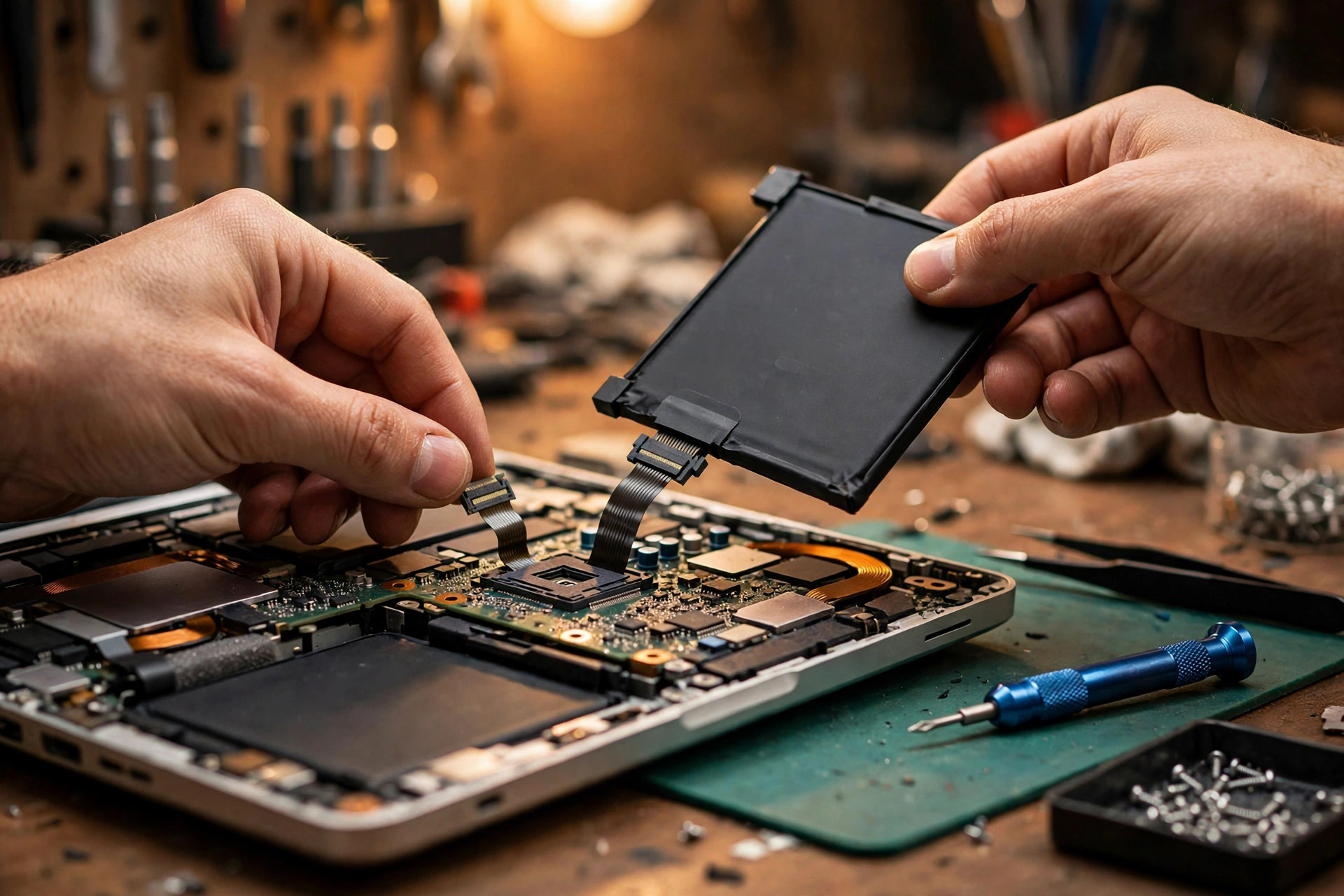
Premise: this is the advanced guide for "battery not detected", after the basic checks are done
This article starts with a premise that must be stated up front: the battery is physically installed, and you have already tried reseating the battery, restarting the computer, and checking Device Manager — yet the system still reports "No battery detected", "Battery not detected", or "Battery not identified". If any of those basic checks has not been done, the advanced reasoning in this article does not apply; go back to the basics first, because everything here is built on the starting point "basics already excluded".
This article is about one specific symptom: the system does not recognise that a battery exists at all. It is not about short battery life, slow charging, or intermittent charging. It is not the battery-drains-fast article (early shutdown, ageing cells), not the charging-intermittent article (port, cable, PD negotiation), and not the battery-health-dropping article (capacity fade, maintenance). This article is only about the detection chain: how a battery "reports in" to the system, and which broken link makes the system unable to see it.
One distinction must run through the whole article: a battery "having power" and a battery "being recognised" are two different things. Supplying power only needs the positive and negative terminals connected. Being recognised needs communication, identity, and status all present. Many real cases are exactly this: "it runs on AC, it even runs briefly on battery, but Windows says there is no battery", or "it warns about a non-genuine battery at boot but still charges a little". Those are not dead cells; the detection chain is broken. Diagnose layer by layer; do not jump from "not detected" straight to "the battery is dead".
The overall model: one detection chain, and the symptom depends on which link breaks
| Chain position | Role | If it breaks |
|---|---|---|
| Cells | Store energy | No power at all; the machine dies the moment AC is unplugged — not just "not detected" |
| Protection board / fuel gauge IC | Monitor, count, report, authenticate | Power exists but no trustworthy reply, so the system says there is no battery |
| Battery connector / flex cable | Power + communication + temperature + presence signal | A broken communication pin gives "power but not detected"; a broken presence pin means the chain never starts |
| Mainboard SMBus | The question-and-answer channel | No ACK or checksum failure, so the Q&A cannot complete |
| EC | The power gatekeeper, judging battery presence before BIOS | If the EC judges wrong, no BIOS or Windows effort later can suddenly fix it |
| BIOS / ACPI tables | Provide the battery object to Windows | _STA reports "not present", so Windows has nothing to enumerate |
| Windows driver | Built-in Control Method Battery driver | The device simply does not appear; reinstalling the driver cannot conjure a battery |
| Taskbar icon / powercfg report | Final display | Shows "no battery detected", and the report contains no data for that battery |
Three presentations: split the symptom before you split the machine
"Not detected" is not one symptom; it is three presentations pointing at different layers. Work out which one you have before you replace anything.
| Presentation | What it looks like | Suspect first | Key observation |
|---|---|---|---|
| A: Battery completely unresponsive | Dies the moment AC is unplugged; taskbar says no battery; BIOS also says no battery | Power pin, presence pin, protection-board lockout, the pack itself | Does it die instantly on AC removal? What does the BIOS battery page say? |
| B: Power but not recognised | Runs on AC, runs briefly on battery, but Windows says there is no battery | Communication pin, SMBus, authentication, fuel gauge, EC state | Does BIOS see it? Is there a Control Method Battery device? Does the powercfg report have data? |
| C: Intermittently recognised | Sometimes recognised, sometimes not; changes when you move the machine; percentage jumps | Loose cable seat, poor ground contact, oxidised contacts, PEC checksum failures | Is the symptom tied to movement, temperature, or humidity? Is there a "wiggle changes it" pattern? |
Layer 1: SMBus communication — how a battery "reports in"
The laptop smart battery is built on the Smart Battery System (SBS). The SBS specification defines the SMBus connection, the data that can be transferred, the smart charger, and the BIOS interface; communication runs over a two-wire SMBus. Inside the battery pack sits a dedicated IC (fuel gauge / battery management system) that monitors the battery and reports to the system over SMBus.
"Recognised" really means one successful question-and-answer round: the host (via the EC / charger IC) asks the battery address, and the battery replies with identity, capacity, voltage, current, temperature, and status. Under the SBS 1.1 Smart Battery Data Specification command table, a battery that is to be recognised as a Smart Battery must support functions including ManufacturerName, DeviceName, DeviceChemistry, ManufactureDate, SerialNumber, DesignCapacity, DesignVoltage, FullChargeCapacity, RemainingCapacity, Temperature, Voltage, Current, RelativeStateOfCharge, CycleCount, and BatteryStatus. Any step with no ACK, a checksum error, or a reply that does not match the specification leaves the system unable to build a trustworthy battery object.
The SMBus error-checking mechanism is called PEC (Packet Error Checking), introduced in SMBus 1.1: a CRC-8 check byte appended at the end of the packet, before STOP. Its practical meaning matters: poor cable contact, oxidised pins, or interference causing intermittent bit errors does not necessarily break the link completely. It can show up as sometimes recognised and sometimes not, jumping percentages, or some fields readable and others blank. Do not write every "not detected" as "no signal at all".
SMBus also has a Host Notify mechanism: a device can proactively notify the host instead of only answering polls. For a battery, that means status changes can be reported actively. Turned around: if the battery neither answers polls nor sends notifications, the EC / BIOS has no event that can trigger the "battery inserted" state change.
TI's system-side fuel gauge documentation describes a BAT INSERT CHECK mode: when power is supplied to the gauge and the system but no battery is detected, the gauge sits in a halted-CPU state; once battery insertion is detected, it runs a series of initialisations, including measuring OCV, setting the BAT_GD pin, choosing a suitable battery profile, and setting the Flags() [BAT_DET] bit. That description is about one TI gauge, but it demonstrates a general logic: "insertion detected" is itself a state that must be actively confirmed — it is not automatic just because the pack is plugged in.
So why does Windows show "not detected" when SMBus gets no reply? Following the architecture in the ACPI / Microsoft documentation, the chain can be derived as follows (this linkage is an architectural derivation, not a vendor's verbatim statement): the EC / charger asks the battery address, gets no ACK or fails PEC; the EC therefore stays in the "no battery" state and does not offer a battery object to BIOS / ACPI; the BIOS _STA reports the battery as absent; Windows therefore does not create a Control Method Battery device, the taskbar shows "no battery detected", and the powercfg report contains no data for that battery.
Layer 2: Battery authentication chips — Lenovo and HP authentication locks
Lenovo: a "not supported" warning in black and white
The hardest first-hand evidence is the Lenovo official user guide (ThinkPad P70): "If you install an unauthorised battery, or a battery designed for another system, the system will not charge, and displays: 'The battery installed is not supported by this system and will not charge. Please replace the battery with the correct Lenovo battery for this system.'" The guide also states Lenovo takes no responsibility for the performance or safety of unauthorised batteries, and offers no warranty for failures or damage arising from their use.
The same warning appears in a user case in another form (ThinkPad T420 case): "This system does not support batteries that are not genuine Lenovo-made or authorized. The system will continue to boot, but may not charge unauthorized batteries, and provides no warranties for failures or damage arising out of their use. Press ESC key to continue." Note two points: first, the system keeps booting; it does not refuse to boot outright. Second, the consequence is worded as "may not charge", not necessarily "not detected". The spectrum of authentication failure can run from "warning + no charging" to "not recognised at all", depending on model and firmware. Do not write it as "always shows not detected".
The term "Battery Safeguard" needs careful grading. At the official specification level: the ThinkPad Twist specification lists battery life as "7 hours (with Battery Safeguard Hardware Authentication)", proving Lenovo once publicly used the "hardware authentication" wording, but it published no authentication protocol details. At the press level: a 2012 Ubergizmo report, citing sources, said ThinkPad Edge E430 / E530 Battery Safeguard would scan for a special chip found only in Lenovo batteries and refuse to work without it — that is a report citing sources, not a Lenovo official statement. At the teardown level: a 2016 Hackaday record describes a new battery triggering the not-supported warning at boot; the author probed the battery connector's SMBus pins with a logic analyser and found the battery was not reporting correctly to the ThinkPad battery controller, and eventually modified the ThinkPad EC firmware to bypass it. A zmatt.net follow-up located authentication command sequences inside the EC firmware (first authentication command 0x3c, second 0x27). These are independent teardown findings, not official documents, but together they point to one mechanism: authentication happens at the EC layer over SMBus, not at the Windows layer.
The synthesised mechanism (labelled as inference): at boot or battery insertion, the EC sends an authentication query to the battery; the battery must reply with data only authorised batteries know how to answer; a wrong answer, no answer, or an identity string outside the whitelist leads the EC to refuse charging, or even to not report the battery upward. A third-party battery can have brand-new cells and correct voltage and still show as "not detected" if its authentication layer cannot answer.
One more dynamic trap matters: in the T420 case, the user said the same third-party battery worked normally for a long period and then the BIOS suddenly refused to charge it, suspecting a firmware / microcode update around that time. That case itself is unconfirmed as to cause — the user only suspected it. Keep the words "unconfirmed". Do not write "Lenovo updates will lock old third-party batteries". But the plot is worth remembering: an authentication lock does not necessarily trigger at purchase; a firmware update that tightens checks can trigger it later.
HP: Counterfeit Check / Non-HP battery detected
HP's warning system uses different words but similar logic. Multiple HP support community replies from HP staff agree: "Non-HP battery detected" / "Battery Counterfeit Check Error" means the system detected a non-HP or incompatible battery. HP's suggested checks: look for the HP hologram / part-number label on the battery, run the HP PC Hardware Diagnostics battery test, and update BIOS and drivers. One community reply specifically warns that even a genuine battery can trigger a Counterfeit Check Error, possibly because of a BIOS / firmware problem rather than the battery being fake; another says the warning does not necessarily mean the battery is fake, with common causes including a battery ID chip fault or unstable battery communication.
HP's warning focus is often "authentication / identification", not "capacity". A third-party battery can supply power normally and show normal capacity figures, yet trigger a boot warning or fast-charge restriction because its ID / authentication fails HP's check. But "fast-charge restriction" and "completely unrecognised" are two different severities; do not conflate them.
HP also offers a practical diagnostic suggestion worth putting in the flow: use the powercfg report to see whether the battery is reported at all. If the report has no such battery, the problem leans toward the upstream detection chain (EC / BIOS / connector / battery communication). If the report has the battery but the data is odd — for example, the manufacturer field shows an internal supplier code rather than a recognisable company name — that field alone is not enough to call it fake. An HP community reply explicitly says a manufacturer field showing an internal supplier ID is not necessarily suspicious; judging genuineness needs the part-number label, diagnostics recognition, BIOS warnings, and purchase source together.
Layer 3: The fuel gauge IC — the classic "present but unreadable" structure
The fuel gauge IC (gas gauge) is the battery pack's "accountant and spokesperson". TI's Impedance Track family (for example bq27505, bq27510, bq27532, bq27541, bq20Z95, bq40Z50) is one of the most common families in laptop batteries — but it must be stated that not all brands use TI, and TI behaviour must not be written as a rule for all batteries.
TI documentation points to several states directly relevant to "not detected": BAT INSERT CHECK (the halted state when no battery is detected; if the gauge's own power is abnormal, or its insertion-detection conditions are never met, the gauge stays in this state forever and the system never gets a valid battery report); Flags() [BAT_DET] (the insertion-detection bit; at 0, the system layer has no reason to believe a battery exists; only at 1 does normal measurement begin); SLEEP / HIBERNATE (the gauge enters a low-power state on low current and measures periodically; wake conditions include current above a threshold and communication activity; if the wake path fails — for example a broken communication pin or unstable power — the gauge may never wake, showing as "battery plugged in but system says none"); and SHUTDOWN via the SE pin (the bq27541 document states the SE pin can shut the gauge down through external circuitry, especially for deep-discharge protection; a pack that has been deeply discharged with its protection board cutting output may have its gauge already shut down, so the system reads no data at all — that state is protection logic locking, not simply "no charge").
Authentication and fuel gauging can be two functions of the same IC: TI's introduction of the bq27541 explicitly mentions secure battery pack authentication using the SHA-1 / HMAC authentication algorithm, and that it can sit inside the battery pack or on the mainboard. So do not write "authentication chip" and "fuel gauge" as necessarily two separate chips; in many designs, authentication failure and read failure can share one root.
Need a laptop repair expert?
Free diagnosis · Transparent pricing · No fix, no fee · 180-day warranty
Firmware damage / lockout (Permanent Failure, PF) is another layer to keep separate. A TI E2E forum case on the bq40Z50 IFC PF: the device can permanently disable the battery because the stored instruction-flash checksum disagrees with the computed checksum (checked only after a device reset); the responder said the most likely cause is damaged instruction flash. That is forum technical discussion, not datasheet text. An EEVblog forum repairer experience: TI BQ series has a battery lockout function that cuts the battery output when cell imbalance or a fault is detected; early versions could recover after the fault condition was fixed, newer versions can lock permanently unless the BQ chip is unsealed and its fault flags reset; and many vendors set their own passwords, even custom firmware, so default TI passwords may not work. That is repair-community experience, not an official repair manual — but it explains why "replacing the cells does not revive the old pack": the locked gauge still will not report.
Gauge damage comes in three different severities; do not lump them as "the gauge is broken":
| Severity | Appearance | Key point |
|---|---|---|
| Communication layer broken | Gauge power / clock / data path broken; system gets no reply at all | No Q&A at all |
| Firmware / data layer broken | Gauge replies but data is wrong, checksum wrong, or profile wrong; system does not trust the battery | Replies exist but are not trustworthy |
| Protection lockout layer | Gauge actively locks output / communication because of a past fault (over-voltage, over-current, short, cell imbalance, flash damage); needs vendor-level tools for any chance of unlocking | Replacing cells does not fix it |
Layer 4: EC firmware — the machine's power gatekeeper
The EC is a low-power single-chip microcontroller present in almost all portable platforms. Its typical functions include power management (including boot-sequence control), thermal and fan control, the embedded keyboard controller, the SMBus controller and battery interface, and charger identification. The EC runs its own firmware, stored in on-chip flash or supplied from an external flash component — so the same EC model can behave completely differently across machine models. Do not infer behaviour from the EC model alone. The EC usually connects to the host over LPC or eSPI; vendors include ENE, ITE, Microchip, Nuvoton, SMC, and Renesas.
The boot-sequence key: the EC powers up as soon as main battery or AC power appears, loads its firmware, then listens for the power-button signal before starting the power-up sequence for the southbridge / PCH. In other words, the EC must judge "is there a battery, is there AC" before BIOS and Windows. If the EC's own judgement about battery presence is already wrong, no later BIOS or Windows effort can suddenly make it right — which is why an EC reset sometimes "magically" fixes the problem: it clears a latched EC state; it does not repair the battery.
Official EC-reset wording (quotable, not to be exaggerated): MSI's official note says resetting the EC may help when a laptop has keyboard, touchpad, or power-management problems; the steps are to shut down, remove power, hold the power button for 30 seconds to reset, then reconnect power and boot; if the battery is removable, it can also be removed for 15 minutes and refitted; after a successful reset, the first boot must be on AC power — failing to boot on battery alone is normal. Lenovo's official support document (ideapad battery cannot be charged) describes static discharge as: removable battery — remove it and hold the power button for 30 seconds; non-removable battery — with the machine on, hold the power button until it shuts down, then hold for 30 seconds before booting again. That document is about charging problems, not specifically "not detected" — state its scope when citing. Dell's official community document (No Battery Detected) describes a hard reset as: remove all external devices and AC, hold the power button for 10 seconds (Alienware 20 seconds), and plug directly into a wall outlet rather than a power strip; battery reset means removing the bottom cover, gently separating the battery flex cable, holding the power button for 20 to 30 seconds, then reconnecting the cable and rebooting. That is a Dell community document, not a repair-manual original — label its tier when citing.
Why EC updates sometimes fix detection: BIOS / EC update packages are often released together. EC firmware contains battery identification, charging policy, SMBus timing, and authentication command sequences; old EC firmware may not recognise a newer battery batch, or new EC firmware may tighten authentication — either can change the "recognised or not" result. Conversely, a power cut during an update or a package mismatched to the model can leave the EC in a worse state. Do not write "update the EC" as a zero-risk cure-all.
The distinction between a dead EC and a confused EC firmware (diagnostically significant; the following is repair-logic derivation, not a vendor original): firmware / state confusion usually still leaves some EC functions working (for example AC LED on, power button responsive, keyboard partly working), and a reset or reflash may restore it; a dead EC body / power supply usually comes with broader no-power, no-response, fan / keyboard / boot all dead, which is already beyond the scope of "battery not detected" and points to mainboard-level checks. Do not teach readers to replace the EC chip themselves.
Layer 5: Battery connector pins / flex cable — which pin breaking does what
There is no universal laptop battery connector pin order. Never present one website's pin table as the standard for all machines. The correct approach is "functional categories", plus a reminder to check your own model's repair manual / schematic before measuring. By function, a battery connector / flex cable usually includes the following categories (the categories themselves are supported by SBS, SMBus, and TI documentation, but the exact pin count and order vary by model):
| Functional group | Role | If it breaks (model-dependent) |
|---|---|---|
| Power positive / negative (BAT+ / BAT-) | Real power delivery | Machine dies on AC removal; battery supplies no power at all — not just "not detected" |
| Communication (SMBus clock / data, SCL / SDA) | The Layer 1 Q&A | Power but no Q&A; Windows shows not detected; BIOS may also see nothing |
| Temperature sensing (thermistor / TS) | Pack thermistor reports temperature to charger / EC | May be recognised but charging limited, or the charger ignores SMBus data |
| System Present | Tells the system "a battery is physically inserted" | EC never receives the insertion event, so the whole detection chain never starts |
| Sense / enable | Some models need an SMBus command "kick" before charging begins | Battery inserted but the system never starts charging |
A poor ground-pin contact is the most insidious: intermittent, jumping percentages, sometimes recognised and sometimes not — because an unstable ground affects both the power reference and communication signal integrity. Physical cable failure modes to name concretely: loose cable-seat latch, oxidised / scratched gold fingers, internal break at a cable fold, cracked plastic connector housing, cold solder joints at the mainboard end. These are not all checkable by "see if it is plugged in" — internal breaks and cold joints can look perfectly normal from outside, and need a substitution test (swap in a known-good battery / cable) or measurement to separate. Safety note: battery flex cables carry power; if you do not know how, do not probe them yourself — send it in.
Layer 6: BIOS battery detection — the layer before Windows
BIOS / UEFI is the layer before Windows. The cleanest dividing line for "software or hardware" is the BIOS: if the BIOS battery information page also says no battery / unknown battery, the problem is most likely before BIOS (EC, connector, battery communication, authentication). If BIOS sees it but Windows does not, the problem leans toward the Windows layer (ACPI driver enumeration, driver damage, system settings). This dividing logic recurs in HP, Dell, and Lenovo support replies and can be used confidently — but say "most likely", not "always".
How BIOS enumerates a battery (per the ACPI architecture): BIOS provides a battery device object in the ACPI namespace, containing _HID (PNP0C0A), _STA (present / enabled status), _BIX (static information), _BST (dynamic status), and similar methods. Windows reads these tables and methods at boot to learn "how many batteries this machine has, and which ones exist". So a BIOS update can change enumeration results, because it can fix a method's reply, change EC communication timing, change authentication checks, or change the battery-presence threshold. Do not write "a BIOS update will definitely fix it". Write "a BIOS update is a variable that can change enumeration results; before updating, confirm the model matches exactly and never cut power mid-update".
BIOS settings affect detection in two ways. Direct effects: some models have battery options in BIOS (for example HP's Battery Health Manager). An HP community case notes that during diagnosis, modes like "Maximize Battery Health" that actively limit charging should be temporarily avoided, because they confuse "not fully charging / slow charging" with "not detected" — note this is HP community advice, not an option every brand has. Indirect effects: loading BIOS setup defaults can clear damaged power / battery configuration values, which HP community replies also suggest — but loading defaults will not repair a broken wire, oxidisation, or authentication lock. Do not write it as a cure-all.
A Dell-specific warning deserves its own paragraph: a Dell official community document notes that in some cases a BIOS update cannot run on a faulty AC adapter / battery and needs a forced BIOS refresh method. That plot fits this article exactly — "battery not detected" can itself block "using an update to fix battery not detected", a deadlock. Do not force-flash BIOS yourself while the battery state is unclear; sending it in is the safe move. Lenovo has a similar deadlock: in a fwupd case, the update tool refused BIOS / EC updates because of battery state, and the user only got through with a forced flag. That is a Linux user case; do not present forced flags as a Windows user recommendation.
Layer 7: The Windows ACPI battery driver — how Control Method Battery "enumeration failure" happens
The Windows battery device is called "Microsoft ACPI-Compliant Control Method Battery", listed under "Batteries" in Device Manager alongside "Microsoft AC Adapter". Many guides call it "the battery driver", but strictly it is a generic driver: it is not supplied by the battery vendor; it is built into Windows and talks to the ACPI firmware. That matters, because "updating the battery driver" does not mean downloading a vendor driver; it correctly means "making Windows re-enumerate the ACPI battery device".
Microsoft's official documentation states the ACPI battery firmware implementation requirements: every battery must have an ACPI control-method object conforming to ACPI specification section 10.2; the hardware ID (_HID) must be PNP0C0A; it must implement _STA indicating whether the device is enabled, disabled, or absent; it must use _BIX to report static information (design capacity, cycle count, serial number); it must use _BST to report dynamic status (charging / discharging, remaining capacity); it must use _BTP (Battery Trip Point) to support capacity-level events; and optionally _SUN (Slot User Number) decides the order Windows displays batteries. The ACPI specification's Control Method Battery definition also lists a method set: _BIF (legacy static information, replaced by _BIX from ACPI 4.0), _BIX (extended static information), _BST (dynamic status), _BTP, _BMA, _BMS, _BTM, _BCT, _PCL, _STA. The division of labour matters: static information (model, serial number, design voltage) and dynamic status (charging or discharging now, how much remains) are reported by two separate methods; static readable but dynamic unreadable is a different failure level from both unreadable.
"Driver damage / enumeration failure" splits into four kinds; do not lump them as "the driver is broken":
| Case | Appearance | What makes sense |
|---|---|---|
| Device never enumerated | No Control Method Battery under "Batteries" in Device Manager at all, only the AC Adapter | Reinstalling the driver will not conjure a battery; stop circling this layer and go to the EC / BIOS layer |
| Device enumerated but flagged / disabled | Yellow warning mark or disabled state | Enable it again, or uninstall then scan for hardware changes and reboot so Windows reinstalls the built-in driver |
| Device enumerated but data empty / wrong | powercfg report has no data, or has a battery name but blank capacity fields | Leans toward ACPI method replies being abnormal (EC / battery communication upstream), not the driver itself |
| Driver manually disabled | Someone previously disabled the battery driver by hand in Device Manager | Re-enabling fixes it — but only for the "previously manually disabled" case; do not imply all not-detected cases are this |
Cross-checking the three tools: powercfg, Device Manager, BIOS
Three observation points together locate the fault. Any one alone misleads easily.
| BIOS battery page | Device Manager | powercfg report | Direction |
|---|---|---|---|
| No battery / unknown | No Control Method Battery | No data for that battery | Upstream detection chain: EC, connector, battery communication, authentication |
| Battery present | No Control Method Battery | No data for that battery | Windows enumeration layer: ACPI driver enumeration, device state |
| Battery present | Device present but flagged | Data present but abnormal | Driver state layer, or abnormal ACPI method replies |
| Battery present | Device present, normal | Data present but capacity fields blank / wrong | Battery communication / firmware layer: gauge replies abnormal |
| No battery | Device present but all data empty | Blank | Very rare; suspect inconsistent BIOS / EC state; send it in |
Layer 8: Third-party battery compatibility — "third-party" is not one category
"Third-party battery" is not a single category. Split it into four dimensions, or every third-party battery gets judged as one thing:
| Dimension | Content | Failure appearance |
|---|---|---|
| Specification | Voltage, capacity, connector shape, pin definition, part number | Same look and same model grouping, yet a small voltage difference means it does not work at all (iFixit case: ThinkPad X1 Carbon 5th / 6th generation replacement battery, original 11.52V vs replacement 11.58V, completely non-working until swapped for another source — an individual case, not proof the two voltages are necessarily incompatible) |
| Authentication | SBS communication implementation, vendor-specific authentication queries | Answers basic capacity queries but fails the vendor-specific authentication query, so the EC blocks it |
| Firmware version | Gauge firmware version and profile (matching a specific cell configuration, capacity, chemistry) | Wrong profile makes the design capacity / full charge capacity the system reads mismatch the actual cells (derived from the TI profile mechanism; no first-hand source states it verbatim) |
| Cells and protection board | Cells (capacity, internal resistance, consistency) vs protection board (over-voltage / under-voltage / over-current / temperature thresholds, MOSFET switching logic) | A locked protection board can make a pack with perfectly good cells output nothing and communicate nothing; cell imbalance can also trigger a protection-board lockout |
Wording to avoid: do not write "third-party batteries are always worse", "third-party batteries will catch fire", or "genuine batteries never have problems". HP community replies themselves state that a genuine battery is not always required, and many non-genuine batteries meet or exceed manufacturing standards; the question is whether that particular third-party battery correctly implements the model's communication and authentication requirements — not the "third-party" label itself. Do not estimate third-party battery prices in this article: only the four confirmed prices may be used, and everything else is "subject to a written quotation after inspection".
Layer 9: Protection-board lockout — why a battery can "lock itself"
A battery pack is not a pile of cells; it is a board with a brain. The protection board and fuel gauge IC can actively lock output / communication because of past faults, and that state is completely different from "dead cells".
| Lockout trigger | Mechanism | Does replacing cells help? |
|---|---|---|
| Over-voltage / over-current / short | Protection board cuts output to prevent further damage | No — the lockout flag remains |
| Cell imbalance | BQ series lockout cuts the battery output when imbalance or a fault is detected | No — early versions could recover after the fault was fixed; newer versions can lock permanently |
| Instruction-flash damage | Checksum mismatch, checked only after a device reset, permanently disables the battery (TI E2E bq40Z50 IFC PF case) | No — this is IC-level damage |
| Long-term over-discharge | Below the protection board's under-voltage threshold, output disconnects and the gauge may already be shut down | Not necessarily — after under-voltage lockout, AC power alone may not auto-recover it; the condition varies by protection-board design |
How long storage can walk a battery to the lockout edge (a mechanism possibility, not a universal guarantee): during long storage, self-discharge steadily drops cell voltage; below the protection board's under-voltage threshold, the board disconnects output to prevent further damage. Some protection-board designs will not auto-recover from under-voltage lockout even on AC power; they need a specific condition to reactivate, and that condition varies by design. Do not write unsubstantiated claims like "leave it on AC for X hours and it will definitely wake up". For a first charge after long storage, charge while someone is watching and look out for abnormal heat. Do not use old nickel-battery practice like "deep discharge then full charge" on lithium batteries — lithium protection logic is completely different.
Layered exclusion flow: from no-disassembly to board-level checks
Order the flow from "no disassembly, no cost" to "disassembly, substitution, board-level checks". Every step must state "if this passes, it points here; if it fails, it points there" — not a branchless list of steps. The flow starts after the premise: the reader has already reseated the battery, rebooted, and checked Device Manager, so do not repeat the basics as if they were new content.
| Layer | Action | Pass points to | Fail points to |
|---|---|---|---|
| Layer 0: Record symptoms | Copy the boot warning verbatim, the BIOS battery page, Device Manager items, and the powercfg report — four items | Located, can be triaged | Incomplete data means the diagnosis will circle |
| Layer 1: Software / driver layer (no disassembly) | Device has Control Method Battery but disabled / flagged → enable it, or uninstall then scan for hardware changes and reboot | Re-enumeration succeeds → driver-state layer problem | Device absent entirely → stop circling this layer, go to Layer 2 |
| Layer 2: EC / BIOS layer (no disassembly, but be careful) | EC reset per the brand's official steps; BIOS load setup defaults; BIOS update only if the model matches exactly, AC is stably connected, and power will absolutely not be cut mid-update | BIOS sees the battery after EC reset / BIOS update → the problem was in EC state / firmware | Still not seen → go to Layer 3 |
| Layer 3: Connector / flex layer (disassembly — send it in if unsure) | Visual check of the cable-seat latch, gold fingers, plastic housing; cross-test with a known-good battery of the same model, or a known-good cable (if the model allows the cable to be replaced separately) | Swapping the battery makes it recognised → original pack problem (go to Layer 4 to subdivide) | Swapping the battery still fails → mainboard side (go to Layer 5) |
| Layer 4: Battery pack layer (professional tools; never open the pack yourself) | Authentication failure → swap in a battery with fully matching authorisation / part number and retest; gauge / protection-board lockout → replace the whole pack, or let a repairer with vendor-level tools judge whether unlocking is possible | Matching battery recognised → authentication / pack layer problem | Still unrecognised → mainboard side |
| Layer 5: Mainboard layer (board-level inspection) | Focus on the mainboard-side battery seat solder joints, SMBus traces, EC power and firmware, charger IC, related protection components | Known-good battery + known-good cable still unrecognised, after EC reset, BIOS defaults, and BIOS update (model-matched) → mainboard side | Send for board-level inspection |
Common misdiagnoses and traps
| Misdiagnosis | Why it is wrong | How to separate |
|---|---|---|
| Battery is dead, but it is really EC / cable | New battery still not recognised | Whether BIOS changes after EC reset; battery cross-test; cable visual check and substitution |
| Mainboard is dead, but it is really a third-party authentication lock | Boot shows Lenovo not-supported / HP Counterfeit Check wording, but everything else works perfectly | Copy the warning verbatim; check the part number; retest with an authorised / part-number-matching battery |
| Driver is broken, but the ACPI layer has no battery object at all | Device Manager has no Control Method Battery at all, yet the user keeps reinstalling drivers | Check the BIOS battery page first; if BIOS also has nothing, the driver layer has nothing to reinstall |
| Battery is fake, but it is really an ID chip / communication fault or BIOS misjudgement | A genuine battery also triggers Counterfeit Check | HP community explicitly warns the warning does not necessarily mean fake; check diagnostics, BIOS updates, communication stability |
| New cells will revive it, but the gauge is locked | Still unrecognised / not charging after a cell swap | BQ lockout / PF mechanism: a cell swap does not automatically clear lockout flags |
| Calibration / discharge cycles will fix "not detected" | Battery is not enumerated at all, yet the user keeps cycling charge and discharge | Calibration only matters for "recognised but reading inaccurately"; "non-existent" is an enumeration problem, not a calibration problem (logical derivation) |
| BIOS updates are zero-risk | Forcing an update while battery state is unclear, power cut mid-update, or a mismatched model | Battery state itself can block updates; forcing past it carries risk |
| One model's pin table applied to another model | Measuring against an online pin diagram gives results that match nothing | Pin order varies by model; check your own model's repair manual / schematic |
| "Has power" equated with "recognised" | Runs on AC, runs briefly on battery, yet Windows says no battery — so the user concludes Windows is broken | Power and communication are separate pin groups and separate paths |
| Ignoring the timeline "worked before, stopped after an update" | Third-party battery worked for a while, then refused after one update | Ask "was BIOS / EC / firmware updated recently?" — but the cause is unconfirmed; do not state it as fact |
Hong Kong context: Sham Shui Po, humidity, commuting — mechanism links, not statistics
This section is the easiest in the whole article to fabricate, so strict rules apply: no statistics, ratios, price surveys, shop counts, or best-selling models about the Sham Shui Po market; no rankings like "humidity causes X percent of battery faults" or "commuting vibration is the Nth biggest cause" — the research found no first-hand source supporting those numbers, and writing them would be fabrication. What can be written is "how these common Hong Kong usage situations link, at mechanism level, to the mechanisms above", labelled as situational derivation, not measured results.
Sham Shui Po third-party battery circulation → why authentication problems are a plausible mechanism: Hong Kong users can easily buy third-party batteries in places like Sham Shui Po. That is market circulation reality, but "circulation" does not mean "that particular battery must be incompatible". The link is the authentication and part-number point above: a third-party battery must pass more than shape and voltage — SBS communication implementation, part-number matching, and vendor authentication queries. Check the part number before buying (against the HP / Dell / Lenovo service-manual part number) and keep the warning text and purchase source afterwards — that is the only traceable method. Do not write "most Sham Shui Po batteries are fake" or "most Sham Shui Po batteries are fine" — neither has a source.
Humid contacts oxidising → intermittent communication-pin failure: in Hong Kong's humid environment, metal contact oxidation is a known physical phenomenon, but no Hong Kong measurement data on laptop battery connectors was found. So the only valid wording is: "if the cable gold fingers are oxidised, the SMBus ACK / PEC failure rate rises, and the symptom can be intermittent non-recognition rather than a single clean break" — derived from the SMBus PEC mechanism, not a Hong Kong measured conclusion. For cleaning contacts, follow the Dell community wording (a soft dry cloth or eraser, gently, on metal contacts); do not teach liquid, sandpaper, or other methods that could damage contacts.
Commuting vibration → loose cable seats: daily carrying, backpacks, and use on transport can loosen a cable-seat latch through vibration — a reasonable physical derivation, but again with no Hong Kong commuting measurement data. The only valid wording is: "if the symptom is 'moving the machine changes recognition', a loose cable seat deserves an early position in the check order, with the latch and gold fingers as the inspection focus — not an immediate battery replacement". Do not write "commuting is the main cause".
What Hong Kong repair choice means in practice: because authentication, gauge lockout, and EC firmware problems are not solved by "just buy a new battery and swap it", bringing the following to a send-in makes diagnosis much faster: a photo of the boot warning verbatim, the BIOS battery page result, a Device Manager screenshot, the powercfg report, a photo of the old battery's part-number label, and whether BIOS / EC was recently updated. That is a process suggestion, not a statistical claim.
Decision framework: battery replacement / board-level repair / EC reset / send-in
| Situation | Judgement conditions | Suggested next step |
|---|---|---|
| Try EC reset first | BIOS does not see it, Windows does not see it, but other EC functions (boot, keyboard, charging LED) are broadly normal, and the official EC reset steps have not been tried | EC reset per the brand's official steps (MSI 30 seconds / Lenovo static discharge / Dell hard reset), then re-check the BIOS battery page |
| Replace the battery | Cross-test proves it: the same machine recognises a known-good battery of the same model immediately; or the boot warning explicitly points to unauthorised / non-genuine, and part-number checking confirms the current battery does not match | Replace with a battery whose part number fully matches; battery replacement from HK$580; other items subject to a written quotation after inspection |
| Board-level repair | Known-good battery + known-good cable still unrecognised, after EC reset, BIOS defaults, and BIOS update (model-matched) — BIOS still says no battery | Send for board-level inspection, focusing on the mainboard-side battery seat, SMBus traces, EC, and charger IC; mainboard chip-level repair from HK$880; other items subject to a written quotation after inspection |
| Send in (stop trying yourself) | Any of: swollen, hot, or smelly battery pack; cracked cable seat or lifted solder joints seen during disassembly; power cut during a BIOS update; unsure how the cable-seat latch opens; battery pack needs opening for cell replacement | Stop immediately and send it in; do not open the battery pack yourself; do not force-flash BIOS |
| Do not replace the battery yet | BIOS sees it but Windows does not (leans toward the driver enumeration layer); or EC reset has not been tried; or the warning is Counterfeit Check but the battery itself is genuine (possibly a BIOS / communication misjudgement) | Do Layers 1 and 2 above first; do not skip straight to battery replacement |
Pre-send-in checklist: safe to do yourself vs must send in
Safe to do yourself (no disassembly, no high-risk firmware operations): record the four symptom evidences (warning text, BIOS battery page, Device Manager, powercfg report); EC reset per the brand's official steps; note down any settings you changed before loading BIOS setup defaults; bring the original AC adapter and your usual cable to the send-in so a result matrix can be built. Must send in (do not keep trying): swollen, hot, or smelly battery pack; cracked cable seat or lifted solder joints seen during disassembly; power cut during a BIOS update; unsure how the cable-seat latch opens; battery pack needs opening for cell replacement; known-good battery + cable still unrecognised. Information to bring at send-in: photo of the boot warning verbatim, BIOS battery page result, Device Manager screenshot, powercfg report, photo of the old battery's part-number label, and whether BIOS / EC was recently updated. With evidence complete, repair, replacement, or upgrade gets the right answer. Pricing: pricing; inspection: diagnostic; details also at pricing and diagnostic.
Data safety: back up before disassembly / firmware updates
Back up your data before diagnosis, and verify the backup actually opens — "backed up once" is not enough. Before changing BIOS or updating firmware, first confirm you hold the disk-encryption recovery key: with BitLocker or other disk encryption, losing the recovery key can mean being locked out after a firmware update. If you see abnormal heat, a burning smell, case deformation, or sparks, stop using the machine and send it in immediately. A swollen battery must not go into ordinary rubbish; Hong Kong disposal channels should follow the official recycling guidance current at the time, and this article does not list unverified drop-off points. If a battery is already smoking, smelling, or abnormally hot, move it away from flammables: stop using it, move away, seek help. More pricing information: pricing; inspection arrangements: diagnostic.
Source note
This article's mechanisms trace back to the following source types: the SBS 1.1 Smart Battery Data Specification command table, the SMBus 3.3.1 / 3.1 specifications, Microsoft's ACPI battery and power subsystem firmware implementation documentation, the ACPI 6.2 specification, TI bq27505 / bq27532 / bq27510 / bq27541 datasheets, the Lenovo ThinkPad P70 user guide, Lenovo ideapad official support, MSI's official EC reset documentation, Dell's official powercfg battery report documentation, the Linear DC101 smart charger manual, Dell / HP support community replies, Microsoft Q&A, Hackaday / zmatt.net teardowns, the TI E2E forum, EEVblog repair experience, and iFixit Q&A. Where this article says "derived", it uses words like "per the architecture" or "at mechanism level" — it is not quoting a vendor original. Where a source is community / teardown level, the article keeps that tier and does not dress it as a repair-manual original. Unverified claims (for example full authentication protocol details, root-cause shares, Sham Shui Po market statistics, Hong Kong humidity / commuting measurements) are not written into this article.
Laptop King | Room 1209, Dalton Plaza, Shek Mun, Sha Tin | Tel +852 2186 8010 | WhatsApp +852 6558 6806 | 12:00–19:00
Need Professional Laptop Repair?
Laptop King has 15+ years of repair experience in Shek Mun, Sha Tin. Free diagnosis, transparent pricing, no fix no fee. 180-day warranty for your peace of mind.