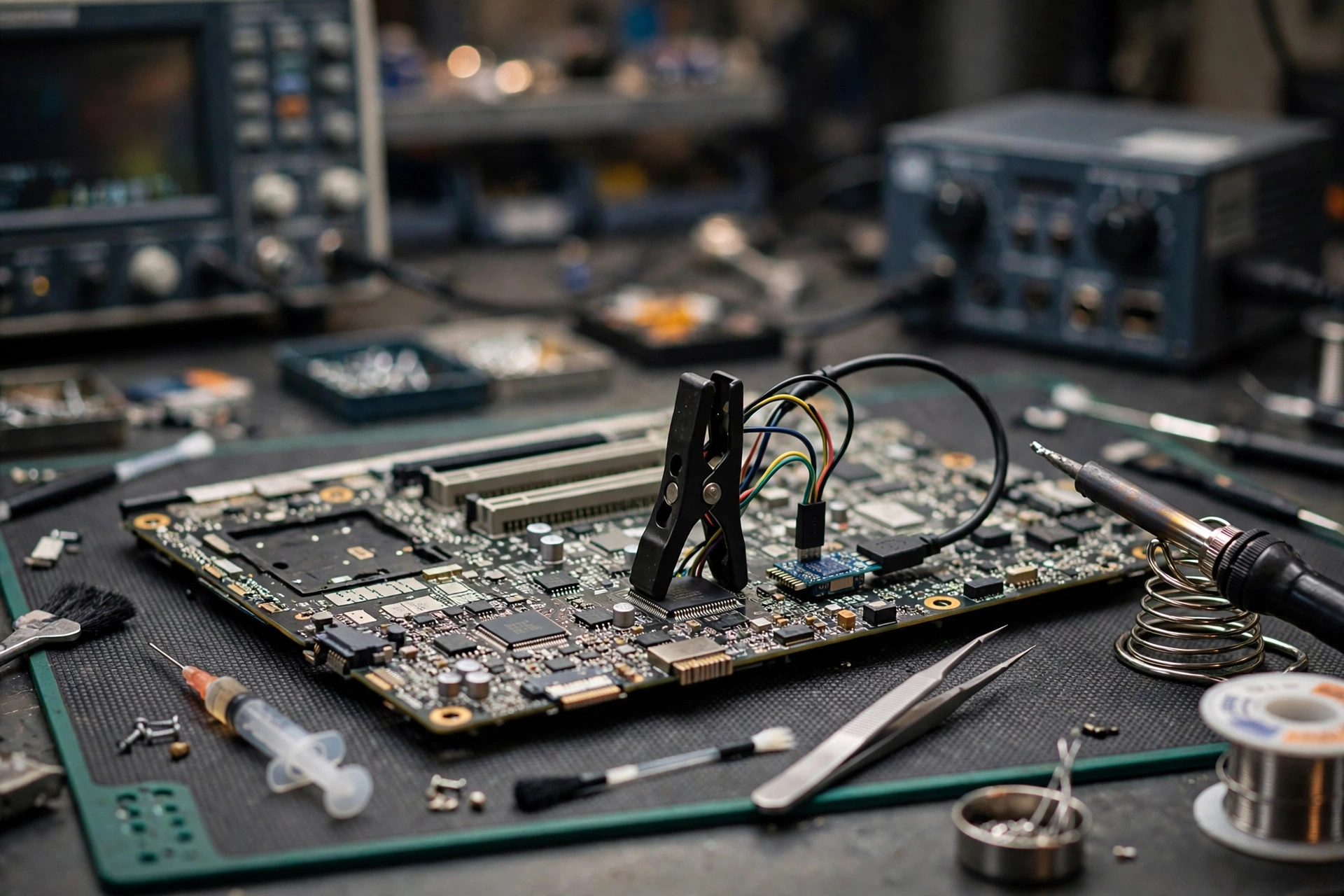
After boot, a laptop sometimes hangs on the brand logo for a long time, sometimes refuses to power off fully after shutdown, and sometimes cannot wake from sleep without a long press of the power button. Many users first suspect Windows, or an ageing battery or power adapter, and rush to replace parts or reinstall the system. But one class of problem sits neither in Windows nor in the battery or adapter. It sits in a firmware layer that starts working before boot itself: the Intel Management Engine, later called the Converged Security and Manageability Engine, or ME and CSME. This guide covers only that layer: what it is, where it runs, what it does at boot, why it fails, how symptoms map to mechanisms, how to narrow the cause layer by layer, why reflashing blindly is dangerous, and how to weigh repair, board replacement, and replacement of the machine. Internal work is left to professional diagnosis throughout. What readers can do is limited to external observation, symptom records, read-only copying of BIOS-screen version displays, comparison against the manufacturer's support page, and data backup.
What ME and CSME are: not the CPU, not the BIOS, but an independent subsystem
The Intel Management Engine, later collectively called the Converged Security and Manageability Engine, is an independent subsystem inside the Intel platform. It is not the CPU itself, and it is not the BIOS itself. According to Intel's official datasheet definition, CSME is a security engine providing secure firmware verification and loading, secure boot, platform debug control, and manageability through Intel Active Management Technology. It has its own small x86 processor, memory, cryptographic engine, and I/O, and it is isolated from the main processor inside a protected hardware and firmware environment. The same datasheet lists CSME as one of the Security Firmware Engines, alongside the Silicon Security Engine and the Graphics System Controller. It must not be written or understood as "CSME equals the whole PCH". In broad historical terms, ME first appeared in chipsets around 2006 and, from the Core family in 2009, was generally located inside the PCH. It was later called CSME. This guide uses only that broad direction and gives no exact renaming year.
ME is a microcontroller embedded in the PCH, with its own CPU and RAM, running its own firmware and microkernel operating system. Its areas of work must be kept separate rather than blended. First, boot trust root and firmware verification: on platforms supporting Boot Guard, ME is the trust anchor that verifies firmware before UEFI runs. Second, security services: PTT, the firmware TPM supported by ME, as well as SGX EPID and Boot Guard, depending on whether the model and the OEM have enabled them. They must not be written as present on every machine. Third, manageability: AMT is a function running on top of ME and is limited to vPro-class machines. It is not ME itself. Most home laptop users may never use AMT, and "ME failure" must not be written as "remote management failure". Fourth, power management: a vendor knowledge base lists ME functions as including power management, AMT, Serial over LAN, and PTT, and related technical analysis notes that CSME loads and verifies firmware related to the Power Management Controller. This is the most important bridge for explaining abnormal shutdown and sleep behaviour, but it must be written as "related", never as "ME directly controls fan speed", because the actual fan-speed control path depends on OEM design.
Boot order: ME starts working before the BIOS
To understand ME failure, the boot order must come first. The key sentence from a technical repair guide is that ME is initialised before the main processor is released from reset and before the BIOS runs. In other words, ME does not wait until Windows has loaded, and it does not wait until the BIOS has finished. It is a very early link in the boot chain. On a Boot Guard-enabled platform, the order is more detailed: the ME coprocessor starts from on-chip boot ROM, reads hard and soft straps, copies the ME region flash partition table into on-chip SRAM, and verifies the signature of the partition manifest, before the x86 processor is "booted up". The x86 processor then locates the Firmware Interface Table, executes microcode, locates the Startup ACM, requests the OEM public key hash and Boot Guard profile from ME, and, only after verification passes, executes the Initial Boot Block. Only then does the conventional boot process begin. Another technical report adds that loading starts from a ROM program inside the PCH, verifies the FTPR header signature, loads RBE, and then verifies modules such as KERNEL, SYSLIB, and BUP. BUP initialises the Power Management Controller and the ICC controller, and then starts a series of ME processes.
This order clears up two common misunderstandings. First, why a problem that appears after entering Windows need not be a Windows problem: ME already takes part in trust verification and power-management initialisation before boot, and its state affects the whole boot and shutdown process. Second, why a hang on the logo cannot by itself be diagnosed as ME failure: a logo hang can be ME failing to complete its handover, the BIOS stalling, or the EC power-sequencing going wrong, among other links. The EC, or Embedded Controller, is a separate controller, listed in the Intel SPI flash region table alongside BIOS, CSME, and GbE as one of four masters. EC and ME are different controllers, and their division of work depends on OEM design. This guide does not invent a list of EC duties. Keeping the two apart is what stops every boot problem from being blamed on ME.
One frequently quoted sentence from a technical report must be attributed carefully: for the PCH 100 series or later, the platform is physically unable to start without valid ME firmware. That sentence appears only in a Positive Technologies technical report. It is not an Intel official statement, and it must not be generalised into "every Intel laptop with ME failure will fail to power on completely". Real cases include both "powers on but runs degraded or abnormally" and "fails to power on completely", as the symptom section shows. Whether the statement applies to every laptop generation has no Intel official per-generation document, so it must not be generalised.
SPI flash layout: BIOS and ME share one chip, but permissions are separate
ME firmware lives in a dedicated region inside the SPI flash, sharing the same chip as the BIOS, with permissions divided by the Flash Descriptor. The region numbers in the two platform tables below are not identical. That point must be stated, and neither table may be copied as a universal truth. Both tables carry the note "varies by platform".
| Region | Intel 700 Series PCH (Raptor Lake-P platform) |
|---|---|
| 0 | Flash Descriptor |
| 1 | BIOS |
| 2 | Intel Converged Security and Management Engine |
| 3 | Gigabit Ethernet |
| 4 | Platform Data |
| 5 | EC |
| Region | Intel Core Ultra 200H / 200U Series |
|---|---|
| 0 | Flash Descriptor |
| 1 | BIOS |
| 2 | Intel CSME |
| 3 | GbE (integrated LAN firmware and MAC address) |
| 4 | PDR (Platform Data Region) |
| 8 | EC |
| 10 | Intel Silicon Security Engine |
A conservative inference follows directly from those sources: BIOS, ME, and GbE share one SPI flash chip, but the Descriptor divides permissions, so under normal conditions the BIOS or the operating system should not write directly into the ME region. That is why "BIOS update succeeded" does not equal "ME update succeeded", and why ordinary software tools generally cannot read or write ME when ME is damaged. The ME region itself is not a single file. It consists of multiple partitions, starting with a partition table, and each code partition has a manifest containing version information, module counts, and an RSA signature. ME also needs part of system memory for decompressed code and runtime variables, reserved by BIOS at ME's request and locked so the main CPU cannot access it afterwards. No specific model's SPI flash capacity may be written as a general rule, no model's region start address may be given, and "the ME region is always a certain size" must not be written, because datasheets state only that it varies by platform and configuration. Some models use two SPI flash chips, so it must not be assumed that every machine has only one.
Versions and SKUs: the same version number is not the same file
Intel's official support page states clearly that affected CSME 11.x firmware is used in consumer and corporate PCs, with or without vPro or AMT, as well as IoT devices and workstations. Consumer and Corporate are therefore two coexisting firmware branches, not one file. A community firmware list also shows that one version number can appear simultaneously as Consumer PCH-H, Corporate PCH-H, Consumer PCH-LP, and Corporate PCH-LP files, with further naming such as H_Corp. H and LP are firmware branches for different PCH classes and must match the model. This guide uses only that broad class wording and does not expand the abbreviations or build a mapping table. Older generations used 1.5MB and 5MB naming, but that old capacity naming must not be treated as the capacity of modern CSME 12, 14, 15, or 16. Modern version numbers and file sizes vary by platform.
Version numbers such as 11.8.50.3425 and 16.1.40.2765 have a main branch in the first part and a build in the later part. A diagnostic report also shows fields such as firmware version, MEBx version, firmware capabilities, and PCH version. This guide states only that concept and does not teach readers to run tools to judge the SKU themselves. The most important risk evidence comes from a firmware list changelog quotation: the Intel FWUpdate tool does not check whether the image and platform SKUs match (H versus LP). In other words, the tool itself will not block a wrong SKU for the operator. The consequence of a wrong SKU rests with the operator. That sentence is the core evidence for the later section on why reflashing must not be done blindly. Version-control mechanisms, such as SVN, VCN, and PV numbers, can cause some downgrades to be refused. The details depend on the tool and the model, so this guide states only that broad direction and invents no specific numbers.
Why it fails: six causes, each with its source level
First, firmware corruption or ME region damage. In a repair discussion, a repairer's judgement on a case of "continuous high-speed fan plus failure to power off after shutdown" was, in substance, that the ME region firmware was damaged, noting that with the Descriptor locked, ordinary software methods cannot write ME. In another case, the Flash Descriptor pointed to a wrong BIOS start address, causing a general reset failure, and the repairer judged that the ME region might be damaged rather than the version being wrong. Mechanically, ME firmware is signature-verified, so damage to any partition in the region, a signature mismatch, or damage to the partition table can leave ME stuck in a recovery or error state. The wording here is "can lead to", never "necessarily leads to", because the full causal chain from damage to recovery has no item-by-item Intel official document.
Second, interrupted BIOS or ME updates. In one forum case, a motherboard UEFI BIOS froze during a firmware backup and the user was forced to restart. Afterwards ME seemed permanently stuck waiting for a second update procedure to start, and installing different BIOS versions afterwards did not change the ME version. That is a single case's self-reported inference. It must be stated as "one user reported it this way" and must never be written as an official recommended repair step, let alone taught to readers. A vendor's official guidance gives this order: update BIOS to the vendor website's latest version first, to maintain a stable system environment, and only then update ME firmware. BIOS and ME updates therefore have a dependency order and are not two independent actions. In another case, after a user modified ME and flashed it, boot became extremely slow, and at the last step of POST the BIOS displayed an error sending the End of Post message to ME and halted. The repairer judged that reflashing the ME region with a programmer was needed. As a general principle, power loss during a BIOS update, an accidental restart, or a wrong update file are classic bricking scenarios, and updates should be kept on wired power and never run under unstable power.
Third, mismatch between ME firmware and BIOS version. A repair discussion notes that simply reflashing BIOS does not always update the ME version. One repairer stated plainly that flashing BIOS does not always update the Intel ME version, and it was unclear which setting blocked the update. In another example, one firmware version conflicted with a driver version and caused the update tool to fail, and the problem was resolved only after switching to another version. An Intel community post from 2026 adds that one CSME version was flagged as vulnerable by a detection tool, while a newer version in the same branch was seen only on another platform, with no vendor release seen for the Consumer S&H platform. Intel's official reply only advised contacting the system manufacturer for firmware suitable for that model. The writing point is that newer versus older is not the only standard. The standard is whether the vendor has released firmware for this specific model. Readers must not be taught to hunt firmware across platforms.
Fourth, problems with the SPI flash chip itself. In a repair discussion, a repairer suspected the flash component itself, and discussed dual-SPI-chip models where ME and descriptor backup information may sit on the smaller chip. In a specific chip-model case, a user wrote the wrong firmware and the machine showed no display. The repairer noted that the chip has an OTP security memory register, and if the overall state is locked or security-area data is lost, it may not be reflashable afterwards. That is a specific chip-model case and must not be generalised into an OTP locking problem for all SPI flash chips. As a mechanism inference, SPI flash is non-volatile memory, so write counts, cell ageing, poor soldering, and interrupted writes under unstable power could in theory corrupt region contents. But this brief found no Intel official document quantifying the relationship between SPI flash lifespan and ME damage, so "flash ageing is a common cause" and any percentage must not be written, and no figures such as "fails after a certain number of years" or "damaged after a certain number of rewrites" may be given.
Fifth, motherboard power or PCH problems. ME runs inside the PCH, so any abnormality in PCH power, clock, or reset signals can prevent ME from starting normally. That follows directly from "ME is inside the PCH and initialises before boot". It is reasonable, but no Intel official document lists a symptom-by-symptom table for PCH power abnormalities, so the wording is only "motherboard-level power or PCH problems can look like ME failure and need motherboard-level diagnosis to separate". No specific voltages or measurement points may be given. ME can remain active even when shut down, as long as the motherboard still has power. That characteristic explains why "still abnormal after shutdown" is not necessarily a Windows problem, but it also means "unplug and wait a while" is not a reliable diagnostic method and must not be written as a repair step. PCH soldering faults, power-chip models, and specific power rails must not be written in, because they can only be known by real-machine diagnosis.
Sixth, Descriptor or setting corruption, and manufacturing or factory SPI image problems. A repair discussion mentioned the possibility of factory SPI image problems, saying one batch of machines had SPI images that were already disordered at the factory and mentioning a recall for the same batch. The original tone was speculation, so this guide writes only that "a repair discussion mentioned this possibility" and never presents it as admitted by the vendor. Descriptor damage alone can already scramble BIOS and ME access permissions. "Descriptor damaged" and "ME region damaged" must be kept apart: the first is a damaged map, the second is damaged contents. Their symptoms can look alike, but their repair difficulty and risk differ.
Symptoms mapped to mechanisms: no single symptom can diagnose ME failure alone
The iron rule is that no symptom below can diagnose ME failure on its own. The wording must be "may be related to ME and needs layered exclusion", never "this means ME is broken". Every item carries a fallback: "but it could also be another problem".
| Symptom | Mechanism mapping | Fallback: other possibilities |
|---|---|---|
| Boot hangs on logo or boots extremely slowly, for example returning to the logo after restart, with the early boot phase lasting over a minute | When ME is in recovery mode, the boot process is dragged out. A community case user's self-report was this symptom, and a community reply explained ME state in recovery mode as an ME firmware problem | It could also be BIOS, hard drive or SSD, RAM, or EC sequencing problems. A logo hang by itself does not equal ME |
| Boot takes over 40 seconds to start, or POST halts at the last step with an error sending the End of Post message to ME | BIOS fails to send the End of Post message to ME and POST halts, as seen in an individual model case | It could also be BIOS damage itself. This error message appears only on individual models or generations and must not be written as a universal error code |
| Fan at full speed, continuously high | One case showed continuous high-speed fan at the same time, and the repairer judged the ME region damaged. Mechanically ME is related to power management, but the actual fan-speed control path depends on OEM design, and no source proves "ME failure always means full-speed fan". Only "a case showed both at the same time" may be written, never a causal law | Full-speed fan is more commonly caused by heat, dust, temperature sensing, EC, or fan-curve problems, and those must be excluded first |
| Abnormal shutdown: fails to power off fully, restarts automatically after shutdown, cannot wake from sleep, needs a long power-button press to switch off | The same case showed failure to power off after shutdown, normal restart after shutdown, and failure to wake after about 30 minutes of sleep. Mechanically ME takes part in power-state management, so ME failure can break the shutdown or sleep handover | It could also be Windows power settings, drivers, EC, the power button, or battery problems. Abnormal shutdown must not immediately be written as ME |
| Automatic shutdown after about 30 minutes, even on the BIOS screen | An Intel community official discussion explains that when ME is not running, the chipset powers the system off after 30 minutes. BIOS showing ME firmware version as N/A, 0.0.0.0, or blank are all indicators that ME is not running. This is one of the strongest symptom mappings because it has an Intel community mechanism explanation, but it only points in this direction when it happens "even on the BIOS screen". Shutdown only under Windows does not count | It could also be overheat protection or power problems. The 30-minute figure appears only in that discussion and must not be written as applying to all ME failures |
| Slow boot plus ME in recovery mode plus running in a degraded mode | A server case: when ME was in recovery mode, the system was forced to run on a single core, other cores were invisible even to BIOS, and the single core was locked at its lowest frequency. This is a server case and must not be applied directly to laptops. Only "recovery mode can make a system run in a degraded mode" may be written, never that a laptop will necessarily lock at a particular frequency or keep one core | It could also be BIOS settings or CPU problems |
| Device Manager warning on the Intel Management Engine Interface, Code 10 or Code 43, driver cannot be installed | A secondary summary notes that a yellow warning, Code 10 (device cannot start), or Code 43 on the Intel Management Engine Interface can be a sign of an ME problem. At the same time it stresses separating "driver" from "firmware": the driver is the interface inside Windows that talks to ME, while firmware is the code running inside ME. Another community case also showed that after ME firmware displayed N/A, the installer reported that the system did not meet the software installation requirements and Device Manager had no ME interface | Code 10 and 43 are generic Windows device errors, not specific to ME. Driver problems and Windows problems can also cause them, so the driver layer must be excluded first |
| BIOS shows ME firmware version as N/A, 0.0.0.0, or blank | An Intel community explanation: these displays are all indicators that ME is not running. A forum discussion gives the same judgement: if BIOS shows an ME firmware version number, ME firmware is not damaged; when damaged, it shows 0.0.0.0 | It could also be a BIOS display problem or ME disabled by OEM setting. One number alone must not be used to decide |
| Read-only diagnostic tool concept: report shows version and status registers, with communication errors | The read-only query tool concept reports firmware version, MEBx version, firmware capabilities, and firmware status registers. In one case the report showed a communication error and an internal error, and the repairer judged ME damaged or disabled. An Intel official vulnerability detection tool is also mentioned in vendor guidance for judging whether a system is vulnerable. It is a detection tool, not a repair tool, and must not be written as able to repair ME | This guide states only that "professional diagnosis can use read-only tools to query version and status". No commands, parameters, file names, or operation steps are listed |
Layered exclusion: follow the order, do not skip layers
Layer 0: record, which readers can do and should do
Need a laptop repair expert?
Free diagnosis · Transparent pricing · No fix, no fee · 180-day warranty
Record the first date it appeared, whether any BIOS or ME update was done before it, whether power was lost or a forced restart happened during an update, whether the symptom happens every time or intermittently, whether the same symptom appears on the BIOS screen, for example a 30-minute shutdown, and what the BIOS shows for ME firmware version, including N/A, 0.0.0.0, or a normal number. Copy only the display and do not change any setting. Record the external state: which power adapter is used, original or third-party, whether a docking station or external device is connected, and the battery state, including swelling and whether it charges. These are for exclusion, not for diagnosis. Before any firmware-layer diagnosis, if the machine still enters the system, back up important data first. Backup does not repair ME, but it avoids data risk during diagnosis or repair, and repair must not be promised to preserve data.
Layer 1: external checks, reader level, no disassembly
Remove all external devices, including USB devices, docking stations, external screens, and SD cards, leaving only the power adapter, and see whether the symptom still appears. The purpose is to exclude boot or shutdown abnormalities caused by external devices, not to repair ME. Try the original power adapter and try a different socket, to exclude the false impression of interrupted updates caused by unstable power. But "changing the adapter can repair ME" must not be written. The adapter is only an exclusion item. Observe the fan, indicator lights, and where the boot screen stops, and record rather than judging on the spot. External operations that must not be taught include removing the CMOS battery, opening the bottom cover, shorting jumpers, or pressing any recovery button on the motherboard. An individual user's self-reported discharge experience is only a single case and cannot be turned into a reader step.
Layer 2: BIOS and ME version confirmation, read-only query, no rewriting
The concept is to copy the BIOS version and ME firmware version from the BIOS setup screen, where shown, and compare them against the manufacturer's support page for that model, to see whether it is "BIOS already latest but ME shows N/A or 0.0.0.0" or "both are old". A vendor community official reply provides a reference structure: enter BIOS setup, record the BIOS and ME firmware versions, and compare them with the latest versions on the official support page. Even if BIOS is already latest, ME firmware may be packaged separately or included inside the updated BIOS. Another vendor's official guidance is to use a detection tool first to judge vulnerability, then compare with the latest BIOS version, and only then consider an ME update, confirming again with the detection tool afterwards. The writing boundary is to state only the concept of "comparing versions". No tool download links, commands, or file names may be listed, and readers must not be taught to query or write with diagnostic or flashing tools themselves. Reader-level read-only queries are limited to BIOS-screen displays and manufacturer support-page comparison. Deeper read-only queries are left to professional diagnosis.
Use this branching logic without simplifying it: BIOS shows a normal ME version plus mild symptoms, for example only a driver warning, points first to the driver or Windows layer, not to ME reflashing. BIOS shows N/A or 0.0.0.0 plus symptoms matching the symptom section, for example a 30-minute shutdown, failure to power off, or a logo hang, raises the likelihood of ME failure and moves to Layer 3 assessment, without the reader handling it. BIOS shows a normal ME version but severe symptoms, for example complete failure to power on, cannot exclude BIOS, PCH, or power problems beyond ME, and still needs motherboard-level diagnosis. For diagnosis arrangements, see Diagnostic Service. For the fee structure, see Pricing Reference.
Layer 3: ME firmware reflash conditions and risks, why reflashing must not be done blindly
Five risks must all be stated, with no omission. First, version and SKU must match. Consumer versus Corporate, H versus LP, and main branch, for example 11.x versus 12.x versus 16.x: getting any one wrong can make the update fail or brick the machine. The flashing tool itself does not check whether H versus LP matches. Second, Descriptor locking. On most laptops the Flash Descriptor is locked, and ordinary software routes cannot write the ME region. Repair discussions repeatedly note that Descriptor locking then requires motherboard-level operation or a programmer, and those operations themselves carry risk and are absolutely not reader steps. Third, damaged ME may refuse even the update tool. A repair case states plainly that when ME firmware is damaged, the flashing tool may be unable to start an update because the existing firmware is already damaged. Another case notes that even with the Descriptor unlocked, there may be no way to rewrite ME with a software tool because the existing firmware's cooperation is needed. In other words, "reflashing" is not a cure-all. The worse the damage, the less effective software reflashing becomes. Fourth, bricking risk and irreversibility. Power loss during firmware writing, writing the wrong file, or writing the wrong chip, including writing the wrong chip on a dual-SPI model, can turn a machine that "powers on but behaves abnormally" into one that "cannot power on at all". General BIOS update guidance already warns that a single power flicker can brick a machine. ME writing risk is only higher, never lower. Fifth, original firmware source problems. A vendor BIOS package does not necessarily contain a complete ME region. A repairer noted that one model's latest BIOS package did not contain a complete ME region, and reflashing required the original SPI dump or a complete dump from the same model. In other words, "ME firmware" found casually online is not necessarily the correct file for this machine, and the consequence of a wrong file rests with the operator.
The reasonable conditions for reflashing must use the wording "professional diagnosis confirms all of the following before considering it": the model, PCH class, existing ME branch, and SKU have been confirmed; a vendor or original firmware file for the matching model has been confirmed, not a third-party patched-together file; the Descriptor or writing route is confirmed feasible, whether a software route or a programmer route, and the original SPI image has been backed up; and the bricking risk has been assessed, with the user told beforehand that "reflashing does not guarantee success, and failure can make the situation worse". If any one of these is unconfirmed, reflashing should not be done.
The programmer concept is stated only as a concept, with no operation taught: professional repair can use an SPI programmer to read and write the SPI flash chip directly, bypassing Descriptor locking and damaged ME limits. But it requires disassembly, identifying the correct chip, distinguishing chips on dual-chip models, backing up the original image, and verifying the written result. Only "there is such a professional route" is stated. No programmer model, clip, wiring, software name, or command is given.
Safety warning: Intel ME/CSME firmware writing carries a bricking risk. Version, SKU (Consumer/Corporate, H/LP), and model must match exactly. A wrong file, wrong branch, or power loss during writing can turn a laptop that powers on but behaves abnormally into one that cannot power on at all. Do not download firmware yourself or operate programmers or flashing tools. Any flashing, disassembly, or programmer operation should be left to professional diagnosis, and important data should be backed up before the operation.
Safety warning: The BIOS screen is for read-only copying only. Do not change settings you are not sure about. Disassembly, battery removal, and shorting motherboard jumpers may void warranty or worsen damage. Readers should not attempt them.
安全警告:Intel ME/CSME 韌體寫入有變磚風險,版本、SKU(Consumer/Corporate、H/LP)與機型必須完全匹配,錯檔案、錯分支或寫入期間斷電,都可以令原本開到但異常的筆電變成完全開唔到機。請勿自行下載韌體或用編程器、刷寫工具操作;任何刷寫、拆機、編程器操作,請交由專業檢測處理,並喺操作前備份重要資料。
安全警告:BIOS 畫面只作唯讀抄錄,請勿更改你唔確定的設定;拆機、拔電池、短接主板 jumper 等操作可能令保養失效或令損壞惡化,讀者請勿自行嘗試。
The Chinese originals, reproduced verbatim, follow.
Layer 4: motherboard-level judgement, PCH, SPI flash, and power
When software routes, including BIOS updates and vendor ME update tools, have been tried and ME still shows N/A or recovery, or the machine cannot power on at all, motherboard-level problems must be considered: the PCH itself, the SPI flash chip itself, and power or reset signals. Motherboard-level judgement needs real-machine diagnosis, such as measurement, substitution testing, and programmer read-back verification. An article cannot remotely decide which link is at fault from symptoms alone. The decision branching is in the next section: an ME region that can be repaired, with the correct firmware and a feasible writing route, is firmware-layer repair. PCH or flash hardware damage is motherboard-level repair or board replacement. If neither is certain, diagnose first. Do not quote first and do not promise a repair.
Common misdiagnoses and traps: why each misdiagnosis happens, and how to separate it
First, mistaking it for BIOS failure and only reflashing BIOS, ignoring ME. Why it happens: BIOS and ME share one SPI flash chip and their symptoms look alike, and many people think "flashing BIOS means flashing the whole chip". How to separate: after reflashing BIOS, if the ME version is still N/A, 0.0.0.0, or unchanged, and symptoms are unchanged, the ME layer should be suspected, not another BIOS flash. The trap: repeated BIOS flashing is not only ineffective, every flash is another bricking risk.
Second, mistakenly replacing the battery or power adapter. Why it happens: abnormal shutdown, slow boot, and a 30-minute shutdown easily suggest battery ageing or insufficient power. How to separate: battery or adapter problems usually depend on "battery versus adapter" and change with the power source. The ME-related 30-minute shutdown "happens even on the BIOS screen" and is unrelated to Windows or battery state. Care is needed in wording: "replacing the battery is definitely useless" must not be written, because the battery itself can be an independent problem. The correct wording is "before replacing the battery or adapter, compare the Layer 2 version display and symptom pattern first, and do not treat part replacement as diagnosis".
Third, blind reflashing that bricks the machine. Why it happens: people think "reflashing equals resetting" and that a newer version must be better than an older one. How to separate: see the Layer 3 risks, especially H versus LP mismatch, Consumer versus Corporate mismatch, cross-branch downgrades refused by version control, and Descriptor locking making software writing ineffective. Going from "powers on but abnormal" to "cannot power on at all" is the most common worsening path from blind reflashing.
Fourth, mistaking it for an EC or fan problem and only replacing the fan or cleaning dust. Why it happens: full-speed fan is the most visible symptom, so people treat only the fan. How to separate: fan problems usually relate to temperature, dust, and fan ageing, and change with load or temperature. ME-related full-speed fan cases also show other symptoms at the same time, such as abnormal shutdown and ME deactivation. Cleaning dust or replacing the fan by itself does not repair ME. If symptoms stay the same after a fan replacement, return to the layered framework instead of replacing the fan again.
Fifth, mistaking it for a Windows problem and reinstalling. Why it happens: Device Manager warnings, sleep-wake failure, and abnormal shutdown look like Windows problems on the surface. How to separate: reinstalling Windows does not change the ME firmware version display inside BIOS. If BIOS already shows N/A or 0.0.0.0, or symptoms also appear on the BIOS screen, reinstalling Windows is definitely ineffective. Before reinstalling Windows, do the Layer 2 version comparison first. Reinstallation itself carries data-loss risk and must not be treated as a "try it, it costs nothing" step.
Sixth, mistaking a "driver warning" for "firmware damage". Why it happens: the ME interface warning in Device Manager is highly visible. How to separate: driver-layer problems, such as a wrong driver version or a driver conflict after a Windows update, can appear alone while the BIOS ME version display is normal. Firmware-layer problems usually come with an abnormal BIOS version display or boot and shutdown-layer symptoms. Driver updating is a low-risk step. Firmware reflashing is a high-risk step. The two must not be confused.
Hong Kong context: all conservative, all inferences labelled
On humidity, no source directly proves that "Hong Kong humidity causes ME region damage" or quantifies the relationship between humidity and ME failure. The conservative wording, labelled as a general maintenance suggestion rather than a causal claim, is this: in Hong Kong's humid environment, a laptop stored or used long-term in damp places faces a generally higher risk of board dampness and contact oxidation. That is general electronics maintenance knowledge, not a cause specific to ME failure. Only "keep it dry and avoid long-term storage in damp environments" may be written as a general suggestion. "It broke because of humidity" must not be written. No humidity percentage, dampness rate, or repair proportion may be given.
On commuting use, the reasonable inference must be labelled: a laptop carried daily, shaken in a bag, and occasionally knocked could in theory affect the long-term reliability of motherboard solder joints and connectors. But no source proves that vibration or impact directly damages ME region contents, and most modern laptop SPI flash chips are soldered rather than socketed, so "the flash socket came loose" cannot be written as a common consequence of commuting use. The conservative wording is that abnormal boot or shutdown appearing only after a drop is worth writing into the record, including the drop history, for diagnosis reference. But a drop history by itself is not a diagnosis, and layered exclusion is still needed. "Commuting vibration shook the ME firmware loose" must not be written. Firmware is data inside flash. Vibration does not directly rewrite data. If vibration has any effect, it can only be indirect through the hardware layer, including solder joints and traces, and those two layers must be kept distinct in writing.
On local parts and price reality, only confirmed prices may be used: battery from HK$580, screen from HK$1,280, motherboard chip-level from HK$880, keyboard from HK$480. ME or CSME firmware diagnosis, reflashing, programmer work, PCH or SPI flash replacement, board replacement, and machine replacement have no confirmed prices. All of them must be written as "subject to a written quotation after diagnosis". No estimates, no ranges, and no "about how much" may be given. Motherboard chip-level from HK$880 must not be written as the "ME reflash price" or "PCH replacement price". Motherboard chip-level is only a confirmed starting price for one repair category and does not mean every motherboard-level repair costs that price. No discount, offer, warranty period, or fee promise that is unconfirmed may be written.
Repair, replace, or upgrade decision framework: conditional wording, never guarantees
Every item below carries "subject to real-machine diagnosis in the end".
| Situation | Direction | Reason or note |
|---|---|---|
| Mild symptoms, BIOS shows a normal ME version, only a driver warning or occasional sleep abnormality | Exclude the driver or Windows layer first, do not jump to reflashing | The driver layer is low-risk and the firmware layer is high-risk. Reflashing before ME failure is diagnosed puts the cart before the horse |
| BIOS shows a normal ME version, but symptoms persist and match the symptom-section pattern | Send for professional diagnosis, with read-only queries and layered exclusion | Do not reflash yourself. The purpose of diagnosis is to separate driver, BIOS, ME, EC, and power |
| ME region damage confirmed, original firmware for the matching model available, writing route feasible, original image backed up | Reflashing ME is worth considering, as a professional operation | The bricking risk and "reflashing does not guarantee success" must be stated beforehand. See the Layer 3 conditions |
| ME damaged but no matching firmware found, SKU unconfirmed, Descriptor locked with no safe writing route | Do not reflash blindly. Assess the feasibility and risk of the programmer route first | When the correct file cannot be found, any reflash is a gamble. Better to stop and wait for diagnosis than to write a wrong file |
| Diagnosis confirms PCH or SPI flash hardware damage, but the rest of the board is normal and the machine's age and overall condition justify keeping it | Consider motherboard-level repair, motherboard chip-level from HK$880, other items subject to a written quotation after diagnosis | The scope and outcome of motherboard-level repair depend on the damage location. Repair must not be promised |
| PCH damage is extensive, the board has multiple problems, repair cost approaches board or machine replacement, or the machine is old with other ageing problems, such as battery, screen, and keyboard ageing at the same time | Consider board replacement or machine replacement | Board and machine replacement prices are all subject to a written quotation after diagnosis. Users should be reminded to consider data backup and old-machine data handling together, but no specific replacement model may be recommended |
| Machine cannot power on at all, with no backup, and data is important | Prioritise data handling, not repair price first | Data recovery and motherboard repair are two different decisions. They must not be bundled into one promise |
Records to bring to diagnosis
Readers should not handle internal ME, firmware, or motherboard settings themselves, but they can record the following to help professionals narrow the cause layer by layer: the first date it appeared and whether any BIOS or ME update was done before it; whether power was lost or a forced restart happened during an update; whether the symptom happens every time or intermittently, and whether it appears on the BIOS screen; what BIOS shows for ME firmware version, including N/A, 0.0.0.0, or a normal number; the external-device and adapter combination, and whether symptoms change after removing external devices; whether the battery is swollen or fails to charge; any drop history; and, if the machine still enters the system, whether important data has another backup. For diagnosis arrangements, see Diagnostic Service. For the fee structure, see Pricing Reference, subject to a written quotation after diagnosis.
Conclusion
ME or CSME failure is rarely a single part breaking: firmware damage blocks signature verification, an interrupted update leaves ME in an unfinished state, a version or SKU mismatch makes an update fail, Descriptor locking blocks software writing to ME, PCH or SPI flash hardware problems prevent ME from starting at all, and humidity and drops are only general maintenance background, not diagnostic reasons. The safest order is always to record symptoms and before-and-after comparisons first, then do external exclusion and read-only BIOS-screen version comparison, and only then let diagnosis narrow the range by reflash conditions and motherboard-level judgement. For diagnosis arrangements or fees, see Diagnostic Service and Pricing Reference, subject to a written quotation after diagnosis.
安全警告:Intel ME/CSME 韌體寫入有變磚風險,版本、SKU(Consumer/Corporate、H/LP)與機型必須完全匹配,錯檔案、錯分支或寫入期間斷電,都可以令原本開到但異常的筆電變成完全開唔到機。請勿自行下載韌體或用編程器、刷寫工具操作;任何刷寫、拆機、編程器操作,請交由專業檢測處理,並喺操作前備份重要資料。
安全警告:BIOS 畫面只作唯讀抄錄,請勿更改你唔確定的設定;拆機、拔電池、短接主板 jumper 等操作可能令保養失效或令損壞惡化,讀者請勿自行嘗試。
Shop information: Room 1209, Daly Plaza, Shek Mun, Shatin, phone +852 2186 8010, WhatsApp +852 6558 6806, business hours 12:00-19:00.
If the machine already shows the symptoms above, first record the symptom pattern and the ME firmware version display inside BIOS, then enquire through Diagnostic Service, and see Pricing Reference for the fee structure.
Disclaimer: This article is for reference only. Actual conditions are subject to professional diagnosis results. Different models have different structures and original specifications, and handling should follow the written quotation after diagnosis and professional advice.
Need Professional Laptop Repair?
Laptop King has 15+ years of repair experience in Shek Mun, Sha Tin. Free diagnosis, transparent pricing, no fix no fee. 180-day warranty for your peace of mind.