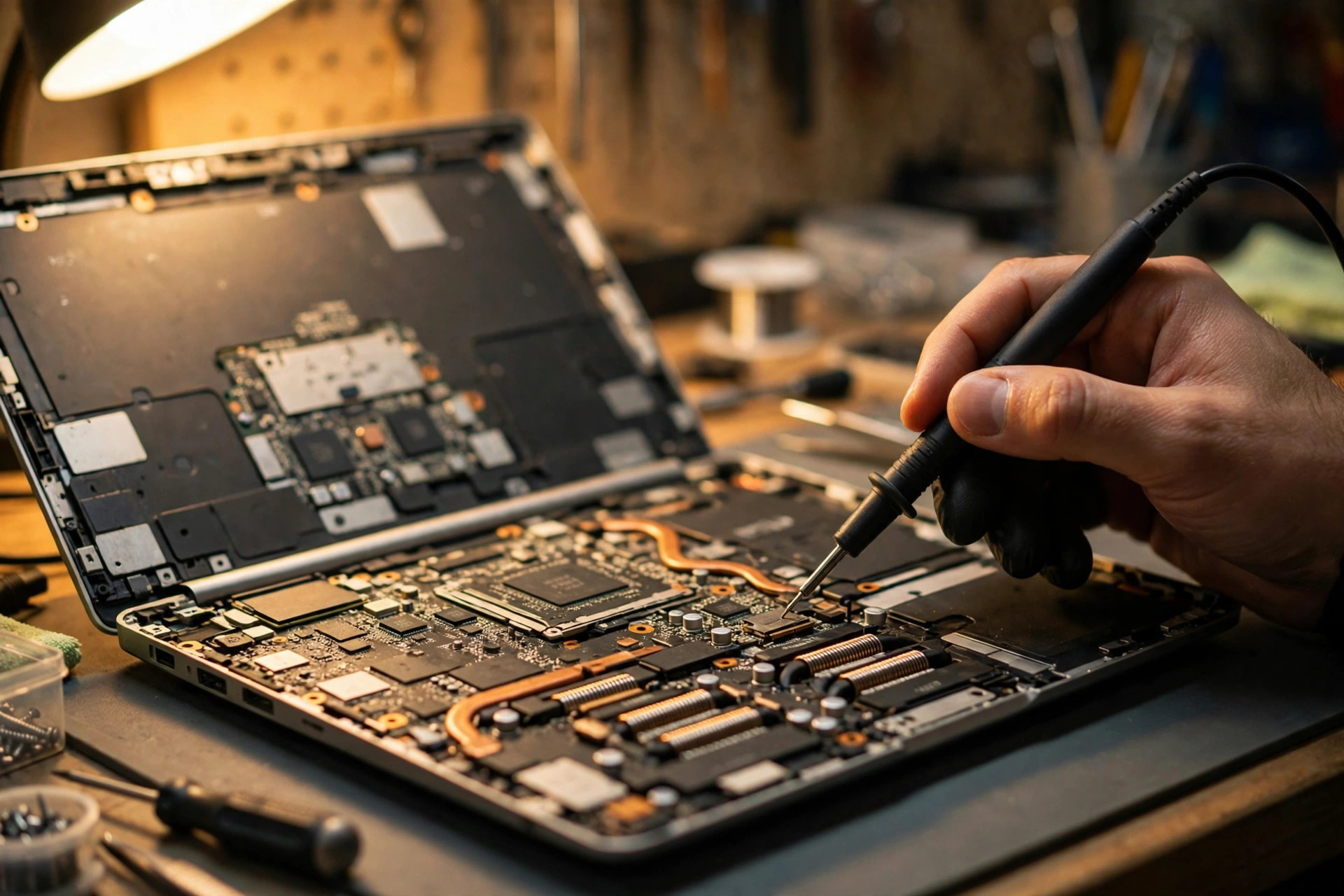
1. Scope: this article covers the ADVANCED sequencing layer only
This article applies to one narrow situation, and only when a strict precondition is already met: the adapter, cable, charging port, battery, USB-C PD negotiation, the four layers of intermittent charging, battery-not-detected faults, EC faults, the power button itself, charger-IC faults, and the board charging circuit have all been excluded, yet the machine still shows one of the following: it will not start, the power button produces no response at all, a light flashes once and stops, the machine cuts out immediately after starting, or the fan spins once and stops. In other words, the starting point here is not a machine that will not turn on, but a machine where input power has already reached the board and the standby layer should be live, yet the power-sequencing chain breaks part-way through. If the reader has not yet excluded the adapter, battery, port, or PD negotiation, this article is not the right one; those articles should be read first, and their content will not be repeated here.
Power sequencing can be stated in one sentence: having power is not enough to boot; each stage must be completed in order before the next stage is allowed. At the moment of power-on, the board switches on its power rails one group at a time, in a fixed order, and each group must reach its voltage before the next group is permitted to start; only when every critical rail is stable is the system reset signal released so the CPU can begin executing firmware. If any stage arrives late, never arrives, sits outside its allowed range, or rises and then falls again, the aggregated power-good signal never becomes valid, the system aborts the boot and returns to off or standby, and the user sees a single flash, a single fan spin, or an immediate cut-out.
Three boundaries must be drawn first, and the neighbouring articles will not be rewritten afterwards. The charger-IC and charging-circuit layer deals with how input voltage is converted, how the battery is charged, and why charging fails; this article does not cover charger-IC models, charging currents, or charging curves. The EC-fault layer deals with an EC that is itself dead, unresponsive, stuck in firmware, or failing to pass on the power signal; this article does not treat EC failure as a universal answer, because it assumes the EC has already been shown to have standby power and to receive the button press, with the fault lying in the sequencing handover after the EC. The battery-not-detected and intermittent-charging layers deal with battery communication, battery health, and charge-then-stop behaviour; this article does not explain a mid-sequence cut-out with a battery problem.
The distinguishing principle is short but important. A charging-layer problem means power never reached the standby circuit in the right form. An EC-layer problem means the EC itself does not work, or does not pass the power-on intention onwards. A sequencing-layer problem means the EC works and standby power is present, but some rail, some signal, or some power-good aggregation point sticks, so the chain never reaches CPU reset release. All three layers can look identical from the outside, all of them being a machine that will not start, and lights and fans alone cannot separate them. That limitation must be stated plainly, so that no reader believes that watching a lamp is the same as diagnosing a board.
Terminology must be fixed before the mechanism is described. A signal name followed by # is active-low, meaning the low level is the asserted, effective state; names without # are generally active-high. Assert and de-assert must never be written the wrong way round. SLP_Sx# is not one signal but a family: SLP_SUS#, SLP_S5#, SLP_S4#, SLP_S3#, each controlling a different power plane. The same function can carry different names on different platforms, generations, and board vendors, for example PCH_PWROK, SYS_PWROK, PLT_PWROK, ALL_SYS_PWRGD, and RSMRST#, so this article always adds that the model's own schematic is authoritative, and never treats one generation's Intel name as a universal name. The AMD logic chain is conceptually similar, but its signal names and chipset integration must not be swapped directly with Intel PCH names; this article uses Intel public documents as its backbone and treats AMD only at the logic level. Apple Silicon Macs use a different power architecture from Intel and AMD laptops, and the Intel sequencing names in this article must not be applied to Apple Silicon machines.
2. State map: G3, S5, Deep Sx, S0 — states first, signals second
An off state is not the same as a fully unpowered state, and confusing the two is the starting point of many misdiagnoses. Readers often treat switched off and completely without power as the same thing; they are not. In S5, standby logic is still waiting for the power button; in G3, even that layer is gone.
| State | Meaning | SLP signal combination |
|---|---|---|
| G3 (Mechanical Off) | Fully off except for a tiny RTC-related portion; no wake events exist, and where power restoration leads depends on the previous state and platform settings | No standby logic waiting for the button |
| G2/S5 (Soft Off) | Off state with no system context retained; booting requires a full start, and only the logic needed to restart stays powered | SLP_S3#, SLP_S4#, and SLP_S5# all asserted until a wake event |
| G1/S4 (Suspend-to-Disk/Hibernate) | Contents already written to disk, so even memory power can be cut | SLP_S3# and SLP_S4# asserted, SLP_S5# not asserted |
| G1/S3 (Suspend-to-RAM) | Memory stays powered and refreshed, non-critical circuits off | SLP_S3# asserted, SLP_S4# and SLP_S5# not asserted, until a wake event |
| Deep Sx | A lower-power version of S4/S5; the main power planes are off, only the Deep Sx Well stays powered, and only limited wake events are supported | Before entry, the PCH sends SUSWARN# and waits for the EC to reply SUSACK# before asserting SLP_SUS# |
| G0/S0 (Working) | Fully on; the sequencing chain has completed and the CPU has begun executing | All SLP signals released, PLTRST# released |
| Step | Event | Meaning |
|---|---|---|
| Step 0 | Standby rails stable | The EC and PCH suspend and RTC planes are powered, so the machine can wait for the button |
| Step 1 | PWRBTN# | The button signal passes through EC debouncing and delay handling towards the PCH |
| Step 2 | BATLOW# gate | If battery capacity is insufficient, the PCH may refuse to wake, even with a wake event |
| Step 3 | RSMRST# release | Proof that the resume power planes are stable |
| Step 4 | Deep Sx exit handshake | SUSWARN#, SUSACK#, and SLP_SUS# complete the handover, where applicable |
| Step 5 | SLP_S5#, SLP_S4#, SLP_S3# released in order | The system is permitted to leave S5, then S4, then S3, one stage at a time |
| Step 6 | Power rails switched on in order | Standby layer, system layer, low-voltage logic layer, memory layer, CPU core layer |
| Step 7 | ALL_SYS_PWRGD aggregation valid | Every critical rail is acceptable, so the chain counts as complete |
| Step 8 | PCH_PWROK, SYS_PWROK, PLT_PWROK asserted | A promise to the PCH and CPU that the rails are stable, not merely a wire carrying voltage |
| Step 9 | PLTRST# released | The CPU may begin executing firmware; only after this point does the POST world begin |
3. Standby power: power that must exist before the button is pressed
After the adapter is plugged in or a charged battery is present, the board first generates standby rails, typically 3.3V and 5V always-on LDO outputs, supplying the EC and the PCH suspend and RTC planes so the machine knows how to wait for the button. The important point about standby rails is not the voltage figure itself but that they are powered all the time: if a standby rail never arrives, the EC never wakes and the whole chain never starts; if a standby rail arrives but is unstable, the EC may wake intermittently and die intermittently, creating an on-and-off appearance. The second case is diagnostic reasoning, not a confirmed diagnosis, and must be written with that qualification.
Public chip-level examples support this concept, but only as power-supply examples, never as a claim that a reader's machine uses that particular part. The TI TPS51125 is a dual synchronous buck controller for notebook system power with built-in 100mA 5V and 3.3V LDOs; raising its enable enters standby mode, and only then do its two switching channels become enableable. The related TPS51225 likewise targets notebook system power, provides 5V and 3.3V LDOs, and offers a combined power-good signal. On the Richtek side, the RT6575 family is a dual-channel buck controller with LDOs whose selection table lists 3.3V and 5V always-on LDO options. Some of these links are distributor or selection pages rather than official datasheet originals, so they may only be cited as supply-scheme examples.
The standby-design difference is worth separating because it explains why a lit charging lamp does not mean the machine can boot. Windows laptops commonly use 3VALW and 5VALW always-on rails to power the EC, while Intel Apple boards use standby rails such as PP3V3_S5 and PP5V_S4RS3 to power the SMC; the concept is the same, powered while off and feeding the power-management controller, but the rail names, voltage combinations, and enable logic differ by board. A lit charging lamp only proves that an always-on rail or charging path carries power, not that the later sequencing chain will run; conversely, an unlit standby lamp must not be written directly as a sequencing fault, because it may be the always-on rail itself failing, which is a precondition failure rather than a sequencing stall.
Three supply concepts on a laptop board must not be confused. The first is the main input, the high-voltage direct current from the adapter or battery entering the board and passing through input protection and power-selection circuitry; that layer belongs to the charging and power-selection articles and is treated here only as an excluded precondition. The second is the always-on rail, produced from the main input by step-down conversion, powered even while the machine is off, and feeding the EC or SMC, the RTC, button detection, and wake circuitry. If one of the always-on 3V or 5V groups is missing, the board looks completely dead, but that is a base-condition failure before sequencing starts, not a sequencing stall itself. The third is the group of rails switched on step by step only after the button is pressed, including memory power, PCH and SoC core power, and CPU core power; that group is the main ground of the sequencing layer.
4. PWRBTN#, the BATLOW# gate, RSMRST#, and the Deep Sx handshake
The power button itself is only an input, not the same thing as powering on. The EC receives the button signal directly, which Intel EC firmware documentation calls SMC_ONOFF, and the EC performs debouncing and delay handling before passing a signal that complies with the platform design guide towards the PCH. PWRBTN# is also a permanently valid wake event; after G3, when power returns, PWRBTN# goes high because of an internal pull-up, unless the board carries some other pull-up or pull-down design.
The writing point is that a button that feels responsive does not mean the PWRBTN# signal correctly reached the PCH. Between the button and the PCH lie the button flex, the EC input, debouncing, and EC forwarding, four stages, and a break at any one of them looks from the outside like a button that does nothing. This article's premise has already excluded a single fault of the button itself, so what is discussed here is the forwarding layer: how the EC hands the power-on intention to the PCH, after which the rest of the chain can begin.
One designed behaviour must also be stated. Holding the power button for more than 4 seconds triggers a Power Button Override event that moves the system to S5, a cruder process than a normal shutdown because it does not depend on the processor or on clocks other than the RTC clock. That figure comes from Intel PCH documentation for the platform and situation it describes, varies by model, and is authoritative only for that model's documentation; it must not be generalised to every machine. More importantly, holding the button for more than 4 seconds is itself a forced-off command, not a repair method; writing a long press as a solution is misleading, because it can switch the machine off but cannot repair a sequencing fault.
The EC-to-PCH handover is more than passing one button signal. The EC must first confirm that it has standby power, has received the button, and has completed debouncing and delay handling, before passing the power-on state to the PCH; the PCH must then handle the BATLOW# gate, the RSMRST# state, and the Deep Sx handshake before it begins releasing SLP signals. A failed handover at any of these points can look like no response at all, yet the break point is completely different, which is why this article insists on describing the order rather than collapsing the EC and PCH into one vague power-on module.
BATLOW# is a gate on the sequencing chain, not a reason to tell the reader to replace the battery. If BATLOW# is asserted, the PCH will not attempt to wake from S3, S4, or S5, and will not exit Deep Sx, even with a valid wake event including a button press. Intel EC firmware flow also lists the PM_BATLOW signal as a step in the G3-to-S0 flow, indicating whether valid power or sufficient battery capacity exists to boot. This gate explains why a machine plugged into an adapter with a partly charged battery may still refuse to start, but since this article's premise already excludes the battery layer, BATLOW# must not be used here as an argument for replacing the battery; its role here is as a gate that inspection checks for being wrongly stuck asserted.
After the main rails stabilise, board circuitry sends RSMRST#_PWRGD to the EC, and the EC responds by generating RSMRST# for the PCH, meaning the resume power planes are stable. RSMRST# must first be asserted for at least 10ms before it may be de-asserted, and it requires an external pull-down resistor; that figure comes from Intel Core Ultra 200S signal documentation for the platform it describes, varies by model, and is authoritative only for that model's documentation. Related supplies are likewise expected to rise together with the other primary wells, and to be valid at least 10ms before RSMRST# de-asserts during a G3 or Deep Sx to Sx transition, again as described for that platform.
If RSMRST# stays stuck low, the PCH never considers itself ready to leave its reset-related state, and later SLP release and PWROK will not proceed normally. This is a key fork between no response at all and a single flash, but the reader cannot separate the two by eye; only bench measurement can. The qualification must be kept: lights and fans alone cannot separate them, and only inspection can.
If the machine previously entered Deep Sx, exiting is not a direct jump to S0 but a handshake: the PCH sends SUSWARN# to say it is preparing to enter or leave Deep Sx, the EC replies SUSACK# to say it is ready, and only then does the PCH assert or de-assert SLP_SUS#. During Deep Sx the PCH monitors only limited wake events, including the RTC alarm, the power button, and WAKE#; on sensing an enabled Deep Sx wake event, the PCH de-asserts SLP_SUS# and brings the primary wells back up. Intel EC firmware flow likewise lists a deep-sleep exit handshake for G3 to S0, and notes that if the EC loses its main rails during deep sleep, the G3-to-S0 flow must be run again. This handshake explains an easily misdiagnosed case: the machine is not dead but stuck at the Deep Sx exit step, the button event was received, yet the primary wells never returned and nothing further happened. That explanation must be labelled as a mechanism explanation, not as a claim that every machine that will not start is stuck in this way.
5. SLP release order and rail order: typical logic layers, not a universal specification
The boot direction releases the sleep signals in reverse: SLP_S5# first, then SLP_S4#, then SLP_S3#; each release permits one group of power planes to switch on. Intel EC firmware flow explicitly lists the timing signals to be checked as SLP_S5, SLP_S4, SLP_S3, and SLP_M, sometimes called SLP_A. This order is the core mechanism of the article and must be described as a sequence, never as three signals changing together. If any one signal stays stuck and never releases, the power group it controls never switches on, and the later power-good aggregation can never complete.
| Signal | Power plane it controls, in Intel documentation terms | Consequence of sticking |
|---|---|---|
| SLP_S5# | May be used to cut system core power | The S5 layer never starts, and later layers never begin |
| SLP_S4# | Used to remove additional subsystems and system memory power, because S4 contents are already saved to disk; memory power should be controlled by SLP_S4#, not SLP_S5# | The memory layer never starts, and the S0 layer has nothing to build on |
| SLP_S3# | May be used to cut system core power, because it is only valid in Suspend-to-RAM; during S3, the PCH primary well and any circuitry needed to generate wake signals must be retained | The main power layer never starts, and CPU core power has nothing to build on |
That the next stage does not start until the previous stage is stable is protection, not a fault in itself. A TI power-supply sequencing application note describes the basic method as wiring the previous stage's power-good pin into the next stage's enable pin: the next stage only begins once the previous stage's voltage reaches its power-good threshold, and the same logic can also be implemented with a reset IC, an analogue sequencer, or a digital sequencer. In other words, the sequencing chain is designed to prefer not booting over letting the CPU run on unstable power.
The rail order below is a typical framework, and the qualification must not be removed: actual rail names, voltages, and order vary by platform, and this is a typical logic layering, not a hard specification for every machine. It must never be rewritten as a specification table.
| Layer | Content | Note |
|---|---|---|
| Standby layer | 3V and 5V always-on | See Section 3, the EC and PCH suspend and RTC layers |
| S5 and S3 system layer | 3V and 5V system rails | Switched from standby LDOs to main switching rails, depending on design |
| Low-voltage logic layer | 1.8V, 1.05V, and similar | For example, Intel Raptor Lake documentation lists VCC1P8_PROC as a PCIe PHY 1.8V rail and VCC1P05_PROC as sustain and sustain-gated rails; those two names belong to that processor generation and must not be treated as universal names |
| Memory layer | Memory supply | Its voltage depends on the memory technology, noted in Intel documentation as fixed but technology-dependent |
| CPU core layer | VCORE and VCCIN | Intel documentation lists VccCORE as the processor IA core rail controlled by SVID, and VccIN_AUX as a support rail for the internal FIVR controlled by PCH VID |
An order error and a missing rail are two different things: a rail that arrives late, rises unstably, or rises and then falls again still counts as not complete in the eyes of power-good aggregation, and the result is the same refusal to proceed. Readers do not need to know rise slopes, but they need this concept: having voltage is not the same as passing. For AMD platforms, only general principles may be stated: rails must rise monotonically and never fall halfway up, each stage must be confirmed by its power-good signal before the next stage starts, and each stage must arrive inside its timing window. Those three principles come from AMD FPGA and Adaptive SoC level documentation, are cited only as general principles, and must not be used as a Ryzen laptop comparison; Intel SLP_Sx#, PCH_PWROK, and PLTRST# names must never be written as AMD board signal names.
6. Power-good aggregation, PWROK, PCH power-good, and PLTRST# release
Each power rail group has its own power-good output, and board circuitry aggregates the group results into ALL_SYS_PWRGD, meaning the SoC power rails are stable. Intel EC firmware flow orders the steps as checking the timing signals, waiting for ALL_SYS_PWRGD, and only then driving PCH_PWROK, plus SYS_PWROK where the system requires it; the platform guide must be consulted to know whether a given system needs SYS_PWROK. Older laptop training material uses the same model: feedback signals from each main voltage group are aggregated into a hardware power-good, and only when all are present is a PWROK signal sent to the southbridge, which then sends a PCI reset, and the northbridge then sends a CPU reset. That older training material is teaching material only, not a schematic for any currently sold model.
This step is the mechanism most worth describing in depth: the idea of waiting until everything is present. If any rail is absent, late, or unstable, the aggregation never goes high, the chain stops there, and it does not boot anyway just because most rails carry voltage. PWROK is not simply a wire carrying voltage; it is a promise, in which the sending side promises that the rails are stable, and only then does the receiving side release reset. If the promising side withholds the signal because the rails are incomplete, the receiving side never releases reset, and the machine stays forever before boot.
PCH_PWROK asserted means the PCH core-well rails are powered and stable. While PCH_PWROK is low, the PCH asynchronously asserts PLTRST#; PCH_PWROK must not glitch, even while RSMRST# is low. On newer processors the signal name changes to PLT_PWROK: asserted means all of the processor's core rails are stable, de-asserted means the processor asserts PLTRST#, it likewise must not glitch even while RSMRST# is low, and it requires an external pull-down resistor. These definitions come from Intel documentation for the platforms they describe, vary by model, and are authoritative only for that model's documentation.
PCIe-related power must already have been valid 99ms before PCH_PWROK asserts, in order to meet the PCIe 100ms requirement for PLTRST# de-assertion. Those two figures come from Intel documentation for the platform and situation it describes, vary by model, and are authoritative only for that model's documentation; they must not be generalised to every machine. They can, however, be used to explain why a small timing difference can still prevent booting: it is not enough for a voltage to be approximately right, it must arrive inside the correct time window.
The PCH power-good conditions, compiled from Intel documentation, can be organised as four necessary conditions. All four are required, but the list is not a sufficient-conditions list, and it must never be written as satisfying these four guarantees a boot: first, the primary-well and core-well rails are powered and stable; second, RSMRST# has correctly de-asserted, meaning the resume layer is ready; third, ALL_SYS_PWRGD is high, meaning the SoC rails are all present; fourth, PCH_PWROK, SYS_PWROK, and PLT_PWROK have asserted without glitches, and the related PCIe power timing has been satisfied.
Intel EC firmware flow then waits for the platform reset signal, while the shutdown direction removes PCH_PWROK. The logic of PLTRST# is inverted: PWROK low means PLTRST# asserted, holding reset; PWROK high and stable means PLTRST# de-asserted, releasing reset, and only then can the CPU begin executing firmware. While PLTRST# remains unreleased, the machine will never show a logo screen and never enter BIOS. That is why a single flash or a single fan spin followed by no picture at all cannot be used to infer a dead CPU: before CPU reset release, the CPU has not begun executing at all, so no picture cannot prove the CPU itself is faulty; only evidence after PLTRST# de-assertion can raise CPU or firmware suspicion.
Intel EC firmware documentation also describes failure handling: if the transition conditions are not met within the preset time, sequencing stops and is treated as a power sequencing failure, with RSMRST# pulled low as the platform design guide directs. That is the most direct mechanism explanation for a light flashing once and stopping, and for a fan spinning once and stopping: the chain travelled halfway, the conditions never completed, and the platform actively pulled the whole sequence back down, rather than the machine simply switching itself off.
Protection makes a mid-sequence cut-out a designed stop rather than a random event. TI TPS51125 and TPS51225 carry over-voltage, under-voltage, and over-current protection, and the TPS51125 also has built-in output discharge. At the mechanism level, a shorted, over-current, or under-voltage rail drops its power-good, the aggregation drops, PWROK is withdrawn, PLTRST# is re-asserted, and the platform returns to off or standby; from the outside that is switching on for a moment and then off. That is a protective cut-out, not a flat battery. It also explains why repeated presses give the same result: each attempt travels to the same stage and stops there, rather than stopping at a random stage each time. That last point is diagnostic reasoning and must be written with words such as tends to, not as a law.
The inspection logic is to check from early to late, one stage at a time, and the value of the list is its order, not its numbers. Every voltage and timing figure at any step follows that model's schematic and platform guide; this research provides no universal number table, and this article invents none. The order is: whether standby rails exist; whether the PWRBTN# event reached the EC and PCH; whether RSMRST# correctly de-asserted; whether SLP_SUS#, SLP_S5#, SLP_S4#, and SLP_S3# released in order; whether each rail appeared, rose, and stabilised in order; whether ALL_SYS_PWRGD went high; whether PCH_PWROK, SYS_PWROK, and PLT_PWROK asserted without glitches; and whether PLTRST# de-asserted. Whichever stage breaks is where the suspected area narrows to, and no stage may be skipped. All of this describes only how an inspection bench thinks, not what a reader can do. A warning belongs here: readers must not open the case and measure the board because they read this section, because board measurement requires power-off, discharge, static protection, and model documentation, and careless operation can cause shorts and personal or equipment injury.
7. Symptom comparison: mechanism tables, not diagnosis tables
The tables below are mechanism comparisons, not diagnosis tables. The same outward appearance can arise from different stages, and the same stage can look different on different models. That limitation must be stated before and after the tables, and no table may be written as seeing this symptom equals that part being faulty.
| What the reader sees | Most likely stuck position at the mechanism level | Why it happens that way | How it must not be misread |
|---|---|---|---|
| No response at all to the button (no lamp, no fan) | Earliest stages: standby rail missing; EC never woke; PWRBTN# never reached the EC or PCH; BATLOW# wrongly stuck; Deep Sx exit handshake unfinished; RSMRST# never de-asserted | The chain never started, or stopped at the first step, so later layers never switched on and nothing is visible | It cannot be stated that the EC is definitely dead; a missing standby rail and a dead EC look the same, and only inspection separates them |
| Lamp flashes once and stops, then no response | Middle stages: some S5 or S3 rail group rose and fell; some rail power-good never completed; aggregation never went high; protection pulled the sequence back down | The flash proves the chain moved, but it never reached the PWROK stage, and the platform stopped it deliberately | A flash does not mean the board carries power and therefore is healthy; it only proves the chain reached that stage |
| Fan spins once and stops | Later-middle stages: the main power or S0 layer switched on briefly and powered the fan, but then some rail, power-good, or PWROK failed to complete, or protection withdrew the whole sequence | The fan spin proves a main power layer was once energised, not that the CPU left reset; fan power and CPU reset release are two different things | A fan spin does not mean the CPU is healthy or the adapter is healthy; it only proves some power once arrived |
| Powers on and cuts out immediately, feeling as if it almost reached a picture before switching off | Later stages: PWROK once asserted and then withdrawn; some rail sagged under load; protection tripped at a later position; or the sequence already finished and firmware failed early, a fork that must be stated | If nothing, no picture and no logo, appeared before the cut-out, the sequencing layer remains the main suspected area; if a logo or POST screen had already appeared, the fault has left this article's scope and a sequencing explanation must not be forced onto it | Power-on cut-out must not be confused with shutting down during use; the latter may involve cooling, load, or system-layer problems, not this article |
Need a laptop repair expert?
Free diagnosis · Transparent pricing · No fix, no fee · 180-day warranty
The extended comparison below helps narrow down which stage sticks; it does not diagnose which part is faulty. It states only the most likely stuck stage and the most useful safe check, and every most likely must be read together with still needs exclusion. Any measurement concept in the inspection column describes a concept only, never a reader disassembly or measurement step.
| What the user sees | Most likely stuck stage | Safe checks the reader can do without opening the machine |
|---|---|---|
| Charging lamp lit, but the button gives no response, no lamp change, no fan sound, no screen response | Before or at the start of the standby-ready and RSMRST# stages: the EC or PCH never entered a bootable state, or the button signal never reached the PCH | Try another socket and adapter for comparison; confirm an original or same-specification adapter is used; remove all peripherals and press once more; record the charging-lamp state |
| Power lamp flashes once (under 1 second) and stops, fan never moves, later presses do nothing until the machine is unplugged and plugged in again | Early SLP release or the first S-rail group switching on and then aborting, with protection latching or needing discharge before another attempt | Press only once and record the flash duration; do not press repeatedly; after a full power-off wait, try once more and compare whether the result is identical; film a short clip |
| Machine stays on for 1 to 2 seconds (lamp on, fan turning) and then cuts out suddenly, needing a power-off wait before another 1 to 2 second attempt | A rail that arrived and then fell: over-current or short protection triggered once load was applied, or a supply chip unable to sustain load | Stop using the machine immediately; record the on-time and any smell or abnormal heat; do not keep plugging in to retry |
| Lamp on and fan turning continuously, but the screen stays black with no logo and no BIOS response | Already beyond the sequencing boundary: PLTRST# may already have been released, and the problem has moved to the BIOS, memory, or display layers | Try an external screen; note any drive sound or keyboard-lamp response; record whether the fan turns continuously or spins once and stops, because the two mean completely different things |
| Intermittent behaviour: sometimes boots, sometimes flashes once and stops; worse in humidity or after moving the machine; symptoms change when the machine is moved slightly | Intermittent break in an enable or power-good signal line, a flex or solder-joint intermittent break, or humidity corrosion changing a signal line's value | Record the environment for successful versus failed attempts, humid or dry, adapter or battery, before or after moving, and any recent drop, liquid, or adapter change; do not shake the machine to see whether it recovers |
| Battery-only fails while adapter-only works, or the reverse, and the working side also spins once and stops | A sequencing-path difference after the supply-source switch: different input voltages or load capabilities mean the same rail crosses its power-good threshold on one side only | Run the adapter and battery comparisons once each and record them separately, only on a removable-battery model or by a manufacturer-permitted operation; never open a built-in battery yourself |
| Before an immediate cut-out, a burning smell, smoke, an abnormally hot adapter, or abnormal heat near the charging port | Short-circuit or board-burn suspicion, which outranks all sequencing diagnosis | Stop immediately, unplug, press nothing further, and do not plug in again |
8. Brand and platform differences: Dell is the most writable, ASUS requires an honest gap
An important statement must be kept: the table below organises only differences shown by each brand's public support documents and verifiable material, and lamp definitions, BIOS options, and signal names can differ across models, years, and platform generations of the same brand. Whenever this article writes a lamp or code, it must add that the model's own manual or service guide is authoritative, and no code from one model may be written as a brand-wide universal truth.
| Brand or platform | Public sequencing signals or diagnostic tools, verified | Value for separating sequencing faults | Safe records the user can make |
|---|---|---|---|
| Dell laptops, general | Power-plus-battery status lamp forming a two-digit diagnostic code from an amber flash group plus a white flash group; several Dell service manuals consistently list 3,5 as a power-rail failure in which the EC ran into a power sequencing failure; 2,8 is listed separately as a display failure in which the EC detected a power-rail failure | Dell is the only brand among the five covered here whose public manual uses sequencing-failure wording directly for a diagnostic code. A 3,5 code directly raises sequencing suspicion, but it must still be checked against that model's manual, because different models phrase 3,5 in a full form and in a shortened form, and neither phrasing may be chosen as the universal definition | Record how many amber flashes, the pause, how many white flashes, and whether the pattern repeats, together with the full model number, for inspection |
| Dell laptops, power status lamp | Solid white means connected to an adapter with charge above 5 percent, described on some models as the normal S0 state; flashing white means the low-power S3 state and does not indicate a fault; solid amber means boot failure including supply-unit problems; flashing amber means boot failure with the supply unit itself working normally | Four lamp states already separate standby normal, sleep, and boot failure into three classes, so a judgement must never rest on lamp on or off alone | Record lamp colour, whether it flashes, and the flash pattern, never just lamp on |
| HP laptops | Caps Lock lamp flash codes for pre-POST diagnosis, with HP official document number c01732674 as the formal source for the topic of a machine that does not start and emits an LED or beep code; HP community repair discussion also notes that power-rail faults and EC faults look extremely similar, with flashing power lamps but no boot, abnormal charging lamps, and no fan or picture, and are hard to isolate without professional tools | HP flash codes point to a pre-POST failing stage, not to sequencing signals themselves. A system-board-level flash code may only be written as system-board-level suspicion, never directly as a sequencing fault; sequencing suspicion requires a brief reaction followed by a cut-out plus all other layers already excluded. Community-compiled per-code tables are not official documents, so this article lists no per-code table and requires the model's official document to be consulted before any code is quoted | Count flashes and pauses and whether the pattern repeats; film a 10 to 15 second clip |
| Lenovo ThinkPad, models from 2024 onwards | LED Diag function: the charge indicator reports serious pre-POST errors as orange-plus-white flash combinations, including 0001h (one orange, two white) for a reset error, a platform reset not de-asserted | 0001h is the most valuable Lenovo evidence in this article, because it speaks directly of reset not released rather than vaguely of a faulty system board. It must be stated, however, that LED Diag is fitted only on ThinkPads manufactured from 2024 onwards; older machines have no such function and their users must not be told to count orange and white flashes | Count orange plus white flashes; check whether the model has LED Diag, as its hardware maintenance manual states |
| Lenovo ThinkPad, memory training | During memory retraining, indicator lights flash in sequence and the screen stays black, which is a normal procedure; manuals state that the power button must not be pressed to interrupt it, and the machine must be left until the logo screen appears as that model's manual directs | This is the most important false-sequencing-fault exclusion in the article: flashing lamps plus a black screen plus no response do not necessarily mean a sequencing stall, and interrupting training itself creates a permanently unbootable appearance | After one button press, touch nothing, wait as the model's manual directs, and record how long was waited and whether a logo appeared |
| ASUS laptops | This research found no public ASUS diagnostic code table dedicated to power sequencing failure; ASUS public material stays mainly at charging-light colours and general power-on troubleshooting | The correct ASUS entry is that no public sequencing code exists to consult. This article must not invent ASUS flash codes and must not apply Dell or Lenovo codes to ASUS machines. ASUS sequencing suspicion can only rest on a brief reaction followed by a cut-out, all other layers excluded, and bench measurement | Record charging-light colour, power-lamp pattern, fan and screen response, and duration in seconds, and never guess a code from a lamp colour |
| Apple Intel MacBook, board level | Intel Mac sequencing uses Apple names: the SMC issues a power-on enable, generating standby rails such as PP3V3_S5 and PP5V_S4RS3; PM_SLP_S5_L, PM_SLP_S4_L, and PM_SLP_S3_L then rise in order, switching on the S4, S3, and S0 rails in turn; once all rails pass, they aggregate into ALL_SYS_PWRGD, and only then does the SMC enable CPU power; if any rail fails to arrive within its time limit, the SMC aborts and switches off all power | The Intel Apple board is the most complete sequencing teaching example, with a name and an order at every stage from standby rails through SLP release, S0 rails, ALL_SYS_PWRGD, and CPU power. This board-level example is board 820-00165 in public board-level discussion, given as a teaching example only; timings and rail names must be checked against the machine under repair. A particularly instructive case is a missing PM_SLP_S4_L: the S5 rails are normal, but PM_SLP_S4_L never goes high, so the machine sticks before S4 and never reaches S0; the signal may pulse high for only a very short time before falling back, so a multimeter misreads it as zero volts, which explains why a user measuring nothing does not mean no signal exists | Record whether plugging in produces a charging response, whether pressing the button moves the fan or flashes a lamp once, how many seconds pass before cut-out, and whether a full power-off is needed before another attempt |
| Apple Silicon MacBook | Apple Silicon machines have no independently user-resettable SMC; the system-management function is integrated into the SoC, and the user-level equivalent is simply a normal restart, while Intel and T2 key combinations do nothing on Apple Silicon (This description combines Apple public support material and community write-ups; check the official Apple document for the model before service.) | The writing point for Apple Silicon is not to teach the wrong reset method: writing an Intel SMC reset combination into an Apple Silicon article would itself be misleading. The sequencing suspicion still holds in concept, but the only user reset steps left are shutting down, waiting with power disconnected, and starting again; everything else belongs at inspection | Record the chip generation, Intel or Apple Silicon, plus the symptom pattern, and never present an SMC reset as a completed exclusion step for Apple Silicon |
| Intel platform, general | The most complete public documentation: EC firmware documentation describes the G3-to-S0 flow, and PCH datasheets describe SLP_Sx# power-plane control, PCH_PWROK rules, and BATLOW# blocking wake from S4, S5, and Deep Sx | The Intel writing advantage is that signal names and flow both have official documents; Intel may be used as the demonstration of the sequencing chain, but with the note that AMD and Apple board signal names differ and must not be applied directly | Check the corresponding document by model and platform generation, never writing signal names from memory |
| AMD platform, general, with its limits stated honestly | The AMD public sequencing document found in this research covers mainly the FPGA and Adaptive SoC level: rails must rise monotonically, power-good signals should be used as feedback, and each stage should be confirmed before the next starts. A detailed Ryzen laptop timing-signal table belongs to board-manufacturer or platform-design documents, and no verifiable complete comparison was found in public channels | The correct AMD entry is that principles are universal while signal names are not: monotonic rise, stage-by-stage power-good confirmation, and arrival inside the timing window apply to all platforms, but Intel SLP_Sx#, PCH_PWROK, and PLTRST# names must never be written as AMD board signal names | Record the platform, Intel or AMD, plus the symptom pattern, and never infer an AMD board from Intel signal names |
9. Reader safety checks: outside the machine only, never disassembly
The steps below are limited to what readers can do outside the machine body; any step involving opening the machine, soldering, or measuring the board is outside the reader layer. Readers must not open the bottom cover, unplug battery flexes, unplug board flexes, measure board rails, or inject voltage into a main rail to find hot spots; voltage-injection hot-spot hunting is bench work requiring a schematic, a current-limited supply, and experience, with a high rate of in-circuit misjudgement. Readers must not replace supply chips, MOSFETs, sense resistors, or sequencers themselves, because a wrong part, a bad solder joint, or a wrong compatible part can turn a repairable board into an unrepairable one.
The safe check order is as follows. First, record the symptoms as in Section 7: lamps, fan, sounds, and whether every attempt is identical, written down before inspection rather than described from memory as sometimes works and sometimes does not. Second, use the original adapter plugged directly into a wall socket, without a power strip, docking station, or USB hub, to exclude interference from the external supply path; this step belongs to the excluded-precondition stage, not to treatment in this article. Third, remove all external devices, including USB devices, external screens, docks, and memory cards, and try once more, to exclude an external device pulling the sequence down. Fourth, follow the EC reset or power-drain procedure for that exact manufacturer model, never treating a number of seconds copied from the internet as the procedure for a reader's own machine. Fifth, only if the battery is a manufacturer-designed externally removable type may it be removed and refitted as its manual directs; if the battery is built in, never open the bottom cover to pull its connector, and leave that to the bench. Sixth, if the same result persists after these steps, stop and send the machine for inspection. Pressing the button dozens of times will not make the sequence repair itself; the correct method is one press, a sufficient observation time, and one record, and any retry must first fully disconnect power and wait before pressing again.
Why an EC reset or power drain sometimes helps, and why it usually does not, must be explained. Manufacturer-level examples must be labelled model-specific and never written as a universal procedure: a Dell document for specific Inspiron and Vostro models states that a battery reaching its under-voltage protection stage, or an EC that stops responding, or a power-sequencing abnormality failure, can prevent the board from running its boot sequence, and its steps include disconnecting external devices, holding the power button for 10 seconds for a hard reset, and then trying to boot on the adapter alone. A Lenovo no-power troubleshooting document states that the machine should first be charged for a period, then drained; built-in-battery models use the emergency-reset hole on the base, models without that hole hold the power button for at least 10 seconds, and some IdeaPad models can use the Novo key. The mechanism explanation is that an EC reset or power drain clears residual charge and lets the EC restart from a stuck state; it treats a stuck state, not a broken part. If a rail genuinely never arrives, a signal genuinely stays stuck, or protection genuinely trips because of a short, no number of resets will make it normal again. The article must state that an EC reset is not a cure-all, and that timings from different manufacturers and models must not be mixed.
The stop-immediately list overrides all comparisons: if any item appears, skip every comparison, unplug, and send the machine for inspection. The items are a burning or scorched smell, smoke, sparks, or a popping sound; an adapter, cable, port, or any part of the body abnormally hot to the touch, judged only by outer-shell touch, where hot means stop and do not keep touching; a swollen battery, a lifted bottom cover or keyboard, or a deformed battery; a loose charging port, bent pins, green or white corrosion, or scorch marks; liquid ingress, rain, or a spilled drink that has not been inspected; an immediate cut-out on plugging in, an adapter LED going out or flashing immediately, or a socket breaker tripping; and any of the above appearing immediately after a drop or impact. The handling principle is to unplug, press the button no further, never plug in again to see whether it recovers, never blow-dry with a hot hair dryer and plug in immediately, and never open the machine to inspect inside; inspection records are limited to appearance, smell, and timeline.
Why repeated button presses and repeated plug-in attempts must be avoided should be separated rather than reduced to a vague it will damage the machine. First, they interrupt normal procedures and create false faults: during memory training, repeated power presses restart training from the beginning, so a machine that would have shown its logo after waiting can flash for hours and look bricked, turning a wait into a permanent-looking failure. Second, every press is a complete power-on attempt: the chain must run again from standby, switch rails on, wait for power-good, abort at the time limit, and return to standby, and if the root cause is a short or a rail failing under load, every attempt sends current into the fault point again and lets it heat repeatedly. Third, they mask the original symptom pattern, whose value lies in the same mode and the same cut-out second on every attempt; repeated pressing, rapid pressing, and alternating long and short presses turn the record into a pile of different patterns that make it harder at inspection to judge which stage sticks. Fourth, holding the button for more than 4 seconds is itself a forced-off command, not a repair method. Fifth, under normal conditions the button itself is only a momentary switch and does not burn a board merely by being pressed often; the real risk is continued energising in a known short, burning smell, or liquid-ingress situation, not the press count itself. That balance must be kept, so that do not press repeatedly is not exaggerated into pressing twice will burn the board.
The dangerous-operations list must be given item by item, never reduced to do not repair it yourself. Do not push metal tools into a live charging port to clean dust or straighten pins; cleaning is limited to a powered-off visual check, and internal connector cleaning belongs at inspection. Do not open the bottom cover, pull battery or board flexes, measure board rails, or inject voltage to find hot spots. Do not replace supply chips, MOSFETs, sense resistors, or sequencers yourself. Do not update BIOS or EC firmware as a last resort, because firmware updating itself needs stable power, and a mid-update cut-out while sequencing is already abnormal can worsen the problem; firmware updating should only be considered under manufacturer guidance with stable power. Do not run long-term on an adapter whose voltage or wattage does not match; voltage must match, and insufficient wattage lets rails fall out of their power-good thresholds under load, making a sequencing abort harder to separate. Do not puncture, crush, bend, prise, or dismantle a swollen or damaged lithium battery; Dell manuals state that a swollen battery stuck in place must not be prised out with tools, and a damaged or swollen battery must not be refitted. Do not keep charging in humidity, after liquid ingress, or with corroded connectors; disconnect, stop, and send for inspection first. Do not blindly swap parts one by one, battery, memory, adapter, board, to see which one fixes it: the root cause of a sequencing fault may sit in a rail or signal line, blind swapping costs money and may introduce new variables, such as a mismatched third-party part, that make later diagnosis harder; any trial must be recorded and given a stopping point.
10. Common misdiagnoses, USB-C PD division of labour, and the Hong Kong context
| Misdiagnosis | Why it is wrong |
|---|---|
| The fan spins, so the adapter and board are fine | A fan spin only proves some power layer was once energised; it does not prove all rails are present, power-good aggregation passed, or reset was released |
| The charging lamp is lit, so charging and booting are both fine | The charging indicator and the standby rails and main power sequence are different circuits; a lit charging lamp can coexist with a broken boot sequence |
| A new battery or adapter will fix it | Under this article's premise those layers are already excluded; replacing them without exclusion confuses an input-layer problem with a sequencing-layer problem, and the result stays the same |
| The CPU must be dead | Before CPU reset release, the CPU has not begun executing at all, so no picture cannot prove the CPU itself is faulty; only evidence after PLTRST# de-assertion can raise CPU or firmware suspicion |
| The EC must be dead | A missing standby rail, a missing RSMRST#, or an incomplete rail can all make the EC look dead; the EC itself, EC power, and the chain after the EC look identical from the outside |
| The BIOS must be corrupt and needs rewriting | Before PWROK asserts, the BIOS has had no chance to execute; treating a sequencing problem as a BIOS problem reverses the order |
| Replacing RAM or an SSD will make it boot | While the chain stops before PWROK, RAM and SSD have not been initialised; replacing them cannot make PWROK go high. This misdiagnosis is common precisely because RAM and SSD are the only parts readers know how to replace |
| A lamp flashing a certain number of times is an error code, so an online table will name the faulty part | Flash and error-code definitions vary by model, and without that model's manual no code should be matched by guesswork; an Intel EC firmware reference-design error-code format is only an example, not a universal lamp code |
| USB-C charges, so PD is fine and a failure to boot must be the board | PD negotiation only decides how input voltage arrives; after PD passes, the standby rails and the sequencing chain still have a long series of stages to pass. Conversely, a PD failure can leave the input at a low voltage and look like a sequencing fault, but its root sits in the PD layer, which this article treats as already excluded |
| Booting once in a while means it fixed itself | A marginal sequencing problem can pass sometimes and fail sometimes; an occasional pass does not mean the root cause is gone |
| An immediate cut-out must be overheating | A power-on cut-out and a shutdown during use from overheating are two different things; if the cut-out happens before any picture, the sequencing and protection layers are the main suspected area, and a cooling conclusion must not be jumped to |
| Layer | Core problem in one sentence | Why it looks like a sequencing fault from the outside | How inspection separates it, in concept |
|---|---|---|---|
| Charger IC and charging circuit | The input conversion or charging path itself fails, so power never reaches the standby layer in the right form | The machine also fails to start, and lamps may also stay dark | Look at the conversion point after the input and before standby |
| EC fault | The EC itself does not work or does not pass signals on | Pressing the button also produces no response | Check whether the EC has standby power, received PWRBTN#, and passed signals onwards |
| Power sequencing fault, this article | The EC works, but some later rail, signal, or power-good point sticks | A single lamp flash, a single fan spin, or an immediate cut-out can all appear | Follow the Section 6 order stage by stage and find the first break |
Hong Kong humidity affects electronics through general mechanisms: corrosion of metal contacts and circuit surfaces, surface leakage-current paths, and reduced insulation performance. These are general electronics-principle descriptions, not Hong Kong laptop statistics. Hong Kong-related forum discussions must be labelled as forum discussion, not research data: one discussion thread mentions that in a Hong Kong indoor storage environment without climate control, silver-plated parts blackened within weeks, and that accumulated contamination caused poor contact more readily than actual corrosion, and that non-wiping contacts deteriorated after long periods without movement; another seaside high-humidity case discussion describes a user near the sea with persistently high humidity whose case base developed white rust and whose board was affected, eventually requiring a board replacement, while noting that air conditioning provides some dehumidification and filtration. Both are forum discussions, and citing them as research data or manufacturer conclusions would be wrong.
How humidity connects to sequencing specifically may only be written as mechanism reasoning, never as a diagnosis, and must be framed as directions inspection will check, never as a Hong Kong humidity-caused sequencing-fault rate or as a claim that a particular case was caused by humidity. Four mechanism chains apply. First, corrosion raises copper-trace resistance, so rail and signal voltages fall out of threshold. The general PCB corrosion mechanism is that atmospheric salts and moisture form compounds on copper traces and component pins, eroding metal and causing opens; corrosion raises copper-trace resistance, and progressive corrosion can make circuits work poorly or stop completely. For sequencing, higher resistance means a larger voltage drop along the same rail or enable line, so the terminal voltage may fail to cross the power-good threshold: the earlier stage in fact carries power, but the aggregation signal reports not acceptable, and the next stage therefore does not start. Second, a water film creates leakage current that corrupts signals and increases transmission delay. Electronics corrosion literature notes that under high humidity and polluted conditions, a water film on printed-circuit-board assemblies generates leakage current and causes wrong output signals, and that moisture can delay signal transmission, with propagation delay increasing until, beyond a threshold, the circuit can stop working completely. For sequencing, a larger delay means a signal may miss its timing window: the voltage eventually arrives, but arrives too late, the time limit has passed, and the system has already aborted. Third, dendrite growth shorts neighbouring traces, so a rail is shut down by protection as soon as it switches on, appearing as a sudden cut-out after 1 to 2 seconds on, requiring a full power-off before another attempt. Fourth, condensation is the highest-risk moment, not average humidity. A common Hong Kong condensation scenario is a machine chilled in an air-conditioned room being taken straight into a humid outdoor environment and switched on immediately, or returning from hot and humid outdoors into air conditioning. Public discussion notes that the real risk is often not general humidity but condensed water, with cold equipment entering a humid environment condensing water on its surfaces and inside. Severe corrosion samples from South China, Hong Kong, and Japan show sulphur and chlorine as the main corrosion elements, with chloride near the sea possibly coming from sea spray, and a day-night temperature and humidity cycle of air conditioning by day and no air conditioning by night accelerating corrosion. All of this only shows that a Hong Kong humid and salt-spray environment raises the prior likelihood of corrosion and poor contact; it does not mean every Hong Kong machine that will not start is corroded. The article must require confirmation by inspection appearance or microscopic examination, and must not turn environmental factors into case diagnoses. Where a charging port or connector shows green or white corrosion externally, the only permitted wording is suspected corrosion, inspection recommended, never confirmed corrosion caused a sequencing fault.
Reader-level prevention is general usage advice, not manufacturer text: a machine unused for a long time should not be left near a window, near the sea, or in a corner without dehumidification; when moving between an air-conditioned room and outdoors, condensation should be considered, for example wiping a machine dry before switching on if its surface carries moisture after moving from a cold room outdoors; and after liquid ingress, rain, or a spilled drink, the machine must not be repeatedly powered on to test luck but disconnected and sent for inspection, because repeated protection trips will not make moisture disappear. What must not be written about Hong Kong is any proportion of Hong Kong laptop sequencing faults caused by humidity, any claim that a particular district or environment is especially prone to failure, and any comparison of Hong Kong repair being especially cheap or expensive, all of which lack sources.
Commuting vibration must be written as a check direction, not as a cause statistic. Daily carriage in a backpack, riding trains and buses, walking vibration, knocks on stairs, and pressure on the body can mechanically affect flex-connector seating, solder-joint fatigue, and battery-connector contact. Flexible-circuit repair discussion notes common flexible-circuit symptoms including intermittent connection, especially inconsistent behaviour on bending or movement, loss of function, and signal distortion, with visible damage including cracks, burn marks, discolouration, and connector damage. Solder-joint fatigue analysis notes that mechanical failure includes mainly impact ageing and vibration-induced mechanical fatigue; when a printed-circuit assembly bends, shakes, or takes other stress, solder joints can fail; repeated small high-frequency vibration cycles, even with each stress far below yield stress, can still produce fatigue cracks after many cycles, and cracks expand as cycles increase. Thermal cycling amplifies vibration damage: components and substrates expand differently, temperature changes create thermal stress at joints, and periodic change causes thermal fatigue; the Hong Kong summer cycle of hot outdoors and air-conditioned indoors is itself a form of thermal cycling. For sequencing the special significance is that a cracked supply-rail joint makes that rail intermittent, while a cracked enable or power-good signal joint makes the aggregation signal sometimes true and sometimes false; both appear as intermittent behaviour, the hardest sequencing class to record and the most dependent on timeline data. Readers should be reminded to tell inspection about any recent drop, impact, daily carrying, or symptom change after moving the machine, rather than shaking the machine themselves to see whether it recovers. The article may only say that if the machine was previously dropped or knocked, inspection should be told, because the bench will include connectors and solder joints in its checks; it must never say commuting vibration is the main cause of Hong Kong laptop sequencing faults.
Third-party adapters and batteries affect sequencing only indirectly, and the word indirect must be kept; the PD article must not be rewritten. Correct PD negotiation does not equal stable supply: even with a correct PD contract, an adapter with excessive output ripple, voltage sag under load, or inability to sustain the instantaneous load at the power-on moment can make rails repeatedly cross their power-good thresholds inside the timing window and abort sequencing. Voltage must match, and insufficient wattage makes the problem harder to separate: third-party charger risk discussion consistently notes that wrong voltage can damage internal components directly, insufficient wattage makes the machine charge slowly or not at all under load, poor-quality charger voltage and current instability and ripple noise strain the battery-management system and accelerate battery wear over time, and surges can damage sensitive board circuits. For sequencing, an under-wattage adapter is most likely to show itself at the power-on moment, when all rails switch on stage by stage and instantaneous current is highest: it looks normal under light standby load and cuts out as soon as the button is pressed. Third-party batteries behave the same way indirectly: high internal resistance or output sag under high current can make battery-only and adapter-only sequencing behaviour differ. That difference is itself important inspection material, but it must never be written directly as a third-party battery caused a sequencing fault; an original or same-specification adapter and battery comparison must first be recorded, and bench measurement must then confirm. Whatever adapter is normally used, the original or same-specification adapter should be brought to inspection so the bench can run adapter and battery comparisons and exclude the adapter variable.
Four honest points about local repair reality must be stated. First, signal names, rail names, and diagnostic codes all vary by model. The same single flash and stop may correspond to 3,5 on a Dell machine, 0001h on a Lenovo machine, a missing PM_SLP_S4_L on an Intel Apple board, or no public code at all on another brand. The bench needs that model's schematic and boardview before signal lines can be compared; without a schematic, sequencing inspection can only exclude stage by stage and cannot diagnose from appearance immediately. Second, sequencing inspection must capture very short signals, and a multimeter may not be enough. Apple board-level discussion states plainly that a standard multimeter samples too slowly to capture the brief signal pulses of the power-on sequence at all; PM_SLP_S4_L may pulse high for only a very short time before falling back, so a multimeter shows zero volts while an oscilloscope sees the pulse. That is the technical reason readers must not measure boards themselves, not a vague statement that it is complicated. Third, sequencing faults often have multiple fault points. One shorted rail can drag another rail down, corrosion can affect several signal lines at once, and after one part is replaced a second fault point may appear. The article must never promise that replacing one part fixes the machine immediately, or any fixed repair time. Fourth, sequencing-related parts are overwhelmingly model-specific and cannot be swapped across models; the same function in a different generation carries a different part number, which is a general board-repair fact, and the article must state that no universal part exists. On pricing, only confirmed starting prices may be cited: the board-level chip repair starting price of HK$880 is only the starting price for the board-level chip repair category and is not a quotation for this case, and the battery starting price of HK$580 is mentioned only when distinguishing a battery problem; every other item is subject to a written quotation after inspection, with no estimates, no ranges, and no approximate figures.
11. Repair, replace, or upgrade decision framework: quotation first, decision second
Before any decision there must be a written quotation, as a procedural hard rule. The first step is always a written quotation after inspection; the board-level chip repair starting price of HK$880 must never be used before inspection to infer this case's price. A written quotation should let the reader understand the break point at which stage, the proposed work, the direct consequence of doing nothing, for example remaining unable to use the machine, and whether other options exist, such as board replacement, not repairing, or handling data separately. If a quotation gives only a total with no break point explained, the reader is entitled to ask for clarification before deciding; that is consumer advice, not legal advice.
Four decision questions apply, with no money thresholds, because no source supports any threshold. First, is the break point single and clear? A single-rail or single-signal break gives a clearer repair path, while several rails falling together, widespread corrosion, or more than one break point raises repair complexity and uncertainty considerably. Second, is the machine itself still worth the post-inspection quotation? Factors include age, daily use, whether performance is still enough, and whether other known faults exist, such as battery, screen, or keyboard problems at the same time; these factors are for the reader to weigh, and the article provides no age threshold beyond which repair is not worthwhile, because no source supports one. Third, how important is the data? If data inside the machine matters, the decision must separate data from machine: not repairing the machine does not mean the data is gone, and repairing the machine does not automatically guarantee the data is safe. Data handling belongs to another area, and this article does not teach readers to remove hard drives or SSDs themselves, especially built-in, encrypted, or similar cases, where operation carries risk and belongs to professional handling. Fourth, would replacing the machine also solve other problems? If the machine also suffers insufficient performance, an aged battery, or screen or keyboard faults, replacement may solve several problems at once; if the rest of the machine is completely normal and only the sequencing break exists, the value logic of repair is different. That is a thinking framework, not a recommendation to replace.
| Option | What situation it fits, in concept | What to clarify |
|---|---|---|
| Chip-level repair aimed at the break point | Break point clear, single, and limited in scope | Which stage the break sits at, what the repair scope covers, and whether the quotation covers further findings after inspection |
| Board replacement or machine replacement | Several break points, widespread corrosion, other concurrent board problems, or a reader who already wants to upgrade | Whether a replacement board is new or used, how data migration for a replacement machine is handled, and how the old machine is handled |
| Not repairing, keeping or giving up the machine | The machine has no daily use left, data is already backed up elsewhere, or the reader does not want to invest further | Whether data is truly already backed up, and how personal data inside the old machine is handled; a machine containing data must not simply be discarded |
Dimensions for when replacement is more reasonable, never written as conclusions: age and residual value, where a very old model, difficult original-part supply, and performance no longer meeting daily needs reduce the marginal benefit of repair; repair-cost comparison, comparing the written post-inspection quotation against the cost of a comparable new machine or a suitable used or refurbished machine, together with dependence on the old machine, and including hidden costs such as data migration, software reconfiguration, and accessory compatibility rather than only repair fee versus new-machine price; data value, where unbacked-up and very important data means the order should be protect data first and discuss repair or replacement second, rather than risking data loss to save a repair fee; symptom scope, where damage already spanning several board areas, or liquid ingress or board burn, raises post-repair recurrence risk and may make replacement the more stable choice; upgrade considerations, where a reader already considering replacement for performance, battery life, or interfaces may treat the sequencing fault as a trigger for considering an upgrade together, without writing upgrade as a substitute diagnosis for repair, since the upgrade decision still rests on the post-inspection quotation and actual need; and a stopping point, where two or three single-part comparisons fail to explain all symptoms, or inspection finds a second or third fault point, at which point full comparison should stop further blind part swapping.
Decision language that must not be written: repair is always cheaper than replacement, replacement is always better than repair, or this fault is definitely worth repairing, because without this case's quotation and without alternative prices none of those comparisons has any basis; any success rate or repair time; and any threatening statement of what will certainly happen if the machine is not repaired. Only direct consequences may be stated, such as that without repair the machine stays unable to start. The one-sentence decision flow should be kept: first record which stage sticks, then have inspection confirm that stage, then read the written quotation after inspection, and then compare repair against replacement on age, data value, recurrence risk, and hidden costs. That order is itself the value of this article, and skipping any step to declare repair worthwhile or not worthwhile directly is misleading.
12. Before inspection: what to bring, what to describe, and how to film it
What readers should bring and say at inspection, so the bench does not have to guess from the start: the machine itself plus its full model number, from the bottom label, never just a brand or series; the original or same-specification adapter plus the original cable, for adapter and battery comparisons, never the machine body alone; information about the adapter or battery normally used, including any third-party adapter or replaced battery, stated openly rather than hidden, because these are inspection variables, not matters for blame; a short clip of the charging and power lamps; a symptom timeline note; and a backup-status statement, whether backups exist, which data is unbacked up, and whether data needs handling first. Chip-level repair may require power-off and board removal, so backup should come before sending for repair; if the machine already cannot start at all, the data-handling plan and its charges are likewise subject to a written quotation after inspection, and readers must not remove an SSD themselves or force power to read it.
What symptom details to describe, and how to describe a single flash or spin so that it helps inspection judgement: every item below is an input to inspection judgement, and each missing item removes one narrowing clue. First, the first reaction after pressing the button: lamp first or fan first, which lamp, power lamp, charging lamp, or keyboard lamp, and what colour, white, amber, orange, or other. Second, how long it lasted, in seconds, never just a moment: how many seconds the lamp stayed on before going out, how many seconds the fan turned before stopping, whether it was under 1 second, 1 to 2 seconds, or several seconds before cutting out, because the three ranges point to different stuck stages. Third, the stopping order: lamp and fan together, lamp first then fan, or fan first then lamp. Fourth, whether a later press does anything: does an immediate re-press produce anything, or is a full unplug and wait needed before another reaction, and how long must be waited. Fifth, whether every result is identical: the same pattern on every press, or intermittent, and if intermittent, what differs between successful and failed attempts, adapter or battery, humid or dry, before or after moving, cold or warm. Sixth, the supply-source comparison result: adapter-only versus battery-only, and where any difference lies, in seconds, lamp colour, or fan behaviour, limited to removable-battery models for battery removal and never opening a built-in battery. Seventh, blink codes where present: on Dell machines, how many amber and white flashes; on Lenovo machines, how many orange and white flashes; on HP machines, how many Caps Lock flashes; and whether the flashing repeats in a cycle. A 10 to 15 second phone clip is more accurate than a written description and can be attached at inspection. Eighth, the timeline: when it began, sudden or gradual worsening, any drop, impact, liquid ingress, rain, adapter or battery replacement, system or firmware update, recent use of a power strip or adapter, or moving from an air-conditioned room outdoors and switching on immediately. Ninth, the steps already tried and their results: which adapter, cable, and socket were swapped, which peripherals were removed, whether an EC reset was done and by which model's procedure, whether memory training was waited out and for how long, and whether an external screen was compared. Change only one variable per step, boot once, and record once; changing several things at once makes it impossible afterwards to judge which change mattered. Tenth, descriptions not to use: never only it will not turn on, it is broken, or it is completely dead, because those descriptions carry no information about which stage sticks, and the bench must ask everything again from the start, wasting exactly the judgement time the record was meant to save.
How to film a useful clip: hold the phone horizontally, with the lens covering the power lamp, charging lamp, keyboard lamp where present, and the fan vent at the same time; start filming 2 seconds before pressing the power button and stop 3 seconds after the cut-out; do not move the machine during filming and do not talk over the fan sound, because the fan sound itself is data; film twice, once on the adapter and once on battery alone, within safe operating limits, and label the two clips separately.
Shop details use only the following four items, with no extra branch, telephone, or hours added: Room 1209, Dali Plaza, Shek Mun, Shatin, telephone +852 2186 8010, WhatsApp +852 6558 6806, opening hours 12:00-19:00. The pricing hard rule once more: the board-level chip repair starting price of HK$880 is only the starting price for the board-level chip repair category and is not a quotation for this sequencing case; the battery starting price of HK$580 is mentioned only when distinguishing a battery problem; every other item is subject to a written quotation after inspection. For pricing scope, see pricing; for the inspection process, see diagnostic service.
13. Conclusion: the value of a sequencing fault is knowing which stage sticks
The hardest thing about a sequencing fault is not its depth but that it looks exactly like every other layer from the outside. Adapter, battery, EC, charger IC, and sequencing layers can all present as a machine that will not start, and a single lamp flash or a single fan spin cannot be mapped directly to one part. The value of this article is not teaching readers to repair boards themselves, but teaching readers how to record which stage sticks: the first reaction after pressing the button, how long it lasted, the stopping order, whether a later press does anything, whether every attempt is identical, the supply-source comparison, the blink code, the timeline, and the steps already tried. Handed to a bench, those records let inspectors follow the standby rails, PWRBTN#, RSMRST#, SLP release, rails, aggregation, PWROK, and PLTRST# order stage by stage and find the first break, instead of guessing from the start.
Three qualifications should be kept for every later decision. First, the model's own schematic and platform guide are authoritative, and a typical order is not a hard specification for every machine. Second, lights and fans alone cannot separate the layers; only inspection can. Third, final charges are subject to a written quotation after inspection, and a starting price is not this case's quotation. Readers must not open machines or solder boards themselves, must not repeatedly press the power button to test luck, must not guess codes from lamp colours, and must never apply one brand's code to another brand's machine. Stop, record, and send for inspection: those three steps are the correct reader actions in the face of a sequencing fault.
Frequently Asked Questions
Q1: The power button does nothing at all. Does that mean the EC is dead?
No. Complete silence only tells you the chain never reached a visible step. The break could be a missing standby rail, an EC that never woke, a PWRBTN# event that never reached the PCH, a BATLOW# gate wrongly stuck asserted, an unfinished Deep Sx exit handshake, or an RSMRST# that never de-asserted. A missing standby rail and a dead EC can look identical from the outside, and lights and fans alone cannot separate them; only bench diagnosis can. This article assumes the EC has already been shown to have standby power and to receive the button press, with the fault lying in the sequencing handover after it. If that premise is not yet established, do not jump to an EC conclusion; work through the earlier exclusion layers first and let the inspection report name the first broken step.
Q2: The light flashes once and then goes out. Which sequencing step does that point to?
A single flash only proves the chain moved and then stopped before the PWROK stage; it cannot be mapped directly to one component. In mechanism terms, the likely stuck points include an S5 or S3 rail group that rose and then fell, a power-good signal that never completed, an aggregation that never went high, or a protection mechanism that pulled the sequence back down. The colour, which lamp, how long the flash felt, what happens on the next press, and whether a full unplug is needed before another flash appears are all useful inspection records, but the actual break point still has to be found by checking standby rails, SLP release, power rails, aggregation, PWROK, and PLTRST# in order. Never diagnose a rail or a signal from one flash alone.
Q3: The fan spins once and stops. Does that mean the CPU or the adapter is faulty?
Neither conclusion follows. A single fan spin only proves that some power layer was once energised; it does not prove the adapter is healthy, the CPU is healthy, or the board is healthy. Fan power and CPU reset release are two different things: a main power layer can switch on briefly and move the fan, yet the sequence can still be withdrawn when a rail, a power-good signal, or PWROK fails to complete, leaving the CPU still held in reset. By contrast, a brief fan movement after shutdown can be residual capacitor discharge or a delayed fan-controller stop, which is not necessarily a fault at all. The distinction is the pattern: the same one-spin-and-stop pattern on every power-on attempt points toward a sequence withdrawn midway, while an occasional brief spin after shutdown followed by normal boot-ups should not be written up as a fault.
Q4: The machine powers on and then cuts out immediately. Is that always overheating?
No. Powering on and cutting out is not the same as shutting down under load during use. If there was no picture and no logo at all before the cut-out, the sequencing layer remains the main suspect area: PWROK may have asserted and then been withdrawn, or a rail may have sagged under load and tripped protection at a later step. If a logo or POST screen had already appeared before the cut-out, the fault has already moved beyond this article's sequencing layer, and a sequencing explanation should not be forced onto it; the firmware, memory, or display layers are the right next areas. Protective cut-out is itself a designed stop: a shorted, over-current, or under-voltage rail drops its power-good, the aggregation drops, PWROK is withdrawn, PLTRST# is re-asserted, and the platform returns to off or standby, which looks from the outside like switching on for a moment and then off.
Q5: I already replaced the battery and the adapter, yet the machine still will not start. Why talk about sequencing at all?
Because replacing the battery and the adapter only clears the input layer, and sequencing sits after the input. The adapter and the battery only decide whether power reaches the board in the right form; after that, the standby rails, PWRBTN#, RSMRST#, SLP release, rail order, power-good aggregation, PWROK, and PLTRST# release still form a long chain of gates. Getting the same result after input replacements is precisely one of this article's entry conditions: earlier layers excluded, yet still no start, one flash, one fan spin, or an immediate cut-out. Replacing another battery or adapter will not make the chain complete itself; the right move is to stop, record the symptom pattern, and send the machine for step-by-step inspection.
Q6: It booted once in a while. Does that mean the machine fixed itself?
No. An occasional successful boot is only one possibility among several and does not rule the others out. One mechanism worth recording is marginal behaviour: a rail that rises slightly slowly, a signal that sticks intermittently, or a connector that makes contact only sometimes can pass the timing window on one attempt and fail it on the next. Passing once does not mean the root cause is gone, and the fault is likely to return. When sending the machine for inspection, record the difference between successful and failed attempts: on adapter or on battery, humid or dry conditions, before or after moving the machine, cold or warm, and how many seconds it stayed on before cutting out. That timeline helps the inspector narrow down the stuck step far more than the words it will not turn on.
Q7: On a Dell machine the light flashes amber 3 times and white 5 times; on a Lenovo machine it flashes orange once and white twice. What do those codes mean?
These two codes are the most useful manufacturer signal examples in this article, but each must be checked against that exact model's manual and must never be treated as a brand-wide universal truth. Several Dell service manuals list 3,5 as a power-rail failure in which the EC ran into a power sequencing failure, making Dell the only brand among the five covered here whose public manual uses sequencing-failure wording for a diagnostic code; Dell's 2,8 points instead to a display-related EC detection step and must not be confused with 3,5. For Lenovo, the LED Diag function exists only on ThinkPads manufactured from 2024 onwards, and 0001h (one orange, two white flashes) means a reset error, a platform reset not de-asserted, which is conceptually the closest match to PLTRST# never being released; older machines have no such function and their users should not be told to count orange and white flashes. Record the counts, film a 10 to 15 second clip, and hand both over with the full model number.
Q8: Why is there no equivalent code table for ASUS machines?
Because this research found no public ASUS diagnostic code table dedicated to power sequencing failure, and that gap must be stated honestly rather than filled with an invented code. ASUS public material stays mainly at charging-light colours and general power-on troubleshooting, with nothing comparable to Dell's 3,5 or Lenovo's 0001h that speaks directly about sequencing. For an ASUS machine, a sequencing suspicion can only rest on three supports: a brief reaction followed by a cut-out, all earlier layers already excluded, and bench measurement at inspection. Record the charging-light colour, the power-lamp pattern, the fan and screen response, and the duration in seconds; do not guess a code from a light colour, and never apply Dell, Lenovo, or HP codes to an ASUS machine.
Q9: Can I use the Intel Mac SMC reset key combination on an Apple Silicon Mac?
No. An Apple Silicon Mac has no independently user-resettable SMC; the system-management function is integrated into the SoC, and the user-level equivalent is simply a normal restart, while the Intel or T2 key combination does nothing on Apple Silicon. Writing an Intel SMC reset combination into an Apple Silicon guide would itself be misleading. The sequencing suspicion still applies in concept on Apple Silicon, in the sense of rail order and power-good aggregation, but the only user-level reset steps left are shutting down, waiting with power disconnected, and starting again; everything else belongs at inspection. When sending the machine in, state whether it is an Intel or Apple Silicon generation, and do not present an SMC reset as a completed exclusion step for Apple Silicon. The Intel sequencing names in this article do not apply to Apple Silicon machines.
Q10: Can Intel signal names such as SLP_Sx#, PCH_PWROK, and PLTRST# be applied directly to an AMD machine?
No. The logic chain on an AMD platform is conceptually similar, standby, enable, rails, power-good, and reset release, but the signal names and chipset integration differ from Intel PCH designs and must not be swapped directly. The AMD public sequencing document found in this research covers mainly the FPGA and Adaptive SoC level, so it may only be cited for general principles: rails must rise monotonically, each stage must be confirmed by its power-good signal before the next stage starts, and each stage must arrive inside its timing window. A detailed Ryzen laptop timing-signal table belongs to board-manufacturer or platform-design documents, and no verifiable complete comparison was found in public channels, so this article does not present Intel signal names as AMD board signal names; AMD sequencing suspicion must be left to inspection against that board's schematic.
Q11: How do I tell memory retraining apart from a genuine sequencing failure?
During memory retraining the screen can stay black while indicator lights flash in sequence to show progress; that is a normal procedure, and the machine must be left alone until the model's own manual says to intervene, without pressing the power button to interrupt it. Repeatedly pressing power only restarts training from the beginning, so a machine that would have shown its logo after waiting can end up flashing for hours and looking bricked, which is a false fault created by interruption. The distinguishing result is the outcome: training completes by itself and shows the logo, while a sequencing abort never reaches the logo at all. The correct approach is to press power once, touch nothing, wait as the model's manual directs, and record how long you waited and whether a logo appeared. Only if waiting still produces no logo and every attempt cuts out in the same pattern does a sequencing suspicion stand, to be recorded with the inspection checklist.
Q12: I tried an EC reset many times and nothing changed. Does that mean the machine cannot be repaired?
No. An EC reset or power drain clears residual charge and lets the EC restart from a stuck state; it treats a stuck state, not a broken part. If a rail genuinely never arrives, a signal genuinely stays stuck, or protection genuinely trips because of a short, no number of resets will make it normal again. Manufacturer reset procedures also differ by model: a Dell document for specific Inspiron and Vostro models describes holding the power button for 10 seconds for a hard reset, while a Lenovo document describes the emergency-reset hole on built-in-battery models and holding the power button for at least 10 seconds on models without that hole, and both are model-specific procedures whose timings must not be mixed. An unchanged symptom after a correct reset is itself useful evidence, it shows the problem is not a stuck state, and the next step is step-by-step inspection, not a conclusion that repair is impossible.
Q13: What should I prepare before sending the machine for inspection, and what are the shop details and starting prices?
Prepare eight kinds of material: the full model number; the original adapter and cable; information about any adapter or battery normally used; a short clip of the charging and power lights; a symptom timeline covering the first reaction after pressing power, how long it lasted, the order in which lights and fan stopped, whether a later press did anything, whether every attempt gives the identical result, the adapter-versus-battery comparison, any blink code, and the history; the steps already tried and their results, changing only one variable at a time; and the backup status. Bring the machine itself together with its original adapter and cable. On pricing, the board-level chip repair starting price of HK$880 is only the starting price for the board-level chip repair category and is not a quotation for this sequencing case; the battery starting price of HK$580 is mentioned only when distinguishing a battery problem and is not this article's repair price; every other item is subject to a written quotation after inspection. The shop is at Room 1209, Dali Plaza, Shek Mun, Shatin, telephone +852 2186 8010, WhatsApp +852 6558 6806, opening hours 12:00-19:00. For pricing scope, see pricing; for the inspection process, see diagnostic service.
Q14: How should I choose between chip-level repair, board replacement, and replacing the machine?
The order is fixed: first record which step the sequence sticks at, then have inspection confirm that step, then read the written quotation after inspection, and only then compare repair against replacement using four dimensions; skipping any step and declaring repair worthwhile or not worthwhile directly is misleading. The four dimensions are whether the break point is single and clear, as opposed to several rails falling together or widespread corrosion; whether the machine itself is still worth the quoted amount, weighing age, daily use, whether performance is still enough, and any other known faults; how important the data is, remembering that not repairing the machine does not mean the data is gone, and repairing the machine does not automatically guarantee the data is safe, so data and machine must be thought about separately; and whether replacing the machine would also solve other problems, such as insufficient performance, an aged battery, or screen or keyboard faults. A written quotation should make the break point, the proposed work, the direct consequence of doing nothing, and the alternative options readable; if a quotation gives only a total with no break point explained, you are entitled to ask for clarification before deciding. Final charges are always subject to a written quotation after inspection.
Need Professional Laptop Repair?
Laptop King has 15+ years of repair experience in Shek Mun, Sha Tin. Free diagnosis, transparent pricing, no fix no fee. 180-day warranty for your peace of mind.