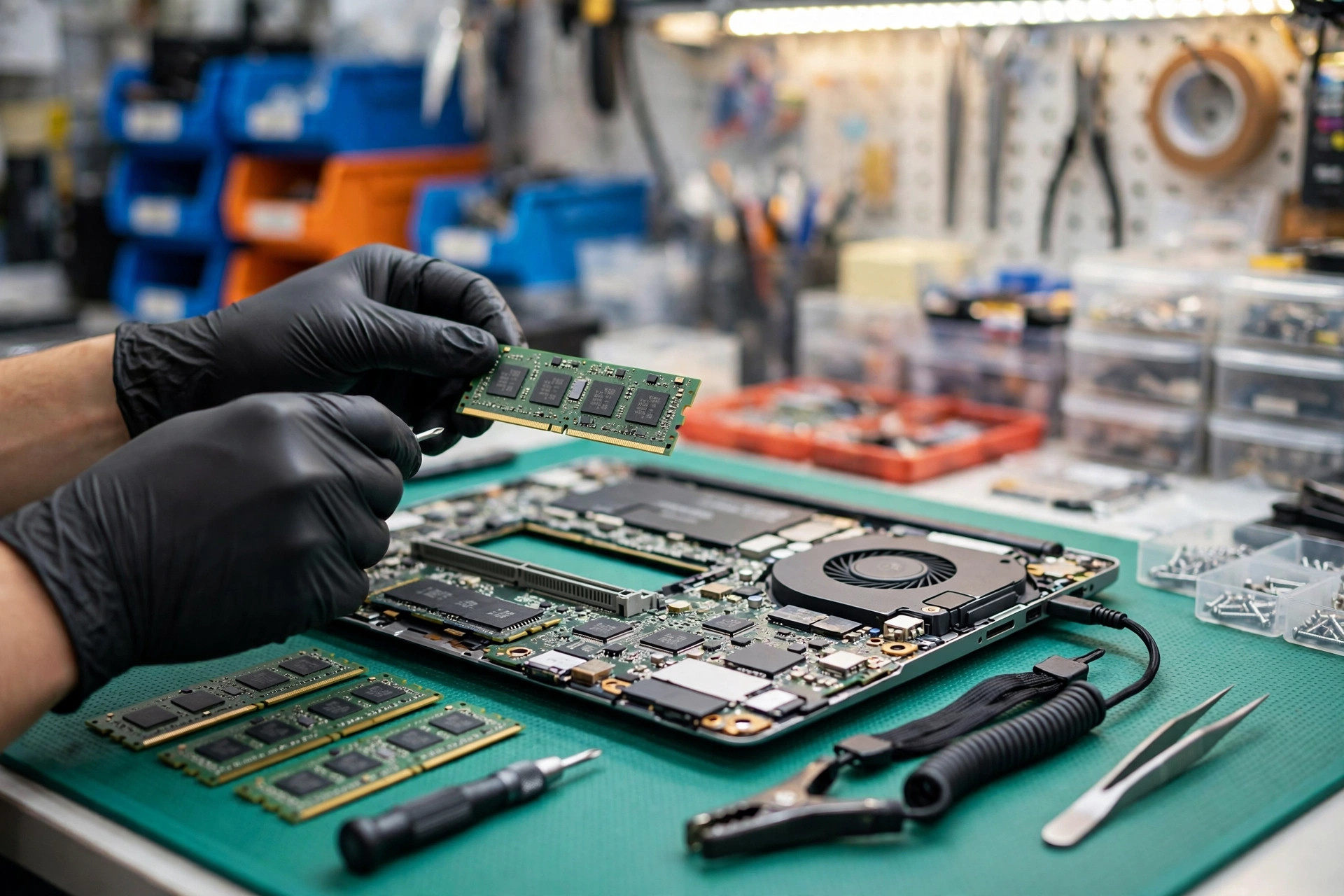
1. Scope Guard: Only Intermittent Memory Errors After Basic Checks Are Done
The starting point of this article is that basic checks are already done. The modules have been reseated, the slot surfaces have been dealt with, drivers and firmware have been updated, and general system checks have been run, yet the problem still comes and goes. The remaining question is no longer "is there enough memory" but "does the memory return, on every read, the same data that was written to it". A capacity question asks "enough or not"; a stability question asks "correct or not". A machine with enough capacity can still be faulty when it reads data back incorrectly.
This guide covers neither upgrade buying, slow machines, freeze-and-restart faults, blue screens, screens, embedded controllers, nor firmware-corruption recovery. The boundary matters because the surface symptoms of memory instability overlap with almost every other fault. A program closing on its own can be a program problem; a corrupted file can be a storage problem; a blue screen can be a driver problem; a freeze or restart can be a power, thermal, or controller problem. A symptom on its own is not evidence. Test results plus swap results are evidence, and that principle runs through the whole article.
| Earlier article or topic | Not rewritten here | How it is mentioned here |
|---|---|---|
| Memory upgrade buying guide | How much capacity is enough, which capacity to pick, whether an upgrade is worth it, installation steps | One boundary line only: shortage of capacity causes slowness, memory errors cause wrong data; slowness and wrongness are different things |
| General slow-machine optimisation | General slowness, slow boot, background programs, storage drag, system cleanup | As a negative example only: slowness does not mean memory is faulty; only cases that carry error evidence are in scope here |
| Freeze and restart advanced guide | The symptom layers for freezes and restarts, including drivers, firmware, memory, storage, power, thermals, board, and embedded controller | Only the memory layer inside that picture is examined in depth; the full picture is not redrawn, only how to prove or rule out the memory layer |
| Blue-screen aftermath handling | General blue-screen handling, dump-file reading, system repair steps | Only two stop codes closely related to memory are borrowed as clues; this is not rewritten as a blue-screen guide |
| Screen-related guides | Screen flicker, backlight, panel, cable, display output diagnosis | One line only: display oddities can be a downstream effect of memory errors, while screen diagnosis itself belongs to the screen articles |
| Embedded-controller failure guide | Controller power sequencing, keyboard, fan, and charging faults | At the boundary only: the controller manages power sequencing, so a memory power problem can look like a memory error; controller diagnosis itself belongs to that article |
| BIOS and UEFI firmware corruption recovery guide | Firmware damage, firmware recovery, flash image regions, Secure Boot and TPM recovery steps | At the boundary only: memory training and SPD timing settings inside firmware belong here; firmware damage recovery steps belong there |
| Intermittent SSD disappearance guide | Drive disappearance, NVMe and SATA connection problems | As a misdiagnosis contrast only: a file can be corrupted by faulty memory writing to the drive before the damage is noticed |
| Black-screen and boot-loop guides | Symptom layers for no display and boot loops | One line only: failure to boot can be a memory training failure, while a training failure does not mean the module itself is faulty |
2. Three Layers of "Unstable": Do Not Treat Three Different Problems as One "Bad Stick"
Memory instability has three different layers, and each one points to a different diagnostic path. Before the layer is separated, any "just replace it" is a guess.
| Layer | Meaning | Typical clues | Diagnostic direction |
|---|---|---|---|
| Weak-cell layer | Individual cells inside a DRAM device sit at the edge and fail only under particular conditions; factory surface testing may not catch them | Errors appear one day and not the next; cold machine fine, hot machine faulty; small files fine, large files faulty | Several complete test passes, compared across temperature and load; no conclusion from a single run |
| Setting and combination edge layer | Timings, voltages, training results, or a mixed combination sit at the edge, while the modules themselves may not be faulty | Stable after overclock profiles are turned off; each stick passes alone, the pair fails together; a different combination works | Return to default timings, turn off overclock profiles, compare with a matched kit |
| Carrier and controller layer | Slots, board traces, power delivery, or the memory controller are the problem, so tests report errors whose root is not the module | Errors follow the slot; a known-good module fails in one slot too; the whole memory set is unstable together | Swap matrix, known-good comparison, elimination, then board-level inspection |
The second layer is the one that most often leads to endless module swapping. The same official page notes that a module working in one system and failing in another is not uncommon; the cause can be a combination of edge conditions rather than a faulty module, and more conservative timings can sometimes correct the error. Its repair list includes returning to default or conservative timings, disabling overclock profiles, updating firmware for compatibility, and related steps. In other words, "a new module fails too" does not have to mean "the new module is faulty"; the combination, timings, training, or controller load may be the layer at fault.
The third layer needs careful wording. The official page warns plainly that not every error reported by the test is caused by memory itself; the test also involves the CPU, caches, and board, and the test on its own cannot identify the root cause. Most failures do relate to modules, but when the cause is elsewhere, the way forward is replacement piece by piece until the fault is corrected. A test error should therefore be read as "this memory combination is unstable on this system, and the next step is layer-by-layer isolation", rather than "that stick is faulty".
3. Mechanism: Why Memory Fails Intermittently Instead of Dying Outright
3.1 DRAM basics: charge, refresh, leakage
Each DRAM cell is a capacitor plus a switch, storing a 0 or a 1 as the presence or absence of charge. Capacitors leak charge naturally, so the memory controller refreshes them periodically, rewriting the charge before it leaks to a level where 0 and 1 can no longer be told apart. The following is a mechanism inference, not a quotation from a vendor document: anything that makes refresh arrive late, timings too tight, voltage margins too small, or signals disturbed will not kill the whole module at once; it will corrupt particular addresses, particular data patterns, or particular temperature and load conditions. That is the physical root of "intermittent".
The behavioural result is familiar: the same machine opens a document without trouble today and crashes on a large file tomorrow; it behaves when cold and fails when hot; it handles small files and fails on large ones. That "moody" pattern is the classic shape of marginal stability, and it should not be dismissed with "sometimes it works, sometimes it does not, so it cannot be a hardware problem".
3.2 Row Hammer: repeated access to one row disturbs neighbouring rows
Row Hammer is a DRAM disturbance phenomenon documented in open literature since 2014: repeatedly accessing one row can flip bits in neighbouring rows, even though those rows were not accessed directly. The VUSec research group's ECCploit project page describes the definition and notes that ECC is not a cure-all.
Its meaning has two parts that must be kept separate. First, diagnostic meaning is limited while mechanism meaning is large. Most users' intermittent errors do not need to be blamed on a Row Hammer attack; yet Row Hammer proves one thing: DRAM cells are not fully isolated from each other, and dense access patterns on their own can create errors. That is why test tools run many patterns in turn: different patterns trigger different weaknesses. Second, Row Hammer is not a common fault cause. It belongs in a short "mechanism background" passage stating that DRAM has this disturbance mechanism, followed by an immediate return to the more common layers: modules, slots, timings, and power. Blaming an ordinary blue screen on Row Hammer would be over-inference and must be avoided.
3.3 A seven-layer fault model: where an error can originate
The table below is the recommended layering. Layers should not be skipped. Layers L4 and L6 are hard to prove directly at ordinary repair level; they can only be inferred after other layers have been ruled out and after comparison with lower frequencies or known-good parts. That limit is plain: not every layer has a one-press test.
| Layer | Location | Typical mechanism | What counts as proof for this layer |
|---|---|---|---|
| L1 Device and module | DRAM devices, printed circuit board, and SPD chip on the SO-DIMM | Device ageing or damage, solder-joint problems, board trace defects, wrong SPD data | Errors follow the module: changing slots does not change which module fails |
| L2 Slot and contact surfaces | SO-DIMM slot gold fingers, slot springs, latches | Poor contact, spring fatigue, dust or grime, incomplete insertion, physical slot damage | Errors follow the slot: different modules fail in the same slot, or reseating or changing slots removes the error in a repeatable way |
| L3 Board traces and signal integrity | Traces between CPU and slots, impedance, crosstalk | Trace damage, impedance change after dampness or corrosion, inadequate signal margins at high frequency | Single module in a single slot still fails, known-good modules fail too, errors track high frequency or high load |
| L4 Memory controller | Integrated memory controller inside the CPU, DDR physical layer | Controller marginal on a particular timing or frequency combination, failure only under dual-channel load, one channel failing as a group | One channel failing as a group, stability after lowering frequency or loosening timings; this layer is hard to prove directly at ordinary repair level and rests on elimination |
| L5 Firmware settings: SPD, timings, training | Firmware reads SPD, runs memory training, applies JEDEC or overclock profiles | Timings too tight, marginal training result, overclock profile unstable on this machine, firmware version with weak support for a combination | Stability after returning to JEDEC default timings; stability after turning off overclock profiles; a change after a firmware update or rollback done per model documents |
| L6 Power delivery | DDR power circuitry, DDR5 module power-management chip, board power parts | Voltage droop, large ripple, power-management chip failure, ageing power parts | Errors tracking load or temperature, stability at lower frequency, abnormal power measurements; measurement belongs to chip-level inspection and readers should not be told to probe a board themselves |
| L7 Soldered memory and package layer | LPDDR soldered devices, BGA joints, in-package traces | Joint cracks, device failure, heat or dampness effects on the package | No module swap is possible; only vendor diagnosis plus elimination of other layers; the end options are mostly board-level |
3.4 Why "one symptom on the whole machine" does not mean "one cause"
The downstream effects of a memory error are wide: programs closing without warning, files corrupted after writing, system updates failing repeatedly, blue screens, freezes, restarts, boot failure. The same layer of error affects whichever program occupies the faulty address at the time, so symptoms change with what the user happens to be running that day. In the other direction, blue screens, freezes, and file corruption can also come from drivers, storage, power, or thermals. A symptom on its own is not evidence; test results plus swap results are evidence.
4. Specifications: DDR, SPD, Timings, Voltage — Why "It Fits" Does Not Mean "It Runs Stably"
4.1 DDR4 versus DDR5: the basic split
The JEDEC DDR5 standard is JESD79-5. Public reporting of the JEDEC standard points agrees on the following: DDR5 standard operating voltage is 1.1V against DDR4 at 1.2V; DDR5 standard rates start at 6.4 Gbps against DDR4 at 3.2 Gbps; each DDR5 module carries two independent 32-bit sub-channels while each DDR4 module carries a single 64-bit channel; DDR5 modules carry their own voltage regulation, with the power-management chip moved from the board onto the module. These points come from secondary reporting of the JEDEC announcement, not from the JEDEC text itself, since the full JEDEC text is mostly paywalled or member-only.
The practical meaning has three parts. First, DDR4 and DDR5 slot key notches sit in different places, so the two generations cannot physically be swapped; "it fits, so it works" is wrong. Second, DDR5 adds a power fault layer: besides board power, the power-management chip on the module can itself be the faulty layer. A DDR5 module with a faulty power-management chip can look like a faulty device, and only a swap separates the two. Third, DDR5 on-die error correction is not system-level ECC, a point taken up again in section 8; "DDR5 already has ECC, so it cannot fail" is wrong.
A lower voltage number does not mean a looser requirement. Reporting that relays JEDEC notes that the DDR5 supply tolerance window is narrower, and that module-level voltage regulation with a power-management chip is required precisely to hold stability at high data rates. As a mechanism inference, supply ripple, power-management chip heat, and module temperature deserve more attention on DDR5, not less. Laptop SO-DIMM and LPDDR power paths and voltage values must follow the model specification; a desktop-oriented voltage table must not be copied onto laptops.
| Item | DDR4 | DDR5 | Diagnostic meaning |
|---|---|---|---|
| Standard operating voltage (as reported) | 1.2V | 1.1V | Lower voltage does not mean a looser requirement; a narrower tolerance window makes ripple more relevant |
| Power location | Mainly board-side | Power-management chip on the module | DDR5 adds the module power-management chip as a suspect layer |
| Module channel structure | Single 64-bit channel | Two independent 32-bit sub-channels | Sub-channels are module-internal architecture, not the same as dual-channel across two modules |
| On-die error correction | No such design | On-die single-error correction inside each device | Corrects only errors inside the device, does not protect the transfer, does not report to the system |
| Slot interchangeability | Key notch differs from DDR5 | Key notch differs from DDR4 | The two generations cannot be swapped; forcing a module can damage hardware |
4.2 SPD: the data a module reports to the board at boot
Each SO-DIMM carries a small EEPROM holding SPD (Serial Presence Detect) data: capacity, generation, JEDEC standard timing tables, voltage, and manufacturing information. At boot, firmware reads SPD before it knows how the module should run. As a mechanism inference, wrong SPD data, a failed SPD read, or two modules whose SPD timing tables share no stable common point can leave firmware with an edge setting or a failed training run. That pattern is more common in cases where "a different brand or batch works", but that pattern can only be described as "possible", not as a general rule drawn from individual cases.
The practical check does not need disassembly: the SPD page of tools such as CPU-Z shows the timings each module reports, and the system-information page of MemTest86 lists running frequency, timings, channel mode, and SPD information. Readers should be taught to compare the SPD of both modules rather than reading only the large speed number on the box. Task Manager can show capacity, speed, slots, and form factor, while some versions may not show the DDR generation; the CPU-Z DRAM frequency is the actual clock, and the effective DDR speed is twice that figure. A Task Manager display showing "normal speed" is not proof of stable timings or training; a speed number on its own is not stability evidence.
4.3 Timings: what CL, tRCD, tRP, and tRAS mean
Memory timings are usually written as four numbers in the order tCL, tRCD, tRP, tRAS, measured in clock cycles. In simple terms, smaller numbers mean shorter waits and faster response, but they also demand more from signal integrity. Timings that are too tight do not damage hardware at once; they cause occasional misreads, which is why "it boots and reaches the desktop" does not mean the timings are right. When two modules with different timings run together, the system generally follows the more conservative module; yet "follow the slower one" does not promise stability, because device type, rank count, and voltage needs can still differ. Tightening timings by hand is overclocking behaviour; readers should not try it step by step; the right direction is to restore defaults, loosen step by step, and run comparison tests.
4.4 Memory training: what firmware is calibrating during those slow boots
Memory training is automatic calibration done by firmware at boot: together with the processor memory controller, it tests voltage, frequency, and timing combinations to find parameters that are stable for that particular set of modules. After a module change, a firmware setting change, or an overclock profile change, the first boot takes longer, and in many cases that is training in progress. A mechanism article on DDR5 training notes that training is automatic calibration by firmware together with the processor memory controller; it can be triggered by first boot, a module change, a firmware change, or an overclock profile change; during training the screen may stay dark, stop at a vendor logo, or show no power-on self-test beep, and training itself can take several minutes.
Three kinds of "slow boot or failed boot" must be kept apart:
| Situation | Presentation | How to read it |
|---|---|---|
| Training in progress | Dark screen for a while, then a normal boot, with later boots back to normal | This is not a fault; readers should not be told to cut power at once |
| Training failed, then fell back to defaults | Some firmware retries with more conservative parameters or reports that settings were restored | This is a clue: the earlier setting was marginal on this machine |
| Training failed with no fallback | Long dark screen, boot loop | This belongs to the no-display and boot-loop symptom range and is also a severe L5 presentation; the three situations must not be mixed together |
4.5 XMP and EXPO: vendor overclock profiles, not JEDEC standard speeds
Intel XMP (Extreme Memory Profile) is officially defined as overclocking compatible DDR5 or DDR4 memory beyond standard settings using pre-tested profiles; a profile holds a tested combination of speed, timings, and voltage; the first boot starts on JEDEC default settings to make the first boot succeed, and only then can the profile be chosen in firmware settings. The Intel official FAQ also states that changing frequency or voltage beyond Intel specifications may affect processor vendor terms. That sentence stands as it is: turning on an overclock profile does not mean "covered by the vendor".
AMD EXPO follows the same idea on AMD platforms. Laptop firmware may not offer overclock profile options at all, and many thin machines offer no such choice; that point must be stated rather than assuming every laptop can toggle a profile. Laptop firmware often lacks desktop-style overclock switches; many laptop SO-DIMM kits carry JEDEC profiles only, or the firmware offers no overclock profile option. Forum cases show modules with no overclock profile at all, documented as programmed to JEDEC standard timings, where the higher advertised speed is overclocking capability rather than the default JEDEC speed; there are also OEM board firmware cases with no overclock option. Those are forum examples used only to support "laptop or OEM firmware may offer no overclock switch", not general specifications.
For diagnosis, the cheapest comparison should come before any part swap: when errors appear with an overclock profile on and disappear with it off, the setting layer is the stronger suspect rather than the module itself. In the other direction, when errors persist with JEDEC defaults restored, stop chasing the profile and move to L1, L2, and L3 swap tests. Mixing modules from different kits and then turning on an overclock profile carries no stability promise; the profile was designed for a single kit. For a mixed set plus a boot loop or training failure, first return to JEDEC and turn off the profile before testing; stability under JEDEC points to a profile-conflict layer, while errors under JEDEC point onward to single-module and slot isolation. For how setting comparisons are handled during inspection, see diagnostic service; for the price range, see pricing.
5. Symptoms: Which Presentations Justify Suspecting Memory, and Which Do Not
5.1 Presentations that justify suspicion
Each item below is a clue, not a conviction. No single item on its own can condemn a module; test results plus swap results are needed before any conclusion.
| Presentation | Why it raises suspicion | What still needs ruling out |
|---|---|---|
| Offline test or vendor diagnosis reports errors clearly | The test runs outside the operating system, so driver and system layers are already excluded | The swap step is still needed, to separate module, slot, setting, and board layers |
| Intermittent blue screens with a memory-management-related stop code | The stop code narrows the suspect range | Coincidence with a driver update, plus storage and power layers |
| Files corrupted after writing, archive extraction failing, system updates failing repeatedly, while drive tests read normal | Data may already have been wrong when written, and only noticed later | Storage-layer symptoms and test results of their own |
| Programs crashing only under large memory load, fine under light load | Large load is what triggers weak cells or edge timings | Thermal and power layers that also track load |
| Boot sometimes not recognising full capacity, changing with reseating | Missing capacity points to contact, slot, or training layers | Slot and contact layers must be considered together, not a module verdict at once |
| Error addresses in test reports repeatedly falling in a similar range | An address range has reference value, pointing to a memory region or channel | Address-to-device mapping depends on interleaving and channel mapping, so an address cannot name a device directly |
5.2 Presentations that do not justify suspecting memory on symptoms alone
Plain slowness, slow boot, noisy fans, or a hot chassis belong to the slow-machine and thermal articles. A single program crashing while everything else works, and fixed by reinstalling that program, looks more like a program or driver issue. Wi-Fi drops, unrecognised USB devices, or keyboard failure are peripheral issues; a memory error does not single out one peripheral, and those belong to their own advanced articles. A one-off blue screen followed by a long quiet period has no reproducibility and should not lead straight to a module replacement; the stop code and time should be kept, observation should follow, and parts should not be swapped at once.
5.3 Symptom log: four things to record when trouble appears
Without a record, an inspection cannot reproduce the fault and a description stays vague. Four things should be recorded at the time: what was being done before trouble appeared, including large files, games, video editing, or even idle time; whether the machine was cold or hot, meaning just booted or used for a while; the stop code or error message in its original wording, photographed rather than recalled from memory; and whether modules were changed, firmware settings altered, firmware updated, or the machine dropped, exposed to liquid, or stored in damp conditions recently.
5.4 Two Windows stop codes most related to memory (clues only)
Bug Check 0x1A MEMORY_MANAGEMENT: the Microsoft Learn document defines it as a severe memory management error. Some subcodes in that document are marked as probably hardware errors, including image relocation fix-up table or code-stream damage, and page-table and page-frame-number mismatch, especially when the parameters differ by a single bit. PFN_LIST_CORRUPT (0x4E): page-frame-number list corruption. Community technical discussion often links it with memory damage, but the Microsoft document itself does not define it as proof of a faulty module; driver errors can produce PFN corruption too. That uncertainty is plain: "PFN_LIST_CORRUPT" does not mean "the RAM is faulty".
The general rule is plain: a stop code only narrows the suspect range; it is not a verdict. The same stop code can come from drivers, memory, storage, or power; only memory tests plus swap tests can settle the matter. Otherwise readers will take one stop code and buy a new module, which is exactly the shortcut trap covered in section 11.
6. Tools: How Three Kinds of Tests Divide the Work, and How to Read Results
6.1 PassMark MemTest86: the main offline test
MemTest86 is a boot-time test tool independent of the operating system: it boots from USB and tests memory directly, without the operating system occupying part of memory. The PassMark page describing individual tests lists tests 0 to 14 with their algorithms and data patterns: address tests, moving inversions, block moves, Row Hammer tests, DMA tests, and more. The test order is arranged to catch errors quickly.
Different patterns matter because different patterns target different weaknesses. Moving inversions write and read back different data patterns in turn to catch data-dependent errors; random patterns use a different random sequence on each pass, so running more passes raises the chance of catching an intermittent error. The official document states that one random test uses a different sequence on every pass, so multiple passes increase effectiveness; another 32-bit moving-inversions test would need 32 passes to cover every possible data pattern, which takes a very long time and is not a practical goal in repair work.
The Row Hammer test needs special handling. Since MemTest86 v6.2, the Row Hammer test can run in two stages: the first stage hammers at the highest rate, and an error there is not reported at once; a second stage runs at a lower rate treated as the worst acceptable case, and only errors in both stages are reported as ordinary errors, while an error in the first stage alone produces a warning message. That distinction must be explained, and a warning must not be treated as a diagnosis. The official page takes the position that even a Row Hammer error exposed only under extreme access is most likely a real error; yet under ordinary home use, memory access patterns rarely reach that extreme, so the error may not appear in daily use; for highly sensitive equipment, replacement, or a move to system-level ECC, should follow without hesitation. Forum wording that treats a Row Hammer-only error as a false positive should be noted only as "community views differ" and must not override the official definition.
Pass counts have no single official answer. This research found no sentence in PassMark official documents stating "N passes equals a pass". Community guidance includes "at least 2 to 4 passes" and "8 passes", but those figures come from community experience, not from an official standard, and the two figures disagree with each other and belong to different tools in some cases. No fixed pass count should be treated as a pass mark. One pass without errors does not mean the memory is fine; an error is already strong evidence; in practice, "several passes plus single-module isolation plus swap comparison" together count as complete, not the pass count on its own.
MemTest86 and MemTest86+ must not be confused: PassMark MemTest86 and the open-source branch MemTest86+ are different projects with different versions, test numbers, and interfaces. Any test number mentioned must name which tool it belongs to, or readers using the other tool will not find the matching test.
Limits must be stated: MemTest86 measures "the whole memory system under the current settings", not a single device in isolation. A reported error does not mean "that module is faulty"; a swap is still needed to separate module, slot, and setting. Testing takes a long time with the machine left running, and nothing else should run alongside; a large-capacity set over several passes can take hours, and that time cost should be stated up front so readers do not run half a pass, stop, and claim "tested, no problem".
6.2 Windows Memory Diagnostic: built in and convenient, but limited in sensitivity
The built-in Windows tool runs through mdsched: choosing immediate restart and check runs the test outside the operating system. A Microsoft Learn document from an earlier era explains that the default run is the Standard test; during testing, F1 changes the test mix among Basic, Standard, and Extended, and F10 continues; after testing the machine restarts automatically and results appear after sign-in.
Limits must be stated, and the tool must not be presented as equal to MemTest86. Its test patterns and depth fall short of MemTest86; secondary guides widely note that it can miss subtle or pattern-related errors that MemTest86 catches. That comparison comes from secondary guides, not from a Microsoft admission. One Standard run without errors cannot rule out intermittent memory errors; it can only be described as "no errors found in that built-in run", followed by a recommendation for deeper offline comparison. After testing, results should be checked as the on-screen instructions direct; where results are unclear, offline isolation results should take precedence. Historical limits of an old standalone tool version should not be carried over to today's built-in version.
6.3 Vendor diagnostics: Dell, Lenovo, and HP each offer pre-boot diagnosis
Need a laptop repair expert?
Free diagnosis · Transparent pricing · No fix, no fee · 180-day warranty
The shared value of the three vendor tools is not "deeper than MemTest86" but "inside a vendor-recognised framework, giving an error code or failure identifier that makes repair communication evidence-based". Readers should record the error code in its original form, not merely "the vendor test said there was a problem". A quick test passing does not mean intermittent memory trouble is ruled out; quick tests are designed to catch obvious faults fast, not to run long edge-stability tests.
| Vendor tool | Entry and position | Memory test depth notes | Limit to note |
|---|---|---|---|
| Dell SupportAssist pre-boot system performance check | One-time boot menu at boot, choosing Diagnostics; the check covers board, keyboard, display, memory, storage, and more | Guide figures put a quick test at about 10 minutes and a full test at 40 minutes or more; official guidance also warns that some cases may not be detected | A quick pass is not a deep pass; if symptoms persist, run a full test or offline isolation |
| Lenovo UEFI Diagnostics | Older ThinkPad firmware diagnostics offer a quick memory test and similar options; models without built-in firmware diagnostics can use a bootable diagnostic download from vendor support | The manual labels it a quick memory test | A quick test is mainly preliminary screening; intermittent or timing issues need multi-pass isolation; current-model entry and options must follow that model's manual |
| HP PC Hardware Diagnostics UEFI | Startup menu then system diagnostics; Fast, Quick, and Extensive levels; a failed part yields a failure identifier for vendor support contact | Guide figures put Fast at about 4 minutes, Quick at 10 to 15 minutes, Extensive at 2 hours or more | After a Fast pass with symptoms persisting, run Extensive; on failure, record the full failure identifier; formal documents should be checked against the vendor support site's current document |
6.4 Reading test results: four interpretation rules
First, an error is an error. Whatever the tool, an error reproduced under one fixed setting should not be dismissed as "possibly a false report". The next step is not to rerun the same setting ten times but to run swap isolation and see what the error follows. Second, no error does not mean no fault. One pass, one quick test, or one Standard run without errors means only "not caught in that run, under that setting, at that temperature, with those patterns". Intermittent errors are defined by "sometimes caught, sometimes not". Third, error addresses carry reference value but must not be over-read. MemTest86 lists error addresses and test numbers; addresses repeatedly falling in a similar range point to a memory region or channel, while addresses scattered every time look more like a setting-edge, power, or controller-layer problem. The mapping between an address and a physical device or slot depends on interleaving and channel mapping and cannot directly name a faulty device. The official page notes that the memory controller decodes a system address into channel, module, rank, chip, bank, row, and column, with decoding involving channel interleaving, rank and bank and row interleaving, and address swizzling; some platforms disclose decoding through registers while others keep it proprietary, making module identification from an address difficult. Readers must not be taught to "identify" a device from an address. Fourth, results must be recorded together with settings. The same result means different things under JEDEC defaults and under an overclock profile, and different things again for one module versus two. A record must state: how many modules, which slots, frequency, timings, profile on or off, how many passes ran, and which test number reported errors. A test result without a settings record is nearly useless for inspection.
7. Layered Elimination: The Swap Matrix That Changes One Variable at a Time
7.1 Before testing: back up first, test second
Memory errors can corrupt data as it is written to storage, with the damage noticed only later. Before any long memory test, important data should be backed up. This is not routine wording but a risk specific to memory faults: while testing runs, the machine still writes data, and faulty memory can keep polluting files during the test. The official page warns that running on marginal memory can lead to data loss or even disk damage. During testing, no large programs should run alongside, power must not be forced off mid-test, and no parts should be swapped before results are recorded. Settings and results should be photographed before each change, or the swap matrix will become confused. Before backup is complete, no system reinstall, part swap, or firmware change that could make data harder to recover should be attempted. For how data and inspection order are handled during inspection, see diagnostic service.
7.2 The swap matrix (two modules, two slots, standard case)
Assume modules A and B and slots 1 and 2, starting from A in slot 1 and B in slot 2, with tests reporting errors. Each step below changes one variable only:
| Step | Method | How to read the result |
|---|---|---|
| S1 Single-module test | Test A alone in slot 1, then B alone in slot 1 | A fails and B passes points to A; B fails and A passes points to B; both passing alone points to a pair combination, channel, timing, slot 2, or an intermittent error not yet caught, and the case must not be closed at once |
| S2 Slot-change test | Move the suspect module from slot 1 to slot 2 and test it alone | Errors following the module (failing in the new slot too) point to the module; errors following the slot (passing in the new slot, while another module fails back in the original slot) point to the slot |
| S3 Cross test | Swap the pair, A in slot 2 and B in slot 1, and test | This checks whether the S2 conclusion reproduces stably; a fully reversed error pattern raises slot suspicion, while an unchanged pattern raises module suspicion |
| S4 Lowered-setting comparison | Return everything to JEDEC defaults (profiles off, frequency and voltage back to defaults) and test the set again | Stability after lowering settings points to the setting layer; continued errors mean settings are not the main cause, and attention returns to L1, L2, and L3 |
| S5 Known-good comparison | Test a known-good module of matching model specification in each slot in turn | A known-good module failing in one slot raises slot, board-trace, or controller suspicion sharply; a known-good module passing in every slot raises suspicion on the original set sharply |
Single-slot variant: a machine with one SO-DIMM slot plus soldered memory cannot run the "change slots" step of the matrix; such machines need a comparison between "SO-DIMM removed, soldered memory only" and "SO-DIMM only, where firmware allows the soldered part to be disabled, per model documents", and in many cases even that comparison is not available. That limit belongs in the mixed-model passage.
7.3 Common misreadings: what counts as "proof" from a swap
One passing run is not proof. Intermittent errors can escape capture several runs in a row; after a single-module test passes, a longer test under the suspect combination, or observation under hot or high-load conditions, is needed before "stable for now" can be said. Errors following a module do not mean at once "that module is dead". Some modules are stable under JEDEC defaults and fail only under an overclock profile; some fail only paired with another module and pass alone. Those are combination or setting problems, not "the module itself is dead". Before replacing a module, the kind of failure must be separated. Slot bias must also be avoided: many people assume "slot 1 is fine, slot 2 is the problem" or the reverse. That assumption has no basis; a slot fault can occur in either slot, and only matrix results should speak.
7.4 When to stop and hand the machine to inspection
Stop home part-swapping and arrange inspection when any of the following applies: single-module, slot-change, lowered-setting, and known-good comparisons are all done, yet errors persist or keep appearing intermittently; suspicion has moved to board traces, memory controller, power, or soldered memory layers; the machine cannot boot, training fails, or capacity is not recognised on every boot; or file damage or system-file effects have appeared during testing, so data handling comes first and faulty memory should not keep writing important data. Inspection should receive: every step of the swap matrix with results, the settings record, error codes or test-report screenshots, and recent part changes or setting changes. Without that material, inspection must repeat the work from scratch, adding time and cost. For the price range, see pricing; other items are subject to a written quotation after inspection.
8. Mixing and Mismatch: Dual Channel, Flex Mode, Rank, and Brand Myths
8.1 The basic mixing rule: the system follows the most conservative module, with no promise of stability
Secondary technical writing on mixing modules summarises the position this way: the board does not overclock the slower module to chase the faster one; the memory controller tunes the whole installed set to the level of the slowest, most conservative module, and the faster module slows down to match. Two modules with different overclock profiles used together may leave the profile unable to start at all, or leave boot stuck or looping. A Dell official installation guide also notes that mixing brands or speeds may work but is not recommended; mixed sets often run at the slowest module's speed and may bring stability problems; for reliability, a matched set of equal capacity and speed should be installed.
Three points follow. "It boots" does not mean "the pairing is right". Slowing down to match only makes the system run; it does not promise that timings, voltages, and rank combinations stay stable under high load. Different brands do not have to mean trouble, and the same brand does not have to mean safety. The same brand and model label can hide different device suppliers and batches; what should be compared is generation, speed, voltage, timings, capacity, rank, and the vendor qualified list, not the brand on the box. The qualified vendor list (QVL) is the vendor-published list of verified memory; readers should check it by model on the vendor site rather than trusting a sales page's "supported" wording. Absence from the list does not mean a module cannot work, but presence on the list is a steadier starting point.
8.2 Dual channel and Intel Flex Memory Technology
An Intel official datasheet on memory-controller organisation modes states that the controller supports single-channel and dual-channel modes; in dual-channel mode it supports Intel Flex Memory Technology Mode, with memory divided into a symmetric zone and an asymmetric zone; the symmetric zone starts at the lowest address of each channel and continues until the asymmetric zone begins or the top address of the smaller channel is reached; in this mode the system runs with one dual-channel zone plus one single-channel zone across the whole memory array. That description names a model series and should not be treated as common to every Intel platform; another datasheet in the same series carries the same Flex Mode structure with a scope marked as DDR4 and DDR5.
As a worked example derived from the Intel document's logic, not from performance test data: an 8GB plus 16GB pairing gives a symmetric zone of 8GB plus 8GB running in dual-channel mode, with the remaining 8GB running in single-channel mode. Total capacity is 24GB, but bandwidth across the whole range is not uniform. Three points follow. Unequal capacity does not mean no dual channel. Many people believe "different capacities mean no dual channel at all", which is imprecise; the correct wording is "only the matched part runs in dual channel, the excess runs in single channel". Flex Mode itself is not a fault. Uneven performance from unequal capacity is a design trade-off, not a memory error. Only when a Flex Mode pairing also shows test errors or intermittent crashes does it enter this article's fault range. AMD platforms have functionally similar handling for asymmetric capacity, but the name and details differ. Intel Flex Memory wording must not be applied straight to AMD platforms; the AMD part uses mechanism wording such as "partly dual-channel under asymmetric capacity", and platform documents should be checked.
8.3 Mismatch comparison table
Everything below describes mechanism directions, not diagnoses. Performance percentage differences for mixing or Flex Mode were not verified against official sources, so no percentage figures are given here.
| Mismatched dimension | More common direction of effect | Priority comparison test |
|---|---|---|
| Capacity differs | Flex Mode: matched part dual-channel, remainder single-channel; mainly affects performance distribution, may not report errors directly | Check whether the capacity combination matches the expected Flex Mode; judge performance questions separately from error questions |
| Speed differs | Whole set drops to the slowest module's speed; with an overclock profile on, training may fail or boot may loop | Return to JEDEC and test; compare SPD speeds of both modules |
| Timings differ | System compromises on the most conservative timings; the tighter-timing side fails first at the edge | Return to default or conservative timings and test |
| Device or brand differs | Same specifications can still train with difficulty; passing alone but failing as a pair is more common | Compare with a matched known-good set; check the qualified vendor list |
| Rank differs | Controller load and training margins change; individual platform limits need official specifications | Compare rank labels; follow model specifications, not outward appearance |
| Voltage needs differ | Different DDR generations cannot be mixed at all; different voltage profiles within one generation can push training to the edge | Confirm generation and SPD voltage profiles; stop at once for different generations, do not force a fit |
8.4 Devices, rank, and single-sided versus double-sided hidden variables
A brand label on a heat spreader cannot tell readers which memory devices sit underneath; the same model in different production batches can use devices from different makers; vendors grade and verify memory as kits, so two separately bought modules with matching specifications were not verified as a pair for dual-channel use; different devices carry different electrical tolerances and secondary timings, and the controller can struggle when training them together. Readers should compare CPU-Z SPD device and timing details plus the qualified vendor list, and to use a kit replacement as a comparison test. No device brand or agent should be singled out for criticism; only mechanisms, not brand rankings, are covered here.
The same 16GB can be 1 rank on one module and 2 ranks on another; the same DDR4-3200 can differ in device density and device count. A Kingston glossary defines 1R as one 64-bit data width on a module and 2R as two such widths. A DDR4 rank is 64 bits wide, with chips inside a rank sharing address, command, and control signals; a dual-rank module resembles two single-rank groups on one module, with a chip-select signal choosing one rank at a time. Rank count affects controller load, especially for dual-channel plus dual-rank combinations, where the controller drives a larger load and edge settings fail more easily. When comparing modules, readers should look beyond capacity and speed to rank and to whether the qualified vendor list covers the combination. "Chips on both sides" does not mean "dual rank"; single-sided or double-sided is outward appearance, while rank is the controller's addressing unit. Mixing single-rank and dual-rank modules forces the controller to handle different rank counts and loads with tighter training margins; specific platform limits on rank mixing and any automatic speed reduction must be checked against the model datasheet, and no general speed-reduction table is given here.
8.5 ECC, on-die ECC, and non-ECC: three things that must not be confused
System-level ECC (genuine ECC memory): each 64-bit data word carries 8 check bits to form a 72-bit word; a common SECDED design corrects single-bit errors and detects double-bit errors. This kind of ECC appears mainly on workstation and server platforms; ordinary consumer laptops do not support it, and even when an ECC module fits, a controller and firmware without ECC support will not enable ECC functions. DDR5 on-die ECC: error correction built into each DDR5 device, correcting only single-bit errors inside the device, without protecting the transfer between device and memory controller and without reporting corrected errors to the operating system. JEDEC DDR5 reporting notes that every DDR5 device carries on-die single-error correction, built as a 136-bit code word from 128 data bits plus 8 parity bits stored in DRAM; the same reporting and a second report stress that on-die correction inside the chip does not replace server side-band ECC. A third-party DDR5 stability article adds that on-die correction quietly fixes single-bit errors inside the chip without reporting them to the operating system or the processor memory controller; the system can therefore keep running while bits degrade, until the error rate passes on-die correction capacity and multi-bit errors appear as blue screens or file damage. That passage is third-party mechanism description, and its point is "on-die corrections are not reported to the system the way server ECC is", not "DDR5 has ECC protection so it cannot fail".
Non-ECC consumer memory: with no system-level check bits, a single-bit flip is not corrected at once and becomes wrong data, a program crash, or file damage directly. That is why consumer laptop memory errors are hard to handle quietly: with no ECC safety net, an error is an error. On Row Hammer and ECC, the VUSec ECCploit research shows that ECC is not a cure-all for Row Hammer; a crafted method inducing multi-bit errors can bypass SECDED single-bit correction. That is a security-research conclusion and must not be stretched into "ECC is useless" or "non-ECC will be attacked". The correct reading is: ECC raises fault tolerance but not without limit, and on-die ECC is even further from system-level ECC.
| Correction layer | Correction scope | Reported to the system | Ordinary consumer laptop position |
|---|---|---|---|
| System-level ECC | Single-bit errors in transfer and storage, double-bit errors detected | Yes, as a system-level design that can be recorded | Mainly workstation and server platforms; needs CPU and board support together |
| DDR5 on-die ECC | Single-bit errors inside the device only | No report to the operating system or controller | Present on DDR5 devices, but not the same as system-level ECC on the machine |
| Non-ECC | No system-level check bits | No reporting mechanism | The usual consumer laptop configuration; a single-bit flip becomes wrong data directly |
9. Soldered Memory: With No Module to Swap, the Whole Decision Framework Changes
9.1 What soldered means, and how to tell
Soldered memory means memory devices attached directly to the board with BGA joints, with no SO-DIMM slot to remove. LPDDR parts in laptops are generally soldered designs, because LPDDR needs to sit close to the processor, keeping traces short for signal integrity and low power. Three identification moves come before opening the machine. First, check the vendor specification page's memory line: LPDDR, onboard, or soldered wording, or no SO-DIMM slot count listed, all signal soldered memory. Second, check system information or CPU-Z: an LPDDR memory type with no slot information, or a slot count shown as zero or missing, also points to soldered memory. Third, opening the machine is a last resort, and many thin machines are hard or risky to open, so opening a machine on your own should not be taken lightly.
Mixed models add a wrinkle: some machines combine soldered memory with one SO-DIMM slot. Diagnosis needs extra care here: after removing the SO-DIMM, the soldered part remains, so continued errors cannot at once condemn the SO-DIMM or the soldered part; firmware address allocation and vendor diagnosis reporting must be considered. The swap-matrix variant for mixed models appears in section 7. A third-party buying guide uses individual models as examples to prove that the full model or SKU must be checked rather than judging by series name; that example proves only "check the full model", not that one SKU's configuration is common to a whole series.
9.2 Why repair options differ completely for soldered memory
A faulty SO-DIMM can be swapped: the swap itself is the repair, with relatively low cost and risk, and data need not move. A faulty soldered memory set offers no "swap the module" option, leaving only the following paths. First, firmware and setting elimination: confirm the fault is not a timing, training, or firmware-version issue. Second, vendor diagnosis confirmation: use vendor tools to leave an error code as evidence for repair communication. Third, chip-level repair assessment: desoldering, device replacement, and reballing belong to board chip-level repair and must be judged by inspection as feasible or not, with no promise that repair will succeed. Fourth, board-replacement assessment: when chip-level repair is not feasible, or its cost passes the value of a board swap, board replacement and machine replacement should be compared.
| Soldered-model option | Meaning | Prices |
|---|---|---|
| Firmware and setting elimination | Restore default timings, turn off overclock profiles, compare firmware versions | Inspection and setting-comparison items are subject to a written quotation after inspection |
| Vendor diagnosis confirmation | Use vendor diagnosis to leave an error code as repair evidence | Diagnosis items are subject to a written quotation after inspection |
| Chip-level repair assessment | Desoldering, device replacement, reballing, and similar board work, assessed only by technicians with board-level capability | Board-level chip repair from HK$880; other board-level items are subject to a written quotation after inspection |
| Board-replacement assessment | When chip-level repair is not feasible, compare board replacement with machine replacement | Board replacement is subject to a written quotation after inspection |
| Module replacement | Not available on soldered models, since there is no module to swap | Must not be presented as an available option; module replacement is subject to a written quotation after inspection |
9.3 Data risk on soldered models deserves stronger wording
Soldered-memory failure plus board replacement can mean the whole board is swapped; backup before a board swap matters even more, because board-level repair can affect the read path of the existing storage device; depending on model design, the drive itself may still be removable and readable, but that cannot be assumed for every model. The firm reminder is: when soldered memory is suspected, do not keep using the machine for important documents, and do not repeatedly force restarts to try your luck; back up first, then arrange inspection.
The diagnostic boundary for soldered machines must be drawn clearly. Work that can be done includes: offline testing where the machine still boots from USB, lowered default timings or firmware-update comparison, watching whether errors cluster in one address range, temperature correlation, and checking whether another slot exists for isolation. What cannot be inferred includes: address decoding is complicated by interleaving, swizzling, and proprietary decoding, so a failing chip cannot be named from an address; with no "remove one module and test" step, "which chip failed" often cannot be settled at user level. At user level, individual damaged cells cannot be isolated the way a drive can; at board level the only option is BGA rework or device replacement, which ordinary users should not attempt; in most cases the practical handling of a soldered fault is whole-board replacement. Board-level device replacement is assessed only by technicians with board-level capability, and desoldering is assessed only by technicians with board-level capability, plus "the actual handling plan and cost are subject to a written quotation after inspection".
9.4 CAMM and CAMM2: An Introduction
CAMM is a newer memory-module form aimed at offering replaceable memory in thin machines while keeping traces short. CAMM as a replaceable form exists on the market, but the laptops discussed in this article are mostly SO-DIMM or soldered LPDDR machines, and buying or inspection decisions must follow that machine's specification page. CAMM is not "a general solution available now", and no CAMM buying guide belongs here. LPCAMM2 is a JEDEC-standardised LPDDR5X module fixed by compression onto a board contact grid and held with screws, and it is a removable module; yet it is not a general replacement for DDR4 or DDR5 SO-DIMM, and a soldered LPDDR machine cannot be converted to LPCAMM2, since the board needs the right compression connector, mounting points, electrical traces, controller support, and firmware validation. LPCAMM2 counts only as "knowledge for buying a new machine", not as "an old soldered machine can be converted to LPCAMM2" or "an LPCAMM2 module fits a SO-DIMM slot". Local supply and prices for LPCAMM2 modules were not verified here, so no supply or price claims are made here, only "follow modules verified for that model".
10. Slots, Contacts, Traces, Power: The Layers That Cannot Be Seen
10.1 Slots are not equal: the same module can behave differently in different slots
The official page states plainly that not every memory slot is equal; the same module can behave differently in different slots, for reasons including signal-path length differences, impedance issues, and slot combinations that switch firmware to single-channel mode. "Change slots and test" is a formal diagnostic step, not "try another slot casually". Slot springs themselves can fatigue or deform; when a module is not fully latched, contact resistance rises, and behaviour can look fine under light load and fail at high frequency, high current, or after heating. "Press harder and it will be fine" is wrong, since excess force can damage slot latches or the module board; the rule is "latched fully counts as seated, and a damaged latch means inspection". A Dell official installation guide's troubleshooting notes that when a machine fails to boot after installation, the machine should be powered off, modules reseated, tested one by one, and memory type checked against board compatibility.
10.2 Gold fingers and contacts: oxidation, grime, plating wear
The contact-cleaning dispute must be presented with both sides, not one side only. One side says an eraser is a common household cleaning method that can remove oxidation and grime. The other side warns, in forum discussion, that most modules carry gold plating thinner than one micrometre, prone to fretting wear, and that the abrasiveness of a pink pencil eraser can cause greater damage, so it is not recommended for gold contacts and isopropyl alcohol with cotton buds should come first. The two positions conflict, and plating thickness, eraser type, and force all affect the outcome, so the conclusion can only be the dispute plus "leave it to technicians during inspection", rather than recommending an eraser one-sidedly.
The safe approach is: "reseat firmly" is the only non-disassembly first step; anything involving opening the base cover or cleaning contacts should be "handled by technicians during inspection", with no scrubbing inside a slot with an eraser. The inside of a slot cannot be cleaned with an eraser at all, and forcing tools into a slot can damage spring contacts. An error disappearing after reseating does not mean "repaired": the official page notes that changing slots is itself reseating, which can clear dirty or oxidised contacts and make errors vanish temporarily. When errors return after a while, the contact or slot layer should be treated as still unruled-out, not as "fixed last time and broken again".
10.3 Traces and power: DDR4 and DDR5 point suspicion at different places
DDR5 power-management chips sit on modules, while DDR4 power management sits on the board; therefore "unstable power" points suspicion differently by generation: DDR4 leans toward board power circuitry, while DDR5 requires considering both the module power-management chip and board input power. That is mechanism-level layering, and no measurement points or voltage values for hands-on guidance are given here. The three voltage groups from a power-management chip divide by role into logic voltage, I/O voltage, and activation voltage; poor power-management chip cooling worsens signal integrity. That passage is third-party mechanism description leaning toward desktop context, and laptop voltage values were not verified, so no laptop voltage table is listed here.
Board power-layer diagnosis, covering voltage-regulator modules, power-management chips, and trace impedance, belongs only to technicians working under controlled conditions with instruments, and no measurement points, voltage values, or oscilloscope settings are given here. The interaction between supply ripple and weak cells is backed by the official page: when a supply converts mains alternating current to low-voltage direct current, the direct-current signal may not be fully flat and carries ripple; when a ripple trough meets a weak cell, errors that look random appear. That mechanism explains why results can differ between mains power and battery power or between chargers, but charger trouble is not the cause of memory trouble. Charger layering belongs to the freeze-and-restart article.
10.4 Temperature: failing when hot, fine when cold
Temperature moves timing margins: at high temperature, signal integrity, leakage, and power behaviour all worsen, so a timing set that barely passes when cold can fall outside the passing range when hot. That mechanism explains why some errors appear only after the machine has run for a while and heated up. Testing should record cold versus hot state; when temperature is suspected, a comparison can be run in normal ventilation without extra thermal stress, checking whether errors track temperature. Readers must not be told to use dangerous methods such as a hair dryer or a refrigerator; temperature comparison should use "after natural use for a while" against "just booted". Thermal trouble looks similar to memory failing when hot, and power trouble looks similar to the memory power layer. The difference is that thermal trouble usually brings other symptoms such as fan behaviour, temperature readings, and throttling, while power trouble usually brings charging, boot, or battery symptoms; memory trouble can report errors in tests while temperature and power look normal on the surface. The three are not mutually exclusive: one machine can carry thermal trouble and memory trouble together, and layered elimination exists to confirm layer by layer rather than dismissing other layers in one move. For the price range, see pricing; for how inspection is arranged, see diagnostic service.
11. Hong Kong Context: Dampness, Commuting Vibration, Temperature Swings — Without Turning Them Into Superstition
11.1 Dampness: precision first, not "Hong Kong is humid, so contacts oxidise"
Gold fingers do not oxidise easily. Gold is an inert metal that does not normally react with oxygen to form an oxide layer; connector technical writing states plainly that gold's oxidation resistance is one reason it is chosen, while the real risks are tin oxidation, galvanic corrosion between different metals, and fretting wear that damages a protective layer and exposes the metal beneath. Three mechanism-level points are worth making for Hong Kong, with no failure-rate figures attached. First, condensation: moving a machine from an air-conditioned room to hot, humid outdoors, or the reverse, creates a large inside-outside temperature gap, and moisture can condense on surfaces and near connectors; water plus dust plus pollutants can act as an electrolyte, speeding corrosion between different metals and making contact resistance unstable. That is a physical mechanism that needs no Hong Kong humidity figure to make sense. Second, dust plus grime plus hand sweat: grime on slot and gold-finger surfaces can itself cause poor contact, and damp conditions help grime absorb moisture and stay wet longer. Third, long-term storage: a machine left long-term in damp, unventilated places faces higher odds of dampness on connectors and board surfaces, yet "damp" does not mean "faulty"; inspection must look for actual corrosion marks rather than sentencing a machine by its storage location.
None of the following holds: unsourced figures of the form "Hong Kong humidity is X, so memory fails more often"; "gold-finger oxidation" as a cure-all explanation; blaming every intermittent problem on the weather. Dampness is one background factor among others, and it only gains meaning together with physical inspection. Connector-environment notes say moisture intrusion affects connector insulation and corrodes metal parts; constant damp-heat test conditions are test conditions, not Hong Kong daily humidity, and the two must not be confused. Board-failure notes say moisture plus ionic contamination can grow dendrites ending in short circuits, and that chemical corrosion can affect plated contacts. Those points are mechanism background, not laptop repair advice.
11.2 Commuting vibration and fretting wear
Fretting wear is defined as follows: two contact surfaces under tiny repeated movement, from vibration or thermal expansion and contraction at micrometre scale, lose their protective layer, expose base metal that then oxidises, and form oxide debris that raises contact resistance and makes it unstable. For Hong Kong commuting, a laptop carried daily in a backpack, on trains, and on foot faces, in theory, more micro-movement at slot contacts; yet connector technical writing also notes that insertion counts and vibration levels in consumer electronics generally sit far below industrial conditions that cause severe fretting. Both sides count: commuting vibration is a reasonable line of suspicion, especially for symptoms of the form "trouble after moving or lifting the machine, fine when left still"; yet "riding the train damages memory" does not follow. Symptom clues count as clues only: trouble after moving the machine, opening or closing the screen, or lifting and setting it down, with improvement after reseating that later returns, is a pattern worth suspecting at the contact layer; the final word still belongs to the swap matrix, not to "it moved, so it failed".
11.3 Air-conditioned rooms and outdoor temperature swings causing condensation
Moving between an air-conditioned room and outdoors, a machine warming from cold can briefly condense moisture on surfaces and internal interfaces; when the machine is then powered on and runs memory training, damp interface contact can be briefly unstable, making training or test results inconsistent. That is a mechanism inference, not laptop measurement data. Practical advice can only reach as far as non-disassembly prevention, such as "after bringing a machine from an air-conditioned room outdoors, let the body return to ambient temperature and wipe surface moisture before powering on"; it does not claim that condensation damages boards.
11.4 Local repair reality: do not replace isolation with "buy a new module and try"
A common Hong Kong shortcut is "buy a new module and try, and if it fails, buy another". That shortcut needs correcting by name: before single-module, slot-change, and JEDEC-return isolation, a newly bought module may be another mismatched combination, such as the same mixed pairing, the same profile conflict, or the same slot problem, giving "the new module fails too" and confusing diagnosis further. Soldered-machine users need to confirm model configuration first: buying a SO-DIMM only to find no slot to fit it is an entirely avoidable error. No negative brand judgements are made here; readers should "compare against that model's official specifications, SPD, and qualified vendor list, then follow a written quotation after inspection".
12. Common Misdiagnoses and Traps
| Trap | Why the misjudgement happens | How to separate it |
|---|---|---|
| Mistaking the drive | Faulty memory can write wrong data to the drive; damage noticed on later reads looks like a drive fault | Drive-layer trouble usually carries its own symptoms, such as intermittent disappearance, abnormal read or write speeds, SMART warnings, or specific sector errors; memory-layer trouble usually means "anything written can be wrong" and errors follow memory swaps; test the two layers separately rather than swapping drive and memory together |
| Mistaking the system or drivers | Blue-screen stop codes can be produced by driver errors; trouble disappearing after a system reinstall can reflect changed memory-use patterns, driver versions, or reseating during the reinstall | Driver or system trouble usually tracks a driver version, an update, or a program in time; memory trouble usually shows no such time link, or reproduces in offline testing with no operating system or drivers; offline reproduction is the strongest evidence for ruling out driver or system layers |
| Mistaking thermals or power | Thermal trouble looks like memory failing when hot; power trouble looks like the memory power layer | Thermal trouble usually brings fan, temperature, and throttling symptoms; power trouble usually brings charging, boot, or battery symptoms; memory trouble can report test errors while temperature and power look normal on the surface |
| A single test pass is not enough | One pass without errors does not mean a pass; intermittent errors are defined by needing several passes and patterns; stopping after half a pass and claiming "tested" is the most common false negative | Several complete passes plus single-module isolation plus swap comparison together count as complete |
| Testing only one module | After a set test reports errors, skipping single-module isolation and replacing the set can remove the good module and keep the faulty one | Single-module testing is a required step, not an optional one |
| Testing only one slot | Testing only in slot 1 can separate module from slot | The slot-change step of the swap matrix cannot be skipped |
| Slot bias | Assuming one slot is fine and another is faulty, or assuming "the new module is fine, the old one is faulty" | New modules can be faulty and old modules can be innocent; only test results should speak |
| Changing several variables at once | Swapping modules and slots while turning off a profile and updating firmware leaves any improvement unattributed | One variable per step is the discipline this article repeats most |
| The "reinstall fixed it" illusion | After reinstalling, memory usage, usage patterns, and driver versions all change, so edge memory may go untriggered for a while; the reinstall process may also have reseated modules | Observe for a while after reinstalling, and run a memory test both before and after reinstalling before comparing |
| The "new module fixed it" illusion | After a new module works, three explanations remain: the old module was faulty; the new module's timing or device combination is more stable on this machine, meaning the original problem was combination or setting; or the swap process fixed a contact problem along the way | After a swap works, test the old module alone again to confirm whether it is faulty, rather than discarding it at once or claiming proof at once |
| "Windows said no problem" rules out memory | The Windows tool defaults to the Standard test with a short run, so intermittent errors, timing edges, and Row Hammer fragility can escape it | A Windows "no errors" result means only "no errors found in that Standard run", not "memory is fine" |
| "Test error" means "that module is faulty" | Testing also involves the processor, caches, and board, so a report alone cannot name the root cause | Single-module, slot-change, and pair isolation must come before any module verdict |
| Row Hammer-only errors treated as false positives or as immediate replacement orders | The official position is a two-stage warning plus "most likely a real error", while daily risk differs from sensitive-equipment risk | Row Hammer-only results belong to a fragility-warning level; daily risk differs from general errors, and replacement depends on data sensitivity and other test results |
| "Each module passes alone" means "together they pass" | Multi-channel operation, controller load, mixing, and brand compatibility can appear only as a pair | For pair-only failure, suspect in order: mixing or mismatch, wrong slot pairing, firmware or qualified-list compatibility, then controller or board layers, rather than concluding at once that both modules are faulty |
| "Reseating fixed it" means "repaired" | Reseating itself can clear contact grime and make errors vanish temporarily | When errors return after a while, the contact or slot layer should be treated as still unruled-out |
| Reading a speed display as stability | A Task Manager display showing "normal speed" does not mean timings or training are stable | A speed number on its own is not stability evidence; timings, training behaviour, and test results must be compared |
| Buying a faster kit to "fix" instability | When instability comes from timing edges, training failure, mixing conflicts, or slot trouble, a faster kit with tighter timings can make trouble worse | The right order is return to JEDEC, run isolation, check the qualified vendor list, then consider a kit replacement |
| Thinking a soldered machine can "just swap a module" | LPDDR soldered machines have no SO-DIMM slot; LPCAMM2 fits only machines designed for it and cannot be retrofitted | Check the full model or SKU official specification to confirm the machine configuration first |
| Thinking "DDR5 has ECC" means server-grade protection | On-die correction works inside the chip, is not reported to the system, and is not system-level ECC | The two must be kept separate; genuine system-level ECC needs CPU and board support together |
13. Repair, Replace, or Upgrade Decision Framework
13.1 Decision path: follow swap-matrix results, not feelings
After a test error, back up data first. Turn off overclock profiles and return to JEDEC defaults, then test again: stability points to the setting layer. Options include staying on JEDEC defaults long-term, or trying a qualified-list memory combination before re-enabling a profile. Note that an intermittently failing profile should not be kept long-term for the sake of speed. When errors persist, enter the swap matrix: errors following a module point to replacing that module on SO-DIMM models, after confirming generation, speed, voltage, timings, rank, and qualified-list coverage rather than capacity alone; errors following a slot point to the slot layer, where a known-good module should first confirm the slot itself, and a confirmed slot problem belongs to board level and needs inspection assessment, with prices subject to a written quotation after inspection; single modules passing with the pair failing point to combination, channel, or timing layers, with options including a matched-kit replacement, qualified-list checks, and long-term observation on JEDEC defaults; every comparison failing, or intermittent errors persisting, raises suspicion on L3, L4, and L6 layers and needs board-level inspection, with board-level chip repair from HK$880 and other board-level items subject to a written quotation after inspection; soldered models with no module to swap go straight to the section 9 path, with firmware or setting elimination first, then vendor diagnosis, then inspection assessment of chip-level repair versus board replacement, with prices subject to a written quotation after inspection. For how inspection is arranged, see diagnostic service.
13.2 Three options separated
| Option | Fits when | Does not fit when |
|---|---|---|
| Repair (fix the existing part) | Contact-layer trouble, including reseating, cleaning, and slot handling; setting-layer trouble, including JEDEC restoration, profile switching off, and firmware-setting adjustment | Device failure, physical slot damage, soldered-device failure; those are not fixed by "repairing the module" |
| Replace (swap the module) | Swap-matrix proof that errors follow a module; SO-DIMM models; new-module specifications matching the qualified vendor list | Soldered models with no module to swap; errors following a slot or board traces, where swapping modules wastes money |
| Upgrade (move to a larger or faster set) | An upgrade was already planned, and the swap matrix also proves trouble in the old set; the upgrade resolves trouble along the way | Upgrading capacity blindly to fix instability: larger capacity does not remove errors on its own; layer separation must come before upgrading, or a newly bought large set can fail the same way |
13.3 Routing table: configuration times isolation result
| Configuration | Isolation result | More reasonable next direction (not a price) |
|---|---|---|
| SO-DIMM, module can be swapped | Single module fails alone, follows the module across slots | That module is the strongest suspect; compare with a matched known-good set, then follow a written quotation after inspection |
| SO-DIMM, module can be swapped | Errors follow the slot across changes | Slot, channel, or trace layers rise in suspicion; do not stop at swapping modules, arrange board-level layered inspection |
| SO-DIMM, module can be swapped | Each passes alone, the pair fails | Mixing, qualified-list, timing, or controller-load layers; return to JEDEC first, check the qualified list, try a matched-set comparison |
| SO-DIMM, module can be swapped | No errors after returning to JEDEC, errors only with a profile on | Profile or training-edge layer; use JEDEC-stable operation as the comparison, and weigh data sensitivity before keeping an overclock profile |
| Soldered plus SO-DIMM mixed | Errors persist after removing the SO-DIMM | Soldered-part suspicion rises, yet that alone cannot condemn the soldered device; board-level layered inspection is needed |
| Fully soldered LPDDR | Offline test errors, no module removal for isolation | Board-level assessment layer: device replacement (board-level technicians only) or board replacement or machine replacement, compared by written quotation after inspection; none of the three is preset as the answer |
| LPCAMM2 | Module suspected faulty | Only for machines designed for it; compare against LPCAMM2 modules verified for that model, do not substitute a SO-DIMM |
| Any configuration | Intermittent errors cannot be reproduced, one inspection finds nothing | Neither condemn the machine nor declare it fault-free; combine a time-line record, multi-pass testing, and inspection by elimination |
13.4 Three decision red lines
First, data not backed up means no rushing into repair: back up first, diagnose second, repair third. Second, an intermittent problem not yet reproduced means no rushing into a verdict: weak cells, temperature, and voltage edges can all make results inconsistent, and one inspection without findings does not mean no problem. Third, repeated replacement at the same layer without progress means stop replacing parts: when modules and the system have been replaced or reinstalled and symptoms still return under the same trigger conditions, stop and re-separate the layers, returning to the three layers in section 2, rather than moving on to the next module.
13.5 Machine-replacement considerations
When the machine already carries other board-level trouble, such as several slots or channels failing together, power anomalies, or other chip faults, and board-level repair cost approaches replacement cost, comparing the two together is worthwhile. For soldered models plus board replacement plus older age plus other ageing parts such as battery, screen, and keyboard, the case for replacement grows stronger; yet those are individual assessments, and only consideration factors are listed here, with no general "older than N years, do not repair" threshold, since no sourced threshold figure exists. In every case, back up data before replacing a machine; a machine with suspected memory trouble should not be the only path for a final backup, since the backup process itself can be polluted by faulty memory. For checks on other parts during inspection, battery from HK$580, screen from HK$1,280, keyboard from HK$480; board-level chip repair from HK$880; other items are subject to a written quotation after inspection. For the price range, see pricing; for how inspection is arranged, see diagnostic service.
14. Pre-Inspection Checklist and Shop Details
Pre-inspection checklist: important data backed up, with the backup verified as opening on another machine or external device; every swap-matrix step recorded, including which module, which slot, which settings, and which test reported errors; profile on or off plus JEDEC-default comparison results recorded; vendor diagnosis error codes or offline test-report screenshots photographed; recent part changes, setting changes, drops, or liquid exposure written down; and an understanding that items beyond modules, including board replacement, are subject to a written quotation after inspection, with board-level chip repair from HK$880.
Shop details: Room 1209, Delight Place, Shek Mun, Sha Tin; telephone +852 2186 8010; WhatsApp +852 6558 6806; opening hours 12:00–19:00. For the price range, see pricing; for how inspection is arranged, see diagnostic service. One closing summary for this article: it does not teach readers to "buy more memory" but teaches them "how to prove which layer is wrong": first turn off overclock profiles for the cheapest comparison, then use a swap matrix that changes one variable at a time to separate module, slot, combination, and setting, and only then move to soldered and board layers; any symptom without swap evidence, any single-test "no problem", and any test result without a settings record cannot stand as a conclusion.
Frequently Asked Questions
Q1: Basic checks are done and the machine still fails intermittently. Does that mean a memory module is faulty?
No. Intermittent failure after basic checks means only that the problem is not yet separated into layers, not that a module is faulty. Weak cells, setting edges, slots, traces, power, the memory controller, and soldered layers can all produce intermittent errors. The right order is to turn off overclock profiles for the cheapest comparison first, then use a swap matrix that changes one variable at a time to separate module, slot, combination, and setting, and only then move to board layers. Before swap work, any "just replace it" is a guess.
Q2: MemTest86 reports errors. Does that mean that particular module is faulty?
No. The official page states plainly that testing also involves the processor, caches, and board, and testing on its own cannot identify the root cause. A test error should be read as "this memory combination is unstable on this system", followed by single-module tests, slot-change tests, cross tests, lowered-setting comparisons, and known-good comparisons, before module, slot, combination, setting, or board layers can be separated. Skipping swap work and replacing modules directly can remove a good module and keep a faulty one.
Q3: One test pass without errors means the memory is fine, right?
No. One pass without errors means only that nothing was caught in that run, under that setting, at that temperature, with those patterns. Intermittent errors are defined by "sometimes caught, sometimes not"; weak cells fail only under particular conditions, and temperature, supply ripple, and timing edges can all flip results between runs. In practice, several complete passes plus single-module isolation plus swap comparison together count as complete, and no community pass-count figure should be treated as an official pass mark.
Q4: Errors appear with an overclock profile on and disappear with it off. What does that mean?
That pattern points more strongly to the setting layer than to a faulty module. An overclock profile overclocks memory beyond standard settings using a pre-tested combination; when that combination sits at the edge on this machine, errors appear with the profile on and disappear on JEDEC defaults. That comparison costs the least and should come before any part swap. In the other direction, when errors persist on JEDEC defaults, stop chasing the profile and move to module, slot, and board-trace swap tests.
Q5: The machine has only one slot. How can swap testing work?
A single-slot machine cannot run the "change slots" step of the matrix; a mixed machine with one SO-DIMM slot plus soldered memory needs a comparison between "SO-DIMM removed, soldered memory only" and "SO-DIMM only, where firmware allows the soldered part to be disabled, per model documents", and in many cases even that comparison is not available. A fully soldered machine offers no module to swap at all, so diagnosis rests on offline testing, lowered default timings or firmware-update comparison, watching whether errors cluster in one address range, temperature correlation, and vendor diagnosis results, followed by board-level layered inspection. An address on its own cannot name a failing chip, since address decoding involves interleaving and swizzling strategies, with some platforms keeping decoding proprietary.
Q6: Two modules of different capacities, such as 8GB plus 16GB, mean no dual channel at all, right?
No. Under the Intel Flex Mode described in official documents, memory divides into a symmetric zone and an asymmetric zone; an 8GB plus 16GB pairing gives a symmetric zone of 8GB plus 8GB running in dual-channel mode, with the remaining 8GB running in single-channel mode. The correct wording is "only the matched part runs in dual channel, the excess runs in single channel", not "no dual channel at all". Flex Mode itself is not a fault; uneven performance from unequal capacity is a design trade-off. Only when a Flex Mode pairing also shows test errors or intermittent crashes does it enter this article's fault range.
Q7: DDR5 has on-die error correction, so does the machine have server-grade ECC protection?
No. DDR5 on-die correction fixes only single-bit errors inside the device, without protecting the transfer between device and memory controller and without reporting corrected errors to the operating system. Genuine system-level ECC needs CPU and board support together and appears mainly on workstation and server platforms; ordinary consumer laptops do not support it, and even when an ECC module fits, a controller and firmware without ECC support will not enable ECC functions. ECC and non-ECC must not be mixed in one system; when the original machine uses an ECC configuration, a replacement must match the ECC type, following that model's official specification.
Q8: The built-in Windows test says no problem. Can memory be ruled out?
No. The built-in Windows tool defaults to the Standard test with a short run, and its test patterns and depth fall short of offline testing; secondary guides widely note that it can miss subtle or pattern-related errors that offline testing catches. A Windows "no errors" result means only "no errors found in that Standard run", not "memory is fine". In the other direction, a Windows "errors found" result deserves attention and should lead into offline isolation, rather than being dismissed with "the Windows tool is inaccurate". After testing, results should be checked as the on-screen instructions direct; where results are unclear, offline isolation results should take precedence.
Q9: A vendor quick test passes. Does that mean memory has been verified as fine?
No. Vendor quick tests are designed to catch obvious faults fast, not to run long edge-stability tests. After a Dell, Lenovo, or HP quick test passes with symptoms persisting, a full test or offline isolation should follow rather than stopping at the quick test. The value of vendor diagnosis lies in giving an error code or failure identifier inside a vendor-recognised framework, so repair communication carries evidence; inspection should receive the error code in its original form, not merely "the vendor test said there was a problem". Current-model diagnosis entry and options must follow that model's manual, and HP formal documents should be checked against the vendor support site's current document.
Q10: Wiping the gold fingers fixed it, so is the problem cured?
No. Reseating itself can clear contact grime and make errors vanish temporarily; the official page notes that changing slots is itself reseating, which can clear dirty or oxidised contacts and make errors disappear for a while. When errors return after a while, the contact or slot layer should be treated as still unruled-out, not as "fixed last time and broken again". Gold itself does not oxidise easily; the real risks are tin oxidation, galvanic corrosion between different metals, and fretting wear that damages a protective layer and exposes metal beneath. Contact cleaning is disputed: one side treats an eraser as a common household method, while the other side warns that gold plating is extremely thin and eraser abrasiveness can cause greater damage; work involving opening the base cover or cleaning contacts should be handled by technicians during inspection, with no instruction to scrub inside a slot with an eraser.
Q11: Can a soldered-memory machine be fixed by buying a memory module?
No. Soldered memory is attached directly to the board with BGA joints, with no SO-DIMM slot to fit a module; buying a SO-DIMM only to find no slot to fit it is an entirely avoidable error. Soldered-model options are limited to firmware or setting elimination, vendor diagnosis confirmation, chip-level repair assessment, and board-replacement assessment; chip-level repair assessment belongs only to technicians with board-level capability, and desoldering is assessed only by technicians with board-level capability. Board-level chip repair is from HK$880; other items, including soldered-device work and board replacement, are subject to a written quotation after inspection. When soldered memory is suspected, do not keep using the machine for important documents and do not repeatedly force restarts to try your luck; back up first, then arrange inspection.
Q12: What should be prepared before inspection, and what are the shop details?
Prepare six items: important data backed up, with the backup verified as opening on another machine or external device; every swap-matrix step recorded, including which module, which slot, which settings, and which test reported errors; profile on or off plus JEDEC-default comparison results; vendor diagnosis error codes or offline test-report screenshots; recent part changes, setting changes, drops, or liquid exposure; and an understanding that items beyond modules, including board replacement, are subject to a written quotation after inspection, with board-level chip repair from HK$880. Shop details are Room 1209, Delight Place, Shek Mun, Sha Tin, telephone +852 2186 8010, WhatsApp +852 6558 6806, opening hours 12:00–19:00.
Need Professional Laptop Repair?
Laptop King has 15+ years of repair experience in Shek Mun, Sha Tin. Free diagnosis, transparent pricing, no fix no fee. 180-day warranty for your peace of mind.