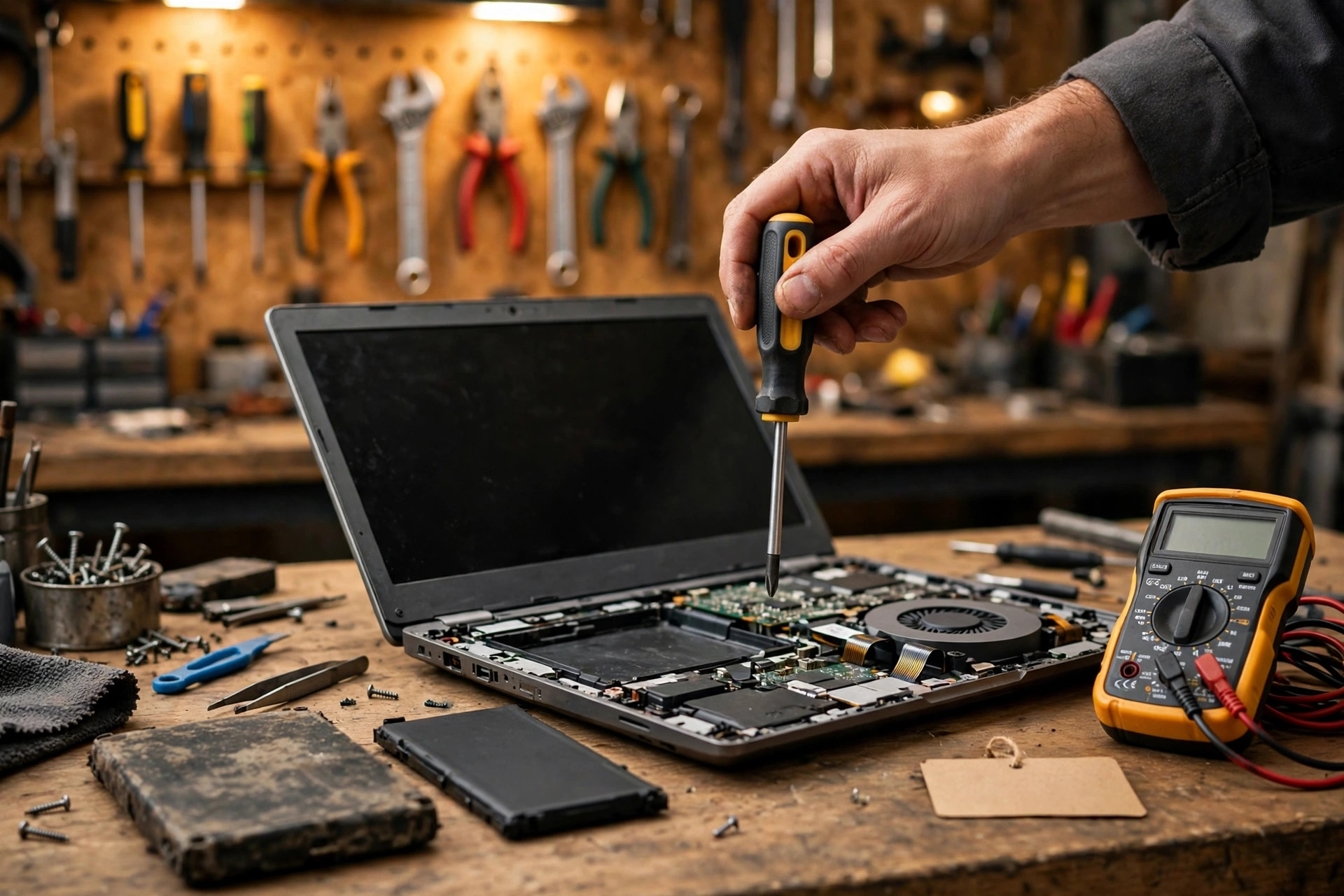
📌 Key Takeaways
- •[S1] End of support for Windows 10, Windows 8.1, and Windows 7 | Microsoft Windows, Microsoft. Windows 10 end of support 2025-10-14; consumer ESU extended to 2027-10-12. Establishes the Windows 10 end-of-support date and the consumer ESU deadline, the core basis for the support-deadline judgement. (https://www.microsoft.com/en-us/windows/end-of-support)
- •[S2] October 14, 2025—KB5066791 (OS Builds 19044.6456 and 19045.6456), Microsoft Support. 2025-10-14. Confirms in an official KB that Windows 10 support ended on 2025-10-14, with no further software updates, technical support or security fixes. (https://support.microsoft.com/en-gb/servicing/os/windows-10/2025/10/october-14-2025-kb5066791-os-builds-19044-6456-and-19045-6456)
- •[S3] Windows 11 requirements, Microsoft Learn. Page states last update 2025-06-17; retrievable on 2026-11-23. Lists the Windows 11 minimum requirements (64-bit dual-core CPU, 4GB RAM, 64GB storage, UEFI Secure Boot, TPM 2.0), explaining the technical bar older machines cannot meet. (http://learn.microsoft.com/en-gb/windows/whats-new/windows-11-requirements)
- •[S4] Windows 11 supported Intel processors, Microsoft Learn. No publication date stated; retrievable on 2026-11-23. Confirms Windows 11 supports Intel 8th-generation Core processors and later, so 7th-generation and older CPUs fall outside the supported list. (https://learn.microsoft.com/en-us/windows-hardware/design/minimum/supported/windows-11-supported-intel-processors)
- •[S5] Windows 11 System Requirements, Microsoft Support. No publication date stated; retrievable on 2026-11-23. Microsoft's official overview of Windows 11 system requirements, including the CPU list, memory, storage, UEFI, Secure Boot and TPM 2.0. (https://support.microsoft.com/en-us/windows/experience/compatibility/windows-11-system-requirements)
# Laptop Repair or Replace? An Advanced Hong Kong Guide to Residual Value, Repair Costs, Age Thresholds, and the Second-Hand Market
A three-year-old laptop develops a bright line across the screen, battery life falls below two hours, and booting takes noticeably longer than before. The owner faces three directions: replace the screen, replace the battery and upgrade the SSD, or buy a new machine. The repair shop, the online forum and the manufacturer website each point somewhere different. One voice says a three-year-old machine is worth repairing. Another says the screen alone costs half a new machine. A third says a fresh battery buys two more years. Each claim can be true, because the three are not comparing the same thing.
The position of this guide is that repair or replace is not a choice between two options but a comparison of three paths: repair, upgrade for extended life, and replacement. The three paths do not share a cost basis. Repair is a one-off outlay. An upgrade is a one-off outlay plus one to two further years of use. Replacement is a one-off outlay plus a new warranty period, a new span of software support, and a new residual value. A fair comparison needs a single yardstick: total cost of ownership divided by months of use, with usage weights applied on top. Comparing only the repair bill with the new-machine price tilts the answer toward replacement, because that comparison ignores the use still left in a repaired machine and the steep first-year depreciation of a new one. Swappa's repair-versus-replace guide makes the same point: the comparison baseline should be the price of a working second-hand replacement, not the brand-new retail price, because the second-hand replacement is the item that would actually be bought [S47].
Four hard rules anchor this guide, and everything else is a soft weight. The first hard rule concerns safety: a swollen battery, smoke, odour, a body that will not sit flat, or a trackpad that stops working means the machine is taken out of use and sent for inspection; battery problems are not subject to cost comparison [S9] [S21]. The second hard rule concerns the support deadline: where a model cannot be upgraded to a supported operating system and the owner still needs web access, email and online banking, the priority of replacement rises sharply; Windows 10 support ended on 14 October 2025 [S1] [S2]. The third hard rule concerns the parts deadline: where the manufacturer has listed a model as obsolete (more than seven years after last sale), or where parts of the same kind have stopped production, the risk and waiting time of repair must enter the cost [S16] [S17] [S18]. The fourth hard rule concerns the proportion ceiling: where the repair bill, labour included, approaches or exceeds the market price of an equivalent second-hand machine in good condition, repair has lost its economic sense, unless the data inside cannot be moved or the model carries an irreplaceable configuration [S47] [S48].
The Residual-Value Mechanism: The Shape and Causes of Depreciation
Depreciation is not a straight line; it is steep first, then flat
Second-hand market evidence shows that a laptop loses value fastest in its first year, with the decline slowing year by year after that [S68] [S69]. Different sources disagree on the size of the first-year drop, and that disagreement is itself the point: depreciation is not an accounting straight line but the result of market supply and demand. BuyBackX's guide puts the first-year fall for high-end ultrabooks at about 25–35%, then about 10–15% a year; for mid-range Windows machines the first year takes about 40–50%, then about 20% a year [S68]. SellMyLaptops' brand comparison also shows that machines of the same age hold value far better as a MacBook, Alienware, Dell XPS or ThinkPad than as an HP Pavilion or Acer Aspire [S69]. The figures differ between sources, but the direction agrees: brand and positioning set the speed of depreciation, and age sets the position on the curve.
The decision value of this pattern is that the first year of a new machine costs the owner not only the purchase price but also the value lost the moment it leaves the shop, while the first year of a repaired machine costs the repair bill but avoids that first-year loss. Counting that effect makes replacement less attractive than a bare price comparison suggests.
| Machine tier | First-year fall | Later annual fall | Value after three years |
|---|---|---|---|
| High-end ultrabook (MacBook, XPS and similar) | About 25–35% | About 10–15% | Relatively high |
| Mid-range Windows machine | About 40–50% | About 20% | Clearly lower |
| Entry-level consumer machine (Pavilion, Aspire and similar) | Largest first-year fall | Stays high each year | Around one-third remains |
| Business machine (ThinkPad T series and similar) | Between high-end and mid-range | Slower than consumer machines | Supported by steady corporate second-hand demand |
Four mechanisms behind the steep first two years
The new-model substitution effect. The moment a new generation of CPU or GPU appears, the previous generation loses its newest-model aura. Buyers pay a premium for the latest generation, so a previous-generation machine can lose two or three tenths of its perceived price even when performance is only a tenth behind. That is market pricing, not performance pricing.
The warranty deduction. A new machine carries a full warranty; a second-hand machine carries none, or only a few months. The warranty itself has a price: buyers apply a deduction for the risk of paying for the next failure out of pocket. The deduction grows as the warranty expiry approaches, and it jumps another step once the warranty has expired. That explains why the price gap between a one-year-old machine and a two-year-old machine is often larger than the gap between a three-year-old and a four-year-old machine.
Battery health is the first deduction a second-hand buyer applies. The battery is a consumable, and its health governs everyday usability. Apple designs batteries to retain up to 80% of original capacity after a maximum of 1,000 full charge cycles [S7]. On Windows machines, powercfg /batteryreport reads design capacity against full charge capacity, and a figure below 80% counts as clear wear [S70]. A second-hand buyer cannot verify hidden wear on the spot, so battery health serves as a proxy for the wear of the whole machine: a weak battery drags the whole price down even when the motherboard and screen remain sound. SellMyLaptops' inspection data puts the deduction for a swollen battery at 10–25% [S69]. That leverage cuts both ways: fitting a new battery (battery from HK$580) can sometimes lift the residual value by more than the battery costs, provided no other part carries a hard fault.
Software support expectations. A buyer of a second-hand machine counts how many more years of supported operating system remain. A machine that cannot move to Windows 11 takes a heavy deduction because Windows 10 support ended on 14 October 2025, even when the hardware still handles office work [S1] [S3]. By contrast, an M-series MacBook holds value longer because macOS support runs longer [S19].
What changes as Moore's Law slows
The traditional form of Moore's Law has transistor counts roughly doubling every two years. Pat Gelsinger, the former Intel chief executive, acknowledged in a talk at MIT that the actual doubling cadence has slowed to nearly three years [S37]. That is the only quantified basis this guide uses for the slowing of Moore's Law; finer figures such as annual single-core performance growth are not cited here, because no verifiable first-hand source confirms them.
The effect on depreciation runs in two directions, and only one side must not be told. The useful life of an old machine grows longer: with smaller gains per generation, a three-year-old mid-to-high-end machine feels little different from a new one for office documents, web browsing and video calls, so an upgrade for extended life (SSD plus RAM plus battery) pays better than before, and a good second-hand machine gains practical value. Yet the gap in new capabilities grows wider: slower performance gains do not mean stalled features. AI acceleration, hardware video codecs, Wi-Fi 7, Thunderbolt 5, OLED and high-refresh screens, and longer battery life are generational differences, not speed differences. An old machine may run fast enough yet fail to run new AI features or new versions of macOS and Windows 11 [S3] [S19]. Depreciation therefore shifts from running slowly to being unable to do things, and the two kinds of ageing need separate treatment in the decision.
The practical reading is that for office documents, browsing and video calls, the slowing of Moore's Law is good news and the window for extending an old machine widens. For local AI work, 4K video editing or 3D rendering, the generational gap pushes residual value down faster, because buyers apply the same unable-to-do deduction.
Residual-value differences by brand and model
MacBook, especially the M series, holds value best. Three reasons support this: the Apple silicon transition brought a generational advantage in performance and battery life; macOS support runs longer [S19]; and second-hand demand is strong while the model range is small and specifications are easy to compare, since chip, RAM and storage settle most of the price. The late Intel MacBooks fall fastest, because macOS support has already narrowed for them [S19]. Apple also anchors same-tier new-machine pricing with official Hong Kong pricing for the MacBook Air with M4 and the MacBook Pro with M6 [S12] [S13].
ThinkPad, in the T and X1 series, holds value best among Windows machines. The reasons are business positioning, steady second-hand demand from corporate fleet replacements, and higher repairability (iFixit gives the ThinkPad T14s Gen 7 a provisional score of 9 out of 10) [S33]. Within one brand the spread is wide, however: the residual-value curves of the X1 Carbon and the entry-level IdeaPad range are entirely different, and slim models with soldered RAM have weaker life-extension prospects [S33] [S45].
Entry-level consumer machines fall fastest. The reasons are low new-machine pricing, frequent promotions, mixed configurations, shorter parts supply, and very low buyer tolerance for the gap between a cheap new machine and a second-hand old one. SellMyLaptops' data shows a cracked screen as the single most heavily deducted defect, at 20–40% [S69]. Repair of such machines needs care with the proportion ceiling: the cost of one screen can already equal the whole second-hand value of the machine.
| Damage type | Buyback deduction | Mechanism |
|---|---|---|
| Cracked screen | 20–40% | Visible at first glance; repair cost is a large share of residual value |
| Swollen battery | 10–25% | Treated as a proxy for whole-machine wear, with safety concerns attached |
| Water damage | 30–60% | Corrosion is progressive; buyers reserve money for later repairs |
| Light cosmetic marks | Small effect | No functional impact; most buyers accept them |
| Corner dents, loose hinges | Clear reduction | Buyers suspect internal impact damage as well |
Battery health: three numbers read together
The MacBook method is to hold Option, open the Apple menu, go to System Information and Power, and read the cycle count; System Settings, Battery and Battery Health show maximum capacity as a percentage and a Normal or Service Recommended state [S7] [S8]. The Windows method is to open Command Prompt as administrator, run powercfg /batteryreport, and read design capacity, full charge capacity and cycle count from the HTML report; on some models the cycle count shows as a dash, which means the firmware reports nothing rather than zero cycles [S70].
Three reading principles apply. Cycle count says how much use has accumulated, and maximum capacity says how much remains; the two must be read together. Low cycles with low capacity (for example from long periods plugged in at high temperature) still call for replacement, while high cycles with capacity still high can keep going. The 80% line is a practical boundary, not a legal one: Apple uses 80% as its design reference [S7], while on the Dell side a battery health status of Fair or Poor, or battery life falling to about half of original capacity, means replacement should be considered [S20]. Below 80%, battery life shortens clearly and the second-hand price is deducted. A swollen battery is not low health but a safety matter: the residual-value calculation for such a machine must first deduct the cost of immediate battery replacement plus inspection for pressure damage to other parts [S9] [S21].
ASUS Battery Health Charging offers three charging modes (full capacity, balanced 80%, maximum lifespan 60%) that slow battery ageing through a charge limit [S28]. Apple battery health management likewise lowers maximum charge temporarily according to usage habits to slow chemical ageing [S6] [S8]. These mechanisms show that staying plugged in does not mean zero battery wear; heat and long periods at full charge accelerate chemical ageing just the same.
Repair Cost Structure: Parts, Labour, Chip-Level Repair and Board Replacement
The three layers of a repair quotation
A proper repair quotation separates three layers. Parts cost is the first: genuine, third-party and salvaged parts can differ widely in price. Genuine parts cost more but offer steadier compatibility and warranty; third-party parts cost less but vary in quality, and for batteries and screens the colour accuracy, brightness and power draw of a third-party part can differ clearly from the genuine item; salvaged parts come from another old machine, their remaining life is unknown, and they suit only discontinued models. A quotation that says only "replace screen" without naming the part type gives the owner nothing to compare.
Labour is the second layer: the time cost of disassembly, diagnosis, soldering and testing. Chip-level repair carries high labour because each component is measured one by one; board replacement carries low labour because it is mainly disassembly and reassembly. Risk and warranty cost is the third layer: whether post-repair retesting is included, how long the warranty runs, and what happens if the same fault returns. The value of those terms belongs in the comparison rather than a bare bottom price. Full pricing and diagnostic details appear under pricing and diagnostics.
This guide confirms only four prices: battery from HK$580, screen from HK$1,280, chip-level motherboard repair from HK$880, keyboard from HK$480. The word "from" matters: it marks the starting point for entry-level models or the simplest cases, and the price varies with model, specification and parts source. Every other item is quoted in writing after inspection.
| Cost layer | Contents | What the owner should check |
|---|---|---|
| Parts cost | Genuine, third-party, salvaged parts | Whether the quotation states the parts source and brand |
| Labour | Disassembly, diagnosis, soldering, testing time | Whether labour is itemised or folded into the parts price |
| Risk and warranty | Retesting, warranty period, repeat-fault handling | Which items the warranty covers, how long it runs, whether rework is charged |
Chip-level repair versus board replacement
Board replacement means fitting a whole new motherboard: fast, stable and expensive. Its advantage is that the fault is removed in one step and retesting is simple; its drawback is that the price is usually a large share of the residual value of the machine, so for a machine more than three years old a single board replacement often touches the proportion ceiling. Board replacement can also force rework on the original machine's data, licences and paired components.
Chip-level repair, or board-level repair, is slow, technical and cheap. The technician works from circuit diagrams with an oscilloscope and hot-air station, measures components one by one, finds the burnt capacitor, MOSFET, power-management chip or USB-C controller, and replaces only the failed part. Its advantages are low cost, recovery of the original board, and preservation of the original machine's data and pairing; its drawbacks are long diagnosis time, unsuitability for some faults (such as a burnt CPU or GPU, broken board layers, or widespread corrosion), and heavy dependence on the technician's experience and diagnostic process. Chip-level motherboard repair starts at HK$880, with applicability confirmed by a written quotation after inspection.
The working principle is that a fault on a single power path (no charging, no power-on with abnormal standby current, a burnt USB-C port) is usually worth trying at chip level, while faults across several places at once (multiple short circuits after water exposure, a cracked board plus cracked screen plus cracked case after a drop) push diagnosis cost and repeat-failure risk sharply upward, making board replacement or a new machine the more reasonable route. The iFixit scoring method reflects the same logic: design repairability carries 80% of the score, because the length of the disassembly path sets repair labour directly [S31] [S32].
Item-by-item cost and benefit, using only the confirmed prices
| Item | Mechanism | Worth doing when | Needs care, or usually not worth doing when | Price |
|---|---|---|---|---|
| Battery | Consumable; cycle and chemical ageing; a swollen battery presses on the trackpad, keyboard and case | Cycles near 1,000 or maximum capacity below 80%, battery life short of a day, while motherboard, screen and SSD are sound | Swelling has already bent the case or damaged the trackpad; the model is obsolete and battery parts are scarce; residual value is already below battery plus labour | From HK$580 |
| Screen | Panel plus backlight plus cable plus hinges; a cracked screen usually needs the whole upper assembly | Outer glass cracked but display and touch work, machine under 3 years old, common model | Inner panel leaking plus backlight failure plus broken hinges together; high-end OLED panel parts costly; machine over 5 years old with low residual value | From HK$1,280 |
| Chip-level motherboard | A single failed component can be replaced one by one; a burnt CPU or GPU or a cracked board is hard to save | No power-on, no charging, or USB-C unresponsive while other functions work; important data sits on the original-board SSD (especially soldered-SSD models) | Water damage with corrosion in several places, board cracked in a drop, CPU or GPU itself failed; repair cost near board replacement or a good second-hand machine | From HK$880 |
| Keyboard | Single keys can be replaced as caps or membranes; a whole dead row usually needs the full keyboard assembly | Single keys failing, or shorted single keys after liquid exposure, machine under 3 years old | Keyboard riveted in place and needing the bottom case as well; liquid already corroding the motherboard; low residual value | From HK$480 |
| Cooling module (fan, heat pipes, thermal paste) | Worn fan bearings grow noisy and slow; dried thermal paste forces CPU throttling; dust blocks raise sustained temperature | Loud fan, high temperature, throttling, while CPU or GPU itself is sound; cleaning plus fresh paste restores performance | A stopped fan has already left the CPU at high temperature long enough to grow unstable; cooling-module parts discontinued | Written quotation after inspection |
| USB-C port | Soldered to the motherboard; wear, liquid and burning all kill charging or data transfer | One port loose or burnt while the others work; chip-level work can replace the port or controller alone | Port burnt together with its motherboard pads, board layers peeling; several ports failing together (possibly a motherboard power fault) | Written quotation after inspection |
| SSD or RAM (upgrade, not repair) | See the upgrade-economics section | See the upgrade-economics section | Soldered SSD or RAM models cannot be upgraded; upgrades stay bounded by CPU and operating-system support | Written quotation after inspection |
| Hinges, case, trackpad | Mechanical wear parts; a broken hinge pulls the screen cable until the display cuts in and out | One hinge loose, or trackpad failing while the motherboard is sound | Case deformation already pressing the motherboard; structural damage in several places | Written quotation after inspection |
Which repairs are usually worth doing, and which usually are not
Usually worth doing are the battery, keyboard (single keys), cooling cleaning plus thermal paste, a single USB-C port, and SSD or RAM upgrades, because cost is relatively low, repeat-failure rates are low, and everyday use improves at once. Screen and chip-level motherboard work need counting first, because the cost already takes a substantial share of residual value, so the second-hand price must be checked before the quotation is compared. Usually not worth doing are whole-board replacement on an old machine, corrosion across several places after water exposure, a burnt CPU or GPU, and a case plus screen plus motherboard failing together, because the stacked repair bill passes the cost of a new or good second-hand machine while repeat-failure risk stays high. Full pricing detail sits under pricing, and the diagnostic process under diagnostics.
The Cost Model: A Three-Variable Model and the 50% Rule
Three variables, and an error in any one overturns the answer
The repair-or-replace judgement can be written as three variables. Repair cost is the first: it must be a written quotation after inspection, not a verbal estimate by phone. The quotation should split parts and labour and state the parts source and warranty terms. Low-price bait followed by a higher bill after disassembly is a common trap, covered in detail in the quotation-trap section. This guide confirms only four starting prices: battery from HK$580, screen from HK$1,280, chip-level motherboard repair from HK$880, keyboard from HK$480; every other item is quoted in writing after inspection. Full pricing detail sits under pricing.
Residual value is the second variable: what the machine is worth on the second-hand market once repaired. The key mechanism is that repair never returns residual value to new-machine level. A five-year-old machine with a new battery is still a five-year-old machine, and buyers mark the price down by age, battery cycles, screen condition and warranty state. The way to check residual value is to look at the same model on Carousell Hong Kong and Price.com.hk, not at the original price [S64] [S65]. Swappa's guide states the point plainly: the comparison baseline should be the price of a working second-hand replacement rather than the brand-new retail price [S47].
New-machine cost is the third variable: not the cheapest new machine, but the same-tier replacement, matching screen size, performance class, RAM and SSD capacity, and warranty length against Hong Kong official pricing. Current pricing pages on the Dell Hong Kong and HP Hong Kong websites serve as same-tier pricing anchors [S23] [S26]; on the Apple side, the MacBook Air with M4 and the MacBook Pro with M6 carry official Hong Kong pricing [S12] [S13], but each configuration must be matched item by item rather than comparing an entry price with a high-specification old machine. Lenovo's Hong Kong pricing for the ThinkPad T14 Gen 7 serves as a business-machine anchor as well [S24].
The full inequality: three hidden costs that are often left out
Comparing only the repair bill with the new-machine price tilts the answer toward repair, because three costs are often left out. Downtime cost is the first: the machine is unavailable during repair. For office users that may be only an inconvenience; for creators or self-employed workers who earn through the machine, every day without it is a real loss of income. The higher the downtime cost, the lower the reasonable ceiling for repair, and the more attractive a replacement that is usable the same day becomes. A quotation should therefore state the repair time as well, and the diagnostic process is described under diagnostics.
Migration cost is the second: moving to a new machine means moving data, reinstalling software, redoing settings, and relearning keyboard and system. For a general user that is a few hours; for a user with professional software licences, plug-ins and legacy file formats, migration cost can run high, even above the repair bill. That is the most underrated argument for repair, but migration is a one-off cost spread across the new machine's coming years of use, so its annual cost is in fact limited.
Salvage value is the third: an old machine is not worth zero. Even unrepaired, it may still carry parts value, Trade In value, or second-hand value. The Apple Trade In mechanism gives a valuation by model and condition, revises the valuation when the condition does not match, takes two to three weeks, and accepts ineligible devices for recycling [S11]. A Trade In valuation is a ceiling, and a downward revision after physical inspection is a normal mechanism rather than a trick; the point is to declare the condition honestly in advance.
The full judgement must be written as a monthly-cost comparison: monthly repair cost equals the quoted repair bill plus downtime cost plus expected further-failure cost, divided by the expected usable months after repair; monthly replacement cost equals the same-tier new-machine price plus migration cost minus salvage value minus the residual value of the new machine at the end of its usable life, divided by the expected usable months of the new machine; the lower monthly cost wins. The mechanism of expected further-failure cost appears in the bathtub-curve section: the older the machine, the sooner the next fault arrives, and the larger the expected further-failure cost grows.
| Item | How to fill it in | Source |
|---|---|---|
| Repair cost | Written quotation after inspection (parts and labour split) | The quotation; the four starting prices are listed at the start of this guide |
| Same-tier new-machine price | Hong Kong official price for the same configuration | Dell and HP Hong Kong websites [S23] [S26], Apple Hong Kong [S12] [S13] |
| Residual or replacement value | Median of same-model listings on Carousell and Price.com.hk | [S64] [S65]; listings are a reference only, and completed prices run lower |
| Salvage value | Trade In valuation (a ceiling) or second-hand sale price minus transaction cost | Apple Trade In [S11] |
| Downtime cost | Repair time multiplied by the real daily loss of being without the machine | Owner's own assessment |
| Migration cost | Time cost of moving data, reinstalling, and adapting | Owner's own assessment |
| Expected further-failure cost | Graded low, medium or high by age and repair history | The bathtub-curve section |
| Usable months after repair | Estimated from age and the health of the other parts | Owner's own assessment; the bathtub-curve section |
| Expected usable months of the new machine | Estimated from the expected service life of a same-tier new machine | Owner's own assessment |
| Residual value of the new machine at end of life | Expected residual value once the new machine has served its expected months | Owner's own assessment; second-hand price checks [S64] [S65] |
The 50% rule: origin, correct use, and three limits
The 50% rule is a rule of thumb widely used across the repair trade and consumer guides, not an official standard of any manufacturer or academic body. Several independent guides point in the same direction but use different denominators: where the repair bill passes about half of a comparison baseline, replacement is usually the better choice, and below half, repair usually wins [S47] [S48] [S49]. Swappa's version goes further: the denominator should be the price of a second-hand replacement rather than the new price, and 40–60% is a grey zone decided by age, remaining software support, and repeat-failure probability [S47]. TheLinuxCode's version uses current resale value as the denominator: repair past half of current residual value means replacement [S48]. Three versions with different denominators can give very different answers, and that is the first limit of the rule.
Limit one: the wrong denominator gives the wrong answer. Using the new-machine price as the denominator makes almost every repair look worth doing; using residual value as the denominator puts even a screen repair (from HK$1,280) past the line. The correct practice is to run the calculation with both denominators: half the new-machine price is the ceiling of ceilings, and half the residual value is the floor of floors, with age and repeat-failure risk deciding everything in between.
Limit two: the rule ignores age. Manchester PC's guide notes that the same repair bill on a rugged business machine (ThinkPad, EliteBook, Latitude, MacBook) can be stretched to 60–70% of the new-machine price, because the repaired machine keeps a longer remaining life, while on a very old or very cheap machine the threshold should fall to about 25% [S49]. Swappa also notes that a machine four to five years old may not be worth repairing even when the bill is only 40% of the replacement price [S47]. Age matters because of the wear-out phase of the bathtub curve: the older the machine, the sooner the next fault arrives.
Limit three: the rule assumes a repair restores normality. The 50% rule compares a single repair, but a repaired machine still carries every unreplaced old part: beside the old battery sit a fan, hinges, SSD and thermal paste of the same age. The rule leaves no room for fixing one thing and watching the next fail, so an expected further-failure correction must be added separately. iFixit research also notes that many consumers already decline repair once the bill passes about a third of the new-product price, and the threshold falls further once labour and tools are counted [S31]. In other words, 50% is a generous ceiling, not a precise boundary.
| Denominator choice | Threshold calculation | Effect | When it fits |
|---|---|---|---|
| Same-tier new-machine price | Repair at half the new price | Most generous; almost every repair passes | Short age, high residual value |
| Second-hand replacement price | Repair at half the replacement price | Middle ground; 40–60% is the grey zone | The most commonly used baseline [S47] |
| Current residual value | Repair at half the residual value | Strictest; a screen repair already crosses the line | Long age, low residual value |
| New-machine price, business machines relaxed | 60–70% of the new price | Reflects the longer remaining life of business machines | ThinkPad, Latitude and similar [S49] |
| New-machine price, old or cheap machines tightened | About 25% of the new price | Reflects high repeat-failure risk | Very old or very cheap machines [S49] |
Diminishing returns and expected further-failure cost
Diminishing returns has a concrete mechanism here: each repaired part leaves the overall failure rate short of new-machine level, because the overall failure rate is the sum of the failure rates of every part in the machine. A new battery leaves the fan, hinges, SSD and thermal paste exactly as old as before. The second repair returns less than the first, because the first repair fixed the weakest link at the time (a swollen battery, for example), and once fixed, the next-weakest link (an ageing fan) becomes the new weakest link, so the gap between failures shortens. Every disassembly is also a risk: cables, clips and screw posts fatigue across repeated opening, and repair itself can introduce new faults. Parts supply also narrows with age: a screen available this year may exist only as a salvaged part next year and be out of production the year after, at which point the next failure equals the end of the machine.
In practice the expected further-failure cost needs no precise figure, only a grade: low for a machine under two years old with a single consumable fault; medium for a machine four to five years old that has already had one major part replaced; high for a machine over six years old, one that has already had two or more major parts replaced, or one that has suffered water exposure or a drop. With a high expected further-failure cost, the threshold should be lowered even when the current repair bill is only 30% of the new-machine price, which is exactly why the 50% rule needs an age correction.
Age Thresholds: The Technical Basis of the 3, 5 and 7 Year Decision Points
The 3 year point: warranty expiry plus the first battery watershed
On warranty, business machines commonly offer a three-year warranty (standard on some models, optional on others, depending on the model), while consumer machines mostly carry 1 year. Warranty expiry marks the line where the manufacturer stops covering repair cost, and every later failure is paid out of pocket. Dell laptop battery warranty is shorter still at 1 year (except where an extended service was purchased), and it is counted separately from the system warranty [S20]. Many owners mistake the point and assume that a machine still under warranty means the battery is covered too.
On batteries, an owner charging once a day reaches 1,000 cycles in about two years and nine months. Around three years is the common time for battery health to fall through 80%, and it is the most rewarding window for a battery replacement: after the swap, the other parts still carry two to three years of life, so the return on the investment is highest [S7] [S8]. On operating systems, a three-year-old machine generally still sits inside the Windows 11 and current macOS support lists [S3] [S19], short of the support deadline.
The decision meaning is that a single failed part (battery, keyboard, screen, SSD) on a three-year-old machine is usually worth repairing, while a motherboard failure needs counting but still leaves room for discussion.
The 5 year point: parts supply and operating-system support begin to narrow
Apple's five-year line is that service and parts remain available for at least five years after a product stops selling; years five to seven are vintage, depending on parts supply, and beyond seven years is obsolete, with all hardware service stopped [S16] [S17]. Five years is the tail of the guaranteed service period.
The Windows 11 CPU line is that Windows 11 requires an Intel 8th-generation Core or newer, an AMD Ryzen second generation or newer, plus TPM 2.0 and UEFI Secure Boot [S3] [S4] [S5] [S39]. The 8th-generation Intel range launched about nine years ago, so machines from before that generation (7th generation or older) cannot be upgraded to Windows 11 through official channels. A five-year-old machine in 2026 is generally an 11th-generation Intel or M1 Mac, which still moves to Windows 11 or the current macOS; but a five-year-old Intel Mac from about five or six years ago already sees macOS support narrowing [S19].
On parts end-of-life, manufacturers do not publish per-model discontinuation dates, but in practice the genuine screens, keyboards and motherboards of a five-year-old machine are already harder to find, leaving third-party or salvaged parts, with price and waiting time both needing slack. Lenovo's official support entry point lets owners check warranty, parts and repair progress by serial number, and the way to check parts supply is not to ask whether a part exists but to look the part up by serial number in the official parts lookup [S25].
The decision meaning is that a single low-cost part (battery, keyboard, cooling) on a five-year-old machine is still repairable, while a screen or motherboard failure needs the second-hand price and parts supply checked first; where the repair bill passes half the residual value, replacement or a good second-hand machine deserves serious thought.
The 7 year point: the support deadline plus several parts ageing together
Apple's seven-year line is that beyond seven years a model is obsolete, the manufacturer stops hardware service, and authorised repairers can no longer order parts from Apple [S16] [S17]. The only exception is battery-only service for Mac laptops, which can run to ten years after last sale depending on parts supply. On 14 October 2026 the 12-inch MacBook (Retina) was listed as obsolete, meaning the whole 12-inch MacBook line had left Apple's hardware service network [S18].
Battery plus SSD plus cooling ageing together is the signature of a seven-year-old machine: the battery has mostly been replaced once already (or urgently needs it), the SSD has absorbed a large volume of writes, the thermal paste has dried, and the fan bearings have worn. The three stack, so repair stops being a matter of fixing one thing and becomes fixing one thing while waiting for the next to fail.
SSD TBW lifespan needs correct understanding. TBW (terabytes written) is the warranty endurance allowance of an SSD, not a timer that kills the drive on reaching it, but the manufacturer no longer guarantees reliability past TBW [S40] [S41]. As an example, the Samsung 870 EVO 1TB carries a warranty TBW of 600 TBW (five years or 600 TBW, whichever comes first) [S38] [S40]. An office user writing about 10GB a day reaches 600 TBW in about 164 years in theory; a video editor writing 100GB a day reaches it in about 16 years [S41]. In practice, office machines almost never die from TBW; controller failure or sudden power loss is the more common cause. But where a seven-year-old machine's SSD already shows Percentage Used near 100% in SMART, or available spare blocks running low, backup comes first and the repair-or-replace decision second, because the data risk is itself a cost.
| Age | Warranty and support state | Battery | Parts | Decision lean |
|---|---|---|---|---|
| 0–3 years | Mostly still under warranty or just past it; operating-system support ample | Possibly still above 80%, or just through it | Genuine parts plentiful | Single part failure: repair; motherboard failure: count first, usually still repairable |
| 3–5 years | Warranty over; operating system still supported | Commonly through 80%, the battery-swap window | Genuine parts beginning to narrow | Low-cost parts: repair; screen or motherboard: check the second-hand price first |
| 5–7 years | Apple vintage in years five to seven; the Windows 11 CPU line begins screening old machines out | Mostly needing a battery swap (or already swapped) | Third-party or salvaged parts dominate | Low-cost parts: repairable; mid-to-high-cost parts: seriously consider replacement |
| Over 7 years | Apple obsolete; macOS or Windows support mostly ended | Battery plus SSD plus cooling ageing together | Salvaged parts dominate, long waiting time | Replacement first, unless irreplaceable |
| Daily writes | Example workload | Years to 600 TBW (theoretical) |
|---|---|---|
| About 10GB | Office documents, web, email | About 164 years |
| About 100GB | Video editing, heavy transcoding | About 16 years |
The decision meaning is that a machine over seven years old should be replaced first for any mid-to-high-cost part failure (screen, motherboard), unless an irreplaceable reason exists (specialist software, calibrated equipment, data that cannot be moved); even a low-cost part failure (battery) needs the other parts (SSD health, motherboard corrosion, hinge breakage) confirmed sound first, or the battery swap only postpones the decision. The wear-out mechanism of the bathtub curve appears in the next section [S50].
Failure Modes and the Life Curve: The Bathtub Curve Mechanism
The three stages of the bathtub curve
The bathtub curve is the standard reliability-engineering model for how failure rate changes over time, and it has three stages [S50]. In the early-failure stage the failure rate falls over time, and the causes are manufacturing defects, poor soldering and transport damage; a new machine that fails in its first months mostly belongs here, and the warranty period covers it, while manufacturers use pre-shipment burn-in testing to screen out weak units before owners ever see them [S50]. In the useful-life stage the failure rate stays roughly constant and low, and failures are random: a drop, a splash of water, a loosened cable, with little connection to age. This is the period when a laptop is most worth repairing, because fixing one random fault returns the machine to the low failure-rate plateau. In the wear-out stage the failure rate rises over time, driven by wear, fatigue, corrosion and material degradation; battery, fan, thermal paste and hinges enter wear-out one after another, and faults begin arriving in sequence. Repair economics are worst here, because each repair fixes only one worn part.
The key caution is that the bathtub curve is population statistics, not individual fate. The Wikipedia entry states plainly that without a large body of usage and failure data for the same model, placing one specific machine on the curve is hard [S50]. This guide therefore does not use the curve to predict when a particular machine will fail; it uses the curve to classify faults and set repair strategy: early failure goes to warranty, useful life is repaired, and wear-out is judged on the total bill.
| Stage | Failure-rate trend | Typical causes | Repair strategy |
|---|---|---|---|
| Early failure | Falls over time | Manufacturing defects, poor soldering, transport damage | Covered under warranty |
| Useful life | Roughly constant and low | Random events: drops, water, loosened cables | Worth repairing; the machine returns to the low failure-rate plateau |
| Wear-out | Rises over time | Wear, fatigue, corrosion, material degradation | Judge the total bill: each repair fixes only one worn part |
Wear parts versus random failures
The decision value of the classification is that a worn part failing is an expected expense that belongs in the repair budget, while a random failure is a matter of chance: one can be repaired, but two random failures in a row should raise suspicion about the state of the whole machine (for example water exposure never fully cleaned, with corrosion advancing in several places at once).
| Category | Part | Mechanism | Response |
|---|---|---|---|
| Wear part (predictable, measurable) | Battery | Lithium-ion chemical ageing; cycle count and heat accelerate capacity loss; electrolyte breakdown produces gas and swelling | Measure cycle count plus maximum capacity; plan replacement when capacity falls below 80% or cycles near the limit [S7] [S8] |
| Wear part | Fan | Bearing wear and dust cut speed, raise noise, and break cooling | Clean dust, measure speed and temperature; fan noise plus high temperature together take priority |
| Wear part | Thermal paste and pads | Drying and cracking cut thermal conductivity, so the CPU hits its temperature wall and throttles | High temperature plus throttling plus a constantly running fan is the signal; reapplying paste is a low-cost life extension, but it needs disassembly |
| Wear part | Hinges and pivots | Metal fatigue and broken screw posts; opening cycles accumulate | One side loose or noisy on opening calls for inspection; delay tears the screen cable and the case |
| Wear part | SSD | NAND write life is finite; Percentage Used rises | Measure SMART and NVMe health logs; high Percentage Used plus falling spare blocks means planning a replacement [S43] |
| Wear part | Keyboard | Membrane and scissor-mechanism wear, single keys failing; liquid exposure kills several keys at once | Single-key failure can be fixed by replacing the keyboard (from HK$480); liquid exposure calls for a board inspection first |
| Random failure (unpredictable) | Motherboard short circuit | Water, drops, power surges, aged capacitors breaking down | Chip-level repair (from HK$880) must first locate the short; corrosion in several places cuts repair value sharply |
| Random failure | Screen cable | Wear from opening, hinge tearing, oxidised connector seats | Flicker, intermittent black screen, or a picture only at one angle is the typical signal; do not mistake it for a failed screen |
| Random failure | Charging and USB ports | Wear from plugging, pulls from drops, detached solder joints | One dead port with the others working usually means the port itself; all ports dead points to motherboard power first |
Battery health: cross-checking cycles against capacity
Apple's official mechanism cross-checks three numbers [S7] [S8]. Cycle count is the first: one cycle equals 100% of charge used in total, not one plug-in. Most MacBooks carry a design limit of 1,000 cycles, with a design goal of retaining 80% of original capacity within that limit [S7]. The reading method is to hold Option, open the Apple menu, go to System Information and Power, and read the cycle count. Maximum capacity is the second: present full-charge capacity as a percentage of the new figure, with a Service Recommended prompt usually appearing below 80% and battery life clearly shorter. The status message is the third: a system-level judgement rather than a single percentage.
Need a laptop repair expert?
Free diagnosis · Transparent pricing · No fix, no fee · 180-day warranty
On Windows, the built-in powercfg /batteryreport generates an HTML report listing design capacity, full charge capacity and cycle count; health equals full charge capacity divided by design capacity [S34] [S70]. iFixit's guide notes that the battery capacity history section of the report carries the most value: capacity falling slowly differs from capacity falling off a cliff, and the second pattern may point to a faulty battery rather than normal ageing [S34]. HP also runs its own Battery Check (HP Support Assistant, or Esc then F2 at boot for UEFI diagnostics), with results graded OK, Calibrate, Replace and similar [S27].
The misreading trap is judging by percentage alone: two hundred cycles at 75% capacity (possibly a defective battery or long exposure to heat) and 950 cycles at 82% capacity (the normal tail of wear) call for two entirely different repair judgements. The first calls for checking warranty and usage conditions, and the second is the moment to replace the battery directly.
SSD health: SMART and NVMe logs
SSD health is not a single number but an account the firmware keeps for itself. CrystalDiskInfo reads S.M.A.R.T. data and gives three grades, Good, Caution and Bad [S43]. The key fields to read are: for NVMe drives, Percentage Used (used write-life percentage, counting upward from zero), Available Spare (spare NAND remaining), Media and Data Integrity Errors (which must be zero) and Critical Warning (which must be zero); for SATA drives, 05 Reallocated Sector Count (remapped sectors, ideally zero), C5 Current Pending Sector Count, C6 Uncorrectable Sector Count and C7 UDMA CRC Error Count (which mostly points to the cable or connector rather than the drive itself) [S43].
The reading principle is that Caution does not mean still usable but means back up at once and plan a replacement, while Bad means rescue data in read-only mode and stop writing. Good does not mean without risk either: SMART reflects only problems the firmware already knows about, and sudden power-loss damage or firmware defects need not show in the numbers in advance. Backup always comes before every judgement.
Temperature and fans: the role of HWiNFO
Temperature is the thermometer of the cooling system. HWiNFO in Sensors-only mode shows CPU package temperature, per-core temperatures, GPU temperature, SSD temperature, fan speed and throttling flags together, with Current, Minimum, Maximum and Average columns recording peaks across a working session [S46]. The reading points are to compare idle and load temperatures rather than a single figure: high temperature at idle points to dried thermal paste or a failed fan, while high temperature only under load may be normal turbo behaviour; to watch whether throttling flags appear, since high temperature without throttling and high temperature with throttling carry two different levels of urgency; and to treat fan speed stuck at zero or stuck at maximum as a fault signal, the first possibly a dead fan and the second possibly failed cooling that the fan is compensating for.
| Measurement tool | What it measures | Reading points |
|---|---|---|
powercfg /batteryreport (Windows) | Design capacity, full charge capacity, cycle count | Health equals full charge capacity divided by design capacity; capacity history shows slow decline or sudden fall [S34] [S70] |
| System Information, Power (Mac) | Cycle count, maximum capacity, status | 1,000-cycle limit and the 80% capacity reference; three numbers read together [S7] [S8] |
| CrystalDiskInfo | SMART, Percentage Used, spare blocks | Caution means back up and plan replacement; Bad means stop writing and rescue data [S43] |
| HWiNFO Sensors-only | Temperature, fan speed, throttling flags | Compare idle and load temperatures; watch for throttling flags [S46] |
| Dell SupportAssist | Quick scan, component tests, stress test | Manufacturer-supplied diagnostics; save files and connect power before testing [S22] |
| HP UEFI diagnostics (Esc then F2) | Battery and hardware tests | Results graded OK, Calibrate, Replace and similar [S27] |
| MyASUS UEFI diagnostics | SSD, Wi-Fi, touchpad and display tests | Manufacturer diagnostics, with QR-code repair reporting [S29] |
The Economics of Upgrading for Extended Life: SSD, RAM and Bottleneck Shift
Which upgrades pay best
The economics of upgrading can be put in one sentence: spend the least money to remove the largest current bottleneck. The usual order starts with moving from HDD to SSD, which is the single highest-return upgrade for a machine still running a mechanical drive. Boot time, application launch and task switching delays come mostly from random disk reads, and an SSD removes that bottleneck directly. Laptop Mag's upgrade guide notes that moving from HDD to SSD can make booting and application loading three to four times faster [S44].
Adding RAM from 8GB to 16GB is the second clearest upgrade. With 8GB under Windows 11 or macOS, several browser tabs plus office documents plus a video call already force the system onto the paging file, and speed falls clearly; 16GB is the practical starting point for most office and light design work. Growing SSD capacity is the third item: where an SSD sits above 90% full for long periods, write amplification and performance loss appear, so larger capacity buys both space and lifespan.
| Upgrade item | Bottleneck removed | Highest return when | Limit |
|---|---|---|---|
| HDD to SSD | Slow random disk reads | Machine still on a mechanical drive, slow booting and launching [S44] | The interface must be confirmed first (2.5-inch SATA, M.2 SATA, M.2 NVMe); the wrong interface does not fit |
| RAM 8GB to 16GB | Memory shortage forcing paging | Heavy tabbed browsing, office work plus multitasking | Soldered-RAM models cannot be upgraded [S45] |
| Larger SSD capacity | Write amplification above 90% full | SSD nearly full for long periods | A machine with one M.2 slot upgrades by replacement, not expansion |
| Cooling clean plus fresh thermal paste | Heat throttling | Fan always running, high temperature, throttling | Needs disassembly; a failed fan itself must be replaced |
Which machines cannot be upgraded: soldered RAM and soldered SSD
Before any upgrade, the service manual and compatibility tools must be checked; opening the machine to find out is the wrong order. Crucial's Advisor tool checks supported RAM types and SSD specifications by brand, series and model, and states directly where a model cannot take a memory or storage upgrade [S44]. HP's official documentation also notes that memory on some models is soldered to the motherboard and cannot be upgraded.
Three soldered forms exist. Soldered RAM is the mainstream design of slim ultrabooks and Apple silicon MacBooks: LPDDR5 and LPDDR5X have no SODIMM form, and Apple's unified memory sits inside the chip package, so the capacity bought at purchase is the capacity for life [S45]. Soldered SSD means the storage of some MacBooks and slim machines is soldered straight to the motherboard, so a failed drive becomes a whole-board matter and the gap between repair cost and replacement price narrows sharply. Semi-soldered means one RAM stick soldered and one SODIMM slot open, or a single M.2 slot, so upgrading means replacing rather than expanding. Checking the manual before purchase exists to avoid the trap of believing an upgrade is possible when only half of one is.
| Soldered form | Examples | Consequence |
|---|---|---|
| Soldered RAM (LPDDR) | Slim ultrabooks, Apple silicon MacBooks | Memory capacity fixed for life; the upgrade path disappears [S45] |
| Soldered SSD | Some MacBooks and slim machines | A failed SSD becomes a whole-board matter, with repair cost near replacement price |
| Semi-soldered | One stick soldered plus one SODIMM slot; single M.2 slot; ThinkPad T14s Gen 7 (M.2 SSD replaceable, RAM soldered) [S33] | Upgrading means replacing rather than expanding, halving the benefit |
| Standard replaceable (SODIMM plus M.2) | Models where memory and storage both use standard parts | Storage and memory can both be upgraded [S44] |
Bottleneck shift: the CPU becomes the new bottleneck after an upgrade
The most overlooked part of upgrade economics is bottleneck shift: removing one bottleneck brings the next one into view at once, and removing that one can cost far more. After an HDD-to-SSD move, slowness shifts from disk to CPU: an old dual-core CPU runs at full load across several applications, video calls and file conversion, and no SSD speed helps. After RAM grows to 16GB, slowness shifts from paging to single-core CPU performance or cooling: an ageing fan leaves the CPU throttling under heat, and the RAM benefit is cancelled by temperature. After an SSD moves to a fast NVMe drive, an old motherboard's PCIe lanes may support only PCIe 3.0 x2, capping speed at the interface, so the premium paid for a PCIe 4.0 drive is wasted.
The test is to open Task Manager or Activity Monitor before upgrading and see which resource stays full (disk at 100%, memory above 90%, CPU at 100%). Only the full item should be upgraded; where the CPU stays full while RAM and disk have room to spare, the return on an SSD or RAM upgrade runs low, and a new machine is the right answer.
The boundary between upgrade, repair and replacement
An upgrade is reasonable where the machine is under four years old, the CPU still sits on the Windows 11 or current macOS support list, only one bottleneck exists, and the upgrade is expected to add two or more years of use [S3] [S19]. An upgrade is not reasonable where the CPU has already left the support list, soldered RAM or SSD leaves nothing to upgrade, or two or more bottlenecks already exist; in that case the upgrade only postpones replacement by a few months while total cost rises instead. Upgrade pricing is quoted in writing after inspection, with pricing detail under pricing.
Brand and Model Repairability Differences
How the iFixit repairability score works
The iFixit score is the most transparent measure of repairability available, running from zero to ten. Its first-hand methodology source breaks the score into three parts: the service manual at 10%, parts supply and pricing at 10%, and design repairability at 80% [S31] [S32]. The service manual must be public, carry no charge, and be easy to find, covering replacement steps for every key part, tool lists, part numbers, exploded diagrams, fault-finding and circuit diagrams; any missing item loses part of the point, and a model with no public manual scores at most nine [S31]. On parts supply and pricing, genuine parts must be sold publicly, in a full enough range, with full marks where the price stays within 25% above the recommended retail price; iFixit cites research showing that most consumers decline repair once the bill passes about a third of the new-product price [S31]. On design repairability, engineers strip the whole machine, draw a disassembly tree, and count proxy time for every path to a key part (the standard time to turn one screw, remove one cable, or clear and reapply adhesive), multiplied by a tool factor (specialist, expensive or high-skill tools inflate the time); consumables such as batteries carry more weight than minor parts such as buttons, and reassembly counts as well, because some fasteners are easy to remove and hard to refit [S31]. The current scorecard is version 2.0, which adds a parts-pairing penalty of up to 100% [S32].
Five points is the watershed: above five, an ordinary owner may manage the repair; below five, professional repair is the leaning; one point means most repairs are impractical in practice, and zero means disassembly is destructive or impossible [S31]. Scores can only be compared within a generation, because the scorecard version changes [S32]. The iFixit laptop score table contrasts high-scoring ThinkPads with low-scoring MacBook Pros, where the disassembly paths differ greatly in length [S30].
| Score component | Weight | Full-marks condition |
|---|---|---|
| Service manual | 10% (1 point) | Public, no charge, easy to find; replacement steps, tool lists, part numbers, exploded diagrams, fault-finding and circuit diagrams for every key part [S31] |
| Parts supply and pricing | 10% (1 point) | Genuine parts sold publicly in a full range; price within 25% above recommended retail price [S31] |
| Design repairability | 80% (8 points) | Short disassembly-tree proxy times and low tool demands; consumables weighted above minor parts [S31] [S32] |
| Parts-pairing penalty (v2.0) | Up to 100% deduction | Applied where software calibration blocks repair [S32] |
The French repairability index and the PIRG brand grades
The French repairability index is a separate system: since 1 January 2021, France has required five categories of electronic product (laptops included) to carry a score from zero to ten, built from five criteria worth 20 points each: documentation, ease of disassembly, parts availability, parts pricing, and product-specific criteria [S36]. The US PIRG report Failing the Fix (2026) grades brands on the basis of the French scores, giving Apple laptops a C- and Lenovo a C in the 2026 report, with ASUS highest [S35]. The two systems use different denominators (iFixit measures a physical strip-down, while the French index is a manufacturer self-assessment), so the numbers cannot be compared directly.
The PIRG 2026 brand grades run as follows: ASUS B+, Acer B, HP, Dell, Samsung and Microsoft B-, Lenovo C, Apple C- [S35]. The grades reflect a combined view across documentation, disassembly, parts supply, parts pricing and product-specific criteria, not the difficulty of one single part. Lenovo scoring C while a single ThinkPad scores highly is no contradiction: brand grades look at the whole product line, while single-model scores look at one machine, and the repairability of the ThinkPad business line says nothing about the Lenovo consumer line.
| System | How it scores | Range | Caution |
|---|---|---|---|
| iFixit score | Engineers measure a physical strip-down | Zero to 10 | Comparable only within a generation; the scorecard version changes [S31] [S32] |
| French repairability index | Manufacturer self-assessment against criteria | Zero to 10 | Five criteria at 20 points each; in force since 1 January 2021 [S36] |
| PIRG Failing the Fix (2026) | Brand grades built on French scores | Grades A to F | Brand-level grades, not single-model scores [S35] |
The reality of Apple's Self Service Repair programme
Apple's Self Service Repair programme launched in April 2022 for people with knowledge and experience of repairing electronic products, offering genuine parts, tools and repair manuals for out-of-warranty repairs [S14]. The process has four steps: read the repair manual first (to obtain the manual number), order genuine parts through the Self Service Repair Store (operated by an Apple-authorised third party), with professional tools available to rent or buy, then repair by the manual, and finish with Repair Assistant or System Configuration to calibrate the parts, with old parts returnable for recycling and partial credit in some cases [S14] [S15].
Three Hong Kong realities must be stated plainly. The programme does not cover Hong Kong: it runs in 34 countries, and Hong Kong is not on the list [S66]; Apple's own page stresses that the programme is for experienced people and that most customers are safest and most reliably served through an Apple Store or authorised repairer [S14]. Parts pairing is a real barrier: after replacing a display, battery, Touch ID board, motherboard or similar part, Repair Assistant calibration is required, or the part may work only in a limited way; Repair Assistant requires an Apple silicon Mac running macOS Tahoe 26 or later [S15]. The low iFixit scores of MacBooks have structural causes too: soldered storage, a riveted keyboard, and pentalobe screws throughout, each step of disassembly slowed down [S30] [S32].
Lenovo and Dell: parts supply and manuals
The strength of the Lenovo ThinkPad line sits in its documentation and parts system: the hardware maintenance manual lists FRU (field-replaceable unit) numbers, CRU (customer-replaceable unit) categories and disassembly steps by model, and the official support site offers warranty lookup, parts lookup and repair progress by serial number [S25]. The ThinkPad T14s Gen 7 scored a provisional 9 out of 10 with iFixit (a pre-release build) precisely because storage uses an industry-standard M.2 SSD, battery and keyboard replacement is direct, and manuals and parts are complete, although the memory is soldered [S33]. Lenovo's Hong Kong pricing for the ThinkPad T14 Gen 7 anchors business-machine new pricing [S24].
On the Dell side, SupportAssist is the preloaded manufacturer diagnostic tool, covering quick hardware scans, component-specific tests and full-system stress tests; Dell advises saving files and connecting power before testing [S22]. Dell also uses the seven-digit Service Tag as the yardstick for warranty checks: the tag gives warranty start and end, service level and renewal options, and a second-hand Dell machine may need an ownership transfer for warranty purposes. The Latitude business line offers a three-year limited hardware warranty option with ProSupport upgrades [S20], while the consumer line mostly carries a one-year basic warranty, so the two lines have entirely different repair-cost structures. Dell laptop battery warranty is only one year, counted separately from the system warranty [S20].
| Dimension | Consumer machines | Business machines (ThinkPad, Latitude, EliteBook) |
|---|---|---|
| Manuals | Mostly no public repair manual | Hardware maintenance manuals with full FRU numbers [S25] |
| Parts | Many models, short lives, hard to find after discontinuation | One platform for years, large parts circulation, salvaged parts plentiful |
| Design | Glue, rivets and soldered parts in high proportion | Screws, modular parts, batteries and keyboards easier to replace |
| Warranty | Mostly 1 year, batteries often counted separately [S20] | Three-year warranty (standard or optional, depending on model), extendable battery warranty |
| Residual value | Falls fast, so repair cost is a high share of residual value | Falls slowly, so the same repair bill is a lower share and the 50% rule passes more easily [S49] |
| Diagnostic tools | Varies by brand | SupportAssist, HP UEFI diagnostics, MyASUS diagnostics and other manufacturer tools [S22] [S27] [S29] |
Parts supply years: the hard boundary of vintage and obsolete
Apple's vintage and obsolete list is the hard boundary for parts supply: five to seven years after last sale is vintage (Apple still repairs, but parts supply may be limited); beyond seven years is obsolete (Apple stops all hardware service, and authorised repairers can no longer order parts), with the only exception being battery-only service for Mac laptops up to ten years after last sale, depending on parts supply [S16] [S17] [S18]. The decision meaning is direct: where the motherboard or screen of an obsolete model fails, the genuine-parts route is already closed, leaving only third-party and salvaged parts, with repair cost and risk rising together.
Lenovo, Dell and HP publish no single equivalent vintage list, but the mechanism is the same: business lines carry longer parts supply than consumer lines, because corporate customers require the same configuration for years, while consumer models turn over quickly and their parts supply narrows faster after discontinuation. The way to check parts supply is not to ask whether a part exists but to look the part up by serial number in the official parts lookup [S25].
Software Support Is Another Deadline: Windows 11 and macOS
Hardware still working while software dies first is the most common forced replacement of recent years. Microsoft's Windows 11 minimum requirements are a 64-bit compatible CPU (on the approved list), 4GB RAM, 64GB storage, UEFI plus Secure Boot, TPM 2.0, and DirectX 12 graphics [S3] [S5]. TPM 2.0 is a hard threshold, restated by Microsoft in December 2024 as a non-negotiable standard [S51], and Windows 10 support ended on 14 October 2025 [S1] [S2].
The mechanism points are that a CPU off the list cannot be fixed by changing BIOS settings; TPM or Secure Boot merely switched off can be switched back on and may then qualify; and a Windows 11 installation that bypasses the requirements carries no guarantee of updates and support. The decision meaning is that the reasonable ceiling for repair on a machine that cannot run Windows 11 should fall sharply, because over the coming years that machine either runs without security updates, moves to another system (with learning and compatibility costs), or is replaced. Windows 11 supports Intel 8th-generation Core processors and later, leaving 7th-generation and older CPUs outside the supported list [S4].
On macOS, Apple's vintage and obsolete list governs hardware while the macOS support list governs software, and the two must be checked separately. Setapp's macOS compatibility guide lists the Mac model years supported by Tahoe 26, Sequoia and Sonoma, with Intel Mac support narrowing generation by generation [S19]. An late Intel MacBook with sound hardware still loses residual value and repair value together as macOS support narrows.
| Support deadline | Contents | Effect on the repair decision |
|---|---|---|
| Windows 10 end of support | Ended 14 October 2025; consumer ESU runs only to 12 October 2027, covering critical and important security updates only [S1] [S2] | A machine that cannot move to Windows 11 rises sharply in replacement priority |
| Windows 11 minimum requirements | 64-bit CPU (approved list), 4GB RAM, 64GB storage, UEFI plus Secure Boot, TPM 2.0 [S3] [S5] | A CPU off the list cannot be fixed by changing BIOS settings |
| Windows 11 CPU list | Intel 8th-generation Core and later [S4] | 7th-generation and older CPUs are excluded |
| macOS support narrowing | Tahoe 26, Sequoia and Sonoma each support different model years [S19] | Intel Mac support narrows generation by generation, and residual value falls with it |
| Apple vintage (five to seven years after last sale) | Repair still available, but parts supply may be limited [S16] [S17] | Waiting time grows, and third-party parts take a larger share |
| Apple obsolete (over seven years after last sale) | All hardware service stops; battery-only service may run to ten years [S16] [S17] [S18] | The genuine-parts route is closed, leaving third-party and salvaged parts only |
The Hong Kong Context: Humidity, Commuting, Parts Supply, and Repair-Price Reality
Humidity accelerates motherboard corrosion and depreciation
Hong Kong Observatory climate averages put Hong Kong's annual mean relative humidity at 78% [S52], with the 1991–2020 average also at 78% and annual rainfall at 2,431.2 mm [S53]. Humidity runs higher still from March to May, at 82–84% [S52]. Indoor humidity varies with dehumidifying, ventilation, cooking and laundry drying, but long-term outdoor humidity is an objective fact. Research from the Hong Kong Polytechnic University notes that Hong Kong's hot, humid subtropical climate near the South China Sea accelerates metal corrosion [S54]. Above 70% relative humidity, the risk of condensation and corrosion on circuit boards and metal parts rises clearly, and the safe range for electronic equipment is generally 40–60% relative humidity [S55].
The mechanism reaches a laptop on three levels. Condensation is the first: where the body surface falls below the dew point of the surrounding air, moisture in the air condenses on the body and the circuit board. The most dangerous moments are not rainy days but the move from an air-conditioned room to the outdoors, from a cold place back into a warm and humid room, and the start of the damp season from March to May before the body has warmed back to room temperature. Corrosion is the second: condensed water plus chlorine, sulfur oxides and nitrogen oxides in the air oxidise copper traces, corrode solder joints, and leave connectors with poor contact. Moisture condensing on a board surface forms an electrolyte channel; different metals in the electrolyte form a galvanic cell, the anode metal oxidises and the cathode reduces, and copper traces are eaten through to open or short circuits; wet and dry cycles crystallise corrosion products and widen them, so damage accumulates with each cycle [S56]. Corrosion is gradual: early signs may be only intermittent USB failure or Wi-Fi dropping in and out, and later stages become a motherboard short circuit. Battery and cooling form the third level: heat plus humidity accelerates battery chemical ageing, and dust mixed with moisture clogs heat sinks faster, cutting cooling efficiency and pushing the CPU into throttling sooner [S6] [S8].
Everyday handling without disassembly runs as follows: in the damp season, wait for the body to warm to room temperature and dry on the surface before powering on; store a long-unused laptop in a dry place, away from windows, bathrooms and kitchens; avoid long use directly under an air-conditioner outlet; wipe connectors regularly with a dry cloth and watch for green or white corrosion. Where water exposure has happened or is suspected, the machine is not powered on or charged again and is sent for inspection at once, because powering on is the step that turns corrosion from recoverable into a burnt board. Even a machine wiped dry at once can show board corrosion only weeks or months later.
Commuting use and its effect on residual value
Hong Kong owners commute daily, so a laptop spends its life squeezed in a bag, shaken on foot, and knocked now and then. The effect on residual value is not a simple matter of whether a drop happened but the sum of three kinds of damage. Cosmetic damage is the first: chipped corners, scratched cases, cracked screen bezels, all visible to a second-hand buyer at first glance and deducted at once. Structural damage is the second: loose hinges, deformed cases, stripped bottom screws, which press on screen cables, block cooling, and press on the battery; a broken hinge left unrepaired can tear the screen cable, turning a hinge replacement into a screen plus cable replacement. Hidden damage is the third: micro-cracked motherboard solder joints, loosened SSD connectors, and a battery pressed internally after a drop, all possibly without symptoms at first and surfacing months later as intermittent crashes, blue screens or failure to charge. A second-hand buyer cannot verify hidden damage, so a history of drops serves as a proxy for whole-machine risk, and a machine with a drop history takes a lower price even with a perfect exterior [S69].
A second-hand purchase should include asking the seller about drop history and checking on the spot: whether the body sits flat, whether the four corners are level, whether the screen opens smoothly and silently, whether every port plugs firmly, and whether a battery report and SSD health check run clean. A machine with a perfect exterior but a cracked hinge can cost more to repair than a scuffed machine with a sound structure.
Local parts supply: genuine, third-party, and salvaged parts
| Parts source | Advantages | Risks | Suits |
|---|---|---|---|
| Genuine parts | Specifications, tolerances and warranty carry manufacturer backing; Apple's Self Service Repair recognises genuine parts only [S14] | High price; old models may be discontinued (no ordering after vintage or obsolete status) [S16] [S17] | In-warranty, business machines, cases requiring manufacturer warranty |
| Third-party parts | Low price, wide supply | Tolerances and materials vary; third-party batteries carry fire risk, and Dell's official document warns that non-Dell batteries may raise fire or explosion risk [S21]; third-party screens may differ in colour, brightness and touch | Budget priority, old machines, non-critical parts past warranty |
| Salvaged parts | Genuine quality at a middle price; the only genuine source for discontinued models | Origin unknown, remaining life unknown (a battery salvaged from a machine of the same age may be near its cycle limit); no warranty or only a short one | Discontinued models, cases, cables and other non-consumable parts |
Hong Kong repair-price reality
Hong Kong repair pricing varies widely: the same fault can be quoted at double the price between shops, for reasons including different parts sources, different labour calculations, different inspection charges, and different warranty terms. Owners should compare the full contents of a quotation rather than the bottom price alone: parts source, labour, inspection charge, warranty period, retesting terms, and data handling (whether data is wiped, whether backup is offered). The diagnostic process is described under diagnostics.
This guide confirms only four prices (battery from HK$580, screen from HK$1,280, chip-level motherboard repair from HK$880, keyboard from HK$480), with everything else quoted in writing after inspection. Any verbal quotation, single online price, or quotation without a stated parts source should be treated as a preliminary reference rather than a final charge.
The Hong Kong Second-Hand Market: Checking Prices, Trade In, and Refurbished Traps
Checking the second-hand price: three sources cross-checked
Second-hand pricing has no official price, only a range of completed prices. The correct method is to cross-check three sources and take the median, rather than trusting one platform's asking price.
| Source | Method | Cautions |
|---|---|---|
| Carousell (Hong Kong) | Search the same model and configuration (chip, RAM, storage, year), filter by recent and second-hand condition, and look at listings and bargaining room over the past one to two weeks | Listing prices are asking prices, not completed prices; seller ratings, join date and real photos matter; Buyer Protection applies only to payment through the Buy button [S63] [S64] |
| Price.com.hk and manufacturer Hong Kong websites | Check current prices for the same new or officially refurbished machine as a ceiling for second-hand pricing | Price.com.hk lists 230,000+ products with live merchant prices [S65]; Apple's official refurbished store carries testing, warranty and return terms [S10] |
| Apple Trade In and official recycling | Valuation by model and condition, starting online, then physical verification, with revision where condition does not match [S11] | The valuation is a buyback offer, usually below a private sale price, but it works as a floor reference: a private sale price below the Trade In valuation should raise suspicion of hidden faults |
Hong Kong recycling and Trade In reality
The removal service when buying new is a statutory arrangement: under the Producer Responsibility Scheme of the Product Eco-responsibility Ordinance, computers are regulated electrical equipment, and the seller must arrange removal of the same type of old appliance when a new computer is bought [S57] [S58]. The recycling levy is paid by registered suppliers to the Environmental Protection Department [S58]. That is a statutory arrangement for the old machine to be taken away when a new one is bought, not a promise that the old machine is worth money; statutory removal is disposal, not a buyback.
Where no new machine is bought, the old one can be collected by calling the recycling hotline 2676 8888 or WhatsApp 6081 5096 to book the government recycling service operator [S57] [S58], or handed in through the GREEN@COMMUNITY network [S57]. Note that backup and data erasure must happen before recycling, since the recycler does not erase data for the owner. Data erasure methods appear in the data-erasure section.
Trade In expectations need managing: official Trade In valuations take the lower of resale value and parts value, and cosmetic marks, weak batteries, missing chargers and accounts still signed in all reduce the figure [S11]. A private sale price usually runs higher, but the seller carries the time cost of bargaining, meeting in person, and handling post-sale disputes. The two are not the same kind of transaction, so their prices should not be compared directly.
Refurbished-machine traps: four questions to ask
The term refurbished machine carries no single legal definition in Hong Kong, and the same word can mean four entirely different things.
| Type | Definition | Risk |
|---|---|---|
| Manufacturer refurbished (Apple Certified Refurbished and similar) | Manufacturer testing, new battery and case where needed, warranty, and return terms [S10] | The safest refurbishment, but the price sits closest to a new machine |
| Shop refurbished | The shop tests, cleans and replaces some parts itself, with a shop warranty whose terms vary | Ask which parts were replaced, genuine or third-party, what the warranty covers, and how long it runs |
| Ninety-percent-new second-hand | In fact only a good second-hand machine, with no systematic testing, only a clean exterior | The price should follow second-hand pricing, not refurbished pricing |
| Assembled or modified machines | Parts from several old machines combined into one working machine, or a low-specification machine modified to look high-specification | The most dangerous: serial numbers and configuration do not match, the battery is not genuine, and the motherboard carries undisclosed repair history |
Common Misdiagnoses and Traps
Mistaking slow software for ageing hardware
A slow machine has four entirely different causes, and repair should start by telling them apart. Full storage is the first: with SSD available space below roughly a tenth to a sixth, the system has no room for cache and paging, and speed falls clearly, while clearing space alone improves it without any part replacement. Too many startup items or background programs is the second: booting is slow and switching programs is slow, yet a single program runs normally, and clearing startup items and removing unused software improves it. System or driver trouble is the third: slowness after an update, driver conflicts, or malicious software, where reinstalling the system or updating drivers solves the problem rather than any hardware fault. A hardware bottleneck is the fourth: an HDD, 8GB RAM, or cooling failure forcing throttling, which is the case where SSD, RAM and cooling upgrades apply [S44].
The cost of misdiagnosis is concrete: money spent on an SSD when the cause was startup items, or money spent on a battery when the cause was malware. Diagnosis should begin with a software check (startup items, storage space, temperature, CPU load) rather than a quotation for parts at once. The layered order is to look at Task Manager for which resource stays full, then run the battery report and SMART, then look at temperature and throttling, and only then open the machine [S34] [S43] [S46] [S70]. Skipping the software layer and quoting hardware at once is the most expensive misdiagnosis. The full diagnostic process is described under diagnostics.
| Layer | Cause | Check | Handling |
|---|---|---|---|
| Software | Too many startup items, browser tabs and extensions consuming RAM, disk above 95% full for long periods, Windows update stuck, malicious or mining software | Task Manager for which resource stays full; startup items and disk use | Clean or reinstall; unrelated to hardware age |
| Settings | Power mode left on saving, cooling outlet covered, battery health management capping charge at 80% | Power mode and outlet; the battery health management mechanism [S6] [S8] | Adjust settings; the charge cap is a protection mechanism, not a fault |
| Hardware | High SSD Percentage Used, battery capacity below 80%, dried thermal paste causing throttling, failed fan | Battery report, SMART, HWiNFO temperature and throttling flags [S34] [S43] [S46] | Replace parts or upgrade; see the upgrade-economics section |
Mistaking a swollen battery for a deformed case
The typical symptoms of a swollen battery are not the swelling itself but a deformed case: a bottom cover that will not sit flat, a trackpad that cannot be pressed, single keyboard keys pushed upward, a lid that will not close, a body that rocks. Many owners mistake this for a bent case from impact or loose hinges, keep using the machine and keep charging it, and the swollen battery keeps pressing on internal parts, with safety risk attached.
The mechanism is that a lithium-ion or lithium-polymer battery swells when electrolyte breaks down and produces gas (hydrogen, carbon dioxide, carbon monoxide, hydrocarbons and similar), trapped inside the sealed cell so that internal pressure rises and the battery expands [S21]; Dell's official document also notes that swelling is a possibility inherent to lithium-polymer battery technology, with causes including ageing, charge cycle count and heat [S21]. Swelling is irreversible internal structural damage that cannot be repaired; only the whole battery can be replaced, and Dell, HP and Apple guidance agrees on this [S9] [S21].
Handling is to stop using the machine at once, shut it down, unplug the charger, avoid puncturing, squeezing or trying to prise the battery out (a swollen battery wedged in place can be punctured by force), send it for inspection promptly, and recycle the old battery under Environmental Protection Department guidance [S57] [S58]. A swollen battery must never go into ordinary household waste. ASUS Battery Health Charging offers a maximum-lifespan mode with a 60% charge cap to slow chemical ageing [S28], and Apple battery health management likewise lowers maximum charge temporarily according to usage habits [S6] [S8].
Quotation traps: low-price bait followed by added charges
Three common methods exist. Low-price bait is the first: an extremely low starting price online or at the door, followed after inspection by claims that the machine's condition is special and further parts must be replaced, with the final charge far above the original figure. The defence is to require a written quotation after inspection listing every part and labour item, to ask whether further charges are possible, and not to decide on a verbal starting price alone. Full pricing detail sits under pricing.
Inspection charging structure is the second: inspection itself is no trap, but the owner should ask in advance what inspection covers, whether declining repair after inspection carries a charge, and whether the inspection report states the fault cause and the itemised quotation. Any inspection or disassembly charge on declining repair should be stated before inspection, not revealed after it. Itemised add-ons are the third: the quotation lists only large items, and during repair new problems are announced one by one with added charges. The defence is to require written confirmation of the repair scope and a total price ceiling before repair; where a new problem appears during repair, work should stop, a new quotation should be given, and the owner confirms before work continues, rather than work proceeding first and approval following later.
| Trap method | Mechanism | Defence |
|---|---|---|
| Low-price bait | A below-cost starting price attracts the repair, then disassembly brings claims of further problems and added charges | Require a written quotation after inspection, with parts and labour split and a total ceiling [S62] |
| Opaque inspection charging | The charge for inspection or disassembly on declining repair is revealed only after inspection | Ask for the charging structure in writing before inspection |
| Itemised add-ons | New problems announced during repair, each with a charge, while the owner has already paid disassembly cost and lost bargaining position | Any added charge after disassembly needs concrete evidence of the new finding (photos, test data) |
| Vague parts source | A verbal promise of genuine parts with nothing written in the quotation | The quotation must state genuine, third-party or salvaged parts [S14] |
Common second-hand dealing scams
Hong Kong Police Force Anti-Deception Coordination Centre alerts note that scammers pose as sellers in second-hand trading groups, advertise cheap second-hand appliances, demand a deposit through a mobile payment platform first, and disappear once paid [S59] [S60]. Another alert notes scammers posing as buyers who present forged bank deposit slips so the seller ships goods believing payment arrived [S60]. Police advice is not to transfer money to a stranger's account (including a mobile payment account) and to call the Anti-Deception hotline 18222 where in doubt [S60].
Three common Carousell traps are fake payment confirmation emails with phishing links, bounced-cheque gangs (a cheque deposited for more than the price, with a demand to return the difference at once), and fake platform protection luring the deal off the platform; online shopping fraud in the first quarter of 2026 passed 2,950 cases, accounting for almost 30% of all scams, with many of them involving Carousell and similar second-hand platforms [S59]. In the bounced-cheque method, a supposed buyer offers a small price, deposits a cheque for a much larger sum, demands the difference back immediately, and the cheque later bounces, leaving the seller out of pocket by the returned amount. The defence is that cheque settlement takes days, so a visible deposit does not equal settled funds, and cash on meeting in person is the safest route [S59].
| Scam signal | Method | Defence |
|---|---|---|
| Fake payment confirmation email | Posing as a buyer or platform support, sending a forged payment confirmation with a phishing link to collect online banking usernames, passwords and one-time codes [S59] | Official messages stay inside the Carousell app; a link that must be clicked before money arrives is false; receiving money needs no banking details |
| Bounced-cheque gang | Depositing a cheque above the price and demanding the difference back at once, with the cheque bouncing later [S59] | Cheque settlement takes days; cash on meeting in person is safest |
| Fake platform protection | Claiming payment through platform buyer protection while moving the deal to a third-party escrow site [S59] [S63] | Genuine Carousell domains are only carousell.com, carousell.com.hk and a few others [S60] |
| A price far below market | Half the market price or less, a seller pressing for an immediate deposit, refusing to meet in person, refusing on-the-spot inspection | Any one of the four signals should stop the deal [S63] [S64] |
| Moving off the platform | Scammers lure buyers off the platform to escape platform detection [S63] | Keep communication inside the platform; share no personal or payment details |
The Decision Framework: Comparing Repair, Replacement and Upgrade
Total cost of ownership: not a single one-off price
The basic total-cost-of-ownership formula is purchase price (or repair or upgrade cost) plus expected future repair cost plus accessories or software, minus end residual value, divided by expected months of use to give a monthly cost. The three paths must be calculated over the same expected months. The repair path is the repair bill plus expected further repair cost over the next 12 months (depending on age and the health of other parts), minus residual value after 12 months, divided by 12. The upgrade path is the upgrade cost (SSD, RAM, battery, quoted in writing after inspection) plus expected future repair cost, minus end residual value, divided by the expected extension in months (for example 12 to 24 months). The replacement path is the new-machine price minus its residual value after 36 months, divided by 36, with the old machine's sale or Trade In income deducted.
The point is that the future repair cost and end residual value inside total cost of ownership are estimates, not precise figures. The purpose of this guide is to show which items need estimating, not to deliver a falsely precise answer. Where the monthly costs of the repair and replacement paths sit within 20% of each other, soft weights should decide rather than the numbers alone.
| Situation | Repair | Upgrade for extended life | Replacement |
|---|---|---|---|
| Under 3 years, one low-cost part failed (battery, keyboard) | First choice | Can be done together (battery plus RAM) | Not needed |
| Under 3 years, screen or motherboard failed | Usually repairable after counting | Not applicable (repair first, then consider upgrading) | Consider where the repair bill nears the price of a good second-hand machine |
| 3–5 years, slow office work (HDD, 8GB RAM) | Not applicable | First choice: SSD plus RAM upgrade, the most visible effect [S44] | Where the CPU cannot move to Windows 11, upgrading cannot fix support [S3] |
| 3–5 years, screen or motherboard failed | Check the second-hand price first | Not applicable | Seriously consider |
| 5–7 years, one low-cost part failed | Repairable, but other parts need checking | Possible, but only where SSD or RAM still has upgrade room | Where several parts age together, replacement first |
| Over 7 years, any mid-to-high-cost part failed | Usually not worth doing | Upgrading is also bounded by CPU and operating-system limits | First choice |
| Swollen battery, smoke, odour | Stop use and send for inspection; cost comparison does not apply [S9] [S21] | Not applicable | Decide after inspection |
Usage weights: office work, design, gaming, local AI
The same old machine means entirely different sufficiency for different owners. For office documents, web browsing and video calls, the weights sit on battery life, screen comfort, keyboard feel and quiet operation; CPU demands are lowest, and an SSD plus RAM upgrade already extends life by one to two years, while replacement should prioritise battery life and screen rather than the fastest CPU. For design (photo or video editing), the weights sit on screen colour accuracy, RAM capacity, SSD speed and capacity, and GPU codecs; where an old machine's screen colour has faded, RAM is soldered at 8GB, and the SSD is only 256GB, upgrade room is limited and replacement priority rises; video editors also burn SSD TBW faster and should check SMART regularly [S41] [S43].
For gaming, the weights sit on GPU generation, cooling, and screen refresh rate; the GPU generation gap affects frame rates far more than the CPU generation gap, and an old GPU machine gains little gaming benefit from SSD or RAM upgrades, while gaming machines also depreciate fastest [S68] [S69], so a second-hand gaming machine needs cooling and battery checked with particular care. For local AI work, the weights sit on NPU performance, RAM capacity (models must load into memory), and SSD speed; an old machine without an NPU or with too little RAM cannot run local AI features at all, and no upgrade fixes that, which is a classic case of being unable to do something rather than running slowly, so replacement (or cloud AI) is the more reasonable direction.
The decision should start by writing down the three most common tasks of the coming 12 months and matching them against the weights above. Replacement should not be bought for performance that may be needed one day, and a machine that can no longer do everyday work should not be kept only because it still runs.
| Owner type | Where the bottleneck sits | Decision tree |
|---|---|---|
| Office user (web, documents, video calls, light multitasking) | Mostly an HDD or 8GB RAM shortage, where SSD or RAM upgrades pay best [S44] | Software support present with one consumable fault: repair or upgrade; software support absent (Windows 11 unreachable): plan replacement even with sound hardware [S3] |
| Creator (photo or video editing, design, programming) | CPU cores, RAM capacity, SSD speed and cooling move together; upgrading one shifts the bottleneck to the next | Under four years old, one fault, support present: repair; over five years old, or two bottlenecks already, or cooling unable to hold new software: replace; upgrade only where a single item is short |
| Gamer (3D games, GPU load) | The GPU, which is soldered on almost every laptop and cannot be upgraded; SSD or RAM upgrades help frame rates little | Battery, keyboard or SSD only: repair; GPU or cooling system faulty, or game demands beyond GPU capability: replace; do not upgrade RAM or SSD expecting a large frame-rate gain |
The decision tree in words
The tree starts with a safety check: a swollen battery, smoke, odour or abnormal heat means stopping use at once, with the decision coming later [S9] [S21]. The second step is a backup check: without a backup, back up first (or hand the machine to professional recovery) and take no risky action. The third step is the software layer: whether slowness survives a restart; which resource stays full in Task Manager; how many startup items and browser tabs are open; whether disk use passes 90%; whether the system and drivers are current; and whether a full antivirus scan has run. Slowness that is software-only calls for cleaning or reinstalling, not repair.
The fourth step is hardware measurement: the battery report (Windows powercfg /batteryreport, Mac System Information and Power), recording design capacity, full charge capacity and cycle count [S7] [S70]; SSD health through CrystalDiskInfo (Good, Caution, Bad) plus Percentage Used and Available Spare [S43]; temperature and fans through HWiNFO Sensors-only, recording idle and load temperatures, fan speed and throttling flags [S46]; manufacturer diagnostics through Dell SupportAssist, HP UEFI diagnostics and MyASUS system diagnostics [S22] [S27] [S29]; and a physical check of swollen-battery signals, hinges, ports and keys one by one.
The fifth step is cost: an itemised quotation (parts source, warranty period, time needed, charge where repair is declined after inspection), under pricing and diagnostics; the three-variable inequality; same-tier new-machine pricing (Price.com.hk, manufacturer Hong Kong websites) and same-model second-hand pricing (Carousell) [S64] [S65]; and software support (the Windows 11 list, Apple vintage and obsolete status) [S3] [S16]. The inequality gives four bands: repair cost below 30% of the new-machine price, with age under four years and support present, means repair; repair cost at 30% or more and below 40% of the new-machine price with no other problems means repair with expected further-failure cost reserved; the grey zone at 40% or more and below 60% means age plus software support plus usage decide; and repair cost at 60% or more of the new-machine price, or age over six years, or several parts failing together, or past water exposure, means replacement [S47] [S48] [S49].
The Pre-Inspection Checklist: Bringing the Right Information
Before inspection, the following information should be noted down, since inspection runs faster and quotations run more accurately with it in hand. Full model and year (Mac: Apple menu, About This Mac; Windows: Settings, System, About). CPU, RAM, storage capacity and type (SSD or HDD, SATA or NVMe). The battery report: Mac cycle count and maximum capacity, Windows powercfg /batteryreport (design capacity against full charge capacity) [S7] [S70]. SSD health: SMART Percentage Used and available spare blocks through a manufacturer tool or CrystalDiskInfo [S43]. The fault in concrete terms: when it started, under what conditions it appears, whether the machine was dropped or exposed to water, and whether the system was recently updated. The market range for the same second-hand machine in good condition (Carousell cross-checked with the official refurbished store) [S64] [S65]. Whether the machine holds irreplaceable data or licences (software bound to the old machine, discontinued ports, calibrated equipment).
With that information in hand, the inspector needs no repeated questions and the quotation grows more specific. The diagnostic process and pricing detail appear under diagnostics and pricing. The inspection location is Room 1209, Tat Lee Plaza, Shek Mun, Sha Tin, telephone +852 2186 8010, WhatsApp +852 6558 6806, opening hours 12:00–19:00.
Data Handling Before Sale or Repair: Backup and Erasure
Before a machine is sent for repair or sold, backup comes first and erasure second. Deleting files and formatting does not equal erasing data, since recovery software can retrieve it. NIST SP 800-88 (the media sanitisation guideline) divides sanitisation into three levels [S67].
| Level | Method | When it fits |
|---|---|---|
| Clear | Overwrite every addressable location with standard read and write commands | Low-sensitivity data, device staying inside a controlled environment for reuse [S67] |
| Purge | Use the drive's own Secure Erase or cryptographic erase commands, covering hidden areas the operating system cannot see; SSDs should use cryptographic erase (destroying the encryption key makes all data mathematically unrecoverable) | Medium-to-high sensitivity data, device leaving controlled handling (sale, donation, recycling) [S67] |
| Destroy | Physical destruction (degaussing, shredding, incineration), leaving the device unusable | Highest-sensitivity data or a failed drive whose erasure cannot be verified [S67] |
The Mac erasure method is to back up, then use System Settings, General, Transfer or Reset, Erase All Content and Settings (macOS Monterey or later, Apple silicon or T2 machines), which signs out the Apple account, removes Touch ID, and switches off Find My and Activation Lock. Older Intel Macs lack this option and need the disk erased in macOS Recovery followed by reinstallation. The Windows method is to back up, then use Settings, System, Recovery, Reset this PC with the erase-everything option; where sensitive data is present, BitLocker encryption before the reset, or a manufacturer erasure tool, keeps the data beyond simple software recovery.
Where repair touches the motherboard or SSD, the technician may need to power the machine on for testing, so the owner should ask in advance whether data will be erased, whether backup will be made, and whether data survives the repair. Important data must be backed up by the owner before repair rather than assumed to be backed up by the shop.
The Environmental Angle: Repair Reduces Waste, and Hong Kong E-Waste Recycling
The environmental value of repair sits not in slogans but in postponing whole-machine disposal: each extra year of use spreads the materials and energy of manufacture more thinly. The institutional meaning of the French repairability index and the iFixit score is exactly this: turning ease of repair into information visible at purchase time, so consumers can vote with money [S36] [S31].
Hong Kong's recycling system (the Producer Responsibility Scheme) covers regulated electrical equipment including air conditioners, refrigerators, washing machines, televisions, computers, printers, scanners and monitors; buying a new machine brings a statutory same-type old-machine removal service, and the public can also call the recycling hotline 2676 8888 or WhatsApp 6081 5096 to book a collection, or hand items in through the GREEN@COMMUNITY network [S57] [S58]. The computer recycling levy is paid by registered suppliers to the Environmental Protection Department [S58].
The practical order is repair where possible, sell where possible (after erasing data), donate where possible, and recycle last. Recycling is the end point, not the starting point; sending a machine with only a failed battery straight to recycling wastes both environmental and economic value.
Gaps and Unverified Points (Honest Statement)
The following points could not be verified from first-hand sources in the research behind this guide, so they are left blank rather than invented. Hong Kong local repair price medians: beyond the four confirmed prices in this guide (battery from HK$580, screen from HK$1,280, chip-level motherboard repair from HK$880, keyboard from HK$480), no verifiable source confirms current Hong Kong market prices for other items, so every other item is quoted in writing after inspection. Per-model parts discontinuation timetables: manufacturers do not publish per-model discontinuation dates, so only Apple's vintage and obsolete list [S16] [S17] [S18] and the parts-supply notes on the Lenovo, Dell and HP Hong Kong websites support indirect judgement, with no per-model list possible.
Third-party battery and screen quality figures: third-party parts follow no single testing standard and vary widely by brand, so no single figure can summarise them, and the practical advice is to ask for brand, warranty and return terms. Hong Kong second-hand completed prices: Carousell and Facebook Marketplace listings are asking prices rather than completed prices, completed prices sit in no public database, and only a cross-checked range across platforms can serve as a reference, with no single market price possible [S63] [S64] [S65]. The original academic source of the 50% rule: the rule appears widely in repair guides and consumer advice [S47] [S48] [S49], but no single original academic paper or manufacturer document could be found as its source, so this guide treats it as a rule of thumb rather than an official standard. A quantified link between Hong Kong humidity and laptop failure rates: Observatory humidity data [S52] [S53] and circuit-board corrosion mechanisms [S54] [S55] [S56] each carry sources, but no verifiable source quantifies the link between the two, so this guide describes mechanisms and writes no figures. Per-model chip-level repair success rates: success depends on fault type, technician experience and diagnostic process, with no public per-model statistics to cite.
A Final Checklist Before Deciding
A final check before deciding can gather every judgement into one table. The safety row comes first: any sign of a swollen battery, smoke, odour, a body that will not sit flat, or a failed trackpad means stopping use and sending the machine for inspection, with cost comparison paused [S9] [S21]. The support row is second: whether the model can move to a supported operating system, whether the Windows 11 CPU list and TPM 2.0 requirements are met, and whether the macOS support list still includes the model [S3] [S4] [S5] [S19]. The parts row is third: whether the model is listed as obsolete, whether parts can still be ordered, or whether only third-party and salvaged parts remain [S16] [S17] [S18] [S25].
The measurement row is fourth: battery cycle count and maximum capacity, SSD Percentage Used and spare blocks, temperature and throttling flags, and the physical state of hinges and ports, with counting starting only once figures exist [S7] [S43] [S46] [S70]. The quotation row is fifth: whether the written quotation splits parts and labour, states the source, and makes warranty and rework terms clear, with any charge for declining repair after inspection stated [S62]. The market row is sixth: whether the second-hand price range for the same model, the Hong Kong official price for the same-tier new machine, and the Trade In valuation have all been checked [S11] [S64] [S65].
| Check row | Contents | Where it fails |
|---|---|---|
| Safety | Swollen battery, smoke, odour, body not flat, failed trackpad | Stop use and send for inspection; cost is not counted [S9] [S21] |
| Support | Windows 11 or current macOS still supports the model | Unsupported: replacement priority rises sharply [S1] [S3] [S19] |
| Parts | Obsolete status, whether parts can still be ordered | Only third-party or salvaged parts: risk and waiting time enter the cost [S16] [S25] |
| Measurement | Battery, SSD, temperature and physical figures all present | Figures missing: measure first, then count [S7] [S43] [S46] |
| Quotation | Written quotation splits parts and labour, states source and warranty | Not stated: ask for the split before deciding [S62] |
| Market | Second-hand price, new-machine price, Trade In valuation all checked | Not checked: complete the cross-check across platforms [S11] [S64] [S65] |
Conclusion: Four Hard Rules Plus One Checklist
A swollen battery, smoke or odour means stopping use and sending the machine for inspection, with cost left out of the question [S9] [S21]. A machine that cannot move to a supported operating system rises sharply in replacement priority [S1] [S3]. A manufacturer obsolete listing or discontinued parts means repair risk and waiting time enter the cost [S16] [S17] [S18]. A repair bill near or above the price of an equivalent good second-hand machine has lost its economic sense, unless an irreplaceable reason exists [S47] [S48]. In every other case, total cost of ownership divided by months of use compares the three paths, usage weights are applied, and the pre-inspection checklist leads to inspection and a written quotation before the decision is made.
Repair or replace was never only a question of which option costs less; it is a question of which choice leaves the owner most at ease over the coming 12 to 36 months at the lowest total cost. Asking the right questions already wins half the decision.
Frequently Asked Questions
Q1: What should be done when a battery swells?
A1: A swollen battery is a safety matter rather than a cost comparison. Handling is to stop using the machine at once, shut it down, unplug the charger, avoid puncturing, squeezing or trying to prise the battery out, send it for inspection promptly, and recycle the old battery under Environmental Protection Department guidance. Swelling comes from electrolyte breaking down and producing gas, an irreversible internal structural failure that cannot be repaired, so only the whole battery can be replaced [S9] [S21]. Dell's official document also lists ageing, charge cycle count and heat among the causes [S21]. A swollen battery must never go into ordinary household waste [S57] [S58].
Q2: How should the 50% rule be used correctly?
A2: The 50% rule is a rule of thumb, not an official standard. Correct use runs the calculation with both denominators: repair cost at half the same-tier new-machine price is the ceiling of ceilings, and repair cost at half the current residual value is the floor of floors, with age and repeat-failure risk deciding everything in between [S47] [S48]. The rule carries three limits: the wrong denominator gives the wrong answer; the rule ignores age, with business machines relaxed to 60–70% and old or cheap machines tightened to about 25% [S49]; and the rule assumes a repair restores normality, while an ageing machine already has its next fault queued, so expected further-failure cost must be added separately [S47] [S50].
Q3: What sits behind the 3, 5 and 7 year age thresholds?
A3: The three-year point is warranty expiry plus the first battery watershed: business machines commonly offer a three-year warranty (standard on some models, optional on others, depending on the model), Dell battery warranty is only one year [S20], and an owner charging once a day reaches 1,000 cycles in about two years and nine months [S7]. The five-year point is Apple's guarantee of service and parts for at least five years after last sale, with years five to seven classed as vintage [S16] [S17], while Windows 11 requires an Intel 8th-generation Core or newer [S4]. The seven-year point is Apple obsolete status with all hardware service stopped [S16] [S17] [S18], together with battery plus SSD plus cooling ageing at once; the Samsung 870 EVO 1TB carries a warranty TBW of 600 TBW, lasting about 164 years in theory for office use and about 16 years for video editing [S38] [S41].
Q4: What information should be brought to an inspection?
A4: Full model and year, CPU, RAM, storage capacity and type, the battery report (Mac cycle count and maximum capacity; Windows powercfg /batteryreport) [S7] [S70], SSD health (SMART Percentage Used and available spare blocks) [S43], the fault in concrete terms, the market range for the same second-hand machine in good condition (Carousell cross-checked with the official refurbished store) [S64] [S65], and whether the machine holds irreplaceable data or licences. The diagnostic process and pricing detail appear under diagnostics and pricing. The inspection location is Room 1209, Tat Lee Plaza, Shek Mun, Sha Tin, telephone +852 2186 8010, WhatsApp +852 6558 6806, opening hours 12:00–19:00.
Sources
- [S1] End of support for Windows 10, Windows 8.1, and Windows 7 | Microsoft Windows, Microsoft. Windows 10 end of support 2025-10-14; consumer ESU extended to 2027-10-12. Establishes the Windows 10 end-of-support date and the consumer ESU deadline, the core basis for the support-deadline judgement. (https://www.microsoft.com/en-us/windows/end-of-support)
- [S2] October 14, 2025—KB5066791 (OS Builds 19044.6456 and 19045.6456), Microsoft Support. 2025-10-14. Confirms in an official KB that Windows 10 support ended on 2025-10-14, with no further software updates, technical support or security fixes. (https://support.microsoft.com/en-gb/servicing/os/windows-10/2025/10/october-14-2025-kb5066791-os-builds-19044-6456-and-19045-6456)
- [S3] Windows 11 requirements, Microsoft Learn. Page states last update 2025-06-17; retrievable on 2026-11-23. Lists the Windows 11 minimum requirements (64-bit dual-core CPU, 4GB RAM, 64GB storage, UEFI Secure Boot, TPM 2.0), explaining the technical bar older machines cannot meet. (http://learn.microsoft.com/en-gb/windows/whats-new/windows-11-requirements)
- [S4] Windows 11 supported Intel processors, Microsoft Learn. No publication date stated; retrievable on 2026-11-23. Confirms Windows 11 supports Intel 8th-generation Core processors and later, so 7th-generation and older CPUs fall outside the supported list. (https://learn.microsoft.com/en-us/windows-hardware/design/minimum/supported/windows-11-supported-intel-processors)
- [S5] Windows 11 System Requirements, Microsoft Support. No publication date stated; retrievable on 2026-11-23. Microsoft's official overview of Windows 11 system requirements, including the CPU list, memory, storage, UEFI, Secure Boot and TPM 2.0. (https://support.microsoft.com/en-us/windows/experience/compatibility/windows-11-system-requirements)
- [S6] About battery health management in Intel-based Mac laptops, Apple Support. 2026-09-15. Explains battery chemical ageing and how battery health management monitors temperature and charging patterns to temporarily lower maximum charge. (https://support.apple.com/en-us/102588)
- [S7] Determine battery cycle count for Mac laptops, Apple Support. No publication date stated; retrievable on 2026-11-23. States the design limit of 1,000 cycles for most MacBooks, with a design goal of retaining 80% of original capacity within that limit, and how to read the cycle count. (https://support.apple.com/en-asia/102888)
- [S8] About battery health management in Mac laptops with Apple silicon, Apple Support. No publication date stated; retrievable on 2026-11-23. Describes chemical ageing, maximum capacity and battery health management for Apple silicon Mac laptops. (https://support.apple.com/en-us/102589)
- [S9] iPhone Battery Safety, Apple Support. 2026-09-18. Describes the risks and handling principles for damaged, swollen, leaking or thermally runaway lithium-ion batteries, supporting the hard rule to stop using a swollen battery. (https://support.apple.com/en-us/100299)
- [S10] Certified Refurbished Products, Apple (Hong Kong). No publication date stated; retrievable on 2026-11-23. Gives Hong Kong official refurbished Mac pricing and testing assurance, a ceiling reference for second-hand prices and a refurbished-machine benchmark. (https://www.apple.com/hk/shop/refurbished)
- [S11] Apple Trade In, Apple (Hong Kong). No publication date stated; retrievable on 2026-11-23. Explains the Trade In valuation, device verification and revised-valuation flow when condition does not match, the basis for managing Trade In expectations. (http://apple.com/hk/en/trade-in/)
- [S12] Apple introduces the new MacBook Air with the M4 chip and a sky blue color, Apple Newsroom (Hong Kong). 2025-03. Apple's official newsroom release listing the Hong Kong pricing of the MacBook Air with M4, an official anchor for same-tier new-machine pricing. (https://www.apple.com/hk/en/newsroom/2025/03/apple-introduces-the-new-macbook-air-with-the-m4-chip-and-a-sky-blue-color/)
- [S13] Apple introduces the new 14-inch MacBook Pro with M6, Apple Newsroom (Hong Kong). 2026-10. Apple's official newsroom release listing the Hong Kong pricing of the 14-inch MacBook Pro with M6, an official anchor for higher-tier new-machine pricing. (https://www.apple.com/hk/en/newsroom/2026/10/apple-introduces-the-new-14-inch-macbook-pro-with-m6/)
- [S14] Self Service Repair, Apple Support. No publication date stated; retrievable on 2026-11-23. Apple's official Self Service Repair description: aimed at people with repair experience, offering genuine parts, tools and repair manuals for out-of-warranty repairs. (https://support.apple.com/en-ca/self-service-repair)
- [S15] Use Repair Assistant to finish a Mac repair, Apple Support. 2026-11-16. Explains the Repair Assistant part-calibration flow and system requirements (Apple silicon Mac on macOS Tahoe 26 or later), supporting the parts-pairing mechanism. (https://support.apple.com/en-nz/123128)
- [S16] Apple's Vintage and Obsolete List, Category by Category: Mac to AirPods, The Mac Observer (reporting Apple's official support page). Page states the Apple list was last updated 2026-08-31. Lists Mac laptops on the vintage list, supporting the 5-year and 7-year parts-supply thresholds. (https://www.macobserver.com/news/apple-vintage-obsolete-list-category-by-category/)
- [S17] Apple adds more iPhone, iPads to vintage and obsolete list: Check details, Business Standard (reporting Apple's official support page). 2025-05-22. Explains the vintage (more than 5 and less than 7 years after last sale) and obsolete (more than 7 years) definitions, plus the exception allowing Mac laptop battery-only service up to 10 years. (https://www.business-standard.com/amp/technology/tech-news/apple-adds-more-iphone-ipads-to-vintage-and-obsolete-list-check-details-125052201242_1.html)
- [S18] Apple says beloved MacBook is now 'obsolete,' more products too, 9to5Mac. 2026-10-14. Reports the 12-inch MacBook (Retina, 2017) being listed as obsolete, restating the vintage and obsolete definitions and the 10-year battery exception. (https://9to5mac.com/2026/10/14/apple-says-beloved-macbook-is-now-obsolete-more-products-too/)
- [S19] macOS compatibility guide: What OS can my Mac run?, Setapp. No publication date stated; retrievable on 2026-11-23. Lists the Mac model years supported by Tahoe 26, Sequoia 15 and Sonoma 14, supporting the judgement that macOS support narrows over time. (https://setapp.com/how-to/macos-compatibility-guide)
- [S20] Dell Laptop Battery - Frequently Asked Questions, Dell Support. No publication date stated; retrievable on 2026-11-23. Confirms the standard Dell laptop battery warranty is 1 year and explains warranty checks by Service Tag, supporting the point that battery and system warranties are counted separately. (https://www.dell.com/support/kbdoc/en-ee/000175212/dell-laptop-battery-frequently-asked-questions)
- [S21] Handling swollen Lithium-ion batteries, Dell. 2019-07(Rev. A03). Official technical document on swollen lithium-polymer battery causes and handling (stop use, discharge, do not puncture or squeeze, contact support), warning that non-Dell batteries may increase fire risk. (https://dl.dell.com/manuals/common/Swollen_Battery_TechSheet.PDF)
- [S22] How to Run a Diagnostic Test Using SupportAssist, Dell Support. No publication date stated; retrievable on 2026-11-23. Explains SupportAssist quick scans, component-specific tests and full-system stress tests, supporting the manufacturer diagnostic-tools discussion. (https://www.dell.com/support/kbdoc/en-kw/000198182/how-to-run-a-diagnostic-test-using-supportassist)
- [S23] Dell Pro 16 with AMD Ryzen Processor, Dell (Hong Kong). No publication date stated; retrievable on 2026-11-23. A current Dell Hong Kong business laptop pricing page, a Hong Kong anchor for same-tier new-machine pricing. (https://www.dell.com/en-hk/shop/laptop-notebook-computers/spd/dellpro16laptoppc16255)
- [S24] ThinkPad T14 Gen 7 (14-inch Intel) | Copilot+ Business Laptop, Lenovo (Hong Kong). No publication date stated; retrievable on 2026-11-23. Gives the ThinkPad T14 Gen 7 Hong Kong official pricing, supporting the business-machine new-price versus residual-value comparison. (https://www.lenovo.com/hk/en/p/laptops/thinkpad/thinkpadt/lenovo-thinkpad-t14-gen-7-14-inch-intel-laptop/21wn00f2hh)
- [S25] ThinkPad P1 8th Gen and ThinkPad T1g 8th Gen (2025) User Guide - Self-help resource, Lenovo. No publication date stated; retrievable on 2026-11-23. Lenovo's official support entry point (warranty lookup, parts lookup, repair manuals), supporting the business-machine documentation and parts-system discussion. (https://download.lenovo.com/manual/thinkpad_p1_gen8_t1g_gen8/user_guide/en/Self-help_resource.html)
- [S26] Laptop Promotions - Shop HP.com Hong Kong, HP (Hong Kong). No publication date stated; retrievable on 2026-11-23. A current HP Hong Kong laptop pricing page, a Hong Kong anchor for same-tier new-machine pricing. (https://www.hp.com/hk-en/shop/laptops-tablets/laptop-promotions.html?colour=silver&feat=bluetooth)
- [S27] How to check HP laptop battery health, Asurion. No publication date stated; retrievable on 2026-11-23. Explains the HP Support Assistant Battery Check and UEFI diagnostics (Esc then F2 at boot) and their result grades. (https://www.asurion.com/connect/tech-tips/check-hp-laptop-battery-health/)
- [S28] ASUS Battery Health Charging - Introduction, ASUS / ROG official support. No publication date stated; retrievable on 2026-11-23. Describes three charging modes (full capacity, balanced 80%, maximum lifespan 60%), supporting the mechanism of slowing battery ageing with a charge limit. (https://rog.asus.com/support/faq/1032726/)
- [S29] [Gaming NB] System Diagnostics within MyASUS in UEFI Introduction, ASUS official support. No publication date stated; retrievable on 2026-11-23. Describes MyASUS UEFI system diagnostics (SSD, Wi-Fi, touchpad and display tests) and QR-code repair reporting, supporting the manufacturer diagnostic-tools discussion. (https://www.asus.com/support/faq/1049279/)
- [S30] Laptop Repairability Scores, iFixit. No publication date stated; retrievable on 2026-11-23. Scores models from 0 to 10 for repairability, contrasting high-scoring ThinkPads with low-scoring MacBook Pros, supporting the brand repairability comparison. (https://www.ifixit.com/repairability/laptop-repairability-scores)
- [S31] How Is the iFixit Repairability Score Calculated?, iFixit. No publication date stated; retrievable on 2026-11-23. First-hand source for the scoring method: service manual 10%, parts supply and pricing 10%, design repairability 80%, with proxy time and tool factors quantifying disassembly difficulty. (https://www.ifixit.com/News/75533/how-ifixit-scores-repairability)
- [S32] Repairability Scoring Rubric v2.0, iFixit. No publication date stated; retrievable on 2026-11-23. The current scoring rubric v2.0 weights (design 80%, manual 10%, parts 10%) and the parts-pairing penalty, supporting the interpretation of the scoring method. (https://www.ifixit.com/Wiki/Repairability_Scoring_Rubric_v2.0)
- [S33] Lenovo ThinkPad T14s Gen 7 (SVT) Repairability Snapshot, iFixit. 2026-07 (assessment date). Gives the T14s Gen 7 repairability snapshot (9/10, replaceable M.2 SSD, soldered RAM), a concrete example of upgrade limits. (https://www.ifixit.com/Document/VgEVdIWDRKAgm6Jo/Lenovo-ThinkPad-T14s-Gen-7-%28SVT%29-Repairability-Snapshot.pdf)
- [S34] How to Check Your Laptop's Battery Health, iFixit. Originally published 2019-07-17, updated August 2025. Explains how to read powercfg /batteryreport and interpret battery capacity history, supporting the battery-health check discussion. (https://www.ifixit.com/News/31236/how-to-check-your-laptops-battery-health?srsltid=AfmBOooV79kWsBhAX_zjNIp-F4MWj-NJy58jRB7DskSeMAODcHph13tC)
- [S35] FAILING THE FIX (2026) Grading laptop and cell phone companies on the fixability of their products, U.S. PIRG Education Fund. 2026-04. The 2026 brand repairability grades (ASUS B+, Acer B, HP/Dell/Samsung/Microsoft B-, Lenovo C, Apple C-), supporting the brand repair-ecosystem comparison. (https://publicinterestnetwork.org/wp-content/uploads/2026/04/USPIRG-Ed-Fund-Failing-the-Fix-2026.pdf)
- [S36] Repairability Index for France, Microsoft Support. No publication date stated; retrievable on 2026-11-23. Explains the French repairability index in force since 2021-01-01, built from five criteria worth 20 points each: documentation, disassembly, parts availability, parts pricing and product-specific criteria. (https://support.microsoft.com/en-gb/surface/repairability-index-for-france)
- [S37] Intel's CEO says Moore's Law is slowing to a three-year cadence, but it's not dead yet, Tom's Hardware (quoting Intel CEO Pat Gelsinger speaking at MIT). No publication date stated; retrievable on 2026-11-23. Confirms the transistor-doubling cadence has slowed to nearly three years, the core basis for how depreciation patterns change as Moore's Law slows. (https://www.tomshardware.com/tech-industry/semiconductors/intels-ceo-says-moores-law-is-slowing-to-a-three-year-cadence-but-its-not-dead-yet)
- [S38] Buy 2TB 870 EVO SATA SSD Card MZ-77E2T0B | Samsung UK, Samsung. No publication date stated; retrievable on 2026-11-23. Lists the warranty TBW of 870 EVO capacities (250GB 150 TBW, 1TB 600 TBW, 2TB 1,200 TBW), supporting the SSD TBW lifespan discussion. (https://www.samsung.com/uk/memory-storage/sata-ssd/870-evo-2tb-sata-3-2-5-ssd-mz-77e2t0b-eu/)
- [S39] Windows 11 supported AMD processors, Microsoft Learn. No publication date stated; retrievable on 2026-11-23. Microsoft's official Windows 11 supported AMD processor list, listing Ryzen second-generation models (Ryzen 3 2300X, Ryzen 5 2600, Ryzen 7 2700X and similar) onwards, confirming the AMD half of the Windows 11 CPU line starts at the second Ryzen generation. (https://learn.microsoft.com/en-us/windows-hardware/design/minimum/supported/windows-11-supported-amd-processors)
- [S40] SAMSUNG SSD Limited Warranty_English UK, Samsung. No publication date stated; retrievable on 2026-11-23. States the SSD warranty runs for a term or TBW, whichever comes first, supporting the reading of TBW as a warranty endurance allowance rather than a death timer. (https://download.semiconductor.samsung.com/resources/warranty/samsung_ssd_limited_warranty_english_uk.pdf)
- [S41] How Long Do SSDs Last? TBW, DWPD and Warranty Explained, Storage Sourcing. No publication date stated; retrievable on 2026-11-23. Gives the TBW-to-years arithmetic and workload examples (office use about 10GB per day, video editing about 100GB per day), supporting the practical TBW calculation. (https://storagesourcing.com/articles/ssd-lifespan-tbw-warranty-guide)
- [S42] Samsung Magician 6.0 Leaflet, Samsung Semiconductor. 2019-09-11. Describes Magician's health diagnostics, TBW checks and Secure Erase function, supporting both the SSD health and data-erasure discussions. (https://www.samsung.com/semiconductor/global.semi.static/0911_Magician%206.0%20Leaflet.pdf)
- [S43] How to Check SSD Health on Windows 10 and 11: CrystalDiskInfo, PowerShell, and What the Numbers Mean, DEV Community. No publication date stated; retrievable on 2026-11-23. Explains CrystalDiskInfo's Good, Caution and Bad states and how to read the key NVMe and SATA fields, supporting the SSD health-check discussion. (https://dev.to/jordi_alba_d647bfab06b462/how-to-check-ssd-health-on-windows-10-and-11-crystaldiskinfo-powershell-and-what-the-numbers-mean-1h6l)
- [S44] How to Tell If You Can Upgrade Your Laptop, Laptop Mag. No publication date stated; retrievable on 2026-11-23. Explains the Crucial Advisor upgrade check, the benefit of moving from HDD to SSD, and checking the service manual for soldered parts, supporting the upgrade-economics discussion. (https://www.laptopmag.com/articles/laptop-upgrade-checker)
- [S45] What Is Soldered RAM? Performance, Risks, and How Much to Buy, Gagadget. No publication date stated; retrievable on 2026-11-23. Explains the BGA mechanism of soldered RAM, that LPDDR has no SODIMM form, and Apple's unified memory, supporting the upgrade-limits discussion. (https://gagadget.com/en/699796-what-is-soldered-ram-amp/)
- [S46] How to Check Laptop Temperature on Windows, Mac, and Linux, RottenWifi Blog. No publication date stated; retrievable on 2026-11-23. Explains the HWiNFO Sensors-only reading (CPU package, cores, GPU, SSD, fan speed, throttling flags), supporting the temperature and fan check discussion. (https://blog.rottenwifi.com/how-to-check-your-laptops-temperature-on-windows-mac-and-linux/)
- [S47] Repair vs Replace: When Fixing Tech Is Worth It, Swappa. No publication date stated; retrievable on 2026-11-23. Argues the 50% rule should use the price of a working second-hand replacement as the denominator, with 40–60% as the grey zone, supporting the analysis of the rule's limits. (https://swappa.com/blog/repair-vs-replace/)
- [S48] Is Your Laptop Worth Repairing? Key Factors to Consider, TheLinuxCode. No publication date stated; retrievable on 2026-11-23. Presents the version of the 50% rule that uses current resale value as the denominator, supporting the denominator-dispute discussion. (https://thelinuxcode.com/is-it-worth-repairing-laptop/)
- [S49] Repair or Replace My Laptop? (2026 Guide), Manchester PC. No publication date stated; retrievable on 2026-11-23. Explains relaxing the 50% rule to 60–70% for business machines or tightening it to about 25% for old or cheap machines, supporting the age-adjustment discussion. (https://www.manchester-pc.co.uk/blog/repair-or-replace/)
- [S50] Bathtub curve, Wikipedia (reliability engineering overview). No publication date stated; retrievable on 2026-11-23. Defines the three stages of the bathtub curve and the limit that an individual unit's position on the curve is hard to pin down, supporting the failure-classification discussion. (https://en.wikipedia.org/wiki/Bathtub_curve)
- [S51] TPM 2.0 – a necessity for a secure and future-proof Windows 11, Microsoft Tech Community (Windows IT Pro Blog, Steven Hosking). 2024-12-04. Microsoft's official blog calls TPM 2.0 "a non-negotiable standard for the future of Windows", confirming TPM 2.0 was restated in December 2024 as a non-negotiable standard, supporting the Windows 11 hard-threshold discussion. (https://techcommunity.microsoft.com/blog/windows-itpro-blog/tpm-2-0-%E2%80%93-a-necessity-for-a-secure-and-future-proof-windows-11/4339066)
- [S52] Monthly Normals of Meteorological Elements for Hong Kong Observatory, 1971-2000, Hong Kong Observatory. 1971-2000 climate normals; opened and checked with browser.open on 2026-11-22. Confirms Hong Kong's annual mean relative humidity at 78%, rising to 82–84% in March to May, the official climate basis for humidity accelerating depreciation. (https://www.hko.gov.hk/en/cis/region_climat/HKO/HKO_normal.htm)
- [S53] 1991-2020 Climatological Normals for Hong Kong, Hong Kong Observatory. 2021-02-04. Confirms again with the 1991–2020 normals that annual mean relative humidity is 78% and annual rainfall is 2,431.2 mm, cross-checking S52. (https://www.hko.gov.hk/en/Whats-New/105637/1991-2020-Climatological-Normals-for-Hong-Kong)
- [S54] Technology tackles building corrosion in real-time, The Hong Kong Polytechnic University. 2025-03. Notes Hong Kong's hot, humid subtropical climate accelerates metal corrosion, supporting the argument that humidity corrodes electronic parts. (https://www.polyu.edu.hk/publications/pulse-polyu/issue/202503/research-knowledge-transfer/technology-tackles-building-corrosion-in-real-time?print_view)
- [S55] How Humidity Affects Electronics: Risks & Safe Range Guide, Smart Fog. No publication date stated; retrievable on 2026-11-23. Explains that relative humidity above 70% causes condensation, corrosion and short circuits on circuit boards, with a safe range of 40–60% for electronics, supporting the humidity-risk threshold. (https://www.smartfog.com/insights/how-humidity-affects-electronics-too-low-too-high-and-the-safe-range/)
- [S56] Circuit Design Tips: PCB Moisture Protection for Humid Environments, Altium. No publication date stated; retrievable on 2026-11-23. Explains the mechanisms by which moisture causes short circuits and corrosion (condensation, electrolysis, galvanic corrosion), supporting the Hong Kong humidity discussion. (https://resources.altium.com/p/circuit-design-tips-pcb-moisture-protection-humid-environments)
- [S57] GovHK: Waste Reduction & Recycling, GovHK / Environmental Protection Department. Last revised July 2026; retrievable on 2026-11-23. Describes the producer responsibility scheme in force since 2018, the statutory same-type old-appliance removal service when buying new, the recycling hotline 2676 8888 and the GREEN@COMMUNITY network. (https://www.gov.hk/en/residents/environment/waste/reduction/wasteredrecyc.htm)
- [S58] Frequently Asked Questions (WEEE @ HK), Environmental Protection Department / WEEE @ HK. No publication date stated; opened and checked with browser.open on 2026-11-22. Confirms computers are regulated electrical equipment, the recycling levy is paid by registered suppliers to the Environmental Protection Department, the statutory removal service, and the hotline and WhatsApp booking. (https://weee.gov.hk/en/i-am-a-consumer/frequently-asked-questions/)
- [S59] Three Common Traps on Carousell in 2026, Anti-Deception Coordination Centre (ADCC), Hong Kong Police Force. No publication date stated; retrievable on 2026-11-23. Identifies three common Carousell traps (fake payment emails, bounced-cheque scams, fake platform protection) and first-quarter 2026 online-shopping fraud figures, supporting the second-hand fraud discussion. (https://www.adcc.gov.hk/en-hk/alerts-detail/alerts-2051108939242237953.html)
- [S60] Scammers Impersonating Buyers on Online Auction Platform, Anti-Deception Coordination Centre (ADCC), Hong Kong Police Force. No publication date stated; retrievable on 2026-11-23. Describes buyer-impersonation phishing scams, the list of genuine Carousell domains and the anti-scam hotline 18222, supporting the second-hand transaction precautions. (https://www.adcc.gov.hk/en-hk/alerts-detail/alerts-1862373824424837121.html)
- [S61] Complaints & Services - Consumer Council, Consumer Council (Hong Kong). No publication date stated; retrievable on 2026-11-23. Explains the Consumer Council handles complaints by mediation and has no enforcement power, supporting the discussion of how repair-charge disputes are handled. (https://www.consumer.org.hk/en/complaints-and-services)
- [S62] He took his computer to a shop for repair. When he collects it later he can't believe that the service charge is so high., Community Legal Information Centre (CLIC). No publication date stated; retrievable on 2026-11-23. Explains the legal consequences of not confirming the price before repair and the practice of paying under protest and then claiming, supporting the quotation-trap discussion. (https://clic.org.hk/en/topics/consumer_complaints/case_illustration/Q3)
- [S63] [Hong Kong] Local Trends and Safety Advisories, Carousell Help Centre. No publication date stated; retrievable on 2026-11-23; page includes a May 2026 advisory update. Lists the latest Hong Kong scam trends (impersonating Carousell staff, fake cheques, moving off-platform), supporting the Carousell safety discussion. (https://support.carousell.com/hc/en-us/articles/8236859414809--Hong-Kong-Local-Trends-and-Safety-Advisories)
- [S64] [Hong Kong] What is Buyer Protection?, Carousell Help Centre. No publication date stated; retrievable on 2026-11-23. Explains the scope of Hong Kong Buyer Protection (payment via the Buy button, Visa/Mastercard, AlipayHK, Octopus), supporting the second-hand price-check discussion. (https://support.carousell.com/hc/en-us/articles/32292161276569--Hong-Kong-What-is-Buyer-Protection)
- [S65] About Us - Price Help Center, Price.com.hk. No publication date stated; retrievable on 2026-11-23. Describes Price.com.hk as a Hong Kong price-comparison platform listing 230,000+ products with live merchant prices, supporting the new-machine price-check discussion. (https://www.price.com.hk/en/help-center/about-us/)
- [S66] Apple brings Self Service Repair program to Canada, AppleInsider. 2025-08-19. Reports that after Apple expanded Self Service Repair to Canada, the programme runs in 34 countries, supporting the Self Service Repair coverage discussion. (https://appleinsider.com/articles/25/08/19/apple-brings-its-self-service-repair-program-to-canada)
- [S67] What Is NIST 800-88? Clear, Purge & Destroy, Rapid Solutions International. No publication date stated; retrievable on 2026-11-23. Defines the three sanitisation levels of NIST SP 800-88 Rev. 2 (September 2025), supporting the data-erasure discussion. (https://www.rapidsolutionsint.com/blog/post/what-is-nist-800-88)
- [S68] How Much Is My Laptop Worth in 2026? Resale Value Guide, BuyBackX Stores. No publication date stated; retrievable on 2026-11-23. Gives 2026 second-hand buyback price ranges and depreciation speeds by brand tier (high-end down about 25–35% in the first year, mid-range down about 40–50%), a main empirical source for the residual-value curve. (https://buybackxstores.com/blog/how-much-is-my-laptop-worth)
- [S69] Laptops With Best Resale Value in 2026 — Brand-by-Brand Comparison, SellMyLaptops. No publication date stated; retrievable on 2026-11-23. Gives brand residual-value rankings and inspection deduction data (cracked screen down 20–40%, swollen battery down 10–25%, water damage down 30–60%), supporting the brand-difference and damage-deduction discussion. (https://www.sellmylaptops.com/blog/laptops-with-best-resale-value-2026)
- [S70] How to View Battery Cycle Count on a Windows Laptop, MakeUseOf. 2025-02-15 (updated). Explains how to read cycle count and design capacity with powercfg /batteryreport, and why some models report no cycle count, supporting the Windows battery-check method. (https://www.makeuseof.com/tag/check-laptops-battery-health-battery-cycles)
Need Professional Laptop Repair?
Laptop King has 15+ years of repair experience in Shek Mun, Sha Tin. Free diagnosis, transparent pricing, no fix no fee. 180-day warranty for your peace of mind.