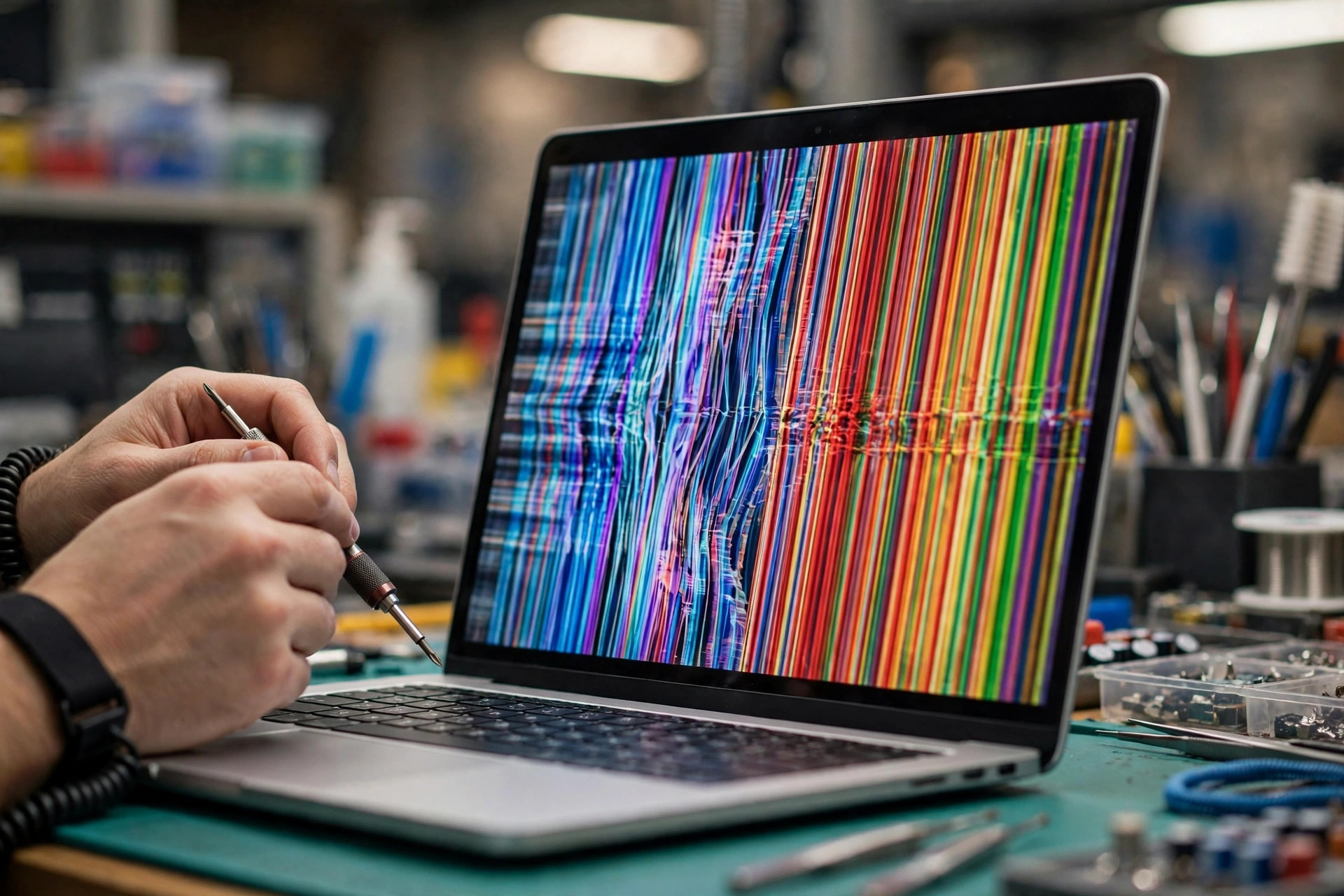
1. Scope: this article covers only the TCON layer, and the eDP cable, backlight, driver, and panel glass topics are mentioned only as boundaries
This article applies to one narrow situation: a laptop internal screen shows ghosting, image overlay, a vertical colour band, a half-picture fault, a half-black screen, a flash that returns to normal and then recurs, or a boot logo that is normal while the picture becomes garbled after entering the system, and suspicion has already narrowed to the panel timing-control chain itself. The TCON layer means the control chain that starts when the panel end receives image data from the host, continues through timing allocation, gate scanning, and source-data writing, and ends just before the pixels light up. This article explains how that chain can fail, how layer-by-layer exclusion narrows the range, how common misdiagnoses can be avoided, and what should be recorded before handover. It is not a general guide to all screen problems, and no sentence in it should be treated as a diagnosis before layer-by-layer exclusion has been done.
The neighbouring topics are mentioned in this article only as boundaries and are never rewritten here. The eDP cable layer belongs to another article, which covers the transmission chain from the mainboard display output through the hinge area to the panel-end connector, including bending fatigue, copper-foil cracking, connector oxidation and loosening, and shielding damage; this article mentions the cable layer only when listing it as a remaining candidate during separation. The backlight layer belongs to another article, and the backlight supply, control, and light-strip mechanism are mentioned here only when separating a picture that is present but unlit from a picture that is garbled while the backlight stays lit. The graphics processor and driver layer belongs to another article, and driver software, display settings, colour settings, and image processing are mentioned here only when both the external monitor and the screenshot are abnormal. The panel glass pixel layer belongs to another article, and dead pixels, pixel defects, and glass line defects are mentioned here only when comparing the COF and glass layers. No symptom can be assigned to one of these layers from its name alone; it must pass through layer-by-layer exclusion before it can be narrowed.
One more boundary applies: this article is mainly about TFT-LCD panels. The drive principle of an OLED panel is different, and the gamma, VCOM, and gate-scanning mechanisms in this article must not be applied directly to an OLED panel as fact. The image-retention mechanism of an OLED panel and the residual-voltage mechanism of a liquid-crystal panel are two different things, even when the symptom names sound similar. Readers who are unsure which panel type their machine uses should rely on a panel-model check rather than applying the mechanisms in this article from a symptom name.
A final opening reminder concerns safety and form. This article is written as explanation, not as a set of repair steps, and it is not written in dialogue form. It never teaches readers to open the machine, remove the screen, replace a TCON board, prise at a connector, unplug an internal cable, press a COF area, or heat a bonding area. Every internal operation is described only as bench logic and handover judgement. The user level is limited to four safe checks: an external-monitor comparison, a screenshot comparison, a symptom log, and a lid-angle record. If there is an unusual smell, abnormal heat, battery swelling, water entry, a cracked screen, or chassis deformation, use should be stopped and the machine handed in, rather than continuing with lid or power tests to force the fault out.
2. What a TCON is: not drawing the picture, but translating and scheduling it
TCON stands for timing controller. It does not draw the picture directly; it translates and schedules. What the host sends is a stream of digital image data, and what the panel driver chips can execute is a set of signals with a defined order, defined voltage levels, and defined switching times. The work of the TCON is to convert the former into the latter and then to direct the gate driver and the source driver so that the correct pixels light up. In other words, the TCON does not produce a picture; it is the layer that sends the picture to the correct pixels at the correct time and in the correct order.
The full display chain, from upstream to downstream, runs as follows: the mainboard graphics processor sends a signal through the eDP signal and the eDP cable to the panel-end TCON; the TCON then passes through the panel internal interface to the gate driver and the source driver; the driver signals then pass through the COF film and the bonding connection to the thin-film transistors of the glass pixel layer; the thin-film transistors switch to decide how much light the liquid crystal lets through, and the backlight provides the light source, so the picture appears. The meaning of this chain is important: a fault at any layer can appear on the screen as a garbled picture, missing colour, horizontal lines, vertical lines, flicker, or a partly missing picture. The symptom by itself cannot identify a layer; only layer-by-layer comparison can narrow the range. When the TCON layer fails, the backlight can still be lit; a lit backlight only removes the completely unlit line of diagnosis, and it does not prove that the supply is fully normal.
Laptop TCON design carries one premise to note in this section, or the whole article will mislead readers: do not assume that there is always one separately replaceable TCON board. Televisions and monitors often have an independent TCON board, but laptop panels are built thin, so the timing-control function is often integrated inside the panel assembly, or combined with a small board at one side of the panel or with a driver chip, and it is not a universal, freely interchangeable part. Manufacturer material also notes that a TCON is usually located on a circuit board below the glass panel, while another design integrates the TCON, the voltage conversion, and the gamma correction on the source board. The same words, TCON failure, can therefore point to different forms on different models: some models have a more independent control-board form, while other models have no operation that replaces one independent board alone. The repair community also notes that replacing a laptop display TCON involves desoldering the flex that connects to the panel, and damaging that flex may be unrecoverable, so the work is difficult. Replacing one TCON board is not a general solution; the correct wording is that the component structure of that panel model governs, and some models can only be handled as a panel assembly. Any statement about whether a single board can be replaced must be checked against the specification or service documentation for that panel model; without that documentation, the answer is unverified.
3. The eDP end: how the host hands one frame to the TCON
Most modern laptops use eDP, and the reason should be explained at the standard level rather than at the level of any individual model channel count or speed. The VESA Embedded DisplayPort standard, abbreviated eDP, was designed for built-in panels in laptops, tablets, and similar devices, and it comes from the DisplayPort signal system of the host graphics processor. eDP is replacing the older LVDS standard as the common standard connecting a graphics controller to a built-in panel in mobile computers, partly because it uses fewer pins; but older LVDS panels still exist, and not every laptop uses eDP. Manufacturer eDP timing-controller product material states that an eDP TCON contains an eDP receiver, receives the host eDP main-link data, and converts it into a panel-side source-driver interface, for example a Chip-on-Glass interface; earlier product material also states that it accepts image input from the processor or graphics processor and converts it into row and column image data for the panel. The eDP interface itself also includes a main link, an auxiliary channel, and a hot-plug detection signal, among other parts, and a backlight control signal can be carried through eDP, but the backlight itself remains another hardware layer and must not be confused with the backlight control signal.
How the TCON decodes an eDP packet and turns it into row and column timing can be broken into four conceptual steps, with the specific signal names governed by the panel specification. The first step is reception and deserialisation: the eDP receiver end of the TCON receives an already serialised image stream and recovers pixel data, synchronisation information, and control information. The second step is rearrangement and allocation: the TCON allocates one frame of image data to the corresponding source-driver channels and gate-scanning order according to the panel resolution, scanning direction, and driver-chip zones. The third step is timing generation: the TCON generates gate-scanning timing and source-data latch timing so that opening one row and writing one row happen in synchrony. The fourth step is driver execution: the gate driver switches row by row, the source driver writes grey-level data voltages row by row, and each pixel capacitor charges and then holds its voltage until the next frame refresh.
The usual drive method of a TFT-LCD panel is line-by-line scanning, and that concept deserves a full paragraph because every later symptom correspondence rests on it. A gate line switches on the thin-film transistor switches of one row, and the source lines at the same time feed grey-level data voltages that charge the pixel capacitors of that row; once the row has been scanned, its thin-film transistor switches close, and the pixel voltage is held until the next frame refresh. The row-time concept can be illustrated with a teaching example that shows the order of magnitude: in a 1024 by 768 display at 60 hertz, each frame takes about 16.67 milliseconds, spread over 768 rows, so each row gate opening time is about 21.7 microseconds. That is only a teaching example, not a universal value for any laptop panel; a high-resolution or high-refresh-rate panel has a shorter row time and a higher demand for timing precision, but the specific figure must be checked in the panel specification. The shorter the row time, the more visible the consequence of a small timing error; that is why a marginal timing or supply problem can stay hidden under a low setting and only appear under a high setting.
One segmented concept from the newer eDP standard versions is also worth mentioning, with a reservation attached. Newer eDP versions support a segmented panel architecture in which each segment can have its own timing controller combined with an integrated source driver. That point is suggestive for the half-picture mechanism: failure of one segment can appear as a half-picture fault. But it must never be reversed into a claim that every laptop panel uses a segmented architecture; the panel specification governs. The eDP standard itself also includes a link-training mechanism that adjusts the sender characteristics to compensate for signal-path loss; when the mode changes, the link is renegotiated, and a marginal link is liable to fail at that point. That mechanism helps to explain a boot logo that is normal while the picture becomes garbled after entering the system, and it is discussed again in the symptom section.
4. Gate driver and source driver: do not swap their jobs
The division of labour between the gate driver and the source driver is the section most easily written wrongly, and also the most worth writing clearly, because many misdiagnoses come from swapping them. The gate driver handles row selection: it sends a switch-on voltage and a switch-off voltage to the gate of the thin-film transistor of each row, switching row by row. The source driver handles column data: it receives digital data from the TCON, converts it into the analogue voltage for the corresponding grey level, and writes it through the data lines into the pixels of that row. In short, the gate decides which row is opened, and the source decides how bright each pixel of that row is written. The two must stay in synchrony: if the gate opens the wrong row, or if the source writes at the wrong time, the picture becomes garbled; but the garbled forms differ, and the symptom section returns to that difference.
One common modern variant is GOA, or Gate Driver on Array, which integrates the gate driver units on the array substrate and thereby removes part of the independent gate driver chip. In other words, do not assume that every panel has one independent, visible gate driver chip; on some panels the gate driver has already been built into the glass substrate. That variant matters for repair judgement: if the gate driver is already integrated into the glass substrate, a gate-side fault cannot be understood as replacing one chip, and the layer judgement must follow the panel structure. Related terms must be kept distinct and must not be mixed in writing: Chip-on-Glass means a chip mounted directly on the glass substrate; Film-on-Glass means a flexible film joined to the glass; Chip-on-Film means a chip mounted on a flexible film, which is then joined through the flexible film to the glass or to the board; and Gate Driver on Array means a gate driver integrated on the array substrate. Four terms point to four different structures, and mixing them makes the whole layer judgement inaccurate.
Source-driver chip specifications also show the typical division of labour: data sent by the TCON passes through a receiver, is demultiplexed, and is then output in channel order, with a set of reference voltages used for gamma correction. That sentence carries three points. First, the source driver is not a passive wire; it performs three actions, reception, demultiplexing, and ordered output, and a timing error in any one of them can displace the data of a whole group of columns. Second, the analogue voltage output by the source is based on reference voltages; if the reference is unstable, the output follows it unstably, and that is the entry point through which the supply layer and the gamma layer reach picture grey levels. Third, the channel order itself is a zoning concept: which group of channels corresponds to which group of columns, and which group of columns fails, points to which group of channels or its upstream zone; but pointing is not diagnosing, as the symptom section explains.
5. Gamma reference voltages and VCOM: how the TCON decides how bright and how accurate
Gamma reference voltages and VCOM are the two most abstract concepts inside the TCON layer, and also the most easily written as mysterious figures, so they must be explained through mechanism while keeping the rule against writing universal standard values. A gamma voltage is a set of graded reference voltages, commonly written as GMA or GM1 to GM14, although the actual count varies by chip, and it maps digital grey-level values into analogue pixel voltages, controlling the grey curve from white to black. Picture a slope from brightest to darkest: a digital grey value is only a mark on that slope, while the gamma reference voltages decide how many volts each mark actually corresponds to, which is to say how bright it is. If that whole set of reference voltages shifts, the grey curve of the whole picture shifts with it, and the display can show colour shift, contrast abnormality, or grey-level confusion; if only one level of reference voltage is abnormal, the effect can be limited to one grey stage, showing as a particular depth looking especially wrong. All of these are possible displays at the mechanism level, not one-to-one diagnoses; and no particular gamma voltage value is a standard value, because values differ greatly between panels and chips and must be governed by the panel specification.
VCOM is the common-electrode voltage. Liquid crystal needs alternating-current drive and cannot be biased in one direction for a long time; VCOM is the reference voltage of the common electrode, and ideally it should sit in the middle of the positive and negative grey voltages, so that positive and negative polarity drive are symmetric and flicker and residual voltage are reduced. Teaching material states that the purpose of VCOM adjustment is to remove the asymmetry between the positive and negative voltages of grey-level liquid crystal, thereby removing flicker; if that difference cannot be removed, image sticking may be one cause. Panel and driver-chip specifications also show that VCOM is one of the adjustable parameters, and that together with the gamma reference voltages it affects the output voltage distribution. Image-sticking research states that adjusting VCOM to match the gamma voltages helps to reduce image sticking caused by residual liquid-crystal voltage; the best VCOM can be verified by a flicker measurement method, with a smaller flicker value being better. Two red lines apply here: first, no particular VCOM value is a standard value; second, a wrong VCOM is not the only cause of all flicker or image sticking, because the backlight, supply ripple, driver settings, and panel ageing itself can all show similar displays.
The relationship between gamma and VCOM deserves a paragraph of its own, because the two often appear together but their jobs differ. Gamma decides how much voltage each grey value corresponds to, while VCOM decides where the centre point of positive and negative drive sits. If the centre point is off, the whole grey curve becomes asymmetric; if the grey curve is off, even an accurate centre point cannot rescue the grey distribution of the whole picture. Only when the two work together can grey levels and colours be accurate; if either one becomes abnormal as a group, the whole picture can become systematically abnormal, which is why whole-picture colour shift, flicker, and grey error lean toward the TCON, supply, gamma, and VCOM layers, while a fault limited to one zone leans toward the source, COF, or glass layer of that zone. Leaning is not diagnosing, and that sentence must recur through this article, because a whole-picture fault can equally come from an upstream driver setting or a host output, and it must pass through the external-monitor and screenshot comparisons before it can be narrowed.
6. The supply layer: a group of voltage rails, not one single voltage
The biggest misunderstanding about TCON supply is that panel supply is one voltage, and that having power means being normal. In reality, the voltage rails commonly found in a TFT-LCD module form a group, and although their names vary slightly by maker, their concepts are as follows. VCC, VCI, and VDDIO are the digital core and interface logic supply, generally at the 2.5 to 3.3 volt level, with some designs supporting 1.8 volts. AVDD is the analogue supply and also the upper reference for the pixel voltage range. VGH is the gate switch-on voltage, a positive voltage; teaching and maker guides give a common example range of about positive 12 to positive 25 volts, with relatively small current demand, while other teaching material gives a wider example range, which itself shows how greatly panels differ. VGL, also called VEE or GVEE, is the gate switch-off voltage, generally a negative voltage, commonly about negative 5 to negative 15 volts, typically about negative 6 to negative 10 volts. VCOM is the common-electrode reference voltage that decides the centre point of liquid-crystal alternating-current drive. Gamma reference voltages are a set of graded voltages produced by dividing AVDD or by a dedicated gamma buffer chip. All of the above are range examples, not diagnostic standards; when measuring, only the nominal values in that panel specification can be used for comparison, and the values of another board must never be used to judge this board.
How one input becomes a group of high and low voltages works as follows: a dedicated panel power-management chip can convert a single 3.3 to 5 volt input into the group of voltage rails above, for the panel and the driver chips. The direct-current converters and reference-voltage parts on a TCON board generally fall into three functional groups: producing VGH and VGL for thin-film transistor switching, generally by a charge-pump method; producing the reference voltages for gamma; and producing VCOM. Driver-chip specifications also show that the chip interior contains functional blocks including a step-up output, negative-voltage generation, gamma voltage generation, and VCOM generation, with the ranges of VGH, VGL, gamma, and VCOM all derived from AVDD, AVEE, and similar rails. In other words, the group of voltage rails is not independent of one another; they are derived from the same input and the same conversion logic, so a fault at the input or conversion stage can drag several rails down at once, and the display can show grey, contrast, and scanning faults together. That is also why a supply-layer fault can look like a timing-layer fault, because in the end both give the driver chips the wrong voltages or the wrong timing.
Power sequencing error is the concept inside the supply layer most worth a section of its own, because it breaks the intuition that having power means being normal. Driver-chip specifications warn explicitly that this kind of high-voltage liquid-crystal driver chip can be damaged by a large current if the wrong power sequence is used; the suggested sequence concept is digital supply first, then logic signals, then analogue supply, then gamma correction reference voltages, with the reverse order at switch-off. In other words, a TCON supply-layer failure is not necessarily a lack of power; it can be power present but in the wrong order, with the wrong rise time or the wrong hold time, so that the driver chip locks up, shows no picture, or shows an intermittently garbled picture. An eDP panel itself also has power-sequencing requirements between panel power-up, signal validity, and backlight switch-on, but the specific sequencing parameters vary by panel, and this article gives no universal millisecond figures; any universal sequencing figure without a check against that panel specification cannot support a judgement. Measuring supply and measuring sequencing are two different judgements at the bench: measuring supply checks whether each rail exists and is stable, while measuring sequencing checks whether the order in which the rails appear is correct. The user level cannot distinguish the two, and this article does not teach readers to measure high-voltage rails themselves; high-voltage rails carry a risk of electric shock and panel damage, and they are left to bench judgement.
| Voltage rail | Conceptual job | Mechanism display it leans toward when abnormal |
|---|---|---|
| VCC, VCI, VDDIO | Digital core and interface logic supply | Unstable timing logic, intermittent decoding failure, a control chain that works on and off |
| AVDD | Analogue supply, upper reference of the pixel voltage range | Grey levels shifted as a group, contrast abnormality, uneven brightness distribution |
| VGH | Gate switch-on voltage, positive voltage | Pixel charging insufficient, picture darker, slow response, a dragging feel |
| VGL | Gate switch-off voltage, negative voltage | Thin-film transistor not switching off firmly, pixel voltage not held, crosstalk, a ghosting feel |
| Gamma reference voltages | Graded references for the grey curve | Grey-level confusion, colour shift, particular grey stages looking especially abnormal |
| VCOM | Common-electrode reference, centre point of alternating-current drive | Positive and negative drive asymmetric, flicker, heavier image sticking |
7. Supply ripple and capacitor ageing: how a picture gains ghosting, bands, and flicker
Supply ripple and capacitor ageing form the section most easily written as a certain cause, so the mechanism chain must be given step by step, with the word possible kept at every step. The first step is that filter-capacitor ageing raises equivalent series resistance: the electrolyte of an aluminium electrolytic capacitor evaporates over time and changes its electrical character; capacitor life is greatly related to working temperature, and for a typical rating, life roughly doubles for every 10 degrees Celsius fall in temperature. The second step is that higher equivalent series resistance raises ripple voltage: ripple current flowing through equivalent series resistance produces an alternating ripple voltage added on top of the direct voltage; the larger the resistance, the larger the ripple amplitude, and the less clean the supply output. The third step is that ripple entering AVDD, gamma, and VCOM makes grey voltages unstable: the pixel voltage output by the source driver is based on the gamma reference voltages and AVDD, so if the reference itself carries ripple, the pixel voltage moves with it, and the display can show flicker, bands, or uneven grey levels. That is a mechanism inference, not a claim that every flicker comes from ripple. The fourth step is that VCOM ripple or offset aggravates flicker and image sticking: when VCOM moves from its best point, positive and negative polarity drive become asymmetric, the flicker value rises, and residual-voltage image sticking can also become more visible. The fifth step is that unstable VGH or VGL causes insufficient charging or incomplete switch-off: insufficient VGH leaves pixel charging short, so the picture can be darker, slower to respond, or dragging; VGL that is not negative enough leaves the thin-film transistor incompletely switched off, so pixel voltage is not held, and the picture can show crosstalk or a ghosting feel. All of these are possible displays at the mechanism level, not one-to-one diagnoses.
Three points matter when discussing ripple and capacitor ageing. First, the mechanism is as described, but this particular machine is not certainly suffering capacitor ageing; ripple can come from several stages, and capacitor ageing is only one chain. Second, capacitor appearance, such as swelling or leakage, is only one kind of clue, and not every aged capacitor swells; absence of visible abnormality does not prove a capacitor healthy, but this article does not teach readers to measure high-voltage rails or to judge capacitor condition themselves. Third, ripple varies with load and temperature, so ripple-related symptoms are often intermittent: when load is high and temperature is high, ripple amplitude is large and the symptom appears; when load is low and temperature is low, ripple amplitude is small and the symptom hides. That varying character explains exactly why a flash-and-recover pattern can be one possible supply-layer mechanism, but it can equally be an intermittent mechanism of other layers, and it must be separated by a symptom log and bench measurement rather than by the word intermittent alone.
The relationship between temperature and capacitor life should also be stated in this section, because the next section on heat failure uses it again. For every 10 degrees Celsius rise in temperature, life roughly halves; for every 10 degrees Celsius fall, life roughly doubles. That relationship describes long-term ageing speed, not instant burning; long-term high temperature does not burn a part at once, but it accelerates ageing and brings a ripple problem forward in time. That distinction matters, because readers often confuse ageing with burning: ageing is gradual, grouped, and accelerated by temperature, while burning is sudden, local, and usually accompanied by other abnormalities. The two have different symptom timelines: ageing-related symptoms mostly start intermittent and slight and gradually become frequent, while sudden damage mostly appears at once after one event and then persists. The timeline itself is a handover clue and belongs in the symptom log.
8. COF bonding and the panel glass layer: separating the TCON board itself from the COF and glass layers
COF stands for Chip-on-Film or Chip-on-Flex, which means mounting a driver chip directly on a flexible film, generally a polyimide film; one end of the film joins the panel circuit board, and the other end joins the display glass. Inside a liquid-crystal module, the COF often carries the source driver chip; it is the intermediary between the TCON or panel circuit board and the glass pixel array, responsible for carrying data, gamma voltages, and supply to the transparent-electrode traces on the glass. That position gives the COF layer its special character: it sits after the TCON output and before the glass pixels, so its symptoms can look very much like TCON failure, while its cause and its repairability are completely different. A fault in the TCON board itself leans toward the whole picture or the whole grey and colour system becoming abnormal together; a fault in the COF layer leans toward being limited to one group of vertical columns, one band, or one zone. Leaning is not diagnosing, and that sentence must be repeated in this section.
ACF stands for Anisotropic Conductive Film. It is made of conductive particles dispersed in a thermosetting resin; after hot-press bonding, it conducts in the pressed direction, which is the vertical direction, and stays insulating in the direction perpendicular to pressing, which is the horizontal direction. That property of conducting in only one direction is what the word anisotropic means. The advantages of ACF bonding include a small bonding area, thinness, flatness, a very narrow pitch, and the ability to bond many electrodes at once; the general hot-press temperature and time depend on the ACF type and process, and those are general material or process ranges, not service parameters for any particular laptop panel. The process order concept is cleaning the substrate surface, applying the ACF, aligning, and then hot-pressing to fix and conduct. Repair training material on ACF bonding also stresses that the ACF type used on the glass side and the type used on the circuit-board side can differ, and choosing the wrong type does not work; ACF must be stored at low temperature and must not be used past expiry. The meaning of those process details for readers is not to invite readers to do the work, but to make clear why COF bonding is not a user-level replaceable part: alignment precision, hot-press conditions, and material type all matter, and an error in any one of them can make the bond fail or even damage the glass.
How bonding ageing, pressure, and heat cause vertical bands, half-picture faults, and intermittent recurrence can be broken into four steps. First, contact resistance rises or a local open circuit forms: if the contact between ACF conductive particles and electrodes loosens because of insufficient hot pressing, contamination, uneven pressure, or thermal expansion and contraction, individual channels develop high resistance or even an open circuit. Second, a source-side fault appears in the vertical direction: the source driver handles columns, and one group of source channels corresponds to one group of vertical pixel columns; if one group of COF channels fails, the corresponding columns lose their correct data voltages, and the display shows vertical bright lines, dark lines, colour bands, or one vertical band zone. Repair training material also lists vertical lines, horizontal lines, multiple lines, and vertical bands as common panel fault forms, and locates them by which COF has failed. Third, the stress mechanism of COF lead breakage: academic research states that COF lead-breakage failure relates to several factors, including stress concentration from the mismatch of thermal-expansion coefficients between the circuit board and the driver chip, and further stress rise from COF bending during module assembly; surface treatment, film thickness, lead width, and the ACF overlap range all affect it. The object of that research is the liquid-crystal module process and use, and it does not mean a particular laptop brand certainly has that problem. Fourth, intermittency: poor contact is often not fully broken but connects and disconnects; temperature change makes materials expand or contract, and slight pressure moves the contact point, so the symptom can come and go and can change when the frame is pressed or the lid angle changes. That is the general mechanism of poor contact, and the trigger conditions for any particular machine must be measured in practice rather than written from imagination.
A gate-side fault shows in a different direction and deserves a paragraph of its own. If a gate-drive signal is carried through the COF and the glass-edge transparent-electrode traces, an error at any link can disturb the scanning timing, and the display can show slow response, dragging, flicker, distortion, or confusion. That description comes from a television-panel repair context, and in laptop writing it must be noted as a mechanism concept rather than applied word for word. The point is direction: a source-side fault leans vertical, while a gate-side fault leans toward the scanning direction; but leaning is not diagnosing, because scanning-timing confusion can equally come from the TCON itself, from supply sequencing, or from the eDP link. When readers record symptoms, they should write clearly whether the fault direction is vertical, horizontal, whole-picture, or local, because that direction information is valuable for bench separation, but readers should not conclude a layer directly from direction.
Separating the three layers, the TCON board itself, the COF, and the glass, can use the following comparison framework, in which everything is a tendency rather than a diagnosis.
| Observation | Leans toward the TCON and supply layers | Leans toward the COF and glass layers |
|---|---|---|
| Extent | The whole picture, or the whole grey or colour system, abnormal together | Limited to one group of vertical columns, one band, or one zone |
| Symmetry | Whole-picture flicker, colour shift, or grey confusion | Left and right or zones asymmetric, with one half normal and the other half abnormal |
| Change with temperature or pressing | Fault appears only when warm and is normal when cold, as in the heat-failure section | Change when the frame is pressed or the angle changes, a poor-contact tendency |
| External monitor | A normal external monitor only proves that the host graphics output is broadly normal; it cannot exclude the TCON or panel chain | The same applies; a normal external monitor equally cannot exclude the COF or glass layers |
| Cable or board replacement test | Replacing the eDP cable gives no improvement and replacing the panel assembly improves the picture, but the TCON and the COF still need separating because they sit inside the same assembly | The same applies; a COF problem usually follows the panel and does not disappear because the mainboard was replaced |
9. Heat failure: normal when cold and faulty when warm is not one part name
Need a laptop repair expert?
Free diagnosis · Transparent pricing · No fix, no fee · 180-day warranty
Normal when cold and faulty when warm is not one part name, but a collective name for a group of temperature-related mechanisms, and it must be broken apart or readers will treat it as one directly replaceable fault point. First, semiconductor parameters drift with temperature: the characteristics of driver chips and power chips change with temperature, and if a voltage rail is already in a marginal state, for example because capacitor equivalent series resistance has already risen or the supply margin is already short, warming can push it past the critical point and make timing or voltage inaccurate. Second, capacitor life and temperature: the life of an aluminium electrolytic capacitor is extremely sensitive to temperature, and for every 10 degrees Celsius rise, life roughly halves; long-term high temperature does not burn a part at once, but it accelerates ageing and brings a ripple problem forward in time. Third, contact resistance changes with temperature: the resistance of ACF and COF contact points, solder joints, and connector contact points is all affected by thermal expansion and contraction; a point that was barely contacting can become looser or tighter after expansion, so the symptom comes and goes. Fourth, liquid-crystal and pixel-holding characteristics: pixel voltage must be held until the next frame, and if the gate switch-off character or leakage current changes with temperature, pixel-holding ability is affected, and the display can show falling contrast or a stronger dragging feel. That point is a general thin-film transistor mechanism inference, and its specific temperature coefficients vary by panel and is unverified unless checked against the panel specification.
Poor heat dissipation affects the TCON only indirectly, and poor heat dissipation does not certainly burn the TCON. The TCON and panel supply parts themselves consume power and generate heat; if the laptop heat-dissipation path is blocked, for example because the air outlet is covered or the machine stays under high load and high temperature for a long time, the temperature near the panel assembly also rises and accelerates the four mechanisms above. Note the causal direction: poor heat dissipation does not burn the TCON directly, but it raises the working temperature, accelerates ageing, and raises the chance of a marginal failure. That indirect relationship matters, because readers easily take poor heat dissipation as an immediate cause and then assume that improving heat dissipation equals fixing the TCON; in reality, improving heat dissipation only lowers the condition that accelerates ageing, and an already aged capacitor or an already marginal contact point does not automatically return to its original state because heat dissipation improved.
Lid opening and closing and placement posture are also only indirect influences, not direct causes. For placement posture, if the placement covers the heat outlet or inlet, it indirectly raises the temperature inside the machine; that is a general point about the heat-dissipation path, not a TCON-specific mechanism. For lid opening and closing, opening and closing mainly involves bending and pulling of the hinge and the eDP cable, which belongs to the eDP cable topic, and it does not directly bend the TCON board; if the picture changes while opening or closing, the more reasonable explanation direction is that the cable, the connector, or the panel-edge contact is affected, rather than that opening and closing damaged the TCON chip. If this article mentions opening and closing, that distinction must be kept, and an eDP cable problem is not a TCON problem. For long-term posture or pressure, long-term pressure on the panel frame could in theory affect stress in the COF bonding area, but which posture and how much pressure would cause failure has no data verified in this article, and it must be listed as unverified rather than quantified in this article. Direct causation between opening and closing counts, placement posture, and TCON damage, or a lifetime in years, is entirely unverified.
10. The Hong Kong context: humidity only as a mechanism, and figures only in the Observatory verified version
Figures in the Hong Kong context are used under the following rules, and only then the mechanism, or the figures will easily be misread as evidence about an individual machine. The only humidity figures used in this batch are given together with their version and their limits: the Hong Kong Observatory climatological normals for 1991 to 2020 give an annual mean temperature of 23.5 degrees Celsius and an annual mean relative humidity of 78 percent, published on 4 February 2021 and compiled from measurements at the Observatory headquarters and other principal meteorological stations. The limits are threefold and none may be omitted: first, those figures are an outdoor climate background, not indoor humidity, not humidity inside the machine, and not the dampness level of any individual machine; second, those figures are a thirty-year average, not the humidity on any one day, in any one month, or inside any one machine; third, no failure rate, no conclusion that a particular fault was caused by humidity, and no quantified effect of humidity on TCON lifetime may be derived from that average, and all of the above are unverified. The handling of older batch figures must also be stated: this batch does not carry over any older batch humidity figures, and an older batch figure is only used after being checked again against the Observatory source with its version noted; figures from different statistical periods must not be mixed.
The humidity mechanism is only an indirect role, never as a direct cause. The mechanism wording is as follows: in a humid environment, if moisture condenses near a contact or bonding interface, or if the area stays humid for a long time, the chance of contact-resistance change, oxidation, and leakage can in theory rise, and thereby make an already marginal timing or supply condition less stable. That is an indirect role: humidity can make a marginal problem easier to expose, but it does not mean that humidity directly burns the TCON, and no individual machine fault cause can be inferred from humidity. Indoor and outdoor humidity differ: air conditioning, dehumidifying, ventilation, and the heat generated by the machine itself all change the actual humidity inside and near the machine, and outdoor climate figures cannot be used directly as machine-internal humidity. The condensation mechanism under alternating hot and cold conditions is only a possible situation, never as a confirmed cause for that machine; whether there was water entry or long-term storage in a humid environment must rest on the actual use history of the user and on bench inspection, and this article does not speculate about the damp history of any individual machine. Any quantified relationship between Hong Kong humidity and ACF failure, such as claiming that the humidity figure means bonding fails easily, or that a humid season loosens bonding, is unverified.
Commuting vibration and placement are described only as mechanisms, with no statistics. The mechanism is as follows: vibration during daily commuting, pressure inside a backpack, and accumulated opening and closing all repeatedly stress the hinge and the cable, and at the same time repeatedly change the mechanical stress between the panel module and the chassis. In principle, those stresses can affect connector contact and bonding-interface stability, but they play the same indirect role: vibration can make a marginal problem easier to expose, and it cannot be directly asserted as the cause of TCON failure. For placement, keeping a heavy object on the screen for a long time, closing the lid with an object caught inside, or lifting the machine by one corner of the screen all change the force distribution on the panel; avoiding such placement habits is only a general care suggestion, and it does not mean a particular user fault was caused that way. What is unverified includes any relationship between commuting frequency and TCON failure rate, any quantified relationship between vibration counts and lifetime, and any regional statistic of the kind that Hong Kong users are especially prone to failure. To understand the price range first, see pricing; to understand the handover process, see diagnostic service.
11. Symptoms and mechanism correspondence: one symptom, several layers, never a one-to-one diagnosis
Reading note: in the table below, the most likely TCON-layer mechanism in each cell is a tendency at the mechanism level, not a diagnosis. One symptom can come from several layers, and this article must at the same time state why it is not necessarily the TCON, or readers will be misled into thinking that seeing a symptom equals TCON failure.
| Symptom | Most likely TCON-layer mechanism | Why it is not necessarily the TCON |
|---|---|---|
| Ghosting and image overlay, with the previous picture lingering and dragging into the next frame | VCOM drifting from its best point makes positive and negative polarity drive asymmetric, so residual liquid-crystal voltage is not fully cancelled and image sticking appears; or TCON frame processing or overdrive timing goes wrong, so previous-frame data is not fully replaced by the new frame. Overdrive itself is a TCON function that compares the current frame with the previous frame, through an internal frame buffer, and then applies a higher voltage to speed up liquid-crystal switching, and a timing error can instead aggravate the dragging feel; the specific implementation varies by TCON chip | The image-sticking character of the liquid-crystal panel itself, long display of a still picture, backlight or brightness settings, and graphics-driver or window-composition problems can all give a similar ghosting feel; the OLED image-retention mechanism is completely different and must not be mixed in |
| Vertical colour band, one band or one group of vertical bands, bright bands or dark bands | Source-driver zone failure: one group of COF channels with poor contact or an open circuit makes the data voltages of the corresponding columns wrong or missing; or the data or gamma reference voltage sent by the TCON to that zone becomes abnormal, so the grey and colour of that zone shift systematically | Damage to an eDP signal channel, a broken transparent-electrode trace on the panel glass, or failure of the source driver chip itself can all produce a vertical band; a vertical band is not at once a faulty TCON board |
| Half-picture fault or half-black screen, with the left or right half normal and the other half abnormal or fully black | Under a segmented panel architecture, failure of the source driver, supply, or TCON panel-side interface of one side or one segment; in a segmented panel architecture, each segment can have its own timing control combined with an integrated source driver, so failure of one segment can appear as a half-picture fault | Local eDP cable damage, a host output problem, a backlight-zone problem, or damage to a glass zone of the panel can all produce a half-picture fault; a half-black screen must also first exclude backlight and supply problems rather than being assigned directly to the TCON |
| A flash that returns to normal and then recurs, flashing once, then normal, then flashing or failing again after a while | An intermittently unstable supply rail: capacitor equivalent series resistance rising makes ripple vary with load and temperature; or an intermittent TCON supply-sequencing or reset failure makes the TCON briefly normal after reinitialisation; or an ACF or connector contact point that connects and disconnects | An intermittent backlight drive, a loose eDP connector, a graphics-driver crash followed by recovery, or a system sleep and wake sequencing problem can all appear as a flash followed by normal display; intermittency by itself points to no single part |
| Boot logo normal but picture garbled after entering the system, with the logo stage normal and a garbled, confused, or flickering picture after entering the operating system | This is the symptom with the greatest distinguishing value: the logo stage generally uses a lower resolution and a simpler display mode, and the panel basic supply, scanning, and backlight are thereby broadly proven to work; after entering the system, the display switches to a high resolution, high refresh rate, and high colour-depth mode, which raises the demands on eDP link speed, TCON timing, and supply load, so a marginal TCON, supply, or signal chain only shows its fault there. The eDP standard itself includes a link-training mechanism that adjusts sender characteristics to compensate for signal-path loss, and when the mode changes the link is renegotiated, so a marginal link easily fails at that point | The most common non-TCON causes include a graphics-driver software problem, a system display setting beyond the panel supported range, insufficient eDP cable signal integrity under a high-speed mode, and an external-display setting conflict. This symptom instead prompts checking the driver and settings first and then the panel chain, rather than concluding TCON failure at once |
12. Layer-by-layer exclusion framework: exclusion is not diagnosis, and narrowing is the correct logic
The first principle of layer-by-layer diagnosis is that exclusion is not diagnosis. The correct logic of layer-by-layer diagnosis is narrowing, not identification. Each user-level test can only do one of the following: exclude one layer as the main cause, for example a normal external monitor makes a purely rendering layer more likely to be excluded; point to one side as more likely, for example an internal-screen-only fault makes the panel side more likely; or keep several candidate layers and wait for bench cross-checking. Any wording that performs only one test and then writes a confirmed TCON failure is a logical error. In the judgement flow, other possibilities remain.
Seven comparison tests and their logical limits are given one by one. Test A is the external-monitor comparison, a user-level safe operation: show the same picture on an external monitor and compare the internal and external screens. What it can exclude is that if the external monitor is fully normal, the pure image-rendering result itself is more likely to be normal, and the fault is more likely on the internal screen path, meaning the eDP path, the cable, the TCON, the COF, the glass, or the panel supply. What it cannot prove has three points: it cannot prove the TCON, because the external monitor uses another output path and another set of port settings, and the host internal eDP output itself, the cable, the TCON, the COF, and the glass all remain on the candidate list; it cannot prove the graphics processor fully normal, because a normal external monitor only proves rendering and output usable under that external setting, not under every output path, resolution, and refresh rate; and if the external monitor is also abnormal, it cannot directly assert graphics hardware failure, because the driver, settings, application, external cable, and external monitor itself still need excluding. The record points are whether the external monitor is normal, whether the internal and external screens show the same picture, and whether they use the same resolution and refresh-rate settings; if the settings differ, the comparison loses strength.
Test B is the screenshot comparison, a user-level safe operation: a screenshot captures the system rendering result, not a photograph of the physical screen, and the two must be recorded separately. If the screenshot looks normal on another device while the physical internal screen is garbled, the fault is more likely after rendering, on the output or panel side; if the screenshot itself looks garbled on another device, the fault is more likely before or inside rendering. The logical limits have three points: a normal screenshot does not equal a TCON diagnosis, because a screenshot only proves the rendering result normal, and every layer after it remains unseparated; an abnormal screenshot does not equal a graphics hardware diagnosis; and a screenshot plus a phone photograph of the physical screen, as a pair, is needed for comparison value, because either one alone cannot separate the rendering layer from the panel layer.
Test C compares the boot-logo stage with behaviour after entering the system, observing only the normal boot process without changing settings. The boot-logo stage generally appears before the operating-system display driver fully takes over, while after entering the system the display is more affected by the driver, resolution, refresh rate, colour settings, and power-management settings. If the boot logo is already garbled, the external monitor is normal, and the screenshot is normal, panel-side suspicion rises, but the TCON, cable, COF, glass, and panel supply are still unseparated. If the boot logo is normal and the picture only becomes garbled after entering the system, driver-layer and setting-layer suspicion rises, while TCON suspicion falls but does not reach zero, for two reasons: after entering the system, resolution and refresh rate generally switch to the panel native setting, and a marginal timing or link problem may only be exposed under the native setting; and some panel power-saving, self-refresh, and compression settings are only enabled at the system level and may not be enabled during boot. The logical limit is that a normal boot logo can only be described as no fault seen under a low setting, and it does not mean the TCON is excluded; an already garbled boot logo can only be described as higher panel-side suspicion, and it is not a confirmed TCON diagnosis. The safety boundary is that the user checklist does not ask users to enter firmware settings or change any firmware setting; this test only records whether the boot-logo picture visible to the naked eye during normal boot is already garbled.
Test D is the lid-angle record, a user-level safe operation: it only records the relationship between symptoms and lid angle, without pressing, without twisting tests, and without opening the machine. If symptoms clearly change with lid angle, suspicion of the cable and hinge-area connection layers rises, while suspicion of the TCON itself falls relatively, but it cannot be fully excluded, because angle change alters cable force, connector force, and panel force at the same time, so logically several layers still vary together. If symptoms have no relationship with lid angle, cable-layer suspicion falls, but it does not mean the cable is excluded; a fully broken cable, oxidised poor contact, or supply problem can appear stably at any angle. The record points are the approximate lid state when the symptom appears, for example nearly closed, at a middle angle, or fully open, whether the symptom appears at the same angle every time, and whether the symptom changes immediately after opening or closing; only observed phenomena are recorded, and repeated opening and closing to force the fault out must not be done.
Test E is the backlight-state judgement, working in division with the backlight topic. If the backlight stays lit but the picture is garbled, the completely unlit diagnosis line is first excluded, and attention moves to the data and timing layers, meaning the eDP path, the cable, the TCON, the COF, and the glass; but a lit backlight does not mean the panel supply is fully normal, because other voltage rails needed by the TCON and the driver can still be abnormal, and that point belongs to bench measurement, which the user level cannot distinguish, so a lit backlight does not mean the supply is normal. If the picture is dark, dim, or partly dim, it is not directly backlight failure; brightness settings, power mode, backlight drive, panel supply, and TCON supply are all candidates, and the backlight topic layering must be followed. The logical limit is that the backlight layer and the TCON layer work in parallel, not as mutually exclusive diagnoses; whether the backlight is normal can only remove one line, and it cannot diagnose the other line.
Test F is the driver and setting-layer comparison, a safe setting check at the user level that is not the same as a repair: reinstalling the driver, returning to the native resolution and refresh rate, and switching off suspicious colour and power-saving settings, then observing whether the symptom changes with the settings. If the symptom disappears after reinstalling the driver, the symptom only temporarily disappeared after reinstallation, and the driver is not confirmed as the cause, because reinstallation also resets resolution, refresh rate, and power settings, and any one of those resets can temporarily hide a marginal panel-side problem. If the symptom is completely unchanged after reinstalling the driver, driver-layer suspicion falls, but it does not mean the driver is excluded; driver version, firmware version, operating-system settings, and application settings can still coexist, and the TCON layer and the driver layer can have problems at the same time. If the symptom appears only in a particular application, a particular video, or a particular colour mode, application and setting-layer suspicion rises, and that particular condition should be recorded first rather than blaming hardware directly. The nature of a driver test is to change an upstream condition and see whether the downstream follows; if the downstream does not change, it may be a downstream hardware problem, or it may be that the upstream change did not touch the true upstream cause.
Test G is the bench cross-check logic, not a user operation, and only the judgement logic is written. Cross-checking with a known-good panel assembly works as follows: if the symptom disappears after fitting a known-good panel, the fault is more likely inside the original panel assembly; if the symptom remains, the fault is more likely on the host side, meaning the eDP output, the mainboard display path, or the supply; even that step cannot separate the TCON, the COF, and the glass inside the assembly. Cross-checking with a known-good cable can separate the cable layer from the panel assembly layer, but equally cannot separate the TCON from the COF and glass inside the assembly. Measuring the panel supply and timing-related voltage rails can separate the supply layer from the timing-logic layer, but the specific measurement points, values, and judgement standards vary by panel model, and this article writes no universal values; anyone who has not checked the service documentation for that panel must write unverified. For TCON firmware and panel parameter comparison, when a TCON or a panel is replaced, the timing parameters must match the glass panel; a mismatch can display as a picture fault very similar to a failure, so a still-garbled picture after replacement does not mean that the original TCON had no problem, and it may instead be a parameter problem.
The judgement flow is as follows. Step one records the symptom itself: whether the picture is garbled over the whole frame, garbled locally, showing horizontal lines, vertical lines, missing colour, or flicker, or appearing on and off; when it started; whether it appears at every boot; and whether it persists or is intermittent. Step two performs the external-monitor comparison and the screenshot comparison together, with neither omitted: an abnormal external monitor plus an abnormal screenshot gives higher suspicion upstream, meaning the driver, settings, or image processing, so Test F is done first and then a handover decision is made; a normal external monitor plus a normal screenshot plus a garbled internal screen gives higher panel-side suspicion, so step three follows; inconsistent external and screenshot results mean recording the inconsistency itself without forcing a category, and handing both records in together. Step three covers the boot logo and the lid angle: an already garbled boot logo plus no angle relationship gives higher panel-side suspicion, but still unseparated; a normal boot logo plus a garbled picture after entering the system gives higher driver and setting suspicion, while keeping a marginal panel problem that only appears under the native setting; an angle-related pattern raises cable-layer suspicion, following the eDP cable topic, and the cable must not be skipped to write TCON directly. Step four covers the backlight state: a lit backlight with a garbled picture puts attention on the data and timing layers without writing a backlight diagnosis, while a dark picture moves to the backlight topic layering without writing a backlight conclusion in this topic. Step five is the handover judgement: higher panel-side suspicion with a reproducible symptom or a complete log deserves handover for bench cross-checking, while an intermittent symptom that is normal at handover is not no fault, and the symptom log and physical-screen photographs serve as handover material.
The driver-layer and TCON-layer comparison table follows, and every row is a rise or fall in suspicion, not a diagnosis.
| Comparison dimension | Leans toward the driver and setting layers | Leans toward the TCON and panel-side layers |
|---|---|---|
| External monitor | External monitor abnormal in the same way | External monitor normal, only the internal screen garbled |
| Screenshot, viewed on another device | Screenshot itself also garbled | Screenshot normal, physical internal screen garbled |
| Boot logo | Boot logo normal, picture garbled only after entering the system | Boot logo already garbled, but still not equal to a confirmed TCON diagnosis |
| Lid angle | No clear relationship with angle, but this item itself has weak distinguishing power | No clear relationship with angle is also common; an angle-related pattern first suggests the cable layer |
| Backlight | Backlight behaviour has no fixed relationship with the picture fault | Backlight still lit with a garbled picture is a common combination, but it has no diagnosing power |
| After reinstalling the driver | Symptom changes with settings, still not a diagnosis | Symptom completely unaffected by driver and setting changes, suspicion rises, still not a diagnosis |
| Single application | Appears only in a particular application | Appears at the boot logo, on the desktop, and across different applications |
13. Common misdiagnoses and traps: six required items, each stating what is wrong
Trap one: after reinstalling the driver the fault improves, so the driver is written as faulty or fixed. What is wrong: reinstalling a driver also resets resolution, refresh rate, colour settings, and power settings, and any one of those resets can make a marginal panel-side problem temporarily stop triggering; in addition, an intermittent fault itself has a chance of simply not appearing for a while after reinstallation. Treating disappearance after reinstallation as finding the cause mistakes time order for causation. The wording should be changed to: the symptom temporarily disappeared after reinstalling the driver, and the cause is unconfirmed. The follow-up should be to return to the native resolution and refresh rate and observe for a period, record whether the fault recurs under the same setting, and check whether the external-monitor and screenshot comparisons changed at the same time. If the fault recurs under the native setting, the driver-cause explanation does not stand.
Trap two: after replacing the whole panel the picture is normal, so the original TCON is written as confirmed. What is wrong: a panel assembly contains the TCON, the COF, the glass, the backlight, and the supply, among other layers. Normal display after replacing the assembly only proves that the fault lay inside the original assembly range, and it cannot be traced back to which layer inside the assembly. Treating an assembly result as a single-part diagnosis would mislead the part judgement for the next machine with the same symptom, and would also make readers mistake replacing a TCON board for replacing a panel as the same repair. The wording should be changed to: after replacing the panel assembly the symptom disappeared, the fault range narrowed to inside the original panel assembly, and the specific layer inside the assembly remains unseparated. At handover, readers should ask the bench: was the replaced item an assembly or a single board; which layer inside the original assembly was judged to be the main cause; and was the judgement based on a cross-check or on observation after replacement.
Trap three: pressing a certain spot improves the picture, so the part at that spot is asserted to be faulty. What is wrong: pressing changes several physical conditions at once, including connector contact, cable force, COF bonding force, panel force, and chassis deformation. Improvement after pressing can only prove that the symptom is sensitive to mechanical force; it cannot identify the pressed point as the fault point, because the pressed point and the fault point can be different places, with force transmitted through the chassis and the cable. The safety supplement is that this article does not teach readers to press the screen firmly, press the panel edge, or press the chassis as a test; firm pressing by itself can enlarge glass or bonding damage. If a user notices a force-related change by chance during ordinary use, it should only be recorded as a symptom, noting when and where, with the force description always written as noticed by chance during ordinary use, never as a force test, and handed to the bench for judgement. The wording should be changed to: the symptom changed with force during ordinary use, mechanical sensitivity awaits bench layer separation, and the specific layer is unverified.
Trap four: the picture is normal at handover, so the machine is treated as having no problem. What is wrong: the character of an intermittent fault is that it does not appear while it is being observed. Normal display at handover only proves that the fault did not recur under those checking conditions; it cannot prove that the fault has disappeared or never existed. Temperature, lid angle, resolution, refresh rate, power-saving state, and continuous use time can all affect recurrence, and if the checking conditions did not cover the original trigger conditions, non-appearance is the expected result rather than a conclusion. The wording should be changed to: the fault did not recur on the handover day, and the symptom log must serve as the judgement basis. The follow-up should be to prepare a symptom log and physical-screen photographs before handover, with photographs and screenshots labelled separately, to write the original trigger conditions on the handover note, for example a particular resolution, a particular angle, or after continuous use, and to ask the bench to check under similar conditions; if the bench cannot reproduce the fault, readers should ask under which conditions it was tried and for how long, rather than directly accepting that there is no problem.
Trap five: the screenshot is faulty, so the graphics hardware is asserted to be faulty. What is wrong: an abnormal screenshot only proves that the rendering result itself is abnormal, and the upstream rendering chain includes driver version, operating-system settings, colour settings, application rendering, display-memory settings, and image-processing hardware, among several candidates. Jumping directly to graphics hardware failure replaces a problem upstream with the most expensive layer as the problem. The wording should be changed to: the screenshot itself is abnormal, and the fault is more likely in the rendering layer or upstream of it, while the hardware and software layers still need separating. The follow-up should be an external-monitor comparison, checking whether the external monitor is abnormal in the same way; a comparison across different applications, checking whether the fault appears only in one program; and a driver and setting comparison. Only when several upstream comparisons point to hardware, and the bench has already excluded the driver and settings, can a hardware-layer judgement be discussed; this article writes no universal standard for a graphics hardware diagnosis, and the specific standard rests on the service documentation for that model, which is unverified without that documentation.
Trap six: the backlight is dim, so the backlight is treated as faulty. What is wrong: a dim picture can come from brightness settings, power mode, backlight drive, panel supply, the eDP backlight control signal, and abnormal TCON supply, among several candidates. Equating dimness directly with a faulty backlight strip or backlight board mistakes a symptom name for a cause. The wording should be changed to: the picture is dim, the backlight layer is only one candidate, and the backlight topic layering must be followed for further judgement. The follow-up should be to record whether brightness settings and power mode changed the symptom, whether the external monitor is also dim, with a normal external monitor and a dim internal screen leaning toward the internal screen path and a dim external monitor leaning toward an upstream setting, and whether the backlight is fully unlit or only dim, because the two have different layering. This topic does not give a backlight part conclusion.
Additional traps are given below, but they cannot replace the six items above. First, concluding from only one kind of picture: plain colour, text, and video trigger the timing and colour layers differently, and a fault not seen on one kind of picture is not absent on other kinds of pictures. Second, concluding from only one external setting: different external resolutions and refresh rates give different comparison strength, and the external setting should be recorded, or the sentence that the external monitor is normal itself carries insufficient information. Third, treating improvement after restarting as a cause: restarting also resets driver state, power state, and temporary settings, and by the same logic as trap one it can only be written as temporarily disappeared after restarting, never as fixed. Fourth, treating a still-garbled picture after replacement as proof that the original board had no problem: a parameter mismatch after replacement can display as a picture fault similar to a failure, so a still-garbled picture after replacement can be a parameter problem and cannot be used to infer that the original board had no problem. Fifth, treating a symptom name as a cause: ghosting, bands, and half-black screens are all symptom names, not part names, and any sentence that jumps directly from a symptom name to a part name should be changed back to a suspicion wording.
14. Local parts reality: the TCON is mostly supplied bound to the panel
The following is the supply-form premise for this topic, and whenever this article uses it, the reservation that the panel model governs must be added. The TCON of a laptop panel is often not supplied as a universal independent board in the way that some television sets supply one; instead, it is bound to the panel model: the TCON parameters, connector definitions, and supply design of one panel model can differ from those of other models, and interchange may not be possible. The limits on replacing a single board alone include four points. First, a form limit: if the TCON of that panel is already integrated on the source board, there is no operation that replaces one independent TCON board alone, and the service options are in practice replacing the source board or replacing the assembly, depending on the model. Second, a parameter-matching limit: TCON timing and gamma parameters must match the glass panel, and a parameter mismatch can display as a picture fault similar to a failure, so a still-garbled picture after replacing a board does not necessarily mean that the original board had no problem, and it may instead be a parameter problem. Third, a bonding limit: the bonding between the COF and the glass is not a user-level replaceable part, and if the fault lies in the bonding or glass layer, replacing a TCON board alone cannot solve it, so bench judgement leans toward the assembly direction. Fourth, a supply-checking limit: ordering by laptop brand and series alone is not enough; the panel model, resolution, interface form, and backlight form must be checked, or the risk of ordering the wrong part falls on the user, with the panel model confirmed by the bench from the panel label.
What to do at handover is as follows: at handover, provide the full laptop model and the symptom log, and do not order a so-called TCON board online by brand alone; whether the part is independently supplied, and whether it must be replaced together with the panel, rests entirely on the written statement of the bench after inspection. What is unverified includes the TCON supply situation, delivery time, and original-versus-compatible equivalence of any specific panel model, and any universal assertion that a particular brand can certainly be replaced alone or certainly cannot be replaced alone. Any self-repair suggestion, such as pressing a COF to make it work, or using hot air or an iron to re-press a COF, are not safe repairs; COF bonding needs professional hot-press equipment and alignment precision, and self-heating carries a risk of damaging the glass or burning the flex. To understand the price range first, see pricing; to understand the handover process, see diagnostic service.
15. Repair, replacement, and upgrade decision framework: no universal money threshold, and only a written quotation can support comparison
Which situations deserve deeper inspection can be judged by the following: the more of the following that apply, the higher the value of deeper inspection. First, the symptom can be reproduced, or a complete symptom log and physical-screen photographs support it, so the bench has conditions under which it can check again. Second, the combination of a normal external monitor, a normal screenshot, and a garbled internal screen already holds, the fault has already narrowed to the panel side, and bench cross-checking deserves to separate one more layer. Third, the other functions of the machine are normal, and the user still needs the performance and interfaces of that machine, so the inspection result can directly support a two-way decision between replacing the assembly and not replacing it. Fourth, the symptom is intermittent but frequent enough to affect work, and the user can provide trigger conditions, for example a particular setting, a particular angle, or after continuous use, so the checking side has a direction to follow. Conversely, if the symptom appears extremely rarely, with no log and no record at handover, the marginal value of deeper inspection is lower; in that case, the safe checks and log accumulation should be completed first, rather than immediately asking for machine-opening-level inspection.
Which situations make replacing the panel assembly more reasonable can be judged in four directions. First, bench cross-checking has already narrowed the fault to inside the original panel assembly, but the TCON, COF, and glass inside the assembly cannot be separated at a reasonable cost; replacing the assembly is then a reasonable choice that handles several candidate layers at once, not proof of a TCON diagnosis. Second, the TCON of that panel model has no independent supply, or it is integrated on the source board so that replacing a single board alone is not possible, and the assembly is the practically available part form. Third, the symptom involves glass-layer or bonding-layer features, for example a fixed-position line loss or a constantly abnormal local zone, while those layers themselves are not within the replaceable-board range; that judgement must be made by the bench, and this article must not teach readers to assert a glass layer directly from symptom appearance. Fourth, the items to confirm after replacing the assembly can be asked of the bench at handover: whether the panel model of the new assembly matches the original machine, whether the resolution and interface agree, whether the check after replacement was done under the native setting, and whether the external-monitor and screenshot comparisons are normal at the same time; if any one of those items has not been checked, the repair is not fixed.
Which situations make upgrading to a whole new machine more reasonable are decision factors, with no universal money threshold, because a threshold figure is unverified. First, several layers ageing at once: besides the panel problem, the mainboard display output, the battery, the keyboard, and the hinge already show problems, so replacing the panel alone cannot return the whole machine to a usable state. Second, a part-checking failure: the original panel model has no corresponding supply, or the check finds that the interface and parameters do not match, so the feasibility of replacing the assembly itself is in doubt. Third, a written-quotation comparison: after obtaining the written quotation after inspection, compare it with the actual selling price of a comparable new machine and the actual needs of the user, including performance, interfaces, and warranty conditions, with the user judging; this article must not use a starting price to replace the written quotation for that comparison. Fourth, data and setting costs: before upgrading, consider the time cost of data backup, application reinstallation, and system-setting rebuilding; if the old machine data and settings are complex, the total cost of upgrading is not only the new machine selling price. The decision wording should be that under the above factors, upgrading to a whole new machine is an option worth comparing seriously, and upgrading is neither certainly required nor certainly not worth doing; the final decision must be made by the user after the written quotation arrives.
This section explains the difference between a starting price and the quotation for this case. The only confirmed starting-price categories are four: battery from HK$580, screen from HK$1,280, mainboard chip-level repair from HK$880, and keyboard from HK$480. A starting price is not the quotation for this case, and that sentence must be kept clear: the starting prices above are category starting points, not the quotation for the TCON or panel assembly of this case; whether this case belongs to one of the categories above, whether it must be replaced together with the panel assembly, and how the inspection range and labour are calculated, all rest on the written quotation after inspection. Prohibited wordings include adding starting prices together to estimate a total, using a starting price as the quotation for this case, filling an unquoted part with an approximate figure, and using a foreign-currency figure as a reference for this case. Apart from those four starting prices, this article must contain no other money figure, including a TCON single-part price, a panel assembly price, an inspection fee, a labour fee, or a replacement-machine price. The shop details use only the following verified content: Room 1209, Delight Place, Shek Mun, Sha Tin, telephone +852 2186 8010, WhatsApp +852 6558 6806, and opening hours 12:00-19:00. To understand the price range first, see pricing; to understand the handover process, see diagnostic service.
16. Symptom log before handover: one conditioned record beats many unconditioned descriptions
The symptom-log template below is as follows. The value of a log lies in reproducible conditions, not in length; one conditioned record beats many unconditioned descriptions. If a symptom appeared only once and never appeared again afterwards, that one set of conditions should still be recorded, and it is not self-fixed.
| Record field | What to record | What to avoid recording |
|---|---|---|
| Time of fault | Date and approximate period, and whether it appears at every boot | A general description with no time information, such as saying it often breaks |
| Picture type | Whole-frame garbled, locally garbled, horizontal lines, vertical lines, missing colour, flicker, or a black picture with backlight, writing what the eye sees | A diagnostic conclusion written directly, such as TCON failure |
| Picture content at the time of fault | Desktop, browser, video, a particular application, or the boot-logo stage | Only writing that the computer was in use |
| Lid angle | Approximate lid state, and whether the symptom changes with angle | Results of repeated opening and closing tests, which are not advised |
| External-monitor comparison result | External monitor normal or abnormal, and the external setting if known | Only writing that an external monitor was tried, with no result |
| Screenshot comparison result | Whether the screenshot looks normal or abnormal on another device, noting that a physical-screen photograph is separately attached | Only handing in a screenshot with no physical-screen photograph |
| Physical-screen photograph | A phone photograph of the abnormal physical internal screen, labelled separately from the screenshot | A screenshot passed off as a physical-screen photograph |
| Before and after entering the system | Boot logo normal or already garbled, and normal or changed after entering the system | A record of changing firmware settings, which the user level should not change |
| Recovery method | Restarting, closing and reopening the lid, or whether changing a setting made the symptom temporarily disappear, recording only the phenomenon | A conclusion such as the driver reinstallation has fixed it |
| Duration and frequency | How long each event lasts, and how often it appears | A single description with no frequency information |
| Trigger conditions | A particular resolution, a particular refresh rate, after continuous use, a particular angle, or a particular application | A single description with no conditions |
| Backlight state | Backlight still lit with a garbled picture, or a dim picture, written separately | A conclusion written directly, such as backlight failure |
17. User-level safe-check list: only four items, and nothing more may be added
Beyond the four items below, this article must not add any further user-level operation; any content involving opening the chassis, removing the screen, removing a board, prising at a connector, or unplugging an internal cable is not part of the user guide. Check one is the external-monitor comparison: use a known-good external monitor and cable, connect them to the laptop, and show the same picture; record the internal screen display, the external display, and whether the two show the same picture; if the external setting is known, record it together; the stopping condition is that if a connector is loose, a cable is damaged, or an interface gives an unusual smell or abnormal heat, stop using that cable and interface, explain the situation at handover, and do not force insertion. Check two is the screenshot comparison: capture a screenshot while the internal screen is abnormal, and open that screenshot on another device; at the same time, photograph the abnormal physical internal screen with a phone; the screenshot and the photograph must be labelled separately and saved separately; record whether the screenshot looks normal or equally abnormal on another device, and whether the physical-screen photograph agrees with the screenshot. Check three is the symptom log: following the template in the previous section, record the time of the fault, the picture type, the picture content, the external and screenshot results, the before-and-after system-entry behaviour, the recovery method, the duration, and the frequency; the value of a log lies in reproducible conditions, not in length. Check four is the lid-angle record: record only the angle and symptom relationship observed during ordinary use, for example the approximate lid state under which the symptom appears or disappears; do not perform repeated opening and closing tests, do not perform pressing tests, and do not twist the screen; record the approximate lid state, whether the symptom appears under the same state every time, and whether the symptom changes immediately after opening or closing, writing only observed phenomena and never a force test.
The safety stopping conditions are common to all four checks. If there is an unusual smell, abnormal heat, battery swelling, water entry, a cracked screen, or chassis deformation, stop continued use and testing, and explain the situation at handover. If a screen fault is accompanied by an inability to shut down normally or by repeated automatic restarting, do not repeatedly force power on and off to test until it becomes normal; record the phenomenon and hand the machine in. None of the stopping conditions above involves any machine-opening operation; the end point at the user level is recording plus handover. The closing point restates the core judgement of the whole article: a TCON-layer fault can look like other layers, and symptoms never state their own answer; the five comparison groups, external monitor, screenshot, boot logo, lid angle, and backlight state, exist not to let readers diagnose themselves, but to let readers hand in a record that the bench can use, so that bench cross-checking has a direction to follow. To understand the price range first, see pricing; to understand the handover process, see diagnostic service. The shop details are Room 1209, Delight Place, Shek Mun, Sha Tin, telephone +852 2186 8010, WhatsApp +852 6558 6806, and opening hours 12:00-19:00.
Frequently Asked Questions
Q1: What is a TCON? Is it simply one board inside a laptop that can be swapped on its own?
A TCON is a timing controller. Its job is to receive image data from the host, convert it into the timing and voltage signals that the panel driver chips understand, and direct the gate driver and the source driver so that pixels light up in the correct order. Laptop panels are built thin, so the timing-control function is often integrated inside the panel assembly, or combined with a small board at one side of the panel or with a driver chip; it is not a universal part that can be swapped freely. The repair community also notes that replacing a laptop display TCON involves desoldering the flex that connects to the panel, and damaging that flex may be unrecoverable, so the work is difficult. In the laptop context, therefore, a faulty TCON should be understood as a problem in the panel timing-control chain, not necessarily as one independent circuit board; whether a single board can be replaced must be checked against the specification and service documentation for that panel model, and without that documentation the answer is unverified.
Q2: The external monitor is normal but the internal screen is garbled. Does that mean the TCON has failed?
No. A normal external monitor only proves that, under that external setting, the path from the host to the external output can form an image, which narrows suspicion to the internal screen path. Inside that internal path, the host internal eDP output, the eDP cable, the TCON, the COF bonding, the glass layer, and the panel supply all remain candidates, so a normal external monitor must never be jumped straight to a TCON diagnosis. A normal external monitor also does not prove that the graphics processor is fully normal, because the external and internal screens use different output paths and settings. The correct action is to hand the external result together with the screenshot comparison, the boot-logo behaviour, and the lid-angle record to the bench for layer-by-layer judgement.
Q3: What does a normal screenshot mean, and what does an abnormal screenshot mean?
A screenshot captures the system rendering result, not a photograph of the physical screen, so the two must be recorded separately. If the screenshot looks normal on another device while the physical internal screen is garbled, the problem is more likely after rendering, on the output or panel side, meaning the eDP path, the cable, the TCON, the COF, or the glass; but that result only removes the rendering layer, and every layer after it remains unseparated, so it is never a TCON diagnosis. If the screenshot itself looks garbled on another device, the problem is more likely before or inside rendering, meaning the driver, settings, application, or image processing; panel-side suspicion falls, but a combined fault in both the rendering layer and the panel layer is still not excluded. A screenshot plus a phone photograph of the physical screen, kept as a pair, is therefore needed for a useful comparison; either one alone cannot separate the rendering layer from the panel layer.
Q4: The boot logo is normal but the picture becomes garbled after entering the system. Is that a driver problem, and is the TCON excluded?
No. A normal boot logo only says that no fault was visible under a lower setting; it does not mean the TCON is excluded. The boot-logo stage generally appears before the operating-system display driver fully takes over, while after entering the system the display switches to the panel native resolution and refresh rate, which raise the demands on eDP link speed, TCON timing, and supply load, so a marginal TCON, supply, or signal chain may only show its fault under the native setting. Some panel power-saving, panel self-refresh, and compression settings are also only enabled at the system level and may not be enabled during boot. Conversely, a garbled boot logo with a normal external monitor and a normal screenshot raises panel-side suspicion, but the TCON, cable, COF, glass, and panel supply are still unseparated. The value of this symptom is that it prompts checking the driver and settings first and then the panel chain, rather than concluding TCON failure at once.
Q5: The picture shows ghosting, with the previous frame lingering. Does that mean VCOM is wrong?
No. VCOM drifting from its best point makes positive and negative polarity drive asymmetric, so residual liquid-crystal voltage is not fully cancelled and ghosting is one mechanism; a TCON frame-processing or overdrive timing error that leaves the previous frame data incompletely replaced by the new frame is another possible mechanism. But the image-sticking character of the liquid-crystal panel itself, long display of a still picture, backlight or brightness settings, and graphics-driver or window-composition problems can all give a similar ghosting feel. The image-retention mechanism of an OLED panel is completely different and must not be mixed in. Ghosting is a symptom name, not a part name; separating layers requires checking whether the ghosting covers the whole screen or only part of it, whether it appears only on particular pictures, and what the external-monitor and screenshot comparisons show, before the bench judges.
Q6: A vertical colour band is visible. Does that mean the COF bonding has failed?
No. The possible layers behind a vertical band include source-driver zone failure, a COF channel with poor contact or an open circuit, abnormal data or gamma reference voltage sent by the TCON to that zone, damage to an eDP signal channel, a broken transparent-electrode trace on the panel glass, and failure of the source driver chip itself. Because the source driver handles columns, one group of source channels corresponds to one group of vertical pixel columns, so a COF problem can appear as a vertical band; but that is only a tendency from the correspondence, not a diagnosis. The record should note whether the band position is fixed, whether its width covers a group of columns, whether it changes with temperature or mechanical force, and whether the external monitor and screenshot show the same band. The final layer must be judged by the bench, and readers must not conclude a layer from appearance alone.
Q7: Half the picture is normal and the other half is abnormal or black. Does that mean the TCON has failed?
No. The possible layers behind a half-picture fault include failure of the source driver, supply, or TCON panel-side interface for one side or one segment under a segmented panel architecture, local eDP cable damage, a host output problem, a backlight-zone problem, and damage to a glass zone of the panel. In a segmented panel architecture each segment can have its own timing controller combined with a source driver, so failure of one segment can appear as a half-picture fault; but not every laptop panel uses a segmented architecture, and the panel specification must be checked. A half-black screen must also first exclude backlight and supply problems rather than being assigned directly to the TCON. The record should note which half, whether the boundary is sharp and fixed, whether the other half is fully normal, and whether the external monitor shows the same half-picture fault.
Q8: The picture flashes once, returns to normal, then flashes again later. Does that mean a capacitor has aged?
No. Intermittency by itself points to no single part. The possible mechanisms behind a flash-and-recover pattern include an intermittently unstable supply rail, ripple that varies with load or temperature as capacitor equivalent series resistance rises, an intermittent TCON supply-sequencing or reset failure that briefly returns to normal after the TCON reinitialises, and an ACF or connector contact that connects and disconnects; but an intermittent backlight drive, a loose eDP connector, a graphics-driver crash followed by recovery, and a system sleep and wake sequencing problem can all appear as a flash followed by normal display. Capacitor ageing is only one mechanism chain, and a capacitor with no visible abnormality is not proven healthy, while a visible abnormality is not by itself a diagnosis. An intermittent fault needs a symptom log most of all: the time of each event, how long it lasted, the settings and use state at the time, and how it recovered, handed to the bench for checking under similar conditions.
Q9: Pressing a certain spot makes the picture improve. Does that mean the part under that spot has failed?
No. Pressing changes several physical conditions at once, including connector contact, cable force, COF bonding force, panel force, and chassis deformation. Improvement after pressing only proves that the symptom is sensitive to mechanical force; it cannot identify the pressed point as the fault point, because the pressed point and the fault point can be different places, with force transmitted through the chassis and the cable. This article also does not teach readers to press the screen firmly, press the panel edge, or press the chassis as a test; firm pressing by itself can enlarge glass or bonding damage. If a force-related change is noticed by chance during ordinary use, it should only be recorded as a symptom, noting when and where, without a force test, and handed to the bench for judgement.
Q10: Replacing the whole panel made the picture normal. Does that confirm the original TCON was faulty?
No. A panel assembly contains the TCON, the COF, the glass, the backlight, and the supply, among other layers. Normal display after replacing the assembly only proves that the fault lay inside the original assembly range; it cannot be traced back to one layer inside the assembly. Treating an assembly result as a single-part diagnosis would mislead the part judgement for the next machine with the same symptom, and would make readers mistake replacing a TCON board for replacing a panel as the same repair. The correct wording is that after replacing the panel assembly the symptom disappeared, the fault range narrowed to inside the original panel assembly, and the specific layer inside the assembly remains unseparated. At handover, readers should ask the bench whether the replaced item was an assembly or a single board, which layer inside the original assembly was judged to be the main cause, and whether the judgement rested on a cross-check or on observation after replacement.
Q11: Reinstalling the driver made the fault improve. Does that mean the driver was faulty, or that the machine is fixed?
No. Reinstalling a driver also resets resolution, refresh rate, colour settings, and power settings, and any one of those resets can make a marginal panel-side problem temporarily stop triggering; an intermittent fault also has a chance of simply not appearing for a while after reinstallation. Treating disappearance after reinstallation as finding the cause mistakes time order for causation. The correct wording is that the symptom temporarily disappeared after reinstalling the driver, and the cause is unconfirmed. The follow-up should be to return to the native resolution and refresh rate and observe for a period, record whether the fault recurs under the same setting, and check whether the external-monitor and screenshot comparisons changed at the same time. If the fault recurs under the native setting, the driver-cause explanation does not stand.
Q12: The picture was normal when the machine was handed in for checking. Does that mean the machine has no problem?
No. The character of an intermittent fault is that it does not appear while it is being observed. Normal display during checking only proves that the fault did not recur under those checking conditions; it cannot prove that the fault has disappeared or never existed. Temperature, lid angle, resolution, refresh rate, power-saving state, and continuous use time can all affect recurrence, and if the checking conditions did not cover the original trigger conditions, non-appearance is the expected result rather than a conclusion. The correct action is to prepare a symptom log and physical-screen photographs before handover, with photographs and screenshots labelled separately, to write the original trigger conditions on the handover note, and to ask the bench to check under similar conditions; if the bench cannot reproduce the fault, readers should ask under which conditions it was tried and for how long, rather than directly accepting that there is no problem.
Q13: Hong Kong is so humid. Does that mean the bonding in my machine has already loosened from damp?
No. The Hong Kong Observatory climatological normals for 1991 to 2020 give an annual mean temperature of 23.5 degrees Celsius and an annual mean relative humidity of 78 percent, published on 4 February 2021 and compiled from measurements at the Observatory headquarters and other principal meteorological stations. Those figures are only an outdoor climate background; they are not indoor humidity, not humidity inside the machine, and not the dampness level of any individual machine; and they are a thirty-year average, not the humidity on any one day, in any one month, or inside any one machine. Humidity can only be described as a mechanism: if moisture condenses near a contact or bonding interface, or if the area stays humid for a long time, the chance of contact-resistance change, oxidation, and leakage can in theory rise, making an already marginal timing or supply condition less stable. Deriving a failure rate, a lifetime effect, or an individual machine cause from the average humidity figure is unverified.
Q14: How should charges be understood? What is the difference between a starting price and the quotation for this case?
A starting price is not the quotation for this case, and that distinction matters. The only confirmed starting-price categories are four: battery from HK$580, screen from HK$1,280, mainboard chip-level repair from HK$880, and keyboard from HK$480. Each of those is only the starting price of its own category, and none of them is the quotation for this case; the actual charge for the TCON layer, the COF layer, the panel assembly layer, or a replacement machine must be based on the written quotation after inspection, and every other item is likewise based on the written quotation after inspection. The shop details are Room 1209, Delight Place, Shek Mun, Sha Tin, telephone +852 2186 8010, WhatsApp +852 6558 6806, and opening hours 12:00-19:00. To understand the price range first, see pricing; to understand the handover process, see diagnostic service.
Q15: What can readers do themselves, and what must they never do?
Readers can only do four safe checks. First, an external-monitor comparison, showing the same picture on another display and recording whether the internal and external screens are abnormal at the same time. Second, a screenshot comparison, capturing a screenshot while the internal screen is abnormal, opening it on another device, and at the same time photographing the physical internal screen with a phone, with the screenshot and the photograph labelled separately. Third, a symptom log, following the template in this article and recording the time of the fault, the picture type, the picture content, the external and screenshot results, the before-and-after system-entry behaviour, the recovery method, the duration, and the frequency. Fourth, a lid-angle record, recording only the angle and symptom relationship observed during ordinary use, without repeated opening and closing tests, without pressing tests, and without twisting the screen. Readers must never open the machine themselves, remove the screen themselves, replace a TCON board themselves, prise at a connector, unplug an internal cable, or heat or press a COF bonding area. If there is an unusual smell, abnormal heat, battery swelling, water entry, a cracked screen, or chassis deformation, the machine should be stopped and handed in. To understand the price range first, see pricing; to understand the handover process, see diagnostic service.
Need Professional Laptop Repair?
Laptop King has 15+ years of repair experience in Shek Mun, Sha Tin. Free diagnosis, transparent pricing, no fix no fee. 180-day warranty for your peace of mind.