📌 Key Takeaways
- •Standard warranty excludes it. Apple's one-year limited warranty explicitly excludes liquid-caused damage.
- •Official repair usually means a whole-board swap. Apple does not perform microsoldering-level repairs; severe liquid damage is often quoted as a whole-unit replacement (roughly 60–80% of retail price). Older tiered out-of-warranty reference pricing (circa 2022–2023 data; always confirm with Apple's actual quote): minor from about US$299, moderate about US$599, severe about US$699, extreme whole-unit replacement about US$1,280.
- •AppleCare+ for Mac (Hong Kong): up to two accidental-damage incidents per 12 months, with a service fee of HK$799 for screen or enclosure damage and HK$2,299 for other accidental damage (including liquid). US terms differ (unlimited incidents, US$99 screen / US$299 other). Important caveat: AppleCare+ does not cover catastrophic damage due to liquid contact or submersion.
MacBook Liquid Damage: The First-24-Hour Response, the M1–M4 Data Survival Guide, and a Liquid Toxicity Ranking
A spilled milk tea, seawater near the beach, a water bottle leaking in your backpack — liquid damage is one of the most common MacBook "emergencies". On an Apple Silicon Mac (M1 or later), a spill can also be a data-survival problem: the SSD is soldered to the logic board and hardware-encrypted by the Secure Enclave, bound to its own processor — if the board cannot be repaired to a booting state, the data is extremely difficult to recover. This article covers: the first-24-hour response, how Apple detects liquid damage, why M1–M4 is a special case, Apple's official policy and Hong Kong AppleCare+ terms, a liquid toxicity ranking, the ultrasonic cleaning workflow, a symptom reference table, and a repair-vs-replace framework.
The first 24 hours: get the first steps right
Corrosion starts the moment liquid touches the board: 0–30 minutes is the highest short-circuit risk window; over 1–6 hours most cases are still salvageable; after 24 hours the damage starts to "set". The emergency procedure, compiled from multiple repair-industry sources:
Do this: ① Force-shutdown immediately by holding the power button, and unplug everything — charger, external drives, USB devices. While powered on, liquid causes short circuits; the faster you cut power, the less the damage. ② Gently blot surface liquid with a dry cloth or paper towel; do not rub. ③ Drain it upside down: keyboard-down on a towel. (The industry disagrees on posture: some guides recommend keyboard-down and argue against the "tent" position; others recommend the tent. One consensus is absolute: do not shake the machine.) ④ Leave it in a ventilated, cool place for at least 24–48 hours. ⑤ Get it professionally inspected as soon as possible — even if it powers on after drying.
Never do this: ① Do not power it on "just to check". Powering a wet board can instantly fry already-shorted components. One repair lab notes that shutting down immediately and never powering on again gives the board and data the best possible chance; the most damaging moment is the "spill → dry → power on again" attempt. ② Do not use a hairdryer's hot air. The outlet can exceed 55°C, cracking solder joints through thermal cycling and risking battery thermal runaway. ③ Do not put it in rice. Apple's official support documentation explicitly advises against it: rice is an extremely inefficient desiccant, and rice dust lodges in ports and grilles, turning into a paste when wet that accelerates corrosion; Samsung advises against it too. The expert-approved alternative is silica gel.
Why Apple knows your Mac got wet: LCIs plus system-level detection
Layer one: LCIs (Liquid Contact Indicators). Inside every MacBook are small LCI stickers whose positions vary by model — near the trackpad cable, logic board, bottom case, and (older models) the headphone jack; the M1 MacBook Air has them mainly near the logic board and trackpad. Normally white or silver, they turn permanently red or pink on liquid contact — irreversible. Note: newer models no longer use round white dots — technicians report the LCI looks black under normal light and needs a UV lamp to reveal its triggered state.
The consequence is straightforward: Apple's one-year limited warranty explicitly excludes liquid damage. For objectivity: Apple's internal guidance requires technicians to check for other signs of liquid damage after an LCI triggers, not condemn the machine on the sticker alone; technicians also note water vapour or high humidity can potentially trigger an LCI.
Layer two: macOS's liquid-detection daemon. macOS Sonoma 14.1 added a background process called liquiddetectiond, which collects liquid-detection analytics for each USB-C port. Code analysis shows the Mac version only performs "analysis" — it never warns the user; the data is believed to help Apple technicians determine service eligibility.
Why M1–M4 spills are a bigger deal: soldered SSD plus Secure Enclave binding
On Intel-era MacBooks the SSD could usually be removed and read; the Apple Silicon era (M1 through M4; the T2 generation already started this) is fundamentally different: storage is soldered to the logic board and cannot be pulled out and read like a normal SSD; hardware encryption is bound to the SoC — every block written to the NAND is first encrypted by the Secure Enclave using AES-256, with keys generated inside the Secure Enclave at initial setup, bound to that processor, never leaving the SoC; removing the NAND chip alone is useless — without the paired SoC the contents cannot be decrypted at all.
Plainly put: the key is grown inside the lock — change the lock and the key no longer fits. For an Apple Silicon MacBook, data recovery = logic board repair: the only viable path is board-level repair under a microscope, bringing the board back to a booting state, then unlocking with the login password and copying the data out.
Need a laptop repair expert?
Free diagnosis · Transparent pricing · No fix, no fee · 180-day warranty
So memorise this golden rule: after a spill, shut down immediately and never power on again to "test". And the most important reminder of all: before going to Apple, think about your data — Apple's official path is typically a flat-rate logic board replacement, so a board swap means the data is gone. Apple offers no data recovery service.
Apple's official repair policy and AppleCare+ (Hong Kong)
- Standard warranty excludes it. Apple's one-year limited warranty explicitly excludes liquid-caused damage.
- Official repair usually means a whole-board swap. Apple does not perform microsoldering-level repairs; severe liquid damage is often quoted as a whole-unit replacement (roughly 60–80% of retail price). Older tiered out-of-warranty reference pricing (circa 2022–2023 data; always confirm with Apple's actual quote): minor from about US$299, moderate about US$599, severe about US$699, extreme whole-unit replacement about US$1,280.
- AppleCare+ for Mac (Hong Kong): up to two accidental-damage incidents per 12 months, with a service fee of HK$799 for screen or enclosure damage and HK$2,299 for other accidental damage (including liquid). US terms differ (unlimited incidents, US$99 screen / US$299 other). Important caveat: AppleCare+ does not cover catastrophic damage due to liquid contact or submersion.
Liquid toxicity ranking: how bad is the cup you spilled?
Not all liquids are equally destructive. Corrosion is a "delayed nightmare": a dry surface does not mean it has stopped; residues keep eating away.
| Toxicity | Liquid type | Why it is destructive | What to do |
|---|---|---|---|
| ★ Mildest | Plain water (purified / tap) | Pure water conducts poorly and leaves little residue; but tap water contains minerals that cause electrolysis when powered | Cut power immediately, dry 48–72 hours, still get it inspected |
| ★★ Mild to moderate | Black coffee / plain tea (unsweetened) | Low acidity, little residue | Among the easier to repair if handled immediately |
| ★★★ Moderate to severe | Beer / wine | Alcohol evaporates fast, but these also contain sugar and acids | Get it inspected promptly; sugary residue needs professional cleaning |
| ★★★★ Severe | Milky coffee / milk tea, soft drinks / juice | Dried sugar leaves a conductive film accelerating corrosion; milk's fats and proteins decompose; acidic liquids (lemon juice pH 2.3, cola pH 2.5–3.5) actively attack metal; sugar absorbs moisture so corrosion continues long-term | Professional assessment within a day or two, even if the machine looks normal |
| ★★★★★ Worst | Seawater / salt water, sweat | Salt water starts corroding solder joints within hours, and salt stays conductive after the water dries | Do not wait — the sooner serviced, the better |
Third-party chip-level repair: ultrasonic cleaning is the core
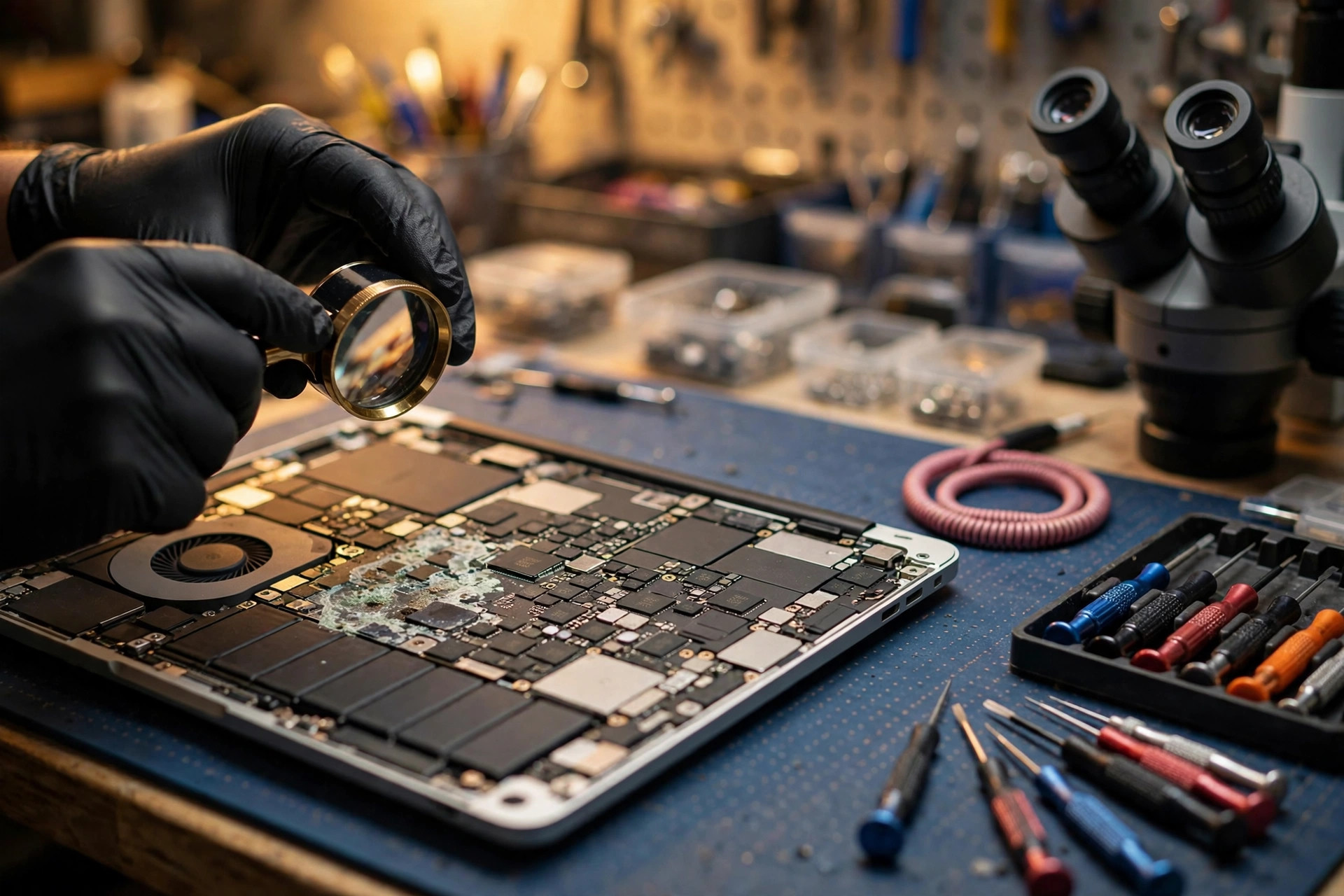
Apple does not do board-level repair; independent shops use the following standard workflow. Its core is ultrasonic cleaning: corrosion hides under BGA chips — microscopic gaps hands and toothbrushes cannot reach; cleaning with just a toothbrush and alcohol is risky because invisible corrosion left behind keeps doing damage. An ultrasonic cleaner uses high-frequency sound waves (typically 40 kHz) to generate millions of microscopic bubbles; when the bubbles collapse they release enormous localised energy that shakes corrosion loose from the board.
The standard workflow (synthesised from the iFixit guide and third-party repair processes): ① Disconnect the battery first — cutting power is always step one. ② Remove the logic board, take off the heatsink and thermal paste; brush away visible corrosion with a soft brush and 99% isopropyl alcohol, photographing affected areas beforehand. ③ Ultrasonic bath: about 15 minutes at about 40°C with electronics-grade solution. ④ Alcohol displacement and drying: a few minutes in a shallow 99% alcohol bath to displace residual water, then blow dry with compressed air. ⑤ Microscope inspection: examine point by point under a stereo microscope to find damaged components, cracked solder joints and eaten-through copper traces. ⑥ Component-level replacement: replace damaged capacitors, resistors and power-management ICs; eaten-through traces are re-bridged under the microscope with enamelled jumper wire as thin as 0.02 mm. ⑦ Full functional testing: everything from Touch ID to Wi-Fi.
Common after-effects: symptom → likely cause → usual fix
| Symptom | Likely underlying cause | Usual direction of repair |
|---|---|---|
| Individual keys dead / sticking / double-typing | Sugary residue gumming up key mechanisms | Light cases cleaned; severe cases usually need a full keyboard or top-case replacement |
| Sticky trackpad, failed clicks, erratic gestures | Liquid inside the trackpad mechanism | Clean or replace the trackpad |
| Flickering, vertical/horizontal lines, ghosting, no image | Shorted high-voltage backlight rail (~50V) | Inspect the backlight circuit; severe cases need a screen replacement |
| Will not charge, jumping battery percentage, collapsed runtime | Liquid damage to battery or charging circuitry | Test battery and charging IC; replace as needed |
| Wi-Fi / Bluetooth dropping constantly | Moisture or corrosion on the wireless module | Check module and antenna connections |
| USB / Thunderbolt / MagSafe ports unreliable | Corroded connectors (white/green powdery residue) | Clean the ports; replace if severe |
| Will not boot, fans screaming, random overheating, intermittent crashes | Shorted power rails or burnt power-management IC | Board-level repair to locate the short |
Safety warning: a swollen battery is not an ordinary fault
If after a spill the chassis bulges, the bottom case will not close, or the trackpad lifts — shut down immediately, do not charge it again, and place it on a hard, non-flammable surface (tiles, a metal tray, concrete) in a ventilated area. Never press it flat, puncture it, heat it, or put it in water. Puncturing a swollen battery causes instant smoking and fire — a personal-safety matter. Treat a suspected swollen battery as unsafe until a qualified technician confirms otherwise.
Repair or replace? A decision framework
- Worth chip-level repair: the damage is localised (diagnosis confirms individual components or a corrosion zone); the data matters (on Apple Silicon, board repair is often the only path to data); the machine is new with high residual value.
- Better to replace: the PCB is physically cracked or burnt through (inner-layer traces cannot be repaired); the CPU/SoC itself is damaged (on Apple Silicon the data is unrecoverable too); the repair cost exceeds half the price of an equivalent new machine (the "half rule", cited consistently across sources); the machine is 4–8+ years old and has lost OS support.
- Always get a professional diagnosis before deciding. "Will not boot" does not mean a dead logic board — a bad charger, battery or display cable can look identical.
Pricing notes
The actual procedure for MacBook liquid damage varies with the liquid type, the affected area and the model — all are quoted in writing after inspection. These are our confirmed routine prices for reference:
| Item | Price |
|---|---|
| Battery | HK$580 up |
| Screen | HK$1,280 up |
| Main board chip-level | HK$880 up |
| Keyboard | HK$480 up |
| Deep cleaning for liquid damage / other repairs | Quoted in writing after inspection |
FAQ
Q1: The machine still powers on after drying — does that mean it is fine?
A1: No. "Dry does not mean undamaged" is the number-one rule of liquid damage repair: sugary residue absorbs moisture and keeps corrosion going, and many machines worked normally for two weeks after a spill while corrosion spread inside, then died suddenly. Even if it still works, get it inspected promptly.
Q2: Does the rice trick work for drying it out?
A2: No. Apple's official support documentation explicitly advises against it: rice grains are extremely inefficient desiccants, and rice dust and starch particles lodge in charging ports and speaker grilles, turning into a paste when wet that accelerates corrosion. Samsung advises against it too. The expert-approved alternative is silica gel desiccant.
Q3: I have AppleCare+ — is liquid damage repaired for free?
A3: Not free. In Hong Kong, AppleCare+ for Mac covers up to two accidental-damage incidents per 12 months, with a service fee of HK$799 for screen or enclosure damage and HK$2,299 for other accidental damage (including liquid). Important caveat: AppleCare+ does not cover catastrophic damage due to liquid contact or submersion. Official repair is usually a whole logic-board replacement, and Apple offers no data recovery service — a board swap means the data is gone.
Q4: Why do repair shops keep saying "do not power it on again" for M1-and-later MacBooks?
A4: Because on Apple Silicon (M1–M4), the SSD is soldered to the logic board and the data is hardware-encrypted by the Secure Enclave, bound to that processor — removing the storage chip alone cannot recover anything; the only path is repairing the board to a booting state. Shutting down immediately and never powering on again gives the board and data the best possible chance; that one powered "test" after drying can turn a repairable short into a burnt-out board.
Need Professional Laptop Repair?
Laptop King has 15+ years of repair experience in Shek Mun, Sha Tin. Free diagnosis, transparent pricing, no fix no fee. 180-day warranty for your peace of mind.