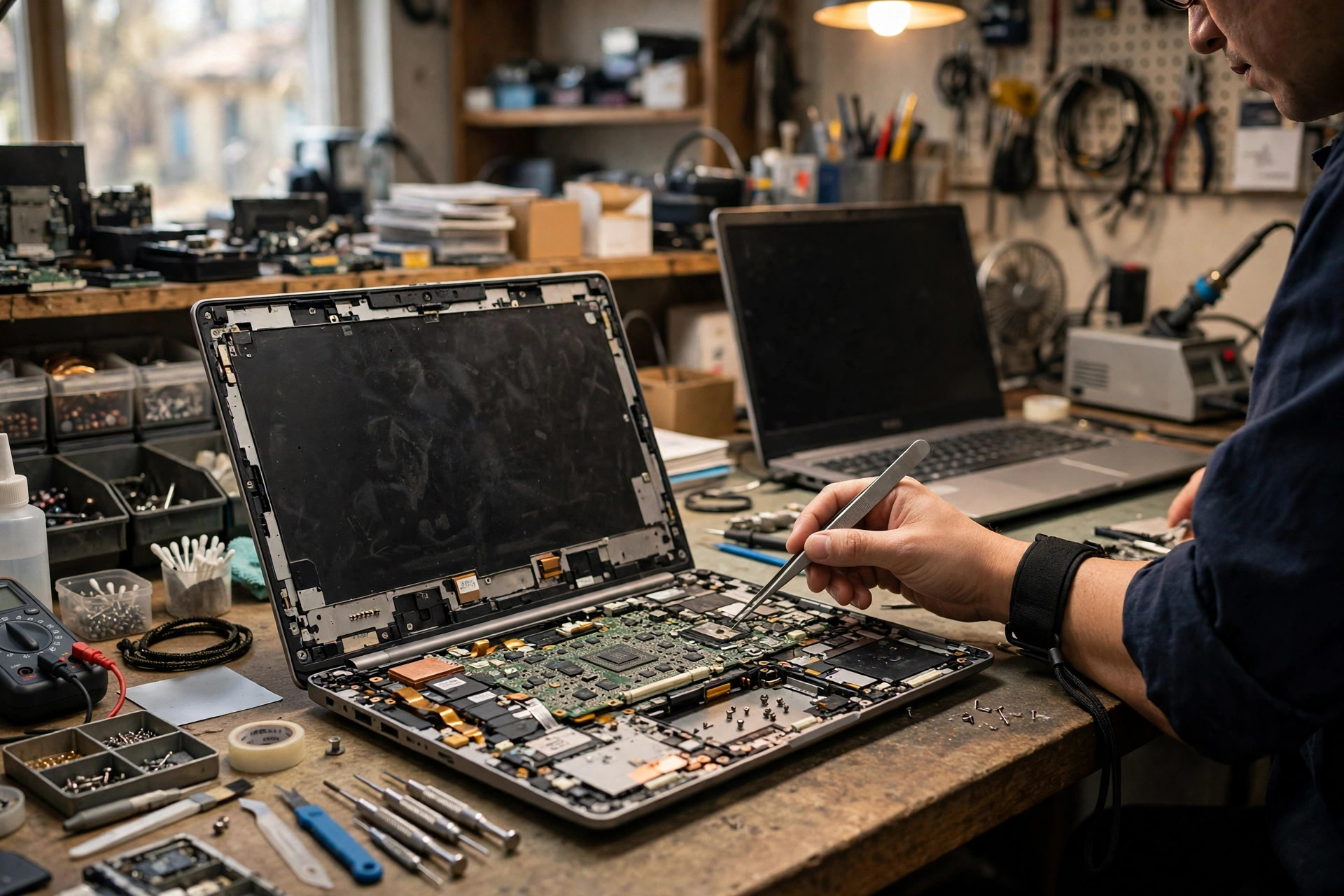
Premise: this article is only about advanced diagnosis, not the basics again
This article has one clear premise: the basic checks are already done, but the freeze or the automatic restart is still happening. Basic checks include restarting the system, checking system updates, scanning for malware, closing unnecessary startup programs, freeing disk space, checking power settings, and making sure the vents are not completely blocked. If those steps have not been done, they should be done first, because advanced diagnosis is built on the condition that the basics are excluded. Only when the basics are done and the problem remains is it worth tracing the fault layer by layer; otherwise a simple settings problem can easily be mistaken for a board problem.
This article deals with two symptoms that often appear together but have different mechanisms. The first is a freeze: the screen stops, the mouse and keyboard stop responding, sometimes a long press of the power button is the only way to switch off, and sometimes the machine recovers on its own after a while. The second is an automatic restart: with no warning and no normal shutdown procedure, the screen goes black and the machine boots again. The two symptoms can share a cause, or they can belong to different layers, and they must be judged separately rather than treated with one single fix.
This article is not an article about blue screens, not an article about a black screen with no display, not an article about overheating and cleaning, and not an article about a drive that disappears. Blue screens, black screens, overheating, and disappearing drives appear only where they are needed to separate one symptom from another. The focus stays on freezing and restarting themselves.
Step zero is always backup: freezes and restarts carry a data-loss risk
Before any mechanism is discussed, data safety must come first. The greatest risk of a repeated freeze or automatic restart is not that the machine cannot be used; it is that unsaved work is lost and that a file being written is interrupted. A normal shutdown has a system procedure for saving state and completing writes. A forced shutdown after a freeze, or an unannounced automatic restart, can interrupt a file in the middle of a write, corrupt the file, and in serious cases affect system files.
So for any laptop that freezes or restarts repeatedly, the first step is always backup, and the most important files should be copied first, in small batches, to a different physical device, and each copy should be checked to make sure it opens. While backing up, avoid repeated heavy read and write work on the same unstable machine. If the machine is already freezing often, use the most stable condition available, for example light work with a stable power connection, to copy the most important files as quickly as possible, and then make a fuller backup.
Do not repeatedly run heavy loads to see whether the machine will freeze again before backup is done, because every freeze or restart is another data risk. Diagnosis can be done slowly; lost data may not be recoverable. The order cannot be reversed: backup first, diagnosis second, repair last. Reinstalling the system, replacing parts, and changing firmware settings must all wait until backup is complete.
First separate the symptom type, then choose the layer: a freeze is not one diagnosis
A freeze is not a diagnosis. The same sentence, that the laptop freezes for no reason, can hide at least five different mechanisms, and the evidence and the next step are completely different for each. The first job of this article is to teach the reader to separate the types, or every suggestion that follows will be mismatched.
| What the reader sees | Most likely mechanism family | First-hand evidence, copied before any logs are cleared | Easiest misjudgement |
|---|---|---|---|
| The mouse moves and some windows move, but one program or the whole desktop does not respond, sometimes recovering on its own after a few seconds | Application-level freeze, deferred procedure call delay, display driver timeout recovery in progress | Whether the event log shows display driver events, whether only one program is stuck, whether music or video keeps playing | Mistaking it for a whole-machine hardware fault and rushing to reinstall the system or replace parts |
| Mouse, keyboard, and Caps Lock light all stop responding, the screen is frozen, even the usual shortcut keys do nothing, and only a long press of the power button works | Hard freeze: kernel stall, driver deadlock, interrupt storm, hardware error that never reached a bug check | Whether the Kernel-Power event after restart has a bug check code of zero, whether hardware error records appeared before the event, whether it can be reproduced under a particular load | Thinking that no blue screen means no error record; in fact, the absence of a bug check is itself a clue |
| The screen flashes black, a driver recovery message appears, or a brief black screen returns to the desktop | Display driver timeout recovery succeeded | Display driver events, whether the event happened while changing power state or load | Mistaking it for a screen or cable fault |
| No warning, a direct black screen restart, back to the login screen or desktop, as if someone pressed restart | Automatic restart: the automatic restart on system failure setting hid the bug check; or a hardware watchdog, machine check, or power interruption forced a restart | Whether disabling automatic restart leaves the next failure on a blue screen showing a stop code; the detail fields of the Kernel-Power event | Reading only the Kernel-Power event and concluding it is a power problem; that event is only a record that the last shutdown was not clean, not a cause |
| After a freeze, the drive light stays on or shows no activity at all, and recovery takes tens of seconds to minutes or needs a forced restart | System drive input and output stall: drive controller stall, link retraining, queue not completing | Health records, whether disk activity paused at the time, whether it happens only after waking or idling | Concluding that a healthy health record rules out the drive; a health record is a historical counter, not a live proof of life |
Freeze versus automatic restart: how the mechanisms differ
Application-level freeze: a program is stuck, but the kernel is still running
An application-level freeze is a partial failure: the kernel and other programs may still be running, but the path that handles the screen or input is held up. The key mechanism is interrupt service routines and deferred procedure calls. When hardware raises an interrupt, the driver interrupt service routine does only the smallest immediate work, then queues the heavier work as a deferred procedure call to run later. While a deferred procedure call runs, ordinary threads on the same processor must wait for it to finish. The longer the delay, the more the user feels stuttering, broken audio, and a lagging mouse. If one driver deferred procedure call does not return for a long time, or if the queue keeps being filled by new interrupts in an interrupt storm, the interface looks frozen, but the system may not trigger a bug check at all.
The documentation for the deferred procedure call watchdog violation draws exactly this line: the watchdog triggers a bug check when a single deferred procedure call exceeds its limit, or when time accumulated at or above dispatch level grows too long. The stutter a user feels every day happens far earlier than the watchdog acts, so the two must not be confused. Values from a third-party latency measurement tool are secondary diagnostic references, not pass or fail limits set by the operating system vendor. This article can only say that a driver stayed near the top of the measurement during the test period and is worth isolating first; it cannot say that passing some microsecond number proves a fault.
Another mechanism is driver deadlock: two or more kernel components each wait for a lock or resource held by the other, so none of them can move. The typical appearance is one program or the whole desktop frozen, while music may keep playing and the mouse may still move, because paths that are not locked are still running. Deadlock differs from a hard freeze in scope: deadlock can lock only one path, while a hard freeze is a stall or loss of control in the kernel scheduler itself.
Hard freeze: the kernel stalls, and cannot even send a distress signal
A hard freeze is a total failure: the mouse does not move, the keyboard does not respond, the screen is frozen, the Caps Lock light does not change with key presses, and the usual shortcut keys do nothing. There are three main mechanism lines, and they must be kept apart rather than collapsed into one word, frozen.
The first is a kernel stall: a kernel thread stops because it waits for input or output that never completes, for a lock that never releases, or for a hardware response that never arrives, so the scheduler cannot advance user programs. Because a bug check itself needs the kernel and related paths to cooperate, a deep enough stall can mean the system cannot even produce a blue screen. That is one reasonable explanation for a freeze with no blue screen and no dump file, not an absence of evidence. In diagnosis, a Kernel-Power event after a hard freeze often shows a bug check code of zero, meaning no bug check code was left at restart, and that must be read separately from a restart that does carry a bug check code.
The second is a hardware watchdog or timer trigger: the principle of a watchdog is that it must receive a signal on schedule, and if the signal is late, the system is judged out of control and forced to restart. It can be a timer at the chipset or embedded controller layer, or a software watchdog inside the system such as the deferred procedure call watchdog. The purpose is the same but the layer differs: a software watchdog trigger usually still produces a bug check and a dump file, while a hardware watchdog trigger often restarts directly, leaving only a Kernel-Power record of an unclean shutdown. A laptop embedded controller handles power sequencing, fans, keyboard, battery, and other low-level control; a fault in its firmware or a power sequencing anomaly can also appear as a freeze or restart, but its diagnostic information is generally not exposed directly to the event log, so it can only be supported by elimination and by the vendor firmware update notes, never asserted without evidence.
The third is a non-maskable interrupt and machine check: serious hardware errors notify the processor through a non-maskable interrupt or a machine check exception. The processor machine check architecture records errors in a set of registers, with each bank tied to a subsystem, and status bits showing whether the data is valid, whether it was uncorrected by the processor, and whether recovery is possible. In practice, corrected errors mean the processor already fixed the problem and only left a record; a single corrected error does not mean an immediate fault, but the same source repeating with rising frequency is a warning that hardware is becoming marginal. Uncorrected or fatal errors mean the processor cannot safely continue, and the system converts them through the hardware error architecture into a bug check. This article must avoid the error of writing every hardware error event as a failed processor. The hardware error architecture only says that the hardware layer reported an error to the operating system; the source can be a processor core, cache, memory, a bus device, or power delivery, and the component, error source, and primary device name fields must be read to separate them.
Automatic restart: three kinds of restart must be separated
Automatic restart on system failure is the system default behaviour: after a bug check, the system restarts according to the startup and recovery setting, and the blue screen flashes past. A watchdog or hardware-layer forced restart is a software or hardware watchdog timeout, a fatal machine check, or a power interruption, producing an unannounced black screen restart that may have no blue screen at all. A scheduled, update, or power-setting restart tends to appear at particular moments such as idle, shutdown, or waking, with a more regular pattern, and should be checked against update records, power settings, and hibernation and fast startup switch tests.
The key conclusion is that a Kernel-Power event is not a cause; it is a result. The vendor documentation states plainly that the event is recorded at the next boot when the system finds that the previous shutdown was not clean, and the cause can be a system stop, a crash, or an unexpected power loss. The correct writing is therefore: when that event is seen, do not conclude yet; read the detail fields, then trace forward through the events in the minutes before the incident. The wrong writing is that the event proves a power supply fault or a board fault.
How to read Event Viewer: look at the restart first, then trace backwards
The reading location is the System log inside Event Viewer. The correct order for a freeze or restart investigation is to look at the restart event first, then trace backwards through the warnings and errors in the minutes before the incident, rather than looking at the restart entry alone.
For the Kernel-Power event, the detail fields are read as follows. The bug check code is a decimal bug check code that can be converted to hexadecimal to match a stop code. A value of zero means no bug check code was left at restart, which is common in a hard freeze, a hardware watchdog restart, a power interruption, or a dump write failure. The bug check parameters are read together with the stop code. The sleep-in-progress field shows whether the machine was in sleep or hibernation, which helps separate a waking path from a normal-use restart. A non-zero power button timestamp means a forced shutdown by long-pressing the power button was recorded; a zero value does not prove nobody pressed the power button, only that no such timestamp was left, so a manual forced shutdown cannot be excluded on that field alone.
A BugCheck event means the system once had a bug check and recorded a stop code and parameters. It should be read together with the Kernel-Power event: the Kernel-Power event says the shutdown was not clean, and the BugCheck event says which stop code was involved at the time. If there is a BugCheck event but no matching dump file, the page file and dump settings and volume manager events should be checked, rather than concluding there was no blue screen. If there is only a Kernel-Power event, with no BugCheck event and no dump file, the diagnostic direction should lean towards a hard freeze, a watchdog, a power interruption, or a dump write failure, rather than applying the fix for a particular stop code.
Hardware error logger events should be separated by number. A corrected hardware error warning often comes from a bus root port advanced error reporting, meaning an error at the bus layer that was already corrected; a single occurrence need not be immediately fatal, but repeated occurrences from the same device point at a link, device, or power state problem. A fatal hardware error means the hardware layer reported an error that cannot be ignored, and it must be separated using the dump file and component fields, not judged from the title alone. A corrected machine check warning often comes from a processor core; a single corrected error can be monitored, but rising frequency for the same core or the same error type means marginal hardware that needs further testing. The reading point is not to look only at the component line; the error source, error type, primary device name, and processor identifier fields must be read, so that processor, bus device, and memory can be separated. Frequency matters more than a single occurrence: one corrected error and dozens of the same error within an hour have completely different diagnostic meaning.
Driver framework events point at a device or driver managed by the driver framework that had a problem in its lifecycle, commonly for external devices, printers, card readers, or biometric devices. Such an event is not by itself evidence of a failed board, nor of a failed graphics card; the device name and driver file name inside the event must be read, together with a removal isolation test. Driver framework events must not be confused with hardware error events: the first is a driver framework layer, the second is a hardware error architecture layer, and their sources, levels, and handling paths are all different.
Other events can be checked together: an unexpected shutdown time record can be cross-checked against the Kernel-Power event; volume manager events relate to dump writing and volume management, and a dump write failure affects later analysis without being the cause of the freeze. One diagnostic step is to reveal a hidden blue screen: in the startup and recovery settings, turn off automatic restart, so that the next system failure stops on a blue screen and the stop code can be copied before a manual restart. This is only a diagnostic method, not a repair; if the next freeze is a hard freeze with no blue screen, this step produces no new information and attention should move to other layers.
Driver and firmware layer: graphics driver timeout, deferred procedure calls, and version order
Graphics driver timeout recovery: why the screen goes black and comes back
Timeout detection and recovery is a protection mechanism of the graphics stack, not a self-repair switch inside the graphics card itself. The vendor documentation describes three stages. First, timeout detection: the graphics scheduler inside the graphics kernel subsystem finds that the graphics processor has taken longer than allowed for a task, and tries to preempt that task. The preemption operation itself has a waiting timeout, which is the real timeout threshold, with a default of two seconds. If the graphics processor can neither finish nor be preempted within the limit, the operating system judges it frozen. Second, preparation for recovery: the scheduler tells the display driver that a timeout was detected, the driver must reinitialise and reset the graphics processor, and stop accessing memory and hardware. Third, desktop recovery: the operating system resets the graphics stack state, clears video memory allocations, resets the graphics hardware state, and finally restores the desktop to a responsive state. Applications that handle device removal correctly can keep running; older or badly handling applications may still show a black screen and need to be restarted.
Newer systems support per-engine timeout recovery, where the driver can reset only one physical engine group rather than the whole adapter. The diagnostic points and prohibited shortcuts must be stated plainly: a successful timeout recovery does not prove the graphics card is healthy; it only proves that the graphics processor once failed to respond within the threshold and the system managed to reset it. Repeated timeout recovery still points at the driver, a power state transition, marginal hardware, or a load pattern, and needs further separation. Raising the timeout threshold or disabling detection is not a repair. Raising the threshold only gives the graphics processor more time and does not solve a driver deadlock or unstable hardware; disabling detection means a truly hung graphics processor cannot be reset, so a brief black screen that recovers turns into a hard freeze that needs a long power press. This article must state that clearly and must not present registry changes as a fix. For event matching, different brands use different event names, and one brand event number must not be applied to all brands. A successful recovery that returns to the desktop is a different symptom from a black screen with no picture; a failed recovery that becomes a bug check belongs to the blue screen area, which this article mentions only at the mechanism level and does not expand into a blue screen article.
Deferred procedure call measurement: how to measure, how to read, how to isolate
Measurement must not rely on a single value as a verdict. First, measure under conditions that can reproduce the freeze, for example when opening a particular program, playing particular media, or connecting a particular external or network device, and record the driver file names at the top of the list, such as the display driver, network driver, storage driver, or driver framework files. Second, isolate one at a time: disable or remove the suspect device, roll back that driver version, switch to the vendor original driver rather than a generic system update driver, or turn off that device advanced power management, then check whether the freeze follows the change. Third, only when the freeze disappears after isolation is the evidence chain complete; if only the measured value falls but the freeze remains, the measured delay may only be an accompanying phenomenon, not the main cause. Common errors are treating audio crackle or game micro-stutter delay values as the same as a whole-machine freeze cause, when the two share a mechanism but differ in severity and trigger path; and measuring once while the system is idle and then concluding, when an intermittent freeze often only appears at a particular power state transition or sudden load change that idle measurement cannot catch.
Driver rollback and clean installation: order matters more than new versus old
The principle is that new does not mean good, old does not mean stable, and only what can or cannot be reproduced on this machine counts as evidence. The suggested diagnostic order, for display, chipset, storage controller, and network drivers, is as follows. First, record the current version and the incident timeline: did the freeze start after a particular driver or system update? If so, rolling back that driver is the first low-cost isolation step. Second, use the device manager rollback where that option exists, which fits a recent update where the system still keeps the old driver. Third, use a vendor clean installation: the cleanup path inside the vendor installer differs from an ordinary overwrite installation and clears old settings and leftover components. It must be written brand by brand, not as if every brand had the same button name. Fourth, use a third-party display driver cleanup tool for deeper cleaning; vendor question pages also reference such a flow: download the new driver first without installing it, enter safe mode, run the cleanup tool, choose the graphics brand and choose clean and restart, then install the downloaded driver in normal mode. The key detail is to disconnect the network before running the cleanup, or a system update may immediately install a different driver version after cleaning and defeat the clean installation. For dual graphics laptops, the order is to clean the discrete graphics driver first, restart, enter safe mode again to clean the integrated graphics driver, and finally install both in normal mode; reversing the order can confuse the display output path, so the article must remind readers to confirm which graphics processor drives the display on their model. Such a tool is not a vendor tool, so the article must mark its third-party nature and remind readers to back up important data and create a restore point; it must not be presented as an official vendor tool. Fifth, change only one driver at a time: changing display, chipset, and network drivers together means an improvement cannot be attributed. When to stop chasing drivers: if the vendor latest version, the previous stable version, and the system update version have all been tried, the freeze pattern is completely unchanged, and the event records point at the hardware layer, attention should move to the memory and storage layers rather than cycling through driver versions without end.
Firmware: when to update, when not to update, and what counts as safe
A firmware update is a means of fixing a known problem, not routine maintenance to be done whenever a new version appears. Consider updating when the vendor update notes explicitly mention fixing a freeze, restart, power management, memory compatibility, bus, display, or storage controller problem; when a processor microcode or platform firmware update fixes a stability problem tied to the current processor and memory combination; when the driver, memory, and storage layers are already excluded, the event records still point at the firmware or power sequencing layer, and the vendor has a matching fix; or when a newly installed processor, memory, or drive needs newer firmware to be recognised or to run stably.
Do not update rashly when the machine is currently stable and the update notes mention only security or new features unrelated to the freeze symptom; when the file cannot be confirmed to match the exact model or sub-model, since firmware files for different sub-models in the same laptop series can differ and a wrong file has serious consequences; or in an environment with unstable power, an abnormal battery, or a risk of power loss during the update.
The risk mechanism must be stated plainly, not softened: a firmware update writes new firmware into the board flash memory, and a power loss or interruption during writing can leave the firmware incomplete, so the machine cannot complete its boot procedure. Some models have dual firmware or a firmware recovery mechanism that allows rewriting, but laptops do not always have one, and it cannot be assumed that every machine has a way back. After an update, firmware settings may return to defaults, including overclock settings returning to standard, boot order, and power management options. Settings must be checked again after the update, or the machine may be misjudged as slower or less stable because of the new firmware itself. Embedded controller firmware updates are often bundled with a board firmware update or released separately, depending on the vendor; the article must not treat board firmware and embedded controller firmware as the same file, and must remind readers to follow the model support page to tell whether the two need separate updates.
A safe update checklist can be given as a list: back up important data; connect the original charger and make sure the battery has enough charge, and during the update do not remove power, close the lid, or press the power button; download only from the laptop brand official support page for the exact full model, and check the file hash if the vendor provides one; prefer the built-in firmware update tool or the vendor specified system update tool, follow the vendor instructions, and do not open other programs in the middle; after the update and several restarts, check the firmware settings again, including boot mode, overclock settings, and power options, and then run a freeze reproduction test; if a new problem appears after the update, record the old and new version numbers and the setting differences first, then consider whether to roll back according to vendor instructions, noting that some vendors do not support firmware rollback, which should be checked in advance.
Memory layer: why a memory error does not always mean a blue screen
The reader intuition is that faulty memory should mean a blue screen, but in practice the visible result of a memory error depends on where the error lands, what it becomes, and who was using that memory at the time. The separation model is as follows. An error in an unused free page or a discardable cache page may show no symptom, or only a slight performance anomaly, because the faulty content was never read or can be regenerated. An error in an application own data page may crash that program, corrupt a file, or produce a wrong calculation result, while the kernel may not need a bug check. An error in a driver buffer, a kernel data structure, a page table, or a kernel code page may freeze the whole machine, deadlock a driver, or restart intermittently, because data the kernel depends on is already wrong, but the error has not triggered any protected checkpoint, so the system keeps running on wrong data until some critical path stalls or loses control; since a bug check itself needs the kernel to cooperate, damage deep enough can prevent a blue screen from appearing. An error in a protected structure or a page covered by an integrity check is caught by the checking mechanism, and the system deliberately triggers a bug check to prevent further damage.
Three supplementary mechanisms matter. First, most consumer laptops have no error-correcting memory; a single-bit flip without correction is passed on as it is to the reader, and a multi-bit error is even more likely to make data unrecoverable. Server and workstation error-correcting memory can correct single-bit errors and record them, so its behaviour differs from a consumer laptop, and conclusions from error-correcting systems must not be applied to laptops without it. Second, some architectures mark uncorrectable errors as poisoned data and defer handling until the data is actually used; the point of use differs, so the result can be a program crash, a freeze, or a bug check, and the timing can be separated from the time the error occurred. That explains why a memory error yesterday and a freeze today are not impossible together. Third, intermittency is normal, not exceptional: temperature, voltage, timing margins, and particular access patterns can make marginal memory fail only under some conditions and pass completely under others, which is exactly why multiple passes and cross-testing are required.
Boot memory testing and system memory diagnosis: their limits
A boot memory test tool does not run through the operating system; it boots directly from an external device, so it can test memory ranges the system itself occupies, and its test modes are more complete than tools running inside the system. The test content includes several algorithms, and different tests target different failure modes, so passing one test does not mean passing all of them. The practical approach to pass counts is a practical consensus, and the article must mark it as such rather than as a vendor guarantee: a quick screen needs at least two to four complete passes, while an intermittent error needs overnight or longer multi-pass testing, since there are cases where an error only appears in a later pass, so one pass without error cannot be written as proof that memory is healthy. The time needed depends on capacity, speed, and processor core count; larger capacity and slower speed mean longer complete passes, and the article must not write a fixed conversion such as so many hours per unit of capacity that no official document confirms. The reading rule is that any non-zero error means that memory configuration is unstable under the test conditions; it is not a case of a few errors being acceptable. But the error address alone does not prove that a particular memory module is faulty; the memory controller, socket, board traces, firmware timing, and power can all make the same address fail, so cross-testing is required.
The built-in system memory diagnosis runs in a pre-boot environment after a restart, and the result is viewed in Event Viewer after the restart. Its limits are that its test modes are fewer than a boot test tool, so it is a quick preliminary screen, not a hardware certification test. In practice, cases occur where the system diagnosis passes and the boot test fails, so a system diagnosis pass can only be written as a preliminary screen that found no error, not as proof that memory is excluded. The correct division of work is to use the system diagnosis for a quick preliminary check, and when an intermittent error is suspected or the system diagnosis passes but the freeze remains, to move to a boot test tool for deeper testing.
Both tools share three limits that the article must state. Test conditions are not real use conditions: temperature, voltage, and load patterns during testing differ from daily use, so marginal memory can pass a test and fail under real load, or the reverse. A test can only prove what happened during the test period, not that failure will never happen. And an error can come from something other than memory itself: the processor built-in memory controller, socket oxidation or poor contact, firmware timing that is too tight, or unstable power can all appear as memory errors in testing. Replacing memory alone without checking those parts may leave the freeze unchanged.
Single-module and socket cross-testing: what counts as a conclusion
Need a laptop repair expert?
Free diagnosis · Transparent pricing · No fix, no fee · 180-day warranty
Cross-testing logic is a two-dimensional table, and the conclusion is incomplete if any cell is missing. With both modules together in the original configuration, an error should be recorded with its address and test number before moving to single-module testing. With only module A in socket one, an error points at module A or socket one, and the test should be repeated in the other socket. With only module A in socket two, an error that still appears means the error follows module A. With only module B in socket one, the result is compared with module A to judge whether the problem is a single module. With only module B in socket two, errors in both sockets mean module B is the strongest suspect. The reading rules are: an error that follows the module when sockets are swapped points most strongly at that module; an error that follows the socket when modules are swapped points most strongly at the socket, board trace, or memory controller path; modules that each pass alone but fail together point at a dual-channel configuration, timing, voltage, mixing different batches or different chips, or firmware memory training, so the first step is to return to standard defaults and test again. For socket oxidation or poor contact, reseating and cleaning the contacts and testing again is a low-cost elimination step; but laptop socket work carries static and cable risks, so the article must advise readers who are not experienced to leave it to diagnostic testing, with price stated as subject to a written quotation after inspection.
Overclock profile instability: the overclock configuration is itself a variable
The mechanism point is that the standard speed is the guarantee, while the overclock profile is a vendor profile. A memory module stores both a standard speed and an overclock profile at manufacture; the board boots by default at the standard speed, and only applies the higher frequency, tighter timing, and higher voltage when the overclock profile is enabled. Running above the standard means the memory controller is also overclocked. The higher the frequency, the higher the demand on the processor built-in memory controller, board traces, and voltage stability; the same overclock configuration can be stable on one processor sample, one board, or one firmware version and unstable on another. Timing is not a single number: several timings constrain each other, so looking only at frequency without timing, or copying someone else timing values onto a different machine, can leave a marginal configuration failing intermittently in daily use. Mixing risk also matters: two modules marked at the same speed but from different batches or with different chips can have different timing and voltage characteristics, and when the board applies one unified setting, the other module may sit at the margin. The diagnostic baseline is that when memory instability is suspected, the first step is to turn off the overclock profile and return to standard defaults, then run a boot test and a daily reproduction test. If the standard setting is stable and the overclock setting fails, the problem is locked to the overclock configuration itself, or to how that configuration matches the current processor and board, rather than proof that memory is faulty; at that point, lowering the frequency, relaxing the timing, or changing to a configuration on the vendor compatibility list can be considered, with exact values checked against the model and memory vendor specifications, never copied blindly from an article.
A laptop-specific reminder is that many thin laptops lock memory timing and voltage in firmware or offer very few options, so readers may not find an overclock switch in firmware at all. In that case, returning to defaults may mean loading firmware defaults or retraining memory after a firmware update, and the article must distinguish by model rather than assuming every laptop has an overclock option.
Soldered memory: when modules cannot be swapped, the thinking must change
Soldered memory means memory chips soldered directly to the board, with no socket module to swap. Thin laptops and some ultra-thin models widely use this design to save space and power. The diagnostic impact is severalfold. First, cross-testing fails: there is no module to swap, so the single-module and socket matrix cannot be run; only the boot test error pattern, the firmware setting baseline, and mixed configuration testing can narrow the range, and if a model has both soldered memory and one socket module, removing the socket module to test only the soldered part, or the reverse, can be tried. Second, a boot test still has value: it can confirm whether the soldered part fails under test conditions and record the error address range and test mode for board-level diagnosis, but the error address cannot be mapped directly to a replaceable module, only to a chip group or a controller path. Third, the handling path is board-level only: once the soldered memory itself or its power and trace path is confirmed as the problem, the handling is board-level repair or board replacement, depending on model, damage range, and parts supply, with price always stated as subject to a written quotation after inspection, and no price may be set in this article for soldered memory. Fourth, a newer exception must be mentioned without exaggeration: a compression-mounted low-power memory module standard lets some newer models use replaceable memory instead of the traditional soldered design, but it is not available on all laptops, older models cannot be converted, and the article must not claim that soldered memory can always be upgraded. Fifth, the decision advice is that when soldered memory fails, the article should teach readers to back up data first, because board-level repair carries a data risk, then record the boot test report and event records, and bring the machine in to assess board-level repair versus replacement; readers must not be taught to heat, rework, or remove chips themselves.
Storage layer: how a system drive stall freezes the whole machine
Readers often ask why a slow drive would freeze the whole machine rather than just loading programs slowly. The answer is that the system drive is not an ordinary data drive: the system kernel, registry, drivers, virtual memory page file, and system service data exchange all depend on system drive input and output. When the system drive input and output queue stalls, the kernel threads and user threads waiting for that input and output stall together; if the stalled path handles the screen, input, or file system, the whole desktop looks frozen, even when the processor itself is not fully loaded. A hard page fault amplification effect is also worth explaining: when a program needs a memory page that has been swapped out to the page file, the system must read that page back from the system drive before it can continue; when the system drive stalls, many programs stall at the same time waiting for input and output, so the freeze spreads from one program to the whole machine. An application stall usually affects only one program, while other programs keep working; a system drive stall tends to leave several programs, the file manager, and the start menu all unresponsive, and the drive activity indicator may stay on or show no activity at all, depending on the stall layer.
Drive controller stall and firmware problems
The controller stall mechanism chain is as follows. Inside the drive controller, error recovery work such as retrying a marginal storage block, garbage collection, or wear levelling moves pauses the response to host input and output commands. The host storage driver waits for the command to complete; if the wait exceeds the driver or system tolerance, the deferred procedure call watchdog or storage timeout mechanism may intervene. If the controller eventually recovers, the system may show only one long freeze followed by recovery; if the controller cannot recover, the system may need a restart, and the drive may temporarily return to normal after the restart, making the problem look intermittent.
Firmware is the program inside the controller; a firmware defect under a particular power state transition, command sequence, capacity, or temperature condition can make the controller stall only under some conditions and run completely normally under others. That explains why the same drive model can affect one user and not another: firmware version, host platform, power settings, and use pattern all affect the trigger condition. In diagnosis, when a firmware problem is suspected, the drive model, firmware version, host firmware version, and incident conditions should be recorded, then checked against the drive vendor firmware update notes; a model name alone cannot prove a firmware defect, and a known problem for one model in a virtualisation environment cannot be applied directly to every laptop freeze case. When a single model case is cited, its scope limit must be kept, and it must not be exaggerated into a claim that the model always freezes laptops.
Link retraining and power states: when the link layer fails, the system layer stalls with it
The link layer is the physical and protocol channel between the host and the drive; when the link is unstable, the system tries retraining or resetting to restore communication. For high-speed bus drives, link speed, width, and power state are negotiated by host and device. If negotiation fails or signal integrity is insufficient, the link may slow down, retrain, or briefly interrupt; the host may show a corrected hardware error or a storage input and output timeout. For traditional bus drives, link errors often appear as an interface cyclic redundancy error count, pointing at the interface, connector, or controller layer, not at the storage cells themselves. Laptops have no external traditional bus cable, so that count must be read as pointing at the board connector and controller path, not copied from a desktop cable replacement suggestion. Retraining by itself is not proof of a fault: occasional retraining that recovers successfully is link layer self-correction; repeated retraining, a speed drop that stays unstable, and a freeze with an input and output timeout together form a link problem that needs handling.
Laptops are especially likely to freeze when waking from idle or moving from low load to sudden load, and power state transitions are one important clue. A bus link in idle can enter a low power state, with exit delay depending on sub-state and implementation. A drive device can move on its own to a lower power state after idle time, and waking takes time to return to a responsive state. The freeze mechanism is that if a controller or host platform handles a low power state wake, a power state wake, or link retraining delay badly, a sudden input and output request may arrive while the device cannot respond within the host expected time, so the host storage queue stalls, and then a deferred procedure call timeout or a whole-machine freeze follows. The first operation after idle is especially likely to trigger it, because the device is in its deepest power saving state. Diagnostic isolation is not a permanent fix: turning off bus link state power management in power options, or using a more conservative power setting in firmware or a power plan, and checking whether the freeze disappears, is a test. If it disappears, the evidence points at the power state transition layer, and the next step should be to seek a vendor driver or firmware fix, not to turn off all power saving permanently. The article must state that turning off power saving as a test and turning it off permanently are two different things: the first is diagnosis, the second is a trade-off affecting power use, heat, and battery life. A power state problem is not overheating; a wake delay freeze and a high-load overheating slowdown are different mechanisms and must not be mixed.
Health records: which fields relate to freezing
The principle is that a health record is a historical counter, not a live proof of life; a healthy record during a freeze does not prove the drive is healthy, and an abnormal record does not automatically prove the freeze cause.
| Field | What healthy looks like | Relation to freezing |
|---|---|---|
| Critical warning | Zero | Any bit set should be decoded, including low spare space, temperature over limit, reliability decline, and read-only mode; a non-zero value does not automatically prove a freeze cause, but must be followed up |
| Available spare | Near the initial value, above the threshold | Falling to or below the threshold means the controller spare space for replacing bad blocks is exhausted, so error recovery ability falls |
| Percentage used | Low and rising slowly | Near or beyond the vendor endurance boundary, wear-related error recovery becomes more frequent, indirectly increasing input and output stall chances; but a high percentage used alone cannot prove that wear caused the freeze |
| Media and data integrity errors | Zero | Non-zero and rising means uncorrected data integrity errors, highly related to input and output stalls, and must be handled first |
| Error information log entries | Zero or explainable known events | When rising, the error log content should be checked, not only the count |
| Unsafe shutdowns | Low and not rising quickly | Rising quickly with errors points at a power or shutdown path problem; but unsafe shutdowns can also be the result of a forced shutdown after a freeze, so the causal direction must be judged from the timeline |
Fields that must not be listed carelessly as freeze evidence include power-on hours, which only reflect use time and are not a fault diagnosis by themselves; power cycle count, which only reflects switch counts, where a high count with low hours may suggest instability but cannot alone prove a drive fault; host write volume alone, which only reflects write volume and must be read together with the model rated write volume and percentage used, since high write volume alone does not mean a fault; a single temperature reading, which must be judged by whether it stays beyond the model threshold and whether throttling or error records accompany it, since a single reading within specification should not be listed as a cause; and vendor custom attributes without a published definition, since different brands can define the same number differently, and no number may be written as a universal diagnostic standard before its model definition is checked.
The three limits of health records must be stated. When the controller stalls, the health record can be completely normal, because the record holds historical counts, and a controller that stops responding to input and output in real time does not necessarily update any count at once; after a restart, the record may still show healthy. A normal health record does not prove the firmware is fault-free, since a firmware defect can leave no trace in health counts and trigger only under a particular command sequence or power state. An abnormal health record does not prove the freeze cause, since a drive with a high percentage used can still run stably for a long time; a timeline must be matched, including count changes around the freeze, error log times, and input and output stall reproduction, before an abnormal record can be linked to a freeze.
Page file and hibernation file: why they can freeze a machine, and how to handle them safely
The page file is the backing store for virtual memory, and the system commit limit is physical memory plus all page files. If the commit amount reaches the limit, the system and programs can freeze, crash, or behave abnormally. A page file page corruption signal appears in a dump analysis case where the memory manager detected a page file page corruption while reading a page back, with the data read back differing from what was written, and with a note that the data may have been damaged in the storage stack or device hardware layer. When writing, that case can only be given as a possible signal example, not as a signal present in every freeze. The handling principle is not to delete the page file to save space: the page file supports both the commit limit and crash dump writing, and deleting it makes memory pressure scenarios more likely to freeze or crash, while a full dump may fail to be written, removing later diagnostic evidence. In general, the system should manage the page file size; manually shrinking it or moving it to another disk is an advanced operation that must still leave enough space for a dump and must use a stable target disk. When page file corruption is suspected, back up data first, then rebuild the page file according to official instructions, and never delete a page file that the system is currently using while it is running normally.
For the hibernation file and fast startup, hibernation writes memory content to the hibernation file and then powers off completely, and recovery reads it back. Fast startup also uses part of the same file mechanism. So a damaged hibernation file, an external storage device changed during hibernation, or a hardware configuration changed after hibernation can all leave inconsistent data or a freeze after recovery. An official support document describes one specific scenario: after hibernation, if a storage device is connected to another computer and changed, then connected back to the original machine for recovery, data corruption or inconsistency can result. Diagnostic isolation is to turn off hibernation as a test and check whether the freeze only appears after hibernation or fast startup recovery. If turning it off removes the freeze, the evidence points at the hibernation or recovery path, and the next steps can be rebuilding the hibernation file, updating the storage or chipset driver, or updating firmware, rather than turning off hibernation permanently unless the user does not need it. Rebuilding the hibernation file, like the page file, must start with backup, and setting changes before and after must be recorded. The knock-on effect of a dump write failure is also worth stating: if page file settings are wrong, system disk space is insufficient, or the system disk itself cannot write at the time of a crash, the dump may fail, leaving only a Kernel-Power event with no BugCheck event or dump file, so the diagnostic chain breaks. Investigating a freeze or restart therefore includes dump settings themselves as a checklist item: confirm the write debugging information setting in startup and recovery, confirm the page file is on the system disk, and confirm enough free disk space. The article should present this as a checklist, not as something discovered only after no dump file can be found.
Power layer: the layer most easily mistaken for a system problem
The power a system needs can exceed what the charger label shows
Vendor documentation records a hybrid power design: for certain high-performance series under extreme heavy load, the system can draw supplementary power from the battery at the same time, to maintain full performance without throttling; the documentation states that the battery can still fall slowly while plugged in, and that hybrid power stops below a certain charge level, after which stuttering or throttling can appear. This point matters for the article because it overturns a common intuition: being plugged in does not mean the battery is irrelevant. By design, the battery is part of the power path under heavy load. It follows that if the charger is undersized, the system can look completely normal under light load, then draw from the battery under heavy load; if the battery is itself aged, its supplementary power ability reaches its limit and the system can freeze or restart. If the battery is aged to the point where it cannot supplement power, the symptom looks like freezing even while plugged in, and is easily mistaken for a board fault or a system fault. The article must state that hybrid power is a vendor documented design for those series, not a claim that every brand works the same way. Whether other brands have a similar design must be judged from that brand and model official documentation, and must not be assumed where it has not been found.
An undersized charger: not just slow charging
A charger label output power is voltage multiplied by current, for example twenty volts multiplied by three point two five amps equals sixty-five watts; reading the label means checking voltage, current, and power delivery levels together, not only the large number on the box. An undersized charger does not necessarily fail to charge at all; it may charge normally under light load, then have no reserve left to power the machine and charge at the same time under heavy load, and may even trigger a system message about slow charging or discharging while plugged in. The article must remind readers that seeing a charging icon does not prove the charger meets the machine heavy-load demand. The cable itself is part of the power path: a cable power carrying ability and its data speed are two independent specifications, and a cable without a stated power rating must not be assumed to carry the charger maximum output; diagnosis should start with the supplied cable or the charger cable plugged directly, excluding a dock, hub, or monitor power pass-through that splits power. Some models use an identification pin or signal to recognise the charger model; when recognition fails, the system may lower performance to match the available power, or show a warning that the charger power and type could not be determined. The article must not present any one model warning wording as universal wording; it can only say that some models show a similar message, and the actual display on that machine governs.
High battery internal resistance: charge remaining does not mean power delivery remaining
The key point of battery ageing is not only capacity loss, but rising internal resistance. The basic relation is that load current flowing through internal resistance creates a voltage drop inside the battery, so the terminal voltage falls below the open-circuit voltage; the larger the current, the larger the drop, and the higher the resistance, the larger the drop for the same current. A principle demonstration uses numbers to explain the idea: if only zero point four volts of margin remain between the system minimum working voltage and the battery voltage, a total resistance of fifty milliohms can theoretically support eight amps, while a resistance of one hundred milliohms leaves only four amps; the chemical capacity of the battery has not changed, only the voltage drop in the power path has changed. When citing this example, the article must mark it as a principle demonstration, not as a measured value for any laptop battery.
The further mechanism is that at high charge, the battery open-circuit voltage is higher, so after the same drop it can still stay above the system minimum voltage and the system can hold on. At low charge, the open-circuit voltage is already lower, and after subtracting the same drop it can fall below the minimum voltage at any moment, so the system can suddenly shut down or restart while the meter still shows charge. Matching this to symptoms: a machine that still shows thirty or forty percent charge but freezes the moment a heavy-load program starts fits the combination of internal resistance and voltage drop, but the article can only say it fits, not that it must be the battery; the power management chip, charging port, and board power can cause a similar drop, so cross-testing is needed to separate the layers. A machine that is fine at idle but restarts as soon as a program runs must also be asked first whether it is power, a power limit wall, or a cooling bottleneck, and must not be judged as a failed part from the single fact that it fails under load.
Loose charging port and intermittent power loss: the smallest but most misleading layer
A loose charging port, a worn cable plug, or poor contact inside the connector can make power interrupt repeatedly on a scale from milliseconds to seconds. At the system level, the charging light may flicker, the charging state may jump between charging and running on battery, a slight movement of the machine or cable may make the symptom appear or disappear at once, and stability may exist only at one angle or one port. The article must explain that an intermittent power loss does not necessarily cause an immediate restart every time. If the interruption is extremely short, the battery can briefly hold the system, and only a momentary stutter appears; if the interruption is longer, or the battery is itself aged, the system can freeze or restart. In diagnosis, charging port problems, charger problems, and battery problems overlap heavily in symptoms, so cross-testing must separate them; a symptom that follows movement cannot alone prove the port is at fault.
Board power: voltage regulator and power management chip ageing
Board power is not one charger concept; it is several power circuits converting the input voltage into the separate voltages needed by the processor, graphics processor, memory, and other parts. Vendor documentation states that common causes of current limit throttling include a processor maximum current setting that is too low, a board voltage regulator current limit set too low in firmware, and a board that cannot supply enough current for that processor. The same documentation states that the processor has two thermal protection modes, throttling and automatic shutdown; when throttling still cannot bring the temperature down, for example when the cooling solution fails or is wrongly assembled, the processor shuts down automatically to prevent permanent damage.
The writing point for the article is that voltage regulator or power management chip ageing, or capacitor characteristic change, can make power unstable under sudden load: the voltage may not be low all the time, but can dip below the allowed range for an instant, so the system freezes or restarts, while an ordinary measurement at another time can look normal. The biggest difference from the charger and battery layers is that only after a compliant charger has been swapped and a battery cross-test has been done, with the symptom still present and still synchronised with load, does the board power layer become the stronger candidate; before cross-testing, the board conclusion must not be jumped to. Embedded controller power logic belongs to the control side of the same layer: the embedded controller handles low-level hardware functions including power management, and if its judgement or switching of power state is wrong, the system can freeze or restart when switching between plugged-in and battery power, waking from sleep, or changing charging state.
Power cross-testing: change one part and isolate one part, never change everything at once
The principle of the following tests is to change only one variable each time, and all of them are at the level that does not require opening the machine and that a user can safely do; anything involving opening the bottom cover, removing a built-in battery, or removing the board belongs to diagnostic testing, and the article must not ask readers to do it themselves.
| Test | Method at the no-opening level | How to read the result |
|---|---|---|
| Change charger and cable | Use a charger of the same model and compliant specification, or the same power level, with the supplied cable plugged directly, without a hub or dock | Symptom disappears, the original charger or cable layer is the strongest suspect; symptom unchanged, the problem is not that charger or cable, continue to the next layer |
| Change socket and location | Use another socket known to be good, excluding a power strip, loose socket, or unstable external supply | Only one socket fails, handle the external supply first; every socket fails, continue separating layers |
| Battery-only versus plugged-in comparison | Where it can be done safely, compare whether the symptom is the same plugged in and on battery only; note that some models have built-in batteries that users cannot remove, so the article must state that this applies only to removable battery models or to technician operation during testing, and must not ask readers to remove a built-in battery | Only plugged-in fails and battery-only is fine, the charging path is the stronger suspect; only battery-only fails and plugged-in is fine, the battery layer is the stronger suspect; both fail, the problem is more likely in board power, cooling or power limit walls, or the board layer |
| Reduced load comparison | Close heavy-load programs, remove external devices, do only light document work, and check whether the symptom disappears in step with load | Only heavy load fails, power reserve, power limit wall, or voltage regulator layer is the stronger suspect; light load also fails, intermittent power, embedded controller, or intermittent board layer is the stronger suspect |
| Movement comparison | Gently move the charging cable or machine angle, without tapping or pressing the machine, and check whether the symptom follows the movement at once | Follows at once, connector, cable, or contact layer is the stronger suspect; unrelated to movement, continue towards temperature, load, and embedded controller directions |
Cooling and throttling layer: a normal processor temperature does not mean cooling or power is healthy
Most general articles only say that high temperature causes throttling. This article must describe four walls existing together. The temperature wall is the temperature limit represented by the maximum junction temperature or processor overheat protection. The power wall is the power limit represented by a sustained power limit and a short burst power limit, where after the burst period the machine must fall back to the sustained limit. The current wall is the current limit represented by maximum current, sustained current, and peak current, and vendor documentation lists voltage regulator current limits as one cause of current throttling. The board voltage regulator wall is the temperature and current limit of the board power circuit itself; repair knowledge articles note that if the board reports a voltage regulator temperature, that value should be read too, not only the processor core temperature.
The article must explain that when any one of the four walls is reached first, the system throttles; throttling itself is protection, not a fault. But when throttling still cannot stabilise the system, for example because power itself is unstable, the voltage regulator stays overheated, or a protection circuit triggers, the system can move from slowing down to freezing or restarting. The article must not write that reaching a particular temperature must freeze the machine, because the trigger point varies by model, firmware, and power design; it must write that a temperature number alone is not a diagnosis, and that temperature plus power plus current plus voltage regulator state read together are the diagnosis.
Why overheating sometimes appears as a freeze rather than a shutdown is explained by the vendor two-stage protection logic: first throttle to bring the temperature back below the set point; if throttling still cannot hold it down, for example because the cooling solution fails or is wrongly assembled, the processor shuts down automatically to prevent permanent damage. From this, an intermediate state can be derived: a slight excess means throttling, seen as slowing or stuttering; a sustained excess that has not yet triggered shutdown means the system pulls repeatedly between throttling and load, and some timing-sensitive programs, drivers, or power state switches can stall in that unstable interval, appearing as a freeze; and a power protection trigger means that once an overcurrent or undervoltage protection circuit triggers, the system can restart directly without going through a normal shutdown procedure, leaving a Kernel-Power record with a bug check code of zero.
Beyond fans and thermal paste, cooling bottlenecks deserve mention, but this article does not teach cleaning or paste replacement. A voltage regulator cooling bottleneck means that even when the processor temperature looks normal, the voltage regulator can reach its limit first if its area lacks enough heatsink or airflow; repair knowledge articles remind readers to check the board voltage regulator temperature where reported, rather than only the processor temperature. A machine internal airflow bottleneck means blocked vents, long use on a soft surface such as a bed or sofa, or a machine base held close to a desk with poor cooling can accumulate heat across the whole machine; the article can only give use-environment reminders, not opening instructions. A power wall bottleneck means that even with healthy cooling, if firmware or the system sets the sustained and burst power limits low, the system still throttles under sustained load; conversely, raising the power wall without improving power and cooling only makes the problem appear earlier. The article must not teach readers to change power limits themselves, because firmware options and risks differ by model and a wrong change can make the system less stable; the correct writing is that during diagnostic testing, a technician will compare the original vendor settings to judge whether the power wall is abnormal.
Reading only a temperature program to reach a diagnosis is a trap this article must name. Temperature programs usually show only processor or graphics processor core temperatures, and may not show voltage regulator, power management chip, or charging circuit temperatures. Temperature is a sampled value, not a continuous waveform; a momentary voltage dip or a protection trigger may leave no trace on a temperature curve. The correct recording method is to record symptom time, load state, plugged-in state, fan state, and Event Viewer records together, and hand them to a technician for comparison; a single temperature screenshot cannot reach a diagnosis.
Board and embedded controller layer: intermittent by nature, often working sometimes and failing sometimes
What an embedded controller is: not a driver program, but a low-level controller
Vendor official documentation states that the embedded controller is a microcontroller managing low-level hardware functions, including key input and power management; resetting the embedded controller can clear and restart the state of those hardware components and handle temporary hardware failure or unresponsiveness. Support discussions also note that an embedded controller timeout event message states that the embedded controller did not respond within the specified time, which may mean an embedded controller hardware or firmware error, or that the firmware accesses the embedded controller incorrectly, with advice to ask the computer maker about a firmware upgrade; in some cases, this error can make the computer behave abnormally. Another vendor official note adds that if an embedded controller timeout appears only while hardware monitoring software is running, and disappears after closing that software, it is usually related to that software reading embedded controller sensor data, and does not necessarily mean an embedded controller, firmware, or board hardware problem.
The writing points for the article are that an embedded controller timeout does not prove the embedded controller is faulty; the two cases of only appearing with monitoring software open and appearing during ordinary use must first be separated. Embedded controller stall symptoms can include a power button with no response, a confused charging state, fan or keyboard failure, sleep wake failure, or a system freeze during a power state transition. The article must state that these symptoms can also come from other layers, and the embedded controller is only one possible layer; it must not be written that an embedded controller timeout means the board must be replaced. Reset methods differ by brand and model: one vendor note for handheld gaming devices describes removing the charger, holding the power button for a specified time until an indicator flashes, then plugging the charger back in and powering on; another vendor support discussion describes a hard reset of shutting down, removing alternating current power, and holding the power button for a specified time. The article must state that the method follows that brand and model official instructions, that one brand second count must not be applied to all machines, and that resetting the embedded controller cannot fix hardware damage, only exclude a temporary controller state problem.
A historical embedded controller firmware stall example: for mechanism only, not for diagnosis
Historical technical documentation records a historical laptop embedded controller firmware problem: an advanced battery query function had a defect that could make the embedded controller behave abnormally and even stop the whole laptop; some models were fixed after a certain firmware version, while others were not. The purpose of citing this example in the article is only one: to prove that an embedded controller firmware defect can, in mechanism, stop a whole machine, not to prove that every freeze today is an embedded controller firmware problem. The embedded controller firmware state of current models must be judged from that brand and model firmware update notes, and must not be written about where it has not been found.
Intermittent board short or cold solder: why it works sometimes and fails sometimes
The basic definition of a cold solder joint is that solder did not fully melt or did not wet properly, leaving a joint with weak mechanical strength and unstable electrical contact. Its symptoms include intermittent power or boot instability, signals appearing and disappearing, and behaviour that changes with temperature. A cold solder guide further explains the mechanism: when a circuit board heats up, thermal expansion bends the board and can briefly separate a fragile joint; high contact resistance creates local heat loss; vibration can also fatigue a fragile joint to break. Another guide also notes that a cold solder joint can pass a quick test normally, then fail later when heating, vibration, humidity, or temperature cycling changes contact resistance, or when current load increases.
For the article, the meaning is that a pattern of working in the morning, freezing in the afternoon after heating, and working again after cooling fits the mechanism of thermal expansion making a weak solder joint connect and disconnect, but the article can only say it fits, not that it must be cold solder; power, voltage regulator, and embedded controller layers can also show temperature-related behaviour. The term intermittent short must be used carefully: the article should write intermittent poor contact or suspected intermittent short, not conclude that a short has already happened; a true short often comes with more serious signs such as failure to power on, a burning smell, or an immediate protection circuit trigger, which differ from a simple freeze or restart. Intermittent cable or connector contact follows a similar mechanism: a loose cable socket, oxidation, or pressure deformation can interrupt a signal or power supply only at a particular angle or temperature; the system response to some signal interruptions can be a freeze rather than an immediate shutdown.
How the board layer is confirmed: minimum system, elimination, and measurement thinking, technicians only
The article must not teach opening and measurement, but it can describe the diagnostic logic used during testing, so readers understand why replacing memory, replacing a drive, or reinstalling the system does not equal a diagnosis. First, minimum system: each time, keep only the minimum combination needed to boot, add parts back one at a time, and check whether the symptom follows a particular part. This is the skeleton of elimination, the same thinking as power cross-testing, only extended to internal parts. Second, elimination: after the charger, battery, memory, storage device, and external devices are excluded layer by layer, if the symptom remains and relates to board power, the embedded controller, or temperature, the board layer becomes the stronger candidate; before exclusion, the board conclusion must not be jumped to. Third, measurement thinking, technicians only: a technician will use instruments to observe power voltage stability under load, check for intermittent voltage dips, and compare original circuit logic to judge whether the problem is a power chip, the embedded controller, or a contact point. The article can only go as far as this abstract level, and must not write specific measurement points, voltage values, oscilloscope settings, or rework steps. Fourth, temperature or vibration comparison, technicians only: a technician under controlled conditions observes whether the symptom appears or disappears with temperature change or slight force, as supporting evidence for an intermittent contact problem; the article must add a warning that readers tapping, pressing, or heating the machine themselves can widen a crack or lift a pad, turning a repairable fault into an unrepairable one, and must not be imitated.
Symptom and layer map: the layered overview table
| Layer | Core mechanism | Strongest pointing clue | Isolation test to do first |
|---|---|---|---|
| Driver and firmware layer | Display driver timeout recovery, deferred procedure call delay, driver deadlock, known firmware problem | Symptom started after an update; lighter in safe mode or clean boot; driver-related event records | Roll back or clean install a single driver; reveal a hidden blue screen |
| Memory layer | Memory error landing in a kernel path, timing margin, overclock profile instability, soldered memory problem | Boot test errors; error follows the module or the socket; stable at standard settings and failing at overclock settings | Turn off the overclock profile to standard; boot test with multiple passes; single-module and socket cross-testing |
| Storage layer | System drive input and output stall, controller stall, link retraining, power state wake delay, page file or hibernation file problem | Several programs stall together; appears after waking from idle; health record integrity errors or rising error logs | Read the health record trend; turn off bus link power management as a test; turn off hibernation or fast startup as an isolation test |
| Power layer | Undersized charger, battery internal resistance voltage drop, charging port intermittent loss, board power instability | Symptom synchronised with heavy load; related to plugged-in or battery state; immediate change when moving the charging cable | Swap to a compliant charger with the supplied cable plugged directly; plugged-in versus battery comparison; reduced load comparison; movement comparison |
| Cooling and power limit wall layer | Temperature wall, power wall, current wall, or voltage regulator wall reached first; still unstable after throttling | Appears after sustained load; fan at full speed yet still freezing; processor temperature normal but symptom remains | Record temperature, power, current, and voltage regulator state together; compare with original vendor power settings |
| Board and embedded controller layer | Embedded controller stall or timeout, cold solder or cable intermittent contact, power chip intermittent problem | Symptom related to temperature change or slight force; happens at power state transitions; remains after every other layer is excluded | Minimum system elimination during testing; technician measurement thinking; temperature or vibration comparison, technicians only |
Layered elimination sequence: from outside to inside, never skipping a layer
| Step | What to do | Which layer it excludes | What counts as a conclusion at this step |
|---|---|---|---|
| 1. Backup | Copy the most important files in small batches to another device and verify them | Data risk, not a fault layer, but first | Files open normally after copying |
| 2. Define the symptom | Record the freeze type, reproduction conditions, plugged-in state, load state, and whether movement matters | Builds layered evidence, avoids judging from impression | The freeze type and the conditions that produce it can be stated |
| 3. Copy the logs | In Event Viewer, copy the events around the restart time, and do not clear the logs first | Separates a restart with a bug check from a restart without one | Kernel-Power detail fields and pre-incident events are copied |
| 4. Reveal the blue screen | Turn off automatic restart as a diagnostic step and copy the stop code | A bug check hidden by automatic restart | The next failure stops on a blue screen with a copied stop code, or is confirmed as a hard freeze with no blue screen |
| 5. Driver baseline | Roll back or clean install one suspect driver at a time, changing only one each time | Driver layer | Three versions leave the pattern completely unchanged before moving to hardware layers |
| 6. Memory baseline | Turn off the overclock profile to standard, run a boot test with multiple passes, then cross-test | Memory layer | Multiple passes plus a complete cross-test result |
| 7. Storage baseline | Read the health record trend, check the firmware version, test power state and hibernation isolation, check page file and dump settings | Storage layer | Trend plus isolation results are complete |
| 8. Power cross-testing | Swap to a compliant charger, change socket, compare plugged-in and battery-only, compare reduced load, compare movement | Power layer | Each test changes one variable only, with results recorded one by one |
| 9. Firmware, last | Only when vendor update notes match the symptom, or earlier steps have excluded driver, memory, and storage, update firmware by the safe checklist | Firmware layer | Settings checked again after updating, plus a reproduction test |
| 10. Testing data pack | Freeze type, reproduction conditions, event records, boot test report, health record, driver version timeline, isolation steps tried and results | Board and embedded controller layers and other layers needing professional tools | A complete data pack lets testing locate the fault quickly |
Hong Kong context: humidity, commuting, condensation from temperature differences, and charger power claims
Humidity: a breeding ground for contact oxidation and intermittent poor contact
Hong Kong Observatory monthly normal data for the years 1971 to 2000 show an annual average relative humidity of about 78 percent, with monthly averages for May to August of 84, 82, 81, and 82 percent respectively. When citing this, the article must mark the year range and the monthly average nature; it must not be written as today's humidity or as an immediate Hong Kong-wide humidity reading.
The mechanism of humidity on circuit boards is that the base material absorbs moisture, moisture can degrade dielectric properties, and under bias, moisture can move ions between conductors, forming dendrites that eventually cause a short circuit. Condensation from a sudden temperature change brings water to the board surface; water combined with ions left from flux or solder paste residue can corrode traces and components, and one article explains with a chemical formula how sulphur dioxide meeting water can form sulphuric acid that corrodes copper traces.
The writing approach is that humidity is not a synonym for water ingress. Under long-term high humidity, contact oxidation, rising contact resistance, and intermittent poor contact become more likely, but the article must not write that Hong Kong humidity means oxidation must be the cause; it must write that humidity is one background factor making intermittent problems more likely to appear, while confirmation still depends on layered separation.
Commuting vibration and squeezing: a background factor for loose cables and solder fatigue
Cold solder guides note that vibration can fatigue a fragile joint to break, with vehicle and aerospace applications especially affected by vibration; another guide also lists vibration as one trigger for cold solder failure. Applied to daily Hong Kong use, daily backpack commuting, crowded train squeezing, pressure on the machine, and frequent screen opening and closing are all repeated slight force backgrounds; such force alone does not necessarily cause damage at once, but for joints and cable sockets that are already aged or weak, it can be the push that turns an occasional intermittent problem into a frequent one. The article must avoid a definite sentence such as riding a train breaks a board; the correct writing is that long-term vibration or squeezing is one possible background factor for intermittent problems, and whether the symptom follows movement is the diagnostic clue.
Hong Kong summer heat plus air-conditioned room temperature difference condensation
The physical condition for condensation is that an object surface temperature falls below the dew point of the surrounding air, so water vapour in the air condenses on the surface. A test chamber fault case notes that when a test piece surface temperature falls below the chamber air dew point, visible water drops appear during the warming stage, and insulation resistance can fall sharply from its normal value. When citing this case, the article must mark it as a test environment case, not as laptop measured data; it is used to explain the condensation mechanism, not to reach a diagnosis.
Applied to daily situations, moving back and forth between a low-temperature dry air-conditioned room and a high-temperature high-humidity outdoors environment means that while the machine warms from cold to warm, its surface and internal connectors can briefly condense; if the machine is powered on immediately, a damp connector contact state can be briefly unstable. The practical reminder in the article can only go as far as letting the machine return to room temperature and wiping surface moisture before powering on after coming from an air-conditioned room to outdoors, as a no-opening preventive step; it must not claim that condensation must burn a board.
Local parts reality: original chargers versus third-party power claims
The value of an original charger is not the brand, but that its voltage, current, power delivery levels, and identification signal match that model original specification; the risk of a third-party charger is not the third-party label, but that its stated output does not match its actual output, its levels are incomplete, or its identification signal does not match, leaving the system short of power under heavy load. The article must not give a negative review of any third-party brand, and must not claim that third-party products must damage machines; the correct writing is that when buying a charger, the output label and power delivery levels must be compared with the original specification, and a product with an unclear label or no level description must not be treated as an equivalent replacement. For pricing, the charger itself, the charging port, the power management chip, the embedded controller, and board power repair are all stated as subject to a written quotation after inspection; only battery, screen, board chip-level work, and keyboard may use the confirmed prices.
Common misdiagnosis traps: the most expensive mistakes
| Misdiagnosis | Why it is wrong | Correct approach |
|---|---|---|
| Reinstalling the system again and again | Reinstallation can hide a hardware problem; after load patterns, driver versions, and power settings change, the symptom can disappear briefly, then return under the same load or temperature; readers mistake a temporary disappearance for a fix, when the faulty layer was never repaired | Back up before reinstalling; a disappearance after reinstallation does not prove a diagnosis, and the symptom must be checked for recurrence under the same trigger conditions before separation is complete; clean boot is only a tool to exclude third-party software interference |
| Replacing memory or a drive without separating layers | Memory and drive faults can indeed cause freezes or restarts, but unstable power or an unstable voltage regulator can also make memory or storage devices fail during reads and writes, looking very much like a memory or drive fault | Before replacing parts, do cross-testing, read the Kernel-Power bug check code, and compare load and plugged-in state; replacing parts without that work wastes parts money and may remove a healthy part, making later diagnosis harder; replacing a part is a verification method, not a diagnosis by itself |
| Mistaking a power problem for a system problem | The typical chain is no error screen, so the system is blamed, then reinstalled, then the symptom returns, then the system is blamed again and reinstalled again | The key clues that break the chain are a Kernel-Power event with a bug check code of zero, a symptom synchronised with heavy load, and a symptom related to plugged-in or battery state; system problems usually have more consistent triggers, such as one program or one update, while power problems more often synchronise with load, temperature, and movement, and when the two overlap, cross-testing must separate them rather than judging from a single symptom |
| Mistaking a driver problem for a board fault | Driver problems often start after a driver update, a system update, or connecting a device, and ease or disappear in safe mode or clean boot | Board layer problems do not depend on driver version, do not improve after changing the system, changing drivers, or clean boot, and relate to power, temperature, and movement; the dividing line is not whether a driver update was tried, but whether the symptom recurs under the same trigger conditions after a driver update, clean boot, or safe mode |
| Diagnosing from a temperature program alone | Temperature program sampling intervals, sensor positions, and whether the board reports a voltage regulator temperature all affect the conclusion | A temperature that is not high does not mean the power and power limit layers are healthy; processor temperature alone does not prove the power and power limit layers are healthy; symptom time, load, plugged-in state, fan state, and event records must be recorded together |
| Concluding a power fault from a Kernel-Power event alone | That event is only a record that the last shutdown was not clean, not a cause | Read the detail fields first, then trace the events before the incident |
| Excluding a drive because its health record is normal | A health record is a historical counter, and a controller stall can leave no trace | A normal health record only means no abnormality in the counts; judge together with input and output stall reproduction and power state isolation |
| Excluding memory because one boot test pass found no error | An intermittent error can appear only in a later pass | Use multiple passes, and overnight testing for intermittent errors; a single pass is only a preliminary screen |
| Believing a firmware update will fix everything | A firmware update only fixes known problems, and carries a write interruption risk | Only update by the safe checklist when vendor update notes match the symptom and other layers are already excluded |
| Believing that turning off timeout detection or changing registry values stops black screens | Disabling detection turns a hung graphics processor into a hard freeze | Raising a threshold or disabling detection is not a repair; it only hides the problem |
| Treating a hardware error event as proof of a failed processor | Hardware error sources can be processor, cache, memory, bus device, or power delivery | Separate by component, error source, and device identification; never judge from the title alone |
Repair, replace, or upgrade decision framework: age times fault layer times repair cost times data value
Before deciding, back up first, not after
The greatest risk of an unannounced freeze or restart is not being unable to use the machine, but losing unsaved data and interrupting a write in progress. The definition of a Kernel-Power event is itself a restart without a normal shutdown, meaning the system did not complete its normal shutdown procedure. The article must state prominently before the diagnosis chapters that as soon as repeated freezing or restarting appears, the first job is to back up important data, not to try a few more times to see whether it fixes itself. While backing up, avoid repeated heavy read and write work on the same unstable machine; if the machine already freezes frequently, copy the most important files first in the most stable way, then make a fuller backup. Before backup is complete, do not do system reinstallation, part replacement, or firmware changes that could make data harder to recover.
Four-dimension decision table
| Dimension | Signals leaning towards repair | Signals leaning towards replacement or upgrade |
|---|---|---|
| Age and whole-machine condition | Newer machine, other functions normal, battery and screen condition still acceptable | Older machine, several parts ageing at once, battery, keyboard, screen, and connectors failing together, the same layer repaired several times already |
| Fault layer | Charger or cable layer, battery layer, keyboard layer, and other peripheral or replaceable part layers | Board power, embedded controller, or cold solder layer, where board chip-level repair still cannot stabilise the machine, or an intermittent problem cannot be reproduced or confirmed |
| Repair cost range | Within the range of the confirmed prices, with stable use restored after repair | For everything beyond the confirmed prices, always subject to a written quotation after inspection; if the written quotation approaches replacement cost, or the same layer needs repeated return visits, replacement deserves serious comparison |
| Data value and transfer cost | Data already backed up, transfer easy, old machine still needed for particular software or connectors | Data not backed up and only inside the old machine, transfer takes time, old machine performance no longer meets daily work, so replacement solves performance and stability together |
For pricing, this article uses only the confirmed prices. Battery replacement starts at HK$580; screen replacement starts at HK$1,280; board chip-level repair starts at HK$880; keyboard replacement starts at HK$480. All other items are subject to a written quotation after inspection. To understand the charging range, readers can see the pricing reference; to book testing, readers can use the free preliminary diagnostic booking to understand the arrangement, and during testing they can also ask about the diagnostic arrangement and the pricing reference. If separation still leaves no conclusion, readers are advised to bring a complete symptom record and charger and book through the free preliminary diagnostic booking, so testing can start from the correct layer instead of guessing from the beginning.
Three decision red lines
First, if data is not backed up, do not rush to repair: back up first, diagnose second, repair last. Second, if an intermittent problem has not recurred, do not rush to declare it dead: intermittency means working sometimes and failing sometimes, and one test with no problem does not prove there is no problem; a timeline record plus cross-testing plus testing elimination must be judged together. Third, if the same layer has been repaired and the problem returns, do not replace parts without end: if the charger, battery, memory, and system have all been changed or reinstalled, and the symptom still recurs under the same trigger conditions, stop and separate the layers again, rather than moving on to the next part.
When to bring the machine in at once
If any of the following signals appears, stop self-testing and bring the machine in at once. First, a swollen battery, or a case being lifted: stop using the machine immediately, do not keep charging it, and do not open it yourself. Second, abnormal heat, a chemical smell, or visible leakage. Third, a system that cannot see the battery at all. Fourth, a shutdown pattern completely unchanged after a compliant charger swap and under light load. Fifth, a freeze or restart accompanied by a burning smell, an abnormal sound, or local abnormal heating on the machine. When bringing the machine in, bring four things: a symptom diary, including freeze type, reproduction conditions, charge level, load, plugged-in state, temperature, and frequency; the original or equivalent wattage charger; Event Viewer records or screenshots; and a boot test report and health record, if already done. Testing staff can then start from the correct layer instead of guessing from the beginning. To book testing, readers can use the free preliminary diagnostic booking to understand the arrangement; to understand the charging range first, readers can see the pricing reference.
Laptop King is located at Room 1209, Dalton Plaza, Shek Mun, Sha Tin, with telephone +852 2186 8010, WhatsApp +852 6558 6806, and business hours 12:00–19:00. Advanced diagnosis of freezing and restarting is never about which part can be replaced fastest; it is about proving which layer is at fault first, then deciding which part to change. Back up first, change only one variable at a time, and copy the logs before changing settings, so that a recurrence can still be traced.
Need Professional Laptop Repair?
Laptop King has 15+ years of repair experience in Shek Mun, Sha Tin. Free diagnosis, transparent pricing, no fix no fee. 180-day warranty for your peace of mind.