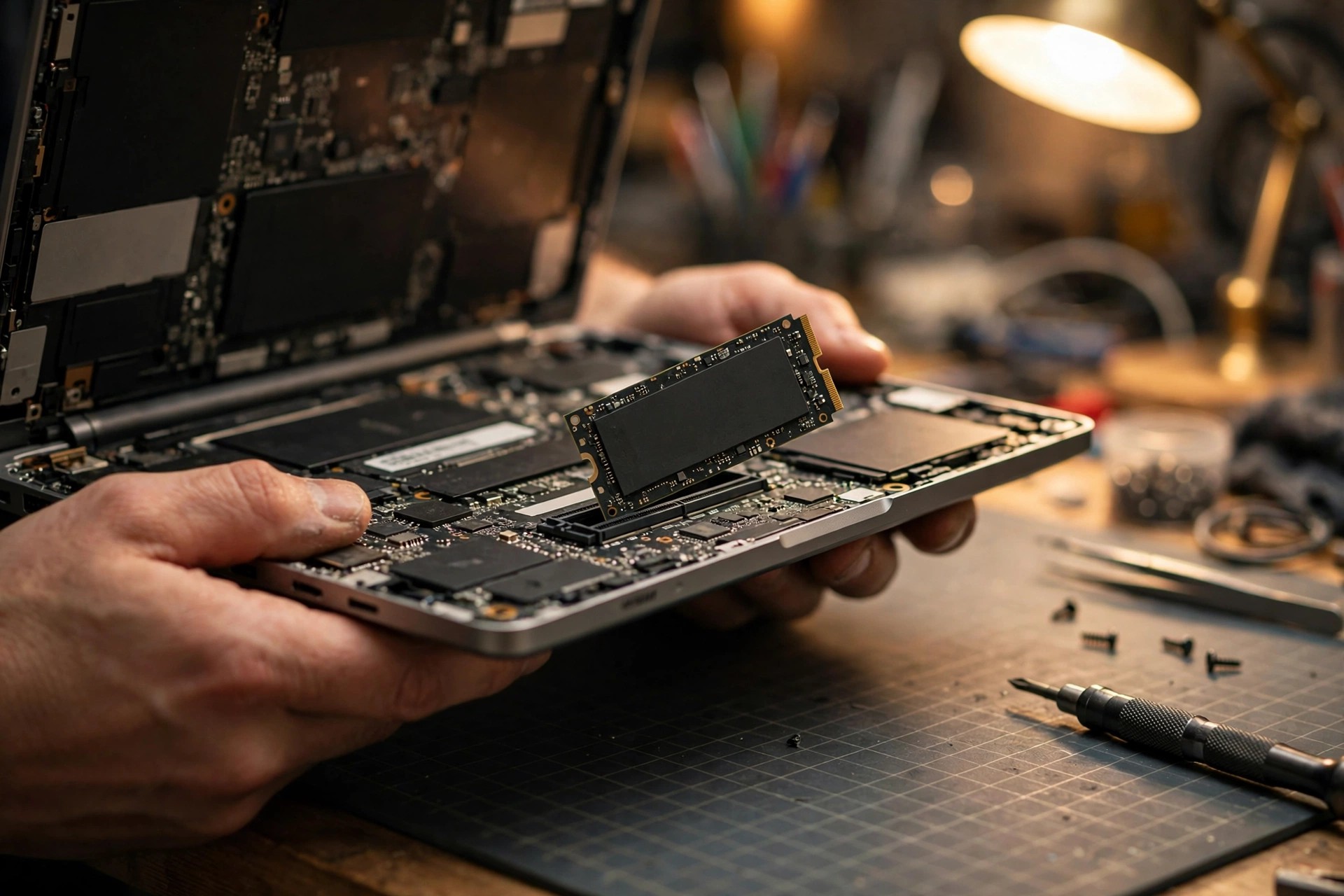
📌 Key Takeaways
- •[A-S1] NVM Express — NVM Express® Base Specification(官方規範頁)** — https://nvmexpress.org/specification/nvm-express-base-specification/ — 支持:NVMe 2.4 於 2026 年 8 月 4 日發佈,Base Specification 修訂版 2.4 於 2026 年 7 月 31 日獲批,規範分為 Base、Command Set 與 Transport 三組文件。
- •[A-S2] NVM Express — Changes in NVM Express Revision 1.4(PDF)** — https://nvmexpress.org/wp-content/uploads/Changes-in-NVMe-Revision-1.4.pdf — 支持:NVMe 1.4 的 HMB 增強功能容許控制器表明描述符數量上限與最小分配大小等限制。
- •[A-S3] [B-S26] NVM Express — Changes in NVM Express Revision 2.0** — https://nvmexpress.org/changes-in-nvm-express-revision-2-0/ — 支持:NVMe 2.0 將規範重組為八份文件組成的家族,HMB 保留在 Base Specification 內。
- •[A-S4] Wikipedia — NVM Express** — https://en.wikipedia.org/wiki/NVM_Express — 支持:HMB 於 NVMe 1.2 加入;Windows 10 Anniversary Update(1607)起支援 HMB;Linux 內核自 4.13 起支援 HMB,預設最大為 128MB;24H2 HMB 上限約為系統記憶體嘅六十四分之一(16GB 對應約 256MB)。
- •[A-S5] [B-S1] Kim & Kim — HMB in DRAM-less NVMe SSDs: Their usage and effects on performance(PLOS ONE,2020)** — https://pmc.ncbi.nlm.nih.gov/articles/PMC7051071/ — 支持:受測 DRAM-less SSD 效能明顯差過有 DRAM 型號,HMB 改善效能,且主要用作映射表快取而非讀取快取或寫入緩衝;HMB 以 Set Features 命令啟用。
1. What DRAM Cache and HMB Are
A laptop solid-state drive contains four principal parts: a host interface, a controller, a DRAM cache, and a NAND flash array [A-S20][B-S2]. The controller is the drive's working brain, responsible for address mapping, error correction, wear levelling, TRIM, and garbage collection [A-S21][B-S3]. The NAND array itself is organised in a hierarchy of dies, planes, blocks, and pages, with writes taking place at page level and erases taking place at block level [A-S20][B-S2]. The DRAM cache is a separate volatile memory chip mounted on the drive's circuit board, and it exists to give the controller a fast working area that NAND cannot provide [A-S20][B-S5]. The Host Memory Buffer, usually shortened to HMB, is a different answer to the same problem: instead of mounting a DRAM chip on the drive, a DRAM-less drive borrows a slice of the laptop's own system memory [A-S5][B-S1]. The two mechanisms are often confused in casual discussion, yet they differ in physical location, ownership, failure behaviour, and the symptoms they produce when they go wrong [A-S28][B-S1].
The most important fact about the DRAM cache is that its main job is not to store user files [A-S5][B-S4]. A peer-reviewed study of DRAM-less NVMe drives found that the controller's DRAM is used mainly to hold the address mapping table, with only a secondary role in temporarily holding data read from flash or data waiting to be written to flash [A-S5][B-S1]. The same point is made in technical discussion of drive internals, which notes that DRAM is almost entirely used to cache the flash translation layer, and is rarely used to hold large quantities of user data [A-S38][B-S4]. The mapping table, often called the L2P table, records which logical block address corresponds to which physical page in NAND, and the controller must consult it on every read and every write [A-S20][B-S2]. Placing that table in DRAM makes each translation fast, while placing it in NAND would force the controller to read mapping pages from flash before it could even begin to read or write user data [A-S21][B-S5]. This is why the size, speed, and health of the mapping cache matter far more than the popular image of a cache as a simple holding pen for files [A-S27][B-S2].
HMB was added to the NVMe specification in revision 1.2, and it allows an NVMe drive to use part of the host computer's DRAM [A-S4][B-S1]. The NVMe 2.0 base specification, section 8.9, defines HMB as host memory allocated for the exclusive use of the controller, and its purpose is determined by the drive maker rather than by the specification itself [A-S6][B-S7]. The peer-reviewed research by Kim and Kim, published in PLOS ONE in 2020, tested commercial DRAM-less drives and concluded that the drives under test used HMB mainly as a mapping-table cache, rather than as a read cache or a write buffer [A-S5][B-S1]. That finding is central to this guide, because it means HMB and onboard DRAM are doing the same principal job in different places, and a failure in either one produces the same class of symptom: slow or unreliable address translation [A-S5][B-S8]. HMB is not a second drive, not a general-purpose extension of system memory, and not a replacement for the NAND array itself [A-S6][B-S1].
The controller's internal SRAM should not be confused with either onboard DRAM or HMB [A-S38][B-S2]. Every controller contains a small amount of internal SRAM used for processing and buffering, and that SRAM remains present even in a DRAM-less drive [A-S38][B-S3]. A DRAM-less drive has lost only the external DRAM chip, not all volatile memory, and its controller still uses internal SRAM for short-lived buffering while it waits for NAND or for HMB [A-S38][B-S5]. The practical consequence is that a DRAM-less drive is not helpless without HMB; it can still operate, but it must fetch mapping pages from NAND far more often, and that is where the performance penalty appears [A-S6][B-S1]. The specification itself requires that a controller must still be able to operate with no HMB at all, and the host is permitted to grant less than the requested amount, or nothing at all [A-S6][B-S7].
Several well-known laptop drives illustrate the two designs side by side [A-S36][B-S24]. The WD Black SN770 is DRAM-less across its whole range and uses HMB, while the WD Black SN850X carries onboard DRAM, and the same brand therefore sells both architectures under similar performance branding [A-S36][B-S24]. The Samsung 980, announced on 10 March 2021, was Samsung's first consumer drive without DRAM, and it used HMB to connect to the host processor's DRAM alongside sixth-generation V-NAND and an optimised controller and firmware [A-S31]. The KIOXIA BG4 is a single-package M.2 2230 drive that uses HMB with no integrated DRAM, which allows the controller and NAND to fit into a 22 by 30 millimetre module for thin laptops [A-S32][A-S33]. The Micron 2550 similarly uses HMB technology to eliminate DRAM, and its product brief lists data-at-rest power-loss protection together with RAIN and SMART support [A-S34][B-S38]. The Crucial P310, a 2TB PCIe Gen4 M.2 2230 drive, uses the Phison DRAM-less PS5027-E27T controller with Micron 232-layer QLC NAND and HMB technology, and it supports TRIM, active garbage collection, temperature protection, and power-loss protection [A-S35][B-S29].
| Feature | Onboard DRAM cache | Host Memory Buffer (HMB) |
|---|---|---|
| Physical location | DRAM chip on the SSD circuit board [A-S20][B-S2] | Slice of the laptop's system memory [A-S5][B-S1] |
| Main job | Holds the FTL mapping table for fast translation [A-S21][B-S5] | Holds the mapping-table cache for a DRAM-less drive [A-S5][B-S1] |
| Volatile | Yes, contents lost on power loss [A-S34][B-S19] | Yes, contents lost when the host powers down [A-S6][B-S20] |
| Protocol | Any NVMe or SATA design may carry it [A-S20][B-S2] | NVMe only, not available on SATA [A-S25][B-S1] |
| Typical size | About 1GB per 1TB of NAND capacity [A-S21][B-S3] | Commonly about 64MB on consumer drives [A-S24][B-S24] |
| Works in a USB enclosure | Yes, the chip travels with the drive [A-S20][B-S2] | Usually stops working outside the laptop [A-S25][B-S39] |
| Works after sleep | Mapping cache survives in the chip while powered [A-S34][B-S19] | Cache must be rebuilt after sleep [A-S26][B-S14] |
| Failure signature | Mapping errors with SMART often still normal [A-S56][B-S46] | Allocation failures tied to OS version and firmware [A-S7][B-S10] |
For readers in Hong Kong weighing a repair against a replacement, the practical starting point is a written quotation after inspection, because the correct answer depends on the drive model, the firmware version, and the health log rather than on the brand name alone. Our shop is at Shop 1209, Dalton Plaza, Shek Mun, Sha Tin, open 12:00–19:00, telephone +852 2186 8010, WhatsApp +852 6558 6806. Battery replacement starts at HK$580 onwards, screen replacement at HK$1,280 onwards, board-level chip repair at HK$880 onwards, and keyboard replacement at HK$480 onwards; everything else is subject to a written quotation after inspection. Further service pricing is listed on /pricing, and a structured fault check can be booked through /diagnostic.
2. How DRAM Cache Works: Controller, FTL Mapping Table, Read/Write Path
A typical NVMe drive is built from four parts: the host interface, the controller, the DRAM cache, and the NAND flash array [A-S20][B-S2]. The controller is described as the drive's brain, and it is responsible for address mapping, error correction, wear levelling, TRIM, and garbage collection [A-S21][B-S3]. The NAND array is organised as dies, planes, blocks, and pages, and the asymmetry between page-level writes and block-level erases shapes everything the controller must do [A-S20][B-S2]. The host interface speaks NVMe over PCIe, the controller runs the flash translation layer, the DRAM cache holds the working mapping data, and the NAND array holds the persistent data [A-S20][B-S3]. Understanding how those four parts interact on a single read or write is the foundation for recognising when the DRAM cache or HMB has failed, because every later symptom in this guide is a disturbance of one step in that path [A-S5][B-S2].
NAND flash has two hard limits that a mechanical hard drive does not have, and the flash translation layer exists to hide both of them [A-S20][B-S51]. The first limit is that NAND cannot overwrite in place: a page that has already been written cannot be rewritten until its whole block has been erased [A-S20][B-S2]. The second limit is the mismatch of granularity: writes happen at page level, while erases happen at block level, and a block contains hundreds or thousands of pages [A-S20][B-S51]. The flash translation layer, usually shortened to FTL, is the firmware layer that presents the operating system with a block device that appears to allow arbitrary overwrites, while behind the scenes it turns every overwrite into a write to a fresh page plus an update to the mapping table, with the old page marked invalid [A-S20][B-S2]. The SPDK documentation on the flash translation layer confirms that the FTL handles logical-to-physical mapping and manages garbage collection [A-S19][B-S42]. Without that layer, the operating system would have to manage NAND's erase-before-write rule directly, and ordinary file operations would fail [A-S20][B-S51].
The read path proceeds in five steps, and the mapping table is consulted at the second step [A-S5][B-S2]. First, the host issues a read command carrying a logical block address and a length, and the command travels through the NVMe submission queue to the controller [A-S5][B-S3]. Second, the controller consults the FTL mapping table to translate the logical address into a physical page address [A-S20][B-S2]. Third, if the mapping entry is already in DRAM or HMB, the translation completes immediately, but if it is not, the controller must first read the relevant mapping page from NAND, which adds extra latency [A-S5][B-S5]. Fourth, the controller reads the target page from NAND, corrects bit errors through error correction, usually low-density parity-check coding, and then returns the data [A-S21][B-S3]. Fifth, the result is reported back to the host through the NVMe completion queue, and the read itself does not wear the mapping table, although every read still depends on the table being correct [A-S5][B-S2]. A mapping error at step two therefore produces a wrong read, a slow read, or no read at all, even when the NAND page itself is intact [A-S19][B-S19].
The write path is longer, because a write must allocate, program, update, and eventually persist [A-S20][B-S2]. First, the host issues a write command with its data, and the controller consults the mapping table to decide which free page should receive it [A-S20][B-S3]. Second, the data is written to NAND using a log-structured approach, which means it always goes to a new page and never overwrites the old page in place [A-S20][B-S2]. Third, the mapping table in DRAM or HMB is updated to point at the new physical page, and the old page is marked invalid [A-S20][B-S5]. Fourth, the data may pass through an SLC cache region first, as described in Chapter 6, before it is folded into its final multi-bit storage [A-S29][B-S40]. Fifth, the persistent copy of the mapping table must eventually be written back to NAND, because the DRAM copy is volatile and will be lost on power failure [A-S19][B-S20]. Sixth, the controller reports completion to the host, but that completion does not mean the mapping table has already reached NAND, and the gap between the two is precisely where power-loss risk lives [A-S19][B-S19].
The DRAM chip performs three jobs, but their proportions are unequal, and the inequality matters for diagnosis [A-S5][B-S5]. The first job is the mapping-table cache, and it is the dominant one: the controller consults the table on every operation, so a table held in DRAM is fast and a table held in NAND is slow [A-S21][B-S5]. The second job is a write buffer for small amounts of data waiting to be written to flash, and the peer-reviewed literature lists that role alongside the mapping table and the temporary holding of data read from flash [A-S5][B-S1]. The third job is a staging area for garbage collection, because that background process must move valid pages, update mappings, and then erase the old block, and every one of those steps consults and updates the table [A-S20][B-S42]. Technical discussion adds an important correction to the popular picture: DRAM is rarely used to hold large quantities of user data, and most write data passes through the controller's internal SRAM buffer straight to NAND instead [A-S38][B-S4]. Describing the DRAM cache as a large user-data write cache is therefore a common misunderstanding, and it leads owners to expect behaviour that the hardware was never designed to provide [A-S38][B-S5].
The speed gap between DRAM and NAND explains why the mapping table's location dominates random-access performance [A-S27][B-S5]. One technical explanation states that DRAM is about two orders of magnitude faster than NAND, so holding the mapping table in DRAM can cut random-access latency dramatically [A-S27][B-S2]. That gap is also why a DRAM-less drive can feel close to a drive with DRAM under light loads, yet fall behind under random small-file work, multitasking, and sustained writing [A-S24][B-S1]. When the working set of logical addresses is small, the hot mapping pages fit in the available cache and almost every translation is a hit [A-S5][B-S5]. When the working set grows, the cache must evict one mapping page to load another, and each miss adds a NAND read before the user data can even be addressed [A-S5][B-S5]. The result is not a smooth slowdown but a pattern of stalls and jitter, because the extra NAND reads arrive unpredictably as the workload wanders across the address space [A-S24][B-S1].
Controller SRAM and onboard DRAM serve different roles, and confusing them hides the real fault [A-S38][B-S2]. All controllers contain a small amount of internal SRAM for processing and buffering, and that SRAM is present whether or not the drive carries an external DRAM chip [A-S38][B-S3]. A DRAM-less drive has lost only the external chip, not all volatile memory, and its controller still uses internal SRAM for short-lived buffering [A-S38][B-S5]. The distinction matters when a drive is opened for inspection: the presence of a controller chip does not prove the presence of a DRAM cache, and the absence of a DRAM chip does not mean the controller has no working memory at all [A-S36][B-S24]. The SK hynix Gold P31, for example, carries a Cepheus controller, 128-layer TLC NAND, and an LPDDR4 DRAM cache, with the controller, NAND, and DRAM all made by SK hynix itself [A-S40][B-S28]. The WD Black SN770, by contrast, carries the Polaris MP16+ controller with no DRAM cache and a 64MB HMB allocation, using Kioxia 112-layer TLC NAND under the NVMe 1.4 protocol [A-S68][B-S24].
| Stage | What happens | Where the mapping table is used |
|---|---|---|
| Host read issued | Read command with LBA and length enters the submission queue [A-S5][B-S3] | Not yet consulted |
| Address translation | Controller looks up the LBA in the FTL table [A-S20][B-S2] | DRAM or HMB hit is fast; miss needs a NAND read [A-S5][B-S5] |
| NAND read | Target page read from flash and corrected by LDPC [A-S21][B-S3] | Table entry must already be resolved |
| Completion reported | Result returned through the completion queue [A-S5][B-S2] | No further table access needed |
| Host write issued | Write command with data arrives at the controller [A-S20][B-S3] | Table consulted to choose a free page [A-S20][B-S2] |
| Data programmed | Data written to a fresh page, never in place [A-S20][B-S51] | Table updated in DRAM or HMB [A-S20][B-S5] |
| Old page invalidated | Previous page marked invalid for later collection [A-S20][B-S42] | Table update recorded in volatile memory [A-S19][B-S19] |
| Table persisted | Dirty mapping pages written back to NAND [A-S19][B-S20] | Volatile copy synchronised with the persistent copy [A-S19][B-S19] |
| Garbage collection | Valid pages moved, old block erased [A-S20][B-S51] | Table consulted and updated for every moved page [A-S20][B-S42] |
3. The HMB Protocol in Depth: NVMe Spec, Allocation Flow, Descriptors, Size Limits
HMB entered the NVMe specification in revision 1.2, and the feature has survived every major reorganisation of the specification since then [A-S4][B-S1]. NVMe 1.4 added enhancements that let the controller declare its limits to the host, including the maximum number of descriptor entries it accepts and the minimum allocation size for each descriptor [A-S2][B-S8]. NVMe 2.0 reorganised the specification into a family of eight documents, with HMB remaining inside the Base Specification [A-S3][B-S26]. The current revision is NVMe 2.4, published on 4 August 2026, with the Base Specification revision 2.4 approved on 31 July 2026 [A-S1][B-S6]. The allocation model itself has stayed continuous since 1.2, so the protocol described here applies across the versions a laptop owner is likely to meet in practice [A-S1][B-S1].
The allocation flow begins with identification, and the controller's answer decides whether HMB is possible at all [A-S67][B-S8]. The host reads the controller's Identify Controller data structure, which includes the HMB preferred size, known as HMPRE, and the HMB minimum size, known as HMMIN [A-S67][B-S8]. If HMPRE is zero, the drive does not support HMB, and the host proceeds without it [A-S67][B-S8]. If HMPRE is non-zero, the drive supports HMB, and the host then allocates a region of system DRAM for the controller's exclusive use [A-S6][B-S8]. The host activates that allocation with the NVMe Set Features command, using Feature Identifier 0Dh for the Host Memory Buffer, and only then may the controller use the space [A-S5][B-S8]. The Linux kernel's NVMe driver attempts to enable HMB during device initialisation when the drive supports it, following the same sequence [A-S5][B-S1].
HMB is described to the controller through a list of descriptors, not as a single guaranteed block [A-S67][B-S14]. Each Host Memory Buffer Descriptor Entry states the address and size of one segment of host memory, and the controller uses that list to reach the borrowed memory by direct memory access across PCIe [A-S67][B-S14]. The Linux kernel source for the NVMe PCI driver keeps fields for the host memory size, the number of host memory descriptors, the descriptor list itself, and the DMA address of that list, which is the driver-side implementation of the same mechanism [B-S14][A-S67]. NVMe 1.4 allows the controller to declare limits on that layout, such as how many descriptor entries it will accept and the minimum usable size of each entry, known as HMMINDS [A-S2][A-S67]. The FreeBSD NVMe driver discussion confirms that HMPRE, HMMIN, and HMMINDS are all expressed in units of 4KiB [A-S67][B-S8]. A descriptor list that does not match what the firmware expects can therefore leave the controller unable to address HMB correctly, and the symptom may be an initialisation failure, abnormal performance, or a whole-system stall rather than a simple slowdown [B-S14][A-S67].
Release follows the same discipline as allocation, because the host must not reclaim the memory while the controller still relies on it [A-S6][B-S7]. The host software must ask the controller to release the relevant range before the memory is returned to general use, and the controller is responsible for initialising the HMB resources it has been given [A-S6][B-S7]. The patent literature on HMB use states that the host must notify the controller before any operation that could cause data loss, and must allow the controller to confirm that operation before the data is lost [B-S7][A-S6]. In the Linux kernel implementation, the HMB support includes allocation, release, and reset paths, and if the Set Features command fails, the driver releases the host memory it had already allocated [B-S14][A-S6]. The life cycle of HMB is therefore bound to the host driver, and a driver error or a firmware misunderstanding of the allocation size can stall the controller directly [B-S14][A-S7].
There is no single global maximum size for HMB in the specification, because the size is negotiated between the drive's request and the host's policy [A-S6][B-S1]. The peer-reviewed research found that two of the three DRAM-less drives under test accepted an HMB range of 8MB to 480MB, while a third supported only a fixed 64MB, showing that HMB capability can differ widely even among drives of the same class [B-S1]. In practice, most consumer DRAM-less drives report a common value of 64MB, and the TechPowerUp drive database lists HMB at 64MB for the WD SN770, the Crucial P3 Plus, and the Kioxia Exceria Plus G3 alike [B-S24][B-S27][B-S30]. One technical survey notes that HMB generally borrows 64MB, with some controllers capped at 40MB, and that the borrowed space mainly buys back mapping-table capacity rather than write caching [A-S24]. Another survey puts the usual range at 32MB to 64MB of system RAM used as a mapping-table cache [A-S26][B-S24].
Windows and Linux apply different policies on top of the same specification, and the difference became visible in the Windows 11 24H2 incident described in Chapter 7 [A-S7][B-S10]. Windows 11 version 23H2 generally allocated at most 64MB of HMB, while version 24H2 allocated up to about 200MB to the affected models [A-S7][B-S10]. A Microsoft Q&A discussion reported a further figure, describing a unified cache limit of up to 256MB in 24H2, with the SN580 supporting a 200MB allocation and the SN770 supporting only 64MB [A-S8][B-S13]. The two figures describe different layers, the host's unified cache ceiling and the individual model's accepted HMB size, and no Microsoft engineering notice has published an HMB byte count as a single official constant [A-S14][B-S13]. Linux takes a different approach: the kernel has supported HMB since version 4.13, with a documented default maximum of 128MB [A-S4][B-S14]. The kernel module parameter max_host_mem_size_mb defaults to 128, meaning the per-controller HMB ceiling in MiB, and the driver clamps the preferred size inside that ceiling [B-S14][A-S66]. If the minimum size exceeds the ceiling, the driver warns, and if allocation fails, the driver logs a failure message and lets the controller continue without HMB [B-S14][A-S66].
| Layer | How the HMB size is decided | Typical value |
|---|---|---|
| Specification | No fixed ceiling; controller requests HMPRE and HMMIN, host decides [A-S6][B-S8] | Varies by controller, 8MB to 480MB in tested drives [B-S1] |
| Controller limit | HMPRE of zero means no HMB support; HMMINDS sets the smallest descriptor [A-S67][B-S8] | Some controllers fixed at 64MB [B-S1][B-S24] |
| Windows 11 23H2 | Host policy granted at most 64MB [A-S7][B-S10] | About 64MB [A-S13][B-S11] |
| Windows 11 24H2 | Host policy raised the grant to about 200MB [A-S7][B-S10] | About 200MB, with 256MB also reported in discussion [A-S8][B-S13] |
| Linux kernel | Default ceiling of 128MB through max_host_mem_size_mb [A-S4][B-S14] | 128MB maximum unless changed [B-S14][A-S66] |
| Linux failure path | Allocation failure logs a message and the controller runs without HMB [B-S14][A-S66] | Degraded operation, not a stall [B-S14][A-S66] |
| Common consumer drives | Database entries for SN770, P3 Plus, and Exceria Plus G3 [B-S24][B-S27] | 64MB [B-S24][B-S30] |
| Descriptor units | HMPRE, HMMIN, and HMMINDS all use 4KiB units [A-S67][B-S8] | 4KiB per unit [A-S67][B-S8] |
4. DRAM vs DRAM-less: Architecture Compared
A drive with onboard DRAM and a DRAM-less drive differ in one visible component, yet that single difference changes cost, power, size, consistency, and dependence on the host [A-S23][B-S1]. The drive with DRAM carries a dedicated memory chip that holds the mapping table and other working data, while the DRAM-less drive carries no such chip and must borrow host memory through HMB or fetch mapping pages from NAND [A-S23][B-S1]. The peer-reviewed research states plainly that removing the controller's DRAM can reduce power consumption, manufacturing cost, and package size, which is why DRAM-less designs expanded quickly in client and embedded markets [B-S1][A-S5]. The Micron 2550 product brief presents the same trade in its own terms, describing HMB as the technology that eliminates DRAM and pairing it with a sleep power draw below 2.5 milliwatts [B-S38][A-S34]. For a thin laptop, that saving is not cosmetic: it allows a single-sided circuit board, a smaller module, and less heat inside a cramped chassis [A-S32][B-S38].
The performance gap between the two architectures is workload-dependent, and the research measured it rather than assuming it [A-S5][B-S1]. The PLOS ONE study tested commercial DRAM-less drives against drives with internal DRAM across light and heavy fio workloads, and concluded that the DRAM-less drives showed clearly lower input and output performance, while enabling HMB improved performance to some degree, especially for random reads [A-S5][B-S1]. The same study found that HMB did not make a DRAM-less drive equal to a drive with DRAM, and independent technical writing states directly that the industry claim that an HMB drive is as fast as a drive with DRAM is inaccurate [A-S24][B-S1]. The gap is smallest where the working set is small and the access pattern is sequential, because a 64MB HMB allocation can already cover the hot mapping pages [B-S1][A-S5]. The gap widens where the working set is large and the access pattern is random, because the controller must repeatedly fetch mapping pages from NAND [B-S1][B-S5].
Five workload classes show the difference in order, from most affected to least affected [A-S5][B-S1]. Sustained random writing, such as database work, virtual-machine disks, and large numbers of small files, is affected most, because every write consults and updates the table [A-S5][B-S42]. Writing to a nearly full drive is next, because garbage collection and mapping pressure arrive together [A-S24][B-S42]. Heavy multitasking with simultaneous reads and writes follows, because the mapping cache is repeatedly swapped in and out [A-S5][B-S1]. Large sequential reads and writes are affected least, because consecutive logical addresses share mapping pages and each loaded page serves many subsequent operations [A-S5][B-S5]. Booting and application launch sit in the middle: they are mostly random reads, and HMB helps them most, which is why a DRAM-less drive can feel fast in daily use while still falling behind under sustained load [A-S5][A-S24].
Concrete models make the comparison tangible, because the same brands sell both architectures side by side [A-S36][B-S24]. The Samsung 990 PRO carries DRAM scaled to capacity, with 1TB fitted with 1GB of LPDDR4, 2TB with 2GB, and 4TB with 4GB, according to the official datasheet and product page [B-S16][B-S17]. The SK hynix Platinum P41 1TB carries 1GB of LPDDR4 DRAM with the Aries controller and 176-layer TLC NAND, and the 500GB version carries 512MB [B-S28][A-S39]. The WD Black SN770, by contrast, has no onboard DRAM and uses a 64MB HMB allocation with the SanDisk Polaris MP16+ controller and 112-layer TLC NAND [B-S24][A-S68]. The NAND type alone does not decide the question: TLC drives are sold both with onboard DRAM and without it [A-S37][A-S36]. The Crucial P3 Plus uses the Phison PS5021-E21T controller with no DRAM, a 64MB HMB allocation, and Micron 176-layer QLC NAND in its early batches [B-S27][B-S29]. The Kioxia Exceria Plus G3 also uses the Phison E21T with no DRAM and a 64MB HMB allocation, while the Exceria Plus G4 uses the Phison E31T in the same DRAM-less HMB 64MB design [B-S30][B-S31]. The Phison E21T product document states explicitly that the controller is DRAM-less, supports HMB, and follows NVMe 1.4 [B-S29][B-S36].
The controller family often reveals the architecture more reliably than the brand name, because brand words do not guarantee a DRAM chip [A-S36][B-S27]. The Phison PS5018-E18 is a flagship controller with DDR4 DRAM, while the Phison PS5021-E21T is a DRAM-less four-channel controller supporting TLC and QLC NAND under NVMe 1.4 [B-S32][B-S37]. The Crucial T500 carries onboard DRAM with a Silicon Motion controller and Micron 232-layer TLC NAND, while the Crucial P3 and P3 Plus are DRAM-less designs using HMB [A-S36][B-S27]. The KIOXIA BG4 is the clearest example of the size motive: it is a single-package M.2 2230 drive using HMB with no integrated DRAM, so the controller and NAND fit into a 22 by 30 millimetre module for thin laptops and handheld devices [A-S32][A-S33]. The Micron 2550 is an original-equipment design in the same class, offered in M.2 2230, 2242, and 2280 sizes and commonly found as the factory drive in branded laptops [B-S38][B-S39].
Durability is the area where the comparison is most often overstated, and the evidence requires two separate statements [A-S27][B-S42]. A DRAM-less design does not directly wear NAND faster, but a mapping cache that is too small increases NAND read and write traffic, because mapping pages must be read from NAND and written back to NAND more often, and garbage collection must move valid pages more often [B-S42][A-S27]. That extra traffic raises write amplification, so the same host write volume produces more actual NAND writes [B-S43][A-S50]. The second statement is that endurance is mainly decided by the NAND type, the controller, and the firmware quality, and a low-end drive's shorter life is usually caused by cheaper NAND and a basic controller rather than by the absence of DRAM alone [A-S25][B-S42]. A buyer should therefore judge endurance by the TBW rating, the NAND type, and the firmware support record, not by the presence or absence of a DRAM chip [A-S45][B-S42].
| Item | Drive with DRAM | DRAM-less drive with HMB |
|---|---|---|
| Onboard DRAM chip | Present, holds the mapping table [A-S21][B-S3] | Absent, mapping cache borrowed from the host [A-S5][B-S1] |
| Mapping table location | Onboard DRAM, most or all of the table resident [A-S21][B-S5] | Host DRAM through HMB, or NAND when HMB is absent [A-S6][B-S1] |
| Cost and size | Higher, with an extra chip and board area [A-S23][B-S1] | Lower, allows single-sided boards and M.2 2230 [A-S32][B-S38] |
| Power draw | Higher, the extra chip draws power [B-S1][A-S23] | Lower, with sleep draw below 2.5mW on the Micron 2550 [B-S38][A-S34] |
| Random consistency | Better, the full table is close at hand [A-S23][B-S1] | Weaker, especially under heavy load [A-S24][B-S1] |
| Host dependence | Low, the drive is largely self-contained [A-S23][B-S1] | High, needs OS and driver support for HMB [A-S25][B-S14] |
| Light daily use | Fast and stable [A-S23][B-S1] | Close to the DRAM design, gap hard to notice [A-S5][A-S24] |
| Sustained random writing | Stable, mapping lookups stay fast [A-S5][B-S1] | Falls behind as mapping pages swap in and out [B-S1][B-S42] |
nvme id-ctrl reads HMPRE and HMMIN directly, and on Windows the maker's tool reports the model and firmware version for cross-checking against the database [B-S14][A-S68]. The same model in different capacities can use different architectures, and words such as Pro or Black do not guarantee a DRAM chip [A-S36][B-S27]. When the architecture is confirmed, the workload guidance follows: light office and media use is well served by a DRAM-less drive with HMB, while sustained writing, virtual machines, and database work are steadier on a drive with onboard DRAM [A-S24][B-S1].
5. The FTL Mapping Table: Size Estimates, Loading, Loss on Power Failure
The mapping table's size follows from simple arithmetic, and the arithmetic explains why HMB can only ever cache part of it [A-S19][B-S5]. With a 4KB mapping unit, a 1TB drive holds about 244 million units, and with 4 bytes per entry the full table is about 977MB (about 1GB) [A-S19][B-S5]. The SPDK documentation on the flash translation layer confirms the underlying rule: below 16TiB, each logical block address uses 4 bytes, and above 16TiB it uses 8 bytes [A-S19][B-S2]. The industry rule of thumb, about 1GB of DRAM per 1TB of NAND, is therefore a direct consequence of page-level mapping at 4KB granularity [A-S21][B-S3]. A 2TB drive's full table is about 1.95GB, and a 4TB drive's is about 3.91GB, while the HMB available to a DRAM-less drive is commonly only 64MB [A-S19][B-S24]. That gap is the structural reason HMB works as a cache for the hot part of the table rather than as a home for the whole table [A-S5][B-S1].
The controller handles that gap by paging the table, loading only the sections it currently needs [A-S5][B-S5]. The full table is stored persistently in NAND as mapping pages, while DRAM or HMB holds only the hot pages covering the logical ranges most recently or most frequently accessed [A-S5][B-S5]. A hit means the translation completes from memory with low latency, while a miss means the controller must first read the relevant mapping page from NAND, load it into memory, and possibly evict another page to make room [A-S5][B-S5]. A patent describing a method for reducing DRAM use in drives sets out a similar layered design: the mapping table is stored in groups in NAND, a reference table sits in DRAM, and the matching group is copied into DRAM on demand for each access [A-S22][B-S5]. The peer-reviewed experiment used exactly this behaviour to infer its conclusion, measuring performance changes across workloads to show that the tested DRAM-less drives used HMB mainly as a mapping-table cache [A-S5][B-S1].
Power failure is where the mapping table's volatility becomes a data-loss risk, and the consequences fall into three levels [A-S19][B-S19]. DRAM and HMB are both volatile, so a power cut empties them immediately, and any mapping update that has not yet been written back to NAND is lost [A-S19][B-S20]. A normal shutdown gives the controller a warning, and it flushes its DRAM contents and mapping updates to NAND before power is removed [B-S19]. An abnormal shutdown, such as a sudden power cut, a long press of the power button, a blue screen, or a drained battery, can interrupt that flush and leave the persistent table inconsistent [A-S19][B-S20]. At the mildest level, the next boot takes longer while the controller rebuilds the table from the reverse mapping data stored with each band, and the data itself remains intact, because the SPDK flash translation layer rebuilds the full table by reading the physical-to-logical metadata of each band [A-S19][B-S19]. At the middle level, some recent mapping updates are lost, so individual files point at old versions or invalid locations and appear damaged or unreadable [A-S19][B-S19]. At the severe level, the persistent copy of the table was itself being written when power failed, the controller cannot rebuild it, and the drive may not be recognised, may show an abnormal capacity, or may demand initialisation [A-S19][B-S20].
Power-loss protection decides how far that risk extends, and consumer drives offer less of it than their enterprise counterparts [A-S34][B-S19]. Enterprise drives often carry capacitors that store enough charge for the controller to write its DRAM contents back to NAND after power is lost [A-S34][B-S19]. Most consumer laptop drives offer only data-at-rest protection, which guarantees that data already written to NAND will not vanish on power loss, but does not guarantee that unflushed updates sitting in DRAM or HMB will survive [A-S34][B-S19]. The Micron 2550 product brief lists its protection precisely as power-loss protection for data at rest, together with power-loss signal support, and that qualifier means the protection covers data already written to NAND, not unflushed cache contents [A-S34][B-S38]. Kingston's power-loss material describes the firmware side of the same problem: new data is written with a label containing its logical address and error-correction information, and the spare-area data together with the original table lets the firmware rebuild the mapping table on the next boot [B-S19][A-S19]. Rebuilding succeeds in many cases, but the most recent writes may still be lost, and rebuilding fails when the table or its metadata is itself damaged [B-S19][A-S19].
| Capacity | Full mapping table at 4 bytes per 4KB unit | What fits in a 64MB HMB |
|---|---|---|
| 250GB | About 244MB [A-S19][B-S5] | About a quarter of the table [A-S5][B-S24] |
| 500GB | About 488MB [A-S19][B-S5] | About an eighth of the table [A-S5][B-S24] |
| 1TB | About 977MB (about 1GB) [A-S21][B-S3] | About a sixteenth of the table [A-S5][B-S24] |
| 2TB | About 1.95GB [A-S19][B-S5] | About a thirty-second of the table [A-S5][B-S24] |
| 4TB | About 3.91GB [A-S19][B-S5] | About a sixty-fourth of the table [A-S5][B-S24] |
| 16TiB and above | 8 bytes per entry, table doubles [A-S19][B-S2] | An even smaller fraction [A-S19][B-S24] |
| Mapping page source | Persistent copy held in NAND system pages [A-S5][B-S5] | Hot pages copied into DRAM or HMB on demand [A-S5][B-S5] |
| Power-loss outcome | Unflushed updates lost; rebuild from reverse mapping [A-S19][B-S19] | HMB contents lost with host power [A-S6][B-S20] |
6. SLC Cache vs DRAM Cache: Telling the Two Apart
The SLC cache and the DRAM cache share the word cache and almost nothing else, and confusing them is the most common diagnostic error in this whole subject [A-S28][B-S40]. The DRAM cache, or HMB in a DRAM-less drive, is memory: it holds the mapping table and the controller's working data, and it does not directly store large quantities of user files [A-S28][B-S1]. The SLC cache is part of the NAND itself: the controller temporarily operates some TLC or QLC blocks in single-bit mode, writing one bit per cell instead of three or four, which makes writes much faster at the cost of using three to four times the physical capacity per gigabyte [B-S40][B-S41]. The two mechanisms can exist side by side in the same drive, with DRAM or HMB managing the map and the SLC cache accelerating bursts of writes [B-S40][A-S28]. A drive can therefore suffer an SLC exhaustion event while its DRAM cache is perfectly healthy, or suffer a mapping failure while its SLC cache is untouched, and the symptoms of the two are different in ways that can be tested [A-S29][B-S40].
The SLC cache works by exploiting the speed of single-bit programming, and it pays for that speed with a folding step [A-S29][B-S41]. TLC and QLC cells store three or four bits each, which requires distinguishing many voltage states and therefore takes longer to program [A-S29][B-S40]. The SLC region writes each cell with one bit, so it accepts data quickly, and while the drive is idle the controller folds that data back into multi-bit cells, freeing the SLC region for the next burst [A-S29][B-S41]. Samsung calls this technique Intelligent TurboWrite, and its documentation states that data moves from the SLC buffer to multi-bit cells while the drive is idle [A-S29]. Almost every modern drive uses part of its NAND in pseudo-SLC mode, and once that region is full the write speed falls until the controller has time to empty it [A-S30][B-S40]. The Samsung 870 EVO and QVO specification footnotes record the speed after the TurboWrite region, with the 1TB EVO at 530MB/s and the 1TB QVO at 80MB/s, a gap large enough to feel like a failure even though it is normal behaviour [A-S29][B-S41].
The SLC cache has a static part and a dynamic part, and the dynamic part shrinks as the drive fills [B-S16][B-S40]. The static portion is a fixed reserve, usually a few percent of total capacity, that exists however full the drive is, while the dynamic portion borrows free NAND space and therefore gets smaller as free space falls [B-S40][B-S41]. The Samsung 990 PRO's SLC write cache splits into static and dynamic portions by capacity, with the 1TB model at about 114GB in total, roughly 108GB dynamic and 6GB static, showing that even a flagship drive with DRAM still relies on an SLC cache for burst acceleration [A-S71]. The WD SN770's dynamic pseudo-SLC cache varies by capacity, from about 93GB on the 250GB model to about 650 to 740GB on the 2TB model [A-S69]; on the 1TB model a sample absorbed about 377GB before falling back to about 560MB/s, and the fallback speed varies by capacity [A-S70]. The Crucial P3 Plus, a QLC drive, can fall to about 100 to 200MB/s when its dynamic cache is exhausted and it must write directly to QLC [B-S27][B-S41]. The exact figures vary with test conditions, and the point to carry forward is the dynamic behaviour, not the memorised number [B-S40][B-S41].
SLC exhaustion has a recognisable signature, and each element of it can be checked [A-S29][B-S40]. A large continuous write starts very fast, then drops sharply at one point and stays at a lower, steady speed, which is the native TLC or QLC rate [A-S29][B-S41]. The drop is tied to the total amount transferred, for example after copying tens of gigabytes, rather than to elapsed time or temperature [B-S40][A-S29]. Stopping the write and leaving the drive idle restores speed, because the controller folds the SLC data back into multi-bit cells and frees new SLC space [A-S30][B-S41]. Read speed is not directly affected, and random small-file reads remain broadly normal [B-S40][A-S29]. The less free space the drive has, the earlier the drop arrives and the slower the recovery, because the dynamic cache is smaller to begin with [B-S40][A-S30].
A DRAM or HMB fault produces a different signature, and the contrast is the diagnostic test [A-S29][B-S40]. Random read and write performance falls together, not just large-file writes, and booting, opening programs, and switching between tasks all slow down [B-S40][B-S1]. The system stalls intermittently, sometimes for seconds, and the event log may show stornvme errors or controller errors [A-S13]. A blue screen or a boot loop can follow when an HMB allocation is incompatible, because failed writes can damage system files and produce a CRITICAL_PROCESS_DIED blue screen [A-S17][B-S10]. The drive may disappear from the system and reappear after a restart [A-S9][B-S10]. Crucially, leaving the drive idle does not restore it, because the problem lies in the mapping lookup path rather than in SLC folding [A-S29][B-S40]. The Samsung 980 carries both mechanisms at once, with HMB in host DRAM and Intelligent TurboWrite 2.0 in the drive's SLC buffer, and technical analysis warns that the TurboWrite region size must not be read as the HMB allocation, nor the HMB figure as the SLC region size [A-S31].
| Feature | DRAM cache or HMB | SLC cache (pSLC) |
|---|---|---|
| Physical location | DRAM chip on the drive, or host DRAM through HMB [A-S20][B-S1] | NAND itself, run in single-bit mode [A-S28][B-S40] |
| Holds | Mapping table first, small read and write buffers second [A-S5][B-S1] | User write data, temporarily [A-S29][B-S41] |
| Volatile | Yes, lost on power loss [A-S34][B-S19] | No, already written to NAND [A-S29][B-S40] |
| Size class | Hundreds of MB to GB with DRAM; tens to 200MB with HMB [A-S21][B-S24] | GB to hundreds of GB, dynamic with free space [B-S16][B-S40] |
| When exhausted | Mapping lookups slow, random performance falls [A-S5][B-S1] | Write speed falls to native TLC or QLC rate [A-S29][B-S41] |
| Recovery | Idle time does not restore it [A-S29][B-S40] | Idle folding restores it [A-S30][B-S41] |
| Read speed | Affected, because translation slows [A-S5][B-S1] | Largely unaffected [B-S40][A-S29] |
| Tied to free space | Indirectly, through garbage collection pressure [A-S49][B-S42] | Directly, dynamic cache shrinks as the drive fills [B-S40][A-S30] |
7. The Windows 11 24H2 HMB Incident: 64MB to 200MB, Affected 2TB Models, Vendor Firmware Fixes
Windows 11 version 24H2 was released on 1 October 2024, and reports of frequent blue screens began around 8 October 2024 [A-S18][B-S12]. The affected laptops were running DRAM-less WD and SanDisk drives, and the event log showed stornvme errors alongside controller errors [A-S13]. Notebookcheck reported on 15 October 2024 that the problem mainly affected WD Black SN770 and WD Blue SN580 drives, which rely on HMB because they have no DRAM cache, and that 24H2 suddenly reserved up to 200MB as an input and output cache, far more than the previous 64MB [A-S7][B-S11]. Rolling back to version 23H2 resolved the crashes, which pointed at the update itself rather than at drive ageing [A-S7][B-S11]. The mechanism was an allocation the old firmware could not handle: 24H2 raised the HMB grant from about 64MB to about 200MB, and the affected firmware could not reliably process the larger allocation, so the controller stalled mid-transaction and writes failed [A-S7][B-S12].
A Microsoft Q&A discussion added a second figure, describing a unified cache ceiling of up to 256MB in 24H2, with the SN580 supporting a 200MB allocation and the SN770 supporting only 64MB [A-S8][B-S13]. The WD community discussion confirmed the practical effect, reporting that 24H2 granted the SN770 the full 200MB while its old firmware could not handle any portion above 64MB [A-S9][B-S10]. The two figures describe different layers, the host's unified cache ceiling and the individual model's accepted HMB size, and the 200MB figure should be treated as a widely reported community-verified value rather than as a single official constant published by Microsoft [A-S14][B-S13]. The common blue screen errors were CRITICAL_PROCESS_DIED, with KERNEL_DATA_INPAGE_ERROR seen occasionally, and INACCESSIBLE_BOOT_DEVICE could appear when the affected drive was the boot drive [A-S17][B-S10]. The event log could show stornvme event ID 11, the driver detecting a controller error, together with volmgr errors [A-S17][A-S13]. The 24H2 ceiling is about one sixty-fourth of system memory, so 16GB of RAM corresponds to about 256MB and about 12.8GB to about 200MB, which explains why different machines report different figures [A-S4].
Only specific 2TB models were confirmed as affected, and the capacity limit is part of the diagnosis [A-S12][B-S12]. The affected models were the WD Black SN770, WD Black SN770M, WD Blue SN580, WD Blue SN5000, and SanDisk Extreme M.2, each in its 2TB capacity only [A-S12][B-S10]. The same product families in 1TB or 4TB were not in the confirmed range, and a later firmware release note published on 18 October 2024 carried the same list [B-S12][A-S18]. Rossmann Group's record of the incident lists the model numbers as well, including WDBBDL0020BNC and WDS200T3X0E for the SN770 2TB, WDS200T3B0E for the SN580 2TB, and WDS200T4B0E for the SN5000 2TB [B-S10][A-S12]. Some owners reported that problems persisted after the firmware update, and a small number reported similar blue screens on 1TB models, but the officially confirmed scope remained the 2TB models [A-S11][B-S22]. Those out-of-scope reports were not confirmed by the maker and should not be merged into the confirmed list [A-S11][B-S12].
The maker's fix was a firmware update delivered through the SanDisk Dashboard, and the release note stated that it addressed an HMB issue for certain Western Digital and SanDisk drives where the drive could cause a blue screen on Windows 11 24H2 [B-S12][A-S12]. The fix did not expand HMB support to 200MB; it locked the HMB ceiling back to 64MB, restoring the stable behaviour of the 23H2 era [A-S12][B-S10]. Community observation confirmed the effect: after the update, a 2TB drive showed a 64MB cache while a 1TB drive still showed 200MB, showing that the correction targeted the firmware behaviour of specific capacity models rather than applying one rule to the whole range [A-S10][B-S12]. The firmware update required the drive to be connected directly through internal M.2, and the Dashboard tool was supplied in a Windows version only, with no Linux or macOS version [B-S12][B-S10]. A later SN580 firmware version, 281070WD, appeared without any public statement linking it to the 24H2 blue screens, and community consensus treats 281050WD as the 24H2 correction version [B-S21][B-S22].
| Model (2TB only) | Corrective firmware | Delivery path |
|---|---|---|
| WD Black SN770 NVMe SSD 2TB | 731130WD [A-S12][B-S12] | SanDisk Dashboard [B-S12][A-S17] |
| WD Black SN770M NVMe SSD 2TB | 731130WD [A-S12][B-S12] | SanDisk Dashboard [B-S12][A-S17] |
| WD Blue SN580 NVMe SSD 2TB | 281050WD [A-S12][B-S12] | SanDisk Dashboard [B-S12][A-S17] |
| WD Blue SN5000 NVMe SSD 2TB | 291020WD [A-S12][B-S12] | SanDisk Dashboard [B-S12][A-S17] |
| SanDisk Extreme M.2 NVMe SSD 2TB | 731130WD [A-S12][B-S12] | SanDisk Dashboard [B-S12][A-S17] |
8. Common Failure Modes Overview: HMB Allocation Failure, DRAM Chip Damage, Mapping-Table Corruption, Write-Amplification Surge, Intermittent Disappearance, Performance Cliff, NAND Wear to End of Life
Seven failure modes cover most DRAM and HMB faults in laptop drives, and each one points at a different layer [A-S5][B-S1]. HMB allocation failure is a firmware and host-policy fault, DRAM chip damage is a hardware fault, mapping-table corruption is a metadata fault, a write-amplification surge is a wear fault, NAND wear to end of life is a wear fault, and intermittent disappearance can belong to any layer [A-S7][B-S33]. The table below gives the overview, and the sections that follow take each mode in turn [A-S53][B-S46]. No single symptom belongs to one mode alone, which is why the layered exclusion method in the later chapters of this guide tests one variable at a time rather than guessing from a single reading [A-S56][B-S46].
HMB allocation failure is the best-documented mode, because the Windows 11 24H2 incident supplied a confirmed model list and a firmware fix [A-S12][B-S12]. Its symptoms are blue screens, stalls, boot loops, and a drive that vanishes during heavy use, all appearing after a Windows feature update on a known model [A-S7][B-S10]. The key evidence is the combination of model, capacity, firmware version, and timing: a 2TB SN770 or SN580 on old firmware, with symptoms starting after the 24H2 upgrade, is highly suggestive of an HMB incompatibility [A-S12][B-S10]. The repair path is also the clearest of the six, because a firmware update that locks the HMB ceiling back to 64MB restores stable operation [A-S12][B-S10]. Linux handles the same failure differently: if allocation fails, the kernel logs a failure message and lets the controller continue without HMB, degrading performance rather than stalling [B-S14][A-S66]. That contrast is itself diagnostic, because a drive that is stable under Linux and unstable under Windows 11 24H2 points at the host allocation policy rather than at the drive hardware [B-S14][B-S10].
DRAM chip damage produces the least typical symptoms of the six, because the health log often stays normal while the drive misbehaves [A-S56][B-S46]. A damaged onboard DRAM chip corrupts mapping reads and writes intermittently, so the drive may return wrong data, stall, or disappear, while the NAND data itself remains intact [A-S19][B-S46]. The health log mainly reflects NAND wear and controller-reported error counts, and it does not necessarily cover a DRAM cell fault, so a clean health report cannot exclude this mode [A-S56][B-S46]. The only reliable test is cross-testing: fitting the drive into another known-good laptop or enclosure and seeing whether the symptoms follow the drive or stay with the original machine [A-S56][B-S33]. Firmware cannot repair a damaged DRAM chip, and there is no consumer repair that replaces the chip and restores the drive to reliable service [A-S42][B-S33]. A drive that fails cross-testing with normal health readings and current firmware is therefore a replacement candidate, not a firmware candidate [A-S53][B-S46].
Mapping-table corruption follows from abnormal power loss, firmware error, or a controller that dies mid-write while saving the table [A-S19][B-S19]. Its symptoms include files that are damaged or rolled back, a drive that shows the wrong capacity or demands formatting, and a drive that is recognised by the BIOS yet cannot be read normally [B-S19][A-S19]. The key distinction is that mapping corruption can appear while Media Errors is still zero and Available Spare is still at 100 percent, whereas NAND wear usually brings those two fields down together [A-S53][B-S46]. The data may still be present in NAND even when the controller cannot find it, which is why formatting, Secure Erase, MPTool, or a firmware reflash must not be run on a drive in this state: those operations reinitialise the mapping table and destroy the data that depended on it [B-S34][B-S35]. The recovery path is to stop writing, back up whatever remains readable, and seek a professional assessment before any further power cycles [B-S33][A-S19].
| Failure mode | Main symptoms | Key evidence | Repairability |
|---|---|---|---|
| HMB allocation failure | Blue screens, stalls, boot loops [A-S7][B-S10] | Known 2TB model plus 24H2 timing, old firmware [A-S12][B-S12] | High, firmware fix locks HMB to 64MB [A-S12][B-S10] |
| DRAM chip damage | Random errors, intermittent disappearance, unstable speed [A-S56][B-S46] | Health log normal yet symptoms persist, cross-test fails [A-S56][B-S33] | Low, replace the drive [A-S42][B-S33] |
| Mapping-table corruption | Damaged files, wrong capacity, format demanded [A-S19][B-S19] | Abnormal shutdown history, health log may be normal [A-S53][B-S46] | Low to medium, depends on backup [B-S34][A-S19] |
| Write-amplification surge | Sustained low write speed, Percentage Used rising fast [A-S52][B-S43] | Data Units Written far above host writes [A-S49][B-S43] | Medium, settings plus replacement [A-S50][B-S42] |
| Intermittent disappearance | Drive present, then absent, in BIOS or system [A-S9][B-S10] | Slot, firmware, and power cross-tests [A-S56][B-S33] | Depends on the root cause [A-S9][B-S14] |
| Performance cliff | Speed falls sharply under sustained writing [A-S29][B-S40] | Temperature, SLC state, and free space compared [A-S63][B-S40] | Depends on the root cause [A-S29][B-S41] |
| NAND wear to end of life | Media Errors above zero, Available Spare falling [A-S53][B-S46] | Health-log trend over time [A-S53][B-S46] | Low, replace the drive [A-S53][B-S46] |
9. Reading SMART: NVMe Health Log Field by Field (Available Spare, Percentage Used, Media Errors, etc.)
The NVMe health record is the SMART and Health Information Log, Log Identifier 02h, defined by the NVM Express Base Specification, now at revision 2.4 [A-S1]. Every compliant NVMe drive reports the same core fields at the same positions, including Critical Warning, Composite Temperature, Available Spare, Available Spare Threshold, Percentage Used, Data Units Read and Written, Power Cycles, Power On Hours, Unsafe Shutdowns, Media and Data Integrity Errors, and Error Information Log Entries [A-S56][B-S47]. Critical Warning must be 0x00, and any non-zero bit is a warning, covering spare capacity below threshold, temperature above threshold, reliability decline, read-only media, and volatile-memory backup failure [A-S55][B-S47]. Available Spare counts down from 100, and it must be compared with its own maker-set threshold, commonly 10 percent, rather than judged against 100 alone [A-S53][B-S46]. Percentage Used counts up from 0, can pass 100, and is capped at 255, and it is a maker estimate of life consumed rather than a death countdown: reaching 100 means the estimated endurance is consumed, not necessarily that the drive has failed [A-S53][B-S46]. Media and Data Integrity Errors should be zero, and any non-zero value means data was once unrecoverable [A-S53][B-S46]. One NVMe data unit equals 512,000 bytes, so Data Units Written converts directly into host write volume for comparison with the TBW rating [A-S57][B-S47]. Windows only monitors NVMe drives in its built-in health panel, at Settings, System, Storage, Advanced storage settings, Disks and volumes, Properties, showing estimated remaining life, available spare capacity, and temperature, and it does not monitor SATA drives or hard disks [A-S54][A-S58]. The panel is a quick check, not a diagnosis: the full log is read with smartctl -x, which prints the complete NVMe health record, or with Get-PhysicalDisk | Get-StorageReliabilityCounter in PowerShell [A-S59][B-S49]. CrystalDiskInfo reads the same log and shows Good, Caution, Bad, or Unknown, but that status is the tool's judgement, not the drive's own diagnosis, and Unknown usually means a USB bridge or RAID layer blocked the management commands [B-S52][B-S53]. The blind spot must be stated plainly: controller and firmware faults can kill a drive while every counter still looks normal [A-S56][B-S46].
| Field | Direction | Normal | Red flag |
|---|---|---|---|
| Critical Warning | Bit flags [A-S55][B-S47] | 0x00 [A-S55][B-S47] | Any non-zero bit [A-S55][B-S47] |
| Available Spare | 100 downward [A-S53][B-S46] | Near 100% [A-S53][B-S46] | Falling towards its threshold, often 10% [A-S55][B-S47] |
| Percentage Used | 0 upward, cap 255 [A-S53][B-S46] | Low, rising with writes [A-S53][B-S46] | Near or above 100, plan replacement [A-S53][B-S46] |
| Media Errors | Cumulative count [A-S53][B-S46] | 0 [A-S53][B-S46] | Any non-zero value [A-S55][B-S47] |
| Data Units Written | 512,000 bytes each [A-S57][B-S47] | Matches host writes [A-S57][B-S47] | Rising far faster than host writes [A-S49][B-S43] |
| Unsafe Shutdowns | Cumulative count [A-S56][B-S47] | Low and stable [A-S53][B-S46] | Rising fast with Media Errors [A-S53][B-S47] |
| Error Log Entries | Cumulative count [A-S53][B-S48] | Any value [A-S53][B-S48] | Rising with Media Errors; read entries with smartctl -l error [B-S48][A-S59] |
Need a laptop repair expert?
Free diagnosis · Transparent pricing · No fix, no fee · 180-day warranty
10. The Performance Cliff: Write Amplification, SLC Exhaustion, Mapping-Table Pressure
Three different cliffs share one symptom, a sudden fall in speed, and each has a different cause and a different recovery [A-S29][B-S40]. The SLC cliff arrives when a large continuous write fills the pseudo-SLC region, and speed falls to the native TLC or QLC rate until idle folding frees new space [A-S29][B-S41]. The thermal cliff arrives when the controller reaches its temperature limit, generally around 70 degrees Celsius, and throttles to protect itself, recovering when it cools [A-S63]. The mapping-table cliff arrives when random load, a nearly full drive, and too little HMB combine, so the controller must fetch mapping pages from NAND again and again, and idle time does not restore it [A-S5][B-S42]. Write amplification ties the three together: the factor is NAND writes divided by host writes, ideal at 1.0 and typically 1.2 to 3.0 on consumer workloads, with random small writes producing the highest values [A-S52][B-S43]. A nearly full drive raises the factor, because garbage collection must move more valid pages before freeing space [A-S50][B-S42]. Disabled or failing TRIM raises it further, because the controller cannot tell which pages are dead and must move dead data as well as live data [A-S48][B-S42]. A mapping cache that is too small raises it again, because mapping pages are written back to NAND more often [A-S49][B-S43]. JEDEC defines the factor as data written to NAND divided by data written by the host, and notes that random small writes generally produce the highest amplification, while TRIM and over-provisioning can reduce it [A-S50][B-S42]. The practical defences are keeping about 10 to 15 percent free space for garbage collection and dynamic caching, keeping TRIM enabled, and keeping the drive cool, because a laptop's narrow airflow and shared cooling with the CPU and graphics processor make thermal throttling more visible on laptops than on desktops [A-S64][B-S40]. When the cliff does not recover after idle time and cooling, and the health log shows Media Errors rising or Available Spare falling towards its threshold, the drive is wearing out rather than merely throttling, and the next step is backup and replacement planning [A-S53][B-S46]. The Samsung 980 PRO firmware 3B2QGXA7 once caused media errors to accumulate rapidly, and the later 5B2QGXA7 corrected it [A-S64]. For a structured fault check, see /diagnostic, and for current service pricing, see /pricing.
| Cliff type | Trigger | Recovery |
|---|---|---|
| SLC exhaustion | Continuous large write fills the SLC region [A-S29][B-S40] | Idle folding restores speed [A-S30][B-S41] |
| Thermal throttling | Controller temperature near 70°C [A-S63][B-S40] | Cooling restores speed [A-S63][B-S40] |
| Mapping-table pressure | Random load plus full drive plus small HMB [A-S5][B-S42] | No idle recovery; change settings, free space, or replace [A-S5][B-S1] |
| Write amplification surge | Full drive, TRIM off, random small writes [A-S49][B-S42] | Free space, enable TRIM, reduce random writes [A-S48][B-S42] |
11. Common Misdiagnoses and Traps
A drive that slows down, stalls, disappears or produces a blue screen invites a quick verdict, and the quick verdict is usually wrong [A-S56][B-S46]. The symptoms of a mapping-table problem, a Host Memory Buffer problem, a NAND wear problem, a thermal problem and a host problem overlap so closely that one observation cannot separate them [A-S28][B-S4]. The discipline in this chapter is therefore simple to state and hard to keep: name the cheap, reversible, host-side explanation first, test it with one change at a time, and only then move to a conclusion that writes to the drive or replaces a part [A-S42][B-S48]. Every trap below follows the same shape, a plausible first conclusion, a cheaper alternative cause, and a test that separates the two before data is put at risk [A-S53][B-S33].
The first trap is treating a single slow large-file copy as proof that the DRAM cache has failed [A-S29][B-S40]. A large sequential write starts fast and then falls sharply when the pseudo-SLC cache fills, because the controller must fold data back into triple-level or quad-level cells before more fast space becomes available [A-S29][B-S41]. The fall is a normal property of the design, and the speed returns after an idle period lets the controller finish folding [A-S30][B-S40]. A DRAM or HMB fault behaves differently: random reads and random writes fall together, small-file work becomes slow, the machine stalls, and idle time does not restore the speed [A-S5][B-S1]. The test is therefore to watch the shape of the slowdown, not the fact of it: a single step down during a long write, with reads unaffected and recovery after idle time, points to the SLC cache, while a general, jittery slowdown across reads and writes points to the mapping path [A-S29][B-S40]. Replacing a drive for SLC exhaustion wastes the replacement, because the new drive will show the same step down at the same volume of writing [B-S40][B-S41].
The second trap is reading the Windows 11 24H2 blue-screen event as a motherboard or slot failure [A-S7][B-S10]. The 24H2 change raised the Host Memory Buffer allocation from about 64MB to about 200MB for affected models, and older firmware on specific 2TB drives could not handle the larger allocation, so the controller stalled and the system produced blue screens [A-S7][A-S12]. The same machine returned to stability when rolled back to Windows 11 23H2 [A-S7][B-S11], and a swap test, fitting a different drive in the same slot, is the way to confirm that the slot and the board are not the cause.. The correct first check is the model, the capacity, the firmware version and the Windows build, matched against the published firmware table, before any board work is considered [A-S12][B-S12]. The common blue-screen codes in that event were CRITICAL_PROCESS_DIED, with KERNEL_DATA_INPAGE_ERROR seen occasionally, and the Event Viewer showed stornvme errors [A-S17]. A board diagnosis that ignores that time correlation will replace a healthy board and leave the firmware fault in place [A-S9][B-S10].
The third trap is treating a file that is damaged, or a drive that asks to be formatted, as proof that the NAND has worn out [A-S53][B-S34]. Mapping-table damage can appear while Media and Data Integrity Errors remain at zero and Available Spare remains near 100 percent, because the stored data may still be present while the controller has lost the record of where it sits [A-S19][B-S19]. NAND wear behaves differently: Media Errors rise from zero, Available Spare falls toward its threshold, and Percentage Used climbs toward and beyond 100 [A-S53][B-S46]. The distinction matters because the two paths diverge completely: a mapping problem calls for stopping writes and considering professional recovery, while a wear problem calls for copying data and planning a replacement [B-S33][B-S35]. Formatting a drive whose mapping table is damaged destroys the very structure that recovery would need to rebuild, so the format prompt must be treated as a warning to stop, not as an instruction to proceed [B-S34][A-S47].
The fourth trap is reading thermal throttling as a cache failure [A-S63][A-S65]. A NVMe drive generally operates safely up to about 70 degrees Celsius, and the controller reduces speed above that point to protect the NAND, restoring speed when the drive cools [A-S63]. Laptops make this easy to misread, because the processor, the graphics chip and the storage share narrow airflow, so a hot machine can throttle the drive even when the drive itself is healthy [A-S65]. The test is to record temperature under load alongside speed, and to repeat the test after improving airflow and clearing vents, because a speed fall that tracks temperature is a cooling problem, not a mapping problem [A-S63][A-S64]. A drive that is only hot should not be replaced for a cache fault that it does not have [A-S65][B-S46].
The fifth trap is judging a DRAM-less drive by its speed inside a USB enclosure [A-S25][B-S18]. The Host Memory Buffer generally stops working when a NVMe drive is placed in a USB enclosure, so the controller must fetch mapping pages from NAND instead of from host memory, and performance falls sharply [A-S25]. That fall is an architectural limit of the enclosure, not evidence that the drive is failing [A-S25][B-S18]. Firmware updates also cannot be performed through a USB connection in the Samsung guidance, and vendor tools may not recognise the drive at all in that position [B-S18]. Any conclusion drawn from an enclosure test must therefore be confirmed with the drive fitted directly in its internal M.2 slot, where the Host Memory Buffer can operate normally [A-S25][B-S48].
The sixth trap is trusting a single clean SMART reading [A-S56][B-S52]. The NVMe health log can look normal while a controller or firmware fault is already present, because the counters track NAND wear and recorded errors, not whether the controller can start its firmware or handle a larger Host Memory Buffer allocation [A-S56]. Percentage Used is a vendor estimate of rated life consumed, it can exceed 100 and rise to 255, and a value of 100 does not by itself mean immediate failure [A-S53][B-S46]. The opposite error is equally common: reading a high Percentage Used as a death sentence, when the drive may still work and the correct response is to plan a replacement rather than to panic [A-S57][B-S47]. The correct reading is a trend, taken from at least two dated readings, combined with symptoms and a cross-machine test [A-S53][B-S48].
The seventh trap is treating a firmware update as a cure for every symptom [A-S42][B-S50]. A firmware update can fix a specific incompatibility, such as the 24H2 Host Memory Buffer problem, where the fix locks the allocation back to 64MB [A-S12][B-S10]. The same update cannot restore NAND that has worn, cannot unlock a drive that has already entered read-only protection, and cannot recover a mapping table that has already been damaged [B-S50][A-S44]. The Samsung 990 PRO case shows the limit clearly: the correcting firmware 1B2QJXD7 stopped further abnormal health decline, but it did not restore the health percentage that had already fallen [B-S50][B-S51]. An update should therefore be judged by whether its release notes target the exact symptom, model, capacity and firmware branch, not by whether a newer version merely exists [A-S43][B-S18].
The eighth trap is using a registry change as a permanent repair [A-S9][B-S44]. Setting HmbAllocationPolicy to 2 was reported in the WD community to restore stability by limiting the allocation to 64MB, and setting it to 0 disables the Host Memory Buffer entirely [A-S9][A-S14]. That change is a diagnostic step and a temporary mitigation, not a repair, because disabling the buffer reduces random performance, and the setting affects every drive on the machine rather than a single model [A-S18]. Some users reported that setting the policy to 2 still left 200MB allocated, so the effect varies by machine [A-S9]; the setting remains a temporary mitigation, not a permanent fix.. The Microsoft discussion also records that no official registry documentation for the setting was found, so the method remains a community approach rather than a supported fix [B-S44]. The durable repair for the affected models remains the vendor firmware update [A-S12][B-S12]. A machine left on a registry workaround should be recorded as such, so that a later engineer does not mistake the workaround for the original configuration [B-S44][B-S45].
The ninth trap is assuming that buying a drive with onboard DRAM solves every storage problem [A-S36][B-S32]. A drive with DRAM still has a SLC cache that can exhaust, still throttles when hot, still wears its NAND, and still depends on firmware that can contain errors [A-S36][A-S64]. The Phison E18 controller, for example, is a flagship design with DDR4 DRAM, yet the drive around it still needs correct firmware, cooling and free space to perform as specified [B-S32]. The choice between a DRAM drive and a DRAM-less drive should follow the workload: heavy random writing, virtual machines and databases stress the mapping cache most, while light office work and media playback stress it least [A-S5][B-S1]. A single architecture label cannot carry the whole decision [A-S24][B-S27].
The tenth trap is treating an original-equipment drive as a retail drive [A-S44][B-S38]. Laptop makers often supply firmware for their factory drives through their own support channel, and a generic vendor tool may refuse the update or report that no update exists [A-S44]. The Micron 2550, for example, is an original-equipment design that uses the Host Memory Buffer to remove DRAM, and its firmware path follows the laptop maker rather than a retail download [A-S34][B-S38]. Forcing a retail image onto such a drive, or assuming that no update exists because the retail tool found none, can leave a known fault unrepaired or create a new one [A-S44][B-S18]. The model, the part number and the current firmware version must be recorded before any tool is chosen [A-S12][B-S12].
| Trap | What it looks like | What to check first | Why the first conclusion is unsafe |
|---|---|---|---|
| SLC exhaustion called DRAM failure [A-S29][B-S40] | Long write slows sharply [A-S29] | Read speed, idle recovery, transfer curve [B-S41] | SLC loss is reversible; mapping loss is not [A-S30] |
| 24H2 blue screens called board failure [A-S7][B-S11] | Blue screens after an update [A-S17] | Model, capacity, firmware, Windows build [A-S12] | Rollback to 23H2 restored stability [A-S7] |
| Mapping damage called NAND wear [A-S53][B-S34] | Files damaged, format prompt [B-S34] | Media Errors, Available Spare trend [A-S53] | Mapping damage can show clean counters [A-S56] |
| Heat called cache failure [A-S63][A-S65] | Speed falls under load [A-S63] | Temperature under load, airflow [A-S65] | Throttling is protection, not failure [A-S63] |
| Enclosure speed called drive failure [A-S25][B-S18] | Slow in a USB box [A-S25] | Direct internal slot test [B-S18] | HMB stops working through USB [A-S25] |
| One clean SMART reading [A-S56][B-S52] | All counters look normal [A-S56] | Trend, cross-machine test, BIOS detection [B-S48] | Controllers can fail with clean counters [A-S56] |
| Update treated as a cure [A-S42][B-S50] | A newer version exists [B-S50] | Release notes, exact symptom match [B-S18] | Updates stop decline; they do not reverse damage [B-S50] |
| Registry change treated as repair [A-S9][B-S44] | Stability returns after a setting [A-S9] | Firmware version, vendor fix [A-S12] | The setting is a community workaround [B-S44] |
| DRAM drive treated as a cure-all [A-S36][B-S32] | New drive bought for speed [A-S36] | Workload, cooling, free space [A-S64] | DRAM drives still throttle and wear [A-S36] |
| Original-equipment drive treated as retail [A-S44][B-S38] | Retail tool finds no update [A-S44] | Laptop maker channel, part number [B-S38] | Firmware follows the maker channel [A-S44] |
12. Layered Diagnosis: Software → Firmware → Hardware → Environment
Diagnosis works when it moves in one direction, from the cheapest and most reversible check to the most expensive and least reversible one, and when only one variable changes at a time [A-S42][B-S48]. The four layers in this chapter are software, firmware, hardware and environment, and the order matters because a host setting can mimic a drive fault, while a drive fault can also mimic a host setting [A-S56][B-S14]. The first rule overrides the order: if the drive holds important data with no backup, copy the most important files first, before any stress test or update, because diagnostic testing itself can accelerate a failing drive [A-S42][B-S34]. A drive that is already disappearing intermittently should be treated as a backup emergency first and a diagnostic puzzle second [B-S33][A-S47].
Next in the software layer, check the NVMe driver and the Host Memory Buffer allocation [A-S9][B-S14]. Windows uses the built-in stornvme driver, and a change of driver can change symptoms, so the driver version must be recorded before it is changed [A-S13][A-S9]. In the 24H2 event, affected drives showed an allocation of about 200MB while their firmware could only handle about 64MB, and the Event Viewer showed stornvme errors alongside the blue screens [A-S9][A-S13]. A diagnostic test that limits the allocation to 64MB through the HmbAllocationPolicy setting can separate a Host Memory Buffer problem from a NAND problem: if the stalls stop, the fault sits in the host and firmware interaction, and if they continue, the search moves down a layer [A-S9][A-S14]. That test must be recorded as a temporary diagnostic step, because the setting is a community method without official registry documentation, and it is not a permanent repair [B-S44][B-S45].
Also check TRIM, free space and power management at this layer [A-S48][A-S64]. TRIM lets the operating system tell the drive which pages no longer hold valid data, so garbage collection can skip them, which reduces write amplification and improves write speed [A-S48][A-S49]. In Windows, the command fsutil behavior query DisableDeleteNotify reports the TRIM state, and in Linux the fstrim timer or the discard mount option serves the same purpose [A-S47]. Free space matters for the same reason: guidance in the sources recommends keeping about 10 to 15 percent free so that garbage collection and the dynamic SLC cache can operate [A-S64]. Power management matters because aggressive PCIe link-state power management and deep sleep states can leave a drive unrecognised after waking, so testing with a high-performance power plan, recorded as a single change, can separate a power-state fault from a drive fault [A-S26].
The firmware layer begins with a version check against the vendor release notes [A-S12][B-S12]. The model, the capacity and the current firmware version must match the published table exactly, because the 24H2 correction applied only to specific 2TB models: the WD Black SN770 and SN770M at 731130WD, the WD Blue SN580 at 281050WD, the WD Blue SN5000 at 291020WD, and the SanDisk Extreme M.2 at 731130WD [A-S12][B-S12]. A different capacity of the same model name is not covered by that table, and a later firmware version such as 281070WD for the SN580 has no published note linking it to the 24H2 problem [B-S21][B-S22]. If the drive is an original-equipment part, the laptop maker channel must be checked instead, because a retail tool may refuse the update or report that none exists [A-S44][B-S38]. Firmware work is covered in full in chapter 14, and no firmware step should be taken before a backup exists [A-S42][B-S18].
The hardware layer starts with the health log trend, not with a single reading [A-S53][B-S46]. Available Spare counts down from 100, Percentage Used counts up from zero and can exceed 100, and Media and Data Integrity Errors should be zero, with any non-zero value worth investigating [A-S53][A-S55]. A rising Media Errors count, a falling Available Spare that approaches its threshold, commonly 10 percent, or a Critical Warning that is not 0x00 all point toward NAND or controller damage rather than a host setting [A-S55][B-S47]. The cross-machine test is the decisive hardware check: fit the drive in a second known-good machine, or in a second M.2 slot, and see whether the symptom follows the drive or stays with the machine [A-S56][B-S14]. If the symptom follows the drive, the drive is the suspect; if it stays, the slot, the board, the memory or the power supply is the suspect [B-S33][A-S60].
Memory deserves a specific check in this layer, because the Host Memory Buffer borrows host memory [A-S5][B-S14]. Because the Host Memory Buffer borrows host memory, a fault in host memory is a possible explanation worth excluding, so a memory diagnostic should be run before the drive is condemned.. The M.2 slot itself should be inspected for a loose screw, oxidation on the gold contacts, dust, or physical distortion, and the drive should be reseated once, with the screw tightened correctly.. The power supply should also be tested: an ageing battery that causes an immediate shutdown when the adapter is removed creates an unexpected power loss, which is a mapping-table risk [B-S19], and it should be tested on adapter power as a comparison.. Temperature should be recorded under load with the SMART temperature sensor, because a drive that slows near 70 degrees Celsius is throttling for protection [A-S63][A-S65].
| Layer | First checks | Evidence that moves the search down | Evidence that stops the search here |
|---|---|---|---|
| Software [A-S54][B-S9] | Windows build, driver, HMB allocation, TRIM, free space [A-S9][A-S64] | Symptom follows an update; allocation is about 200MB [A-S7] | Registry limit stops the stalls [A-S9] |
| Firmware [A-S12][B-S12] | Model, capacity, firmware against the vendor table [A-S12] | Model is a listed 2TB drive on old firmware [B-S12] | Vendor fix matches the exact symptom [A-S12] |
| Hardware, drive [A-S53][B-S46] | Health log trend, cross-machine test [A-S53] | Media Errors rising; symptom follows the drive [A-S55] | Drive fails in a second machine [B-S14] |
| Hardware, host [A-S60][B-S14] | Slot, screw, memory test, battery, temperature [A-S63] | Symptom stays in the machine [B-S33] | Memory or slot fault found |
| Environment [A-S65][B-S19] | Commute, sleep, heat, humidity pattern [A-S65] | Symptom follows movement or waking | Reseat or cooling removes the symptom [A-S63] |
13. Tools in Practice: CrystalDiskInfo, smartctl, nvme-cli, Vendor Tools
No single tool tells the whole story, because each tool reads the same NVMe health log through a different path, and each path has its own blind spot [A-S56][B-S49]. The practical approach is to use at least two tools and to compare their readings, saving each reading with a date so that a trend can be seen [A-S53][B-S48]. A tool that cannot see the drive is itself evidence: it may mean the drive is in a USB enclosure, behind a RAID controller, or in a mode that blocks management commands, and that information belongs in the diagnostic record [B-S53][B-S48].
CrystalDiskInfo is the fastest graphical starting point on Windows [B-S52][B-S53]. It reads the SMART data reported by the drive and shows a health status of Good, Caution, Bad or Unknown, together with temperature, firmware version, interface, transfer mode, power-on hours and power-on count [B-S52][B-S53]. The health status is the tool's own judgement, calculated from fields such as Percentage Used and the vendor thresholds, and it is not a guarantee from the drive maker [B-S52]. The current logic shows Bad for any critical warning and Caution when Percentage Used reaches 90, while an older description set Caution at remaining life of 10 percent or less [A-S53][B-S46]. The reader should therefore look past the colour and read the raw fields: Available Spare, Available Spare Threshold, Percentage Used, Host Reads, Host Writes, Power On Hours, Unsafe Shutdowns, and Media and Data Integrity Errors [B-S53][A-S53]. The tool should be downloaded only from the official Crystal Dew World site, crystalmark.info, or the official release page, to avoid modified copies from third-party download sites [B-S52].
An Unknown status in CrystalDiskInfo usually means the tool cannot read SMART data, most often because a USB enclosure bridge, a RAID controller or a virtual machine blocks the NVMe management commands [B-S53][B-S48]. That result does not prove the drive is faulty, and the correct response is to refit the drive directly in its internal M.2 slot and test again [B-S53][A-S25]. The same limit applies to the Windows built-in health panel, which only monitors NVMe drives and shows estimated remaining life, available spare capacity and temperature [A-S54][A-S58]. If the panel has no health section, the first question is whether the drive is NVMe at all, not whether it is healthy [A-S58][B-S9].
The smartmontools package, built around smartctl, is the cross-platform command-line tool for deeper work [B-S49][A-S59]. The command smartctl --scan-open finds the correct device name, which on Windows is typically a physical drive path and on Linux is a path such as /dev/nvme0n1 [B-S48][B-S49]. The command smartctl -x prints the complete report, including the health log, the error log, self-test results and device statistics, while smartctl -H shows only the health status [B-S49][A-S59]. The error log is read with smartctl -l error, and its entries include an error count, a submission queue identifier, a command identifier, a status field, a physical location and a logical block address, so the entries must be judged by their content rather than by their total alone [B-S48]. A short or long self-test can be started with smartctl -t short or smartctl -t long on smartmontools 7.4 or later, and the result is read with smartctl -l selftest [B-S49]. The output should be saved to a dated text file, because a trend across two dated readings is worth far more than a single snapshot [B-S48][A-S53].
The nvme-cli tool is the official Linux utility for NVMe management, and it follows the NVMe specification directly [B-S54][A-S59]. The command nvme list shows all NVMe devices, nvme smart-log shows the health log, and nvme error-log shows the error log, with the newer nvme-cli 3.0 layout using nvme log smart and nvme log error while the older names remain as deprecated aliases [A-S53][B-S46]. The command nvme id-ctrl shows the controller identification data, including HMPRE and HMMIN, which is the direct way to check whether a drive supports the Host Memory Buffer and how much it prefers [B-S8][A-S67]. The command nvme id-ns shows the namespace identification, including the namespace size, which is the direct check when the reported capacity looks wrong [B-S54]. Two commands in this tool must never be used as diagnostics: nvme format and nvme sanitize erase data, so the device name and the backup state must be confirmed before either is considered [B-S54].
Vendor tools add model-specific readings and the only supported firmware path [B-S18][A-S41]. Samsung Magician covers Samsung drives only, and provides firmware updates, health status, Secure Erase and total written bytes, while SanDisk Dashboard covers WD and SanDisk consumer drives and provides model, capacity, firmware version, health status and supported firmware updates [B-S18][B-S12]. Other vendor tools, including Micron Storage Executive, Crucial Storage Executive, SK hynix Drive Manager and Kioxia SSD Utility, follow the same pattern: they may be used for health and diagnostics on their own brand, and their firmware functions must never be used across brands [B-S18][A-S44]. If a vendor tool cannot start or cannot see the drive, the cause may be a non-standard driver, a USB connection, or a need to run the tool as administrator or in safe mode, and that failure is itself diagnostic information [B-S23][B-S18]. A firmware update through a vendor tool also requires the drive to be connected internally, not through USB, and the tool should be checked against the model and firmware version before it is run [B-S18][A-S43].
PowerShell provides a useful cross-check on Windows without installing anything [A-S59][A-S58]. The command Get-PhysicalDisk | Get-StorageReliabilityCounter reads wear and counter data, including the wear percentage, and it can be compared with the CrystalDiskInfo and smartctl readings [A-S59]. When two tools disagree, the raw NVMe health log from smartctl is the reference, because it reads the standard log page directly rather than through a vendor or operating-system interpretation [B-S49][A-S53].
| Tool | Best use | Key commands or path | Main limit | |
|---|---|---|---|---|
| Windows health panel [A-S54][B-S9] | Quick check, no install [A-S54] | Settings, System, Storage, Disks and volumes [A-S58] | NVMe only; three fields only [A-S58] | |
| CrystalDiskInfo [B-S52][B-S53] | Graphical health overview [B-S52] | Health status, temperature, firmware, SMART fields [B-S53] | Status is the tool's judgement, not a maker guarantee [B-S52] | |
| smartctl [B-S49][A-S59] | Deep log and error detail [B-S49] | smartctl -x, smartctl -l error, smartctl -t short [B-S49] | USB or RAID can block management commands [B-S48] | |
| nvme-cli [B-S54] | Linux NVMe management [B-S54] | nvme smart-log, nvme error-log, nvme id-ctrl [B-S54] | Linux only; format and sanitize erase data [B-S54] | |
| Samsung Magician [B-S18][A-S41] | Samsung health and firmware [B-S18] | Health, firmware, diagnostic scan [B-S18] | Samsung drives only [B-S18] | |
| SanDisk Dashboard [B-S12][B-S23] | WD and SanDisk health and firmware [B-S12] | Model, firmware, health, update [B-S12] | Needs internal connection; safe mode may be needed [B-S23] | |
| PowerShell [A-S59] | Built-in cross-check [A-S59] | Get-PhysicalDisk \ | Get-StorageReliabilityCounter [A-S59] | Less detail than smartctl [B-S49] |
14. Firmware Updates: Risks, Steps, Rollback Limits, Back Up First
A firmware update rewrites the low-level code that controls how the drive works, so an interrupted update can leave the drive unusable, and every maker guide agrees on the same first step: back up all data before starting [A-S42][A-S43]. The update itself does not normally erase user data, and Samsung states that the process should not affect the data on the drive, yet Samsung still strongly recommends a backup, because the risk is not the intended write but the interruption of it [B-S18][A-S41]. A power cut, a crash, a sleep transition or a forced shutdown during the update can stop the controller mid-write, and the drive may then fail to start at all [A-S42][B-S20]. That is why the update must be done on stable mains power, with the laptop adapter connected, with other programs closed, and with no plan to move the machine until the update has finished and the new version has been verified [A-S42][A-S43].
The update is only worth doing when the release notes target the exact symptom [A-S43][B-S18]. For the Windows 11 24H2 Host Memory Buffer event, the notes were specific: the update addressed an issue where the drive might cause a blue screen on Windows 11 24H2, and the affected models were listed by name and capacity [B-S12][A-S12]. The correcting versions were 731130WD for the WD Black SN770, SN770M and SanDisk Extreme M.2 2TB drives, 281050WD for the WD Blue SN580 2TB, and 291020WD for the WD Blue SN5000 2TB, delivered through SanDisk Dashboard [A-S12][B-S12]. The fix did not add support for a larger allocation; it locked the Host Memory Buffer limit back to 64MB, restoring the behaviour of Windows 11 23H2 [A-S12][B-S10]. A later version without a published note, such as 281070WD for the SN580, should not be treated as the same fix, because community discussion records no public statement linking it to the 24H2 problem [B-S21][B-S22].
Before any update, record the current firmware version, the model, the capacity and the serial number, with a screenshot, because after the update there is no supported way back for comparison [B-S18][A-S41]. Check the model against the vendor table by all three values together, model plus capacity plus current version, because the same family can use different firmware branches for different capacities [B-S12][A-S44]. Check whether the drive is an original-equipment part, because its firmware may be locked to the laptop maker, and a generic vendor tool may refuse the update [A-S44]. Check the health log first: a drive whose Media Errors are rising or whose Available Spare has fallen near its threshold should be backed up and replaced rather than updated, because an update can accelerate a drive that is already failing [A-S44][A-S53]. Check that the drive is connected internally, not through a USB enclosure, because Samsung guidance states that a firmware update cannot be performed through a USB connection, and the vendor tool may not recognise the drive in that position [B-S18][A-S25].
The update steps follow a fixed sequence [A-S43][B-S18]. First, complete a backup and verify that at least one file can be restored from it, because a backup that has never been tested is only a hope [A-S42]. Second, download the tool and the firmware only from the maker official site, never from a third-party mirror, because a wrong image can make the drive unusable [A-S43][B-S18]. Third, close other programs, connect the adapter, and confirm that the battery has charge as a reserve, because the update must not be interrupted by a power change [A-S42]. Fourth, run the vendor tool, confirm that it shows the correct model and the correct current version, and start the update, leaving the machine untouched until the tool reports completion [B-S18][A-S41]. Fifth, restart as instructed, then verify the new firmware version, re-read the health log, and check that the Host Memory Buffer allocation and the original symptom have both changed as expected [A-S12][B-S12].
Rollback is the most misunderstood part of this work [B-S18][A-S41]. Samsung states plainly that firmware cannot be reverted to a previous version after an upgrade, and its Magician guidance repeats that the update cannot be rolled back [B-S18][A-S41]. A rollback would reintroduce a known fault that the new version was released to fix [B-S18]. The real rollback plan is therefore the backup, not an older firmware image, because a complete backup with at least one restore-tested file is the only reliable way back to a working state if the new firmware behaves badly on a particular machine [A-S55]. No unofficial downgrade tool, mass-production tool or third-party firmware image should be used to force a rollback, because a wrong image can make the drive unusable and a mass-production tool will erase data [B-S34][A-S43].
After the update, observation matters as much as the version number [A-S11][B-S50]. Some users reported that problems were not fully resolved after the firmware update, and a small number reported blue screens on 1TB models outside the official 2TB scope, so the official scope remains 2TB while those reports remain unconfirmed [A-S11]. The Samsung 990 PRO case shows the same pattern from a different fault: the correcting firmware 1B2QJXD7 stopped further abnormal health decline, but it did not restore the health percentage that had already fallen [B-S50][B-S51]. A drive that is read-only, that reports a wrong capacity, or that cannot be seen by the BIOS should not be updated at all, because the update cannot repair those states and may destroy the mapping table that recovery would need [B-S34][A-S44]. In those states the correct step is to stop, copy what can still be read, and seek an assessment, with charges subject to a written quotation after inspection.
| Step | Action | Why it matters |
|---|---|---|
| Back up first [A-S42][B-S18] | Copy data and restore-test one file [A-S42] | An interrupted update can make the drive unusable [A-S42] |
| Record the version [B-S18][A-S41] | Screenshot model, capacity, firmware, serial number [B-S18] | No supported rollback exists for comparison [B-S18] |
| Match the table [A-S12][B-S12] | Model plus capacity plus current version [B-S12] | Branches differ by capacity [B-S21] |
| Check health first [A-S44][A-S53] | Media Errors, Available Spare, Critical Warning [A-S55] | A failing drive should be replaced, not updated [A-S44] |
| Use the official tool [A-S43][B-S18] | Maker site only; internal connection only [B-S18] | Third-party images can make the drive unusable [A-S43] |
| Stable power [A-S42][B-S20] | Adapter connected; programs closed [A-S42] | A power cut mid-update can brick the drive [A-S42] |
| Verify after [A-S12][B-S12] | New version, health log, symptom check [B-S12] | The fix locks HMB to 64MB; confirm it took effect [A-S12] |
| No rollback [B-S18][A-S41] | Backup is the return path [A-S42] | Samsung states firmware cannot be reverted [B-S18] |
15. Power Loss, PLP, Mapping-Table Corruption and Data-Recovery Limits
Power loss is dangerous to a drive not because it stops the motor, since there is none, but because it interrupts the gap between a write being reported as complete and the mapping table being safely stored in NAND [A-S19][B-S19]. The DRAM cache and the Host Memory Buffer are volatile memory, so their contents vanish when power fails, and the mapping updates held in them are lost unless they have already been flushed to NAND [A-S19][B-S19]. A normal shutdown avoids this by giving the controller a shutdown notification, after which the controller flushes the cache, updates the mapping table, and commits the important metadata to persistent storage [B-S19]. A sudden loss, from a pulled adapter, an exhausted battery, a forced shutdown or a system crash, gives no such notice, so the flush may be interrupted halfway [B-S19][B-S20].
The consequences fall into three grades [A-S19][B-S19]. In the mild grade, the controller rebuilds the mapping table on the next start by reading the physical-to-logical metadata stored with each band of NAND, and the drive returns to normal, perhaps with a slower first start and the loss of the most recent writes [A-S19]. In the middle grade, some recent mapping updates are lost, so individual files point to an old version or an invalid location, and the result is file damage or read errors even though the drive itself is still recognised [B-S19][A-S47]. In the severe grade, the persistent copy of the mapping table itself is interrupted mid-write, the controller cannot rebuild it, and the drive may not be recognised, may report a wrong capacity, or may ask to be initialised [B-S19][B-S35]. That severe grade does not mean the NAND chips have died, but the repair is far harder than replacing a file, because the record of where every file sits has been damaged [B-S34][A-S47].
Power-loss protection, usually shortened to PLP, has two layers, and most consumer laptop drives have only the second [B-S19][A-S34]. Hardware PLP uses stored energy, typically capacitors, to give the controller a brief hold-up supply after power fails, long enough to flush the volatile cache to NAND [B-S19]. Firmware PLP uses journaling, ordering and rebuild logic to recover a consistent state after power returns, and it can only rebuild what was safely written, not invent a mapping entry that was never flushed [B-S19][A-S20]. The Micron 2550 product brief makes the consumer limit explicit by listing its protection as data at rest, which guarantees data already written to NAND, but does not promise that unflushed cache contents will survive [A-S34]. A laptop battery changes the picture: while it supplies power, a mains interruption does not cut power to the drive, so the risk window is an unexpected shutdown, for example when a worn battery drops without warning; an unexpected shutdown can lose unflushed cache contents [B-S19][B-S20].
The TRIM command shortens the recovery window after data is deleted [A-S47][B-S35]. TRIM only marks blocks as invalid, and garbage collection later erases the NAND cells, so the period between the TRIM and the completion of garbage collection is the window in which deleted data might still be recovered [A-S47]. Once garbage collection has erased the cells, the data is gone, and the NVMe Deallocate command can shrink that window further, depending on the controller firmware [B-S35]. The practical rule is therefore to stop writing as soon as data loss is suspected, because every write, every start-up and every file-system repair can trigger garbage collection and change the contents of the NAND [B-S35][A-S47]. Running a file-system check on a drive with mapping damage does not repair the mapping table, and it can make recovery harder [B-S33][A-S47].
Professional recovery works at the controller and firmware layer, not at the file layer [B-S33][B-S34]. The recovery directory for SSD controllers records that each controller family has different failure modes, encryption behaviour and firmware recovery workflows, so the first step is always to identify the controller family before choosing a method [B-S33]. For Silicon Motion controllers, a professional tool can upload a temporary loader into the controller memory, bypass the damaged firmware, rebuild the flash translation layer from NAND metadata, and then image the data [B-S34]. That work is non-destructive in intent: it rebuilds the map so that the data can be read, rather than resetting the drive to a factory state [B-S34]. Board repair is the alternative path when the controller itself, the power management chip or a regulator has failed, because the encryption key and the mapping logic live in the original controller, and reviving that controller is the only way to reach the data [B-S33][B-S34].
Chip-off, which means removing the NAND chips and reading them directly, has hard limits that are often misunderstood [B-S35][B-S33]. Modern drives commonly use always-on hardware encryption with a key generated by the controller that never leaves the controller, so the NAND holds only ciphertext, and reading the chips directly yields no readable data without the original controller [B-S33][B-S34]. Even without encryption, the controller applies proprietary scrambling, low-density parity-check coding and a controller-specific translation geometry, so a generic NAND reader produces raw data that cannot be reassembled offline [B-S35]. When the translation layer or namespace metadata is lost, the drive may enumerate normally but show a zero-size namespace, and rebuilding must happen inside the original controller, not by moving the chips [B-S35]. Chip-off is therefore not a universal fallback, and it should never be attempted at home, because removing the chips carries a physical damage risk on top of the logical limits [B-S35][B-S33].
The actions to avoid are as clear as the actions to take [B-S34][B-S35]. Do not run MPTool or any other mass-production tool on a drive that still holds user data, because MPTool reinitialises the drive, rebuilds the translation layer and erases the data, which is a factory reset rather than recovery [B-S34]. Do not format, Secure Erase, update firmware, or run nvme format or nvme sanitize on a drive whose mapping table is damaged, because each of those operations destroys the structure that recovery depends on [B-S34][B-S48]. Do not repeatedly power the drive on and off, or repeatedly run file-system repair, because each start can trigger garbage collection and mapping maintenance that changes the NAND contents [B-S35][A-S47]. The correct first step is to stop writing, copy whatever can still be read in a read-only manner, record the model, firmware version and health log, and seek an assessment, with charges subject to a written quotation after inspection.
| Situation | What is at risk | Correct first step |
|---|---|---|
| Normal shutdown [B-S19][A-S19] | Low; cache is flushed [B-S19] | No action; mapping is committed [B-S19] |
| Sudden power loss [B-S19][B-S20] | Unflushed mapping updates [B-S20] | Check health log and file integrity [A-S53] |
| Mapping rebuild succeeds [A-S19][B-S19] | Recent writes may be lost [A-S19] | Back up immediately; monitor the drive [A-S53] |
| Mapping rebuild fails [B-S19][B-S35] | Drive unseen or wrong capacity [B-S35] | Stop; do not format or update [B-S34] |
| TRIM already issued [A-S47][B-S35] | Deleted data erased by garbage collection [A-S47] | Stop writing; recovery window is short [A-S47] |
| Encrypted drive, controller dead [B-S33][B-S34] | Key lives in the controller [B-S34] | Board repair to revive the controller [B-S33] |
| Chip-off considered [B-S35][B-S33] | Scrambling, parity coding, encryption [B-S35] | Assess the controller path first [B-S33] |
| MPTool or factory tool offered [B-S34] | Mapping table destroyed [B-S34] | Refuse; it is a factory reset, not recovery [B-S34] |
16. Linux vs Windows Driver Behaviour (How Each Handles HMB Allocation Failure)
The same drive can behave differently on Windows and on Linux, and the difference is not a mystery once the two drivers are compared, because each operating system sets its own Host Memory Buffer policy and each policy fails in a different way [A-S4][B-S14]. The NVMe specification itself sets no single global limit for the buffer: the size is decided by the controller request, expressed through HMPRE and HMMIN, together with the host allocation, and the host may give less than requested or nothing at all, while the controller must still work without the buffer [A-S6][B-S7]. The specification reached revision 2.4 on 4 August 2026, with the base revision approved on 31 July 2026, and the buffer model has remained continuous since it was introduced in NVMe 1.2 [A-S1][A-S4]. Revision 1.4 added enhancements that let the controller state limits on the descriptor count and the minimum allocation size, and revision 2.0 reorganised the specification into a family of eight documents while keeping the buffer in the base specification [A-S2][A-S3][B-S26].
Windows supports the buffer from Windows 10 Anniversary Update, version 1607, and Linux has supported it since kernel 4.13, with a documented default maximum of 128MB [A-S4]. On Windows 11 23H2 the allocation was generally about 64MB, and on 24H2 it rose to about 200MB for affected models, which is the change that exposed the firmware fault in specific 2TB drives [A-S7][B-S10]. A Microsoft question-and-answer discussion also mentions a unified cache limit of 256MB, with the SN580 supporting a 200MB allocation and the SN770 supporting only 64MB, so the two figures describe different layers, the host limit and the per-model capacity, and neither should be presented as a single official constant [A-S8][B-S13]. The Windows driver is stornvme.sys, and the Windows health panel only monitors NVMe drives, so a SATA drive has no panel and must be checked with another tool [A-S13][B-S9].
Linux takes the opposite approach to failure [B-S14][A-S66]. The kernel NVMe driver tries to enable the buffer during device initialisation when the drive supports it, and the module parameter max_host_mem_size_mb defaults to 128, meaning the per-controller limit in mebibytes [B-S14][A-S4]. The driver clamps the preferred size to that limit, warns when the minimum size is above the limit, and, when allocation fails, records a message that it failed to allocate the host memory buffer and lets the controller continue working without the buffer [B-S14]. A Linux user can also disable the buffer entirely with the boot parameter nvme.max_host_mem_size_mb=0 [A-S66]. The result is a graceful degradation: the drive runs more slowly, because mapping pages must be fetched from NAND, but it does not stall the whole machine [B-S14][B-S1].
The Windows 24H2 case shows the opposite failure mode [A-S7][B-S10]. The allocation was not refused and it did not fall back; it was granted at a size the firmware could not handle, and the controller stalled during read and write transactions, producing blue screens and, in some reports, a drive that disappeared from the system [A-S7][A-S13]. The community registry method, setting HmbAllocationPolicy to 2 to limit the allocation to 64MB, restored stability for some users, which confirms that the size itself was the trigger, yet the method remains a community approach without official registry documentation [A-S9][B-S44]. Windows 11 has also changed its support for a different NVMe registry adjustment, the one that forces the native nvmedisk.sys driver, so a registry setting that worked on one build may not work on the next [B-S45]. The durable repair remains the vendor firmware update, which locks the limit back to 64MB [A-S12][B-S12].
| Aspect | Windows | Linux |
|---|---|---|
| Driver [A-S4][B-S14] | stornvme.sys [A-S13] | Kernel NVMe driver, pci.c [B-S14] |
| Support since [A-S4] | Windows 10 Anniversary Update, 1607 [A-S4] | Kernel 4.13 [A-S4] |
| Typical allocation [A-S7][B-S14] | About 64MB on 23H2; about 200MB on 24H2 [A-S7] | Default limit 128MB per controller [B-S14] |
| Allocation failure [B-S14][A-S7] | Granted oversize; controller stalls and blue screens [A-S7] | Logged; controller continues without the buffer [B-S14] |
| Disable method [A-S9] | HmbAllocationPolicy registry setting, community method [B-S44] | nvme.max_host_mem_size_mb=0 boot parameter [A-S66] |
| Health view [A-S54][B-S9] | Built-in panel; NVMe only [A-S58] | nvme-cli and smartctl against the health log [B-S54] |
| Error record [B-S48] | Event Viewer, stornvme event 11 [A-S17] | Kernel messages and smartctl -l error [B-S48] |
| Fix path [A-S12][B-S12] | Vendor firmware update locking HMB to 64MB [A-S12] | Firmware update, or a lower kernel limit as a test |
17. Repair / Replace / Upgrade Decision Framework
The decision starts with the data, not with the drive, because a firmware update on a failing drive can make the situation worse, and a replacement chosen before the layer is known can repeat the same fault [A-S42][B-S33]. Three gates apply in a fixed order: first, what is the value of the data and is it backed up; second, which layer is faulty; third, what action matches that layer without adding new risk [B-S33][A-S53]. A decision that skips the first gate is not faster, it is a gamble with the only copy of the data [A-S42][B-S35].
Gate one is data value and backup status [A-S42][B-S34]. If the data has no backup and has high value, the first priority is to preserve it, not to repair or replace the drive [B-S33]. A drive that is still readable should be copied before any firmware work, and a drive that is read-only should be treated as a short window for copying, not as a drive that can continue in normal use [B-S9][A-S44]. A drive that the BIOS cannot see, or that reports zero capacity, should be kept powered off, because each power cycle can trigger a controller attempt to rebuild the mapping table or allow background garbage collection to overwrite recoverable pages [B-S33][B-S35]. Ordinary file-recovery software should not be run on such a drive, because it needs the operating system to present a valid block device, and a controller that cannot translate addresses gives it no path to the data [B-S33]. For a diagnostic inspection, see /diagnostic, and for the charges that apply to inspection, replacement and recovery work, see /pricing, where the position is that such charges are subject to a written quotation after inspection.
Gate two is layer identification, using the evidence standard for each layer [A-S53][B-S46]. Host evidence comes from the BIOS screen, the storage mode, the driver version and a cross-machine test [A-S56]. Firmware evidence comes from the version number, the vendor release notes, and whether a known fault matches the exact model, capacity and firmware branch [A-S12][B-S12]. Controller evidence comes from the identification string and the reported capacity, including a generic name or a zero capacity [B-S33]. NAND evidence comes from the NVMe health log, including Critical Warning, Available Spare against its threshold, Percentage Used, and Media and Data Integrity Errors [A-S53][B-S46]. A decision that names a layer without the matching evidence is a guess, and a guess that leads to a write operation is the most expensive kind of guess [B-S34][A-S42].
Repair, in the narrow sense of a firmware update, is only appropriate in a small set of conditions [A-S12][B-S18]. The drive must still be detected, the health log must not show serious NAND damage, a vendor fix must target the exact symptom, and the data must already be backed up [A-S44][B-S18]. The 24H2 Host Memory Buffer case meets those conditions for the listed 2TB models, and the update through SanDisk Dashboard is the correct repair for them [A-S12][B-S12]. The Samsung 990 PRO health case is a partial example: the correcting firmware 1B2QJXD7 stopped further abnormal decline, but it did not restore the health percentage that had already fallen, so the update is a stopping measure rather than a reversal [B-S50][B-S51]. A drive whose health log shows rising Media Errors, or whose Available Spare has fallen near its threshold, should not be repaired by firmware, because firmware cannot restore worn NAND [A-S53][B-S46].
Replacement is the correct decision when the controller is in safe mode, when NAND wear is advanced, when the drive has locked read-only and cannot be unlocked by an update, or when mapping damage has recurred after a firmware fix [A-S53][B-S34]. A replacement must also consider the physical and electrical fit: the M.2 form factor, such as 2280, 2242 or 2230, the interface, NVMe or SATA, the PCIe generation, the capacity, and the rated Terabytes Written value [A-S60][A-S61]. The size 2280 only means about 22 by 80 millimetres, and it does not by itself prove NVMe support, so the laptop manual storage section must be checked [A-S62]. A drive that is replaced without checking the host cause can fail in the same way, because a host driver, power state or cooling problem will affect the new drive as well [A-S65]. Replacement charges are subject to a written quotation after inspection; see /pricing for that position, and see /diagnostic to book the inspection that establishes the layer before a part is ordered.
Upgrade is a separate choice from replacement, and it should follow the workload [A-S24][B-S27]. Light office work, browsing, media playback and light gaming place little stress on the mapping cache, so a DRAM-less drive with Host Memory Buffer support is adequate for those uses, and it brings lower power draw and a thinner single-sided board [A-S25][B-S38]. Heavy random writing, virtual machines, databases, large game installs and sustained large-file writing stress the mapping cache most, so a drive with onboard DRAM is the steadier choice for those uses [A-S5][B-S1]. The Samsung 990 PRO, with 1GB of LPDDR4 for the 1TB model, 2GB for 2TB and 4GB for 4TB, and the SK hynix Platinum P41, with 1GB for 1TB, both follow the rule of about 1GB of DRAM for 1TB of NAND, which is the arithmetic of 4 bytes per 4KB logical block [B-S16][B-S17][B-S5]. The Phison E21T controller is a DRAM-less design that supports the Host Memory Buffer and NVMe 1.4, and it appears in the Crucial P3 Plus and the Kioxia Exceria Plus G3, both with a 64MB buffer, while the Phison E18 is a flagship controller with DDR4 DRAM, so the same maker sells both designs for different workloads [B-S29][B-S30][B-S32][B-S36]. For other laptop work, the confirmed prices are battery from HK$580, screen from HK$1,280, chip-level board repair from HK$880, and keyboard from HK$480, and those figures must not be read as SSD prices, because SSD work is subject to a written quotation after inspection.
| Branch | Evidence | Decision | Condition before acting |
|---|---|---|---|
| Listed 2TB model, old firmware, clean health log [A-S12][B-S12] | Firmware layer; targeted fix exists [A-S12] | Update through the vendor tool [B-S12] | Full backup done; stable power [A-S42] |
| Media Errors rising [A-S53][B-S46] | NAND wear is the main cause [A-S53] | Plan replacement [A-S53] | Data copied first [B-S33] |
| Available Spare near its threshold [A-S55][B-S47] | Spare pool nearly exhausted [A-S55] | Plan replacement [B-S47] | No firmware update as a cure [B-S50] |
| Symptom follows the drive [B-S14][A-S56] | Drive layer confirmed [A-S56] | Replace the drive [B-S33] | Fit checked: size, key, protocol [A-S60] |
| Symptom stays in the machine [A-S60] | Host layer confirmed [A-S60] | Fix slot, driver or cooling [A-S65] | Original setting recorded |
| Drive read-only [B-S9][A-S44] | Protective lock, not normal use [B-S9] | Copy data, then replace [B-S9] | No write tests; no reflash [B-S34] |
| Only SLC or heat slowdown [A-S29][A-S63] | Reversible, idle or cooling restores speed [A-S30] | Clear space, improve cooling [A-S64] | Free space kept at 10 to 15 percent [A-S64] |
| Heavy random workload [A-S5][B-S1] | Mapping cache is the bottleneck [B-S1] | Upgrade to a DRAM drive [B-S28] | Capacity and TBW checked [B-S16] |
18. Hong Kong Context: Humidity, Commuting Vibration, Local Parts and Price Reality
Hong Kong does not change the logic of a mapping table or a Host Memory Buffer, but it changes how often the failure modes are triggered, because humidity, commuting, heat and power instability all add stress to the same laptop [A-S65][B-S19]. The first local factor is humidity, which accelerates oxidation on the gold contacts of an M.2 module and on the slot itself, raising contact resistance and producing the intermittent detection that is easily mistaken for a controller fault [A-S60][B-S33]. A laptop that is opened and closed many times a day in humid air, and that spends long periods in sleep, gives the controller more windows in which a flush of the mapping table can be interrupted [A-S26][B-S19]. The practical response is to keep the laptop dry, to avoid leaving it in a damp bag or near a window during rain, and to inspect and clean the contacts with the power disconnected when intermittent detection appears [A-S60][A-S65].
The second factor is commuting vibration and impact [A-S65][A-S60]. A laptop has no moving storage parts, so vibration does not damage the NAND in the way it would damage a hard disk, but it can loosen the single M.2 screw, weaken a contact, or stress a solder joint on the slot [A-S60]. A drive that disappears only after a commute, or only when the laptop is moved, should therefore be checked for a loose screw and a reseated module before any firmware conclusion is drawn [A-S60][B-S33]. The KIOXIA BG4, a single-package M.2 2230 drive that uses the Host Memory Buffer without onboard DRAM, shows why thin laptops are common here: the design fits a 22 by 30 millimetre module into a slim machine, and the same thin machine leaves little room for cooling or for a second slot [A-S32][A-S33]. The Micron 2550, another original-equipment Host Memory Buffer design in 2230, 2242 and 2280 sizes, is common as a factory drive in brand laptops, and its firmware follows the laptop maker channel [B-S38][B-S39].
The third factor is heat in a dense, warm city [A-S63][A-S65]. Laptops share narrow airflow between the processor, the graphics chip and the storage, so a drive can reach its throttling point near 70 degrees Celsius even when the drive itself is healthy, and speed returns when the drive cools [A-S63][A-S65]. A laptop used on a soft surface blocks its vents, and a laptop left in a hot room or a car will start its work already warm, so temperature should be recorded under load before any cache conclusion is drawn [A-S65][A-S64]. The JEDEC endurance framework adds context: client endurance under JESD218 assumes one year of data retention at 30 degrees Celsius after the rated life is exhausted, with an uncorrectable bit error rate of no more than one per 10 to the power of 15 bits [A-S45][A-S46]. That retention figure applies to a powered-off drive at the end of its rated life, not to everyday hot operation; the everyday heat risk is throttling and faster wear, covered in chapter 10..
The fourth factor is power instability, including storms, tripped breakers and an ageing battery. A battery whose runtime has fallen to the point where removing the adapter causes an immediate shutdown creates unexpected power losses, and it should be treated as part of the storage risk, not as a separate battery complaint. Firmware updates must therefore be done with the adapter connected, with enough battery charge as a reserve, and never when the battery is nearly empty or during a storm [A-S42][B-S18]. The fifth factor is local parts reality: most laptop drives are standard M.2 2280 NVMe modules, but thin machines may use 2230 or 2242, and the size alone does not prove the protocol, so the laptop manual must be checked before a replacement is ordered [A-S60][A-S62]. Original-equipment drives may have no retail firmware path, and a physically identical module with a different firmware branch is not the same part for update purposes [A-S44][B-S38].
Shop 1209, Dalton Plaza, Shek Mun, Sha Tin; tel +852 2186 8010; WhatsApp +852 6558 6806; hours 12:00–19:00.
| Hong Kong factor | Mechanism | Symptom it can mimic | Practical check |
|---|---|---|---|
| Humidity [A-S65] | Contact oxidation is a check item; store dry | Intermittent loss, unstable detection [A-S60] | Dry storage, reseat M.2, check contacts [A-S60] |
| Commuting vibration [A-S65][A-S60] | Loose M.2 screw, weak contact [A-S60] | Drive disappears after movement [B-S33] | Reseat module, tighten screw, test on a desk [A-S60] |
| Heat and blocked vents [A-S63][A-S65] | Shared airflow, throttling near 70 degrees [A-S63] | Speed falls under load [A-S65] | Temperature under load, cooling, ventilation [A-S64] |
| Power cuts and storms [A-S42][B-S20] | Unexpected loss during a flush [B-S20] | Mapping damage, unsafe shutdowns [B-S19] | Stable adapter power, avoid updates in storms [A-S42] |
| Ageing battery | Shutdown on unplug creates unexpected power loss [B-S20] | Sudden loss during writes [B-S20] | Test unplugged runtime before any update |
| Thin laptops, 2230 slots [A-S32][B-S38] | Single-package HMB designs [A-S32] | Fewer replacement choices [B-S38] | Check size, protocol and maker channel [A-S62] |
| Original-equipment drives [A-S44][B-S38] | Retail firmware may refuse [A-S44] | Tool reports no update [B-S38] | Check part number, use maker channel [A-S44] |
19. Prevention Checklist and Backup Strategy (3-2-1 backup)
Prevention is cheaper than recovery, because no SMART tool can replace a backup, and no firmware update can restore data that was never copied [A-S42][B-S33]. The 3-2-1 rule is the structure for that prevention: keep three copies of important data, on two different types of storage, with one copy off site [A-S55]. The three copies protect against a single drive failure, the two types protect against a failure mode that affects one medium, and the off-site copy protects against theft, fire, flood or a local power event that affects every device in one place [B-S19][A-S47]. A backup that has never been restore-tested is only a hope, so at least one file should be restored from each copy on a regular schedule, and the test itself should be recorded with a date [A-S55].
The daily habits that support the rule are small and specific [A-S64][B-S19]. Keep about 10 to 15 percent of the drive free, so that garbage collection and the dynamic SLC cache can operate, and so that write amplification stays near its normal range of about 1.2 to 3.0 for consumer workloads, rather than climbing when the drive is nearly full [A-S64][A-S49][A-S52]. Write amplification is defined as the data written to NAND divided by the data written by the host, with an ideal value of 1.0, and random small writes generally produce the highest amplification [A-S52][B-S43]. Shut the machine down normally, avoid running the battery to exhaustion, and avoid holding the power button to force a shutdown, because each unsafe shutdown is a chance for the mapping table to be left half-written [A-S19][B-S19]. Keep the laptop cool and its vents clear, because a drive that throttles near 70 degrees Celsius is protecting itself [A-S63].
The quarterly checks are the second layer of prevention [A-S53][B-S48]. Read the health log with CrystalDiskInfo or smartctl, record Available Spare, Percentage Used, Media and Data Integrity Errors, Unsafe Shutdowns and temperature, and compare the readings with the previous quarter, because a trend across two dated readings is worth far more than a single snapshot [A-S53][B-S48]. Check the firmware version against the vendor release notes, and check whether the laptop maker has issued a BIOS update, but do not update for its own sake: an update without a targeted fix adds risk without a matching benefit [A-S43][B-S18]. Check that TRIM is still enabled, because TRIM lets the operating system tell the drive which pages no longer hold valid data, so garbage collection can skip them and write amplification falls [A-S48][A-S49]. The Samsung 980, announced on 10 March 2021 as the first DRAM-less consumer drive from Samsung, using the Host Memory Buffer with sixth-generation V-NAND, shows how long these designs have been in service, and how important it is to keep their firmware current [A-S31].
The replacement plan is the third layer, and it should be written before it is needed [A-S53][B-S46]. When Percentage Used approaches 100, plan a replacement, because the value is a vendor estimate of rated life consumed, and it can exceed 100 without immediate failure, but it does not mean the drive should be kept as the only copy of important data [A-S53][B-S47]. When Media Errors rise from zero, or Available Spare falls toward its threshold, commonly 10 percent, back up immediately and plan a replacement without delay [A-S55][B-S47]. When a drive has already entered read-only protection, copy the data first and do not run write tests, because the read-only state is a protective lock, not normal use [B-S9][A-S44]. The Samsung 990 PRO, with its static and dynamic SLC cache split by capacity, and the SK hynix Platinum P41, with about 213GB of pseudo-SLC write cache on the 1TB model, both show that even flagship drives depend on a cache that exhausts, so the backup plan must not depend on any single drive staying fast [B-S16][A-S39][B-S28].
| Checklist item | Frequency | Pass condition |
|---|---|---|
| Three copies, two media, one off site [A-S42][B-S35] | Continuous | Every important file has three copies [A-S42] |
| Restore-test one file [A-S42][B-S48] | Monthly | File restores correctly from the backup [A-S42] |
| Free space 10 to 15 percent [A-S64] | Monthly | Space available for garbage collection [A-S64] |
| Health log trend [A-S53][B-S48] | Quarterly | Available Spare, Percentage Used, Media Errors recorded [A-S53] |
| Firmware and BIOS check [A-S43][B-S18] | Quarterly | Version matched to release notes [B-S18] |
| TRIM enabled [A-S48][A-S49] | Quarterly | TRIM reported as enabled [A-S48] |
| Normal shutdown, no forced power off [B-S19][B-S20] | Daily | Unsafe Shutdowns stable [B-S47] |
| Temperature under load [A-S63][A-S65] | When slow | Below the throttling point near 70 degrees [A-S63] |
| Replacement plan written [A-S53][B-S46] | When Percentage Used nears 100 [A-S53] | New drive selected before failure [B-S46] |
| Stop writing on suspected loss [B-S35][A-S47] | On first sign | No format, update or recovery software run [B-S34] |
20. FAQ
Q1: What is the difference between a DRAM cache and a Host Memory Buffer?
A: A DRAM cache is a memory chip fitted on the drive itself, and its main job is to hold the flash translation layer mapping table, so that each logical address can be translated quickly [A-S21][B-S3]. A Host Memory Buffer is a portion of host system memory that a DRAM-less drive borrows through the NVMe protocol, and research on tested DRAM-less drives found that it is used mainly as a mapping-table cache, rather than as a read cache or a write buffer [A-S5][B-S1]. The two are not interchangeable: the onboard chip is always present and always fast, while the borrowed buffer depends on the operating system, the driver and the allocation policy, and it stops working when the drive is placed in a USB enclosure [A-S25][B-S7]. The mapping table itself is large, about 1GB for 1TB of NAND, because each 4KB logical block needs about 4 bytes of mapping entry, so a 64MB buffer can only cache the most active part of the table [A-S21][B-S5].
Q2: Why did Windows 11 24H2 cause blue screens on some WD drives?
A: Windows 11 24H2 raised the Host Memory Buffer allocation from about 64MB to about 200MB, and older firmware on specific 2TB DRAM-less drives could not handle the larger allocation, so the controller stalled and the system produced blue screens, commonly CRITICAL_PROCESS_DIED [A-S7][A-S17][B-S10]. The affected models were the WD Black SN770 and SN770M, the WD Blue SN580 and SN5000, and the SanDisk Extreme M.2, all in 2TB, and the correcting firmware versions were 731130WD for the SN770, SN770M and SanDisk Extreme M.2, 281050WD for the SN580 and 291020WD for the SN5000, delivered through SanDisk Dashboard [A-S12][B-S12]. The fix locked the allocation back to 64MB, and rolling back to Windows 11 23H2 also restored stability, which confirms that the fault was in the host and firmware interaction rather than in the board or the slot [A-S7][B-S10]. A discussion also mentions a unified cache limit of 256MB, with the SN580 supporting 200MB and the SN770 supporting only 64MB, so the two figures describe different layers and should not be merged into a single constant [A-S8][B-S13].
Q3: My drive is slow during a large file copy. Is the DRAM cache failing?
A: Not necessarily, and the shape of the slowdown is the test [A-S29][B-S40]. A large sequential write starts fast and then falls sharply when the pseudo-SLC cache fills, because the controller must fold data back into triple-level or quad-level cells before more fast space becomes available, and the speed returns after an idle period [A-S29][B-S41]. A DRAM or Host Memory Buffer fault behaves differently: random reads and random writes fall together, small-file work becomes slow, the machine stalls, and idle time does not restore the speed [A-S5][B-S1]. Check the temperature as well, because a drive generally operates safely up to about 70 degrees Celsius and throttles above that point to protect the NAND, restoring speed when it cools [A-S63]. Check the free space too, because guidance recommends keeping about 10 to 15 percent free for garbage collection and the dynamic cache, and a nearly full drive exhausts its cache sooner [A-S64][B-S40].
Q4: My SSD has disappeared from the system. What should I do first?
A: Stop writing to the drive, and back up whatever can still be read before any other step, because diagnostic testing and firmware work can accelerate a failing drive [A-S42][B-S33]. Record the model, capacity, firmware version, Windows build and health log, and check whether the symptom follows a Windows update, a driver update or a move of the laptop, because those patterns separate a host problem from a drive problem [A-S53][B-S48]. Do not format the drive, do not run a mass-production tool such as MPTool, and do not update the firmware in this state, because each of those operations destroys the mapping table that recovery would need to rebuild [B-S34][B-S48]. If the drive is still readable, copy the most important files first; if it cannot be seen by the BIOS, or it reports a wrong capacity, keep it powered off and seek an assessment, with charges subject to a written quotation after inspection.
| Question | Short answer |
|---|---|
| DRAM cache vs Host Memory Buffer [A-S21][B-S1] | Onboard chip vs borrowed host memory for the mapping table [A-S5] |
| Why 24H2 blue screens [A-S7][B-S10] | Allocation rose to about 200MB; listed 2TB firmware could not handle it [A-S12] |
| Slow large-file copy [A-S29][B-S40] | Usually SLC cache exhaustion; idle time restores speed [A-S30] |
| Drive has disappeared [B-S33][A-S53] | Stop writing, copy what can be read, do not format [B-S34] |
Sources
- [A-S1] NVM Express — NVM Express® Base Specification(官方規範頁)** — https://nvmexpress.org/specification/nvm-express-base-specification/ — 支持:NVMe 2.4 於 2026 年 8 月 4 日發佈,Base Specification 修訂版 2.4 於 2026 年 7 月 31 日獲批,規範分為 Base、Command Set 與 Transport 三組文件。
- [A-S2] NVM Express — Changes in NVM Express Revision 1.4(PDF)** — https://nvmexpress.org/wp-content/uploads/Changes-in-NVMe-Revision-1.4.pdf — 支持:NVMe 1.4 的 HMB 增強功能容許控制器表明描述符數量上限與最小分配大小等限制。
- [A-S3] [B-S26] NVM Express — Changes in NVM Express Revision 2.0** — https://nvmexpress.org/changes-in-nvm-express-revision-2-0/ — 支持:NVMe 2.0 將規範重組為八份文件組成的家族,HMB 保留在 Base Specification 內。
- [A-S4] Wikipedia — NVM Express** — https://en.wikipedia.org/wiki/NVM_Express — 支持:HMB 於 NVMe 1.2 加入;Windows 10 Anniversary Update(1607)起支援 HMB;Linux 內核自 4.13 起支援 HMB,預設最大為 128MB;24H2 HMB 上限約為系統記憶體嘅六十四分之一(16GB 對應約 256MB)。
- [A-S5] [B-S1] Kim & Kim — HMB in DRAM-less NVMe SSDs: Their usage and effects on performance(PLOS ONE,2020)** — https://pmc.ncbi.nlm.nih.gov/articles/PMC7051071/ — 支持:受測 DRAM-less SSD 效能明顯差過有 DRAM 型號,HMB 改善效能,且主要用作映射表快取而非讀取快取或寫入緩衝;HMB 以 Set Features 命令啟用。
- [A-S6] Leviathan Systems — DRAM-Less SSDs Can Still Use Host RAM: What HMB Changes** — https://www.leviathansystems.co/articles/ssd-host-memory-buffer-dramless-memory-location — 支持:NVMe 2.0 第 8.9 節將 HMB 定義為控制器專用的主機記憶體,主機可給少過請求或完全不給,控制器必須在無 HMB 下仍能運作;KIOXIA BG4 用 HMB 而無集成 DRAM。
- [A-S7] [B-S11] Notebookcheck — Windows 11 update causes chaos for Western Digital SSD users** — https://www.notebookcheck.net/Windows-11-update-causes-chaos-for-Western-Digital-SSD-users.901745.0.html — 支持:24H2 將 HMB 分配由一般約 64MB 提高到最多約 200MB,WD SN770/SN580 用家出現頻繁藍屏,回退 23H2 可解決。
- [A-S8] [B-S13] Microsoft Q&A — Windows 24H2 + WD SN580/SN770 = blue screens** — https://learn.microsoft.com/en-us/answers/questions/3974672/windows-24h2-wd-sn580-sn770-blue-screens — 支持:討論提及 24H2 分配最多 256MB 統一快取,SN580 支援 200MB 而 SN770 只支援 64MB,超額分配導致停頓與讀寫失敗。
- [A-S9] WD Community — Windows 24H2 + WD = blue screens(第 2 頁)** — https://community.wd.com/t/windows-24h2-wd-blue-screens/297867?page=2 — 支持:社群核實 24H2 向 SN770 批出全部 200MB,舊韌體無法處理逾 64MB 部分;將 HmbAllocationPolicy 設為 2 可恢復穩定;亦有部分用家回報設為 2 之後仍然批出 200MB,效果因機而異。
- [A-S10] WD Community — Windows 24H2 + WD = blue screens(第 13 頁)** — https://community.wd.com/t/windows-24h2-wd-blue-screens/297867?page=13 — 支持:更新韌體後 2TB 碟顯示 64MB 快取,1TB 碟仍顯示 200MB,說明修正針對特定容量型號。
- [A-S11] WD Community — Windows 11 24H2 Problems Didn't Solve After Firmware Update** — https://community.wd.com/t/windows-11-24h2-problems-didnt-solve-after-firmware-update/473393 — 支持:有個別用家回報更新韌體後問題未完全解決,亦有 1TB 型號的零星藍屏回報,官方確認範圍仍以 2TB 為準。
- [A-S12] Fixory — WD SN770 BSOD on Windows 11 24H2: Firmware Update Fix** — https://fixoryhq.com/en/wd-sn770-windows-11-24h2-bsod-fix/ — 支持:受影響 2TB 型號與修正韌體版本對照表(SN770/SN770M 731130WD、SN580 281050WD、SN5000 291020WD、SanDisk Extreme M.2 731130WD),修正將 HMB 上限鎖回 64MB。
- [A-S13] Aivanet — Windows 11 24H2 may crash your PC if you have a certain SSD** — https://www.aivanet.com/2024/10/windows-11-24h2-may-crash-your-pc-if-you-have-a-certain-ssd/ — 支持:23H2 批出最多 64MB HMB 而無問題,24H2 批出全部 200MB 後出事;事件檢視器出現 stornvme 錯誤。
- [A-S14] Windows Forum — Windows 11 24H2 Storage Woes: HMB, BSODs, and 2025 SSD Regression** — https://windowsforum.com/news/windows-11-24h2-storage-woes-hmb-bsods-and-2025-ssd-regression.378031/ — 支持:區分 2024 年 10 月 HMB/藍屏事件與 2025 年 8 月 KB5063878 事件;登錄機碼 HmbAllocationPolicy 的臨時緩解方法;200MB 數字應視為廣泛報道的社群核實值。
- [A-S15] Windows Forum — Win 11 KB5063878 & SSD Failures: What Happened & How to Stay Safe** — https://windowsforum.com/news/windows-11-kb5063878-and-ssd-failures-what-happened-and-how-to-stay-safe.403275/ — 支持:Microsoft 經調查表示未發現更新與所報道故障有系統性關聯;Phison 進行逾 4,500 小時測試未能重現最嚴重故障。
- [A-S16] Windows Forum — KB5063878: SSD Failures in Win11 24H2—or a Silent Fix?** — https://windowsforum.com/news/did-kb5063878-cause-ssd-failures-in-windows-11-24h2-or-was-it-a-silent-fix.379852/?amp=1 — 支持:KB5063878 於 2025 年 8 月 12 日發佈,社群重現為持續寫入約 50GB 後 SSD 消失;Microsoft 表示未能重現系統性關聯。
- [A-S17] GPD Store — Firmware Update for WD/SanDisk 2TB SSDs Causing Windows 11 24H2 Crashes** — https://gpdstore.net/kb/gpd-duo-support-hub/kb-article/wd-sandisk-2tb-ssds-and-windows-11-24h2-crashes/ — 支持:受影響型號與修正韌體版本表,常見藍屏為 CRITICAL_PROCESS_DIED,偶見 KERNEL_DATA_INPAGE_ERROR,建議更新前備份;事件檢視器可見 stornvme 事件 ID 11。
- [A-S18] Windows Report — If installing Windows 11 24H2 messed up your WD drive, here's what you need to do** — https://windowsreport.com/windows-11-24h2-causes-the-critical-process-has-died-error-on-western-digital-wd-ssds/ — 支持:24H2 於 2024 年 10 月 1 日發佈,10 月 8 日前後開始有藍屏回報;WD 已發佈永久修復韌體,型號與版本表與其他來源一致。
- [A-S19] SPDK — Flash Translation Layer** — https://spdk.io/doc/ftl.html — 支持:FTL 處理 L2P 映射與垃圾回收;16TiB 以下每 LBA 用 4 位元組;掉電後靠讀取各 band 的 P2L 元數據重建全表。
- [A-S20] [B-S2] Information Management Engineer — NAND Flash-Based SSD (FTL, Wear Leveling, Garbage Collection)** — https://www.xn--zb0bow85w7idd5f0pc46q.com/t/en/nand-flash-ssd.html — 支持:SSD 由主機介面、控制器、DRAM 緩存與 NAND 陣列組成;NAND 寫入按 page、抹除按 block;DRAM 主要放映射表,大小約為容量的千分之一。
- [A-S21] [B-S3] [B-S42] TheCoreiTech — How SSDs Work: NAND Flash, Controllers & Wear Leveling** — https://www.thecoreitech.com/computer-hardware/how-ssds-work/ — 支持:控制器負責映射、LDPC 錯誤修正、耗損平均與 TRIM;DRAM 緩存放映射表,約 1GB 對 1TB;DRAM-less 以 HMB 借用系統 RAM。
- [A-S22] US Patent US10108342B2 — Method for reducing use of DRAM in SSD** — https://patents.google.com/patent/US10108342B2/en — 支持:映射表可分組存放於 NAND,DRAM 內放參照表,按需將對應分組複製入 DRAM 執行存取。
- [A-S23] KingSpec Tech — DRAM vs DRAM-less SSD: What's the Difference and Which One is Better?** — https://www.kingspectech.com/blogs/posts/dram-vs-dram-less-ssd — 支持:有 DRAM 的 SSD 將數據映射存於板載高速記憶體,隨機存取較快;DRAM-less 以韌體優化或 HMB 管理映射,成本較低。
- [A-S24] Mneurix — DRAM-Less vs DRAM NVMe SSDs: Does the Cache Matter** — https://mneurix.quest/news/dram-less-vs-dram-nvme-for-game-loading-does-the-cache — 支持:HMB 一般借用 64MB,個別控制器上限 40MB;HMB 主要買回映射表而非寫入快取;業界稱 HMB SSD 與有 DRAM 一樣快的說法並不準確。
- [A-S25] Digiera Global — DRAM Less SSD vs DRAM SSD: What HMB Changes and When It Fits** — https://www.digieraglobal.com/blogs/news/dram-less-ssd — 支持:HMB 只適用於 NVMe,不適用於 SATA;放入 USB 外置盒後 HMB 通常停止運作;Mac 不支援 HMB;SLC 緩存耗盡與 DRAM 缺失是不同問題。
- [A-S26] Storage Disk Prices — DRAM vs DRAMless SSD: Does Your SSD Need a DRAM Cache?** — https://storagediskprices.com/dram-vs-dramless-ssd/ — 支持:HMB 一般借用 32–64MB 系統 RAM 作映射表快取;HMB 在睡眠後須重新建立快取,在 RAID 下支援有限。
- [A-S27] Dev.to — SSD DRAM vs DRAMless: What the Difference Actually Means** — https://dev.to/jordi_alba_d647bfab06b462/ssd-dram-vs-dramless-what-the-difference-actually-means-for-your-next-upgrade-3a08 — 支持:DRAM 比 NAND 快約兩個數量級,映射表放 DRAM 可大幅削減延遲;行業經驗法則為約 1GB DRAM 對 1TB 容量。
- [A-S28] UMA Technology — SSD Cache Explained: DRAM vs HMB vs SLC** — http://umatechnology.org/how-do-dram-hmb-and-slc-affect-ssd-performance/ — 支持:板載 DRAM、HMB 與 NAND SLC 緩存是三種不同機制,作用位置與功能各異,不可互換。
- [A-S29] Faultnote — TLC vs QLC and DRAM vs DRAM-less (HMB)** — https://faultnote.com/en/learn/comparisons/ssd-tlc-qlc-slc-cache-dramless-hmb-choice/ — 支持:Samsung Intelligent TurboWrite 以內部 SLC 緩衝提升寫入速度,數據在閒置時移往多 bit 單元;870 EVO/QVO 規格表註腳列明 TurboWrite 區域之後的寫入速度。
- [A-S30] Linus Tech Tips — Will there be a significant performance difference with dramless and dram SSDs** — https://linustechtips.com/topic/1409239-will-there-be-a-significant-performance-difference-with-dramless-and-dram-ssds/ — 支持:幾乎所有 SSD 都用部分 NAND 以 pseudo-SLC 模式運作;SLC 緩存寫滿後速度下跌,直至控制器有時間清空緩存。
- [A-S31] Funky Kit — Samsung Announces 980 NVMe PCIe 3.0 DRAM-less SSD** — https://www.funkykit.com/news/pc-computers/samsung-announces-980-nvme-pcie-3-0-dram-less-ssd/ — 支持:Samsung 2021 年 3 月 10 日公告稱 980 為首款無 DRAM 的消費級 SSD,以 HMB 連接主機處理器 DRAM,配合第六代 V-NAND 與優化控制器/韌體。
- [A-S32] Drive Solutions — KIOXIA BG4 256GB M.2 2230 NVMe SSD** — https://drivesolutions.com/kbg40zns256g-kioxia-bg4-256gb-2230-nvme-ssd-123172.html — 支持:BG4 用 PCIe Gen 3.0 x4、96 層 TLC BiCS FLASH 與 HMB 技術,緩存欄列明 64MB HMB 與 Pseudo-SLC 緩存。
- [A-S33] SSDrive — Kioxia BG4 1TB Review** — https://ssdrive.net/kioxia-bg4-1-tb — 支持:BG4 為單封裝 M.2 2230 NVMe,用 HMB 而無板載 DRAM,適合空間受限的薄身筆電。
- [A-S34] Micron — 2550 NVMe SSD Product Brief(經 Verical)** — https://www.verical.com/datasheet/micron-technology-undefined-mtfdkba256tge-1bl1aabyy-13158605.pdf?srsltid=AfmBOoqsoUbBL1MLQF7e1zsjpAkkqy155L6giU1euvRzdoSAZxM0cBgp — 支持:Micron 2550 以 HMB 技術省去 DRAM,列明掉電保護為 data at rest,並支援 RAIN 與 SMART。
- [A-S35] CDRLabs — Crucial P310 2TB PCIe Gen4 NVMe 2230 Review** — https://www.cdrlabs.com/reviews/crucial-p310-2tb-pcie-gen4-nvme-2230-m2-solid-state-drive/adaptive-thermal-protection-and-final-thoughts.html — 支持:P310 用 Phison DRAM-less PS5027-E27T 控制器、Micron 232 層 QLC NAND 與 HMB 技術,支援 TRIM、主動垃圾回收、溫度與掉電保護。
- [A-S36] DrivesHero — 2TB NVMe SSDs With DRAM Cache** — https://driveshero.com/2tb-nvme-ssds-with-dram-cache/ — 支持:SN770 全線無 DRAM 而用 HMB,對比 SN850X 有 DRAM;Crucial T500 配板載 DRAM;品牌字眼唔等於一定有 DRAM。
- [A-S37] DrivesHero — TLC NVMe SSDs With DRAM Cache** — https://driveshero.com/tlc-nvme-ssds-with-dram-cache/ — 支持:WD SN770 與 Crucial P3 Plus 等 TLC 型號跳過 DRAM 而用 HMB;TLC 類型本身唔能推斷有無 DRAM。
- [A-S38] [B-S4] Level1Techs Forum — The DRAM cache on flash SSDs wasn't what I thought it was, it only caches the FTL** — https://forum.level1techs.com/t/the-dram-cache-on-flash-ssds-wasnt-what-i-thought-it-was-it-only-caches-the-ftl/187281.rss — 支持:DRAM 幾乎只用來快取 FTL,很少用來大量暫存用家數據;HMB 經 PCIe 取映射表有往返開銷,在多數負載不明顯。
- [A-S39] [B-S28] TechPowerUp — SK Hynix Platinum P41 1TB Specs** — https://www.techpowerup.com/ssd-specs/sk-hynix-platinum-p41-1-tb.d588 — 支持:P41 1TB 配 Aries 控制器、176 層 TLC NAND 與 1GB LPDDR4 DRAM 緩存,另有約 213GB 偽 SLC 寫入緩存。
- [A-S40] SSDrive — SK Hynix Gold P31 500GB Review** — https://ssdrive.net/sk-hynix-gold-p31-512-gb — 支持:Gold P31 配 Cepheus 控制器、128 層 TLC NAND 與 LPDDR4 DRAM 緩存,控制器、NAND 與 DRAM 均為 SK Hynix 自家產品。
- [A-S41] TechDows — Download Samsung Magician for PC, Windows 11/10 & Mac** — https://techdows.com/download-samsung-magician-for-pc-windows-11-10-mac.html — 支持:韌體更新不會清除數據,但 Samsung 仍建議備份;韌體更新不能在 RAPID 模式開啟時進行,且安裝後不能回退。
- [A-S42] How-To Geek — Updating SSD firmware is risky—but sometimes it's the only fix** — https://www.howtogeek.com/heres-why-you-should-and-shouldnt-update-your-ssd-firmware/ — 支持:韌體更新中斷電或死機可令 SSD 無法使用;製造商一致建議更新前備份全部數據。
- [A-S43] Windows Noticias — SSD firmware: risks, backups, and tools for updating it** — https://en.windowsnoticias.com/SSD-firmware-risks--backups--and-tools-for-updating-it/ — 支持:韌體更新是重寫控制硬件運作的底層代碼,更新失敗可能令磁碟無法使用;應只由製造商官方網站下載韌體。
- [A-S44] Tech Insider — Update SSD Firmware: 13 Steps** — https://tech-insider.org/update-ssd-firmware-samsung-magician-nvme-cli-13-steps-2026/ — 支持:健康已惡化的碟應先備份而非更新韌體;OEM 筆電碟韌體可能被鎖定,通用廠方工具或會拒絕更新。
- [A-S45] Hard Disk Index — SSD endurance: TBW, DWPD, and how long an SSD really lasts** — https://harddisk-index.net/guides/ssd-endurance/ — 支持:JEDEC JESD218 定義 TBW 含義,客戶級要求包括 1 年斷電保留(30°C)與 UBER 不超過每 10^15 位元 1 次。
- [A-S46] Things Embedded — What Is SSD TBW?** — https://things-embedded.com/uk/faq/what-is-ssd-tbw/ — 支持:TBW 由容量、P/E 周期與寫入放大因子決定,公式約為容量 × P/E 周期 ÷ WAF;JESD218 要求客戶級碟在壽命終結時斷電保留 1 年(30°C)。
- [A-S47] Rossmann Group — TRIM, RZAT, and the SSD Recovery Window** — https://rossmanngroup.com/services/ssd-data-recovery/trim-data-recovery — 支持:TRIM 只標記區塊無效,垃圾回收先至實際抹除 NAND 單元;TRIM 後至垃圾回收完成之間是數據復原窗口。
- [A-S48] Wikipedia — Trim (computing)** — https://en.wikipedia.org/w/index.php?title=Trim_(computing)&mobileaction=toggle_view_mobile — 支持:TRIM 讓作業系統通知 SSD 邊啲頁不再含有效數據,令寫入時無需讀取-抹除-修改序列,從而減少寫入放大並提升寫入速度。
- [A-S49] Wyatt Au — Storage Tuning** — https://tuning.wyattau.com/04-storage-tuning/storage-tuning/ — 支持:垃圾回收在 block 層面抹除、page 層面寫入;WAF 為實體寫入除以邏輯寫入,實際約 1.2–3.0;TRIM 令垃圾回收可跳過已刪除數據。
- [A-S50] Silicon Software — SSD Lifespan in 2026: The Surprising Truth About Flash Wear** — https://www.silicontosoftware.com/ssd-lifespan-nand-flash-wear/ — 支持:JEDEC 將 WAF 定義為寫入 NAND 的數據除以主機寫入的數據;隨機小寫入一般產生最高放大;TRIM 與超額配置可降低 WAF。
- [A-S51] Computer Weekly — Flash storage 101: How solid state storage works** — https://www.computerweekly.com/news/2240234587/Flash-storage-101-How-solid-state-storage-works — 支持:NAND 單元由 1 變 0 容易,反向須抹除整個 block;耗損平均將寫入分散全碟;垃圾回收搬移有效頁後抹除舊 block。
- [A-S52] Digital Citizen — Write Amplification in SSDs** — https://www.digitalcitizen.life/write-amplification-in-ssds-why-your-drive-wears-faster-than-you-think/ — 支持:WAF 公式為寫入 NAND 的數據除以主機寫入的數據;理想值 1.0,實際消費級工作負載約 1.2–3.0。
- [A-S53] [B-S46] PC Server and Parts — How to Check SSD Health: Used Drive Wear, SMART, TBW (2026)** — https://pcserverandparts.com/news/used-ssd-health-check-2026/ — 支持:NVMe Percentage Used 由 0 向上數,可超過 100,上限 255;Available Spare 由 100 向下數;Media Errors 任何非零值都表示數據曾無法取回。另支持 CrystalDiskInfo「Bad on any critical warning/Caution at Percentage Used 90」規則,以及 nvme-cli 3.0 改名(
nvme log smart,2026-09-07;3.2 於 2026-10-30)。 - [A-S54] TechFuel HQ — SSD Health Check: Read Your NVMe SMART Data** — https://techfuelhq.com/articles/ssd-health-check-2026/ — 支持:Windows 內置健康面板只監察 NVMe SSD,路徑為設定 → 系統 → 儲存體 → 進階儲存體設定 → 磁碟與磁碟區 → 內容;Microsoft 定義預估剩餘壽命、可用備用容量與溫度三項。
- [A-S55] Foorblog — NVMe SSD Health Monitoring and Data Recovery** — https://en.foorblog.com/nvme-ssd-health-monitoring-data-recovery-guide/ — 支持:Critical Warning 必須為 0x00;Available Spare 跌穿閾值(常為 10%)表示碟正在損壞;Media Errors 大於 0 即為即時紅旗。另有 3-2-1 備份一節,包括還原測試。
- [A-S56] TI Especialistas — SSD SMART Attributes Explained** — https://www.tiespecialistas.com.br/en/ssd-smart-attributes/ — 支持:NVMe SMART/Health Information Log(02h)欄位位置統一;Percentage Used 是廠方估算;SMART 不能預測所有故障,控制器與韌體問題可在計數器正常時發生。
- [A-S57] Windows Forum — Check NVMe SSD Health on Windows 10 and 11** — https://windowsforum.com/news/check-nvme-ssd-health-on-windows-10-and-11-powershell-smart-data-and-gsmartcontrol.448344/ — 支持:NVMe 一個數據單位等於 512,000 位元組;Percentage Used 達 100 只表示估算耐用度已耗盡,未必表示故障。
- [A-S58] Windows Forum — How to Check NVMe SSD Health in Windows 11** — https://windowsforum.com/news/how-to-check-nvme-ssd-health-in-windows-11-remaining-life-spare-capacity-and-critical-warnings.447432/ — 支持:Microsoft 支援頁列明 Windows 只監察 NVMe SSD,不監察 SATA SSD 或硬碟;面板顯示預估剩餘壽命、可用備用容量與溫度。
- [A-S59] Tutorialpedia — How to Check SSD Health on Windows 11 (2026 Guide)** — https://www.tutorialpedia.org/blog/check-ssd-health-windows-11/ — 支持:
smartctl -x可印出完整 NVMe 健康紀錄;Get-PhysicalDisk | Get-StorageReliabilityCounter可讀取磨損百分比等計數器。 - [A-S60] Dell — Differences Between M2 Cards M2 Slots Keys Sizes and Types** — https://www.dell.com/support/kbdoc/ro-md/000144170/how-to-distinguish-the-differences-between-m-2-cards?lang=en — 支持:M.2 尺寸以寬度 22mm 與長度(2230/2242/2280)命名;M-key 支援 PCIe x4,B-key 支援 SATA 或 PCIe x2。
- [A-S61] XDA Developers — M.2 SSDs explained: Keying, sizes, and more** — https://www.xda-developers.com/not-every-m2-ssd-is-the-same/ — 支持:M.2 只是外形規格,NVMe 是協議;M.2 NVMe 向下兼容,但速度受插槽代數限制。
- [A-S62] SSDku — M.2 SATA vs NVMe: SSD Slot, Key and USB Enclosure Compatibility Guide** — https://ssdku.com/en/docs/2026/09/m2-sata-nvme-ssd-compatibility/ — 支持:2280 只表示約 22×80mm,本身不能證明支援 NVMe;須以主機板或筆電手冊的儲存體章節為準。
- [A-S63] Kingston — SSD cooling: Do M.2 NVMe SSDs need a heatsink?** — https://www.kingston.com/unitedkingdom/en/blog/pc-performance/ssd-cooling-m2-nvme-heatsink — 支持:NVMe SSD 一般安全運作至約 70°C,過熱時自動降速保護,冷卻後速度回復;可經 SMART 溫度感應器監察。
- [A-S64] Windows Forum — Slow NVMe SSD? Fix Thermal Throttling, Firmware, Free Space and TRIM** — https://windowsforum.com/news/slow-nvme-ssd-fix-thermal-throttling-firmware-free-space-and-trim-in-windows-10-11.448378/ — 支持:建議保留約 10–15% 空閒空間供垃圾回收與動態緩存運作;980 Pro 韌體 3B2QGXA7 曾令媒體錯誤快速累積,其後 5B2QGXA7 修正。
- [A-S65] Bitsfolio — Your NVMe SSD Is Thermal Throttling and Killing Transfer Speeds** — https://www.bitsfolio.com/nvme-ssd-thermal-throttling-transfer-speeds/ — 支持:筆電風道狹窄、CPU/GPU 與儲存共用散熱,令過熱降速在筆電上更明顯;降速是保護機制,冷卻後可恢復。
- [A-S66] [B-S15] Raspberry Pi Forums — Host memory buffer fails for nvme** — https://forums.raspberrypi.com/viewtopic.php?t=385934 — 支持:Linux 以
nvme.max_host_mem_size_mb=0啟動參數停用 HMB;HMB 分配失敗時內核會記錄相關訊息。 - [A-S67] FreeBSD — Re: nvme: new define for size of host memory buffer sizes** — https://www.mail-archive.com/dev-commits-src-all@freebsd.org/msg23172.html — 支持:HMPRE、HMMIN 與 HMMINDS 均以 4KiB 為單位;HMPRE 非零表示支援 HMB,為零表示不支援。
- [A-S68] [B-S24] TechPowerUp — Western Digital Black SN770 250GB Specs** — https://techpowerup.com/ssd-specs/western-digital-black-sn770-250-gb.d650 — 支持:SN770 250GB 配 Polaris MP16+ 控制器,無 DRAM 緩存,HMB 為 64MB,協議為 NVMe 1.4,NAND 為 Kioxia 112 層 TLC。
- [A-S69] SSDWiki — WD Black SN770** — https://www.ssdwiki.com/m-2-pci-express/wd-black-sn770/ — 支持:SN770 動態偽 SLC 緩存按容量而異(250GB 約 93GB、500GB 約 188GB、1TB 約 377GB、2TB 約 650 至 740GB);寫滿後回落到原生 TLC 速度。
- [A-S70] Tom's Hardware — WD Black SN770 SSD Review** — https://www.tomshardware.com/reviews/wd-black-sn770-ssd-review/3 — 支持:1TB 樣本吸納約 377GB 寫入之後,速度回落到約 560MB/s。
- [A-S71] TechPowerUp — Samsung 990 Pro (w/ Heatsink) 1 TB Specs** — https://www.techpowerup.com/ssd-specs/samsung-990-pro-w-heatsink-1-tb.d864 — 支持:SLC 寫入緩存約 114GB(動態約 108GB、靜態約 6GB)。
- [B-S5] Sabrent, SSD NAND Flash Mapping Explained — https://sabrent.com/blogs/storage/mapping — 支持:1GB 對 1TB 的 4 字節/4KB 推算、pSLC 系統區、混合映射。
- [B-S6] NVM Express Base Specification Rev. 2.0c — https://nvmexpress.org/wp-content/uploads/NVM-Express-Base-Specification-2.0c-2022.10.04-Ratified-1.pdf — 支持:NVMe 規範體系與健康日誌定義來源。
- [B-S7] Methods for write classification using HMB (patent review, 引 NVMe 1.2.1) — https://www.patents-review.com/a/20180018101-methods-systems-computer-readable-media-write-aggregation.html — 支持:HMB 專供控制器使用、主機須先通知方可收回。
- [B-S8] HMB-SSD Framework (IEEE Access, ResearchGate) — https://www.researchgate.net/publication/336545924_HMB-SSD_Framework_for_Efficient_Exploiting_of_the_Host_Memory_Buffer_in_the_NVMe_SSD — 支持:HMPRE/HMMIN、Set Features 0x0D 啟用 HMB。
- [B-S9] Microsoft Support, What to do about a critical warning for a storage device — https://support.microsoft.com/en-gb/windows/experience/storage-filemanagement/what-to-do-about-a-critical-warning-for-a-storage-device — 支持:三種關鍵警告、三項健康屬性、只監察 NVMe。
- [B-S10] Rossmann Group, Windows 11 24H2 SSD Missing After Update — https://rossmanngroup.com/problems/windows-11-24h2-ssd-missing — 支持:64MB→200MB、受影響型號與韌體對照、型號編號;KB5064081 於 2025 年 8 月 29 日發佈(組建 26100.5074),據報修正引發故障嘅 NVMe 驅動觸發因素。
- [B-S12] UpdateStar, Western Digital releases firmware updates for SSDs — https://news.updatestar.com/post/western-digital-releases-firmware-updates-for-ssds — 支持:韌體發佈說明原文、受影響 2TB 型號、2024-10-18。
- [B-S14] Linux kernel drivers/nvme/host/pci.c (TI mirror) — https://git.ti.com/cgit/ti-linux-kernel/ti-linux-kernel/tree/drivers/nvme/host/pci.c?id=e0f339213c3bf1b2a8790bd6b5783e383818526b — 支持:max_host_mem_size_mb 預設 128、分配失敗降級運作。
- [B-S16] Samsung 990 PRO Datasheet Rev. 1.0 — https://download.semiconductor.samsung.com/resources/data-sheet/Samsung_NVMe_SSD_990_PRO_Datasheet_Rev.1.0_10129514049640.pdf — 支持:DRAM 按容量配置、SLC 緩存靜態/動態分項。
- [B-S17] Samsung 990 PRO 4TB 產品頁 — https://www.samsung.com/sg/memory-storage/nvme-ssd/990-pro-4tb-nvme-pcie-gen-4-mz-v9p4t0bw/?cid=sg_pd_social_facebook_memory-cross-products_promotion_2024-Memory-Nov-IslandwidePromo-Traffic-LALSitelandersViewers-Static2_paid-social_SESP-DIS-2024-015_lookalike_lo — 支持:4TB 配 4GB LPDDR4、PCIe 4.0/NVMe 2.0。
- [B-S18] Samsung Semiconductor, Internal SSD Firmware and Software FAQs — https://semiconductor.samsung.com/consumer-storage/support/faqs/internalssd-fw-sw/ — 支持:韌體更新備份、不可回滾、不可經 USB、Magician 只支援 Samsung。
- [B-S19] Kingston, SSD Power Loss Protection — https://www.kingston.com/en/blog/servers-and-data-centers/ssd-power-loss-protection — 支持:正常關機三步、PLP 硬件/韌體兩層、映射表重建機制。
- [B-S20] ATP, How the power data protection system of industrial SSDs interacts with MCU — https://www.atpinc.com/blog/how-industrial-SSDs-handles-power-loss — 支持:揮發緩衝未沖刷即遺失、非安全關機可令裝置無法使用。
- [B-S21] Tom's Hardware Forum, SSD firmware update but no changelog? — https://forums.tomshardware.com/threads/ssd-firmware-update-but-no-changelog.3901846/ — 支持:281050WD 為 24H2 藍屏修正版、281070WD 無公開說明。
- [B-S22] AnandTech Forums, Should i update WD sn580 2tb to 281070wd? — https://forums.anandtech.com/threads/should-i-update-wd-sn580-2tb-to-new-firmware-281070wd-without-changelog.2635827/ — 支持:281050WD 為 24H2 修正版的社群共識。
- [B-S23] SanDisk Forums, WD BLUE SN580 2TB Windows Update and Firmware Issue — https://forums.sandisk.com/t/wd-blue-sn580-2tb-windows-update-and-firmware-issue/416805/1 — 支持:Dashboard 安全模式更新、KBA 指向。
- [B-S27] Tom's Hardware, Crucial P3 Plus SSD Review — https://www.tomshardware.com/reviews/crucial-p3-plus-ssd-review-capacity-on-the-cheap?fwa — 支持:P3 Plus 為 Phison E21T、無 DRAM、HMB、176 層 QLC。
- [B-S29] Phison PS5021-E21T 產品文件 — https://www.phison.com/wp-content/uploads/2025/11/Consumer_PS5021-E21T.pdf — 支持:E21T 為 DRAM-less、支援 HMB、NVMe 1.4。
- [B-S30] TechPowerUp, Kioxia Exceria Plus G3 2TB Review — https://www.techpowerup.com/review/kioxia-exceria-plus-g3-2-tb/single-page.html — 支持:G3 無 DRAM、HMB 64MB、Phison E21。
- [B-S31] Igor's Lab, KIOXIA EXCERIA PLUS G4 2TB test — https://www.igorslab.de/en/kioxia-exceria-plus-g4-nvme-ssd-with-2-tb-in-test-fast-and-cheap/ — 支持:G4 為 Phison E31T、DRAM-less、HMB 64MB。
- [B-S32] StorageReview, Phison PS5018-E18 Controller Hands On — https://www.storagereview.com/review/phison-ps5018-e18-controller-hands-on — 支持:E18 為有 DDR4 DRAM 的旗艦控制器。
- [B-S33] Rossmann Group, SSD Controller Recovery Directory — https://rossmanngroup.com/services/ssd-data-recovery/controllers — 支持:控制器家族決定恢復流程、加密 SSD 須修板取回金鑰。
- [B-S34] Rossmann Group, Silicon Motion SSD Data Recovery — https://rossmanngroup.com/services/ssd-data-recovery/silicon-motion-architecture — 支持:PC-3000 臨時 loader 重建 FTL、MPTool 會摧毀映射表、SMI 加密金鑰不離開控制器。
- [B-S35] Rossmann Group, NVMe and PCIe SSD Data Recovery — https://rossmanngroup.com/services/ssd-data-recovery/nvme-pcie — 支持:chip-off 受加密/擾碼/LDPC 限制、Deallocate 縮小取證窗口。
- [B-S36] Phison E21T Product Brochure — https://www.phison.com/wp-content/uploads/2025/12/ProductBrochure_Consumer_PS5021-E21T-302224.pdf — 支持:E21T 為市場驗證的 DRAM-less Gen4 控制器、支援 HMB。
- [B-S37] Tom's Hardware, Phison PS5021-E21T Controller — https://www.tomshardware.com/news/phison-ps5021-e21t-announced — 支持:E21T 為 DRAM-less 四通道、NVMe 1.4、支援 TLC/QLC。
- [B-S38] Micron 2550 NVMe SSD Product Brief (Mouser PDF) — https://www.mouser.mx/datasheet/2/671/2550_nvme_ssd_product_brief-3460051.pdf — 支持:2550 經 HMB 消除 DRAM、232 層 NAND、睡眠功耗低於 2.5mW。
- [B-S39] Micron 2550 產品頁 — https://in.micron.com/products/storage/ssd/client-ssd/2550-ssd — 支持:HMB 令 SSD 用系統記憶體作內部操作。
- [B-S40] XDA Developers, Every SSD has a hidden fast lane — https://www.xda-developers.com/every-ssd-has-a-hidden-fast-lane-running-out-of-it-slows-big-file-copies/ — 支持:SLC 緩存耗盡致速度斷崖、動態緩存隨剩餘空間縮小。
- [B-S41] DrivesHero, What Is SLC Caching — https://driveshero.com/slc-caching-ssd-speed-explained/ — 支持:TLC/QLC 耗盡後原生速度、摺疊過程。
- [B-S43] Wikipedia, Write amplification — https://en.wikipedia.org/wiki/Garbage_collection_(SSD) — 支持:寫入放大定義為 NAND 實際寫入除以主機寫入、不低於 1(經搜尋結果核實條目內容)。
- [B-S44] Microsoft TechNet, How to enable HMB in Windows 10 by registry key? — https://social.technet.microsoft.com/Forums/WINDOWS/ru-RU/04699f35-834c-46dd-96f0-c845b07aaab9/how-to-enable-host-memory-buffer-in-windows10-by-registry-key — 支持:HmbAllocationPolicy 為社群方法、Microsoft 回覆稱無官方登錄文件。
- [B-S45] HotHardware, Microsoft Kills NVMe Registry Trick — https://hothardware.com/news/microsoft-kills-nvme-registry-trick-but-theres-a-workaround — 支持:Windows 11 近期版本對 NVMe 登錄調整的支援已有變化。
- [B-S47] TechWorldWindow, How to Check SSD Health in Windows — https://www.techworldwindow.com/how-to-check-ssd-health-windows — 支持:Critical Warning 位址、Available Spare 閾值、Data Unit 為 512,000 字節。
- [B-S48] How-To Geek, Stop trusting Windows drive alerts (smartctl error log) — https://www.howtogeek.com/your-ssd-keeps-a-hidden-error-log-and-your-os-wont-show-you/ — 支持:smartctl -l error 讀取 NVMe 錯誤日誌、USB 橋接可阻擋管理命令。
- [B-S49] smartctl man page (Arch Linux, smartmontools 7.5) — https://man.archlinux.org/man/smartctl.8.en.txt — 支持:smartctl 控制 SMART 系統、NVMe 屬性取自健康日誌、裝置名稱格式。
- [B-S50] Puget Systems, Samsung 990 Pro Critical Firmware Update — https://www.pugetsystems.com/blog/2023/03/14/samsung-990-pro-critical-firmware-update/ — 支持:990 PRO 修正韌體 1B2QJXD7、只能止跌不能恢復已降健康百分比。
- [B-S51] SamMobile, Samsung 990 Pro new update addresses rapid health decline — https://www.sammobile.com/news/samsung-990-pro-update-addresses-ssd-rapid-health-decline/ — 支持:990 PRO 健康度異常與 1B2QJXD7 修正的報道。
- [B-S52] CodeGenes, CrystalDiskInfo Download 2026 — https://www.codegenes.net/blog/crystaldiskinfo-download/ — 支持:CrystalDiskInfo 官方來源為 crystalmark.info、健康狀態 Good/Caution/Bad。
- [B-S53] MDRepairs, How to Use CrystalDiskInfo — https://mdrepairs.com/blog/crystaldiskinfo-guide/ — 支持:CrystalDiskInfo 讀取 SMART、Unknown 多因 USB/RAID 阻擋。
- [B-S54] NVM Express, NVMe Command Line Interface (NVMe-CLI) — https://nvmexpress.org/open-source-nvme-management-utility-nvme-command-line-interface-nvme-cli/?continueFlag=6093989111564a68c297d3f4bb8831b0 — 支持:nvme-cli 為官方 Linux 工具、smart-log/error-log 用途。
Need Professional Laptop Repair?
Laptop King has 15+ years of repair experience in Shek Mun, Sha Tin. Free diagnosis, transparent pricing, no fix no fee. 180-day warranty for your peace of mind.