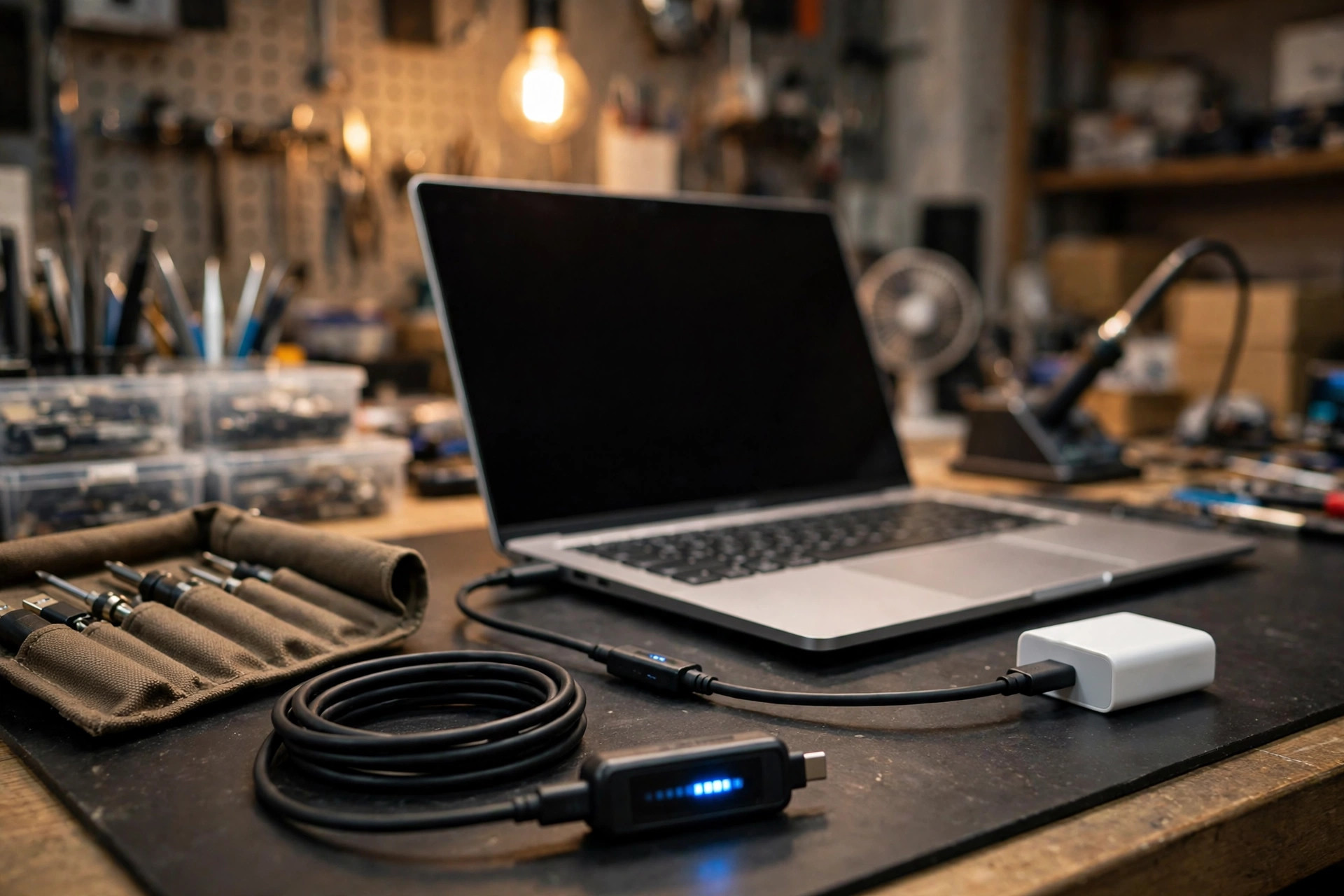
📌 Key Takeaways
- •[S1] USB-IF — USB Charger (USB Power Delivery) — https://www.usb.org/usb-charger-pd
- •[S2] Safeguard — USB-C Power Delivery: PD 3.2, EPR, Negotiation and Charger Authentication — https://safeguard.sh/resources/blog/usb-c-power-delivery-explained-pd-3-2-epr-negotiation-and-charger-authentication
- •[S3] Granite River Labs — Critical Update for USB-C Designers: New AVS Requirement for Chargers Above 27W — https://www.grlps.com/en-us/blog-publications/new-avs-requirement-for-usb-c-chargers-above-27w
- •[S4] Informatique Phone — USB-C PD: Fixed PDO, PPS and E-Marker Cables — https://informatique-phone.com/blog/usb-c-pd-power-delivery-pps-profiles-hub-pass-through/
- •[S5] MEF Mobile — USB-C Power Delivery Explained: PD Watts, Voltage and PPS — http://mefmobile.org/usb-c-pd-how-to-choose-a-charger-and-cable-that-fit/
# Laptop USB-C PD PPS Programmable Power Supply: An Advanced Guide to Adjustable Voltage, Why the Same Charger Charges Different Machines at Different Speeds, and Hong Kong Use
One charger can run a Samsung phone at 45W, give a laptop only 65W, and fail to charge another laptop at all. Those differences are neither random nor a sign of a charger behaving erratically. They follow from six layers working together: the USB PD protocol, PPS programmable power, AVS adjustable voltage, cable e-markers, laptop EC policy and battery management. This guide starts at the mechanism layer, covering how an APDO advertises a tunable window, why a 20mV step matters, how keep-alive works, and how PPS and AVS divide their work, before moving through cables, chargers, laptop internals, phone comparisons and Hong Kong use in practice. After reading it, any charger, cable or laptop can be traced back to the true cause of a speed difference. [S1][S2][S3]
What PPS Is: An Optional Mode, Not Part of PD Itself
PPS stands for Programmable Power Supply, an optional mode introduced with USB PD 3.0. The word optional carries the whole point: a charger labelled as supporting USB PD does not necessarily support PPS. A charger can supply fixed voltage steps only, with no programmable supply at all, and still comply with the PD specification. Many buyers look only at the wattage printed on the box and discover at home that a phone never reaches its fast-charging speed, and this distinction is usually the reason. Recognising PPS as optional is the first step in understanding everything that follows. [S2][S102]
Seen historically, PPS was standardised in 2017 alongside PD 3.0 to solve a specific problem: fixed voltage steps never match a battery's live voltage. As a phone battery moves from empty to full, its voltage climbs steadily, and a fixed 9V input has to be stepped down inside the phone before it can feed cells sitting near 4V. The wider the gap, the greater the conversion loss and the hotter the handset. PPS lets the charger output track the battery voltage in small steps, keeping most of the conversion work at the charger end while the phone does only fine adjustment. [S6]
This trade-off explains why PPS took hold first in phones rather than in laptops. A phone has a thin body and little room for heat, so a few watts of extra loss are enough to make its charging chip throttle the current. A laptop has fans and a larger heatsink, so the loss from a fixed voltage is comparatively easy to manage. The same protocol delivers very different value on the two kinds of device, and later chapters take that difference apart layer by layer. [S76] Current figures are listed on the pricing page.
Before buying a charger, the practical move is to check whether the specification sheet lists PPS as its own line, rather than trusting a PD 3.0 or PD 3.1 label. A proper sheet states the PPS voltage window, for example 3.3 to 21V or 5 to 21V, together with the maximum current. Where the sheet says nothing about PPS, the safe assumption is that it is absent. Total wattage, a GaN label and the brand name all fail to substitute for that one line of data. [S82]
For a buying example, take a Samsung phone and connect it in turn to two chargers both marked 45W, one with PPS and one without. The result can fall from 45W to 15W, a gap of nearly three times. No instrument is needed to feel the difference: with PPS, charge climbs visibly faster in the first ten minutes, while without PPS it is already slow in the first ten minutes and never catches up later. That is the real-world value of PPS, not decoration on a specification sheet but a difference felt in daily charging.
| Item | Detail | Point |
|---|---|---|
| Full name | Programmable Power Supply | Introduced with PD 3.0 |
| Nature | Optional mode, not inherent to PD | A PD charger may lack PPS |
| Standardised | 2017, with PD 3.0 | Starting point for phone fast charging |
| Core value | Output tracks battery voltage | Less conversion heat inside the device |
| Buying check | A separate PPS line on the spec sheet | Never judge by wattage alone |
| Common error | PD label taken to mean PPS | The two are entirely different |
| Where it helps most | Phones gain the most | Laptops gain less |
| How to verify | Read the charger's step-by-step V/A list | No PPS line means assume none |
| Protocol layer | Built on top of PD negotiation | PD comes first, PPS second |
| Consequence | Without PPS, charging falls back to fixed steps | Speed can differ several-fold |
APDO: How a Charger Advertises an Adjustable Window
The working unit of PPS is the APDO, short for Augmented Power Data Object. Inside its Source_Capabilities message, a charger uses an APDO to advertise an adjustable voltage window, stating a minimum voltage, a maximum voltage and a maximum current. The sink reads that window and then requests, step by step, the voltage it wants within it. The difference from a fixed PDO is that a fixed PDO is only a list of discrete steps, and the sink must pick one of them rather than asking for a value in between. [S4]
APDO windows come in a few common shapes. The older writing splits them into four ranges starting at 3.3V and rising to 5.9V, 11V, 16V or 21V, while the newer PD 3.2 restatement writes them as 5 to 11V, 5 to 16V and 5 to 21V. That difference is not a manufacturer error but a change between versions, and the fourth chapter deals with it directly. For a buyer, the points that matter are the top of the window and the maximum current: the top sets how high the voltage can go, and the current sets how much power is available at a given voltage. [S83]
An APDO also plays a role that is often overlooked: it is the charger's formal declaration of capability, not advertising copy. A sink requests voltage only on the basis of what the APDO states and never probes beyond the window by guesswork. When a phone wants 15V but the charger's APDO tops out at 11V, the phone must settle for the closest option inside 11V or fall back to a fixed PDO. That is why the APDO ceiling and the current ceiling have to be read together when checking a specification sheet. [S137] The pricing page lists the current figures.
When shopping, it helps to treat the APDO as the charger's identity card for its adjustable range. A unit marked PPS 3.3 to 21V at up to 5A covers, in theory, almost every phone PPS requirement, while a unit marked only PPS 5 to 11V at up to 3A runs short in front of phones that need higher voltage. A wider window and a higher current cover more cases, yet the sink still has to know how to use them, so both sides have to match before the range means anything. [S12]
Reading an APDO with a power meter turns an abstract idea into concrete numbers. With the meter in series between charger and device, it shows every APDO the charger advertises, including minimum voltage, maximum voltage and maximum current. Watching the voltage the sink actually requests then shows how the two sides settled. That reading is also the key to telling a charger without PPS apart from a phone that cannot use PPS: when the APDO list holds no PPS at all, the charger is the limit, while a PPS entry with the phone still requesting a fixed step points at phone settings or the cable.
| Item | Detail | Point |
|---|---|---|
| Full name | Augmented Power Data Object | Declared in Source_Capabilities |
| Location | Source_Capabilities message | Advertised by the charger |
| Contents | Minimum voltage, maximum voltage, maximum current | All three are needed |
| Older windows | From 3.3V, four ranges to 21V | PD 3.0 wording |
| Newer windows | From 5V, three ranges to 21V | PD 3.2 restatement |
| Versus fixed PDO | Adjustable window against discrete steps | In-between values allowed |
| Sink behaviour | Requests only inside the window | Never probes beyond the ceiling |
| Buying point | Read ceiling and current together | Wider windows cover more |
| 11V ceiling example | A phone wanting 15V must settle for 11V | Or fall back to a fixed step |
| Analogy | Identity card for the adjustable range | A formal declaration, not advertising |
Steps of 20mV and 50mA: Fine Steps Are What Make the Fit Precise
PPS moves voltage in steps of 20mV and its current limit in steps of 50mA. Those numbers look small, yet they are the heart of PPS: the sink can adjust voltage one 20mV step at a time, edging toward the input voltage that suits the battery at that moment, while the current limit can be set one 50mA step at a time so the charger delivers as close as possible to what is needed within safe bounds. Fixed PDO steps sit several volts apart, while PPS steps sit 0.02V apart, a difference in granularity measured in hundreds. [S2][S19]
A dual-cell phone shows what the step size means in practice. Two cells in series sit near 7.6V, so after a 2-to-1 charge pump the ideal input is about 15.2V. PPS can request around 15.6V, which is twice the battery voltage plus a small margin, and it can keep nudging that value upward step by step as the cell voltage rises. Neither a fixed 10V nor a fixed 15V step can follow in that way: 10V is too low, 15V is not necessarily the best point at that moment, and the gap ends up as heat. [S3]
Fine adjustment is not a one-off event but a continuous process. Technical teardowns describe phone firmware adjusting voltage roughly every 180 to 200 milliseconds, adding about 40 to 100mV each time when the battery current is below target and temperature is within limits, tracking a sweet spot near twice the battery voltage plus 80 to 120mV of margin. PPS is therefore not a static step but a curve that moves with the state of the battery. [S79]
The step numbers also work as a verification tool. Chip makers state them plainly in datasheets: the Infineon EZ-PD CCG7D family, for example, lists PD 3.2 with PPS mode, 20mV voltage steps and 50mA current steps, with an output range of 3.3V to 21.5V. A buyer does not need to memorise datasheets, yet once the meaning of the step size is clear, it becomes obvious why PPS is described as programmable rather than as a charger with a few extra fixed steps. [S18] The diagnostic page explains how a check is arranged.
The fineness of the step also shapes the temperature curve directly. A fixed 9V input stepped down to a battery near 4V leaves a gap near 5V and considerable conversion loss, while PPS holding input near 8.4V narrows the gap to under 0.5V and cuts the loss sharply. With temperature lower, the charging chip need not throttle so early, so peak current can be held longer. That is why a PPS phone feels fast: battery chemistry has not quickened, the heat limit has simply loosened enough to let high current last longer.
| Item | Detail | Point |
|---|---|---|
| Voltage step | 20mV per step | Very fine granularity |
| Current step | 50mA per step | Limit can be tuned finely |
| Against fixed steps | Fixed steps differ by volts | PPS steps differ by 0.02V |
| Dual-cell example | Battery near 7.6V, ideal input near 15.2V | PPS can ask for about 15.6V |
| Margin target | Twice battery voltage plus 80 to 120mV | Tracked continuously |
| Adjustment rate | About every 180 to 200 milliseconds | Roughly 40 to 100mV each time |
| Nature of tracking | A curve that follows battery state | Not a static step |
| Chip evidence | CCG7D lists 20mV and 50mA | Output 3.3 to 21.5V |
| Fixed-step result | The gap becomes heat | Charging chip throttles sooner |
| Buying lesson | Finer steps fit more precisely | Programmable is not more fixed steps |
The Minimum-Voltage Split: 3.3V or 5V? The Version Decides
The PPS minimum voltage is the split in this guide that needs the most careful handling. Documents from the PD 3.0 era write the PPS voltage range as 3.3V to 21V, while the PD 3.2 v1.2 restatement lists the window as starting at 5V, giving 5 to 11V, 5 to 16V and 5 to 21V, with the 3.3V figure marked as deprecated. Both sets of numbers appear in public material, and neither side is simply wrong: the difference is a trace left by the evolution of the specification. [S5]
The split matters on three levels in practice. The first is product labelling: many chargers on sale still print PPS 3.3 to 21V because their design and certification come from the PD 3.0 era, while newer units printed 5 to 21V are not worse for it, since they only follow the newer wording. The second is phone compatibility: almost every phone PPS requirement sits above 5V, so moving the floor from 3.3V to 5V makes almost no difference to everyday fast charging. The third is citation: anyone quoting a PPS range has to name the PD version behind it and must not blend the two sets of numbers into one. [S6]
Why was 3.3V dropped? Technically, a window starting at 3.3V existed to cover very low voltage uses, but as PPS settled into phone fast charging, a floor of 5V proved sufficient, so the restatement narrowed the window to match reality. That also explains why an older charger marked 3.3V and a newer one marked 5V can behave identically in front of a phone: their real output capability may not differ at all, and only the way the document describes them has changed. [S82] Current figures are listed on the pricing page.
When a reader meets both markings, the safest approach is to look at the ceiling and the current rather than agonising over the floor. A PPS 3.3 to 11V unit at up to 3A and a PPS 5 to 11V unit at up to 3A behave much the same way in front of a Samsung or Pixel phone. What really pulls them apart is whether the ceiling reaches 16V or 21V and whether the maximum current is 3A or 5A. The minimum-voltage split deserves an honest record, but it is not worth making the deciding factor in a purchase. [S83]
Reusing an older charger is another scene worth covering. A PD 3.0-era charger marked PPS 3.3 to 21V still works normally in front of a new phone, because phone PPS needs mostly sit above 5V and the 3.3V floor is never used. Conversely, a new charger marked PPS 5 to 21V loses nothing from its higher floor. The minimum-value split barely affects a decision to reuse an older charger. What still has to be checked is the ceiling, the current, and whether the charger itself has aged, for example capacitors ageing and making output unstable.
| Item | PD 3.0 wording | PD 3.2 v1.2 wording |
|---|---|---|
| Minimum voltage | 3.3V | 5V |
| Number of windows | Four ranges | Three ranges |
| Maximum voltage | 21V | 21V |
| Status of 3.3V | Normal lower bound | Deprecated |
| Window examples | 3.3 to 11V / 16V / 21V | 5 to 11V / 16V / 21V |
| Product labelling | Older chargers often start at 3.3V | Newer chargers often start at 5V |
| Effect on phones | Requirements mostly above 5V | Almost no everyday difference |
| Citation rule | Name the version relied on | Never blend the two sets |
| Buying focus | Look at ceiling and current | Do not fixate on the floor |
| Nature of the split | A trace of version evolution | Neither side is simply wrong |
Keep-Alive: A Message Every 10 Seconds
PPS differs from a fixed PDO in one fundamental way: it needs continuous communication to stay alive. The sink must send a fresh request at least every 10 seconds, an interval called tPPSRequest. When requests stop, the source leaves PPS after about 12 to 15 seconds, a timeout called tPPSTimeout, and returns to a safe state. In other words, PPS is not negotiated once and kept forever; it is a conversation that has to be renewed again and again. [S2]
The design is driven by safety. PPS lets a charger hold a finely tuned voltage, and when the sink disconnects suddenly, crashes, or the cable loosens, the charger must not keep holding a voltage that may no longer suit anything. Forced renewal makes sure that once communication breaks, the system returns quickly to a known safe state. A fixed PDO needs no such rule, because a fixed voltage is already a familiar, agreed step with lower risk. [S83]
The keep-alive rule also explains some odd behaviour owners report: charging that suddenly slows midway, a plug that needs renegotiation after a slight wobble, or a phone that lingers at one charge level. Any break in communication can end the PPS session, forcing a fresh start from Source_Capabilities. Such breaks are not necessarily a faulty charger or phone; often they come from poor cable contact, dust in the port, or a system too busy with other work to meet the renewal deadline. [S105]
For diagnosis, keep-alive gives a useful test. When the same combination charges steadily while still but slows the moment the cable moves, the trouble is probably at the contact layer rather than the protocol layer. When it drops out even without movement, the port may be oxidised, the cable may be broken internally, or the sink's PD controller may be at fault. Understanding keep-alive stops every intermittent charge from being blamed on a weak charger. [S102] See the diagnostic page for how a check is arranged.
Keep-alive also explains why some charging trouble appears only in particular situations. A machine charging normally while still on a desk may drop out repeatedly while carried in a bag, because walking shakes the plug slightly, breaks CC contact for an instant, misses a renewal, and ends the PPS session. That kind of trouble needs neither a new charger nor a new phone. A cable with a tighter plug, or a cleaned port, can improve it greatly. Diagnosis turns on noticing the scene where the trouble appears rather than only the trouble itself.
| Item | Detail | Point |
|---|---|---|
| Renewal name | tPPSRequest | Sink sends fresh requests |
| Renewal interval | At least every 10 seconds | Must not wait too long |
| Timeout name | tPPSTimeout | Source leaves PPS |
| Timeout length | About 12 to 15 seconds | Then returns to a safe state |
| Design purpose | Return to safety when contact breaks | Avoids holding an unsuitable voltage |
| Versus fixed PDO | Fixed steps need no renewal | PPS is a continuing dialogue |
| Common triggers | Loose cable, dust in the port | Renewal deadline missed |
| Owner symptom | Mid-charge slowdown, renegotiation | Not necessarily hardware damage |
| Test angle | Move the cable and watch for slowdown | Separates contact from protocol |
| Diagnostic lesson | Steady when still, flaky when moved | Check contact before protocol |
Current Foldback: How PPS Behaves Almost Like a Constant-Current Source
PPS has a rarely mentioned yet central trait: programmable current foldback. When the sink asks for more current than the charger's set limit, the charger does not cut out at once. Instead it lowers its output voltage, clamping the current inside the requested value, and in behaviour that state resembles a constant-current source. That is one of the key differences from AVS, which has no current-limit operation while PPS does. [S2]
Foldback matters most at the start of a charge. When the battery is low and its internal resistance is low, the charging circuit wants a large current, and a charger holding a rigid fixed voltage could let the current overshoot the safe limit. PPS foldback lets the charger press the voltage down as current reaches the ceiling, keeping current inside the safe range while still charging at the greatest permitted power. That behaviour lets PPS take a direct part in managing the battery charge rather than acting as a passive voltage source. [S137]
Foldback is not unlimited freedom, and that point deserves emphasis. The current ceiling itself is declared by the APDO, and the current a sink requests cannot exceed it; foldback only smooths the transition at the boundary rather than permitting an overload. That is also why PPS supports constant-current mode and AVS does not: the two were designed for different jobs, PPS for phone batteries that need direct current management, and AVS for a whole system input rail where current management belongs to other parts of the system. [S11] See the pricing page for the current figures.
For an owner, the direct lesson is that a PPS charger's current ceiling is not decoration but part of the real charging curve. A PPS unit capped at 3A will not deliver 4A when a phone asks for it; it presses the voltage down and holds 3A, so the speed ceiling is set by the current limit rather than the wattage on the box. When reading a specification sheet, the current ceiling deserves the same attention as the voltage window.
How foldback works with the charging chip deserves one more layer. When the charger presses voltage down because current has reached its ceiling, the charging chip senses the falling input voltage and adjusts its own buck-boost ratio to hold output to the battery. That is a two-way adjustment, with charger and charging chip each giving way so current stays at the safe ceiling. The pairing needs both sides to speak the PPS language: when a charging chip cannot handle dynamic PPS voltage, foldback can instead cause oscillation, with voltage jumping up and down and efficiency falling rather than rising.
| Item | Detail | Point |
|---|---|---|
| Mechanism | Programmable current foldback | Lowers voltage past the limit |
| Trigger | Requested current above the ceiling | Voltage drops in response |
| Behaviour | Resembles a constant-current source | Current clamped inside the request |
| Versus AVS | AVS has no current-limit operation | PPS has it; a key difference |
| Most visible stage | Low battery, low internal resistance | Circuit wants a large current |
| Ceiling source | Maximum current declared by the APDO | Requests cannot exceed it |
| Design target | PPS built for phone batteries | AVS built for a system input rail |
| Constant-current mode | Supported by PPS, not by AVS | Different jobs, different tools |
| Owner lesson | Current ceiling sets the speed ceiling | Not the wattage on the box |
| Check point | Read window and current ceiling together | Both deserve equal attention |
The Four Steps of PD Negotiation: A Dialogue on the CC Line
USB PD negotiation does not travel over the USB data lines. It runs over the CC line of the USB-C connector, short for Configuration Channel. The CC1 and CC2 pins handle plug orientation detection and negotiation, while VBUS carries power and the data lines carry data, so negotiation has a channel of its own. That division explains why a charge-only cable can still negotiate PD: it needs no high-speed data path, only a working CC line. [S2][S92]
Negotiation uses BMC, or Biphase Mark Coding, a half-duplex scheme on a single CC line with a nominal rate near 300kbps. Each message carries a preamble, a start-of-packet marker, a header, data objects and a CRC check that guards the transfer. A standard SPR contract is built from four messages: the charger sends Source_Capabilities to advertise its PDO list, the sink answers with Request to pick one step, the charger answers with Accept, and once the voltage is stable it sends PS_RDY. Every step is confirmed with a GoodCRC. [S88]
Before the contract is agreed, the charger holds only its 5V default output. That is a safety design rather than a fault: the system never raises voltage before the terms are settled, so a device without PD support still receives only a safe 5V. When a phone shows charging yet the speed never rises after plugging in, the usual cause is that negotiation has not finished or has settled on 5V, not that the charger is producing nothing. [S90]
The four-step structure also works as a fault-finding map. A power meter can capture the four messages and show which steps the charger advertised, which step the sink chose, whether the charger accepted it, and whether the voltage stabilised as expected. When Source_Capabilities never lists the wanted step, the charger is the limit. When the sink picks the wrong step, the device's request policy is suspect. When Accept arrives but PS_RDY never follows, the charger's voltage ramp or the cable's voltage drop may be at fault. [S91] How a check is arranged is set out on the diagnostic page.
The GoodCRC mechanism is the last defence for negotiation reliability. After every PD message is sent, the receiver has to answer with GoodCRC to confirm receipt, and a damaged or lost message is sent again. Where cable quality is poor or contact is weak, GoodCRC failures multiply, negotiation drags on, and it can fail outright. What an owner feels is a wait of several seconds after plugging in before fast charging starts, or a charge indicator that keeps starting and stopping. Those symptoms point at communication quality rather than insufficient power.
| Item | Detail | Point |
|---|---|---|
| Negotiation channel | CC line, not the data lines | CC1 and CC2 handle orientation and negotiation |
| Encoding | BMC, Biphase Mark Coding | Half-duplex on one line |
| Nominal rate | About 300kbps | Tolerance 270 to 330kbps |
| Step one | Source_Capabilities | Charger advertises its PDO list |
| Step two | Request | Sink picks one step |
| Step three | Accept | Charger confirms acceptance |
| Step four | PS_RDY | Sent once voltage is stable |
| Confirmation | GoodCRC at every step | Guards each message |
| Voltage before contract | Only the 5V default | Safety design, not a fault |
| Diagnostic use | A power meter can capture all four steps | Pinpoints the failing layer |
Rp and Rd: Before Negotiation, the Resistors Have Already Spoken
Before PD negotiation formally begins, the resistors on the CC line have already set the default power. The charger side uses an Rp pull-up resistor while the sink side uses a 5.1kΩ Rd pull-down, and the divider they form advertises one of three possibilities: default USB power, 1.5A or 3.0A. At 5V, 3.0A means at most 15W, and every watt above 5V has to be won through PD negotiation. [S2]
The mechanism matters because it is the first impression in the PD world. An older device without PD support can still draw 5V at 3A, or 15W, from a USB-C charger through Rp and Rd alone, so it never ends up with nothing. A PD-capable device likewise uses this mechanism to confirm that the other end is a power source before it starts talking about higher voltages. Rp and Rd form the basic language of Type-C, and PD negotiation is the advanced conversation built on top of it. [S88]
The resistor values themselves are deliberate. Rd stays fixed at 5.1kΩ while Rp changes with the current the charger wants to advertise, and the sink works out the current class by measuring the voltage on the CC line. The design is simple and reliable, needs no digital communication, and completes the moment the plug makes contact. For repair work, failed Rp and Rd usually show up as a device that cannot recognise the charger at all, not even the 5V default, which points at the port or the CC wiring. [S92] The pricing page lists the current figures.
Owners do not need to measure resistors, yet the mechanism answers a common question: why does the same cable give a phone 15W while a laptop seems to get nothing? Fifteen watts is a usable starting point for a phone, but it can sit below a laptop's minimum input threshold, so the laptop refuses it and waits for negotiation to deliver a higher voltage. When negotiation fails because of the cable or the port, the laptop stays uncharged.
A USB-C adapter can also disturb the Rp and Rd reading. A poorly designed adapter may change the resistor divider on the CC line, so the sink misjudges the charger current class. The result can be a charger able to give 3A while the device takes only 1.5A, or a device believing 3A is available while the adapter cannot carry it. That is also why makers advise avoiding adapters for charging whenever possible: every extra adapter in the chain adds another resistor and contact point that can go wrong. One compliant cable used directly is always the most reliable choice.
| Item | Detail | Point |
|---|---|---|
| Charger side | Rp pull-up resistor | Advertises the current class |
| Sink side | 5.1kΩ Rd pull-down | Fixed value |
| Advertised options | Default power, 1.5A, 3.0A | Three possibilities |
| Ceiling at 5V | 3.0A, or 15W | Limit without negotiation |
| Above 5V | PD negotiation required | Resistors cannot grant it directly |
| Older devices | Still draw 5V at 3A | Never left with nothing |
| When it completes | The moment the plug makes contact | No digital traffic needed |
| Failure symptom | Not even the 5V default is obtained | Points at port or CC wiring |
| Laptop response | 15W may sit below the threshold | Refuses and waits for negotiation |
| Failed negotiation | Stays uncharged | Not a charger producing nothing |
Fixed PDO: The Built-In Limit of Discrete Steps
A fixed PDO, short for Fixed Supply Power Data Object, is the most basic power unit in the PD world. Inside the SPR range the fixed voltage steps are 5V, 9V, 15V and 20V, with 12V and similar values as optional extras, and the sink can only choose one of the steps the charger advertises. It cannot ask for a value in between. That is the built-in granularity limit of fixed PDOs: the steps sit volts apart, while the voltage a battery needs always falls somewhere between two of them. [S4]
The result of that granularity is conversion loss. Suppose a battery needs 8.2V: a fixed PDO can only give 9V, so the extra 0.8V has to be handled by the step-down circuit inside the device, and the loss stays inside the handset as heat. Suppose a battery needs 12.5V: the nearest fixed step is 15V, the gap is wider, and the heat is greater. Once the charging chip senses rising temperature it lowers the current to protect itself, so speed falls away. That chain explains why fixed PDO charging often starts fast and then slows: the charger is not weak, heat is limiting the current. [S12]
Fixed PDOs are not without merit. They are simple, stable and compatible with almost every PD device, and laptops depend on them heavily, because a laptop battery pack runs at high voltage and its charging chip already has a buck-boost stage, so a fixed 20V input is efficient enough. The problem is only that fixed steps cannot track battery voltage in fine increments, and on a phone, where heat sensitivity is extreme, that limit is magnified. [S85]
Once fixed PDOs are understood, much of the wording on boxes becomes transparent. A charger marked 65W usually means it has a 20V at 3.25A fixed step, not that it can deliver 65W at any voltage. A charger marked PD 3.1 means it has fixed steps plus EPR capability, not that it understands PPS. Buying a charger means reading the step-by-step list rather than the largest number on the box. [S105] The diagnostic page explains how a check is arranged.
The 12V optional step deserves a special note. It is not one of the four basic SPR steps, yet many chargers provide it because 12V is a common voltage for routers, displays and older laptop accessories. For laptop owners its presence usually makes no difference to charging, since laptops need 20V. For owners with many kinds of device, though, a charger with a 12V step can cut the number of chargers to carry. When reading a step-by-step list, a 12V step counts as a bonus rather than a necessity.
| Item | Detail | Point |
|---|---|---|
| Full name | Fixed Supply Power Data Object | The basic PD power unit |
| SPR steps | 5V, 9V, 15V, 20V | 12V as an optional extra |
| How to choose | Pick one advertised step | No in-between values |
| Step gaps | Volts apart | Built-in granularity limit |
| Example one | Needs 8.2V, must take 9V | Extra 0.8V becomes heat |
| Example two | Needs 12.5V, must take 15V | Wider gap, more heat |
| Temperature result | Charging chip lowers current | Fast start, slower later |
| Strength | Simple, stable, widely compatible | Every PD device understands it |
| Laptop case | Fixed 20V input is enough | Buck-boost stage handles the gap |
| Box trap | 65W usually names one step | Not 65W at every voltage |
SPR and EPR: The Line Between 100W and 240W
SPR stands for Standard Power Range, with a ceiling of 100W, or 20V times 5A. EPR stands for Extended Power Range, with a ceiling of 240W, or 48V times 5A. That boundary is the most important coordinate for understanding the PD power world: below 100W, fixed steps plus PPS are enough, while above 100W the system needs the EPR mechanism, EPR cabling and higher fixed voltage steps. [S1][S89]
PD 3.1, announced on 26 May 2021, raised the ceiling from 100W to 240W and added three EPR fixed voltages: 28V for 140W, 36V for 180W and 48V for 240W, all calculated at 5A. Those three voltages were not chosen at random. With current held at 5A, power is raised by raising voltage, so the current demands on cables and connectors stay unchanged while only the voltage tolerance has to rise. [S7]
For laptop owners, EPR matters in practice at the 140W step. The 16-inch MacBook Pro was the first device to support EPR and needs 140W to reach its fastest charging, and many high-performance Windows laptops are now asking for 140W too. Laptops below 100W never need EPR at all, since a 65W or 100W SPR charger is already enough. Buying a 140W charger for a laptop that supports only 100W leaves the extra 40W permanently unused. [S84] Current figures are listed on the pricing page.
The boundary also sets the cable requirement. SPR at 100W needs only a 5A cable, while EPR above 140W needs an EPR cable that meets stricter voltage tolerance and marking rules. The next chapter and the cable chapters take that difference apart in detail. The one line to remember here is that moving past 100W is not a matter of swapping in a bigger charger; the whole chain has to move up together. [S85]
Future uses for 240W deserve a look ahead here. Devices needing 240W remain few today, mainly high-performance workstations and some gaming laptops, yet as processor power draw rises, 48V input may grow more common. For a buyer today, the greatest value in a 240W charger is not using 240W at once but keeping room to grow: a 240W charger charging a 100W laptop today still serves a 140W or 180W laptop tomorrow. That forward-looking plan only works when an EPR cable is bought alongside, or the cable locks away the charger's headroom.
| Item | SPR | EPR |
|---|---|---|
| Full name | Standard Power Range | Extended Power Range |
| Power ceiling | 100W (20V x 5A) | 240W (48V x 5A) |
| Introduced in | Already in PD 3.0 | Added by PD 3.1 |
| Announced | — | 26 May 2021 |
| Added fixed steps | 5 / 9 / 15 / 20V | 28 / 36 / 48V |
| Matching power | Up to 100W | 140 / 180 / 240W |
| Current ceiling | 5A | 5A (power raised by voltage) |
| First device | — | 16-inch MacBook Pro |
| Laptop meaning | 65W and 100W machines covered | Only 140W machines need it |
| Cable need | 5A cable | EPR cable |
The EPR Entry: SPR First, EPR Second, and the Cable Gets Checked
EPR is not plug and play. It is a gated mode. The sink must first complete SPR negotiation and hold a valid SPR contract before it can send an EPR_Mode message asking to enter EPR mode. The charger does not agree at once. It first reads the cable's e-marker, confirms the cable supports 50V at 5A and the EPR Capable flag, and only then sends Enter Succeeded and advertises voltages above 28V. That layered checking exists for safety: 48V is not a voltage to hand out casually. [S8]
While EPR mode is running, another standing demand applies: the sink must send EPR_KeepAlive messages at intervals to prove the connection is still stable, and when KeepAlive stops, EPR mode exits. The mechanism mirrors the PPS 10-second keep-alive, using continuous communication to make sure a high-power state never persists unattended. For owners, that explains why EPR charging is so sensitive to cable and port contact: any break in contact can end the whole high-power session. [S88]
The cable check is where EPR entry most often goes wrong. Many owners buy a 140W charger, connect an older 100W cable, and find the laptop charging at only 100W, so they suspect the charger. In fact the charger read the e-marker, found the cable did not support EPR, and refused to enter EPR mode, which is entirely correct behaviour. That is also why a 140W charger usually ships with a 240W cable: the maker knows that without an EPR cable, 140W cannot appear at all. [S135]
Once the EPR entry is understood, a simple checking habit follows. To use 140W, confirm three things: the laptop supports EPR, the charger has a 28V step, and the cable is an EPR cable. Miss any one of them and the result falls back to 100W or lower, without any hardware being broken. That habit saves a great deal of needless suspicion and mistaken replacement. [S86] See the diagnostic page for how a check is arranged.
The symptoms of a KeepAlive break deserve learning. When an EPR session exits because KeepAlive stops, a laptop falls from 140W to 100W or lower with no clear warning, and the owner only feels charging slow down without knowing why. Telling the cause apart turns on whether the slowdown follows cable movement: when moving the cable triggers the drop, contact trouble probably broke KeepAlive, while a drop with no movement at all points at the cable interior or port oxidation. That distinction decides directly between changing the cable and sending the machine for repair.
| Item | Detail | Point |
|---|---|---|
| Step one | Complete SPR negotiation first | Hold a valid SPR contract |
| Step two | Send an EPR_Mode message | Ask to enter EPR mode |
| Charger check | Read the cable e-marker | Confirm 50V, 5A and EPR |
| Success signal | Enter Succeeded | Only then advertise above 28V |
| Running demand | Regular EPR_KeepAlive | Proves the connection is stable |
| If it stops | EPR mode exits | Same idea as PPS keep-alive |
| Common mistake | 100W cable with a 140W charger | Result is only 100W |
| Why a cable ships in the box | 140W charger includes a 240W cable | No EPR cable means no 140W |
| Checking habit | Confirm laptop, charger and cable | Miss one and power falls back |
| Safety core | 48V must not be handed out casually | Layered checks are necessary |
AVS: Adjustable Voltage Built for System Efficiency
AVS stands for Adjustable Voltage Supply, a tunable voltage mechanism introduced by PD 3.1 in the EPR range and extended by PD 3.2 into the SPR range. Its voltage range runs from 9V to 48V: 9 to 20V in SPR and 15 to 48V in EPR, with steps of 100mV. Judged by numbers alone, AVS looks much like PPS, since both adjust voltage. Judged by design purpose, the two are entirely different. [S1][S87]
PPS was built for phone batteries, with the aim of holding output voltage close to battery voltage and cutting conversion heat inside the handset. AVS was built for a whole system input rail, with the aim of letting the system draw an efficient input voltage under changing load. Laptops and displays carry several power rails, fans, processors and display outputs, and the best input voltage moves with load. AVS lets the system choose freely between 9V and its highest fixed voltage, raising overall efficiency rather than serving one battery alone. [S3]
Another defining trait of AVS is how it operates. In the EPR range it has no current-limit operation, meaning it does not provide a constant-current mode the way PPS does. Current management stays with the system's own charging chip and power management, not with the charger. That division reflects the design thinking: PPS hands part of battery management to the charger, while AVS hands system efficiency to the system itself and asks the charger only to supply a tunable voltage rail. [S7] See the pricing page for the current figures.
For owners, the arrival of AVS changes what a PD 3.2 label means. PD 3.2 makes SPR AVS mandatory for chargers above 27W, a demand covered in detail in the fourteenth chapter. The point to hold here is that AVS is not an upgraded PPS. The two are parallel paths: PPS looks after the battery, AVS looks after the system. A charger can support both, or only one of them, so each needs to be checked separately before buying. [S86]
AVS reaches beyond laptops into displays and docks. A 4K display powered over USB-C carries several internal rails feeding the panel, the backlight and the USB hub, with load changing widely, and AVS lets the display pick the most efficient input voltage between 9V and 20V, cutting internal conversion loss. A dock has a similar need: it consumes power itself while sharing power with a laptop and peripherals, so the best input voltage moves with the number of connected devices, and the tunable AVS range fits that change well.
| Item | Detail | Point |
|---|---|---|
| Full name | Adjustable Voltage Supply | A tunable voltage source |
| Introduced in | PD 3.1 (EPR), then PD 3.2 (SPR) | Extended in stages |
| Voltage range | 9V to 48V | SPR 9–20V, EPR 15–48V |
| Step size | 100mV | Five times coarser than PPS |
| Design target | A whole system input rail | Laptops, displays, industrial gear |
| PPS target | Phone batteries | Tracks battery voltage |
| Current limit | None in the EPR range | PPS has constant-current mode |
| Efficiency aim | Overall system efficiency | Not one battery alone |
| Division of labour | Current managed inside the system | Charger supplies a tunable rail |
| Relation to PPS | Two parallel paths | Not an upgrade |
The AVS Step Dispute: 100mV Is the Figure to Trust, and the 20mV Claim Differs
The AVS step size carries a split that has to be recorded honestly. Granite River Labs and several other sources agree that the AVS step is 100mV, yet Anker's official blog, while explaining AVS, writes 20mV. That gap is not trivial: 20mV is the PPS step, and 100mV is the AVS step, so swapping the two swaps the identity of the two mechanisms. [S9]
Judged against specification documents, the correct figure is 100mV. The comparison tables from GRL, derived USB-IF documents and several technical explainers all list the AVS step as 100mV and the PPS step as 20mV, with the division of labour kept clear. The 20mV wording in the Anker blog is most reasonably read as a slip, or as the PPS figure misplaced onto AVS. Whatever the cause, a reader meeting that claim should follow the widely agreed 100mV figure and know that the disagreement exists. [S3]
Why is a five-fold difference in step size reasonable? Because the jobs differ. PPS must hug battery voltage, where changes are small and precision matters, so 20mV is needed. AVS serves a whole system input rail, where the best voltage moves more broadly and tolerance is higher, so 100mV is enough and also reduces how often negotiation messages have to fly. A finer step is not always better; the step has to fit the job, and 100mV for AVS is a design choice rather than a technical lag. [S77]
The split is also a reminder about checking method: a single source, even an official manufacturer blog, can differ from the rest, so an important number should be cross-checked against at least two independent sources before it is written down. When readers later meet an AVS 20mV claim online, they can recognise at once that the wording is doubtful and know where to check it. How a check is arranged is set out on the diagnostic page.
Telling a mistaken blog apart is actually simple: check the doubtful number against a chip maker datasheet. Datasheets from Infineon, TI and others state the AVS step as 100mV plainly, so when a blog writes 20mV against a datasheet writing 100mV, the blog is almost certainly wrong. The method needs no full reading of a datasheet, only finding the two keywords AVS and step. Once that habit forms, most protocol number errors online can be spotted at once.
| Item | Widely agreed figure | Anker blog wording |
|---|---|---|
| AVS step | 100mV | Written as 20mV |
| PPS step | 20mV | 20mV (correct) |
| Nature of the gap | AVS figure given as the PPS figure | Likely a slip or misplacement |
| Rule | Follow GRL and the wider agreement | Specification documents come first |
| Supporting sources | GRL, derived USB-IF documents | One blog post |
| Why it fits | System rails tolerate more | 100mV is enough |
| Why PPS needs fine steps | Battery voltage needs precision | 20mV is needed |
| Checking method | Cross-check two independent sources | Never trust one source alone |
| Reader response | Treat an AVS 20mV claim with doubt | Know where to verify it |
| Conclusion | The AVS step is 100mV | The split is recorded honestly |
PD 3.2 Makes SPR AVS Mandatory: The 27W Threshold Rewrites the Market
One of the most substantial additions in PD 3.2 is making SPR AVS mandatory. The rule is drawn by port maximum PDP, or Power Data Profile: chargers at or below 27W need no AVS; chargers above 27W up to 45W must support 15V AVS, adjustable from 9 to 15V; chargers above 45W up to 100W must support 20V AVS, adjustable from 9 to 20V. The consequence is plain: any 30W, 45W, 65W or 100W charger seeking PD 3.2 compliance certification has to support SPR AVS. [S3]
The practical result is direct. A chip with fixed PDOs only cannot earn certification for a PD 3.2 charger above 27W, which means a 65W charger from the PD 3.2 era necessarily understands AVS, while a 65W charger from the PD 3.0 era may not understand it at all. That gap matters for second-hand sales and for reusing older chargers: the same wattage from the same brand can hide very different protocol ability across generations. [S78]
Yet mandatory AVS does not mean mandatory PPS, and that distinction is vital. PD 3.2 guarantees AVS on chargers above 27W but does not guarantee PPS, so a unit marked PD 3.2 can carry AVS without PPS. A phone chasing its fastest speed still needs the PPS line checked separately. Buying a charger for a Samsung or Pixel phone on the strength of a PD 3.2 label alone is not enough; the PPS line has to be read as well. [S77] The pricing page lists the current figures.
For laptop owners, mandatory AVS is good news. The system input rail can choose freely between 9 and 20V for the best voltage, raising overall efficiency, especially under light and medium load, and the charger no longer has to sit on one fixed step to suit the system. The change does not make the wattage number larger, yet it makes the same wattage work more efficiently, and that is where the real progress in PD 3.2 lies. [S10]
Outdated certification on older chargers deserves attention in the second-hand market. A 65W charger from the PD 3.0 era was fully compliant in its day, yet under PD 3.2 it can no longer earn new certification because it lacks AVS. That does not mean it cannot be used, only that its protocol ability stays in an older generation. When buying a used charger, asking the production year and PD version matters more than asking the price: a 65W charger from 2021 and one from 2026 can charge very differently.
| Item | Requirement | Example |
|---|---|---|
| PDP up to 27W | No AVS required | Chargers at or below 27W |
| Above 27W to 45W | 15V AVS mandatory (9–15V) | 30W and 45W chargers |
| Above 45W to 100W | 20V AVS mandatory (9–20V) | 65W and 100W chargers |
| Certification result | Fixed-PDO-only chips cannot certify | Above 27W must know AVS |
| Generation gap | A PD 3.0 65W unit may lack AVS | A PD 3.2 65W unit must have it |
| What is guaranteed | AVS guaranteed, PPS not guaranteed | Check each separately |
| Effect on phones | A PD 3.2 label does not mean PPS | Samsung and Pixel still need the PPS line |
| Laptop benefit | Input rail open between 9 and 20V | Better efficiency at light load |
| Nature of progress | Same wattage used more efficiently | Not a bigger wattage number |
| Buying lesson | Check PD version, AVS and PPS together | All three lines matter |
PPS Against AVS: Two Tunable Mechanisms With Different Jobs
Putting PPS and AVS side by side shows their division of labour at a glance. PPS spans 3.3 to 21V, reworded to 5 to 21V under PD 3.2, moves in 20mV steps, has a current limit and a constant-current mode, and was designed for phone batteries. AVS spans 9 to 48V, moves in 100mV steps, has no current-limit operation in the EPR range, and was designed for a whole system input rail. Range, step size, current management and target device differ on all four counts. [S3]
The comparison also explains why neither can replace the other. A phone needs the fine steps and constant current of PPS, while the 100mV steps of AVS are too coarse and its lack of constant current leaves battery charging unmanaged. A laptop needs the wide range and system efficiency of AVS, while the 21V ceiling of PPS cannot reach 28V and therefore cannot support 140W EPR. Each covers the ground it was built for, complementing rather than competing with the other. [S7]
Some chargers on the market support both, and Anker's Laptop Charger Pro is one example, listing PD 3.1, PPS and AVS together. The value of such a charger is coverage: a phone can use PPS while a laptop can use AVS, so one unit serves both kinds of device. Supporting both does not mean both modes run at once. In each negotiation the sink picks only one mode, depending on whether it is a phone or a laptop and on what it needs at that moment. [S137]
Once the four dimensions of the comparison are remembered, reading a specification sheet becomes much faster. A 20mV step means PPS, a 100mV step means AVS; constant current means PPS, and anything above 28V points to AVS or EPR. The numbers speak for themselves, with no need to guess from the adjectives on the box. [S76] The diagnostic page explains how a check is arranged.
How does a charger supporting both PPS and AVS choose a mode during negotiation? The sink decides. A phone requests a PPS APDO, while a laptop requests AVS or a fixed EPR step, and the charger simply advertises both abilities and lets the sink choose. That design lets one charger serve both kinds of device without manual switching. The only point to watch is that the total power budget stays shared: when a phone draws 45W over PPS, the laptop port keeps correspondingly less, which is a multi-port allocation matter rather than a protocol matter.
| Dimension | PPS | AVS |
|---|---|---|
| Voltage range | 3.3–21V (restated 5–21V) | 9–48V |
| Step size | 20mV | 100mV |
| Current limit | Yes, constant-current mode | None in the EPR range |
| Design target | Phone batteries | A whole system input rail |
| Efficiency aim | Less conversion heat inside the device | Overall system efficiency |
| Top power | Mainly the SPR range | Up to EPR 240W |
| Introduced in | PD 3.0 | PD 3.1 and PD 3.2 |
| Mandatory status | Always optional | SPR AVS mandatory under PD 3.2 |
| Phone use | Key to fastest charging | Cannot manage a battery directly |
| Laptop use | Ceiling 21V, cannot reach 28V | Supports 140W EPR |
The PD Version Timeline: 3.0, 3.1 and 3.2, With No Claims About 3.3
The history of USB PD can be summed up in three dates. PD 3.0 standardised PPS and set the 100W ceiling with an architecture of fixed steps plus tunable windows. PD 3.1, announced on 26 May 2021, raised the ceiling to 240W and added the 28V, 36V and 48V EPR fixed steps together with AVS. PD 3.2 did not raise the 240W ceiling further; its real additions were SPR AVS and a rewrite of the specification. Once those three steps are clear, it becomes obvious why PD 3.2 does not mean faster: the power ceiling already topped out with PD 3.1, and PD 3.2 improves efficiency and mandatory demands instead. [S1][S84]
The version numbers themselves invite confusion. IEC 62680-1-2:2026 adopts PD 3.2 Version 1.1, the October 2024 version, while other material points to Version 1.2 released in May or September 2026, with the USB-IF library listing a file dated 24 March 2026. Those differences in dates reflect two processes running out of step: publication by USB-IF and adoption by IEC. When citing a version, it is best to write the version number as well rather than writing PD 3.2 alone. [S5]
As for PD 3.3, the handling is simple: make no substantive claim about it. Some material notes that PD 3.3 Version 1.0 was uploaded to the USB-IF library on 5 November 2026, yet no public changelog has appeared, which means the outside world does not yet know what it changed. Until public material exists, any statement about PD 3.3 changes is guesswork, so every version claim in this guide rests on PD 3.1 and PD 3.2 alone. [S10] Current figures are listed on the pricing page.
Need a laptop repair expert?
Free diagnosis · Transparent pricing · No fix, no fee · 180-day warranty
The timeline carries a buying lesson: there is no need to chase the newest version number, only to understand the capability behind it. PD 3.1 points to possible EPR support, and PD 3.2 points to AVS being certain above 27W, yet neither version guarantees PPS. A version number is a clue rather than a guarantee, and the PPS, AVS and EPR lines on the specification sheet hold the real answers. [S81]
The gap between IEC adoption and USB-IF publication is the root of version-number confusion. After USB-IF publishes a new specification, IEC needs time to fold it into an international standard, and during that interval the two bodies may cite different version numbers. Readers meeting PD 3.2 v1.1 and PD 3.2 v1.2 online may be looking at the same technical content at different adoption stages. When citing a version, it is best to name the issuing body and date together rather than writing one version number alone.
| Version | Key addition | Power ceiling |
|---|---|---|
| PD 3.0 | PPS standardised | 100W |
| PD 3.1 | EPR, AVS, 28 / 36 / 48V | 240W |
| PD 3.2 | SPR AVS, specification rewrite | 240W (unchanged) |
| PD 3.1 announced | 26 May 2021 | — |
| PD 3.2 v1.1 | October 2024, adopted by IEC | — |
| PD 3.2 v1.2 | May or September 2026 accounts | Library file dated 24 March 2026 |
| PD 3.3 v1.0 | Uploaded 5 November 2026 | No public changelog |
| Handling of PD 3.3 | No substantive claim made | Rely on 3.1 and 3.2 |
| Common error | PD 3.2 taken to mean faster | Ceiling already topped out at 3.1 |
| Buying lesson | Version number is a clue, not a guarantee | Read the PPS, AVS and EPR lines |
Cables and the E-Marker: No Chip Means a 60W Lock
The charging ability of a USB-C cable turns on a chip hidden inside the plug, called an e-marker. That chip stores the cable's current ceiling, voltage ceiling, data speed and similar details, and the charger queries it during negotiation to decide whether current above 3A may flow. A cable without an e-marker chip is always treated as a 3A cable: at 20V its ceiling is 60W, however thick, costly or short the cable may be. [S13][S95]
That hard 60W ceiling is a trap many owners have fallen into. A 100W charger plus a 3A cable delivers only 60W, so the laptop reports slow charging and the owner suspects a weak charger or a broken charging port, when the cable alone is the cause. Swap in a 5A cable with an e-marker and the same combination reaches 100W at once, which is the most direct way to tell a cable problem apart. [S15]
Power and data speed are independent attributes, another point often misunderstood. A 240W cable can carry only USB 2.0 data at 480Mbps, while a 40Gbps cable can be limited to 3A. Inside the e-marker, charging ability and data ability sit in separate fields, so a cable has to be judged on two lines: wattage and current for charging, speed for data transfer, with neither inferred from the other. For charging only, USB 2.0 speed is no problem at all; for moving large files, the speed line has to be checked separately. [S93]
Methods for identifying a cable, ranked from most to least confidence, run as follows: the rating printed on the cable or plug, such as 100W, 240W or 5A, is the most direct clue; a Thunderbolt or USB4 mark also helps, since a full-featured cable necessarily supports at least 100W; and the decisive test remains a USB-C power meter reading, where 20V at 5A means a 100W cable and 20V at 3A means a 60W cable. Appearance, thickness and price are all unreliable guides. [S94] See the diagnostic page for how a check is arranged.
Counterfeit e-marker chips are a real problem. Technical explainers note that e-marker data can be rewritten by counterfeit makers, so reading the chip alone is not enough, and high-power cables need cross-checking with a live charging test. The way to tell is a power meter test: push charger output to 20V at 5A and see whether the cable truly holds up or voltage sags sharply and the cable heats. When a cable marked 240W already shows clear voltage drop at 100W, its e-marker data deserves doubt. Buying a cable means trusting measurement rather than the mark alone.
| Item | Detail | Point |
|---|---|---|
| E-marker | A chip hidden inside the plug | Stores current, voltage and speed |
| When it is queried | Charger asks during negotiation | Decides whether above 3A is allowed |
| Without a chip | Always treated as a 3A cable | Ceiling 60W at 20V |
| Thickness myth | A thick cable changes nothing | No chip means 60W |
| Typical trap | 100W charger plus 3A cable gives 60W | A 5A cable reaches 100W at once |
| Power versus data | Independent attributes, stored separately | A 240W cable can be USB 2.0 only |
| 40Gbps cable | Can still be limited to 3A | Speed does not mean charging power |
| Identification one | Rating printed on the cable | 100W, 240W or 5A |
| Identification two | Thunderbolt or USB4 mark | Full-featured means at least 100W |
| Decisive test | Power meter reading of V and A | 20V at 5A means a 100W cable |
EPR Cables: 50V and 5A, Plus a Mark Worth Recognising
EPR cables face stricter demands than an ordinary 5A cable. The Type-C specification requires an EPR cable to declare 50V at 5A, to withstand at least 50.9V, and preferably to use VBUS-path components rated to 63V, while the e-marker must report 50V, 5A and the EPR Capable bit. Those numbers are not there to burden makers. A 48V output places insulation and voltage-tolerance demands on a different scale from the 20V world. [S8][S75]
On certification marks, USB-IF now uses only two power marks: 60W and 240W. Cables rated 100W have not been certified separately since the end of 2021, so a 5A cable at 20V carries a 240W mark. That arrangement confuses many owners: why does a 100W cable print 240W? The answer is that the 240W mark only proves the cable is a 5A cable; it does not prove the charger can deliver 240W. The mark describes the cable, not the whole combination. [S13][S95]
The mark has to be printed on the cable itself and is verified during testing, and only products that pass USB-IF compliance testing and appear on the Integrators List may use the CERTIFIED mark. That system brings a practical problem: marks can be copied, and cables with counterfeit marks are on sale. Verification does not mean admiring how handsome the packaging looks; it means checking the exact model in the USB-IF product search or the Integrators List. Certification works at model level rather than brand level, so one brand can hold certified and uncertified models at the same time. [S14] See the pricing page for the current figures.
The practical rule for buying an EPR cable is simple. Above 140W, an EPR cable is required, and an ordinary 5A cable is not enough until 50V and the EPR marking are confirmed. The cable budget should not be cut, because the cable is the cheapest link in the whole charging chain and also the one that fails most often. A proper EPR cable lets a 140W charger truly deliver 140W, while an unsuitable cable can leave the same charger locked at 100W and convince the owner that the charger is faulty. [S74]
The meaning of the 63V tolerance advice deserves numbers. EPR output tops out at 48V, cables must withstand at least 50.9V, and VBUS-path components are advised to tolerate 63V. That margin exists for surges and long-term ageing: a cable used for years in hot, humid air loses insulation performance gradually, so the voltage margin acts as a safety buffer. Hong Kong's high humidity makes that margin more important still. A cable whose tolerance only just passes may behave in dry air yet fail in a Hong Kong summer, so voltage headroom is a hidden yet decisive measure when buying an EPR cable.
| Item | Requirement | Point |
|---|---|---|
| Voltage declaration | 50V at 5A | Basic EPR cable demand |
| Withstand voltage | At least 50.9V | VBUS parts preferably 63V |
| E-marker report | 50V, 5A and EPR Capable | All three are needed |
| Certification marks | Only 60W and 240W | 100W not certified separately since late 2021 |
| What 240W means | Proves a 5A cable | Does not prove 240W output |
| Mark location | Printed on the cable itself | Verified during testing |
| CERTIFIED condition | Pass compliance testing and join the list | Check the Integrators List |
| Certification level | Model level, not brand level | One brand can hold both kinds |
| Counterfeit problem | Marks can be copied | Check the model on the official list |
| Rule above 140W | An EPR cable is required | Confirm 50V and the EPR marking |
GaN, or gallium nitride, is a semiconductor material rather than a charging protocol. GaN transistors switch fast with low switching loss, so transformers and capacitors can shrink and chargers can be built smaller and lighter. Charging speed, however, is decided by PD negotiation, so a GaN charger and a silicon charger on the same PD step charge at the same speed. Treating GaN as fast charging is one of the most common misunderstandings in the whole industry. [S56]
The real gains from GaN sit in power density and light-load efficiency. Comparisons put full-load efficiency near 94 to 96 percent for GaN against about 92 to 94 percent for silicon, with a wider gap at light load. Infineon notes that GaN charger power density can reach 9 to 18 watts per cubic inch and beyond. Those figures explain why multi-port chargers above 100W can now fit in the palm of a hand: a silicon design at the same density would overheat and never fit into so small a body. [S57]
GaN guarantees neither cooler running, higher efficiency nor faster charging. The enclosure, the thermal design and the PD profile decide the real experience. A GaN charger with poor cooling can run hotter under sustained heavy load than a well-cooled silicon charger, and a GaN charger with an incomplete PD profile still charges a Samsung phone slowly. The material only supplies possibility; design decides the result. [S125]
For owners in Hong Kong, the true value of GaN shows most clearly while commuting. A 65W GaN charger can be palm-sized and unnoticed in a bag, while a silicon charger of the same wattage is far bulkier and less tempting to carry. When buying a GaN charger, treat it as the small-and-light option rather than the fast option. Speed still comes back to the PD, PPS and AVS lines. [S101] How a check is arranged is set out on the diagnostic page.
The switching frequency of GaN is the direct cause of its smaller size. GaN transistors can switch at 300kHz to 1MHz, far above silicon transistors, and higher frequency means smaller magnetic cores for transformers and inductors, so chargers can shrink. High frequency also brings new challenges: electromagnetic interference is harder to control, circuit layout demands more care, and thermal design has to be rethought. That is why GaN chargers vary so widely in price and quality: the material is the same, yet design skill can differ greatly.
| Item | GaN | Silicon |
|---|---|---|
| Nature | Semiconductor material | Semiconductor material |
| Is it a protocol | No | No |
| Switching speed | Fast, low loss | Slower |
| Full-load efficiency | About 94–96% | About 92–94% |
| Power density | 9–18W per cubic inch and up | Lower |
| Size | Three to five tenths smaller at same wattage | Larger |
| Charging speed | Decided by PD negotiation | Same speed on the same step |
| Cooling promise | No promise of cooler running | Depends on enclosure and cooling |
| Commuting value | Palm-sized and easy to carry | Bulkier, less tempting to carry |
| Buying position | The small-and-light option | Not the fast option |
Multi-Port Chargers: Total Wattage Is Not Per-Port Wattage
The total wattage printed on a multi-port charger is not what every port can deliver. Total wattage is a shared ceiling rather than a per-port promise: a 100W charger cannot give 100W to every port at once, and the moment a second device plugs in, the charger redistributes power by its preset combinations, so the laptop port can fall from 100W to 65W or even 45W. Buying a charger means reading the per-port output table, not the total on the box. [S27][S124]
Two design philosophies govern allocation. Fixed allocation writes each port's ceiling in place, so behaviour is predictable and no renegotiation happens. Dynamic allocation divides power by live demand, using the total capacity fully, but plugging or unplugging a device forces renegotiation. During renegotiation the charger briefly cuts power to every port, generally for 0.5 to 3 seconds, then signs a fresh contract with each device. A flickering laptop screen or a charging light going out for a moment is normal redistribution, not a fault. [S121]
PD capability can also differ between ports. Many chargers give only the first USB-C port the top power: the UGREEN Nexode 140W, for instance, gives only C1 the 28V at 5A step that makes 140W, while C2 tops out at 100W, so a laptop in the wrong port never reaches 140W. The Anker 140W four-port charger arranges things similarly: C1 and C2 each reach 140W alone, while C3 tops out at only 40W alone, and the official specification table lists no PPS column. [S119] Which port is used is itself a decision. [S122] The pricing page lists the current figures.
Before heading out, the practical move is to read the single-port and dual-port output tables, put the laptop on the highest-power port and the phone on the next highest. When laptop charging clearly slows after a second device plugs in, do not assume the charger is ageing. Unplug the second device and see whether speed returns: when it does, the cause is preset allocation rather than decline. [S123]
One detail of dynamic-allocation renegotiation deserves attention: every port loses power briefly during renegotiation, and for a laptop with an external hard drive attached, that brief cut can force the drive to remount and even interrupt a data transfer. That is why professional owners often choose a fixed-allocation charger, or put the laptop on a separate single-port charger: stability matters more than total wattage. Before buying a multi-port charger, think through how sensitive the connected devices are to a power cut, since the answer decides directly which allocation style to choose.
| Item | Detail | Point |
|---|---|---|
| Nature of total wattage | A shared ceiling | Not available on every port |
| 100W example | Cannot give 100W to every port | Second device triggers redistribution |
| Fixed allocation | Each port ceiling written in place | Predictable behaviour |
| Dynamic allocation | Divided by live demand | Renegotiation on plug or unplug |
| Renegotiation | Brief cut of 0.5–3 seconds | A screen flicker is normal |
| Port differences | PDO and PPS can differ per port | C1 highest, C3 lower |
| Anker example | C1 and C2 140W, C3 40W | Official table lists no PPS column |
| UGREEN example | Only C1 has 28V at 5A | Wrong port never reaches 140W |
| Correct layout | Laptop on the highest-power port | Phone on the next highest |
| How to judge | Unplug the second device and watch | Recovery means preset allocation |
A Maker Example: The Anker 140W Four-Port Charger
The Anker 140W four-port charger, model B2697, makes a fine reference example because its official specification sheet is unusually specific. On the official Anker page, C1 and C2 each deliver 9V at 3A, 15V at 3A, 20V at 5A and 28V at 5A, up to 140W, while C3 tops out at only 40W, delivering 5V at 3A, 9V at 3A, 15V at 2.65A and 20V at 2A. The official specification table lists no PPS column, so PPS coverage has to be checked against the printed specification instead. That official table alone shows which port can serve a laptop. [S119]
On multi-port allocation, official material shows a single port reaching 140W while all four ports together drop total output to a maximum of 134W. With C1, C2 and C3 in use, the split is 65W plus 45W plus 30W, and with C1 and C2 used together, the split becomes 70W plus 70W. Those numbers remind owners that the 140W on the box is a single-port peak rather than four ports at once. [S119]
On protocol support, the charger lists PD 3.1, giving it broad coverage. One detail still deserves attention: the official page also notes that some Dell models using a proprietary protocol may not charge at full speed. That warning echoes a theme running through this guide: protocol ability is not one-sided, and what the charger knows does not equal what the laptop knows. Both sides have to match before the fastest speed appears. [S119]
This charger also sums up a buying sequence. First read the step-by-step list for C1 and confirm 20V and 28V are present. Then read the PPS window and current on the printed specification and confirm phone coverage (the official web specification table itself lists no PPS column). Then read the multi-port allocation table and confirm what the laptop port keeps under everyday combinations. Only then look at total wattage. Reverse the order and a wrong purchase becomes easy. The diagnostic page explains how a check is arranged.
Two Anker terms appear often and deserve unpacking: PowerIQ and ActiveShield. PowerIQ is Anker's device-recognition technology, working out what kind of device is connected and what it needs, then assigning suitable power. ActiveShield is a temperature-monitoring system that checks temperature more than 3 million times per day and lowers power when heat rises. Neither belongs to the PD protocol; both are extra layers the maker adds on top of it. They do not make charging faster, yet they can make it safer and steadier. Separating protocol features from added features when reading maker claims prevents overestimating a charger. [S26]
| Item | B2697 specification | Point |
|---|---|---|
| Model | Anker 140W four-port, B2697 | PD 3.1 |
| C1 and C2 alone | Four steps 9–28V, top 28V at 5A | 140W |
| C1 and C2 PPS | Official table lists no PPS column | Check printed specification |
| C3 | 40W, 5V at 3A, 9V at 3A, 15V at 2.65A, 20V at 2A | Clearly lower |
| Cable in the box | USB-C cable, e-marker cable needed above 100W | Official note |
| All four ports | Total output up to 134W | Not 140W per port |
| Two ports C1 and C2 | 70W + 70W | Not 140W + 140W |
| Protocols | PD 3.1, PPS, QC and more | Broad coverage |
| Note | Some Dell proprietary models may not reach full speed | Both sides must match |
| Buying order | Steps, then PPS, then allocation, then total | Do not reverse it |
Maker Examples: The UGREEN and Baseus 140W Chargers
The UGREEN Nexode 140W, model CD289, is another often-cited example. C1 gives 140W under PD 3.1 at 28V and 5A, with PPS from 3.3 to 21V at 5A. C2 gives 100W at 20V and 5A, with PPS from 3.3 to 21V at 5A. With three ports in use the split is 65W plus 45W plus 22.5W. The charger also ships with a 240W cable and states plainly that 140W mode needs a laptop supporting 28V PD 3.1 plus a 5A EPR cable, with neither part optional. [S28][S29]
On the Baseus side, the PowerMega 140W is a three-port GaN5 charger with C1 at 140W under PD 3.1, or 28V at 5A EPR, C2 at 100W under PD 3.0, and USB-A at 30W. The official Baseus note is strikingly candid: some brands' computers use a proprietary protocol that supports only 100W charging, so a 140W charger cannot deliver 140W to them. That sentence deserves remembering by every buyer, because it states the reality of a protocol ceiling directly. [S54]
Another Baseus model, the GaN5 Pro 140W or CCGAN140CE, gives C1 six fixed PDO steps including 28V at 5A, with protocols covering QC, PD 3.1 and PPS. With several ports in use the split is 100W plus 30W, or 100W plus 20W plus 18W. Comparing several 140W chargers side by side reveals a pattern: C1 is always the strongest port, C2 comes next, and the USB-A port is only auxiliary. A laptop always belongs on C1, and that rule never changes. [S55][S120] Current figures are listed on the pricing page.
These examples also carry a buying warning: 140W chargers differ among themselves. Some give C2 a full 100W while others give it only 65W, and some ship a 240W cable while others leave it to be bought separately. Compare C1, C2 and the included cable unit by unit before buying, and never assume that 140W is a single uniform standard. [S31]
UGREEN also sells 160W and 300W models worth mentioning in passing. The Nexode Pro 160W totals 160W output with a built-in 100W retractable cable and PD 3.1 at 140W, while the Nexode 300W is a five-port desktop station with C1 at 140W and C2 and C3 at 100W each, reaching 140W plus 100W plus 60W across three ports. These large-wattage models are built for the desk rather than the commute, serving laptop, tablet, phone and more at once. Before buying, think through the scene of use: a 65W single-port unit is already enough for commuting, and only a desk justifies 160W or 300W. [S30][S31]
| Item | UGREEN CD289 | Baseus PowerMega |
|---|---|---|
| C1 | 140W, 28V at 5A | 140W, 28V at 5A EPR |
| C1 PPS | 3.3–21V at 5A | PPS supported |
| C2 | 100W, 20V at 5A | 100W, PD 3.0 |
| Three-port split | 65 + 45 + 22.5W | 100 + 20 + 18W |
| Cable in the box | 240W cable | 240W cable (by version) |
| Condition for 140W | 28V laptop plus 5A EPR cable | Laptop must support 28V |
| Official note | — | Proprietary-protocol machines cap at 100W |
| Protocols | PD 3.1, QC4+, PPS, AFC | PD 3.1, PPS, QC4+ |
| CCGAN140CE | — | C1 six steps including 28V at 5A |
| Port rule | Laptop goes on C1 | Laptop goes on C1 |
The Apple 140W Charger and MacBook Fast Charging
The Apple 140W charger, model A3607, is a PD 3.1 GaN unit whose measured PDO list covers five fixed voltages, 5V, 9V, 15V, 20V and 28V, plus an AVS range from 15 to 28V at up to 140W. Testing recorded about 132W at 28V, peak efficiency near 95.89 percent, and roughly 50 percent charge in about 30 minutes. What makes this charger notable is the way it combines fixed steps, EPR and AVS in one product, forming a nearly complete PD 3.1 example. [S33]
Yet 140W is not needed by every MacBook. Apple's fast-charging comparison shows that only the 16-inch MacBook Pro needs 140W, while the 14-inch model fast-charges on 96W and the MacBook Air needs only 70W. Charging a MacBook Air with a 140W charger is no faster than charging it with a 70W charger, because the ceiling is set by the laptop rather than the charger. That is another instance of the lowest-common-point rule. [S32][S114]
The cable deserves attention too. Apple's official fast-charging figures are measured with a USB-C to MagSafe 3 cable. On 2021 to 2023 16-inch models, 140W fast charging works only through MagSafe 3, and a USB-C cable cannot deliver 140W. Only models from November 2023 onward can reach 140W through a 240W USB-C cable. The same machine and the same charger can behave entirely differently with a different cable, so cabling is never a supporting actor in the EPR world. [S112]
The Apple example also shows AVS in real use. The 15 to 28V AVS range on the A3607 lets the system choose the most efficient voltage freely between fixed steps instead of being forced to pick 20V or 28V. For a high-performance laptop, that freedom translates directly into lower heat and a steadier charging curve. [S113] See the diagnostic page for how a check is arranged.
The choice between MagSafe 3 and USB-C is a question MacBook owners ask often. MagSafe 3 has the advantage of a magnetic connection that pulls away when the cable is tripped over, so the machine is not dragged down, while its drawback is a dedicated connector that charges only MacBooks. USB-C has the advantage of universality, with one cable serving laptop, phone and tablet, while its drawback is that a tripped cable can pull the machine down. On 16-inch models from November 2023 onward, either cable can deliver 140W, so owners can choose by habit. Older models needing 140W can use only MagSafe 3.
| Item | A3607 measured | Point |
|---|---|---|
| Model | Apple 140W, A3607 | PD 3.1 GaN |
| Fixed PDO | Five steps: 5 / 9 / 15 / 20 / 28V | Includes EPR 28V |
| AVS range | 15–28V | Up to 140W |
| Measured output | About 132W at 28V | Peak efficiency near 95.89% |
| Fast-charge speed | About 50% in 30 minutes | Measured with MagSafe 3 cable |
| 16-inch need | 140W | The only model needing 140W |
| 14-inch need | 96W / 70W | Already fast-charges |
| Air need | 70W | 140W is no faster |
| Cable limit | 2021–2023 models limited to MagSafe 3 | USB-C works from November 2023 |
| AVS role | Open choice between fixed steps | Lower heat, steadier curve |
Inside the Laptop: PD Controllers and Dead-Battery Support
The charging chain inside a laptop is clearly layered: the charger acts as source, the cable carries its e-marker, and past the laptop's USB-C port sit the PD controller, or TCPC and TCPM, then the embedded controller that sets system power policy, then the charging chip that steps voltage up or down, and finally the battery BMS and cells. A fault at any layer shows up as slow charging or no charging at all, so the first move in layered elimination is to work out which layer holds the fault. [S16][S97][S100]
The PD controller handles CC communication and negotiation, acting as the chain's negotiator. The TI TPS65987D and TPS65988 are standalone USB Type-C and PD controllers supporting source and sink up to 20V at 5A, with built-in bidirectional power switches and over-voltage, over-current and reverse-current protection, certified to PD 3.0 by USB-IF for laptops and docks. Newer controllers already support PD 3.2 and EPR: Infineon's EZ-PD CCG8 family, designed for laptops and desktops, supports PD 3.1 up to 28V EPR plus Thunderbolt and DisplayPort Alt Mode. [S20][S21][S98]
Dead-battery support is a key detail that few people notice. A PD controller has to start negotiation from VBUS power even when the battery is fully drained. Without dead-battery mode, a machine with an empty battery may show no response at all when a charger plugs in, because negotiation never starts. The TPS65987D, TPS65988 and CCG8 all list dead-battery support, and that specification has to be checked when a part is replaced: one generation of difference in model can mean entirely different support. [S16][S96][S20] See the pricing page for the current figures.
Controller models can even expose errors inside datasheets themselves. The Infineon EZ-PD BCR controller CYPD3177 had a datasheet stating PPS support, yet the official forum later clarified that the CYPD3177 does not support PPS, the datasheet was wrong, and a revision would follow. That example warns everyone that a datasheet can itself be wrong, and important specifications should be checked against the maker's errata rather than a single document. [S99][S100]
The TPS25751, successor to the TPS25750, deserves a comparison here. The TPS25750 supports PD 3.0 with a built-in 20V at 5A power path, while the TPS25751 supports PD 3.1, PPS and moisture detection. The model numbers differ by one digit, yet capability differs by a generation. During repair, picking the wrong model can decide directly whether the machine understands PPS after the fix. That is why repair staff must check the factory part number before swapping a PD controller instead of substituting by similar appearance. A part number is not a trivial detail; it is a guarantee of function.
| Item | Detail | Point |
|---|---|---|
| Charging chain layers | Charger, cable, port, PD controller, EC, charging chip, BMS | Eliminate layer by layer |
| PD controller role | CC communication and negotiation | The chain's negotiator |
| TPS65987D | PD 3.0 certified, 20V at 5A | Dead-battery support |
| TPS65988 | Dual-port PD 3.0 controller | Laptops, tablets, docks |
| CCG8 family | PD 3.1, up to 28V EPR | Thunderbolt and DP Alt Mode |
| TPS26750 | PD 3.1 certified, PPS source and sink | TID# 11450 [S17] |
| Dead-battery mode | Starts from VBUS with an empty battery | Without it, nothing responds |
| Replacement note | One generation can change support | TPS25750 against TPS25751 |
| CYPD3177 lesson | Datasheet PPS claim was wrong | Official note says no PPS |
| Checking rule | Trust maker errata for key specs | Never rely on one document |
Charging Chips: How the BQ25792 and BQ25731 Divide the Work
The charging chip turns VBUS into battery voltage and does the real power conversion inside a laptop's charging chain. The TI BQ25792 is a buck-boost charger for one to four cells, taking 3.6 to 24V in and charging at up to 5A with 10mA resolution. With a two-cell battery at 9V input its efficiency is about 96.5 percent, and about 94.5 percent at 15V input. It also supports OTG output from 2.8 to 22V at 10mV resolution, a range that directly supports USB-PD PPS. [S22][S25]
High-performance laptops use a charging chip built to a higher specification. The TI BQ25731 is a buck-boost charging controller for one to five cells, taking 3.5 to 26V in, charging at up to 16.2A or 8.1A, and limiting input current at up to 10A. It carries an Input Current Optimizer, or ICO, that draws the greatest input power without overloading the charger, and a Pass Through Mode, or PTM, that can reach 99 percent efficiency. The gap between the two chips reflects the different charging demands of thin laptops and performance laptops. [S23]
Narrow VDC power-path management, or NVDC, is an important design the two chips share. System voltage is held slightly above battery voltage but never below the minimum system voltage, so the system takes power first and only the remainder charges the battery. That design explains the hardware reason a battery can stall or even fall under heavy load: neither the battery nor the charger is broken, the system simply takes priority and charging comes second. [S24]
The charging chip also regulates input current and voltage through VINDPM and IINDPM. When the charger voltage is dragged down or current reaches its ceiling, the chip lowers charging current automatically to protect system power. Together with NVDC, that forms the core logic of laptop power management: system stability first, battery charging second. Once that priority is understood, not every slow charge looks like a fault. [S25] How a check is arranged is set out on the diagnostic page.
OTG reverse power is another use for the charging chip worth mentioning in passing. The BQ25792 supports OTG output from 2.8 to 22V, meaning a laptop can power other devices in reverse, for example giving a phone an emergency charge. The practical value is that a laptop battery holds plenty of charge to lend a little when a phone runs dry. Reverse power does consume laptop battery, though, and output voltage passes through buck-boost conversion, so efficiency is not total. It works for emergencies, yet it is not a good idea as a routine.
| Item | BQ25792 | BQ25731 |
|---|---|---|
| Cell count | 1–4 cells | 1–5 cells |
| Input range | 3.6–24V | 3.5–26V |
| Charging current | Up to 5A (10mA resolution) | Up to 16.2A / 8.1A |
| Efficiency example | Two-cell battery, 9V input, about 96.5% | PTM efficiency up to 99% |
| OTG output | 2.8–22V, supports PPS | — |
| ICO function | — | Maximum power without overloading the charger |
| NVDC | Yes, system takes power first | Yes, system takes power first |
| VINDPM / IINDPM | Yes | Yes |
| Typical machine | Mainly thin laptops | Performance laptops |
| Core logic | System stability first | Battery charging second |
BMS and CC-CV: The Last Gatekeeper at the Battery
The BMS, or battery management system, is the last gatekeeper in the charging chain. It runs the CC-CV switch, watches voltage, current and temperature, balances cells and guards against overcharging. Once voltage passes about 4.2V per cell, electrolyte breakdown speeds up, so the BMS has to force the switch to CV and taper the current down step by step. However large the charger wattage and however good the cable, the BMS judgement is final. [S58][S127]
The CC-CV curve is the basic rule of lithium-ion charging. First comes the constant-current stage, or CC, where current stays high and charge climbs quickly to about 70 to 80 percent. Once cells reach about 4.2V, the constant-voltage stage, or CV, takes over: voltage stays fixed while current tapers away. The last 20 percent can take as long as the first 80 percent, and that has nothing to do with charger wattage; it is a physical ceiling set by battery chemistry. Technical analysis puts the CV turning point near 69 percent, with resting voltage near 4.16V at 80 percent, 4.27V at 90 percent and 4.33V at 95 percent. Those 69 percent and 4.16V, 4.27V and 4.33V figures come from a model built on a 4.4V per-cell ceiling, not from the general 4.2V value. [S59]
Temperature is another hard limit for the BMS. The safe charging window for lithium-ion cells is generally 0 to 45 degrees Celsius, with many makers advising a narrower 10 to 40 degrees. When the body or battery overheats, the BMS lowers current or pauses charging. Lenovo's official documents list a charging temperature range of 10 to 35 degrees Celsius, beyond which the BMS may slow or pause charging, and that is the official basis for charging that slows when the weather or the machine runs hot. Outdoor use in a Hong Kong summer makes the limit especially visible. [S60] The pricing page lists the current figures.
Ageing also reshapes the CC-CV curve. Ageing cells gain internal resistance and enter the slow stage earlier, while the BMS calculates its current limit from temperature, charge level and age, so the same machine charges differently as it grows older. That is why a laptop used for several years charges more slowly than a new one on the identical charger and cable: the limit sits in the battery itself rather than in the charger. [S126]
Cell balancing is another important BMS job worth one more layer. A laptop battery strings several cells in series, each ageing at its own pace, so cell voltages drift apart over time. During charging the BMS bleeds a little charge from higher-voltage cells to keep every cell aligned. When balancing fails, one cell may overcharge and the BMS disconnects the whole pack for protection, showing up as a machine that suddenly refuses to charge. That is why one bad cell can make a whole battery refuse charge: the BMS would rather stop than risk overcharging.
| Item | Detail | Point |
|---|---|---|
| BMS role | The last gatekeeper | CC-CV, temperature, balance, protection |
| CC stage | Constant current to about 70–80% | Current stays high |
| CV turning point | Cells near 4.2V switch to constant voltage | Turning point near 69% (4.4V-ceiling model) |
| CV stage | Voltage fixed, current tapers | Last 20% is slow |
| Resting voltage | 80% near 4.16V, 90% near 4.27V | 95% near 4.33V |
| Safe temperature | Generally 0–45°C | Advised narrower 10–40°C |
| Lenovo range | Charging temperature 10–35°C | May slow or pause beyond it |
| Hong Kong summer | Outdoor heat makes it visible | BMS throttling is normal |
| Ageing effect | Resistance rises, slow stage comes earlier | Same charger, different speed |
| Final judgement | BMS judgement is final | Charger wattage cannot override it |
EC Power Policy: Firmware Can Override Negotiation
The EC, or embedded controller, is the firmware layer inside a laptop that sets system power policy. After PD negotiation agrees a contract, the EC can still adjust real behaviour under its own policy: limiting input power, demanding a particular voltage, or even refusing a step. That is why a charger offering 100W while the laptop uses only 65W can be entirely normal. The negotiated result is one ceiling and the EC policy is another, and the lower of the two wins. [S45][S49]
The Dell XPS 15 7590 is a documented example. Even with a charger offering 20V at 4.5A, or 90W, the laptop recognised only a 65W charger in BIOS and raised a slow-charging warning. Dell's official reply noted that the XPS 15 tends to accept only 65W or 60W at 20V and enters a restricted mode below 130W. Swapping in a larger charger changed nothing, because the limit lived in laptop firmware rather than in the charger. [S46][S47]
Minimum input power is also written plainly by each maker. The Dell 16 DC16250 manual states that best performance needs 60W, a slow-charging warning appears below 60W, minimum operation plus charging needs 27W, and PD fast charging with ExpressCharge is supported, with a 65W charger needed for the 42Wh battery. Lenovo's official documents likewise list factory charger wattages by model: ThinkPad T14 Gen 4 takes 45W or 65W, P14s Gen 4 takes 65W or 100W, and T16 Gen 2 takes 45W, 65W or 135W. Those figures are the material to check against before buying a charger. [S45]
EC policy also covers charge-limit features, dealt with in detail in the thirtieth chapter. The concept to hold here is that laptop charging is not purely an electrical matter but a policy matter. Charger, cable, PD controller, EC, charging chip and BMS each make their own judgement, and speed is set by the most cautious layer among them. [S48] The diagnostic page explains how a check is arranged.
A BIOS update fixing PD negotiation is a real yet often overlooked remedy. Makers sometimes include PD controller firmware fixes in BIOS updates, improving compatibility with newer chargers or correcting a request error on one voltage step. When charging trouble appears, checking whether BIOS is current is a very low-cost attempt. Before updating, make sure the battery holds enough charge and never cut power during the update, or a larger problem can follow. That step belongs before a repair visit rather than after it.
| Item | Detail | Point |
|---|---|---|
| EC role | System power policy | Firmware layer |
| Override ability | Can limit power or refuse a step | Negotiation gives only a ceiling |
| XPS 15 example | 90W charger recognised as 65W | Restricted mode below 130W |
| Larger charger result | No improvement from swapping | Limit lives in firmware |
| Dell 16 minimum | Operation plus charging needs 27W | Best performance needs 60W |
| Dell 16 warning | Slow-charge warning below 60W | ExpressCharge needs 65W |
| T14 Gen 4 | Factory 45W or 65W | Lenovo official documents |
| P14s Gen 4 | Factory 65W or 100W | Depends on configuration |
| T16 Gen 2 | Factory 45, 65 or 135W | Three options |
| Core concept | Charging is a policy matter | Most cautious layer sets speed |
Why One Charger Charges Different Machines at Very Different Speeds: Six Intersections
Why does one charger charge different machines at very different speeds? The answer can be summed up in six intersections: the PDO and APDO list the charger advertises, the cable e-marker ceiling, the PDO list the laptop PD controller accepts, the EC power policy, the charging chip capability, and the BMS temperature and charge state. Speed comes from the intersection of all six rather than the largest number on the charger box. When any layer narrows, speed narrows with it. [S49]
Different request policies across brands form the first variable. Most Dell ultrabooks ask for 20V at 2.25A, or 45W, or 3.25A, or 65W, while performance models ask for 20V at 5A, or 100W, or PD 3.1 EPR at 28V and 5A, or 140W. The same 100W charger delivers only 45W to a 45W machine and the full 100W to a 100W machine. The charger never changes; only what the sink asks for changes. [S52]
The minimum input voltage is the second variable, and it is a hard threshold. Many laptops accept only 20V input, so a charger offering only 5V, 9V and 15V may fail to charge such a laptop at all even when marked 65W. That is why a charger must be checked for a 20V step: however large the wattage number, no 20V step means zero. Power distribution is the third variable: system load takes power first and only the remainder charges the battery, so a Dell XPS 15 on a 45W charger can slowly lose charge while in use, with a healthy charger and a healthy battery, because input sits below system draw. [S64] Current figures are listed on the pricing page.
The remaining three variables are charging chip capability, cable ceiling and BMS state. The charging chip sets the maximum charging current, the cable sets the maximum input current, and the BMS sets the current allowed at that moment. When any one of the six intersections narrows, the visible result is the same: slow charging. Checking the six layers one by one is how the true bottleneck is found. [S115]
A worked example can tie the six intersections together. Suppose a ThinkPad T16 connects to a 140W charger with a 5A cable yet charges at only 65W. Checking layer by layer: the charger has a 28V step, the cable is 5A EPR, the PD controller accepts 20V, EC policy allows 100W, the charging chip is capable enough, and BMS temperature is normal. The finding in the end is that the ThinkPad T16 USB-C ceiling is 100W on its own, and current system load is taking 35W, leaving only 65W for the battery. All six layers are healthy, yet speed stays at 65W, because the bottleneck is system load plus the model ceiling rather than any broken hardware.
| Intersection layer | What it decides | Result when narrowed |
|---|---|---|
| Charger PDO and APDO | Steps and windows available | Missing step means a lower result |
| Cable e-marker | Maximum current ceiling | 3A cable locks at 60W |
| PD controller | Which PDO steps are accepted | Refused step means next best |
| EC power policy | Power actually allowed | Firmware can override negotiation |
| Charging chip | Maximum charging current | Current ceiling sets speed |
| BMS state | Current allowed by temperature and charge | Hot or full means throttling |
| Dell ultrabook | Asks for 20V at 2.25A or 3.25A | 45W or 65W |
| Dell performance model | Asks for 20V at 5A or 28V at 5A | 100W or 140W |
| Hard threshold | Many laptops accept only 20V | No 20V step means zero |
| Power distribution | System takes power first | Battery can fall under heavy load |
Charging Curves and Temperature: A Slow Finish Is By Design
The charging curve is the key to understanding why charging suddenly slows after 80 percent. A lithium-ion battery charges at constant current to about 70 to 80 percent, then switches to constant voltage once cells reach about 4.2V, with current tapering away step by step. The last 20 percent can take as long as the first 80 percent, and that has nothing to do with charger wattage; it is a physical ceiling set by battery chemistry. A larger charger leaves the slow finish exactly as slow. [S44]
Charge level also shapes peak power. The same machine can draw the full charger power at 10 percent charge, yet the BMS has already tapered current by 85 percent. Comparing two machines only works when charge level and temperature are close, or the conclusion is invalid. Many online comparisons make this error: one machine starts at 5 percent and another at 60 percent, and the first charger is declared faster, when only the charge levels differed. [S58]
Temperature is the hidden speed limiter. The safe charging window for lithium-ion cells is generally 0 to 45 degrees Celsius, with many makers advising a narrower 10 to 40 degrees. When the body or battery overheats, the BMS lowers current or pauses charging. Outdoor use in a Hong Kong summer shows this clearly: the same combination charges fast in an air-conditioned room and slowly under direct sun, not because the charger is at fault but because the BMS is protecting the battery. The JEITA temperature guidance in charging chips works the same way, lowering current automatically in cold from 0 to 10 degrees or heat from 45 to 50 degrees, and pausing beyond those ranges. [S59]
Once curve and temperature are understood, a sound comparison habit follows: any claim about charging speed has to state starting charge, ambient temperature and system load, and without those three details no fast or slow verdict is complete. The habit also prevents needless charger replacement, because a slow finish is design rather than failure. [S126] See the diagnostic page for how a check is arranged.
That fast-charging peaks last only minutes is a fact many owners do not know. Technical explainers note that a phone's peak power usually holds for only three to six minutes before falling step by step as temperature rises. The peak figure on a box describes the first few minutes, not the average speed across the whole charge. That also explains why two phones with very different peak figures can take nearly the same time to fill: the curve after the peak decides the result rather than the peak itself.
| Item | Detail | Point |
|---|---|---|
| CC stage | Constant current to about 70–80% | Current stays high |
| CV stage | Constant voltage, current tapers | Last 20% is slow |
| Time for the finish | Can match the first 80% | Nothing to do with charger wattage |
| At 10% charge | Can draw full charger power | Peak power at its highest |
| At 85% charge | BMS has already tapered current | Peak power falls sharply |
| Comparison condition | Close charge level and temperature | Otherwise the verdict is invalid |
| Safe window | Generally 0–45°C | Advised narrower 10–40°C |
| JEITA guidance | Current lowers automatically in cold or heat | Can pause beyond the range |
| Hong Kong summer | Slow under direct sun | BMS protecting the battery |
| Comparison habit | State charge, temperature and load | All three are needed |
Maker Charge-Limit Features: Stopping at 60 Percent Is Not a Fault
Many owners have met the same situation: a machine charges to 60, 70 or 80 percent and then stops, and they assume the battery is broken. In fact that is often a maker charge-limit feature rather than a fault. Lenovo has Conservation Mode inside Vantage, Dell has Primarily AC Use inside Power Manager, ASUS has Battery Health Charging inside MyASUS, HP has Battery Health Manager inside firmware, and Windows itself has Smart Charging. Every one of them deliberately caps charge at a chosen percentage to lengthen battery life. [S66]
The logic behind these features is simple: a lithium-ion battery held at 100 percent for long periods ages faster, so capping the level at 60 or 80 percent slows ageing considerably. For a laptop that stays plugged in on a desk, that trade is well worth making. For a laptop carried out often, the owner can switch the limit off before leaving, charge to 100 percent, and head out. The feature exists to protect the battery rather than to obstruct the owner. [S128]
Before any other check, these settings should be ruled out. Open the maker software and see whether Conservation Mode or its equivalent is switched on. When it is on, switch it off and charge again to see whether the level keeps rising. When the machine reaches 100 percent after the limit is off, the matter is settled: no battery change, no charger change and no repair visit are needed. Mistaking a setting for a fault is one of the most common and most expensive misdiagnoses. [S65] See the pricing page for the current figures.
Windows 11 also shows slow-charging notices in its battery menu, and newer macOS versions show Slow Charger. Causes behind those notices include insufficient charger power, the wrong port, a cable below standard, power through a hub or dock, and debris in the port. A notice should never trigger an instant verdict; the right move is to check layer by layer.
Windows Smart Charging has a learning behaviour worth noting. It watches charging habits, for example a charger plugged in every night and removed each morning, and once learned it caps overnight charging near 80 percent, filling to 100 percent only shortly before waking. That design cuts the time a battery spends at full charge and lengthens its life, yet for owners with irregular hours it can leave the machine at 80 percent when it is time to leave, which is inconvenient. Understanding that learning behaviour stops a machine from being misread as unable to fill. The learning can be switched off in settings, but the trade-off should be understood first.
| Feature | Location | Capped level |
|---|---|---|
| Lenovo Conservation Mode | Vantage | About 60% |
| Dell Primarily AC Use | Power Manager | About 80% |
| ASUS Battery Health Charging | MyASUS | About 60 or 80% |
| HP Battery Health Manager | Firmware | About 80% |
| Windows Smart Charging | System settings | About 80% |
| Design purpose | Lengthen battery life | Slow ageing at full charge |
| Always plugged in | Capping is well worth it | Mainly desk use |
| Before heading out | Switch the limit off | Charge to 100% first |
| How to check | Open the maker software | Switch off and try again |
| Cost of misreading | Assumed battery failure | Only a setting in truth |
Phone Fast Charging: Samsung Super Fast Charging
Samsung Super Fast Charging 2.0, the 45W fast charge, is built on USB PD plus PPS. It needs three things: a 45W charger that supports PPS, a cable that meets the specification, and a matching model. In detail, the older scheme needs PPS at 3.3 to 11V and 4.05A or above, or 10V at 4.5A, while the newer scheme, starting with the S25 series, uses 15V at 3A. A 45W or 60W charger without PPS only drops a Samsung phone quietly back to 25W, with no warning at all. [S34][S107]
The cable requirement carries a split that has to be stated honestly. The older 10V at 4.5A scheme needs a 5A e-marker cable, and a 3A cable locks charging at 25W. After the S25 Ultra moved to 15V at 3A, an ordinary 3A cable can already reach 45W. Other material still insists that 45W always needs a 5A cable. Both accounts exist side by side, so the honest handling is to separate them by model and to follow the official Samsung model guidance rather than applying one rule to all. Models from the S25 onward follow the new scheme, while older models such as the S23 and S24 Ultra follow the old one. [S35]
Samsung 25W Super Fast Charging also needs PPS, asking for PPS at 3.3 to 11V and 2.75A or above. A charger marked only with high fixed PDO output does not guarantee it will trigger. That explains why many owners charge a Samsung phone with a 65W charger and get only 15W: the wattage is sufficient, yet the PPS window does not fit, so the phone falls back to a fixed step and charges slowly. When buying a charger for Samsung, the PPS line matters far more than the wattage number. [S36]
Samsung has also released Super Fast Charging 3.0 at 60W, using a PD 3.1 PPS charger, model EP-T6010, with backward compatibility for older phones. That direction deserves attention: Samsung is moving its fast-charging standard step by step toward PD 3.1, which suggests future Samsung phones may reach full speed on a standard PD charger without a dedicated combination. For now, though, each model still has to be checked against the official requirements before a charger is bought. [S106] How a check is arranged is set out on the diagnostic page.
The outlook for SFC 3.0 at 60W deserves attention. The official Samsung support page states that Super Fast Charging 3.0 uses a PD 3.1 PPS charger, model EP-T6010, with backward compatibility for older phones. That means Samsung is converging its fast-charging standard onto PD 3.1. For owners that is good news: a compliant PD 3.1 PPS charger bought later may serve a Samsung phone and a laptop together, without a different charger for each device. During the transition, though, older models still have to be checked against the older scheme, and no one should assume every Samsung phone has already unified.
| Item | Requirement | Point |
|---|---|---|
| SFC 2.0 (45W) | PD plus PPS | Without PPS, falls back to 25W |
| Older voltage | 10V at 4.5A or 3.3–11V at 4.05A | Needs a 5A cable |
| Newer voltage | 15V at 3A (from S25) | 3A cable already reaches 45W |
| Split | Does 45W always need a 5A cable | Separate by model, follow official guidance |
| SFC (25W) | PPS 3.3–11V at 2.75A or above | Fixed PDO does not guarantee triggering |
| Without PPS result | 65W charger gives only 15W | Wattage enough, window wrong |
| SFC 3.0 (60W) | PD 3.1 PPS, EP-T6010 | Backward compatible |
| Direction | Moving toward PD 3.1 | Standard chargers may reach full speed later |
| Buying point | PPS line matters more than wattage | Check each model officially |
| Silent slowdown | Drops to 25W with no warning | Hard for owners to notice |
Phone Fast Charging: Pixel, Xiaomi and SuperVOOC
Google Pixel states its PPS demands very precisely. The Pixel 9 runs at 27W and the Pixel 9 Pro XL at 37W, measured with Google's 45W charger. The Pixel 9 Pro XL lists a PPS input ceiling of 21V at 2.25A, the Pixel 9 lists 11V at 3A, and the Pixel 9 Pro lists 21V at 1.5A. That grading means an 11V-only PPS charger may not reproduce the official 37W condition. Google measures fast-charging times with a USB-C PPS charger of 30W or 45W, so a charger below 30W or without PPS leaves a Pixel charging far more slowly. The Pixel 11 Pro XL has also been measured at about 41W in testing [S40]. [S41][S42][S43]
Xiaomi HyperCharge stands for the proprietary approach. Its 120W specification covers non-PD combinations such as 20V at 6A and 10V at 12A, and it needs a Xiaomi 6A identification cable. Swapping in an ordinary USB-C cable can drop charging into the 27W to 67W range. The official page for the Xiaomi 90W HyperCharge three-port charger lists PD including PPS, QC and the Xiaomi proprietary protocol, yet full 90W speed needs the official Xiaomi 6A cable. Third-party measurement once recorded 19.07V at 3.91A, about 74.55W, showing a gap between the peak figure and measured reality. [S37][S38][S109][S110]
OnePlus and OPPO SuperVOOC follow the same low-voltage, high-current proprietary architecture, near 10V or 11V at 6A to above 11A with dual cells in series, a route fundamentally different from the high-voltage, medium-current path of PD. A 100W SuperVOOC dual-port charger supports 100W SuperVOOC natively, yet its PD step gives only 65W and its PPS step only 63W. Full speed needs the factory charger plus the factory cable. A 100W SuperVOOC phone on an ordinary 100W PD charger usually keeps only 18 to 45W, or even 10 to 18W. [S111][S38] The pricing page lists the current figures.
The good news is that the trend in 2025 and 2026 is convergence. Newer Chinese flagship phones, including the OPPO Find X10 Pro Max, OnePlus 15, Honor Magic 9 series and POCO X8 Pro Max, can already draw 45W to 80W through a standard wide-range PPS, and the old pattern of 12 to 15W on third-party chargers is improving. Peak speed still needs the factory combination, yet the claim that Chinese phones are always slow on PD is no longer fully true. [S39] See the diagnostic page for how a check is arranged.
UFCS as a fallback has a practical use on Xiaomi and OPPO phones: when the factory charger is not at hand, a third-party charger supporting UFCS can still deliver about 27 to 40W instead of falling to the PD fallback near 10W. That gap matters while out and about: half an hour can add a useful stretch of charge, enough for the trip home. UFCS is not the fastest, yet it raises the floor of the slowest outcome, and that is its true value.
| Item | Requirement | Point |
|---|---|---|
| Pixel 9 | 27W, PPS 11V at 3A | Needs a PPS charger |
| Pixel 9 Pro XL | 37W, PPS 21V at 2.25A | Needs a 45W PPS charger |
| 11V-only charger | May not reproduce official 37W | Window ceiling too low |
| Xiaomi 120W | 20V at 6A, 10V at 12A | Needs factory 6A cable |
| Ordinary cable result | Falls to 27–67W | Peak figure differs from measured |
| Xiaomi 90W measured | 19.07V at 3.91A, about 74.55W | Not the marked 90W |
| SuperVOOC | Low voltage, high current, 10 or 11V | Fundamentally different from PD |
| 100W charger PD step | PD 65W, PPS 63W | Full speed needs factory pairing |
| New trend | New flagships draw 45–80W over PPS | Old 12–15W pattern improving |
| Conclusion | Peak speed still needs factory pairing | Always slow is no longer fully true |
Phones Against Laptops: Fundamentally Different Needs
What phones and laptops need from PPS is fundamentally different. Phone batteries are usually a single cell or two cells in series, running low at about 3.7 to 8.8V, so the 20mV fine tuning of PPS can hold charger voltage close to battery voltage and work with a charge pump at about 97 percent efficiency for direct charging, cutting heat inside the handset. Laptop batteries are usually three or four cells in series, near 11 to 17V, with a buck-boost charging chip, so the first need is enough power and current at 20V or 28V. Fine PPS tuning affects laptop charging speed far less than it affects phone charging speed. [S39][S108]
The difference can be summed up in one comparison: phone fast charging is usually limited by the PPS window and proprietary protocols, while laptop fast charging is usually limited by fixed PDO power, EPR support and cable current ceiling. One charger can behave entirely differently on the two kinds of device, and the reason sits in the protocol layer rather than in whether the charger is good or bad. A charger with excellent PPS coverage but only 65W can run a Samsung phone at full speed yet fall short on a performance laptop, while a 140W EPR charger can run a laptop at full speed yet charge a Samsung phone slowly when its PPS window does not fit. [S79][S80]
The iPhone makes an interesting contrast. iPhones do not use PPS; Apple uses standard PD voltage negotiation, so a PPS charger charges an iPhone normally without making it faster [S103]. According to a third-party testing website, unconfirmed by Apple, the iPhone 18 Pro and Pro Max (an unreleased model, as reported) are the first iPhones to need AVS for top speed, using PD 3.2 SPR AVS from 9 to 20V while refusing EPR AVS from 15 to 28V, and they need a charger of 60W or above that supports SPR AVS plus a cable of 60W or above. That development means AVS is moving from the laptop world into the phone world. [S80] See the pricing page for the current figures.
Once the phone and laptop difference is clear, the buying strategy follows. For a phone, look at the PPS window. For a laptop, look at fixed-step power, EPR and cabling. For shared use across both, look at both sides. No single number lets one charger satisfy both kinds of device, so knowing which side matters most is what prevents a wrong purchase. [S104] The diagnostic page explains how a check is arranged.
Sharing one charger between phone and laptop involves a trade-off worth stating plainly. A single-port 100W or 140W GaN charger under PD 3.1 or 3.2, clearly listing PPS and AVS, paired with a one-metre 240W e-marker cable, covers most laptop and phone fast-charging needs. The trade-off remains: while the laptop charges, the phone port loses speed, and while the phone fast-charges, the laptop may have to wait. Sharing means speed cannot peak on both at once. When both devices need full speed, two chargers are needed. There is no perfect answer, only a choice matched to personal habits.
| Dimension | Phone | Laptop |
|---|---|---|
| Battery layout | One or two cells, about 3.7–8.8V | Three or four cells, about 11–17V |
| PPS value | Very high, tracks battery voltage | Smaller, buck-boost already handles it |
| Charge pump efficiency | About 97% direct charging | Not the main path |
| First need | PPS window and proprietary protocol | Fixed-step power, EPR and cabling |
| Bottleneck | PPS window | Power, EPR and current ceiling |
| iPhone | No PPS, standard PD negotiation | — |
| iPhone 18 Pro | Needs SPR AVS 9–20V | Refuses EPR AVS |
| One charger | Fast on a phone and slow on a laptop can both hold | Protocol layer cause |
| Buying focus | Look at the PPS window | Look at fixed steps, EPR and cabling |
| Shared strategy | Check both sides | No one number satisfies both |
UFCS and the EU Rules: Unification and Certification
UFCS, short for Universal Fast Charging Specification, is the Chinese makers' attempt at unification. It was published on 29 September 2022 by bodies including the China Communications Standards Association, with Huawei, OPPO, vivo and Xiaomi taking part. The first certifications covered 40W, the second stage covered 65W, and UFCS 2.0 in 2025 added up to 40W of uncertified power delivery. UFCS stays compatible with PD and PPS and remains backward compatible, yet its 1.0 theoretical peak of 42W usually reaches only about 27 to 33W in practice, below the peaks of each maker's proprietary protocol. [S61][S63]
The real position of UFCS deserves an honest telling. Only five devices supported it in 2024, far slower than expected, yet by 2026 certified products had passed 279 items and cross-brand 40W full speed had started to appear, even though it still has not become mainstream. UFCS delivers fast enough rather than fastest: a cross-brand charger can give a reasonable speed, while peak speed still needs the factory combination. That position makes UFCS more of a fallback than a replacement. [S62][S63]
On the European side, Directive (EU) 2022/2380 was signed on 23 November 2022 and requires USB-C ports on twelve categories of device, including phones, from 28 December 2024, with laptops joining from 28 April 2026. Devices charging by wire above 5V, 3A or 15W have to support USB PD, and any added proprietary protocol must not obstruct full PD function. The rule is not global: it binds only products sold inside the EU market, and products sold in Hong Kong are not directly bound by it. Because makers mostly build one global design, however, the EU rule has indirectly raised PD support on new phones sold in Hong Kong. [S129][S130] Current figures are listed on the pricing page.
On certification, USB-IF certification works at model level rather than brand level. One brand can hold certified models alongside uncertified ones, and a logo printed on the box does not prove certification; the exact model has to be checked in the USB-IF Product Search or the Integrators List. Certification marks can be copied, and chargers carrying counterfeit UL, CE or USB-IF marks are on sale. Verification means checking numbers in public databases such as the FCC and UL Product iQ rather than admiring how handsome the packaging looks. [S131][S132] How a check is arranged is set out on the diagnostic page.
The practical effect on Hong Kong buyers runs in two directions. First, the EU rules have raised PD support on new phones and laptops worldwide, so new devices bought in Hong Kong carry far better PD compatibility than a few years ago. Second, UFCS penetration in Hong Kong remains low, so a UFCS charger should only be bought after confirming the owner's phone model supports UFCS, rather than assuming every Chinese-brand phone does. The gap between authorised and parallel-import stock also matters: authorised stock carries local after-sales follow-up, while parallel imports cost less yet need returning to origin for service. A charger stays plugged into a wall for years, so follow-up value outweighs a one-off price gap.
| Item | Detail | Point |
|---|---|---|
| UFCS full name | Universal Fast Charging Specification | Unified fast charging |
| Published | 29 September 2022 | Huawei and others took part |
| First certifications | 40W, second stage 65W | UFCS 2.0 added 40W |
| Theoretical peak | UFCS 1.0 peak 42W | Usually about 27–33W in practice |
| Support in 2024 | Only five devices | Slower than expected |
| Certifications in 2026 | Over 279 products | Cross-brand 40W full speed appearing |
| UFCS position | Fast enough, not fastest | A fallback rather than a replacement |
| EU directive | Directive (EU) 2022/2380 | Signed 23 November 2022 |
| EU timetable | Phones 28 December 2024 | Laptops 28 April 2026 |
| Certification level | Model level, not brand level | Check the model on the official list |
Hong Kong Use: Humidity, Commuting, Public Charging and Flights
Hong Kong use carries several long-term background factors worth understanding before a charger is chosen or used. The first is humidity. Hong Kong Observatory data shows average relative humidity near 78 percent at Sai Kung from 1994 to 2025, with annual mean temperature near 23.1 degrees Celsius (the annual mean of daily maximum temperature is about 25.5 degrees Celsius), and March mean relative humidity of 82 percent, with the highest monthly mean of the year at about 84 percent. High humidity is a lasting background rather than occasional weather. A USB-C port left in damp air can oxidise and corrode faster, raising contact resistance and making negotiation unstable or repeatedly dropping out. [S133]
The second is commuting. MTR carriages have no passenger charging sockets, and the power and position of sockets in coffee shops and shared workspaces vary. Carrying a single-port 65W to 100W GaN charger plus a one-metre 5A cable is more practical than carrying a multi-port desktop charger. GaN value shows most clearly here: palm-sized, one charger serving laptop and phone together. Yet multi-port allocation can slow the laptop port, so the single-port and dual-port output tables should be read before leaving. [S134][S64]
The third is safety at public charging points. The true risk in a public USB socket sits in the data lines: a USB cable carries power and data together, so a tampered public USB socket can read data through the cable, a practice known as juice jacking, against which bodies including the United States CISA have warned. The right move is to use a personal charger in a wall AC socket. Where only a USB socket exists, use a USB data blocker that physically cuts D+ and D−, or use charge-only mode and refuse trust prompts. A personal charger in a wall socket carries no such risk, because the wall socket carries power only and no data. [S71]
The fourth is flights. Hong Kong Civil Aviation rules allow each passenger at most two power banks, which must travel in hand luggage, never in checked baggage, and must not be used or charged on board. Cathay Pacific and Hong Kong Express require each power bank to sit below 100Wh and to be stored under the seat in front. Mainland flights add a 3C rule: from 28 June 2025, passengers on mainland flights or transiting through the mainland need a clear 3C or CCC mark on the power bank, or it cannot board. Travellers leaving Hong Kong with the mainland on their route should check the mark when buying a power bank. [S72][S73] See the diagnostic page for how a check is arranged.
Coffee-shop socket etiquette deserves a mention here too. Sockets in Hong Kong coffee shops are limited, and occupying one for hours to charge a laptop can affect other customers. A fairer approach is to unplug once charge is enough for the trip home, or to choose a shared workspace that clearly provides charging seats. On safety, never use a USB cable of unknown origin in a shop, and never leave a personal charger unattended for long. A charger is an electrical device: overheating or a strange smell means stopping use at once. These habits are not technical matters but basic courtesy and safety awareness in shared space.
| Item | Hong Kong reality | Response |
|---|---|---|
| Average humidity | Sai Kung about 78% | A lasting background, not occasional weather |
| March humidity | About 82%, highest monthly mean about 84% | Highest port oxidation risk |
| Port effect | Contact oxidation, resistance rises | Unstable negotiation, repeated dropouts |
| MTR charging | No passenger sockets in carriages | Carry a charger and a short cable |
| Commuting kit | Single-port 65–100W GaN plus 1m 5A cable | More practical than a desktop unit |
| Public USB risk | Data can be read through the cable | Juice jacking |
| Safe practice | Personal charger in a wall AC socket | Wall socket carries power only |
| Data blocker | Physically cuts D+ and D− | Use when only USB exists |
| Power bank limit | At most two per person, below 100Wh | Hand luggage only, never checked |
| Mainland 3C rule | Mark required from 28 June 2025 | Check it when the route involves the mainland |
Layered Elimination and the Decision Framework: From Charger to Battery
When charging goes wrong, layered elimination is the most reliable method: work from the outside in, changing one item at a time and testing after each change. The first layer is the charger. Read the step-by-step V and A list on its label and confirm it holds the step the device needs, such as 20V at 3.25A, or 65W, for a laptop. Without that step, change the charger rather than blaming the cable or the battery. The second layer is the cable. Try a known 5A or EPR cable: when the result rises from 60W to 100W after the swap, the cable was the cause. Reading the negotiated result on a USB power meter, 20V times 3A against 20V times 5A, gives the most direct evidence. [S67][S50][S117]
The third layer is the port. Try another USB-C port on the laptop, since not every USB-C port supports charging and some handle data only, and check the port for dust, oxidation and looseness. Microsoft officially advises cleaning ports with compressed air. The fourth layer is the EC and PD controller. Enter BIOS and read the charger identification state: a Dell BIOS showing Unknown points at an identification signal problem, and updating BIOS or EC firmware can sometimes repair PD negotiation. Cross-testing also helps: when the same charger and cable charge another machine normally but not this one, the fault sits in this machine's PD controller, EC or port. When the same machine charges normally with a different charger, the charger is at fault. [S68][S51][S118]
The fifth layer is the battery and BMS. Run powercfg with batteryreport and compare Design Capacity against Full Charge Capacity. A gap beyond about 30 percent points at battery ageing rather than a charger problem, and the report also shows charging history to confirm whether charge rises over time. Watch too for a battery stuck at 60 or 80 percent: that may be a cap setting such as Conservation Mode rather than a fault. The sixth layer is software and drivers. Reinstall the Microsoft AC Adapter and Microsoft ACPI-Compliant Control Method Battery drivers and update the maker's power management software, because maker charge-limit settings live inside that software. [S69][S53][S136] See the pricing page for the current figures.
A power meter is the key tool for layered elimination. The ChargerLAB POWER-Z KM003C measures up to 50V at 6A, or 240W PD, reads PDO lists, identifies protocols including PD, PPS, QC and UFCS, reads cable e-markers and supports PD 3.2 packet capture. Triggering one mode successfully, however, does not prove that power can be held steadily over time. Windows 11 has no universal, trustworthy live PD wattage reading. The powercfg battery report only proves whether charge rises over time and never states the live negotiated V and A, so live numbers need a USB power meter. [S70][S116] The diagnostic page explains how a check is arranged.
The decision framework sums up in four lines. Repair without changing the charger fits dusty or oxidised ports, ageing cables, outdated BIOS or EC firmware, a charge-limit setting left on, and damaged drivers. Changing the charger fits a charger missing the PDO step a device needs, missing PPS when a phone needs it, missing EPR when a laptop needs 140W, multi-port allocation that leaves the laptop port short, and a charger that overheats, smells strange or cuts out intermittently, the last of which is a safety matter calling for immediate withdrawal from use. Repairing the machine fits the case where every charger, cable and port fails to charge, where BIOS shows Unknown even after the charger changes, where the battery report shows Full Charge Capacity far below Design Capacity, and where the port is physically loose or scorched, all pointing at the PD controller, EC, motherboard charging circuit or the battery itself.
On figures, only four items are confirmed: battery from HK$580, screen from HK$1,280, chip-level motherboard repair from HK$880, and keyboard from HK$480. Chargers, cables, PD controllers and anything beyond that range are quoted in writing after a check. The shop sits at Room 1209, Dali Plaza, Shek Mun, Sha Tin, reachable on +852 2186 8010 and WhatsApp +852 6558 6806, open 12:00 to 19:00. Before buying, run the last checklist: charger step-by-step V and A, PPS, AVS and EPR presence, single-port against dual-port output, cable at 3A, 5A or EPR, the laptop official PD ceiling, and whether after-sales follow-up comes through an authorised channel or a parallel import. Buy only when all six are covered.
On choosing a power meter, models beyond the KM003C include the FNB58 and KOWSI and others, each with strengths. The KM003C stands out for PD 3.2 packet capture, the FNB58 for its screen and controls, and KOWSI for value. Before buying, think through what is needed: a basic model is enough for live V and A readings alone, while reading e-markers and capturing PD packets needs a higher model. A power meter never makes charging faster. Its value lies in turning guessing into measurement, so layered elimination rests on data.
| Layer | What to check | Judgement |
|---|---|---|
| Layer one: charger | Step-by-step V and A list holds the needed step | Missing step means change the charger |
| Layer two: cable | Try a known 5A or EPR cable | 60W rising to 100W blames the cable |
| Layer three: port | Try another port, check dust and oxidation | Not every port supports charging |
| Layer four: EC and PD | Read BIOS identification, update firmware | Unknown points at identification signal |
| Cross-test | Same combination on another machine | Separates machine fault from charger fault |
| Layer five: battery | powercfg capacity comparison | Gap beyond 30% points at ageing |
| Cap setting | Check Conservation Mode and equivalents | Stuck at 60 or 80% may be a setting |
| Layer six: software | Reinstall drivers, update maker software | Settings live inside the software |
| Power meter | KM003C measures 50V at 6A | Reads PDO, protocols and e-marker |
| Decision summary | Repair, change charger, or repair machine | Decide by layer result |
Frequently Asked Questions
Q1: Are PPS and PD the same thing?
No. PD is the whole power delivery protocol, while PPS is an optional mode introduced with PD 3.0. A charger marked PD can have no PPS at all. For phone fast charging, the specification sheet must list PPS as its own line. A PD label or a wattage number alone is not enough.
Q2: Why does one charger charge a Samsung phone fast and an iPhone slowly?
Because the two phones ask for different things. Samsung 45W fast charging needs PPS, while iPhones use standard PD voltage negotiation and do not use PPS. A charger with strong PPS coverage but modest wattage can run a Samsung phone at full speed yet charge an iPhone only at standard PD speed. Speed follows what the device asks for, not what the charger alone can give.
Q3: Why does a 100W charger deliver only 60W?
The most common cause is the cable: a cable without an e-marker is always treated as a 3A cable, capped at 60W at 20V. Try a 5A e-marker cable, and when the result rises to 100W the cable was the cause. Other causes include a laptop accepting only lower power, an EC policy limit, or power passing through a dock that takes its own share.
Q4: Does a PD 3.2 charger always have PPS?
No. PD 3.2 guarantees AVS on chargers above 27W but does not guarantee PPS, so a unit marked PD 3.2 can carry AVS without PPS. A phone chasing top speed still needs the PPS line checked separately. A PD version number cannot replace that check.
Q5: My machine stops at 80 percent. Is the battery broken?
Not necessarily. First check the maker charge-limit features, such as Lenovo Conservation Mode, Dell Primarily AC Use, ASUS Battery Health Charging, HP Battery Health Manager and Windows Smart Charging. These deliberately cap charge between 60 and 80 percent. Switch the setting off and try again: when the machine reaches 100 percent, the cause was a setting rather than the battery.
Q6: Is a 140W charger always faster than a 100W charger?
Not necessarily. Reaching 140W needs a laptop that supports EPR, a charger with a 28V step, and an EPR cable. Miss any one of them and the result falls back to 100W or lower. A laptop also draws only the power it needs, so a 100W laptop on a 140W charger still uses 100W. A bigger wattage number does not mean faster charging in practice.
Q7: Is a GaN charger always faster?
No. GaN is a semiconductor material rather than a charging protocol. A GaN charger and a silicon charger on the same PD step charge at the same speed. The value of GaN sits in smaller size, lighter weight and higher power density, not in charging speed. Treat a GaN charger as the small-and-light option.
Q8: When charging fails, should I replace the charger first or send the machine for repair?
Run layered elimination first: try a known good charger, a 5A or EPR cable, another USB-C port, charging while powered off to rule out system load, the maker charge-limit settings, and a power meter reading of live V and A. Only when every layer is ruled out, or the port is physically loose or smells scorched, is a repair visit the next move. Chip-level motherboard repair starts from HK$880, quoted in writing after a check.
Conclusion
The story of PPS and AVS comes down, in the end, to fitting supply to need. Fixed voltage steps always sit apart from what a battery or a system needs at a given moment, and tunable voltage narrows that gap so one charger can work more efficiently. Tunable does not mean universal, though. PPS needs both sides to cooperate, needs keep-alive, and needs the cable to cooperate. AVS needs a system that knows how to use it and a matching version. EPR needs all three parts before it works. Before buying a charger, reading the step-by-step list, the PPS window, AVS and the cable avoids most wrong purchases. When charging goes wrong, working layer by layer through charger, cable, port, EC, battery and software avoids most misdiagnoses. The shop sits at Room 1209, Dali Plaza, Shek Mun, Sha Tin, on +852 2186 8010 and WhatsApp +852 6558 6806, open 12:00 to 19:00. Battery work starts from HK$580, screens from HK$1,280, chip-level motherboard repair from HK$880 and keyboards from HK$480, with everything else quoted in writing after a check.
Related earlier guides: PD charging negotiation, USB-C cable e-marker quality and wrong-wattage charger.
Sources
- [S1] USB-IF — USB Charger (USB Power Delivery) — https://www.usb.org/usb-charger-pd
- [S2] Safeguard — USB-C Power Delivery: PD 3.2, EPR, Negotiation and Charger Authentication — https://safeguard.sh/resources/blog/usb-c-power-delivery-explained-pd-3-2-epr-negotiation-and-charger-authentication
- [S3] Granite River Labs — Critical Update for USB-C Designers: New AVS Requirement for Chargers Above 27W — https://www.grlps.com/en-us/blog-publications/new-avs-requirement-for-usb-c-chargers-above-27w
- [S4] Informatique Phone — USB-C PD: Fixed PDO, PPS and E-Marker Cables — https://informatique-phone.com/blog/usb-c-pd-power-delivery-pps-profiles-hub-pass-through/
- [S5] MEF Mobile — USB-C Power Delivery Explained: PD Watts, Voltage and PPS — http://mefmobile.org/usb-c-pd-how-to-choose-a-charger-and-cable-that-fit/
- [S6] IEEE TechNav — Preferred Power Supply (PPS) — https://technav.ieee.org/topic/preferred-power-supply-pps/
- [S7] WOWOHCOOL — USB-C PD 3.1 Explained: 240W EPR and AVS — https://www.wowohcool.com/blog/usb-c-pd-3-1-explained/
- [S8] Hung Phat Laptop — USB PD 3.1 Standard: When Laptops Support EPR Charging with 240W Cables — https://hungphatlaptop.com/en/chuan-usb-pd-laptop-nhan-sac-epr-240w/
- [S9] Anker — USB Power Delivery: Everything You Need to Know — https://www.anker.com/blogs/chargers/what-is-power-delivery?variant=44320558055574
- [S10] MeemGadgets — USB PD 3.2 Explained: What Changed, 240W Charging, PPS and AVS — http://meemgadgets.blogspot.com/2026/07/usb-pd-3-2-explained.html
- [S11] RottenWifi — USB-C and USB PD Explained: Wattage, PPS, Cables and Myths — https://blog.rottenwifi.com/the-ultimate-guide-to-usb-c-and-power-delivery-pd-separating-fact-from-fiction/
- [S12] UMA Technology — USB-C PD Explained: Profiles, PPS, EPR and Wattage — http://umatechnology.org/usb-c-pd-explained-wattage-voltage-and-charging-profiles/
- [S13] BotMonster — Spot a real 100W USB-C cable in about twenty seconds — https://botmonster.com/hardware/identify-100w-usb-c-cable/
- [S14] PromtAndPatch — USB-C Charging Explained: Watts, Cables, USB4 and the EU Rule — https://promtandpatch.com/usb-c-charging-explained/
- [S15] VoltRated — Best USB-C Cables: 60W vs 240W (2026) — https://www.voltrated.com/guides/best-charging-cables
- [S16] Texas Instruments — TPS65987D data sheet, product information and support — https://www.ti.com/product/TPS65987D?HQS=app-psil-pi-usbcpd2018-pr-pf-TPS65987d-wwe
- [S17] Texas Instruments — TPS26750 data sheet, product information and support — https://www.ti.com/product/TPS26750
- [S18] Infineon — EZ-PD CCG7D Automotive Datasheet — https://www.infineon.com/assets/row/public/documents/30/49/infineon-cypd7291-cypd7299-ez-pd-ccg7d-automotive-usb-dual-port-type-c-with-pd-and-buck-boost-controller-datasheet-en.pdf
- [S19] Infineon — CYPD7291-68LDXST EZ-PD CCG7D — https://www.infineon.com/part/CYPD7291-68LDXST
- [S20] Mouser / Infineon — EZ-PD CCG8 USB Type-C port controller datasheet — https://www.mouser.com/datasheet/2/196/Infineon_EZ_PD_TM_CCG8_USB_Type_C_port_controller_-3106687.pdf?srsltid=AfmBOorzciFmqiozrGTdim92LOKxj8RLO1kLaKKzOp3qEZ2a_PWfCxTK
- [S21] Infineon — CYPD8129-52LQXIT EZ-PD CCG8_CFP — https://www.infineon.com/part/CYPD8129-52LQXIT
- [S22] Texas Instruments — BQ25792 datasheet (SLUSDG1D, April 2026 revision) — https://e2e.ti.com/cfs-file/__key/communityserver-discussions-components-files/196/0160.SLUSDG1_3D00_4_3D00_TI-PDF_3D00_en_2D00_us-_2800_2_2900_.pdf
- [S23] Texas Instruments — BQ25731 — https://www.ti.com/product/BQ25731/part-details/BQ25731RSNR
- [S24] Texas Instruments — BQ25731 datasheet (SLUSE66) — https://www.ti.com/document-viewer/BQ25731/datasheet/GUID-9B4F6154-20F3-490A-82A6-4047E485D101
- [S25] Mouser — TI bq25792 Switch-Mode Buck-Boost Chargers — https://www.mouser.hn/en/new/texas-instruments/ti-bq25792-buck-boost-chargers/
- [S26] BDSHOP — Anker 140W 4-Port GaNPrime Charger (B2697) — https://bdshop.com/product/anker-laptop-charger-140w-b2697
- [S27] Mobile2000 — Anker 140W 4-Port USB-C Charger (PD 3.1) — https://mobile2000.com/products/anker-140w-multi-port-charger-4-port-power-adapter-with-pd-3-1-usb-c-cable-silver?_fid=98c1ffbc1&_pos=4&_ss=c
- [S28] UGREEN India — UGREEN Nexode 140W PD 3.1 GaN Charger (90549) — https://ugreenindia.com/collections/best-selling-collection/products/ugreen-140w-nexodeeu-3-port-usb-c-charger-support-pd-3-1-usb-c-power-supply-gan-tech-compatible-with-macbook-pro-16-2021-dell-xps-iphone-14-pro-max-pro-14-13-galaxy-s22-only-charger-with-usb-cable-90549
- [S29] Mighty Gadget — Ugreen Nexode 140W GaNFast Charger Review — https://mightygadget.com/ugreen-nexode-140w-ganfast-charger-review/
- [S30] Pokde — UGREEN Nexode Pro 160W Charger With Retractable Cable Review — https://pokde.net/news/ugreen-nexode-pro-160w-charger-with-retractable-cable-review
- [S31] UGREEN India — UGREEN Nexode 300W 5-Port GaN Desktop Charger — https://ugreenindia.com/products/ugreen-300w-5-port-gan-desktop-charging-station-pd-3-1-power-supply-compatible-with-macbook-pro-2021-16-inch-macbook-air-surface-book-iphone-15-pro-max-15-pro-14-rog-ally-90903b
- [S32] iPhoneExtra — Apple 140W USB-C Power Adapter: Which MacBooks Need It? — https://iphoneextra.com/blog/apple-140w-usb-c-power-adapter-review-who-needs-it
- [S33] Tommox — Apple's New 140W Charger Tested: Efficiency Breaks 95% — https://www.tommox.com/blog/industry-news/apples-new-140w-charger-tested-efficiency-breaks-95.html
- [S34] ChargeTechLab — Best USB-C Charger for Samsung Galaxy S25 (2026) — https://www.chargetechlab.com/best-usb-c-charger-for-samsung-galaxy-s25
- [S35] CairoVolt — Original Samsung 45W Charger and S Ultra Accessories Guide — https://cairovolt.com/en/blog/samsung-s-ultra-45w-fast-charging-accessories
- [S36] Namu Wiki — Super Fast Charging — https://en.namu.wiki/w/Super%20Fast%20Charging?from=%EC%B4%88%EA%B3%A0%EC%86%8D%20%EC%B6%A9%EC%A0%84
- [S37] Xiaomi Singapore — Xiaomi 90W HyperCharge 3-Port Fast Charger — https://www.mi.com/sg/product/xiaomi-90w-hypercharge-power-adapter-3-port/
- [S38] GadgetScout — Best 90W+ Fast Chargers for Motorola, OnePlus and Xiaomi Phones — https://www.gadgetscout.co.uk/articles/best-90w-fast-chargers-for-motorola-oneplus-and-xiaomi.html
- [S39] Andro-News — Fast Charging Guide 2026: GaN, PD, PPS and Best Chargers — https://andro-news.com/en/fast-charging-protocols-gan-chargers-pd-pps-2026-guide/
- [S40] Deko Electronics — Which charger for Google Pixel? Every model compared — https://www.dekoelectronics.com/en/blogs/inspirations/which-charger-for-google-pixel-every-model
- [S41] CairoVolt — Is a Standard USB-C Charger Enough for Google Pixel? — https://cairovolt.com/en/blog/google-pixel-usb-c-charger-requirements-guide
- [S42] How-To Geek — Your Pixel is charging at half speed because of the wrong power brick — https://www.howtogeek.com/youre-using-the-wrong-power-brick-with-your-pixel-phones-usb-c-cable/
- [S43] MyFaya — PPS charging explained: when does your phone need it? — https://myfaya.co.uk/blog/pps-charging-explained-when-does-your-phone-need-it
- [S44] Lenovo — Charge the computer (ThinkPad T14 / P14s Gen 4, T16 / P16s Gen 2 user guide) — https://download.lenovo.com/pccbbs/pubs/t14_p14s_gen4_t16_p16s_gen2/ug/html_en/en/Charge_the_computer.html
- [S45] Dell — Dell 16 DC16250 Owner's Manual — Power adapter requirements — https://www.dell.com/support/manuals/en-us/dell-dc16250-laptop/dell_16_dc16250_owners_manual/power-adapter-requirements-of-dell-16-dc16250?guid=guid-aab5e2f5-d916-4bb0-877d-f36ab85ba906&lang=en-us
- [S46] Dell Community — Dell XPS 15 7590 USB-C charging 65W — https://www.dell.com/community/en/conversations/xps/dell-xps-15-7590-usb-c-charging-65w/647f8671f4ccf8a8de57b101
- [S47] ComputerCompatibility — Dell Laptop Charger Compatibility — https://computercompatibility.com/dell-laptop-charger-compatibility/
- [S48] PCTechArt — Can I Charge My Dell Laptop With USB-C (2026 Complete Guide) — https://pctechart.com/can-i-charge-my-dell-laptop-with-usb-c
- [S49] ChargeTechLab — Can I Use Any USB-C Charger for My Laptop? — https://www.chargetechlab.com/can-i-use-any-usb-c-charger-for-laptop
- [S50] HP Support Community — Which usb c loading speed (watt) is supported by my hp victus — https://h30434.www3.hp.com/t5/Notebook-Hardware-and-Upgrade-Questions/Which-usb-c-loading-speed-watt-is-supported-by-my-hp-victus/td-p/9541517
- [S51] HP Support Community — What watt usb-c charger do I need for my laptop? (OMEN Transcend 16) — https://h30434.www3.hp.com:443/t5/Gaming-Notebooks/What-watt-usb-c-charger-do-I-need-for-my-laptop-Any/td-p/9194589
- [S52] BenchBytes — USB-C Laptop Charger Wattage: How to Pick the Right One — https://benchbytes.net/usb-c-laptop-charger-wattage/
- [S53] PickLaptop — How to Identify an HP Laptop Charger: Watts and Pins — https://picklaptop.com/how-to-identify-an-hp-laptop-charger/
- [S54] Baseus — Baseus PowerMega 3 Ports Fast Charger 140W — https://www.baseus.com/products/powermega-3-ports-fast-charger-140w?pr_prod_strat=jac&pr_rec_id=fc2ab6673&pr_rec_pid=6821235523661&pr_ref_pid=6865762091085&pr_seq=uniform
- [S55] Alexnld — Baseus GaN5 Pro 140W 3-Port USB PD Charger (CCGAN140CE) — https://alexnld.com/product/gan-tech-baseus-gan5-pro-140w-3-port-usb-pd-charger-usb-adual-usb-c-pd3-1-qc-pps-fast-charging-wall-charger-adapter-eu-plug-with-240w-type-c-to-type-c-1m-cable/
- [S56] The Electro Advisor — GaN Chargers Explained — https://www.theelectroadvisor.com/mobile-portable-tech/gan-chargers-explained
- [S57] SZ Sanyi — GaN vs Silicon Power Adapter 65W–240W Selection Guide 2026 — https://www.szsanyi.com/en/blog/gan-vs-silicon-power-adapter-65w-100w-140w-240w-selection-guide
- [S58] Androxus — Why Charging Slows After 80 Percent (And It's Not a Fault) — https://androxus.com/blogs/why-charging-slows-after-80-percent
- [S59] The Science 360 — Why Phone Charging Slows After 80%: The CC-CV Curve — https://thescience360.com/why-phone-charging-slows-after-80-percent/
- [S60] BatteryMBA — EV Fast Charging Explained: CC-CV and Limits — https://www.battery.mba/resources/fast-charging-explained
- [S61] GizmoChina — New Universal Fast Charging Standard Announced in China — https://www.gizmochina.com/2022/09/29/new-universal-fast-charging-standard-announced-china/
- [S62] Mobolist — Fast Charging Protocols Explained: PD, PPS, QC, UFCS, SCP — https://www.mobolist.net/en/blog/fast-charging-protocols-explained-pd-pps-qc-ufcs-scp-features-differences-complete-guide
- [S63] Laitimes — Why has UFCS fusion fast charging technology not been popular? — https://www.laitimes.com/en/article/6i7sy_6yk3m.html
- [S64] ThunderboltLaptop — How to Check USB-C Charging Wattage in Windows 11 — https://thunderboltlaptop.com/check-usb-c-charging-wattage-windows-11/
- [S65] TechDows — How to enable USB-C charging on laptop in Windows 11 — https://techdows.com/how-to-enable-usb-c-charging-on-laptop-in-windows-11.html
- [S66] AppInstall — Laptop Battery Not Charging on Windows 11: How to Fix It — https://appinstall.info/laptop-battery-not-charging
- [S67] UMA Technology — ChargerLAB KM003C Review: A Google Twinkie Alternative? — http://umatechnology.org/usb-c-power-metering-with-the-chargerlab-km003c-a-google-twinkie-alternative/
- [S68] ShillehTek — KM003C USB-C Meter Manual – Charging Test — https://shillehtek.com/blogs/shillehtek-product-manuals/usb-c-power-meter-km003c-inline-manual
- [S69] Manuals.plus — CHARGERLAB POWER-Z KM003C User Manual — https://manuals.plus/ae/1005009690385377.pdf
- [S70] TinkerVault — Best USB testers and PD testers: popular models compared — https://www.tinkervault.com/usb-testers
- [S71] Cathay Pacific — Power bank usage is now restricted on Cathay Pacific flights — https://www.cathaypacific.com/cx/en_MM/inspiration/cathay-stories/lithium-power-banks-cathay-pacific-fights.applications.html
- [S72] Kwiksure — Can you bring power banks on airplanes? — https://www.kwiksure.com/blog/power-bank-flight-rules/
- [S73] RentSmart — Power Banks on Flights: Capacity, Quantity and Storage — https://www.rentsmart.com.hk/en-hk/insights-en/power-bank-flight-guide
- [S74] BrainDetox — USB-C Specs Explained: Cable W and Gbps Labels, PD and PPS — https://braindetox.kr/en/posts/usb_c_cable_charger_specs.html
- [S75] TitanPowerPlus — Do You Need a 240W USB-C Cable? — https://titanpowerplus.com/blogs/news/do-i-need-a-240w-usb-c-cable
- [S76] MicGadget — USB-C Power Delivery Explained: Cables, Watts and Profiles — https://micgadget.com/usb-c-power-delivery-explained/
- [S77] MakeUseOf — I wouldn't buy a charger in 2026 without these 5 things on the label — https://www.makeuseof.com/wouldnt-buy-charger-without-these-things/
- [S78] PCBSync — USB-C PD Controller Selection: Specs, Roles and Layout — https://pcbsync.com/usb-c-pd-controller/
- [S79] Jones Consortium — Mobile Fast Charging Circuit: From USB-C PD to Battery Cell — https://jonesconsortium.com/mobile-charging-circuit-design
- [S80] AiiNews — What is AVS on iPhone 18 Pro, do I need to buy a new charger? — https://aiinews.tech/en/gadgets/what-is-avs-on-iphone-18-pro-do-i-need-to-buy-a-new-charger-13f67998
- [S81] IEC 62680-1-2:2026 — USB Power Delivery Specification Guide — https://standards.iteh.ai/catalog/standards/iec/c5a5f3e5-6286-4e1b-a54d-e74ec59a5112/iec-62680-1-2-2026
- [S82] EDN — USB Type-C PD 3.0 Specification, Charging and Design — https://www.edn.com/a-short-primer-on-usb-type-c-pd-3-0-specification-and-design/
- [S83] ElectronicSeek — USB-C charging block wattage and PPS — https://www.electronicseek.com/articles/usb-c-charging-block-wattage-and-pd-pps-specifications/
- [S84] TinkerVault — USB PD 3.0, 3.1, 3.2: version differences, SPR, EPR to 240W — https://www.tinkervault.com/usb-fast-charging-protocols/pd
- [S85] USB.info — USB-C Charging Explained: PD, PPS and EPR — https://usb.info/usb-c-charging/
- [S86] Bwoo — USB PD 3.1 Explained: What the 240W Charging Era Means — https://www.bwoohk.com/blog/charger/usb-pd-31-explained-what-the-240w-charging-era-means-for-your-devices.html
- [S87] ERONIX — USB Power Delivery and iPhone: How the Handshake Works — https://eronix.in/technology/usb-power-delivery/
- [S88] Salivity — How USB Power Delivery Negotiates 240W Over CC Pins — https://salivity.github.io/electronics/article/how-usb-power-delivery-negotiates-240-w-over-cc-pins
- [S89] UNIFIVE — What Is USB PD (Power Delivery)? How 100W and 240W Work — https://www.unifive.com/en/faq/about_product/14.html
- [S90] Acutena — USB Power Delivery 3.1 Protocol Testing Guide — https://acutena.com/en/learn/usb-pd-testing/
- [S91] Embedded.com — USB Type-C and power delivery 101 – Power delivery protocol — https://www.embedded.com/usb-type-c-and-power-delivery-101-power-delivery-protocol/
- [S92] Rbaron — USB Power Delivery for Makers — https://rbaron.net/blog/2024/06/02/usb-power-delivery-for-makers
- [S93] Bwoo — What Is a USB-C E-Marker Chip? — https://www.bwoohk.com/blog/usb-cable/usb-c-e-marker-chip-cable-charging-speed-explained.html
- [S94] USB Connection Information — USB-C eMarker Chips Explained — https://usbconnectioninformation.com/guides/usb-c-cable-emarker-chips/
- [S95] USB-Guide — How to Check USB-C Cable E-Marker Information — https://usb-guide.com/how-to-check-usb-cable-e-marker-information/
- [S96] Texas Instruments — TPS65988 Dual Port USB Type-C and USB PD Controller datasheet (SLVSDB5) — https://www.ti.com/document-viewer/lit/html/SLVSDB5
- [S97] Texas Instruments — TPS25750 data sheet, product information and support — https://www.ti.com/product/TPS25750
- [S98] Texas Instruments — TPS26750 datasheet (SLVSH67) — https://www.ti.com/document-viewer/TPS26750/datasheet/GUID-F38768A9-D821-445B-837A-99A317D526EA
- [S99] Infineon — CYPD3177, EZ-PD BCR USB Type-C port controller for power sinks datasheet — https://www.infineon.com/assets/row/public/documents/30/49/infineon-cypd3177-24lqxq-datasheet-en.pdf
- [S100] Infineon Developer Community — CYPD3177 USB data/LDO output current/firmware updates? — https://community.infineon.com/t5/EZ-PD-USB-Type-C/CYPD3177-USB-data-LDO-output-current-firmware-updates/m-p/174397
- [S101] Semiconductor Today — Transphorm and Weltrend Semiconductor's New GaN System-In-Package — https://www.semiconductor-today.com/news_items/2023/dec/transphorm-141223.shtml
- [S102] Best-Batteries — USB-C PD, PPS, Quick Charge: Fast Charging Explained — https://en.best-batteries.com/blog/guides/usb-c-fast-charging-pd-pps-quick-charge/
- [S103] HeyBMX — USB-C Power Delivery Explained: How Your Phone Charges — https://heybmx.com/blogs/news/usb-c-power-delivery-explained-how-your-phone-actually-charges
- [S104] KhofiTech — Fast Charging Protocols Explained: USB-PD vs. PPS vs. SuperVOOC — https://khofitech.com/fast-charging-protocols-usb-pd-pps-explained/
- [S105] UGREEN UK — USB PD, PPS, QC: What Do These Fast-Charging Protocols Mean? — https://uk.ugreen.com/blogs/charger/fast-charging-protocols
- [S106] Samsung IE — Which type of charger does my Galaxy device accept? — https://www.samsung.com/ie/support/mobile-devices/which-type-of-charger-does-my-galaxy-device-accept/
- [S107] GripLux — Samsung Super Fast Charging 2.0 Charger Guide — https://www.griplux.com/pages/samsung-super-fast-charging-explained
- [S108] Brick.tech — Which Fast Charger Does Your Phone Need? USB PD vs PPS — https://articles.brick.tech/which-fast-charger-does-my-phone-need/
- [S109] Ton-Technotes — USB-PD vs QC: Mapping PPS, EPR, HyperCharge in the 2026 USB Charging Chaos — https://ton-technotes.com/en/blog/2026-05-02-usb-power-chaos-map-2026/
- [S110] TechTouch — Xiaomi 67W vs 120W Charger: Is the Speed Upgrade Worth It? — https://techtouch.pk/xiaomi-67w-vs-120w-charger/
- [S111] Android Authority — SuperVOOC fast charging technology: What you need to know — https://mobile.androidauthority.com/supervooc-fast-charging-686000/
- [S112] Notebookcheck — Apple 16-inch MacBook Pro becomes the first device to support USB-C Extended Power Range — https://www.notebookcheck.net/Apple-16-inch-MacBook-Pro-becomes-the-first-device-to-support-USB-C-Extended-Power-Range-but-140-W-fast-charging-is-limited-to-MagSafe-3-for-now.573806.0.html
- [S113] Gadget-Hub — MacBook MagSafe 3 vs USB-C: Same Speed Except 16-inch 140W — https://gadget-hub.jp/en/macbook-magsafe-vs-usb-c-charging/
- [S114] Belkin — MacBook Charger Wattage: How Many Watts You Need — https://www.belkin.com/company/blog/macbook-charger-wattage/
- [S115] Lenovo PSREF — ThinkPad T16 Gen 4 (AMD) Product Specifications — https://psref.lenovo.com/syspool/Sys/PDF/ThinkPad/ThinkPad_T16_Gen_4_AMD/ThinkPad_T16_Gen_4_AMD_Spec.PDF
- [S116] Dell — Powered Docks and Hubs May Be Slow To Charge or Do Not Charge Dell Laptops — https://www.dell.com/support/kbdoc/en-nz/000205967/dell-da305-and-da310-adapters-do-not-charge-or-are-slow-to-charge-your-computer
- [S117] Plugable — Why Is My Laptop Charging Slowly or Showing a Power Warning? — https://kb.plugable.com/docking-stations/why-is-my-laptop-charging-slowly-or-showing-a-power-warning
- [S118] HP Support Community — Using 100W charger for HP Envy x360 Laptop 14 — https://h30434.www3.hp.com/t5/Notebook-Hardware-and-Upgrade-Questions/Using-100W-charger-for-HP-Envy-x360-Laptop-14-that-state-a/td-p/9520206
- [S119] Anker — Anker Charger (140W, 4-Port, PD 3.1) with USB-C Cable — https://www.anker.com/products/a2697-anker-charger-140w-4-port?ref=a2688-anker-prime-charger-100w-3-ports-gan&variant=44320558055574
- [S120] Manuals.plus — Baseus CCGAN140CS USB C Charger User Manual — https://manuals.plus/la/baseus/ccgan140cs-usb-c-charger-manual
- [S121] Bwoo — Multi-Device Charging Explained: How GaN Chargers Distribute Power Across Ports — https://bwoohk.com/blog/charger/how-gan-chargers-distribute-power-across-ports
- [S122] UGREEN UK — Multi-Port Charger Wattage: Fast-Charge on All Ports? — https://uk.ugreen.com/blogs/charger/multi-port-charger-wattage
- [S123] UGREEN US — Why Does a Multi-Port Charger Charge Slower? — https://us.ugreen.com/blogs/usb-charger/why-does-a-multi-port-charger-charge-slower
- [S124] SpecForge — USB-C Laptop Charger Wattage: 65W, 100W or 140W? — https://specforgepc.com/guides/explained/usb-c-laptop-charger-wattage-65w-100w-140w/
- [S125] UMA Technology — GaN vs Silicon Chargers: Are They Smaller, Cooler, or Faster? — http://umatechnology.org/gan-vs-silicon-usb-c-chargers-size-heat-and-charging-performance-compared/
- [S126] Battery.mba — Lithium-ion Charging: Voltages and Stages (2026) — https://www.battery.mba/resources/lithium-ion-charge
- [S127] EpecTec — Preventing Battery Failures: The 7-Step Charging System Protocol — https://blog.epectec.com/preventing-battery-failures-the-7-step-charging-system-protocol
- [S128] HelpDeskGeek — How to Fix "Plugged In, Not Charging" on a Windows 11 Laptop — https://helpdeskgeek.com/fix-plugged-in-not-charging-windows-11-laptop/
- [S129] Safeguard — Charging Ports: USB-C, USB PD, Qi2, the EU Rule and Juice Jacking — https://safeguard.sh/resources/blog/charging-ports-evolution-usb-c-pd-qi2-and-juice-jacking
- [S130] DCA Design — USB Type-C and Power Delivery – How straightforward is it? — https://www.dca-design.com/news/usb-type-c-and-power-delivery-how-straightforward-is-it
- [S131] Spilma — USB-IF: USB-C, USB4 and USB Power Delivery certification — https://www.spilma.com/en/guides/usb-if-usb-c-certification
- [S132] Tom's Hardware — New USB Logos Show Charging Capabilities Up to 240W — https://www.tomshardware.com/news/usb-if-reveals-new-usb-type-c-power-rating-logos
- [S133] Hong Kong Observatory — Hourly Means — Regional Climate of Hong Kong — https://my.weather.gov.hk/en/cis/region_climat/mean.htm?std=SKG
- [S134] Medium — Ilia Zavialov on public charging ports: the USB connector and travel defences — https://medium.com/@ilyazavyalovv/ilia-zavialov-on-public-charging-ports-the-usb-connector-and-travel-defences-acd65ccf618b
- [S135] EE News Europe — USB-PD boosts USB-C power delivery to 240W at 48V — https://www.eenewseurope.com/en/usb-pd-boosts-usb-c-power-delivery-to-240w-at-48v/
- [S136] UMA Technology — Does Lenovo Thinkpad Use USB-C Charger? Uncovering the Truth — https://umatechnology.org/does-lenovo-thinkpad-use-usb-c-charger-uncovering-the-truth-behind-the-charging-capabilities-of-lenovos-flagship-laptops/
- [S137] DONE.LAND — USB Triggering — https://done.land/components/power/powersupplies/usb/usbtriggers/
Need Professional Laptop Repair?
Laptop King has 15+ years of repair experience in Shek Mun, Sha Tin. Free diagnosis, transparent pricing, no fix no fee. 180-day warranty for your peace of mind.