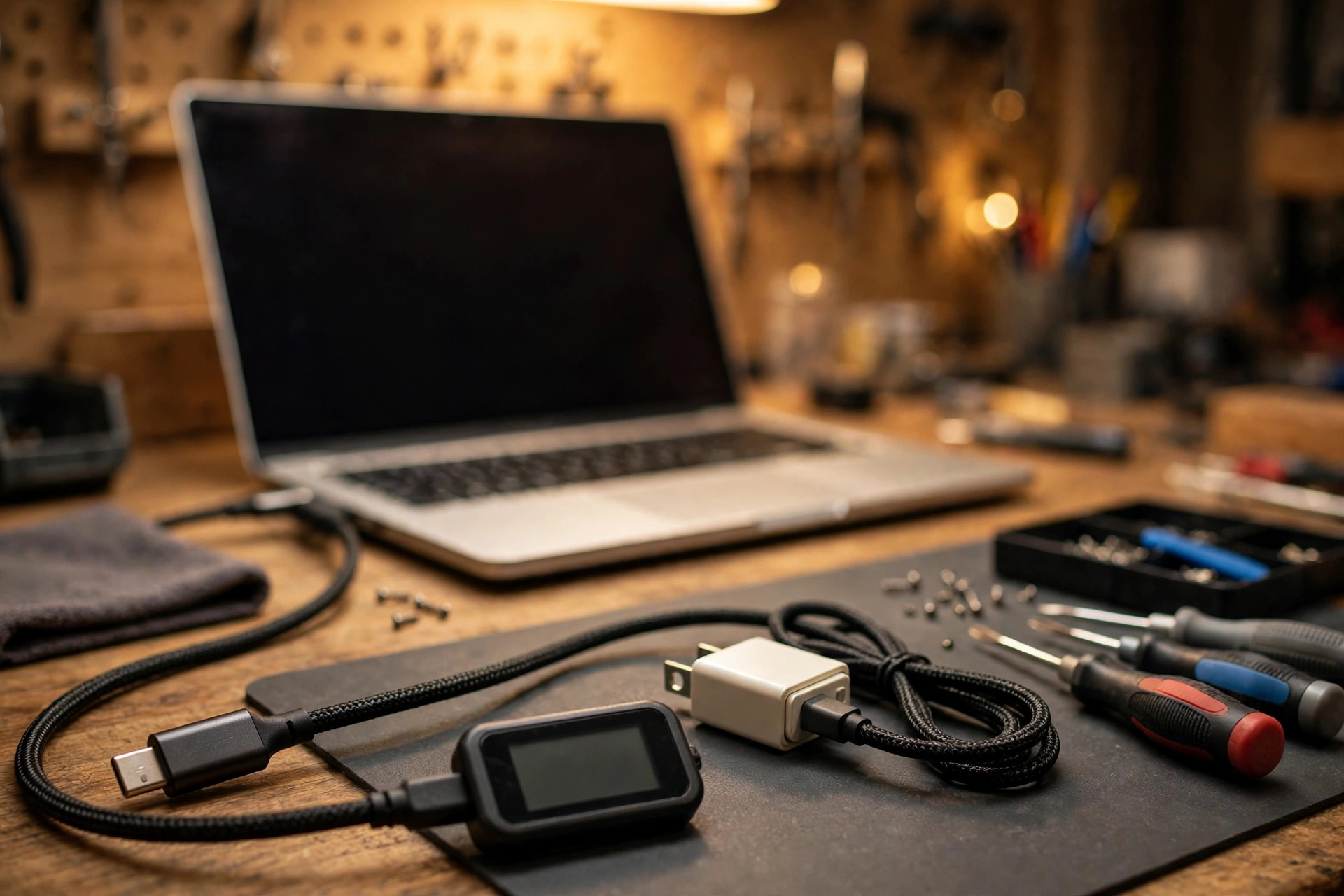
1. Scope Guard: Only "Basic Checks Done, Only Certain Combinations Fail"
The starting point is that basic checks are already done. The charger itself is not faulty, the battery itself is not faulty, the port is not loose, and another original or known-good charger connected directly to the machine has already been tried. What remains is a very specific situation: the machine fails to charge with only certain chargers, fails with only certain cables, charges slowly only with a certain combination, or charges intermittently. The core question is a single sentence: can the charger, the cable, and the machine agree with each other over the Configuration Channel? If they agree, there is a power contract both sides accept. If they fail to agree, agree on the wrong tier, or agree and then fall back again, the visible result is no charging, slow charging, or intermittent charging. This layer is completely different from the basic layer of a faulty charger, a faulty battery, or a loose port.
Remember one boundary slogan: charger, battery, and port are fine, but changing the combination changes the result, so stop replacing the battery and look at how the three sides negotiate. Here, "charger" means the source, "machine" means the sink, and "cable" means the cable in the middle, together with the E-marker inside it. "Wattage" must always be broken apart: how many volts, how many amps, which power data object, and which cable is needed for it to work. Quoting a single total wattage is the most misleading approach. The four words "supports PD" mean nothing on their own. The questions that must follow are: which version, which fixed power data objects, whether PPS is present, whether EPR is present, and what the current limit is. Without those details, "supports PD" is only packaging language.
| Earlier article or topic | Not repeated here | How it is mentioned |
|---|---|---|
| Intermittent charging, four-layer diagnosis | The full four-layer picture: supply, battery, port and board, system settings | A deep dive into the "protocol negotiation layer" inside that picture: only how the protocol layer causes intermittency, not a redraw of the full picture |
| USB-C dock recognition | Dock not recognising devices, display and USB device recognition, alternate mode negotiation | Only the boundary is covered: dock power conflicts and dock power reservation belong here, while a dock failing to recognise devices belongs to the dock article |
| Thunderbolt port failure | Thunderbolt certification, bandwidth, display chain, firmware | Only one boundary sentence: a Thunderbolt port can also carry PD charging, but the scope here is only the PD power contract, while Thunderbolt mode negotiation failure belongs to the Thunderbolt article |
| Battery not detected | Battery not recognised, battery health, battery management system | Only an exclusion comparison: battery detection failure is not protocol failure; the battery has already been detected |
| Plugged in but not charging, general diagnosis | General diagnosis across charger, battery, drivers, and settings | The next step after that article: general diagnosis is done, and only certain combinations still fail |
2. Three Kinds of "Charging Poorly" Must Be Separated First
Before the mechanism, three presentations must be separated. They look similar on the surface, but their causes and their remedies are completely different. Mixing them together produces jumping conclusions such as "a new charger fixed it, so the old charger was faulty" or "a new charger did not fix it, so the machine is faulty".
| Kind | Visible presentation | Mechanism direction | First suspicion order |
|---|---|---|---|
| Protocol failure | A certain charger plus a certain cable gives no response at all, or only a very low power level that never steps up, and the system reports not charging | One of the three sides does not recognise another side's capability, so the contract is downgraded or never agreed | Tier intersection, cable declaration, per-port output |
| Insufficient supply | Slow charging while idle, and the battery level still falls under load such as editing video, gaming, or running heavy programs, with a slow-charger message | The contract itself is agreed, but the contracted wattage cannot keep up with the combined need of running the machine plus charging | Contracted wattage against the machine's required wattage, direct connection against dock, idle against load |
| Controller, firmware, or interface layer problem | Even the original charger connected directly fails, every combination fails on the same port, or the problem began only after a firmware update | The PD controller, the embedded controller, the firmware combination, or the interface circuitry is at fault, and changing combinations cannot fix it | Port comparison, firmware versions and update history, inspection-level separation |
One basic equation applies before slow charging is discussed: the charging power the system actually obtains is not equal to the contract power. Contract power minus the power the machine is consuming right now is what is left for the battery. If the machine's current consumption is already close to or above the contract power, the battery will charge very slowly, or even lose charge while plugged in. That is not protocol failure; it is arithmetic. Without this equation, readers will assume that a contract of a given wattage means the battery is filled at that wattage, and every judgement after that will be wrong.
3. The Four Negotiation Steps: From a 5V Safe Starting Point to a Power Contract
The design starting point of USB PD negotiation is conservative: before agreement is reached, the power line carries only the default 5V. This design means an older device that does not support PD will not suddenly receive high voltage on connection. Only afterwards do the two sides negotiate conditions over the Configuration Channel. The contacts in the plug that carry this communication decide whether voltage steps up at all. This order cannot be reversed and no step can be skipped.
| Step | Who speaks | Content | What the surface looks like if this step fails |
|---|---|---|---|
| Step 1: Connection detection | Source and sink, over the Configuration Channel | The source sees the sink connected through the Configuration Channel, and the sink sees 5V on the power line and knows a source is connected; no voltage is negotiated yet, only that someone is connected | No response at all and no charging icon, which may mean even the first step did not complete, but since the basic layer is already excluded, failure here should send the reader back to basic checks |
| Step 2: Source capabilities | Charger, dock, or display | A list is sent, setting out every voltage and current combination the source can provide, that is, the power data object list; the first entry in the list is always 5V fixed supply, followed by voltages in ascending order | The list simply does not contain the tier the machine wants, so the machine can only choose something in the list, settle for less, or refuse charging |
| Step 3: Request | The laptop | The machine chooses one entry from the list and replies with a request stating which power data object it wants and how much current or power it needs | The machine's request exceeds the charger's capability, exceeds the cable's capability, or exceeds what its own PD controller and embedded controller allow, and the charger may reply with a rejection or a wait, not always an acceptance |
| Step 4: Accept, change voltage, ready | The charger | The charger accepts the request, changes to the new voltage, and after the change sends a ready message telling the machine it may now draw power under the contract; only from this moment does the contract take effect | Acceptance without the ready message, or disconnection during the voltage change, leaves the machine on the old contract or back at 5V, which looks like a charging icon flashing and disappearing, or intermittent charging |
Failure to agree has four different endings, and they must not all be called "not charging", because the remedies are completely different. The first is a low-tier contract, that is, a successful downgrade: there is charging, but only at low power, and the surface is slow charging rather than no charging at all. The second is rejection or a wait: the charger explicitly refuses the machine's request, so the machine must choose another tier or give up, and the surface can be no charging at all or a flash and then a stop. The third is a fall back to the 5V default contract: after PD negotiation fails, both sides return to the 5V state that existed before negotiation, and the surface is a charging icon with a battery level that barely moves, or a little charging only while shut down and a falling level while the machine is in use. The fourth is a negotiation loop: agreed, disconnected, agreed again, disconnected again, and the surface is intermittent charging, a flickering charging icon, and charging-related prompts appearing from time to time. This pattern is the most easily misdiagnosed as a loose port, but once the basic layer is excluded, the protocol layer should be suspected first.
The sink must also "report in". Source capabilities are the charger reporting what it can provide, and the sink also has its own capability list, which it reports when asked what it can accept. The machine does not accept everything. Its PD controller and embedded controller hold a list of tiers it accepts, and it will not request anything outside that list, nor can it use a charger tier outside that list. So "the charger can provide high wattage but the machine still charges slowly" does not necessarily mean the charger is at fault. It may well be that the machine's list simply does not contain that tier, or that the cable has kept that tier out of the source capabilities list. The practical check is at a non-disassembly level: the output table on the charger label, the label on the machine's original charger, and the USB-C charging input requirement on the machine's specification page, compared against each other. The numbers on labels are evidence; the large wattage printed on the box is not. For the price range, see pricing; for how an inspection is arranged, see diagnostic service.
4. Three Ways of Negotiating: Fixed, Programmable, and Adjustable Tiers Must Not Be Confused
Fixed supply tiers are the most common and the mainstay of laptop charging. A fixed tier is one fixed voltage plus a maximum current: for example 5V, 9V, 15V, and 20V each have their own current limit. When the machine chooses a tier, it is choosing one fixed voltage. Public technical explanations list fixed, variable, and battery tiers, and state that fixed tiers include 5V, 9V, 15V, and 20V. Laptop charging almost always runs on the 20V fixed tier, or on the EPR tiers of 28V, 36V, and 48V. The 9V and 15V tiers are usually only "some power comes in, but not at full speed" downgrade tiers for a laptop, not normal full-speed tiers. Every line on a charger label is one fixed tier, and comparison must go line by line, not by the largest line alone. Older material contains a 12V tier, but under current rules 12V is no longer a mainstream fixed tier. 12V is not a common laptop tier, and a charger must not be called non-compliant merely because it has no 12V tier.
Programmable power supply is an optional feature added in PD 3.0, appearing as an augmented tier. The machine can request a precise voltage and current limit in small steps within a voltage range, rather than being locked to fixed tiers. Public engineering documents agree on the step sizes: voltage steps of 20mV and current steps of 50mA, with a typical range of 3.3V to 21V. Three misunderstandings must be taken apart here. First, "having a programmable tier means faster charging" is wrong. The value of a programmable tier is that the receiving device can fine-tune voltage, reducing the loss and heat of its own voltage conversion, which matters particularly for certain phone fast-charging modes. A laptop already has its own charging circuitry, and what it needs is a stable high-power fixed tier, not fine-tuning. A charger with no programmable tier but a complete 20V high-current fixed tier can charge a laptop perfectly normally. Second, "no programmable tier means a poor-quality charger" is wrong. The programmable tier is an optional feature, not a requirement of PD. Writing a charger off for lacking it would discard a charger that is actually suitable. Third, "a phone charging fast means the computer will charge fast" is wrong. Phone fast charging often depends on programmable tiers, while a computer needs fixed tiers. A charger with an excellent programmable tier but insufficient fixed-tier current can perform very well with a phone and very poorly with a computer. The scoring standards are fundamentally different. The practical comparison is: for a laptop charger, compare the fixed tier table first; for a phone charger, compare the programmable tier range and current. The two lists must not be mixed together.
Adjustable voltage supply is an adjustable voltage mode introduced with PD 3.1 together with EPR, with a range starting at 15V and going up to the corresponding EPR voltage. The concept is similar to the programmable tier, in that both fine-tune voltage, but the applicable voltage ranges differ, and adjustable voltage belongs to the EPR level. Public overviews list adjustable ranges of 15V to 28V, 15V to 36V, and 15V to 48V. Some summaries mention that a newer version extends the adjustable concept into the standard power range, and the details should be taken from the official specification, and those details are not absolute specification. Adjustable voltage deserves only a short passage, stating that only high-power machines use it and that ordinary laptops do not need to buy a charger for it. Adjustable voltage is not a requirement for buying a charger, and the programmable tier and the adjustable tier are not the same thing.
| Negotiation method | Appears in which version | How voltage is negotiated | Practical meaning for laptops |
|---|---|---|---|
| Fixed tier | From PD 2.0, retained in PD 3.x | Fixed steps: 5V, 9V, 15V, 20V, plus 28V, 36V, 48V | The mainstay; comparing the fixed tier table is enough to judge most cases |
| Programmable tier | From PD 3.0, optional | Fine-tuned within 3.3V to 21V, in 20mV steps | Important for phone fast charging; not required for laptops, and its presence must not be used to judge a laptop charger |
| Adjustable tier | From PD 3.1 EPR | Fine-tuned from 15V up to the EPR voltage | Relevant only to high-power EPR machines; ordinary machines need not chase it |
| Variable and battery tiers | Classified in the specification | Voltage floats within a range, or a battery acts directly as the source | General laptop chargers do not rely on them as the main supply; one sentence is enough, with no tutorial |
5. The EPR Thresholds: 28V, 36V, and 48V, With Three Conditions That Must All Hold
The dividing line between the standard power range and the extended power range is 100W. The standard power range tops out at 100W, with a maximum fixed voltage of 20V, and 20V multiplied by 5A is 100W, which is the ceiling of the standard range. The extended power range was introduced in PD 3.1, tops out at 240W, and adds three fixed voltages: 28V, 36V, and 48V, all calculated at 5A, so 28V multiplied by 5A is 140W, 36V multiplied by 5A is 180W, and 48V multiplied by 5A is 240W. For version comparison, public overviews list PD 1.0 at up to 60W, PD 2.0 at up to 100W, PD 3.0 at up to 100W, and PD 3.1 at up to 240W, with PD 3.1 published in 2021 and adding the three new EPR fixed voltages.
| Threshold | Fixed voltage | Maximum power (at 5A) | Typical machine class (mechanism level, not a model list) |
|---|---|---|---|
| Standard range ceiling | 20V | 100W | The great majority of thin and light laptops and general performance machines |
| EPR first tier | 28V | 140W | High-performance laptops needing more than 100W |
| EPR second tier | 36V | 180W | Higher-power workstation-class or gaming-class machines |
| EPR third tier | 48V | 240W | Highest-power desktop-replacement-class machines |
| EPR mismatch pattern | Combination state | Result | Is it a fault |
|---|---|---|---|
| Charger has EPR, machine does not | Machine takes at most 20V | At most the 20V tier is agreed, and the charger's 28V tier is transparent to the machine | Not a fault, only that the ceiling itself is 20V |
| Machine has EPR, charger does not | Machine wants 28V but the charger list does not contain it | Falls back to the 20V tier, slow charging but not no charging | One cause of "bought a high-wattage charger but still slow", because the high wattage may only be achieved at the 20V tier |
| Both sides have EPR, cable does not | Cable cannot declare EPR high voltage | Locked within 100W, and the EPR tier never appears in the list at all | Not "works but slower"; it is "never even negotiated" |
| All three sides have EPR, but machine firmware rejects that tier | PD controller or embedded controller layer refuses | Can be rejection, a tier drop, or intermittent charging | Hardest to prove at home, requiring inspection, as in section 8 |
6. The Cable Layer: The E-Marker Is the Cable's Identity Card
The E-marker is a small chip inside the cable connector that stores the cable's capability data: maximum current, maximum voltage, supported transfer speeds, and similar information. Before negotiating, the charger and the machine ask the cable "how much can you handle", and only then decide which tiers can appear in the source capabilities list. A captured protocol example is persuasive here: the charger at first listed only 5V and lower tiers, and only after asking the cable and confirming the cable supported 5A did it resend a new source capabilities list containing 9V and 20V high-current tiers. In other words, the cable is not merely a copper wire; it changes the list the charger offers. The essence of the E-marker is that "the cable reports its own numbers", and the charger and laptop rely on that declaration to decide whether they dare to output high current. It must not be described as an anti-counterfeit chip or a brand certification.
| Cable type | What is inside | Relationship to charging |
|---|---|---|
| Passive cable | No signal amplification or retiming electronics, only conductors and shielding, together with an E-marker if present | The great majority of charging cables are passive cables; passive does not mean poor, since short-distance charging needs no active electronics at all |
| Active cable | Powered electronics inside, performing signal amplification, equalisation, or retiming, mainly for high-speed data transfer | The value of an active cable is at the data layer, not the charging layer; an active data cable is not necessarily an EPR charging cable, and a purely passive charging cable can still be EPR-grade |
| Charge-only cable | May have no high-speed data cores, but the Configuration Channel still exists, so PD negotiation can proceed | This kind of cable can charge a computer normally but cannot carry high-speed data or display; it must not be judged faulty for charging merely because it cannot transfer data |
| Cable grade | Current limit | Highest fixed voltage (mechanism level) | Power ceiling | Common misunderstanding |
|---|---|---|---|---|
| Unmarked or 3A cable | 3A | 20V | 60W | Thinking a thick cable must handle high wattage; thickness has no necessary relationship with the marker, and only the marking and the actual negotiation result count |
| 5A standard-range cable | 5A | 20V | 100W | Thinking a 100W cable equals a 240W cable; a standard-range cable does not support EPR high voltage, and an EPR machine using it is locked within 100W |
| 5A EPR cable | 5A | 48V | 240W | Thinking an EPR cable makes any machine fast; the cable only removes the ceiling, and the actual power is still negotiated between charger and machine |
7. The Mismatch Layer: Charger Wattage Against Protocol Support, Where "Enough Wattage" Is the Most Dangerous Sentence
Wattage is a result, not an input. Wattage equals the negotiated voltage multiplied by the negotiated current. The maximum wattage printed on a charger box is only "the maximum achievable under one particular tier and one particular combination", not "the wattage delivered to any machine it is plugged into". This point matters as much as a headline, because the six mismatch patterns that follow are all derived from it.
| Mismatch pattern | Mechanism | Surface | How to confirm it |
|---|---|---|---|
| Total wattage enough, but fixed tiers wrong | The charger's largest tier is 28V but the machine only takes 20V, or the charger's 20V tier supplies only 3A while the machine needs 20V at 5A for full speed | Agreement at 20V and 3A, slow charging | Compare the charger label line by line with the tiers the machine needs |
| Total wattage enough, but multi-port sharing leaves too little | Enough with a single port in use, but plugging in another phone triggers renegotiation and the laptop's port drops a tier | Speed falls the moment a second device is plugged in, then stays low | Single-port use against multi-port use, as in section 9 |
| Total wattage enough, but protocol wrong | The charger is built mainly around a proprietary fast-charging protocol with weak PD fixed tiers, while the machine only understands PD | The charger can be very fast with a phone and slow with a computer, because the two devices negotiate different protocols | Compare the PD fixed tier table, not phone fast-charging performance |
| Total wattage enough, but cable locks the ceiling | Charger and machine both support 100W, but the cable is only 3A | Locked at 60W | Change to a 5A cable for comparison, as in section 6 |
| Total wattage enough, but machine refuses low tiers | Some laptop designs refuse power input that is too low, rather than accepting whatever is available | No charging at all, rather than slow charging | Direct connection with the original combination, to see whether only low-tier combinations are refused |
| Total wattage enough, but only on one port | Each port of a multi-port charger can have a different tier list, and plugging into the wrong port can give a completely different negotiated tier | The same charger behaves completely differently on another port | Test each port by direct connection and record each port's result |
Comparing a charger label is a line-by-line exercise, not a look at the largest line only. Three things must be compared, with none missing: first, every output line on the charger label, including voltage, current, and any programmable range; second, the output on the machine's original charger label, or the USB-C charging input requirement on the machine's specification page; third, the cable's current and EPR markings. The intersection of the three is the highest tier that can theoretically be negotiated. Wattage outside the intersection will never appear, no matter how large the number printed on the box. Comparison must also note whether the charger label's output table applies to single-port use or multi-port use together; if the manual has a per-port output table, it must be compared as well. For a product with no per-port output table, the buyer must think beforehand about how to verify it, and after buying must test both single-port and multi-port states. Unmarked cables and chargers are common in the Hong Kong retail environment, and "no marking" means "unknown", not "known", rather than a judgement based on what a shop assistant says verbally. The safety reminder states principles only: chargers and cables are power products, and products with clear markings and safety certification marks should be chosen; products with unclear markings, loose connectors, or abnormal cable heating should be stopped and sent for inspection, not tested through further combinations.
8. The Firmware Layer: PD Controller, Embedded Controller, and BIOS, the "Person Doing the Talking" Inside the Machine
The three roles must be separated and must not all be called "a system problem". The division of labour depends on model design, and no single generic architecture diagram applies to every brand. The concept to convey is the layering: the PD controller does the talking, the embedded controller carries out power management, and the BIOS sets policy.
| Role | What it does | What happens when it goes wrong |
|---|---|---|
| PD controller | Actually sends and receives PD messages over the Configuration Channel, carrying out the source capabilities, request, accept, and ready dialogue; some designs also have their own PD firmware | The dialogue itself goes wrong: message timeouts, rejection of reasonable requests, renegotiation loops, or a particular tier that can never be negotiated |
| Embedded controller | Manages boot sequencing, power management, battery charging control, fans, keyboards, and other low-level hardware, coordinating with the PD controller to decide how much power finally enters the battery | Wrong judgement or a stuck state: charging stops, charging power is limited, or a controller reset is needed before recovery |
| BIOS | Stores the machine's power policy, PD-related settings, and charger recognition logic; a BIOS update can change PD behaviour | A BIOS version supports certain charger combinations poorly, and charging behaviour changes after a BIOS update, for better or for worse; an update must never be assumed to fix things |
Why an embedded controller reset sometimes works, and why it must not be treated as a cure-all: a vendor troubleshooting document lists an embedded controller reset as one step for battery power and charging problems, and reminds users to first confirm whether the USB-C port itself supports charging, without skipping that step. The mechanism explanation is an inference: a controller reset returns the controller's state to its defaults and clears a possibly stuck power state, so if the problem really is a stuck controller state, renegotiation after the reset can return to normal. But if the problem is a PD controller firmware defect, a charger tier list that simply lacks the tier, or a cable locking the ceiling, no number of resets will change the list contents. No generic reset key combination suits every brand. Reset methods differ across brands and models, so check your own model's manual. Writing the wrong key combination may do nothing at best, or may trigger other setting resets at worst. If that model's vendor manual explicitly provides a reset method, it may be done once for comparison following the manual; if the manual does not state one, or the reader is unsure, it must not be tried at home, and left for the technician to judge during inspection.
The risks of BIOS, embedded controller, and PD firmware updates go together with their benefits. During an update, power must never be cut and the charger must never be unplugged midway. A power cut during an update can leave consequences far more serious than the original charging problem. Important data must be backed up before updating, and after updating the same charging comparison must be repeated, that is, the same charger plus the same cable plus the same port, to see whether behaviour changed, rather than relying on a feeling that things "seem better". If charging behaviour worsens after an update, the version numbers before and after must be recorded and supplied during inspection. Version numbers are evidence; feelings are not. The final limit of the firmware layer is this: at the ordinary user level, only "update to the vendor's latest version, plus a controller reset, plus comparison testing" can be done. A faulty PD controller itself, a faulty embedded controller chip, or a faulty board charging circuit is already beyond the firmware layer and belongs to the inspection layer. One further mechanism reminder: beyond standard PD negotiation, some laptop designs have their own charger recognition mechanism. If recognition fails, the machine may limit power or refuse full-speed charging even when the PD list itself negotiates successfully. That belongs to vendor design: such a design exists and must be checked against the model document, with no generic recognition mechanism invented for any brand, and without attributing all slow charging to recognition failure. Firmware can be a fix, and it can also be the starting point of a problem, and updating carries interruption risk, so the vendor manual must always be followed, a principle that reappears in the decision framework in section 15. For the price range, see pricing; for how an inspection is arranged, see diagnostic service.
Need a laptop repair expert?
Free diagnosis · Transparent pricing · No fix, no fee · 180-day warranty
9. Dual-Role Power and Dock Power Conflicts: Who Supplies and Who Consumes, and What Happens When the Negotiation Fights
A USB-C port has three power roles: supply only, consume only, and dual-role. A laptop USB-C port is often dual-role: it consumes when a charger is connected, and it can supply when a phone or external device is connected. Public explanations list role-swap messages, including data role swaps, power role swaps, and supply-line role swaps. Beyond setting power, PD also exchanges power roles, data roles, and supply roles. When two dual-role devices are connected together, both must decide which one supplies and which one consumes. If both insist on supplying, or if the swap messages fail, a deadlock results: the surface is no charging at all, or charging that starts and stops. A typical scenario, stated as mechanism rather than case statistics: a USB-C display is itself dual-role, and on first connection it may first act as the supplier, providing power to the laptop; under normal conditions the roles should swap so that the laptop acts as data host and the display acts as supplier, or the reverse, depending on design. If the role swap fails, display power and laptop power can conflict, and the result is unstable charging. For a dock or display power problem, it is not enough to look at "how many watts go into the dock"; what matters is "how many watts reach the laptop, and how the roles were negotiated". This boundary is also the boundary with the dock recognition article.
| Conflict scenario | Mechanism | Surface | Comparison method |
|---|---|---|---|
| Dual-role deadlock | Two dual-role devices both insist on supplying, or role-swap messages fail | No charging at all, or charging that starts and stops | Keep only one power path, unplug everything else, and see whether the single path negotiates on its own |
| Dock power reservation | The dock itself consumes power, and USB devices, external drives, networking, and display output on the dock also consume power, so the dock's total input minus what the dock reserves is what reaches the laptop | Direct connection normal, but through the dock the tier drops or charging becomes intermittent | Direct connection against dock connection; the difference is the cost of the dock path |
| Dock connection method changes the contract | A vendor document states that a particular dock shows a slow-charger message with a dual-connector connection, and the remedy is to change to a single-connector connection | The connection method itself changes the power contract, so dual-connector and single-connector connections can negotiate different contracts | Compare following the dock manual's connection method, rather than assuming "more cables must be better" |
| Multi-port sharing | A multi-port charger's total power is shared, and plugging in another device redistributes each port's power and resends new source capabilities lists to every device, triggering renegotiation | A flash the moment a second device is plugged in, then a continuing low tier, or a prolonged charging stop | Single-port use alone against multi-port use together, tested as two separate states |
| Two power paths at the same time | An original charger and a USB-C charger connected together, or a dock and a charger together, force the machine's power management to choose a path, and different models prioritise differently | Behaviour with two paths together is hard to predict | Keep only one path at a time; behaviour with two paths together belongs to model design and is not a generic rule |
10. Slow Charging in Layers: From 5V to 20V, Every Tier Is a Separate Explanation
Slow charging layers must be discussed from the lowest layer upward, and diagnosis must follow this order. Each layer has its own contract, surface, cause, and next comparison, and layers must not be skipped.
| Layer | Negotiated contract | Surface | Most likely protocol-layer cause | Next comparison |
|---|---|---|---|---|
| L0: 5V fallback | 5V, low current | Charging icon present, but battery level barely moves; a little charging only while shut down | PD negotiation failed completely and fell back to the default contract, or the charger has no PD at all while the machine insists on PD for full speed | Direct connection with the original charger and cable, to see whether the normal tier returns, then change charger and cable one at a time |
| L1: 9V tier | 9V | Very slow charging, and the level may fall while the machine is in use | Charger list has no 15V or 20V tier, or the machine chose the wrong tier, or cable or port limits | Check the charger label for 15V or 20V tiers, then change the cable and test again |
| L2: 15V tier | 15V | Better than 9V, but clearly slower than original | Charger's 20V tier current is insufficient, cable locked at 3A, or dock reservation leaves only enough for the 15V tier | Direct connection test to exclude the dock, and a 5A cable test to exclude the cable |
| L3: 20V low-current tier | 20V, 3A or below | Voltage looks right on the surface, but power is still short of full speed | Cable locked at 3A, or multi-port sharing pressing down the 20V tier current | Change to a 5A cable, and test with a single port alone |
| L4: 20V full-speed tier, but insufficient net power | 20V, high current, contract itself correct | Contract correct, but the machine is consuming so much that little is left for the battery | Heavy load, thermal throttling, or natural current reduction near full charge, which belongs to the normal charging curve and is not a fault | Test again while idle or asleep, to see whether net charging speed clearly improves |
| L5: EPR tier falling back to standard range | Wants 28V, actually negotiates 20V | High-power machine charging slowly, but not failing to charge entirely | Cable without EPR, charger without EPR, or machine firmware rejecting the EPR tier | Check the three sides' EPR support one by one; missing any one prevents EPR entry |
| L6: Renegotiation loop | Contract keeps changing | Intermittent charging and flickering icons | Multi-port sharing triggering renegotiation, unstable Configuration Channel contact, or PD controller or embedded controller state problems | Single path, single device, and direct connection testing, to see whether the loop disappears |
How to read system prompts matters, because slow charging and not charging at all are not the same thing. An official troubleshooting notification document lists "slow charger" and "not charging" as two different notifications with different triggers: the former corresponds to a slow charging or trickle charging state, and the latter corresponds to a not charging state. Seeing "slow charger" must not immediately lead to buying a larger-wattage charger; tiers, cables, and dock paths should be compared first, because the problem may not be wattage at all but a tier or a cable. Seeing "not charging" requires a direct-connection comparison first, to see whether every combination fails or only a certain combination fails. If every combination fails, the problem is already beyond the protocol layer and should return to basic checks or inspection. Turning off notifications does not solve the problem: system settings offer an option to turn off slow-charging notifications, but turning them off only stops the prompt, and charging speed itself does not change. Turning off notifications does not "solve" slow charging. There is another common status phrase, "plugged in, not charging", which can mean the system sees mains power but the battery is not accepting charge, while a level fixed at a certain percentage is very often a vendor charge limit feature rather than a fault. That phrase must be separated from PD failure, and "not charging" must not immediately be read as PD damage.
11. How to Read System Charging Status and Tiers: The Abilities and Limits of Three Routes
This section is the easiest to get wrong, so read its limits carefully. The first route is system status wording, whose slow-charger and not-charging distinction was covered in section 10. The supplement here is that system wording only translates the charging status reported by the PD controller and embedded controller into human language. The prompt itself does not create slow charging; slow charging comes from the contract layer. The correct response to a slow-charger prompt is to compare tiers, cables, allocation, and docks, not to reinstall the system, because reinstalling the system will not change the charger's tier list.
The second route is built-in system reports and readings, with limits that matter. A battery history report records battery data and charge and discharge history, but it cannot identify the charger model and it cannot report the USB-C negotiated wattage. A power efficiency report examines system power settings and related problems, not charger output. Battery charge rate readings in system management data are usually in milliwatts and reflect power "entering the battery", excluding power "used to run the machine"; moreover, some models may have no such category or a blank reading, and a blank reading does not prove charger failure. The system settings main screen itself has no generic, reliable "live charger wattage" field; live charger wattage must be assembled from battery data, vendor tools, third-party sensor programs, or a USB-C power meter. Use the battery report to see "trends", for example which periods had charging and which periods fell; use vendor tools to see "direction"; use a power meter to see the "live contract". The three must not substitute for each other, and "running one command tells you the charger wattage" does not hold.
| Reading tool | What it shows | What it does not show | Correct use |
|---|---|---|---|
| System status wording | Whether the current contract is slower than the desired level, or whether there is no effective charging at all | Which tier, and which side reported a smaller capability | As a starting point for separation, followed by comparison testing |
| Battery history report | Battery data and charge and discharge history trends | Charger model and live negotiated wattage | For trends, not as evidence of live wattage |
| Battery charge rate reading | Direction of power entering the battery | Power used to run the machine and total live contract power | For direction; a blank reading is not a fault |
| Vendor battery tool | Charge limit switch, battery status, and vendor diagnostic entry | The complete tier list of a third-party charger | Switch off the limit for comparison, and record diagnostic codes |
| USB-C power meter | Live voltage, current, and power at the series position | By itself it does not say which side rejected which tier | Readings must be compared with the machine's official required wattage, not with the largest wattage on the box |
The charge limit feature must be explained before the diagnostic flow, or readers will misread "stops at a certain percentage" as "PD cannot negotiate a high tier". Vendors offer battery health charge limit features that deliberately stop charging at a certain percentage to slow battery ageing. The comparison method is to go to the vendor battery tool and switch the limit off or pause it for one comparison, then switch it back afterwards, using only the switch the vendor tool itself provides, without registry edits or firmware parameter changes. If the level still stops at the same percentage after the limit is switched off, or if other combinations behave the same way, only then should PD or battery layers be suspected again. Another operating system also has a learning-based optimised charging feature that learns daily routines and temporarily limits charging to a certain percentage until full charge is needed; that system's battery health tutorial is not a main thread here.
Reading methods on another operating system also need two limits stated. The power section of system information has charger information showing the wattage of the connected charger. First, the wattage shown is the concept of the charger's rated maximum wattage, not the live input power of every second; live power entering the battery changes with battery level, temperature, and load, so the field figure must not be taken as "definitely consuming this many watts right now". Second, if the wattage shown is clearly lower than the original charger's wattage, that is a useful clue pointing to the cable, per-port allocation, or dock reservation, and comparison testing should follow, rather than immediately concluding the charger is faulty. A terminal command can output the same set of power data in one go, and that command may be mentioned as an advanced reading, but it is not a tool that "can show the PD tier number", since it shows charger information and battery status, not the original PD messages.
| Field | How to fill it in | Notes |
|---|---|---|
| Date and time | The period observed after plugging in | Do not look only at the first few seconds after plugging in; negotiation, renegotiation, and load changes need time to settle |
| Charger (model plus box output tiers) | Copy from the box or label, not just "a high-wattage charger" | Copy line by line, together with the per-port output table |
| Cable (marking plus appearance) | Copy the power marking and current wording from the cable body or box | If there is no marking, write "no marking"; do not guess |
| Laptop port (which port, through a dock or not) | State direct connection or through a dock or hub, and which port of a multi-port charger | Record which port the manual designates as the charging port |
| System wording | Copy the system's displayed wording exactly | Copy the original text; do not reproduce it from memory |
| Battery level direction | Rising, flat, or falling over a fixed period | Do not look at one minute only; look at direction |
| Any interruption | Yes or no; if yes, whether at the moment a second device was plugged in or for no apparent reason | The interruption pattern itself is a separation clue |
12. Practical Diagnosis: The Cross-Comparison Matrix That Changes Only One Variable at a Time
The core tool is cross-comparison. The principle is simple, but it is most easily broken in execution: there are four variables, namely charger, cable, laptop port, and load state (idle, working, sleep, shut down). Each test changes only one of them, and the other three stay fixed. Each combination records four fields: system status wording, charging icon changes, battery level direction over a fixed period (rising, flat, or falling, not just one minute), and any interruption (icon jumping, prompt sounds, peripherals disconnecting together). This method needs no instruments at all, and it can already separate the three kinds of problem in section 2.
| Test number | Variable | Fixed items | If the result improves, it points to | If the result does not change, it points to |
|---|---|---|---|---|
| T1 | Change cable (keep original charger, original port, idle) | Charger, port, load | Cable layer: old cable declaration or contact problem | Cable is not the main cause; move to T2 |
| T2 | Change charger (keep original cable, original port, idle) | Cable, port, load | Charger tier layer: old charger lacks the tier the laptop needs | Charger is not the main cause; move to T3 |
| T3 | Change port (keep original charger and cable, idle) | Charger, cable, load | Interface layer: a particular port's PD negotiation or contact problem | Port is not the main cause; move to T4 |
| T4 | Change load (same combination, idle to working to sleep) | Charger, cable, port | Insufficient supply layer: contract wattage cannot keep up with load | Load is not the main cause; move to T5 |
| T5 | Direct against through dock or hub (same charger and cable) | Charger, cable, load | Dock or hub reservation or renegotiation layer | Dock is not the main cause; move to T6 or inspection separation |
| T6 | Multi-port charger: laptop alone against laptop plus phone | Charger, cable, port | Multi-port sharing layer: total budget shared thinly or renegotiation interruption | Sharing is not the main cause; move to inspection separation |
| Observation | Points more toward protocol failure | Points more toward insufficient supply | Points more toward controller, firmware, or interface failure |
|---|---|---|---|
| After changing cable or charger | Clearly better or worse, with the result following the combination | Every combination gives "charges while idle, falls while working" | Same port or every port fails no matter what combination is used |
| System wording | "Not charging" type wording | "Slow charger" type wording | No wording but no response at all, or appearance only after a firmware update |
| Load relationship | Fails even while idle, or only at very low power | Charges while idle, falls only under load | Same result while idle, loaded, asleep, or shut down |
| Interruption pattern | Fails immediately on plugging in, or breaks when the cable moves | No interruption, only slow or falling | Repeated breaks for no apparent reason, or a problem specific to one port |
| Next step | Compare tiers, cable markings, and per-port outputs | Compare contract wattage with laptop required wattage, and change to direct connection with a sufficient-wattage combination | Stop at safe comparison, and move to firmware checks plus inspection |
13. The Hong Kong Context: Dampness, Commuting, Shared Chargers, Third-Party Gallium Nitride Chargers, and Travel
Dampness must be discussed as mechanism, not as superstition. At the mechanism level, stated as mechanism inference rather than measured data: if the Configuration Channel pins and connector surfaces carry grime, moisture, or dust, the transmission quality of PD messages can be affected; messages not received, or confirmations not returned, lead negotiation to retry or drop a tier. This mechanism is consistent with general connector contact problems, but more precisely: what is affected is not only "whether power flows" but also "whether agreement can be reached". For condensation: moving a machine from an air-conditioned room to a hot and humid outdoors, or the reverse, can cause condensation near the body and connectors. Only "condensation may affect connector surface conditions" applies, not "Hong Kong dampness means PD will certainly fail", and no figure for dampness is invented. The practical reminder is that cables and connectors should be kept dry and clean; if dampness is suspected, testing should wait until everything is completely dry, and combinations must not be tested in a suspected damp state, or the test results themselves will be unreliable. The boundary must be clear: board corrosion or physical port damage caused by dampness belongs to the basic layer or the board layer, not the protocol layer; only how dampness affects negotiation messages is covered here, and not every dampness problem is a protocol problem.
In commuting use, the cable is the first part to suffer. In commuting, cables are rolled up, pulled, and pressed every day, and the junction between connector and cable body is worth checking first in commuting use. Internal damage can show as unstable Configuration Channel contact, with the result of negotiation loops and intermittent charging. Commuting users should pay particular attention to the "change cable" comparison, and should change to a known-good cable with clear markings, not to another old cable that is rolled up every day, or the comparison itself will be invalid. "Vibration on transport damages the PD controller" is unfounded. Vibration affects cables and connectors most, not chips themselves. Cable ageing and contact also deserve a place: a declaration does not guarantee good contact merely because the cable body looks intact; oxidation inside the plug contacts and fatigue of the cable cores can make negotiation intermittent rather than stably slow. When doing a cable comparison, only one cable must be changed at a time, not charger plus cable plus port together, or it will be impossible to tell which variable mattered.
| Hong Kong situation | The real protocol-layer variable | The easiest mistake | The correct approach |
|---|---|---|---|
| Dampness and condensation | Connector surface conditions affecting Configuration Channel message quality | Treating every dampness problem as a protocol problem, or inventing dampness impact figures | Wait until completely dry before testing, and test only when dry and clean |
| Daily commuting cable rolling | Internal cable damage making Configuration Channel contact unstable | Comparing with another equally old cable | Compare with a known-good cable with clear markings |
| Shared office chargers | A shared charger's tier list may not suit your machine, shared multi-port sharing, and shared cables with unknown markings | Testing the shared combination first, and on failure declaring the machine faulty | Bring your own known-good charger and cable set as a baseline comparison, and first confirm whether the machine itself negotiates properly |
| Third-party gallium nitride chargers | Fixed tier table, per-port output table, multi-port allocation table, and cable requirements, each compared separately | Treating box total wattage, port count, and gallium nitride wording as a tier list | Compare the fixed tier table and per-port allocation table, and test both direct and multi-port states after buying |
| Travel hotel and aeroplane USB ports | The source itself provides only low power, so the two sides have no high-power tier to negotiate | Treating failure to charge a laptop from a hotel or aeroplane port as laptop PD damage | Use the original charger plus original cable plus direct connection as the baseline, and rely on on-site markings and system wording |
The reality of third-party gallium nitride chargers is mixed, without dismissing every third-party product and without endorsing any brand. Some third-party chargers have very complete PD fixed tiers and charge laptops completely normally; others lean heavily toward phone protocols with weak PD fixed tiers. Total wattage, port count, and gallium nitride wording on packaging are none of them substitutes for a tier list. For a product with no tier list, the buyer must think beforehand about how to verify it. Any market product example mentioned is used only to explain mechanisms such as "total wattage does not equal per-port wattage", never as a recommendation or a ranking. Travel situations also need clarity: before departure, check the charger itself for its input label, and only treat it as internationally usable if the label confirms an international input voltage range; a charger whose label does not state it must not be assumed. A travel socket adapter only changes plug shape, not voltage. Gallium nitride itself does not decide whether a charger is internationally usable; it affects volume and heat efficiency, while international usability depends on the input label. USB ports built into hotel rooms and aeroplane seats very often provide only low power, enough to sustain basic phone operation, not enough for fast charging, and even less enough for a laptop while it is running. Slow charging, falling charge while in use, or even no charging when using these ports does not mean laptop PD damage; very likely the source itself provides only low power, so the two sides have no high-power tier to negotiate. No fixed wattage figure for aeroplane USB ports is given as an absolute number; "very often only low power" is the direction, with on-site markings and system wording as the authority. A travel bag should keep two kinds of cables separate, phone cables and laptop cables, distinguished by labels or colours to avoid mixing. Cables supplied with phones are very often designed only for phones, and may have no 5A marker and may not support the 20V high-current tier a laptop needs. Before borrowing a cable, check the power marking on the cable body or box; a cable with no marking must not be used to judge that "the laptop cannot charge".
14. Common Misdiagnoses and Traps: Taken Apart One by One, Not Merely Listed
| Misdiagnosis | Where it goes wrong | How to take it apart |
|---|---|---|
| Wattage is enough | Wattage is a result, not an input; enough wattage with wrong tiers, a cable locking the ceiling, or multi-port sharing can all leave the actual contract far below the box wattage | Teach readers to compare the tier table, not the large print on the box |
| Original cable superstition | "Only the original cable works, third-party cables never work" is wrong: a third-party cable with the right marker and current or EPR grade works at the protocol level just as well; the original cable's value is that it is known-good with clear markings, not magic | Choose cables by grade, not by brand superstition |
| Any cable is the same | "Expensive cables are a scam" is wrong: a 3A cable and a 5A EPR cable are different things at the protocol layer, and changing cables can change the source capabilities list | Choose by marker grade, not by price superstition |
| Replace the battery | Battery failure is already excluded as a premise; if the problem appears only with specific charger or cable combinations, the battery itself has no reason to "recognise chargers" | One question is enough: does the original charger charge when directly connected? If yes, battery suspicion falls immediately |
| Buy a larger-wattage charger | A larger-wattage charger with the wrong 20V tier current, EPR support, or per-port allocation can give the same result as the old charger, or even worse | Compare the tier table and per-port allocation table before buying, and test both direct and multi-port states after buying |
| Windows says slow charging, so it is a system problem | System prompts only translate charging status reported by controllers into human language; the prompt itself does not create slow charging, which comes from the contract layer | Turning off notifications does not change the contract, and reinstalling the system does not change the charger's tier list |
| Loose port as a universal explanation | Intermittent charging can be a loose port, and it can also be a renegotiation loop; loose ports are already excluded as a premise | Hold the plug still, change the cable, change the charger, and connect directly, one at a time; if it still drops intermittently with the plug held still, protocol-layer suspicion rises |
| Charger heat means faulty, or no heat means no output | Charger heat depends on conversion efficiency, load, ambient temperature, component material, and many other factors, and cannot be mapped directly to power output | Do not judge contract power by feel; use tier comparisons and meter readings |
| A high-speed transfer cable must charge fastest | A high-speed transfer cable's strength is data bandwidth, not charging power, and its charging ability still depends on its marker grade | A high-speed data cable that is only 3A is still locked at low power for charging |
| A USB-C port must accept charging | USB-C is only a connector shape, and charging, data, and video capabilities are separate; some USB-C ports do not accept charging at all | First confirm which port the manual designates as the charging port |
| A battery report can show charger wattage | A battery report shows trends, not negotiated wattage; the live contract needs a meter or a vendor tool | Do not substitute the three tools for each other, as in section 11 |
| Stopping at a percentage means PD damage | Very likely a vendor charge limit feature, which should be checked in the vendor tool first | Switch off the limit for one comparison, then switch it back |
| A firmware update will certainly fix charging | Firmware can be a fix, and it can also be the starting point of a problem; updating carries interruption risk and must follow the vendor manual | Compare across combinations before updating, to confirm the problem really affects every combination |
| Gallium nitride means certainly compatible and certainly fast | Gallium nitride affects volume and efficiency, not PD tiers, cable capability, or per-port allocation | Compare tier tables and allocation tables, not material wording |
| If a new charger does not help, the battery must be faulty | The battery layer belongs to the battery detection article; the PD negotiation layer must first go through comparison testing, without skipping straight to battery replacement | Follow the section 12 matrix cell by cell, and let the result point to the layer before naming it |
15. Repair, Replace, or Upgrade Decision Framework: Separate Layers First, Then Decide, Changing Only One Variable at a Time
Before deciding, the section 16 comparison checklist must be completed, or every decision is a guess. Comparison results decide the layer, and the layer decides the remedy; do not skip layer separation and jump straight to "replace the machine" or "replace the battery". Ask four questions first, then decide which path to take.
| Question | If the answer is "yes" | If the answer is "no" |
|---|---|---|
| Does the original combination charge at normal speed while idle and directly connected? | The problem is more likely in a third-party combination, cable, or sharing, so change the combination first rather than sending for repair | Move to the next question |
| Among changing cable, charger, and port, is there any combination that charges normally? | Keep that normal combination as the main supply, and use the failing combination only as a backup or stop using it | Move to the next question |
| Does the problem appear only while working, with multiple ports in use together, or through a dock? | The problem is more likely insufficient supply, sharing, or dock reservation, so change to direct connection with a sufficient-wattage combination first | Move to the next question |
| Did the problem appear only after a firmware update, or is every combination and every port giving the same result? | Consider the firmware, controller, or interface layer first, move to inspection separation, and do not buy more chargers to test | Having reached this point, inspection separation is the most reasonable next step |
| Separation result | Judgement | Direction of remedy | Price wording |
|---|---|---|---|
| Cable layer | Changing the cable restores the normal tier, and the old cable is also slow or dropping on another machine | Change to a cable with clear markings and the right grade, choosing 3A, 5A standard range, or 5A EPR as needed | The cable itself: subject to a written quotation after inspection |
| Charger layer | Direct connection with the original charger is normal, a third-party charger is not normal, and tier table comparison confirms the tiers do not match | Change to a charger with matching tier tables and per-port allocation; multi-port users must compare the allocation table with particular care | The charger itself: subject to a written quotation after inspection |
| Dock or display path layer | Direct connection normal, but through the dock the tier drops or charging becomes intermittent | Compare the dock manual's connection method and host power specification, and check dock power reservation and connector count | The dock itself: subject to a written quotation after inspection |
| Firmware layer | The vendor has a corresponding BIOS or PD firmware update, or recovery follows a controller reset | Update firmware following the model manual, perform a controller reset, and compare again after updating | Firmware updating itself carries no price here; if inspection is needed, subject to a written quotation after inspection |
| PD controller, embedded controller, or board charging circuit layer | Every known-good charger plus cable plus direct connection fails, or one port can never negotiate a particular tier | Send for inspection, to judge whether it is the PD controller, embedded controller, or board charging circuit layer; whether chip-level repair is feasible is decided by inspection, with no promise that it can certainly be repaired | Board chip-level repair from HK$880; other board-layer items: all subject to a written quotation after inspection |
| Battery layer (reappearing after exclusion) | Comparison carried to the end points to the battery itself, for example battery detection, health, or charge and discharge behaviour anomalies | Only at this point return to the battery article's decision framework, and do not make battery decisions early inside the protocol article | Battery from HK$580 |
| Upgrade decision (replacing the machine or a higher-power combination) | The machine itself supports only the standard range but the user wants EPR-level charging speed, or the machine's PD controller or embedded controller no longer has vendor firmware support | An upgrade is not solved by changing the charger, because the machine's own list is itself the ceiling; at this point compare replacing the machine with accepting the current charging speed, rather than buying ever larger chargers | Machine replacement and every other unlisted item: all subject to a written quotation after inspection |
16. Pre-Inspection Checklist and Shop Details
Before inspection, the reader should already have completed the following comparisons, changing only one variable at a time: a direct-connection comparison using the original charger plus original cable, or a known-good combination, connected directly to the machine without a dock or hub, recording charging performance and the original system prompt wording. A charger-change comparison using the same cable and the same port, changing to another known-good charger, recording whether anything changed. A cable-change comparison using the same charger and the same port, changing to another known-good cable with clear markings, recording whether anything changed. A port-change comparison using the same charger and the same cable, changing to another USB-C port if the machine has more than one charging port, recording whether anything changed, and also recording which port the manual designates as the charging port. A dock comparison recording direct connection and through-dock states separately, never mixed together. A single-port against multi-port comparison, where a multi-port charger must be tested separately with a single port alone and with multiple ports together, recording performance after renegotiation. An idle against load comparison, recording idle or sleep states separately from heavy-load states, to see whether slow charging follows load. A charge limit setting check, checking whether vendor software has a charge limit setting, excluding the settings layer first, and only then suspecting the protocol layer. The stopping point matters: if original direct connection plus port change plus cable change plus charger change all give the same result, for example all fail to charge, all give only very low power, or one port specifically fails, do not buy a third or fourth charger to test; at that point move to inspection, because further buying only repeats the same negotiation failure.
The information and items to bring to inspection are: the machine itself, the original charger, the charger suspected of having a problem, the cable suspected of having a problem, and the dock if the problem relates to the dock. Photographs of the charger label, with every output line visible, not only the largest line. Photographs of cable markings, if the cable body carries markings. A comparison table recording the result of every combination, including charger plus cable plus port plus direct or dock plus idle or load plus result. Screenshots of the original system prompt wording, whether slow charger or not charging, photographed in the original wording rather than reproduced from memory. BIOS, embedded controller, and PD firmware version numbers if they can be found, together with whether firmware has recently been updated and whether a controller reset has been done. Whether chargers, cables, or docks have recently been changed, and whether the machine has been dropped, exposed to water, or kept in a damp place for a long time, stated as facts only, without adding a personal diagnosis. One sentence to say clearly during inspection is worth suggesting to readers word for word: "Basic checks are done, the original combination works normally on direct connection, but this combination, specifying charger plus cable plus port plus dock, is the one that charges slowly or intermittently, and the comparison table is here." The value of that sentence is to narrow the problem from "the machine does not charge" to "the protocol layer of a particular combination", so that inspection does not need to repeat basic checks from the beginning. Without the original combination, the technician can only test with generic combinations in the shop, which may not reproduce the reader's "only certain combinations fail" situation; without the comparison table, the technician must test every cell from the beginning, which takes far longer.
Shop details: Room 1209, Dali Plaza, Shek Mun, Sha Tin; telephone +852 2186 8010; WhatsApp +852 6558 6806; opening hours 12:00-19:00. Every item beyond the four confirmed items is subject to a written quotation after inspection. For the price range, see pricing; for how an inspection is arranged, see diagnostic service.
Frequently Asked Questions
Q1: Basic checks are done and the machine fails only with certain chargers. Does that mean that charger is faulty?
No. Failing only with certain chargers means only that that combination fails to negotiate, not that the charger is faulty. The charger's tier list, the cable's marker, the machine's sink list, multi-port allocation, and dock power reservation can each downgrade the contract. The correct order is to establish a direct-connection baseline first, then use a cross-comparison that changes only one variable at a time to separate charger, cable, port, and dock. Only when the result follows the combination should the discussion move to the combination layer, and before comparison work, any "just replace it" is a guess.
Q2: The charger box prints a large wattage, so why is the machine still charging slowly?
Because the large wattage on the box is only the maximum under one particular tier and one particular combination, not the wattage delivered to any machine it is plugged into. The actual contract is the intersection of the charger's tier list, the cable's marker, and the machine's sink list, and wattage outside the intersection never appears. The per-port output table must also be checked: a multi-port charger's box figure is the total budget, not the per-port figure. The comparison method is to compare the charger label line by line, the original charger label, and the charging input requirement on the machine's specification page, together with cable changes and single-port against multi-port comparisons.
Q3: The machine reports slow charging. Does that mean a larger-wattage charger must be bought?
No. A slow-charging report only judges that the current contract is slower than the level the machine wants, and the cause can be wrong tiers, a cable locking the ceiling, multi-port sharing, or dock power reservation. Before buying a larger-wattage charger, compare the tier table and the per-port allocation table; if the new charger's 20V tier current, EPR support, and per-port allocation are all wrong, the result can be the same as the old charger. Turning off slow-charging notifications is even less of a solution, since turning them off only stops the prompt, and charging speed itself does not change.
Q4: Charging a laptop slowly with a phone charger means the phone charger is faulty, right?
No. Phone chargers and laptops need fundamentally different tiers: phone fast charging very often depends on programmable-tier fine-tuning, while a laptop needs a fixed-tier high power level. A charger with an excellent programmable tier but insufficient fixed-tier current can perform very well with a phone and very poorly with a computer. A phone charger charging a laptop slowly very often means the two sides agreed a low-tier contract and the laptop accepts power at the lower level, which is a downgrade rather than a fault. Conversely, when a laptop charger charges a phone, the phone may fail to reach the phone brand's fastest mode because the charger has no programmable tier, but it can still charge slowly on a fixed tier.
Q5: Why does charging speed change completely after changing the cable?
Because the cable changes the list the charger offers. Before negotiating, the charger asks the cable how much it can handle, and only after confirming the cable supports 5A does it resend a list containing high-current tiers. A 3A cable locks the 20V tier at 60W, a 5A standard-range cable is needed for 100W, and an EPR cable is needed to enter EPR tiers. For a cable comparison, change to a known-good cable with clear markings, not to another equally old cable, or the comparison itself will be invalid. Cable thickness, price, and brand are none of them substitutes for the marker grade.
Q6: What is the difference between a 100W cable and a 240W cable? Is it only the wattage marking?
No, it is not only the marking; the marker declaration content differs. A 100W cable's marker declares only 20V at 5A capability, while EPR requires additional high-voltage capability declarations and an EPR mark. Using a 100W cable with an EPR combination leaves the contract at 100W, and the EPR tier never appears in the list at all. The current marking direction is two grades, 60W or 240W, while older 100W markings are still in circulation, so old and new markings coexist, and "no 240W wording means a fake cable" does not hold. A cable with no marking and no certification that can be checked should be treated as unverified, and must not be relied on for negotiating a high-power contract.
Q7: Direct connection is normal but charging through a dock is slow. Where is the problem?
More likely at the dock path layer. The dock itself consumes power, and devices, external drives, networking, and display output on the dock also consume power, so the dock's total input minus what the dock reserves is what reaches the laptop. The connection method must also be checked: a particular dock shows a slow-charger message with a dual-connector connection and returns to normal with a single-connector connection, so the connection method itself can change the power contract. The comparison method is direct connection against dock connection, where the difference is the cost of the dock path; a large difference points to the dock path, while a small difference points to the charger or the machine itself. A dock failing to recognise devices or to carry display output belongs to the dock recognition article, and is not expanded here.
Q8: When another phone is plugged into a multi-port charger, the laptop immediately slows down. Is the charger faulty?
Not necessarily. A multi-port charger's total power is shared, and plugging in another device redistributes each port's power and resends new source capabilities lists to every device, triggering renegotiation. At the moment of renegotiation, the charging icon may flash and power may briefly fall, which is not necessarily a fault. But if every phone plugged in makes the machine fall from full speed back to 5V or stop charging for a long time, the charger's allocation strategy and the machine's renegotiation handling deserve suspicion. Testing a multi-port charger must always cover two states separately: single-port use alone, and multi-port use together. Testing only the single port and declaring the charger fault-free is incomplete testing. Transitional interruption and persistent instability must be separated: the former appears only once at the moment a second device is plugged in or unplugged, then stabilises; the latter repeats with nothing touched, and requires a single direct-connection comparison.
Q9: Charging became poor only after a BIOS or firmware update. Does that mean the update damaged the machine?
That conclusion cannot be drawn so quickly. Firmware can be a fix, and it can also be the starting point of a problem: a vendor once published a critical BIOS and PD firmware update for specified models to prevent charging problems with certain USB-C power device combinations, proving that a firmware combination itself can cause charging problems; conversely, charging behaviour after an update can change for better or for worse. The correct approach is to record the version numbers before and after, do an original-combination direct-connection comparison, and see whether every combination is affected or only a certain combination is affected. During an update, power must never be cut and the charger must never be unplugged midway, and important data must be backed up before updating. Update steps for a specific model must always follow that model's vendor manual, and no generic reset key combination applies.
Q10: The machine stops at a certain percentage and charges no further. Is that PD negotiation failure?
Very likely not. Vendor battery health charge limit features deliberately stop charging at a certain percentage to slow battery ageing. The comparison method is to go to the vendor battery tool and switch the limit off or pause it for one comparison, then switch it back afterwards, using only the switch the vendor tool itself provides, without teaching deeper system setting edits or firmware parameter changes. If the level still stops at the same percentage after the limit is switched off, or if other combinations behave the same way, only then should PD or battery layers be suspected again. Another operating system's learning-based charging limit can also temporarily limit charging to a certain percentage until full charge is needed, and that likewise belongs to the settings layer, not the protocol layer.
Q11: Can a battery report tell me how many watts the charger provides?
No. A battery history report records battery data and charge and discharge history, but it cannot identify the charger model and it cannot report the USB-C negotiated wattage. A battery charge rate reading reflects power entering the battery, excluding power used to run the machine, and some models may have no such category or a blank reading, which does not prove charger failure. The system settings main screen itself has no generic, reliable live charger wattage field, and live wattage must be assembled from battery data, vendor tools, and a power meter. The correct division is: the battery report shows trends, vendor tools show direction, and the meter shows the live contract, and the three must not substitute for each other. For meters, the principle is to choose one supporting that charger's voltage, wattage, and PD version, including EPR tiers, and no particular meter model is named or recommended here.
Q12: Does intermittent charging always mean a loose port?
No. Intermittent charging can be a loose port, and it can also be a renegotiation loop: agreed, disconnected, agreed again, disconnected again. Loose ports are already excluded as a premise, but many readers treat all intermittent charging as a loose port first, and end up shaking the plug and replacing ports while ignoring the protocol layer. The correct comparison is to hold the plug still, change the cable, change the charger, and connect directly, one at a time; if it still drops intermittently with the plug held still, protocol-layer suspicion rises. The interruption pattern must also be recorded: breaking only at the moment a second device is plugged in, or breaking repeatedly for no apparent reason. The former points more toward redistribution, while the latter requires comparison testing to exclude cable, interface, and controller layers.
Q13: If the machine supports only the standard range, will buying an EPR charger and an EPR cable make it faster?
No. The three conditions for an upgrade must all hold: the laptop supports EPR, plus the charger supports EPR, plus the cable supports EPR. If any one is missing, the upgrade does not take effect. If the machine's sink list tops out at 20V, buying an EPR charger and an EPR cable will not make it faster than the standard range ceiling. Conversely, if the machine supports EPR but a standard-range cable is kept, the contract will also stop at 100W. Before upgrading, three questions must be asked: how far the machine's sink list goes, whether the user's actual usage is idle or heavy-load, and what the total cost of charger plus cable plus dock together is. When an office shares one upgraded charger, the cable must be upgraded at the same time, or the actual contract will remain at the old tier.
Q14: What information should be prepared before inspection, and what are the shop details?
Prepare six kinds of information: a comparison table covering which combination, which port, system wording, battery level direction, and any interruption; photographs of the charger label, with every output line visible; photographs of cable markings, if the cable body carries markings; screenshots of the original system prompt wording, whether slow charger or not charging, in the original wording; BIOS, embedded controller, and PD firmware version numbers together with whether firmware has recently been updated and whether a controller reset has been done; and recent changes of parts, drops, water exposure, stated as facts only. Bring to inspection the machine itself, the original charger and cable, the failing charger and cable set, and the dock if the problem relates to the dock. For prices, battery from HK$580, screen from HK$1,280, board chip-level repair from HK$880, keyboard from HK$480, and every other item subject to a written quotation after inspection. The shop details are Room 1209, Dali Plaza, Shek Mun, Sha Tin, telephone +852 2186 8010, WhatsApp +852 6558 6806, opening hours 12:00-19:00. For the price range, see pricing; for how an inspection is arranged, see diagnostic service.
Need Professional Laptop Repair?
Laptop King has 15+ years of repair experience in Shek Mun, Sha Tin. Free diagnosis, transparent pricing, no fix no fee. 180-day warranty for your peace of mind.